
MSC-12 - Loudspeaker FoneStar - Free user manual and instructions
Find the device manual for free MSC-12 FoneStar in PDF.


User questions about MSC-12 FoneStar
0 question about this device. Answer the ones you know or ask your own.
Ask a new question about this device
Download the instructions for your Loudspeaker in PDF format for free! Find your manual MSC-12 - FoneStar and take your electronic device back in hand. On this page are published all the documents necessary for the use of your device. MSC-12 by FoneStar.
USER MANUAL MSC-12 FoneStar
- Wireless in ear monitor microphone systems recharge docking station.
CONTROLS AND FUNCTIONS

1.- Power supply connection for the mains adapter provided.
2.- CHARGE: LED battery charging process indicator. Flashes in red during the charging process and remains lit when fully charged.
3.- OFF: LED indicator which lights up red when the device is connected to the power supply.
4.- Button to switch on/off the recharge docking station.
5.- ON: LED power indicator. It lights up green when the recharge docking station is switched on.
6.- Socket for recharging microphones or wireless receivers.
TECHNICAL SPECIFICATIONS
| MSC-12 | |
| CHARACTERISTICS W | wireless in ear monitor microphone system recharge docking station.For recharging 12 microphones or receivers simultaneously.For recharging the rechargeable batteries in the models: MSHT-40M, MSHT-45P and RI-840. |
| INDICATORS LED power indicatorLED charge process indicatorLED charge complete indicator | |
| POWER SUPPLY 12 V | DC, 3 A, with adapter included |
| DIMENSIONS 355 x 69 | x 202 mm depth |
WARRANTY: 2 years against any manufacturing defect, accompanied by proof of purchase. Does not cover damage caused by subsequent breakages
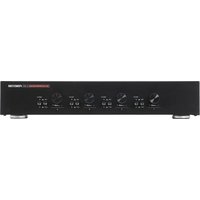

Brand : FoneStar
Model : MSC-12
Category : Loudspeaker