E32c+ - Battery charger AVer - Free user manual and instructions
Find the device manual for free E32c+ AVer in PDF.


| Product Type | Mobile Device Charging Cart |
| Model | E32c+ |
| Brand | AVer |
| Capacity | 32 devices (two shelves, 16 bays per shelf) |
| Supported Devices | Mobile devices up to 14" |
| Charging Type | Smart Cycling Charge |
| Power Input | AC 220~240V, 50/60Hz, 8A |
| Power Strip Rating | 220~240V, 50/60Hz, 8A |
| Security | Front and rear doors with 2-point steel locking mechanism; includes 4 door keys |
| Casters | Four 5" casters: two lockable, two directional lock |
| Door Hinge | 180° opening |
| Work Platform Loading | 20 kg (44.09 lbs) |
| Shelf Loading (each) | 43.54 kg (95.98 lbs) |
| Adapter Shelf Loading (each) | 3 kg (6.6 lbs) |
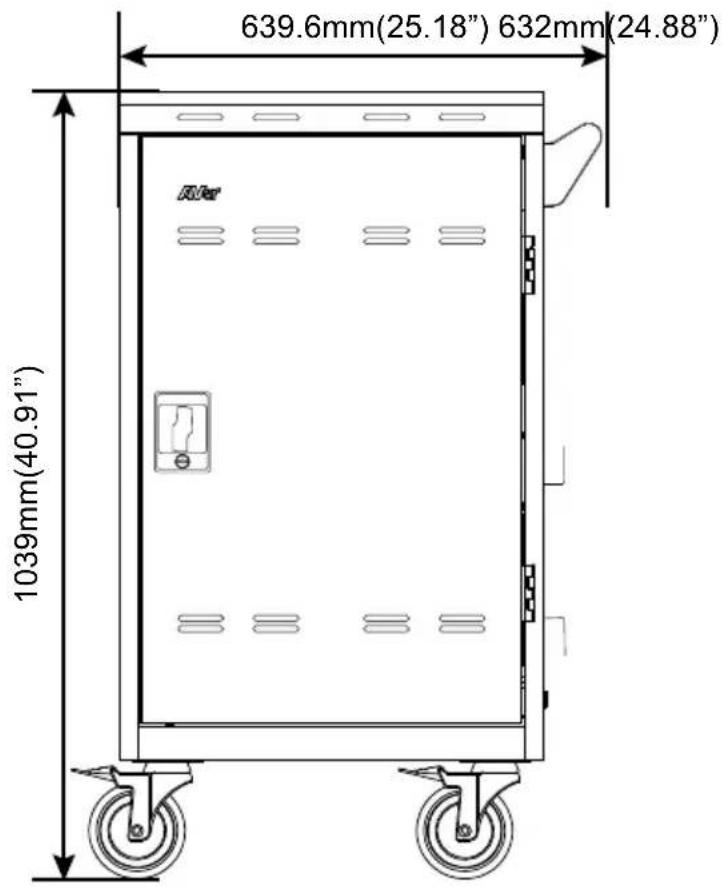
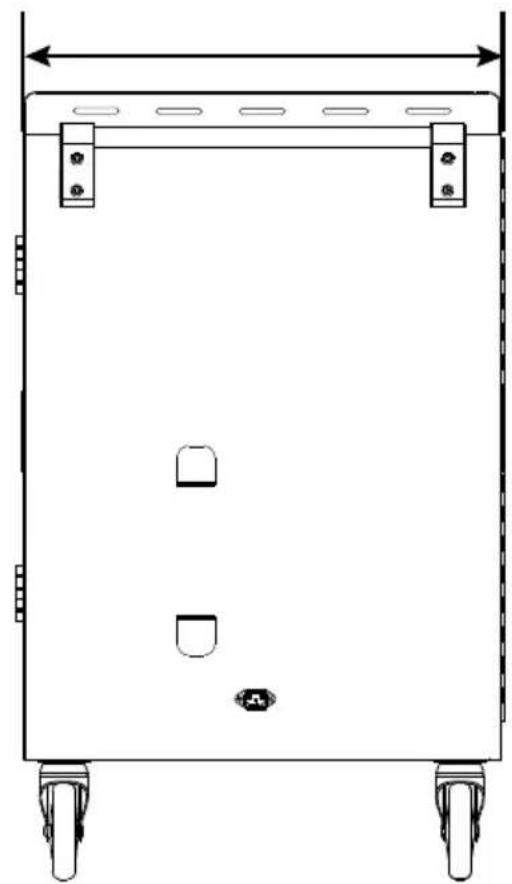
| Cart Dimensions (W x D x H) | 639.6 x 632 x 1039 mm (25.18" x 24.88" x 40.91") |
| Slot Dimensions (Upper) | 26 x 366.5 x 300.8 mm (1.02" x 14.43" x 11.84") |
| Slot Dimensions (Lower) | 26 x 366.5 x 341.5 mm (1.02" x 14.43" x 13.44") |
| Weight (without devices) | 52 kg (114.64 lbs) |
| Working Temperature | 0°C to 30°C |
| Storage Temperature | -40°C to 60°C |
| Working RH | 10% to 90% |
| Storage RH | 5% to 95% |
| Warranty (Cart and Tray) | 10 years |
| Warranty (Electrical Components) | 5 years |
Frequently Asked Questions - E32c+ AVer
User questions about E32c+ AVer
0 question about this device. Answer the ones you know or ask your own.
Ask a new question about this device
Download the instructions for your Battery charger in PDF format for free! Find your manual E32c+ - AVer and take your electronic device back in hand. On this page are published all the documents necessary for the use of your device. E32c+ by AVer.
USER MANUAL E32c+ AVer
natural_image
Line drawing of a portable industrial machine with wheels and control panel (no text or symbols)E32c
User Manual

WARNING
ALWAYS FOLLOW SAFETY PRECAUTIONS
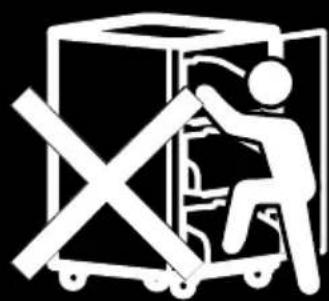
NEVER climb, sit or stand on the cart.
natural_image
Symbolic illustration of a person pushing a cart with a large 'X' on the ground (no text or symbols present)ONLY ADULTS should move the cart.

natural_image
White icon of a person pushing a cart on a black background (no text or symbols)To reduce risk of electric shock ONLY use indoors.

natural_image
Symbolic illustration of a person standing next to a vehicle with a cross crossed out, no text or symbols present.
CAUTION
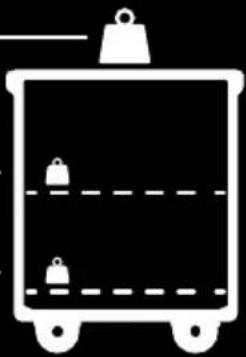
This cart is intended for use only with loading as indicated. Use with loads greater than indicated may result in instability causing possible injury.
$$ \leq 4 4. 0 9 \mathrm{lbs} (2 0 \mathrm{kg}) $$
$$ \leq 9 5. 9 8 \mathrm{lbs} (4 3. 5 4 \mathrm{kg}) $$
$$ \leq 9 5. 9 8 \mathrm{lbs} (4 3. 5 4 \mathrm{kg}) $$
natural_image
Simple line drawing of a container with two hanging bells and a top handle (no text or symbols)■ Death or serious injury may occur when children climb on audio and/or video equipment furniture. A remote control or toys placed on the furnishing may encourage a child to climb on the furnishing and as a result the furnishing may tip over on to the child.
■ Relocating audio and/or video equipment to furniture not specifically designed to support audio and/or video equipment may result in death or serious injury due to the furnishing collapsing or over turning onto a child.
CAUTION!
■ DO NOT allow anyone to sit, stand or climb on the cart.
■ DO NOT lift the cart.
■ DO NOT block the ventilation holes used for air circulation.
■ DO NOT overload objects on the cart shelves. (Work platform maximum loading = 20kg / 44.09lbs; each shelf maximum loading = 43.54kg / 95.98lbs).
■ DO NOT put any devices that the weight is over the maximum loading weight on top of the cart.
■ When moving the cart, DO NOT put any devices (ex: TV, Monitor, Document camera...etc.) on top of the cart.
■ No TV/monitor is to be used on top of the cart.
■ Before moving the cart, disconnect the power from the wall outlet.
■ While moving the cart, make sure the power cord is secured and tightly wrapped.
European Community Compliance Statement (Class A)
This product is herewith confirmed to comply with the requirements set out in the Council Directives on the Approximation of the laws of the Member States relating to Electromagnetic Compatibility Directive
2014/30/EU.
Warning: This is a class A product. In a domestic environment, this product may cause radio interference in which case the user may be required to take adequate measures.
DISCLAIMER
No warranty or representation, either expressed or implied, is made with respect to the contents of this documentation, its quality, performance, merchantability, or fitness for a particular purpose. Information presented in this documentation has been carefully checked for reliability; however, no responsibility is assumed for inaccuracies. The information contained in this documentation is subject to change without notice.
In no event will AVer Information Inc. be liable for direct, indirect, special, incidental, or consequential damages arising out of the use or inability to use this product or documentation, even if advised of the possibility of such damages.
TRADEMARKS
“AVer” is a trademark owned by AVer Information Inc. Other trademarks used herein for description purpose only belong to each of their companies.
COPYRIGHT
©2019 AVer Information Inc. All rights reserved.
All rights of this object belong to AVer Information Inc. Reproduced or transmitted in any form or by any means without the prior written permission of AVer Information Inc. is prohibited. All information or specifications are subject to change without prior notice.
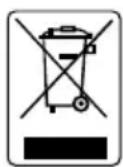
The mark of Crossed-out wheeled bin indicates that this product must not be disposed of with your other household waste. Instead, you need to dispose of the waste equipment by handing it over to a designated collection point for the recycling of waste electrical and electronic equipment. For more information about where to drop off your waste equipment for recycling, please contact your household waste disposal service or the shop where you purchased the product.
Contents
Package Contents .... 1
Dimensions....1
Diagram 2
Door Lock 3
Installation....4
Adapter Installation....4
Cable Management 5
Charging Cart 6
Troubleshooting 7
Specifications....8
Service and Warranty 9
Package Contents
The following items are included in the package. Please check if each item is available before using.
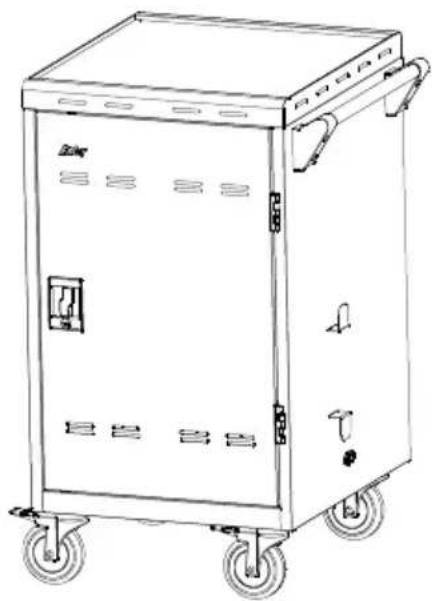
natural_image
Line drawing of a portable industrial control cabinet with wheels and ventilation slots (no text or symbols)E32c Cart
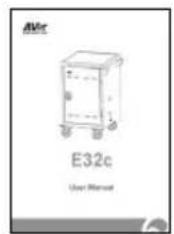
User Manual
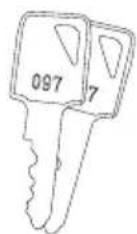
Door key x4
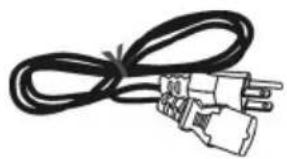
natural_image
Coiled black cable with two connectors (no text or symbols visible)Power Cord*
*The power cord type may vary as they are country dependent.
Dimensions
natural_image
Technical line drawing of a rectangular mechanical device with four wheels and a central handle (no text or symbols)Diagram
natural_image
Front view of a rectangular electronic device with four wheels and mounting brackets (no text or symbols visible)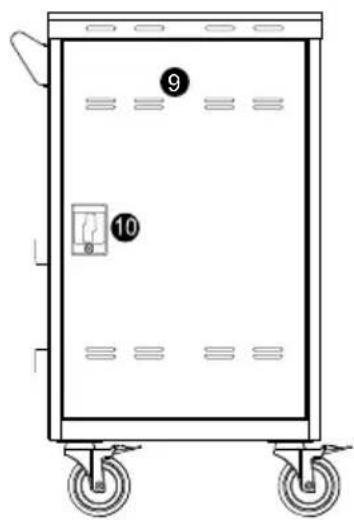
Front Side Back
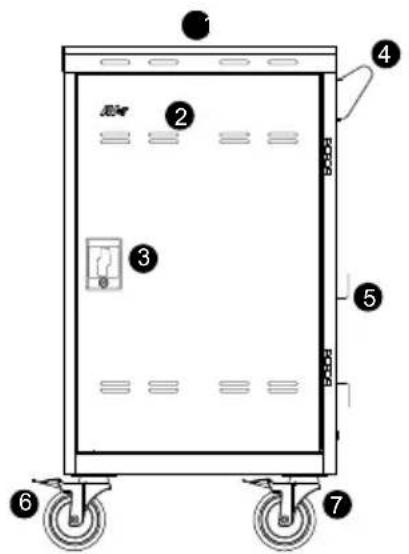
- Work platform
- Ventilation holes
- Door lock
- Handle
- Power cable wrap brackets
- 5" directional lock caster(Keep the cart rolling in the fixed direction)
-
5" locking caster
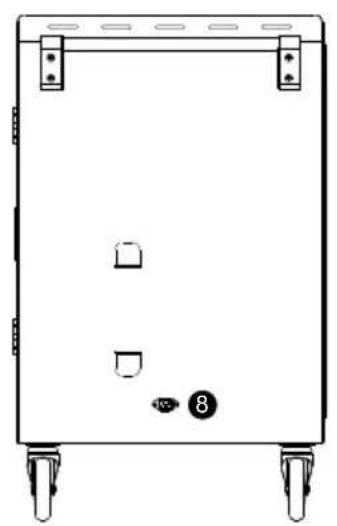
-
Power inlet 9. Ventilation holes
-
Door lock
Door Lock
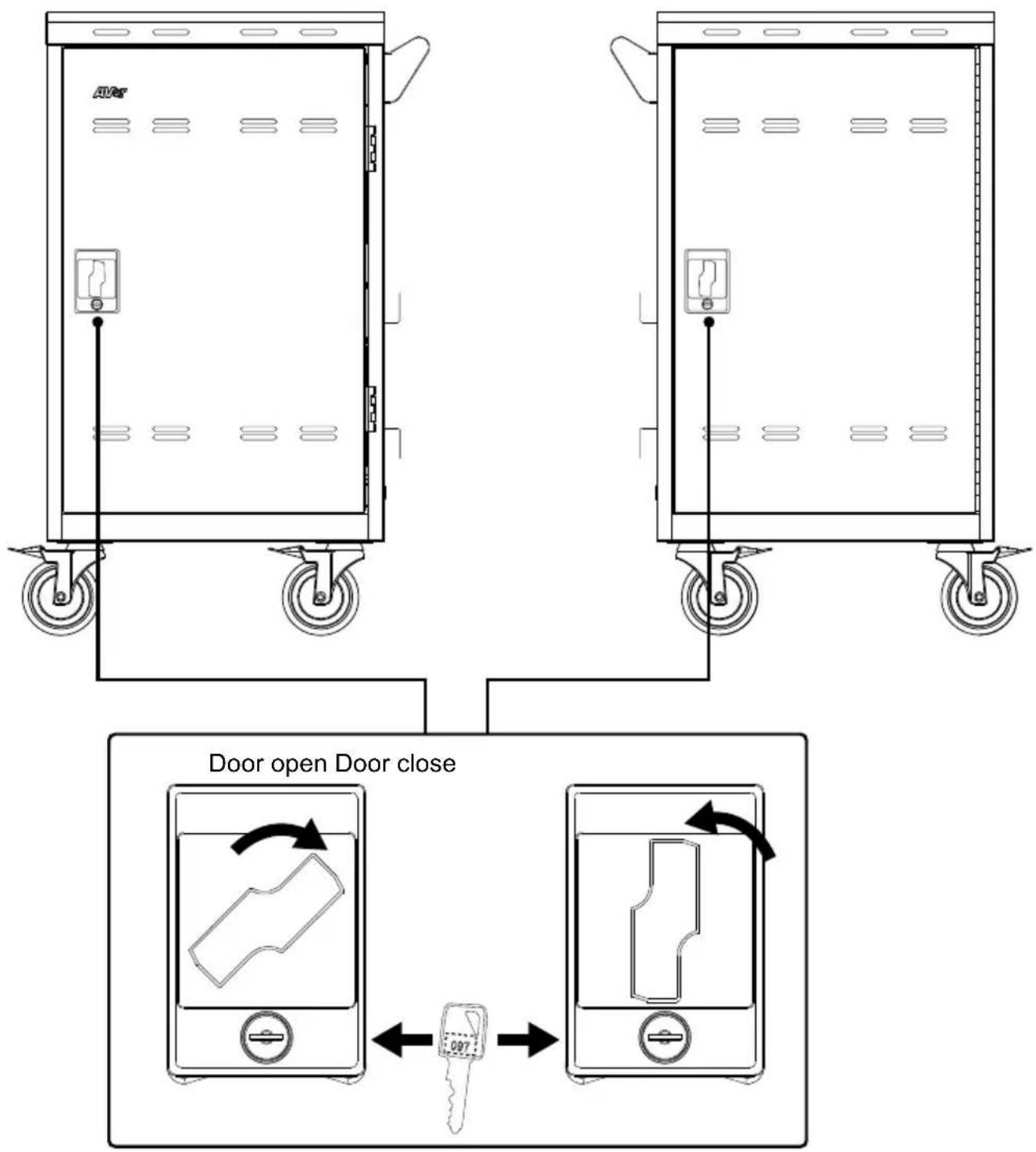
flowchart
graph TD
    A["Left Lane"] --> B["Locker 1"]
    C["Right Lane"] --> D["Locker 2"]
    B --> E["Door open Door close"]
    D --> F["Door open Door close"]
    E --> G["Door closed"]
    F --> G
    G --> H["Close to key"]
    style A fill:#f9f,stroke:#333
    style C fill:#f9f,stroke:#333
    style E fill:#ccf,stroke:#333
    style F fill:#ccf,stroke:#333
Installation
[Note]
- It is recommended to use cable ties (optional) to secure and manage cables.
- It is recommended to allocate 2 persons for efficient device cabling.
Adapter Installation
- Open the rear door.
- Place the power adapter into the individual adapter compartment.
- Pass the DC-end of the adapter cable to the front of the cart through the space provided.
- Plug-in the AC-end power cord to the corresponding power AC socket.
- Bundle the cable and secure it with a cable tie or zip-tie (not supplied).
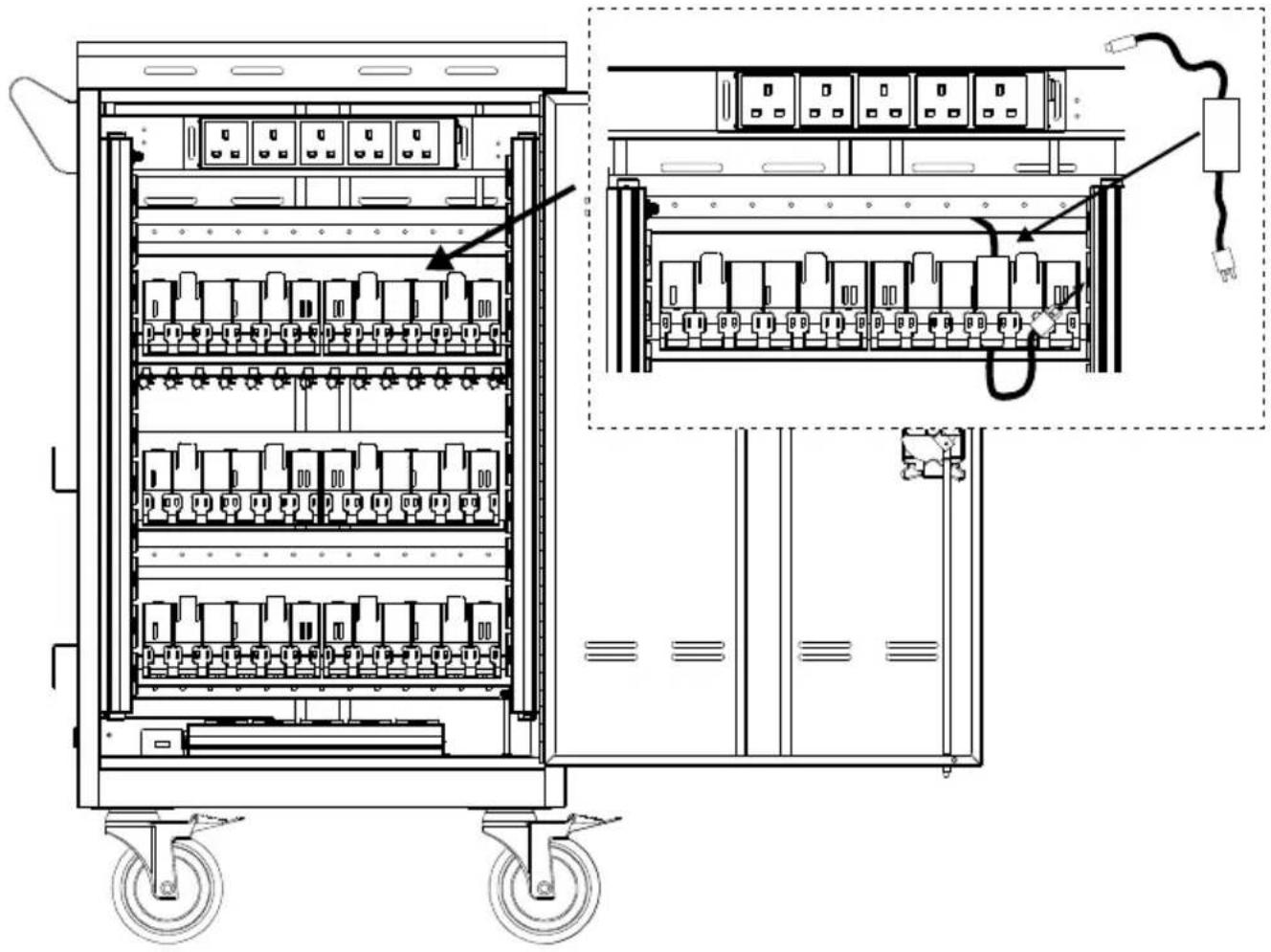
natural_image
Technical line drawing of an electrical cabinet with wheels and internal components, showing wiring connections (no text or symbols)Cable Management
- Open front door.
- Route the cable through the cable hook as figure shown.
- Place the mobile device into the bay.
- Plug in the DC-connector to the mobile device.
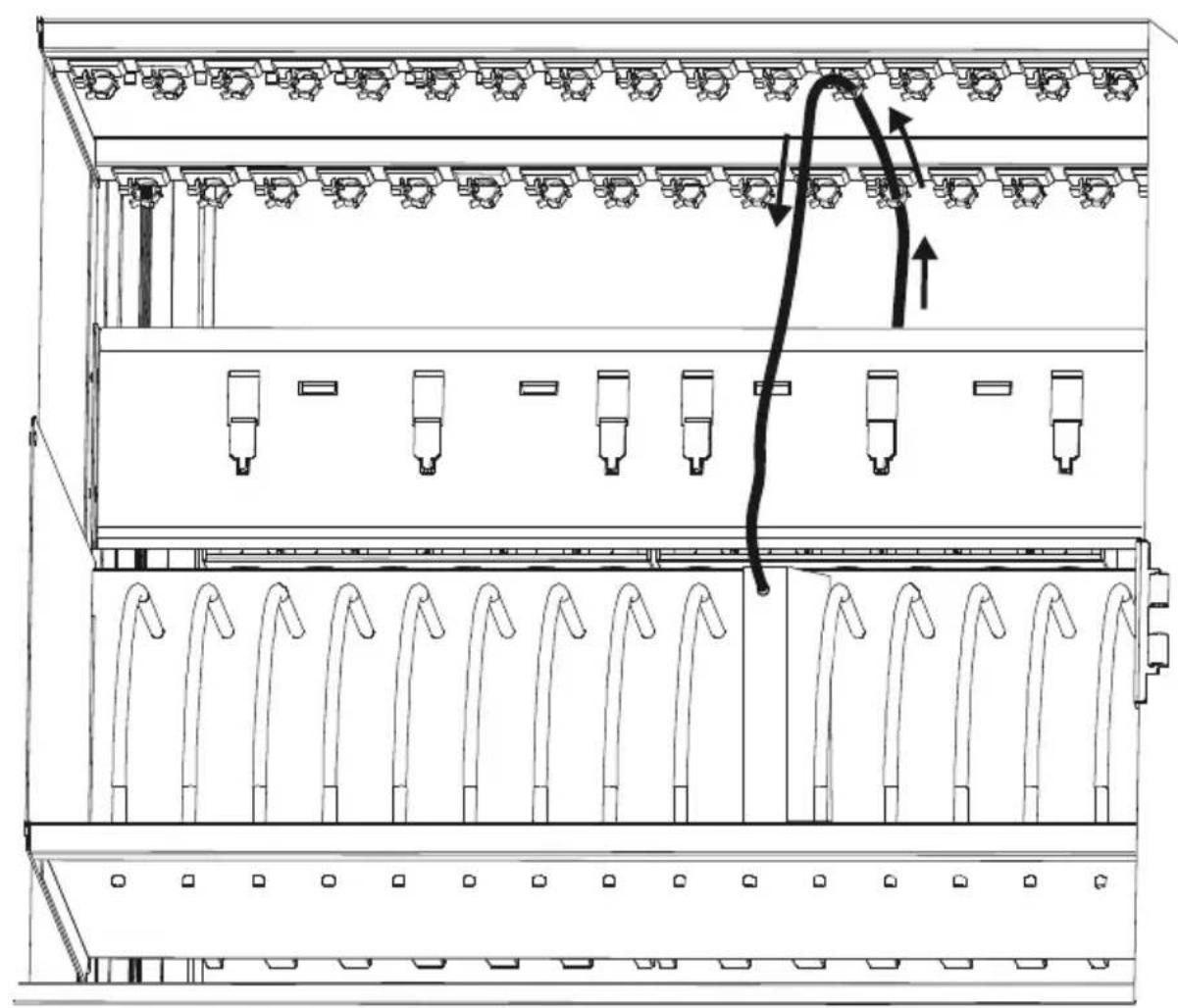
Charging Cart
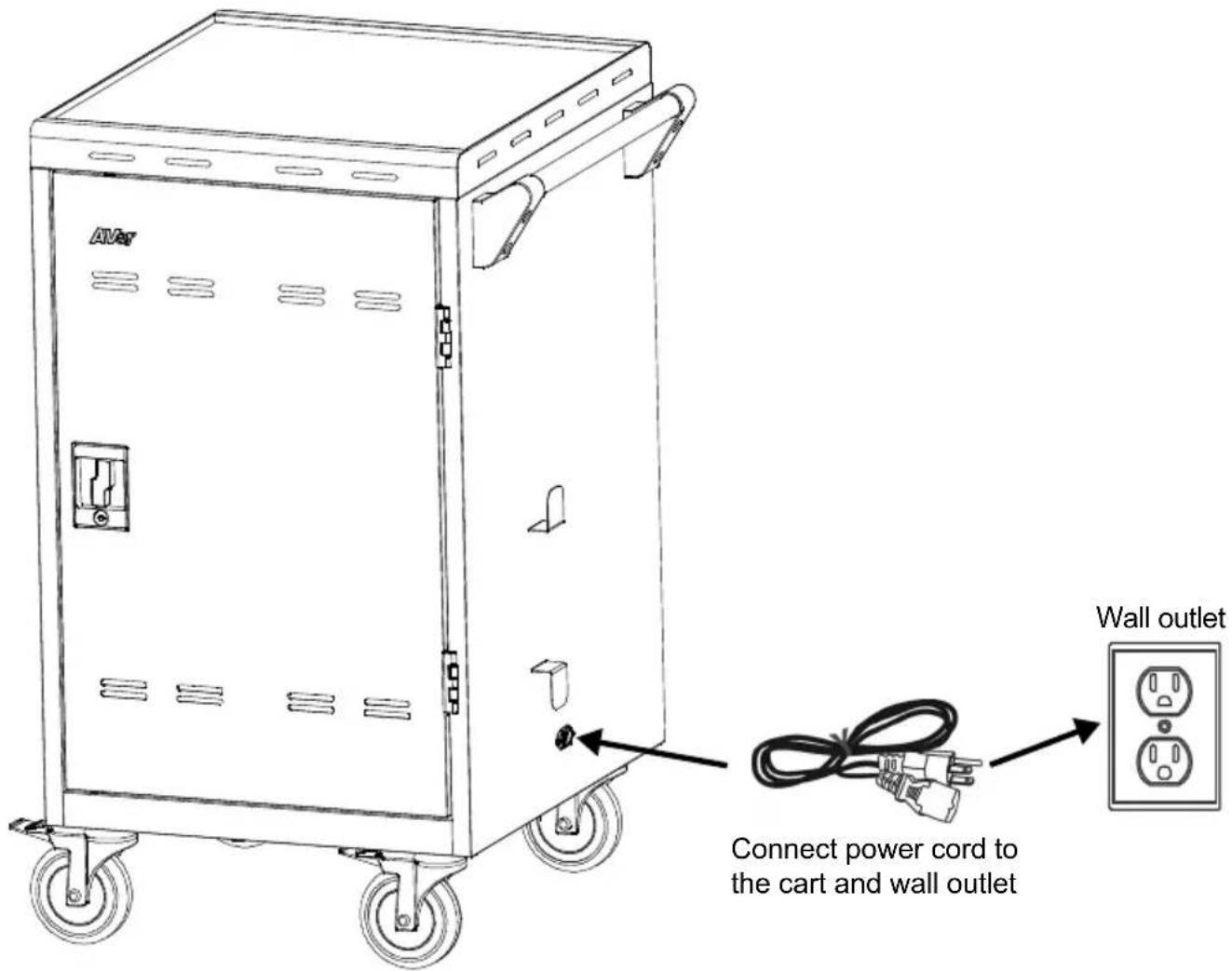
[Note] The power inlet and power cord type may vary as they are country dependent.
Troubleshooting
Q: Why are all of my devices plugged in but not charging?
A: 1. Make sure power cords are undamaged.
-
Make sure power cords are firmly inserted into the available socket with the stable current.
-
Make sure the power plug and current consumption are compliant with your country specification standards.
Q: My cart's main power cord or cart components are damaged. Are they covered under warranty?
A: We provide a 10 year warranty on the cart and tray, and 5 years warranty on the electrical components.
Q: How do I know if my devices will exceed more than the allotted current?
A: Have a qualified electrician verify the current consumption of your devices. Perform the test with devices installed and batteries discharged.
Q: When I plug in the device it trips the circuit breaker. What is wrong?
A: You may have other equipment or appliances sharing the same circuit that is causing a circuit overload. Have a qualified electrician check that adequate power is available in the circuit.
Specifications
| Model | E32c |
| Capacity | 32 (two shelves, 16 bays per shelf) |
| Supported Devices | Mobile devices up to 14" |
| Charging Type | Smart Cycling Charge |
| Power Specification | AC IN: 220~240V, 50/60Hz, 8APower Strip: 220~240V, 50/60Hz, 8A |
| Security | Front Doors: 2-point steel locking mechanismRear Doors: 2-point steel locking mechanism |
| Casters | Four 5" casters: two are lockable and two directional lock |
| Door Hinge | 180° |
| Work Platform Loading | 20kg (44.09lbs) |
| Shelf Loading(ea.) | 43.54kg (95.98lbs) |
| Adapter Shelves Loading(ea.) | 3kg(6.6lbs) |
| Working Temperature | 0°~30°C |
| Working RH% | 10%~90% |
| Storage Temperature | -40°C~60°C |
| Storage RH% | 5%~95% |
| Warranty | 10 years cart and tray5 years electrical components |
| Cart Dimensions(W x D x H) | 639.6 (W) x 632 (D) x 1039 (H)mm25.18"(W) x 24.88"(D) x 40.91"(H) |
| Slot Dimensions(W x D x H) | Upper side drawer :26(W) x 366.5(D) x 300.8(H)mm1.02"(W) x 14.43"(D) x 11.84"(H)Lower side drawer:26(W) x 366.5(D) x 341.5(H)mm1.02"(W) x 14.43"(D) x 13.44"(H) |
| Weight without Devices | 52 Kg (114.64lbs) |
Service and Warranty
All of our products come with a quality and safety assurance.
For customers located outside North America, please visit AVer Global support site:
http://www.aver.com/
For customers located in Europe, please visit the AVer support site for comprehensive RMA, Warranty, and Service information:
http://presentation.aver.com/warranty
- E32c
- User Manual
- WARNING
- ALWAYS FOLLOW SAFETY PRECAUTIONS
- CAUTION
- CAUTION!
- European Community Compliance Statement (Class A)
- DISCLAIMER
- TRADEMARKS
- COPYRIGHT
- Contents
- Package Contents
- Diagram
- Front Side Back
- Installation
- [Note]
- Adapter Installation
- Cable Management
- Charging Cart
- Troubleshooting
- Service and Warranty
Brand : AVer
Model : E32c+
Category : Battery charger