
MK-SP50Colour201 - Other Kitchen Appliances MIDEA - Free user manual and instructions
Find the device manual for free MK-SP50Colour201 MIDEA in PDF.


| Product Type | Electric Kettle with Dispenser |
| Brand | Midea |
| Model | MK-SP50Colour201 |
| Capacity | 5.0 L |
| Voltage | 220-240 V~ |
| Frequency | 50-60 Hz |
| Rated Power | 750-900 W |
| Keep Warm Temperatures | 45°C, 55°C, 65°C, 85°C |
| Water Dispensing | Push-button with lock |
| Boil Functions | Tap Water (Dechlorination) and Purified Water |
| Safety Features | Dry-boil protection, auto shut-off, child lock, boil-dry prevention |
| Altitude Adaptation | Automatic with user reset option |
| Lid | Removable for cleaning |
| Scale Filter | Removable, washable |
| Cord Storage | Base compartment |
| Materials | Stainless steel inner, plastic exterior (estimated) |
| Cleaning | Descaling with vinegar or citric acid; wipe exterior with damp cloth |
| Warranty | Refer to manufacturer (typical 1 year) |
| Weight | Approx. 2.0 kg (estimated) |
| Dimensions (LxDxH) | Approx. 25 x 20 x 35 cm (estimated) |
Frequently Asked Questions - MK-SP50Colour201 MIDEA
User questions about MK-SP50Colour201 MIDEA
0 question about this device. Answer the ones you know or ask your own.
Ask a new question about this device
Download the instructions for your Other Kitchen Appliances in PDF format for free! Find your manual MK-SP50Colour201 - MIDEA and take your electronic device back in hand. On this page are published all the documents necessary for the use of your device. MK-SP50Colour201 by MIDEA.
USER MANUAL MK-SP50Colour201 MIDEA
IMPORTANT NOTE: Please read the manual carefully before operating your product. Retain it for future reference.
IMPORTANT SAFEGUARDS
Caution
- Read carefully and save all the instructions.
- For additional protection, we recommend the use of a power outlet with a rated current of 10A. To avoid circuit overload, do not operate another high wattage appliance on the same circuit.
- Do not fill kettle when positioned on base, Dry the water on the bottom of the body before place it onto power base.
- Never leave the appliance unattended when in use.
- Close supervision is necessary when your appliance is being used near children or infirm persons.
- Electric kettle must be operated on a flat surface. Do not place this appliance on or near a hot gas or electric burner or on the top of other electric appliances.
- Do not touch hot surfaces, use the handle. Be aware of steam being emitted from spout or lid especially during refilling. Do not remove lid during boiling cycle.
- Do not use the kettle to heat anything other than water. Do not fill above the "max" indication. Do not operate kettle if water is below minimum.
- Do not let the power cord hang over the edge of the table or
IMPORTANT SAFEGUARDS
touch hot surfaces. Always store excess portion of the power cord in the compartment of the base unit.
-
Do not immerse any part of the appliance in water or other liquid. Do not use your appliance with an extension cord unless this cord has been checked and tested by a qualified technician or service person. Always use your appliance from a power outlet of the voltage(A.C. only)marked on the appliance.
-
If the power cord is damaged, it must be changed by manufacturer or authorized persons.
NOTE: If the kettle is overfilled, boiling water may be ejected.
The kettle is only to be used with the stand provided.
WARNING: Do not switch on if there is a possibility that the water in the heater is frozen.
-
Always unplug from the plug socket when in following conditions: No water in kettle Filling water Not in use Before cleaning or moving kettle.
-
Call our free customer assistance number for information or return to our Customer Service Department for examination and repair. Never repair the appliance by yourself. WARNING: To reduce the risk of fire or electric shock, do not remove the bottom cover of the body or the power base by yourself.
-
Do not use a base unit other than the one supplied. The use of accessory attachments not recommended by the manufacturer may result in fire! electrical shock or personal injury.
-
Do not insert any object into slots or holes of the kettle.
-
This appliance is for household use only. Do not use outdoors.
-
This appliance can be used by children aged from 8 years and above if they have been given supervision or instruction concerning use of the appliance in a safe way and if they understand the hazards involved. Cleaning and user maintenance shall not be made by children unless they are older than 8 and supervised. Keep the appliance and its cord out of reach of children aged less than 8 years.
IMPORTANT SAFEGUARDS
-
This appliance is intended to be used in household and similar applications as:
-
Staff kitchen areas in shops, offices and other working environments;
- Farm houses;
- By clients in hotels, motels and other residential type environments;
-
Breakfast type environments.
-
WARNING: Do not remove the lid while the water is boiling.
-
CAUTION: Position the lid so that steam is directed away from the handle.
-
CAUTION: Insure that the appliance is switched off before removing it from its stand.
-
CAUTION: Be careful and avoid water spillage on connector.
-
Incorrectly use of appliance may cause serious burns, therefore, attention shall be taken.
-
Do not try to access into kettle's container, heating element surface ins subjected to residual heat after use.
-
Appliances can be used by persons with reduced physical, sensory or mental capabilities or lack of experience and knowledge if they have been given supervision or instruction concerning use of the appliance in a safe way and understand the hazards involved.
-
Children shall not play with the appliance.
-
CAUTION: Do not operate the kettle on an inclined plane. Do not operate the kettle unless the element is fully immersed. Do not move while the kettle is switched on.
-
CAUTION: to prevent damage to the appliance donot use alkaline cleaning agents when cleaning, use a soft cloth and a mild detergent.
Please follow the above safety precautions
Environmental protection
natural_image
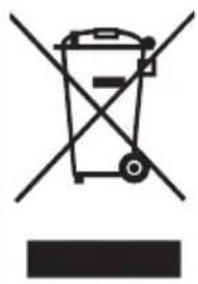
Symbol of a trash bin crossed with no visible text or labelsDo not dispose of electrical appliances as unsorted municipal waste, use separate collection facilities.
Contact your local government for information regarding the collection systems available.
If electrical appliances are disposed of in landfills or dumps, hazardous substances can leak into the groundwater and get into the food chain, damaging your health and well-being.
When replacing old appliances with new once, the retailer is legally obligated to take back your old appliance for disposal at least for free of charge.
Cleaning
To prolong the kettle's life, please clean the mineral deposits in the kettle regularly.
▶ Always unplug from the plug socket and allow to cool down before cleaning.
Do not use chemical, steel wool, or abrasive cleaners to clean the outside of the kettle, as these will scratch the surface and fade the outside color.
- Fill the kettle with 0.5L white vinegar and the remainder with water and allow to stand for over 1 hours;
- Empty the solution from the kettle. Wipe off the deposits remained with damp cloth
- Fill the kettle with clean water, bring to boil and then discard the water. Repeat and the kettle will be ready to use;
- If necessary, repeat the operations above for several times;
- Do not immerse into water. The surface of the kettle may be wiped over with a damp cloth and polished with a soft dry cloth.
- Grasp the top of the scale filter and pull upwards to remove. Wash with clean water and dry thoroughly before replacing in the kettle.
Kettle model
| Model | Volume | Voltage frequency | Rated power |
| MK-SP50Colour201 | 5.0 L | 220-240V~ 50-60Hz | 750-900 W |
Note
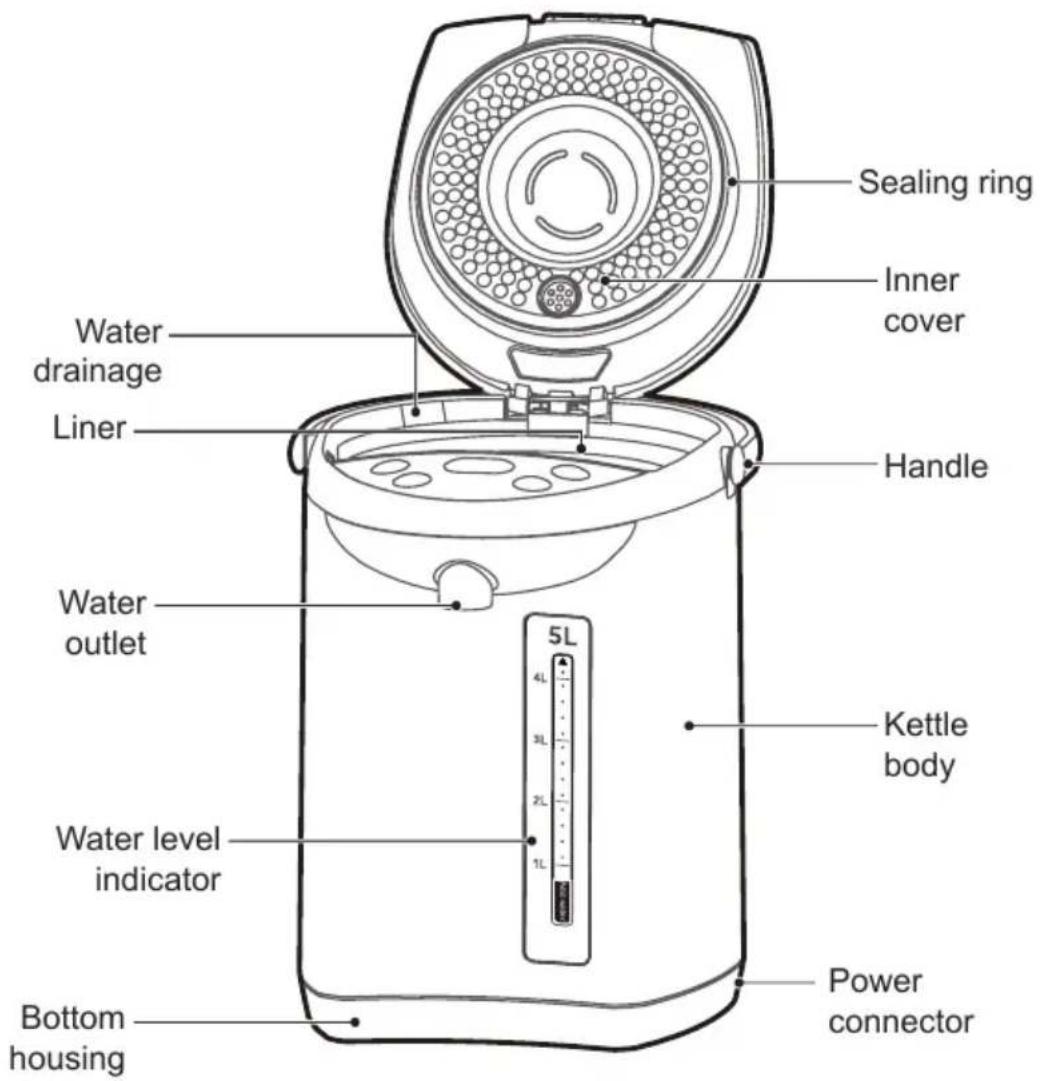
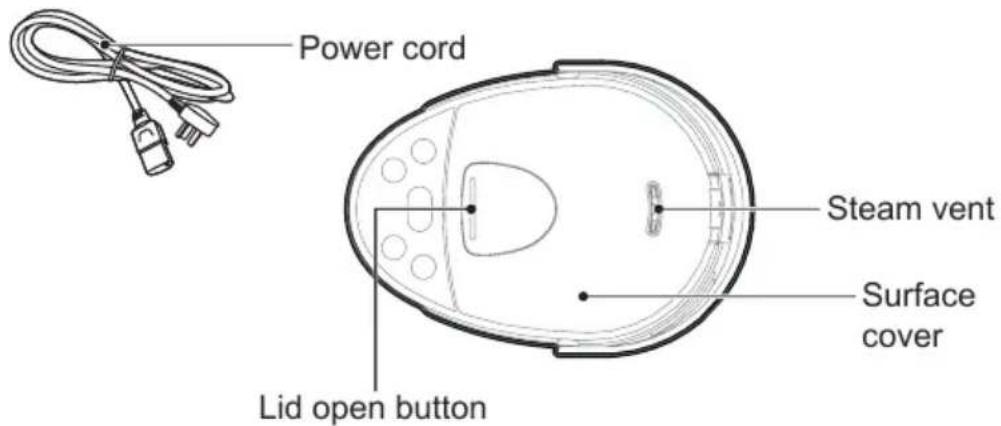
The products' exteriors are different. The following diagrams are for reference only; the specifics are based upon the actual product in the package.
Part name
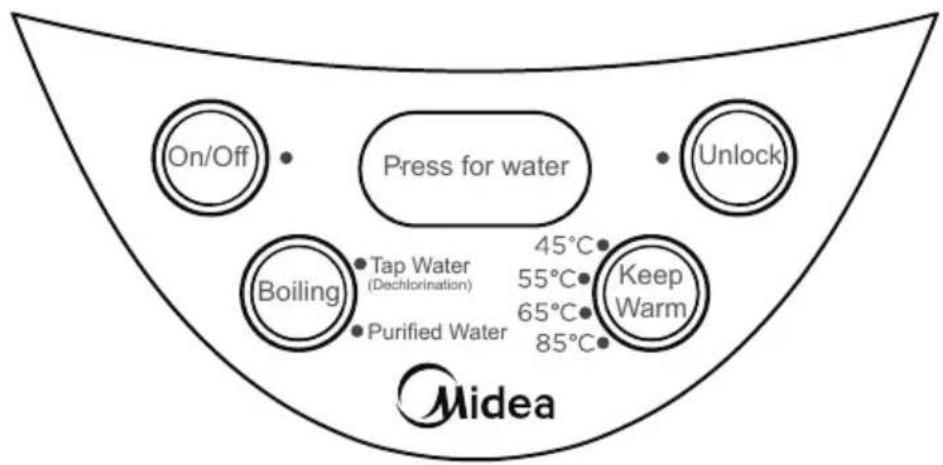
Operation panel
flowchart
graph TD
    A["On/Off"] --> B["Press for water"]
    C["Unlock"] --> B
    D["Boiling"] --> E["Tap Water (Dechlorination)"]
    D --> F["Purified Water"]
    G["Keep Warm"] --> H["45°C 55°C 65°C 85°C"]
    I["Midea"] --> J["End"]
• Tap Water (Dechlorination)
• Purified Water

- In standby state, click the "Boiling" button, select the "Tap Water" function (the "Keep Warm" function is on by default). The "On/Off" button indicator light is on constantly. The "Tap Water" function indicator light and the "Keep Warm" indicator will flash for 5 seconds, after 5 seconds, the "Tap Water" function indicator light will light up constantly, the "Keep Warm" indicator will keep on flashing, and the kettle starts to work at the same time. After starting work, click the "Boiling" button to switch between "Tap Water" and "Purified Water" functions;
- After starting to boil water, single click "Keep Warm" button to select the "Keep Warm" temperature;
- After water is boiled and switches into "Keep Warm" mode, when the water temperature drops to the pre-set temperature, the "Keep Warm" indicator will be switched from flashing to constant light up.
- In standby state, click the "Boiling" button, select the "Purified Water" function (the "Keep Warm" function is on by default). The "On/Off" button indicator light is on constantly. The "Purified Water" function indicator light and the "Keep Warm" indicator will flash for 5 seconds, after 5 seconds, the "Purified Water" function indicator will light up constantly, the "Keep Warm" indicator will keep on flashing, and the kettle starts to work at the same time. After starting work, click the "Boiling" button to switch between "Purified Water" and "Tap Water" functions;
- After starting to boil water, single click "Keep Warm" button to select the "Keep Warm" temperature;
- After water is boiled and switches into "Keep Warm" mode, when the water temperature drops to the pre-set temperature, the "Keep Warm" indicator will be switched from flashing to constant light up.
- In standby state, click on "Keep Warm" button to select the required temperature, and turn on the "Purified Water" function to boil water (Only single click on the "Keep Warm" button in standby mode is valid). The "Purified Water" indicator and the corresponding "Keep Warm" indicator will flash for 5 seconds. After 5 seconds, the kettle starts to work. The "Purified Water" indicator will light up constantly, and the "Keep Warm" indicator will keep on flashing. When the water is boiled to the pre-set temperature, the "Keep Warm" indicator will turn on constantly.
- Selection range of warm keeping temperature: 45^ C, 55^ C, 65^ C, 85^ C, cycle selection.

- In locked state, the corresponding function indicator will light off; click on the corresponding button, the corresponding function indicator will light on constantly, and the kettle enters the unlocked state. If there is no operation within 10 seconds after the unlock light is on, the unlock indicator will light off after 10 seconds and returns to the locked state.
- In unlocked state, the corresponding function indicator will light on constantly Click on the corresponding button to enter locked state, the corresponding function indicator will light off.
- In unlocked state, press and hold "Press for water" button to take water.
- In locked state, press and hold "Press for water" button, the corresponding function indicator flashes for 5 seconds to prompt the user to unlock.
How to use
Reminder
- Before the first use or after a long period of storage, add 2-3 L of water to inner liner and boil 1-2 times to clean the inner liner. At this time, the boiled water can not be drunk!
• This product is suitable for use up to 3,000 meters above sea level. - Be careful not to wet the kettle body when filling water.
- The "Keep Warm" setting can be carried out when boiling water or after boiling water. The "Keep Warm" function indicator flashes, indicating that the water temperature has not reached the pre-set "Keep Warm" temperature. The "Keep Warm" button can select the "Keep Warm" temperature cyclically.
- Press and hold "Press for water" button before unlock the kettle, the "Unlock" indicator flashes to prompt user to unlock.
- Preventing dry burning: If the water content in the kettle is lower than the water mark, or no water and the electricity is continuously on, in order to prevent the machine from dry burning malfunction. Please check the water level in the water bottle regularly. If the water content is insufficient, please add water immediately.
- Altitude adaptive program: If water is not boiling or any other conditions, the user may restore the factory settings and re-register the local altitude boiling point. Method: Press the "On/Off" button and the "Boiling" button at same time to power on. The indicator lights of "Tap Water" and "Purified Water" will be turned on at the same time, and then turned off, which indicating the altitude self-adaptive setting is completed.
- You can't collect water by unplugging the power cord. Under other conditions such as Shut Down, Standby, etc., press the "Unlock", and press the "Press for water" button to release water.
Boiling - Keep Warm
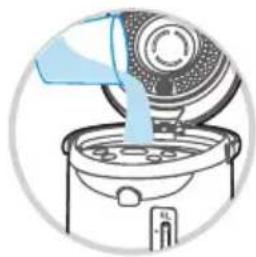
1 Add 1 L to 5 L of water to the kettle with a water container, and the water level should not exceed the full water mark.
natural_image
Illustration of a kitchen appliance pouring liquid into a fan (no text or symbols)2 Close the top cover.
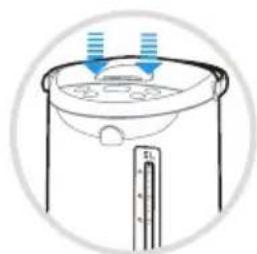
natural_image
Simple line drawing of a container with liquid and arrows indicating flow or movement (no text or symbols)3 Turn on the power supply, all indicators light up, the buzzer sounds a long time. After 1 second, all the button indicator light off, except the "On/Off" button indicator flashes, and the kettle enters the standby state. (If there is no operation for 30 seconds, the kettle enters the "Shut Down" state, press the "On/Off" button to enter the standby state.)

4 Click the "Boiling" button, select the "Tap Water" function (the "Keep Warm" function is on by default). The "On/Off" button indicator light is on constantly. The "Tap Water" function indicator light and the "Keep Warm" indicator will flash for 5 seconds, after 5 seconds, the "Tap Water" function indicator will light up constantly, the "Keep Warm" indicator will keep on flashing, and the kettle starts to work at the same time. After starting work, click the "Boiling" button to switch between "Tap Water" and "Purified Water" functions;
5 Click "Keep Warm" to select the "Keep Warm" temperature, cycle through 45°C-55°C-65°C-85°C for selection; the corresponding temperature point indicator flashes, after boiling, the temperature drops until the pre-set "Keep Warm" temperature, and the indicator lights up constantly.

6 Press the "Unlock" button and the unlock indicator lights up constantly.
7 Place the water container under the water outlet and press the "Press for water" button to collect water, release the button to stop water.
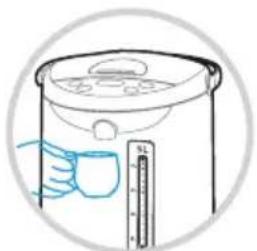
natural_image
Illustration of a hand holding a cup next to a water heater with a scale ruler (no text or symbols)8 Press the "On/Off" button to close all programs, the water outflow function can be used normally.
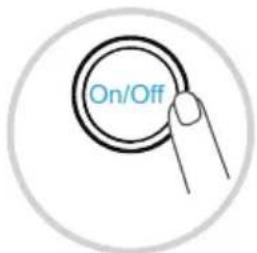
Keep Warm
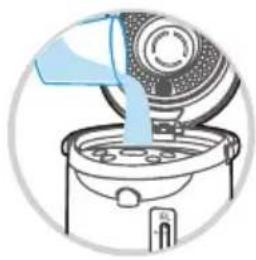
1 Add 1 L to 5 L of purified water to the kettle with a water container, and the water level should not exceed the full water mark.
natural_image
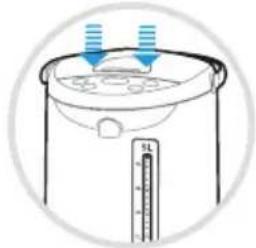
Illustration of a kitchen appliance pouring liquid into a fan (no text or symbols)2 Close the top cover.
natural_image
Illustration of a cooking pot with liquid and arrows indicating flow direction (no text or symbols)3 Turn on the power supply, all indicators light up, the buzzer sounds a long time. After 1 second, all the button indicator light off, except the "On/Off" button indicator flashes, and the kettle enters the standby state. (If there is no operation for 30 seconds, the kettle enters the "Shut Down" state, press the "On/Off" button to enter the standby state.)

4 Click on "Keep Warm" button to select the required temperature, and turn on the "Purified Water" function to boil water. The "Purified Water" indicator and the corresponding "Keep Warm" indicator will flash for 5 seconds. After 5 seconds, the kettle starts to work. The "Purified Water" indicator will be on constantly, and the "Keep Warm" indicator will keep on flashing. When the water is boiled to the pre-set temperature, the "Keep Warm" indicator will turn on constantly.

Reminder
When using the "Keep Warm" function, the water will not boil, the heating will stop after reaching the pre-set "Keep Warm" temperature!
Security lock
1 When the power is turned on, the security lock function is activated, the "Press for water" function is no available.
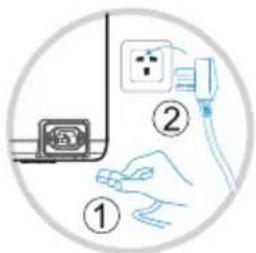
2 Press the "Unlock" button, the unlock indicator light is on, and the water outflow function is available.
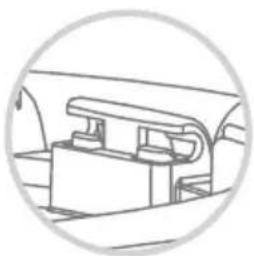
Disassembly of kettle lid
1 Open the lid of the kettle, the lid and the horizontal level are at 20\~30 degrees. Hold the kettle body with one hand and pull lid slightly with the other hand to remove the lid.
natural_image
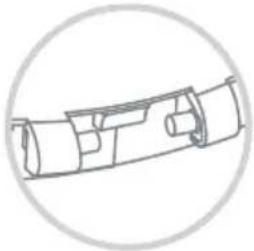
Pure mechanical component diagram without any text, numbers, or symbols2 During installation, the rotating shaft of the lid is to be aligned with the clamp position on the body of the kettle, and inserts the lid at 20-30 degrees at the horizontal level. When you hear a click sound, the lid is installed in place.
natural_image
Pure mechanical component diagram without any text, numbers, or symbolsCare and cleaning
Reminder
- Before cleaning, please ensure the power plug has been disconnected and the electric water kettle has been cooled down.
- To extend the lifespan of the electric water kettle, please clean the mineral deposits (scale) inside the kettle, you may apply cleaning agent (such as vinegar, citric acid) to clean.
- There might be a minor odour after each cleaning, you may fill the kettle with cold water, boil the water few rounds and drains off the water to remove the odour.
- Do not rinse the kettle exterior with water, do not use steel balls, chemical or powdering detergent to clean the exterior.
- Use water-containing sponge to wipe the liner, do not use detergent powder, grass brush or nylon brush.
- Do not dry the kettle with dishwasher or dryer, otherwise the kettle will be deformed and damaged
Daily maintenance
1 Unplug the power cord.
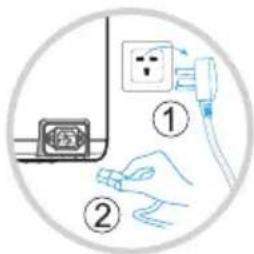
2 Pour away the water from the water drainage, and dry the water kettle with a dry towel.
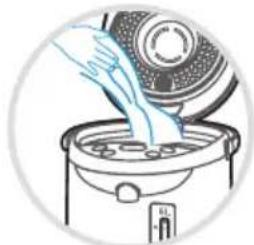
natural_image
Illustration of a hand pouring liquid into a cooking pot (no text or symbols)3 Wipe the kettle exterior with a damp towel and prepare for the future usage.
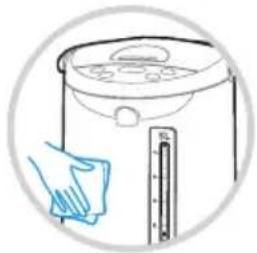
natural_image
Illustration of a kitchen appliance with a hand cleaning it, showing a scale and cloth (no text or symbols)De-scaling
1 Pour the de-scaling detergent (100 grams per wash) into the kettle. Add cold water to the full water mark and stir well, then turn on the power supply.
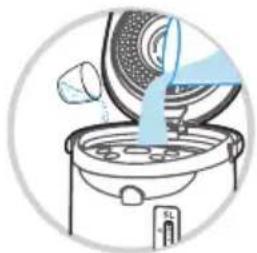
natural_image
Illustration of a kitchen appliance with a lid pouring liquid into a steamer (no text or symbols)2 Turn on the power.
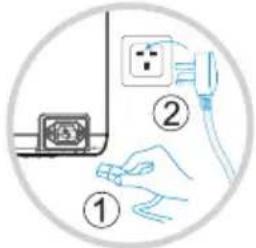
3 If the dirt in the bottle can not be removed, repeat the process by heating up water.
4 Unplug the power cord.
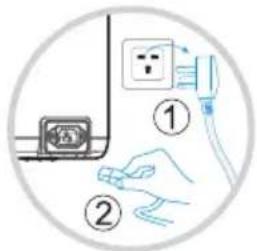
5 Cools down the electric water kettle, open the upper lid, drain off the water from the drain, and wipe dry the water marks with a dry towel.
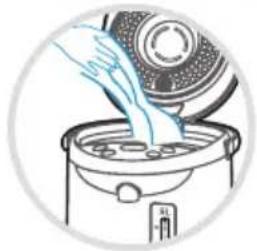
natural_image
Illustration of a hand pouring liquid into a kitchen appliance (no text or symbols)6 Wipe the kettle exterior with a damp towel and prepare for the future usage.
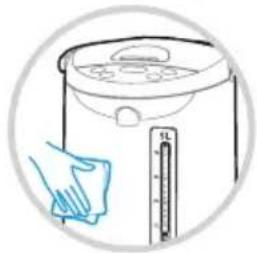
natural_image
Illustration of a hand cleaning a kitchen appliance with a thermometer (no text or symbols)Daily Maintenance
Please keep the kettle clean after each use. For prolonged storage, please unplug the power from the outlet, and apply necessary moisture, dust and pest prevention methods.
Brand : MIDEA
Model : MK-SP50Colour201
Category : Other Kitchen Appliances