
Sulaco GM-4 - Mouse Canyon - Free user manual and instructions
Find the device manual for free Sulaco GM-4 Canyon in PDF.


User questions about Sulaco GM-4 Canyon
0 question about this device. Answer the ones you know or ask your own.
Ask a new question about this device
Download the instructions for your Mouse in PDF format for free! Find your manual Sulaco GM-4 - Canyon and take your electronic device back in hand. On this page are published all the documents necessary for the use of your device. Sulaco GM-4 by Canyon.
USER MANUAL Sulaco GM-4 Canyon
Congratulations for purchasing high quality CANYON product.
We are happy to present you our gaming accessories, which are the combination of new technology and fresh design.
Our own design bureau implements the latest trends in the technical design of gaming products, while our scrupulous quality control system ensures a long lifetime of CANYON products. To take full advantage of this product, we recommend that you read this manual completely.
www.gaming.canyon.eu

natural_image
Orange V-shaped arrow symbol on white background (no text or symbols)Package contents
natural_image
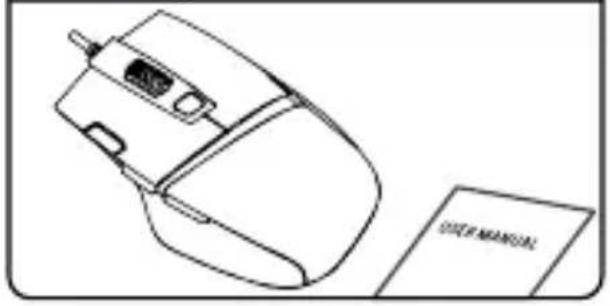
Line drawing of a computer mouse next to a document labeled 'USER MANUAL' (no other text or symbols)Connection

Available DPI settings

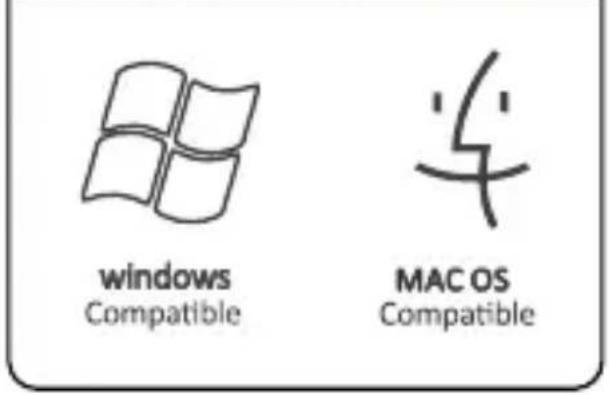
Compatibility
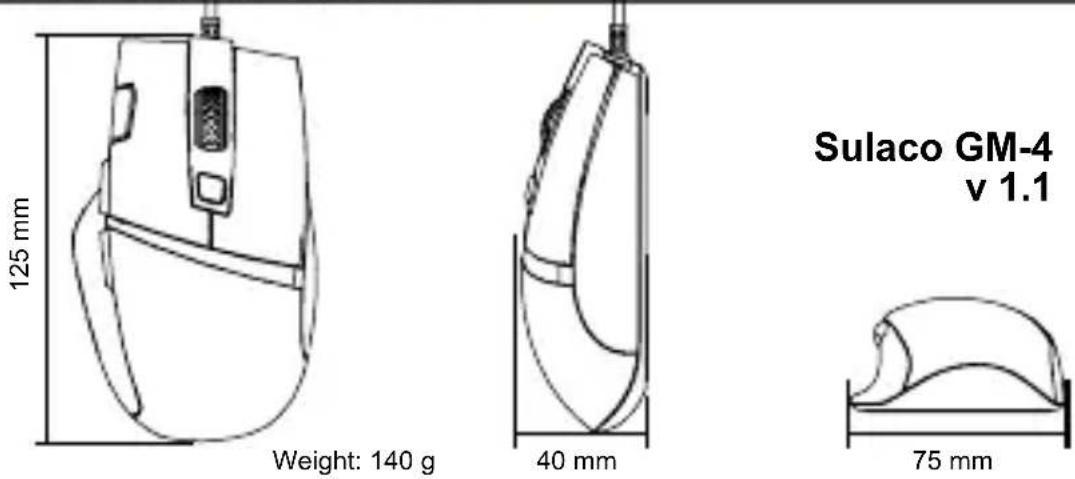
Physical characteristics

Driver and full manual
http://canyon.eu/drivers-and-manuals/
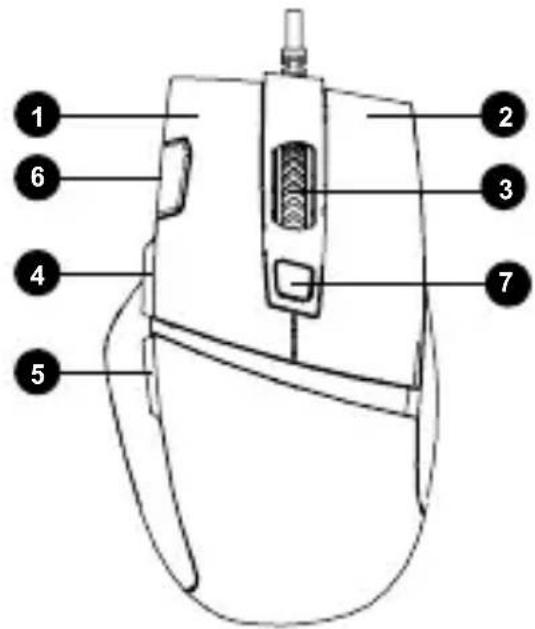
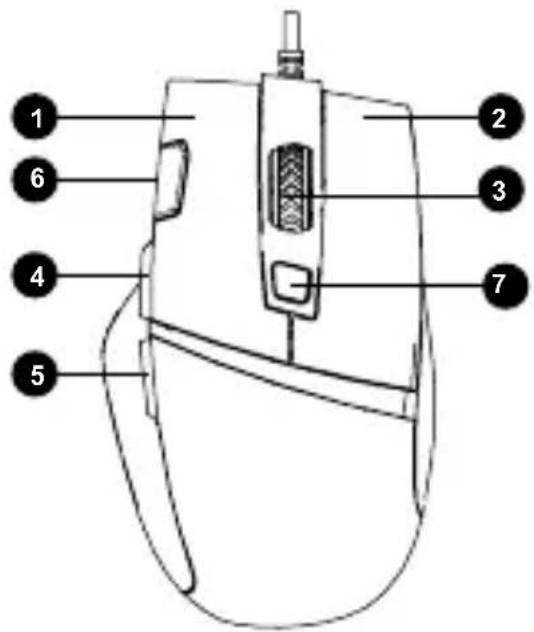
The functional buttons
- Left button
- Right button
- Middle button & wheel
- Forward
- Backward
- Fire key
- DPI
Technical specifications
• High quality optical PixArt 3519 sensor
• DPI 1000/1600/3200/4200
- RGB backlight
- 6 modes of backlight effects
- 7 programmable buttons
- Braided USB cable 1,65 m with a ferrite ring to protect of signal loss
- Canyon Twin Surface coating technology
- Customization software
- Polling rate: 125/250/500/1000Hz
• Key life: 5 million clicks - System support: Windows 10/8/7/Mac OS
- Operating Temperature Range: 0 - 40 °C
- Transportation Humidity Range: <85%
- Scanning frequency: 3000 FPS
Support and warranty
» To avoid conflict, please uninstall other mouse drivers before installing the driver for this mouse.
» Do not disassemble your product, or expose it to liquid, humidity, moisture or temperatures out of the specified operating range.
» If your product is exposed to out-of-range temperatures, unplug it and wait until its temperature returns to the normal operating range.
»This product comes with 24 months limited warranty.
» For more information about usage and warranty, please refer to http://canyon.eu/ask-your-question/
Manufacturer: Asbisc Enterprises PLC, Cyprus, Limassol 4103. Diamond Court, 43 Kolonakiou Street, Agios Athanasios. http://canyon.eu/

Funkcijske tipke
- Lijeva tipka
- Desna tipka
- Srednja tipka i točkić
- Naprijed
- Nazad
- Multi-klik tipka
- DPI
Tehničke specifikacije
- Optički senzor visoke kvalitete
Pixart 3519
• DPI 1000/1600/3200/4200 - RGB pozadinsko svjetlo
- efekti pozadinskog svjetla kroz 6 modula
- 7 programibilnih tipki
- Pleteni USB kabel dužine 1,65 m sa feritnim prstenom za zaštitu od gubitka signala
-
Tehnologija Canyon Twin Surface pokrova
-
Prilagodljivi softver
• Odziv: 125/250/500/1000 Hz - Izdržljivost tipki: 5 miliona klikova
- Podržavani sistemi: Windows 10/8/7, Mac OS
• Radna temperatura: 0 - 40 C
• Vlažnost u radnom okruženju: <85%
• Frenkvencija skeniranja: 3000 FPS
Podrška i garancija
» Da biste izbegli softverski konflikt, molimo vas da deinstalirate druge upravljačke programe za miševe pre nego što instalirate upravljački program za ovaj miš.
» Nemojte rastavljati vaš proizvod, niti ga izlagati tekućini, vlažnosti ili temperaturama izvan podnošljivog temperaturnog opsega.
» Ako je vaš prouvod izložen temperaturama izvan opsega, isključite ga i sačekajte dok se temperatura ne vrati u normalni temperaturni opseg.
»Ovaj proizvod dolazi sa 24-mesečnom ograničenom garancijom.
» Za više informacija o korištenju i garanciji, posjetite http://canyon.eu/ask-your-question/
Proizvođač: Asbisc Enterprises PLC, Cyprus, Limassol 4103. Diamond Court, 43 Kolonakiou Street. Agios Athanasios. http://canyon.eu/
Функционалните бутони
- Ляв бутон
- Десен бутон
- Среден бутон и скрол
- Напред
- Назад
- Клавиш 'стрелба'
- DPI
Funkčné tlačidlá
- L'avé tlačidlo
- Pravé tlačidlo
- Stredné tlačidlo a koliesko
- Dopredu
- Dozadu
- Tlačidlo na striel'anie
- DPI
Technické parametre


Brand : Canyon
Model : Sulaco GM-4
Category : Mouse