
NVLR223GGWW - Tumble dryer HOTPOINT - Free user manual and instructions
Find the device manual for free NVLR223GGWW HOTPOINT in PDF.
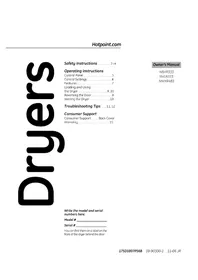


| Product Type | Tumble Dryer |
| Model | NVLR223GGWW |
| Brand | Hotpoint |
| Power Source | Electric |
| Control Type | Dial and Buttons |
| Drying Cycles | Cottons Automatic, Timed Dry, Wrinkle Free, Damp Dry, Dewrinkle, Fluff/Quick Fluff |
| Temperature Settings | Regular (Cottons), Medium (Wrinkle Free), Low (Knits/Delicates), No Heat (Fluff) |
| Automatic Dryness Levels | Less Dry, Optimum Dry, More Dry |
| Press Guard Option | 15-minute no-heat tumbling after cycle to reduce wrinkles |
| Cycle Signal | Audible reminder at end of cycle (adjustable on some models) |
| Drum Lamp | Yes (replaceable bulb) |
| Lint Filter | Removable, clean before each load |
| Exhaust Duct | 4-inch rigid metal or flexible metal duct; do not use plastic |
| Reversible Door | Yes, door can be reversed to open in opposite direction |
| Safety Features | Child lock (door removal for storage), automatic shut-off, lint filter interlock |
| Installation | Vented to outside (gas models must be vented) |
| Maintenance | Clean lint filter before each load; annual duct cleaning; professional cleaning of interior recommended |
| Warranty | 1 year limited parts and labor |
Frequently Asked Questions - NVLR223GGWW HOTPOINT
User questions about NVLR223GGWW HOTPOINT
0 question about this device. Answer the ones you know or ask your own.
Ask a new question about this device
Download the instructions for your Tumble dryer in PDF format for free! Find your manual NVLR223GGWW - HOTPOINT and take your electronic device back in hand. On this page are published all the documents necessary for the use of your device. NVLR223GGWW by HOTPOINT.
USER MANUAL NVLR223GGWW HOTPOINT
Safety Instructions ..... 2-4
Operating Instructions
Control Panel 5
Control Settings 6
Features 7
Loading and Using
the Dryer 9,10
Reversing the Door 8
Venting the Dryer .....10
Troubleshooting Tips ... 11, 12
Consumer Support
Consumer Support ..... Back Cover
Warranty 15
Write the model and serial numbers here:
Model # ____
Serial # ____
You can find them on a label on the front of the dryer behind the door.
Owner's Manual
NBXR333
NVLR223
NWXR483
▲ WARNING!
For your safety, the information in this manual must be followed to minimize the risk of fire or explosion, electric shock, or to prevent property damage, personal injury, or death.
■Do not store or use gasoline or other flammable vapors and liquids in the vicinity of this or any other appliance.
■Installation and service must be performed by a qualified installer, service agency or the gas supplier.
WHAT TO DO IF YOU SMELL GAS:
1 Do not try to light a match, or cigarette, or turn on any gas or electrical appliance.
4 Immediately call your gas supplier from a neighbor's phone. Follow the gas supplier's instructions carefully.
2 Do not touch any electrical switch; do not use any phone in your building.
5 If you cannot reach your gas supplier, call the fire department.
3 Clear the room, building or area of all occupants.
California Safe Drinking Water and Toxic Enforcement Act
This act requires the governor of California to publish a list of substances known to the state to cause cancer, birth defects or other reproductive harm and requires businesses to warn customers of potential exposure to such substances.
Gas appliances can cause minor exposure to four of these substances, namely benzene, carbon monoxide, formaldehyde and soot, caused primarily by the incomplete combustion of natural gas or LP fuels.
Properly adjusted dryers will minimize incomplete combustion. Exposure to these substances can be minimized further by properly venting the dryer to the outdoors.

PROPER INSTALLATION
This dryer must be properly installed and located in accordance with the Installation Instructions before it is used. If you did not receive an Installation Instructions sheet, you can receive one by visiting Hotpoint.com, or by calling 800.GE.CARES (800.432.2737).
■ Properly ground dryer to conform with all governing codes and ordinances. Follow details in Installation Instructions. ■ Install or store where it will not be exposed to temperatures below freezing or exposed to the weather, which could cause permanent damage and invalidate the warranty. ■ Connect to a properly rated, protected and sized power supply circuit to avoid electrical overload. ■ Remove all sharp packing items and dispose of all shipping materials properly.
Exhaust/Ducting:
1 Gas dryers MUST be exhausted to the outside. 2 Use only rigid metal 4" diameter ductwork inside the dryer cabinet. Use only rigid metal or flexible metal 4" diameter ductwork for exhausting to the outside. USE OF PLASTIC OR OTHER COMBUSTIBLE DUCTWORK CAN CAUSE A FIRE. PUNCTURED DUCTWORK CAN CAUSE A FIRE IF IT COLLAPSES OR BECOMES OTHERWISE RESTRICTED IN USE OR DURING INSTALLATION.
For complete details, follow the Installation Instructions.
▲ WARNING!

YOUR LAUNDRY AREA
■ Keep the area underneath and around your appliances free of combustible materials (lint, paper, rags, etc.), gasoline, chemicals and other flammable vapors and liquids. - Keep the floor around your appliances clean and dry to reduce the possibility of slipping. ■ Close supervision is necessary if this appliance is used by or near children. Do not allow children to play on, with or inside this or any other appliance.
- Keep all laundry aids (such as detergents, bleaches, etc.) out of the reach of children, preferably in a locked cabinet. Observe all warnings on container labels to avoid injury. ■ Never climb on or stand on the dryer top.

WHEN USING YOUR DRYER
■ Never reach into the dryer while the drum is moving. Before loading, unloading or adding clothes, wait until the drum has completely stopped. ■ Clean the lint filter before each load to prevent lint accumulation inside the dryer or in the room. DO NOT OPERATE THE DRYER WITHOUT THE LINT FILTER IN PLACE. ■ Do not wash or dry articles that have been cleaned in, washed in, soaked in or spotted with combustible or explosive substances (such as wax, oil, paint, gasoline, degreasers, dry-cleaning solvents, kerosene, etc.). These substances give off vapors that may ignite or explode. Do not add these substances to the wash water. Do not use or place these substances around your washer or dryer during operation. ■ Do not place items exposed to cooking oils in your dryer. Items contaminated with cooking oils may contribute to a chemical reaction that could cause a clothes load to catch fire. ■ Any article on which you have used a cleaning solvent or that contains flammable materials (such as cleaning cloths, mops, towels used in beauty salons, restaurants, or barber shops, etc.) must not be placed in or near the dryer until solvents or flammable materials have been removed. There are many highly flammable items used in homes such as acetone, denatured alcohol, gasoline, kerosene, some household cleaners, some spot removers, turpentines, waxes, wax removers and products containing petroleum distillates.
■ The laundry process can reduce the flame retardancy of fabrics. To avoid such a result, carefully follow the garment manufacturer's care instructions. ■ Do not dry articles containing rubber, plastic or similar materials such as padded bras, tennis shoes, galoshes, bath mats, rugs, bibs, baby pants, plastic bags, pillows, etc. that may melt or burn. Some rubber materials, when heated, can under certain circumstances produce fire by spontaneous combustion. ■ Do not store plastic, paper or clothing that may burn or melt on top of the dryer during operation. Garments labeled Dry Away from Heat or Do Not Tumble Dry (such as life jackets containing Kapok) must not be put in your dryer. ■ Do not dry fiberglass articles in your dryer. Skin irritation could result from the remaining particles that may be picked up by clothing during subsequent dryer uses. ■ To minimize the possibility of electric shock, unplug this appliance from the power supply or disconnect the dryer at the household distribution panel by removing the fuse or switching off the circuit breaker before attempting any maintenance or cleaning (except the removal and cleaning of the lint filter). NOTE: Turning the Cycle Selector knob to an off position or pressing PAUSE does NOT disconnect the appliance from the power supply.
▲ WARNING!
WHEN USING YOUR DRYER (cont.)

■ Never attempt to operate this appliance if it is damaged, malfunctioning, partially disassembled, or has missing or broken parts, including a damaged cord or plug. ■ The interior of the machine and the exhaust duct connection inside the dryer should be cleaned at least once a year by a qualified technician. See the Loading and Using the Dryer section. If yours is a gas dryer, it is equipped with an automatic electric ignition and does not have a pilot light. DO NOT ATTEMPT TO LIGHT WITH A MATCH. Burns may result from having your hand in the vicinity of the burner when the automatic ignition turns on.
■ You may wish to soften your laundered fabrics or reduce the static electricity in them by using a dryer-applied fabric softener or an anti-static conditioner. We recommend you use either a fabric softener in the wash cycle, according to the manufacturer's instructions for those products, or try a dryer-added product for which the manufacturer gives written assurance on the package that their product can be safely used in your dryer. Service or performance problems caused by use of these products are the responsibility of the manufacturers of those products and are not covered under the warranty to this appliance.

WHEN NOT USING YOUR DRYER
■ Grasp the plug firmly when disconnecting this appliance to avoid damage to the cord while pulling. Place the cord away from traffic areas so it will not be stepped on, tripped over or subjected to damage. - Do not attempt to repair or replace any part of this appliance or attempt any servicing unless specifically recommended in this Owner's Manual or in published user-repair instructions that you understand and have the skills to carry out.
■ Before discarding a dryer, or removing it from service, remove the dryer door to prevent children from hiding inside. ■ Do not tamper with controls.

READ AND FOLLOW THIS SAFETY INFORMATION CAREFULLY.
SAVE THESE INSTRUCTIONS
About the dryer control panel.
Hotpoint.com
You can locate your model number on the label on the front of the dryer behind the door. Throughout this manual, features and appearance may vary from your model.
Model NVLR223
Model NBXR333
Model NWXR483
NOTE: Drying times will vary according to the type of heat used (Electric, Natural or LP gas), size of load, types of fabrics, wetness of clothes and condition of exhaust ducts.
About the control settings.
IMPORTANT: Clean the lint filter each time you use the dryer.
1 Fabric Care/Temperature (on some models)
COTTONS For regular to heavy cottons. REGULAR
WRINKLE FREE For synthetics, blends, delicates and items labeled permanent press. MEDIUM
KNITS/DELICATES On some models. For delicates, synthetics and items labeled tumble dry low. LOW
FLUFF For fluffing items without heat. Use the TIMED DRY cycle. NO HEAT
Automatic cycles automatically determine fabric dryness. Select LESS DRY if you want your clothes slightly damp at the end of the drying cycle. Select MORE DRY if you want them to feel drier. Timed cycles run for a selected time.
2 Drying Cycles
COTTONS For cottons and most linens. For most loads select OPTIMUM DRY (on some models) or select the Preferred Regular Setting marked with an *.
WRINKLE FREE For wrinkle-free, permanent press and delicate items, and knits.
TIMED DRY Set the Cycle Selector at the desired drying time.
DAMP DRY For leaving items partially damp.
DEWRINKLE For removing wrinkles from items that are clean and dry or that are very lightly damp.
FLUFF or For freshening or fluffing up already dry clothing, fabrics, linens and pillows. Use with QUICK FLUFF FLUFF NO HEAT. Provides 10 minutes of no heat tumbling.
3 Start—Close the dryer door. Select START. Opening the door during operation will stop the dryer. To restart the dryer, close the door and select START to complete the cycle.
PRESS GUARD
Press Guard Option (on some models)
Use this option to minimize wrinkles in clothes. It provides approximately 15 minutes of no-heat tumbling after the clothes are dry.
This option can only be used with the COTTONS and WRINKLE FREE cycles.
If you are using the SIGNAL knob and you select the PRESS GUARD option, a signal will sound at the end of the drying time and several times during the PRESS GUARD cycle. This will remind you that it is time to remove the clothes.
If PRESS GUARD is not on, the dryer will stop once the timer reaches the PRESS GUARD mark on the cycle dial.
SIGNAL
Cycle Signal Option (on some models)
This signal will sound just before the end of the cycle to remind you to remove the clothes. On some models, the signal sound level cannot be adjusted.
If you selected the PRESS GUARD option, the signal will sound at the end of the drying time and will sound several times during the PRESS GUARD cycle. This will remind you that it is time to remove the clothes.
NOTE:
■ Remove garments promptly at the sound of the signal. Place clothes on hangers so wrinkles won't set in.
■ Use the Cycle Signal especially when drying fabrics like polyester knits and permanent press. These fabrics should be removed so wrinkles won't set in.

Drum Lamp (on some models)
Before replacing the light bulb, be sure to unplug the dryer power cord or disconnect the dryer at the household distribution panel by removing the fuse or switching off the circuit breaker. Reach above dryer opening from inside the drum. Remove the bulb and replace with the same size bulb.
About reversing the door.

Reversing the Door
Tools needed:
■Standard #2 Phillips screwdriver ■Tape-tipped putty knife
1. Open the door and remove the filler plugs opposite the hinges. With the door completely open, remove the bottom screw from each hinge on the dryer face. Insert these screws about halfway into the TOP holes, for each hinge, on the opposite side (where you removed the filler plugs). Apply firm pressure to get the screw started in new holes.

2. Loosen the top screw from each hinge on the dryer face halfway. With one hand holding the top of the door and the other hand holding the bottom, remove the door from the dryer by lifting it UP and OUT.

3. Rotate the door 180°. Insert it on the opposite side of the opening by moving the door IN and DOWN until the top hinge and the bottom hinge are resting on the top screws inserted in step 1.

4. Remove the remaining screws from the side of the opening from which the door was removed. With these screws, secure each hinge at the bottom. Tighten the 2 top screws of each hinge. Reinsert the plastic plugs on the side from which the door was removed.

Sorting and Loading Hints
As a general rule, if clothes are sorted properly for the washer, they are sorted properly for the dryer.
Do not add fabric softener sheets once the load has become warm. They may cause fabric softener stains. Bounce® Fabric Conditioner Dryer Sheets have been approved for use in all GE Dryers when used in accordance with the manufacturer's instructions.
Do not overload. This wastes energy and causes wrinkling.
Do not dry the following items: fiberglass items, woolens, rubber-coated items, plastics, items with plastic trim and foam-filled items.

Care and Cleaning of the Dryer
The Exterior: Wipe or dust any spills or washing compounds with a damp cloth. Dryer control panel and finishes may be damaged by some laundry pretreatment soil and stain remover products. Apply these products away from the dryer. The fabric may then be washed and dried normally. Damage to your dryer caused by these products is not covered by your warranty.
The Lint Filter: Clean the lint filter before each use. Moisten your fingers and reach into the filter opening. Run your fingers across the filter. Have a qualified technician vacuum the lint from the dryer once a year.

The Exhaust Duct: Inspect and clean the exhaust ducting at least once a year to prevent clogging. A partially clogged exhaust can lengthen the drying time.
Follow these steps:
1 Turn off electrical supply by disconnecting the plug from the wall socket. 2 Disconnect the duct from the dryer. 3 Vacuum the duct with the hose attachment and reconnect the duct.
The Exhaust Hood: Check from the outside that the flaps of the hood move freely when operating. Make sure that there is no wildlife (birds, insects, etc.) nesting inside the duct or hood.
Loading and using the dryer. Always follow the fabric manufacturer's care label when laundering.

Venting the Dryer
For the best drying performance, the dryer needs to be properly vented. The dryer will use more energy and run longer if it is not vented to the below specifications. Carefully follow the details on Exhausting in the Installation Instructions.
■ Use only rigid metal 4" diameter ductwork inside the dryer cabinet. Use only rigid metal or flexible metal 4" diameter ductwork for exhausting to the outside. ■Do not use plastic or other combustible ductwork. ■Use the shortest length possible. ■Do not crush or collapse. ■Avoid resting the duct on sharp objects. ■Venting must conform to local building codes.
Correct Venting

Incorrect Venting


Troubleshooting Tips Save time and money! Review the charts on the following pages, or visit Hotpoint.com. You may not need to call for service.
Problem Possible Causes What To Do
| Dryer doesn't start | Dryer is unplugged | Make sure the dryer plug is pushed completely into the outlet. |
| Fuse is blown/circuit breaker is tripped | Check the house fuse/circuit breaker box and replace fuse or reset breaker.NOTE:Electric dryers use two fuses or breakers. | |
| Dryer doesn't heat | Fuse is blown/circuit breaker is tripped, the dryer may tumble but not heat | Check the house fuse/circuit breaker box and replace both fuses or reset both breakers. Your dryer may tumble if only one fuse is blown or one breaker tripped. |
| Gas service is off | Make sure gas shutoff at dryer and main shutoff are fully open. | |
| LP gas supply tank is empty or there has been a utility interruption of natural gas (gas models) | Refill or replace tank. Dryer should heat when utility service is restored. | |
| Dryer shakes or makes noise | Some shaking/noise is normal. Dryer may be sitting unevenly | Move dryer to an even floor space, or adjust leveling legs as necessary until even. |
| Greasy spots on clothes | Improper use of fabric softener | Follow directions on fabric softener package. |
| Drying dirty items with clean ones | Use your dryer to dry only clean items. Dirty items can stain clean items and the dryer. | |
| Clothes were not completely clean | Sometimes stains which cannot be seen when the clothes are wet appear after drying. Use proper washing procedures before drying. | |
| Lint on clothes | Lint filter is full | Clean lint screen before each load. |
| Improper sorting | Sort lint producers (like chenille) from lint collectors (like corduroy). | |
| Static electricity can attract lint | See suggestions in this section underSTATIC. | |
| Overloading | Separate large loads into smaller ones. | |
| Paper, tissue, etc. left in pockets | Empty all pockets before laundering clothes. | |
| Static occurs | No fabric softener was used | Try a fabric softener.Bounce® Fabric Conditioner Dryer Sheets have been approved for use in all GE Dryers when used in accordance with the manufacturer's instructions. |
| Overdrying | Try a fabric softener.Adjust setting toLESS DRYor DAMP DRY. | |
| Synthetics, permanent press and blends can cause static | Try a fabric softener. | |
| Inconsistent drying times | Type of heat | Automatic drying times will vary according to the type of heat used (electric, natural or LP gas), size of load, types of fabrics, wetness of clothes and condition of exhaust ducts. |
Before you call for service...

Troubleshooting Tips
Problem Possible Causes What To Do
| Clothes take too long to dry a well-sorted washer | Improper sorting load is a well-sorted dryer load). | Separate heavy items from lightweight items (generally, |
| Large loads of heavy fabrics • Large, heavy fabrics contain more moisture and take (like beach towels) longer to dry. Separate large, heavy fabrics into smaller loads to speed drying time. | ||
| Controls improperly set • Match control settings to the load you are drying. | ||
| Lint filter is full • Clean lint filter before every load. | ||
| Improper or obstructed ducting • Check installation instructions for proper ducting/venting. • Make sure ducting is clean, free of kinks and unobstructed. • Check to see if outside wall damper operates easily. • Check the Installation Instructions to make sure the dryer venting is correct. | ||
| Blown fuses or tripped • Replace fuses or reset circuit breakers. Since most dryers circuit breaker use two fuses/breakers, make sure both are operating. | ||
| Overloading/combining loads • Do not put more than one washer load in the dryer at a time. | ||
| Underloading | • If you are drying only one or two items, add a few items to ensure proper tumbling. | |
| Clothes are wrinkled | Overdrying | Select a shorter drying time. Remove items while they still hold a slight amount of moisture. Select a LESS DRY or DAMP DRY setting. |
| Letting items sit in dryer after cycle ends | Remove items when cycle ends and fold or hang immediately. | |
| Overloading | Separate large loads into smaller ones. | |
| Clothes shrink | Some fabrics will naturally shrink when washed. Others can be safely washed, but will shrink in the dryer | To avoid shrinkage, follow garment care labels exactly. Some items may be pressed back into shape after drying. If you are concerned about shrinkage in a particular item, do not machine wash or tumble dry it. |
| Consumer Support | Troubleshooting Tips | Operating Instructions Safety Instructions |
Notes.
Hotpoint Dryer Warranty.

All warranty service is provided by our Factory Service Centers or an authorized Customer Care® technician. To schedule service online, 24 hours a day, visit us at Hotpoint.com, or call 800.GE.CARES (800.432.2737). Please have the serial number and model number available when calling for service.
Staple your receipt here. Proof of the original purchase date is needed to obtain service under the warranty.
For The Period Of: We Will Replace:
One Year
From the date of the original purchase, any part of the dryer that fails due to a defect in materials or workmanship. During this
limited one-year warranty, we will also provide, free of charge, all labor and related service costs to replace the defective part.
What Is Not Covered:
■ Service trips to your home to teach you how to use the product. ■ Improper installation (including improper venting), delivery, or maintenance. ■ Failure of the product if it is abused, misused, or used for other than the intended purpose or used commercially. ■ Replacement of the light bulb. ■ Products that are not defective or broken, or that are working as described in the Owner's Manual. ■ Replacement of house fuses or resetting of circuit breakers.
■ Damage to the product caused by accident, fire, floods, or acts of God. ■ Incidental or consequential damage caused by possible defects with this appliance. ■ Defects or damage due to operation in freezing temperatures. ■ Damage caused after delivery. ■ Product not accessible to provide required service.
EXCLUSION OF IMPLIED WARRANTIES—Your sole and exclusive remedy is product repair as provided in this Limited Warranty. Any implied warranties, including the implied warranties of merchantability or fitness for a particular purpose, are limited to one year or the shortest period allowed by law.
This warranty is extended to the original purchaser and any succeeding owner for products purchased for home use within the USA. If the product is located in an area where service by a GE Authorized Servicer is not available, you may be responsible for a trip charge or you may be required to bring the product to an Authorized GE Service location. In Alaska, the warranty excludes the cost of shipping or service calls to your home.
Some states do not allow the exclusion or limitation of incidental or consequential damages. This warranty gives you specific legal rights, and you may also have other rights that vary from state to state. To know what your legal rights are, consult your local or state consumer affairs office or your state's Attorney General.
Warrantor: General Electric Company. Louisville, KY 40225

Hotpoint Website
Hotpoint.com
Have a question or need assistance with your appliance? Try the Hotpoint Website 24 hours a day, any day of the year! You can also shop for more great Hotpoint products and take advantage of all of our on-line support services designed for your convenience.

Schedule Service Hotpoint.com
Expert Hotpoint repair service is only one step away from your door. Get on-line and schedule your service at your convenience 24 hours any day of the year! Or call 800.GE.CARES (800.432.2737) during normal business hours.

Real Life Design Studio ge.com
GE supports the Universal Design concept—products, services and environments that can be used by people of all ages, sizes and capabilities. We recognize the need to design for a wide range of physical and mental abilities and impairments. For details of GE's Universal Design applications, including kitchen design ideas for people with disabilities, check out our Website today. For the hearing impaired, please call 800.TDD.GEAC (800.833.4322).

Extended Warranties ge.com
Purchase a Hotpoint extended warranty and learn about special discounts that are available while your warranty is still in effect. You can purchase it on-line anytime, or call 800.626.2224 during normal business hours. Hotpoint Consumer Home Services will still be there after your warranty expires.

Parts and Accessories Hotpoint.com
Individuals qualified to service their own appliances can have parts or accessories sent directly to their homes (VISA, MasterCard and Discover cards are accepted). Order on-line today, 24 hours every day or by phone at 800.626.2002 during normal business hours.
Instructions contained in this manual cover procedures to be performed by any user. Other servicing generally should be referred to qualified service personnel. Caution must be exercised, since improper servicing may cause unsafe operation.

Contact Us Hotpoint.com
If you are not satisfied with the service you receive from Hotpoint, contact us on our Website with all the details including your phone number, or write to: General Manager, Customer Relations
Hotpoint, Appliance Park
Louisville, KY 40225

Register Your Appliance Hotpoint.com
Register your new appliance on-line—at your convenience! Timely product registration will allow for enhanced communication and prompt service under the terms of your warranty, should the need arise. You may also mail in the pre-printed registration card included in the packing material.
Model NBXR333
Model NWXR483


Warranty: General Electric Company. Louisville, KY 40225

General Manager, Customer Relations
Hotpoint, Appliance Park
Louisville, KY 40225

Register your appliance at Hotpoint.com
- OPERATING INSTRUCTIONS
- CONSUMER SUPPORT
- ▲ WARNING
- WHAT TO DO IF YOU SMELL GAS
- CALIFORNIA SAFE DRINKING WATER AND TOXIC ENFORCEMENT ACT
- PROPER INSTALLATION
- YOUR LAUNDRY AREA
- WHEN USING YOUR DRYER
- WHEN USING YOUR DRYER (CONT.)
- WHEN NOT USING YOUR DRYER
- READ AND FOLLOW THIS SAFETY INFORMATION CAREFULLY
- SAVE THESE INSTRUCTIONS
- ABOUT THE DRYER CONTROL PANEL
- ABOUT THE CONTROL SETTINGS
- FABRIC CARE/TEMPERATURE (ON SOME MODELS)
- DRYING CYCLES
- PRESS GUARD OPTION (ON SOME MODELS)
- CYCLE SIGNAL OPTION (ON SOME MODELS)
- NOTE
- DRUM LAMP (ON SOME MODELS)
- ABOUT REVERSING THE DOOR
- REVERSING THE DOOR
- SORTING AND LOADING HINTS
- CARE AND CLEANING OF THE DRYER
- LOADING AND USING THE DRYER. ALWAYS FOLLOW THE FABRIC MANUFACTURER'S CARE LABEL WHEN LAUNDERING
- VENTING THE DRYER
- BEFORE YOU CALL FOR SERVICE
- TROUBLESHOOTING TIPS
- HOTPOINT DRYER WARRANTY
- FOR THE PERIOD OF: WE WILL REPLACE
- ONE YEAR
- WHAT IS NOT COVERED
- HOTPOINT WEBSITE
- HOTPOINT.COM
- SCHEDULE SERVICE HOTPOINT.COM
- REAL LIFE DESIGN STUDIO GE.COM
- EXTENDED WARRANTIES GE.COM
- PARTS AND ACCESSORIES HOTPOINT.COM
- CONTACT US HOTPOINT.COM
- REGISTER YOUR APPLIANCE HOTPOINT.COM
- REGISTER YOUR APPLIANCE AT HOTPOINT.COM
Brand : HOTPOINT
Model : NVLR223GGWW
Category : Tumble dryer