
MSD-CF09VB-H1 - Air Conditioning MITSUBISHI - Free user manual and instructions
Find the device manual for free MSD-CF09VB-H1 MITSUBISHI in PDF.


| Product Type | Split Air Conditioner |
| Model | MSD-CF09VB-H1 |
| Brand | Mitsubishi |
| Cooling Capacity | 9,000 BTU/h |
| Heating Capacity | 9,000 BTU/h (Heat Pump Model) |
| Power Supply | 230V / 50Hz / 1 Phase |
| Indoor Unit Dimensions (W x H x D) | Approx. 26.2 x 10.2 x 8.7 inches |
| Outdoor Unit Dimensions (W x H x D) | Approx. 27.6 x 20.9 x 11.4 inches |
| Indoor Unit Weight | Approx. 22 lbs |
| Outdoor Unit Weight | Approx. 55 lbs |
| Refrigerant Type | R410A |
| Energy Efficiency Ratio (EER) | 12.0 (approximate) |
| Operating Modes | Cool, Heat, Fan, Dry, Auto |
| Airflow Rate (Indoor) | Up to 350 CFM |
| Noise Level (Indoor) | 22-42 dB(A) |
| Noise Level (Outdoor) | 48-52 dB(A) |
| Remote Control | Infrared included |
| Filter Type | Washable, Anti-Allergy Enzyme |
| Self-Diagnosis | Yes (error codes on display) |
| Sleep Mode | Yes |
| Timer Function | Yes (On/Off timer) |
| Maintenance | Clean air filter every 2 weeks; professional service annually |
| Safety Features | Overheat protection, anti-freeze, auto restart |
| Spare Parts Availability | Remote, filter, fan motor, PCB available through authorized dealers |
Frequently Asked Questions - MSD-CF09VB-H1 MITSUBISHI
User questions about MSD-CF09VB-H1 MITSUBISHI
0 question about this device. Answer the ones you know or ask your own.
Ask a new question about this device
Download the instructions for your Air Conditioning in PDF format for free! Find your manual MSD-CF09VB-H1 - MITSUBISHI and take your electronic device back in hand. On this page are published all the documents necessary for the use of your device. MSD-CF09VB-H1 by MITSUBISHI.
USER MANUAL MSD-CF09VB-H1 MITSUBISHI
| WARNING | Incorrect handling could cause a serious hazard,such as death,serious injury,property loss etc.witha high probability. |
| CAUTION | Incorrect handling could make the conditioners notworking normally or causing damage. |
目錄
Thank you very much for purchasing this Mitsubishi room air conditioner.
• To use this unit correctly and safely, be sure this instruction manual before use. Keep this manual carefully for later reference.
- Be sure to receive a guarantee card from your dealer and shop name,etc.are entered correctly.
• This air conditioner should not be installed by the customer(Safety and performance functions cannot be assured).
natural_image
Illustration of a person with hands near their face, enclosed in an oval frame (no text or symbols)安全事項
清除電源插頭上的灰塵,接插穩固。
natural_image
Hand inserting a plug into an electrical socket with an exclamation mark (no text or symbols on the socket itself)禁止損傷電源線,或作連接加工。
natural_image
Simple line drawing of a person with hands near their face, enclosed in an oval frame (no text or symbols)安全事項
警告
運轉中,禁止拔下電源插頭。
- 可能產生火花,引起火灾事故。
禁止用水洗刷空調機。
用户不可自己進行修理或移設。
不要自己安裝機器。
natural_image
Illustration of a hand holding a rolled-up document with a prohibition symbol (no text or labels)禁止拉電源綫。
打掃時,應停止運轉,拔下電源插頭。
natural_image
Illustration of a person using a wall-mounted air conditioner with a magnified inset showing electrical connections (no text or symbols)禁止用潮濕的手去操作開關。
- 有觸電的危險。
natural_image
Simple line drawing of a person with hands near their head, enclosed in an oval frame (no text or symbols)安全事項
警告
不要長時間讓冷風直吹肌膚。
- 可能會損害身體健康。
natural_image
Illustration of a child running on a mat with a prohibition symbol above, no text or symbols present裝、卸面板時,禁止站在不穩固的腳臺上。
- 可能跌倒受傷。
和燃燒器具一起使用時,應該時常換氣。
- 可能產生氧氣不足的現象。
natural_image
Illustration of a person opening a window with a cloud, next to an air conditioner unit and an exclamation mark (no text or symbols)natural_image
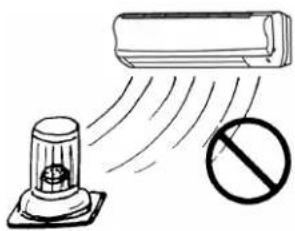
Illustration of a person using a hand mixer to clean air from a window (no text or symbols)禁止燃燒器具放在直接吹得到風的地方。
natural_image
Illustration of a radar or air conditioner with a stopper emitting exhaust and a prohibition symbol (no text or labels)
natural_image
Simple line drawing of a person with hands near their head, enclosed in an oval frame (no text or symbols)安全事項

警告

注意
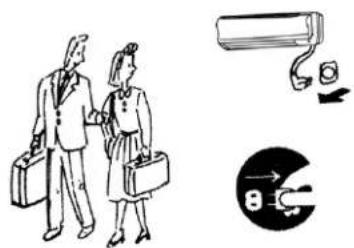
長期不使用機器時,應拔下電源插頭。
- 因堆積灰塵而有可能引起火灾的危險。
natural_image
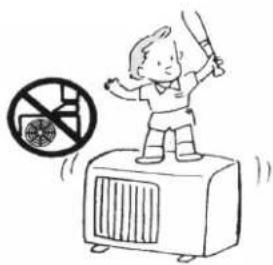
Illustration of two business people walking with briefcases and a surveillance camera, alongside a magnified circular diagram showing electrical circuit (no text or symbols)禁止到室外機組上去,或在上面堆放東西。
- 可能跌下受傷
natural_image
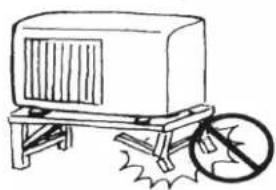
Illustration of a child standing on an electric heater with a no-smoking symbol nearby (no text or labels)安裝臺如果已陳舊不堪,不可置之不理。
- 機組有翻倒傷人的可能。
natural_image
Simple line drawing of a wheeled cart with a wheel and a circular symbol on the side (no text or labels)禁止当其它特殊用途。
natural_image
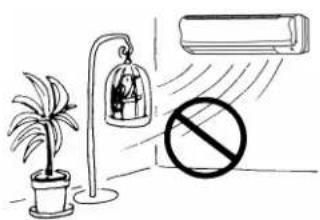
Illustration of a washing machine emitting exhaust smoke with a prohibition symbol (no text or labels)禁止在直接吹到風的地方放置動植物。
- 可能對動植物有不良影響。
natural_image
Simple line drawing of a person writing in a notebook (no text or symbols present)各部件名稱
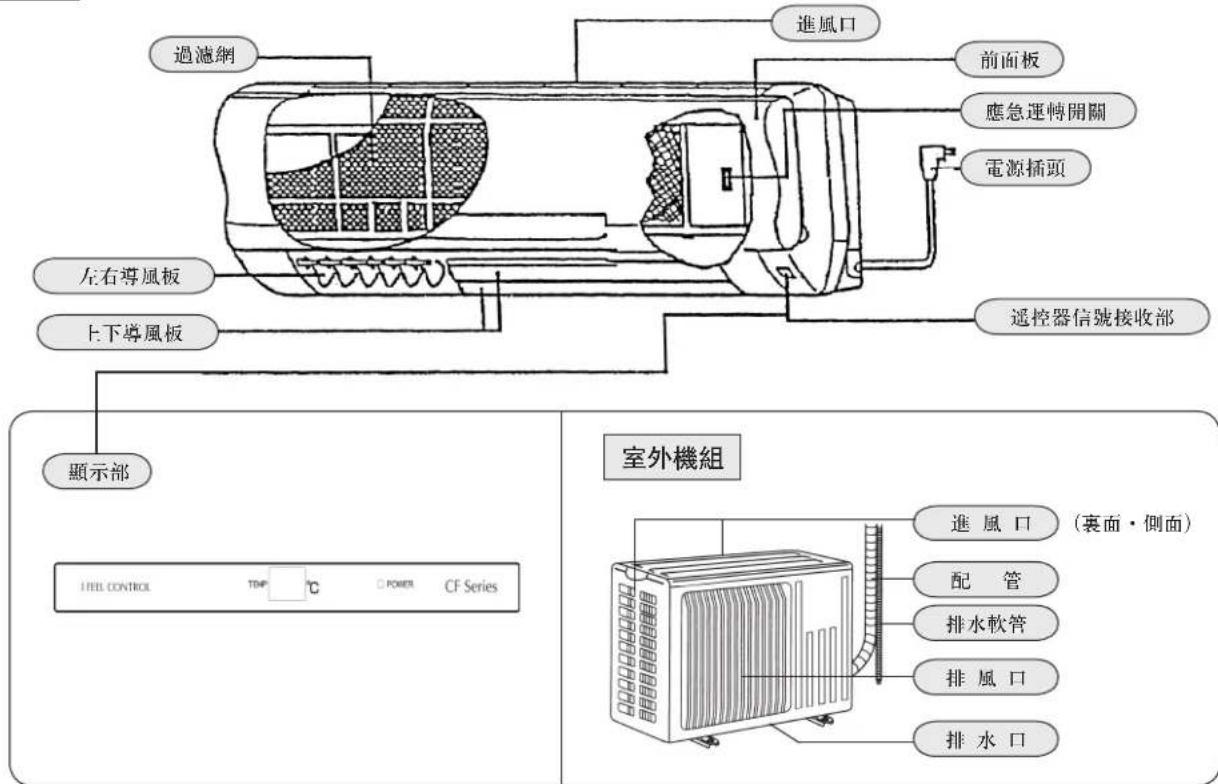
室内機組
natural_image
Illustration of a person using a handheld device, no text or symbols present操作前的準備工作
自動重新啟動功能

natural_image
Illustration of a person using a handheld device (no text or symbols present)操作前的準備工作
遥控器的使用注意事项
natural_image
Line drawing of a hand pressing a button on a device panel (no text or symbols)應急方式如下詳述。
The image is too blurry to recognize any text content.
natural_image
Cartoon illustration of a girl holding a pen, enclosed in an oval frame (no text or symbols)“ I FEEL.”(體)感自動運轉
natural_image
Illustration of a person using a handheld device to interact with another person under a rain-tinted object (no text or symbols present)natural_image
Simple line drawing of a person leaning against a window, no text or symbols present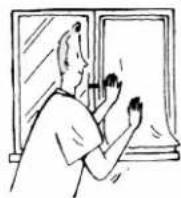
natural_image
Simple line drawing of a sunlit air conditioner unit with a roof and fan (no text or symbols)除濕
70%是人們感覺舒適的濕度分歧點
natural_image
Line drawing of a person sitting in an armchair near a window with a potted plant (no text or symbols)
natural_image
Illustration of a person in motion with motion lines, no text or symbols present風速、風向的調節
natural_image
Illustration of a person holding a phone with sound waves, enclosed in an oval frame (no text or symbols)風速、風向的調節
自動風向
natural_image
Line drawing of a rolled-up paper or document with a blank sheet (no text or symbols)(2) 送風時 將以向下方向吹風。
natural_image
Simple line drawing of a cylindrical object with a downward arrow, no text or symbols present
natural_image
Line drawing of a car air conditioner unit with cooling fins and ventilation slots (no text or symbols)注意
natural_image
Illustration of a person holding a flip phone, enclosed in an oval frame (no text or symbols)定時器設定(定時關/定時開)
natural_image
Simple line drawing of a rectangular object inside an oval frame (no text or symbols)長期不使用時
長期不使用時 要再開始使用時
natural_image
Hand holding a plug with a switch, pointing to an open electrical outlet (no text or symbols visible)
警告
natural_image
Two technical line drawings of a mechanical component, one wrapped in a band and the other folded with visible internal details (no text or symbols)3 確認接地線是否牢固。
警告
要接地綫。
natural_image
Illustration of a person with a starburst and cloud-like smoke, no text or symbols present室内機外觀的清掃方法
清掃之前
關掉電源開關,拔下電源插頭。
警告
natural_image
Illustration of a household cleaning or cleaning room with workers, appliances, and a child (no text or symbols)電源插頭的清掃
清掃電源插頭上的灰塵。
室内機/遥控器的清掃
natural_image
Simple line drawing of a hand holding a tool, no text or symbols presentnatural_image
Simple line drawing of a hand holding a rectangular object, enclosed in an oval frame (no text or symbols)前面板的拆下和安装方法
前面板的拆下
natural_image
Line drawing of a car air conditioner unit with airflow arrows (no text or symbols)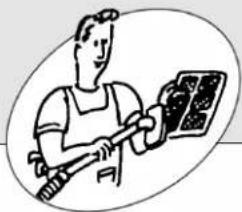
natural_image
Illustration of a worker holding a tool next to a solar panel (no text or symbols)茶精清新網的清掃
natural_image
Illustration showing a hand using a vacuum cleaner to clean water, and a hand pouring liquid into a container (no text or symbols)3 用水洗滌過後,應待陰干後才能使用。
natural_image
Simple line drawing of a window with curtains and a window with a sun, next to a small window with a patterned tile (no text or symbols)4 安裝茶精清新網。
natural_image
Illustration of a person writing in an open book with a rolled document on top (no text or symbols present)在請維修人員之前,請再次檢查以下項目
完全不運轉? ↓ 進行下一步檢查!
1 電源開關或保險絲是否切斷了。
2 是否設定着「定時開狀態」。
natural_image
Illustration of a child using a smartphone to interact with an adult (no text or symbols present)natural_image
Simple line drawing of a person holding a phone, appearing stressed or frustrated (no text or symbols)2 空氣過濾網是否髒了。
natural_image
Diagram of a mechanical component with internal mesh structure and particle distribution (no text or symbols)natural_image
Illustration of a stack of money next to an open box (no text or symbols visible)natural_image
Simple line drawing of a person using a mobile phone with a thought bubble showing a hand (no text or symbols)natural_image
Simple line drawing of a person sitting in a room with curtains and a lamp (no text or symbols)natural_image
Simple line drawing of a cartoon character with surprised expression (no text or symbols)當您認爲「發生故障?」時
是否出了故障?
雖然,重新開機
運轉,可是室外機大約
3分鐘内并不啟動。
發出“嗶噓!”的聲音。
房間裏有臭味兒。
natural_image
Illustration of a person looking at a screen with sound waves (no text or symbols)除濕(△)運轉中, 風扇停止了。
natural_image
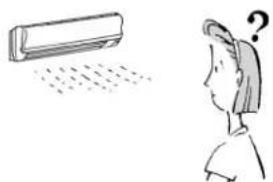
Illustration of a person looking at a wall-mounted air conditioner with a question mark above (no text or symbols)可聽到象流水的聲音。
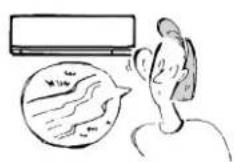
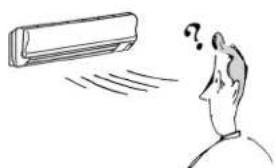
運轉中, 自行改變風向。
natural_image
Simple line drawing of a person looking at a car with a question mark above their head (no text or symbols)答案(不是异常)
natural_image
Simple line drawing of a child with surprised expression, no text or symbols present當您認爲「發生故障?」時
是否出了故障?
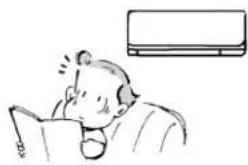
室内機發出“布噓”聲音。
natural_image
Illustration of a person reading a book with a wall-mounted air conditioner in the background (no text or symbols)答案(不是异常)
這是空調機啟動或停止冷媒流動的聲音。
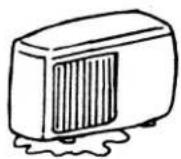
室外機組有漏水現象。
natural_image
Illustration of a person reading a book with a thought bubble showing a refrigerator (no text or symbols present)natural_image
Simple line drawing of a person standing near a kitchen appliance with a cooking pot (no text or symbols)natural_image
Simple line drawing of a person looking at a car with a question mark above their head (no text or symbols)natural_image
Simple line drawing of a person in a suit with two cups, no text or symbols present安裝、移機、檢查
安装場所
禁止安裝在如下的場所。
■ 有可能泄漏可燃性氣體的地方。
注意
natural_image
Simple line drawing of a person with hands near their face, enclosed in an oval frame (no text or symbols)SAFETY PRECAUTIONS
- Be sure to read these "safety precautions" before use.
- Since these cautionary items shown here are important for safety, be sure to observe them. Marks and their meanings are as shown below.
Meanings of symbols used in this manual are as shown below.
| [GZ0T] | Be sure not to do. |
| [SAWD] | Be sure to follow the instruction. |
 | Be sure to apply grounding. |
| [B67K] | Be sure to disconnect the power plug from the power outlet. |
 | Never step on the indoor/outdoor unit and do not put anything on them. |
| [GZGB] | Danger of electric shock,be careful. |
 | Never insert your finger or stick etc. |
- After reading this manual, keep it together with the installation manual in handy place for easy reference.
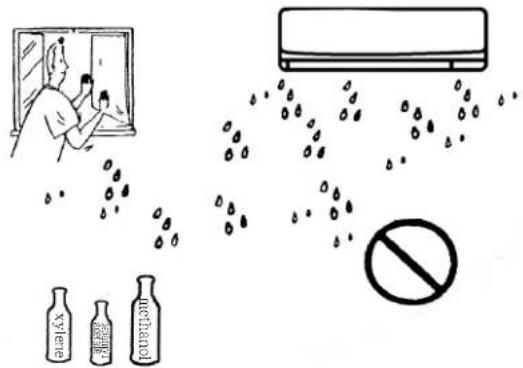
Do not use the air conditioner in an environment Where the volatile, corrosive or flammable chemical is in use.
- When the volatile, corrosive, or flammable chemical (e.g. dimethylbenzene, banana oil, carbinol etc.) is in use, be sure not to use the air conditioner.
- When the paint is wet, be sure to open the window to keep ventilation. To use the air conditioner after the dilution gas has been eliminated completely.
- Otherwise the unit may be corroded, or deformed, even it may cause a fire.

WARNING
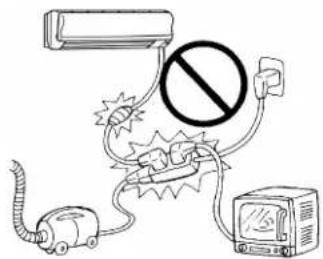
Do not connect using branched outlet or an extension cord, and do not attach many loads to one electric outlet.
- A fire or electric shock may result from poor contact,poor insulation,exceeding the permissible current,etc.
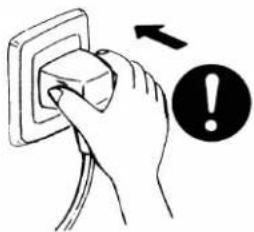
Remove dirt from the power plug and securely insert into the outlet.
- If dirt adheres to the plug or insertion is incomplete, it may cause a fire or electric shock.
natural_image
Hand inserting a plug into an electrical socket with an exclamation mark (no text or symbols on the socket itself)Do not scratch or process the power cord, etc.
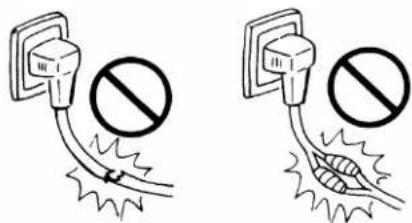
- Do not put heavy object on the power cord, do not heat it, and do not process it. The cord may be damaged and it may cause a fire or electric shock.
natural_image
Simple line drawing of a person with hands near their face, enclosed in an oval frame (no text or symbols)SAFETY PRECAUTIONS

WARNING
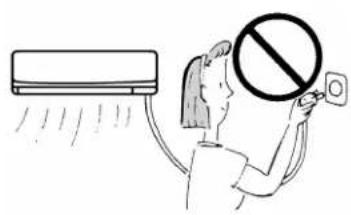
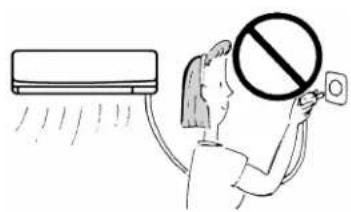
Do not disconnect/connect the power plug during operation.
- This may cause a fire due to sparks, etc.
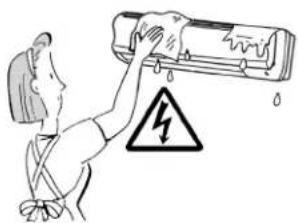
Do not clean the air conditioner with water.
- Water may enter the unit and degrade the insulation. It may cause an electric shock.
natural_image
Illustration of a person using a showerhead to prevent water, with a warning symbol (no text or labels)When an abnormality(smell of burning,etc)occurs,stop the air conditioner,and disconnect the power plug or turn off the breaker.
- If the unit continues to be operated in an abnormal condition, it may cause a fire, trouble, etc. In this case, consult your dealer.
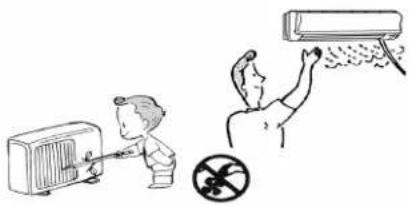
Do not insert your finger or stick, etc. into the air inlet/air outlet.
- Since the fan rotates at high speed, this may cause an injury.
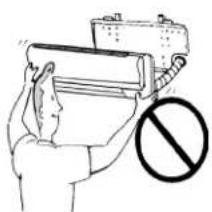
Repair or relocation should not be done by the customer.
- If this is done incorrectly, it may cause a fire, electric shock, injury by dropping of the unit, water leakage, etc. Consult your dealer or service center.
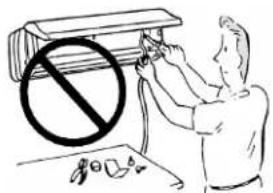
The customer should not install this unit.
- If this is done incorrectly, it may cause a fire, electric shock, injury by dropping of the unit, water leakage, etc. Consult your dealer or service center.
natural_image
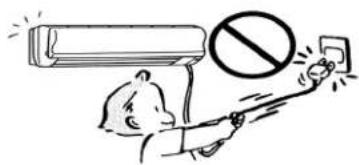
Illustration of a hand holding a rolled paper with a prohibition symbol (no text or labels)Do not pull the power cord.
- Hold the power plug to disconnect it. The core wire of the power cord may be disconnected and it may cause a fire.
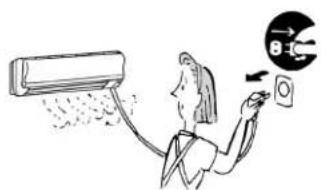
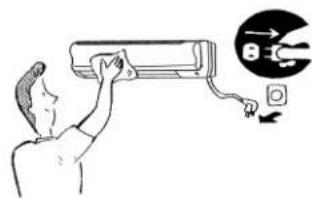
When the unit is to be cleaned, switch off, and dis connect the power plug or turn off the breaker.
- Since the fan rotates at high speed during operation, it may cause an injury.
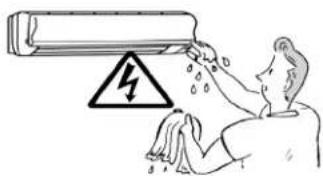
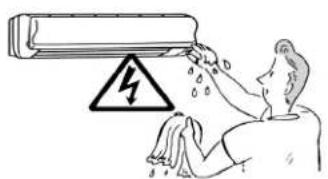
Do not operate switches with wet hands.
• It may cause an electric shock.
natural_image
Simple line drawing of a person with hands near their head, enclosed in an oval frame (no text or symbols)SAFETY PRECAUTIONS

WARNING
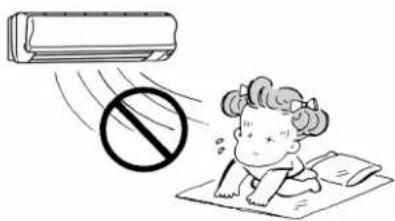
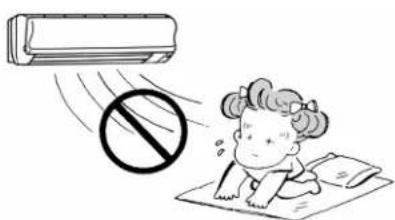
Do not expose the skin to cool air directly for long time.
• This could damage your health.
natural_image
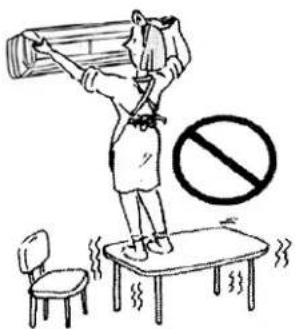
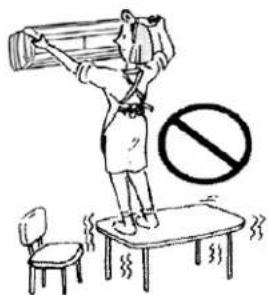
Illustration of a child running on a mat with a prohibition symbol above, no text or symbols present.Do not step onto an unstable bench when attaching/detaching the panel.
- It may cause an injury,etc.by falling down.
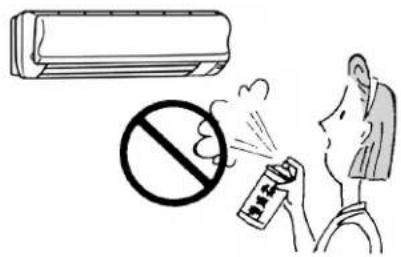
Do not apply an insecticide or flammable spray.
- It may cause a fire or deformation of the cabinet.
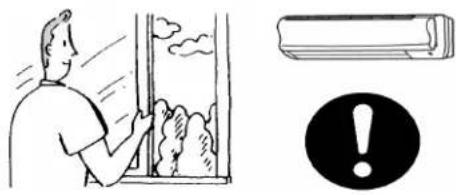
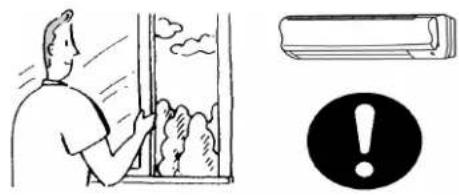
Ventilate well when used together with a stove, etc.
• An oxygen shortage may occur.
natural_image
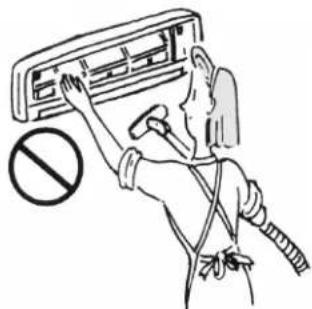
Illustration of a person opening a window with clouds and a warning symbol (no text or labels)When the air filter is to be removed, do not touch the metal parts of the indoor unit.
- It may cause an injury.
natural_image
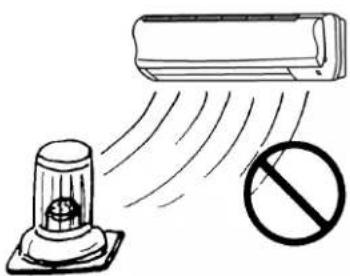
Illustration of a person using a handheld air conditioner to stop the ceiling, with no text or symbols present.Do not put a stove, etc. where is exposed to direct air flow.
- It may cause imperfect combustion.
natural_image
Illustration of a spray gun emitting exhaust from a wall-mounted air conditioner, with a prohibition sign below (no text or symbols)
natural_image
Simple line drawing of a person with hands near their head, enclosed in an oval frame (no text or symbols)SAFETY PRECAUTIONS

WARNING
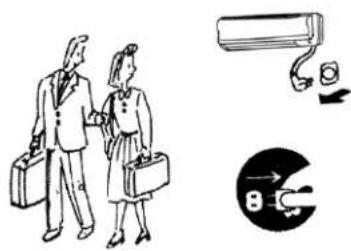
When the unit is not going to be used for a long time, disconnect the power plug or turn off the breaker.
- If not, dirt may collect and cause a fire.
natural_image
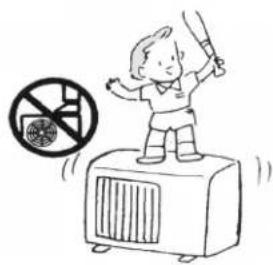
Illustration of two people walking with briefcases and a surveillance camera, alongside a circular diagram showing a plug (no text or symbols)Do not step on the indoor/outdoor unit and do not put anything on it.
- It may cause an injury through dropping or falling down.
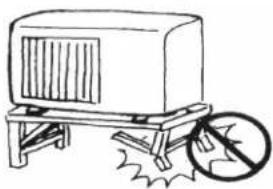
Do not leave on installation stand which is damaged.
- The unit may drop or fall down and cause an injury.
natural_image
Simple line drawing of a box on a cart with a circular object nearby (no text or symbols)- Consult your dealer or service center for installing the air conditioner.
Apply grounding.
- Air conditioner socket must apply grounding by a special grounding wire. Do not connect the grounding wire to a gas pipe, water pipe, lightning rod or grounding wire of a telephone. - If a grounding wire is absent or incorrect, it may cause an electric shock. - Be sure whether there is a grounding wire and whether it is connected correctly.

Install an earth leakage breaker depending on the place where the air conditioner is to be installed(humid place,etc..)
- If the earth leakage breaker is not installed, it may cause an electric shock.

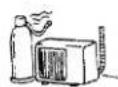
Do not install the unit where flammable or corrosive gas could leak.
- If gas leaks or collects around the unit, it may cause an explosion, or the unit may be damaged.

Drain water should be fully drained.
- If the drainage route is incomplete, water may drop from the unit, it may wet and spoil furniture.
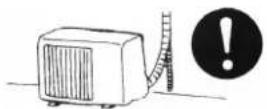

CAUTION
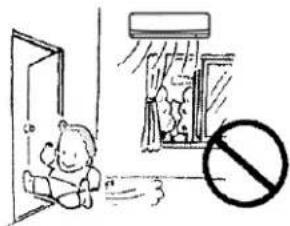
Do not operate for a long time in high humidity, e.g. leaving a door or window open.
- In the cooling mode, if it is operated in a room with high humidity (80% r.h. or more) for a long time, water condensed in the air conditioner may drop and may wet and spoil furniture, etc.
natural_image
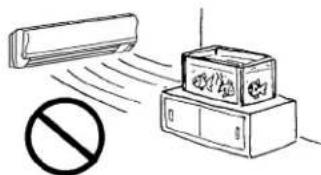
Simple line drawing of a child sitting in a doorway near an open window with a prohibition symbol (no text or labels)Do not use for special purposes.
- Do not use this air conditioner to preserve precision devices, food, animals, plants and art objects. It may cause deterioration of quality, etc.
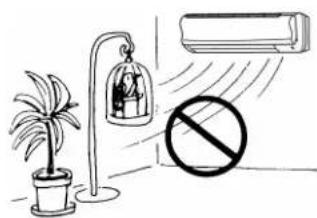
Do not put a pet or house plant where will be exposed to direct air flow.
• This could injure the pet or plant.
natural_image
Illustration of a potted plant, a bell jar with a person inside, and an air conditioner unit emitting exhaust smoke (no text or symbols)
natural_image
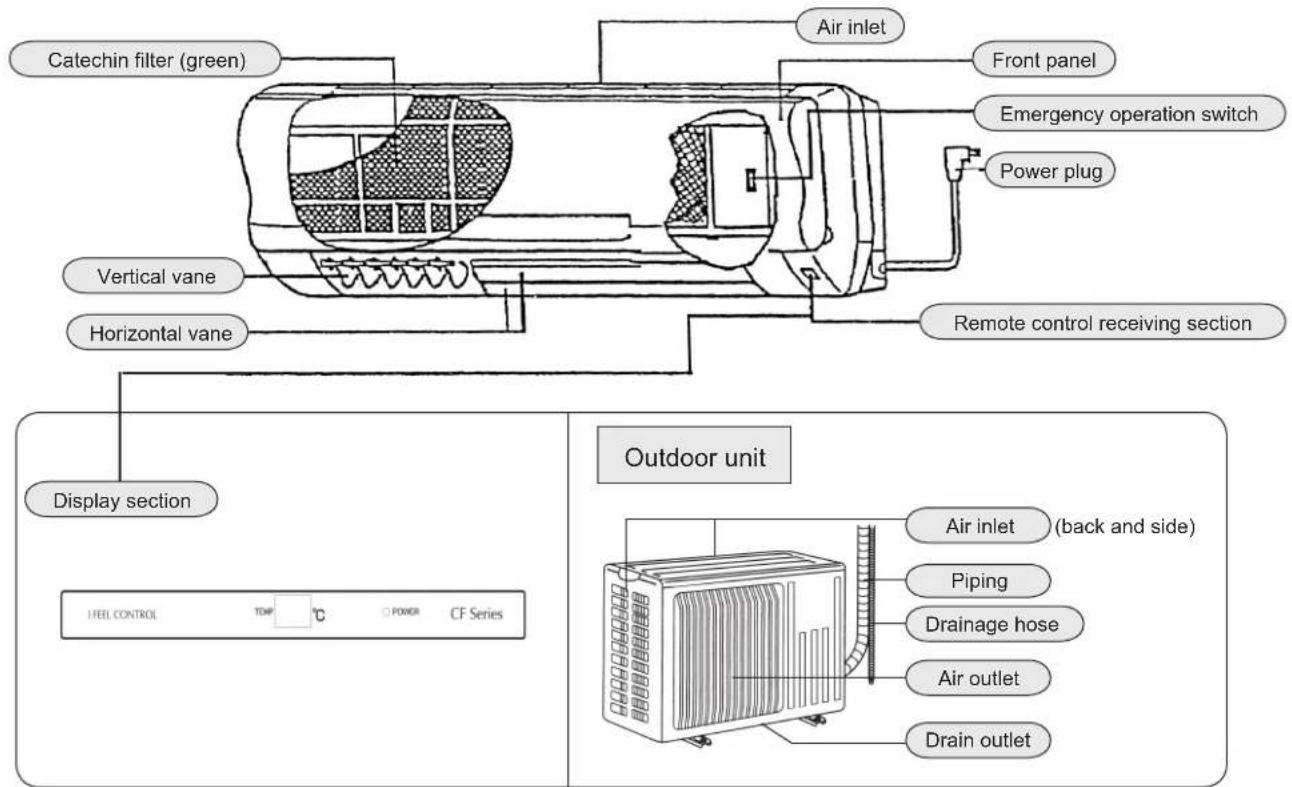
Simple line drawing of a person writing in a notebook (no text or symbols present)NAME OF EACH PART
Indoor unit
Remote controller
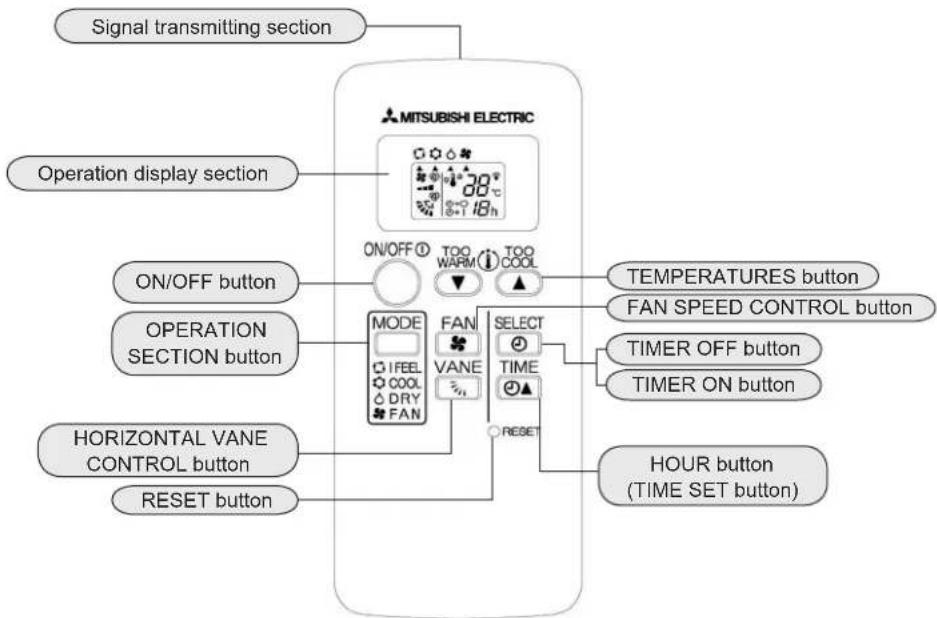
flowchart
graph TD
    A["Signal transmitting section"] --> B["MITSUBISHI ELECTRIC"]
    C["Operation display section"] --> D["ON/OFF button"]
    E["OPERATION SECTION button"] --> F["MODE"]
    G["HORIZONTAL VANE CONTROL button"] --> H["FAN"]
    I["RESET button"] --> J["FAN"]
    K["TEMPERATURES button"] --> L["SELECT TIME"]
    M["FAN SPEED CONTROL button"] --> N["TIMER OFF button"]
    O["TIMER ON button"] --> P["TIMER ON button"]
    Q["HOUR button (TIME SET button)"] --> R["RESET"]
    S["08h 30°"] --> T["ON/OFF"]
    U["18h"] --> V["TOO WARM"]
    V --> W["TOO COOL"]
    X["18h"] --> Y["TOO WARM"]
    Z["18h"] --> AA["TOO COOL"]
natural_image
Illustration of a person using a smartphone and talking on (no text or symbols present)This unit has AUTO RESTART FUNCTION, but when it is leaving factory, this function is set off. If you need this AUTO RESTART FUNCTION, please contact with the Service Center. Because the configuration of the unit should be changed.
AUTO RESTART FUNCTION is...
The operation mode, set temperature and fan speed will be memorized when using the remote controller to control the indoor unit. If a power failure occurs during operation, the AUTO RESTART FUNCTION may start the unit automatically and run it at the mode set by the remote controller before the power is off.
INDOOR UNIT

Insert the power plug into the power outlet and turn the breaker on.
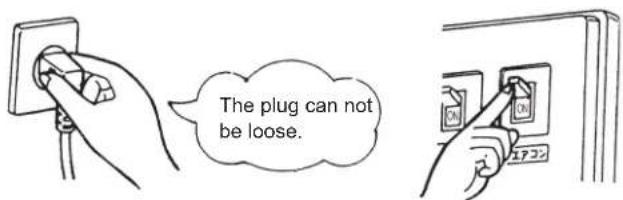

WARNING
Remove dirt from the power plug and insert it securely. If dirt adheres to the plug or insertion is incomplete, it may cause a fire or electric shock.
REMOTE CONTROLLER

Remove the back lid and insert batteries, and then reattach the front lid.
Do not confuse(+) and(-).
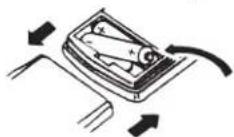
Insert the ca tho de of the batteries in the first.

Press the RESET button.
Press it using a thin stick.
■ If the RESET button is not pressed, the remote controller may not operate correctly.
Notes for using the remote controller
● The range that the signal can reach is about 6m when pointed at the front of the indoor unit.
- When the button is pressed, one or two beeps will be heard from the indoor unit. If no sound is heard, operate again. Use the remote controller carefully.
- If it is dropped, thrown or gets wet, it may not operate.
- Do not wring or press the remote controller, it may cause the components inside the remote controller damage.
Batteries
Reference for replacing batteries
When the signal does not operate the indoor unit, or the display becomes dim.replace the batteries with new alkaline batteries(LR03)
- Replace 2 batteries with new batteries of the same type. Do not use rechargeable batteries.
● To prevent from liquid leakage, take out all batteries when - the remote controller is not going to be used for a long time.
- The service life of an alkaline battery is about 1 year. However, since the recommended usable time limit is indicated (month/year) on the bottom of the battery, a battery the time limit of which is approaching may become exhaust sooner.
Laying the remote controller
Laying places
● The places where it is easy to operate and easily visible.
● The places where children can not touch.
NOTE
In rooms where inverter type fluorescent lamps are used, the signal from the wireless remote controller not be received.
WHEN THE REMOTE CONTROLLER CANNOT BE USED(Emergency operation)
When the batteries of the remote controller run out or remote controller malfunctions. Emergency operation can be done using the Emergency operation switch.
1 Press the Emergency operation switch.
Each time the switch is pressed, the unit alternates between the Emergency COOL mode and STOP mode.
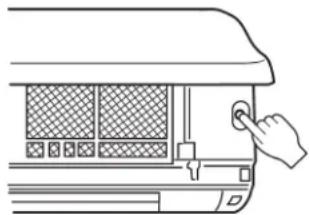
natural_image
Line drawing of a hand pressing down on a car air conditioner panel (no text or symbols)Details of operation are as shown below. However, the temperature control does not work for about 30 minutes at first and the unit is set to the continuous operation mode with the fan speed set to "Medium", 30 minutes late:
| Details of operation | Cool |
| Set temperation | 24 ^ C |
| Fan speed | Medium |
| Horizontal vane | Auto |
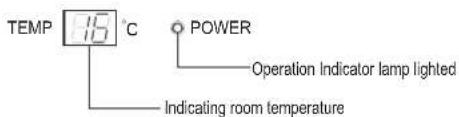
The operation mode is indicated by the room temperature on the indoor unit as following figures.
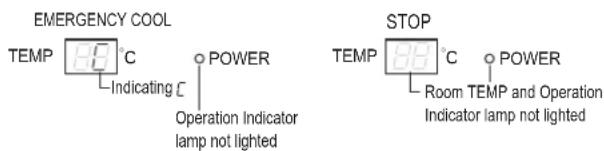
To stop the Emergency operation, press the Emergency operation switch.
Each time the switch is pressed, the unit alternates between the Emergency COOL mode and STOP mode.
natural_image
Cartoon illustration of a smiling girl holding a pen, enclosed in an oval frame (no text or symbols)"I FEEL..."AUTO-OPERATION
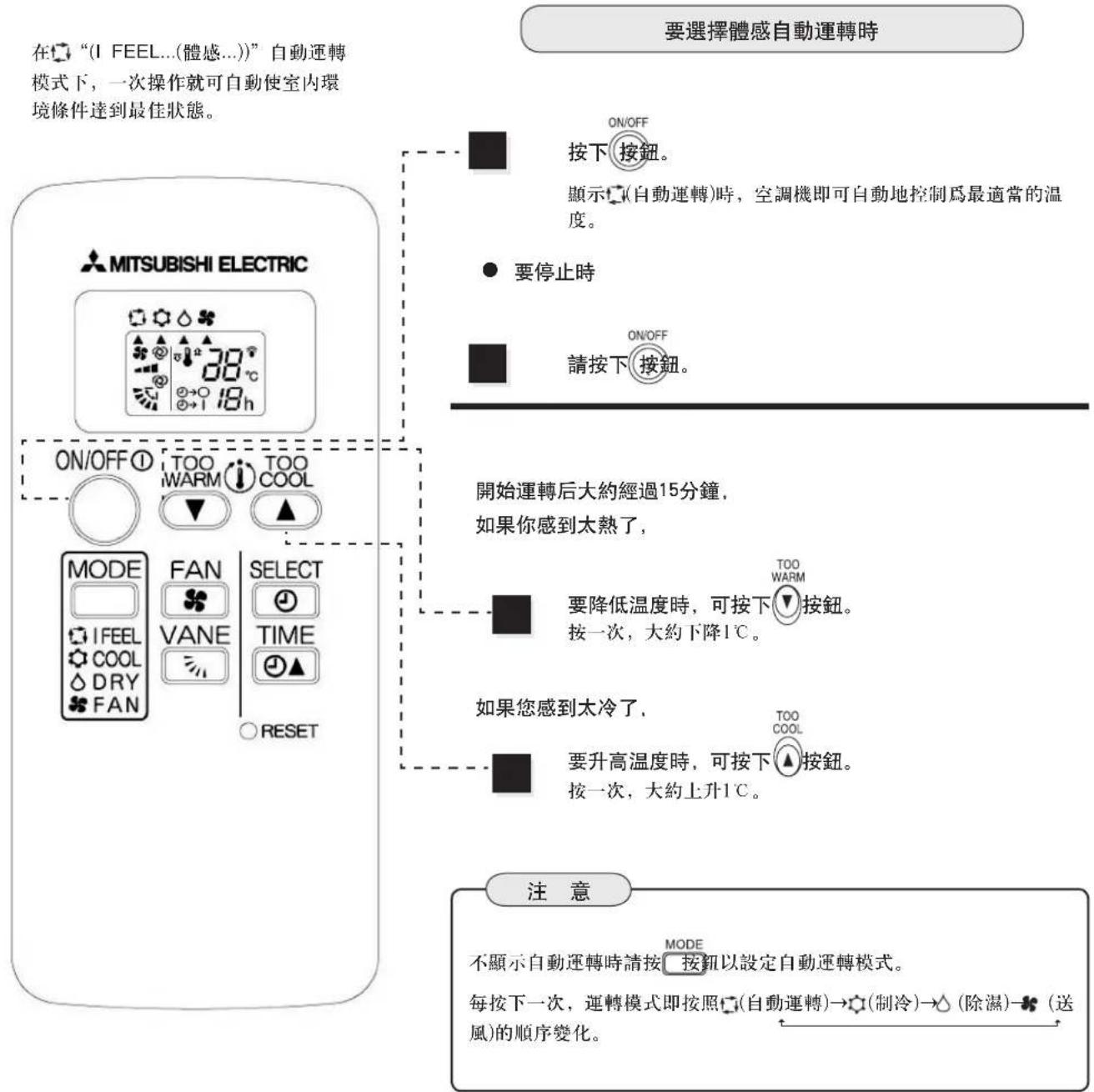
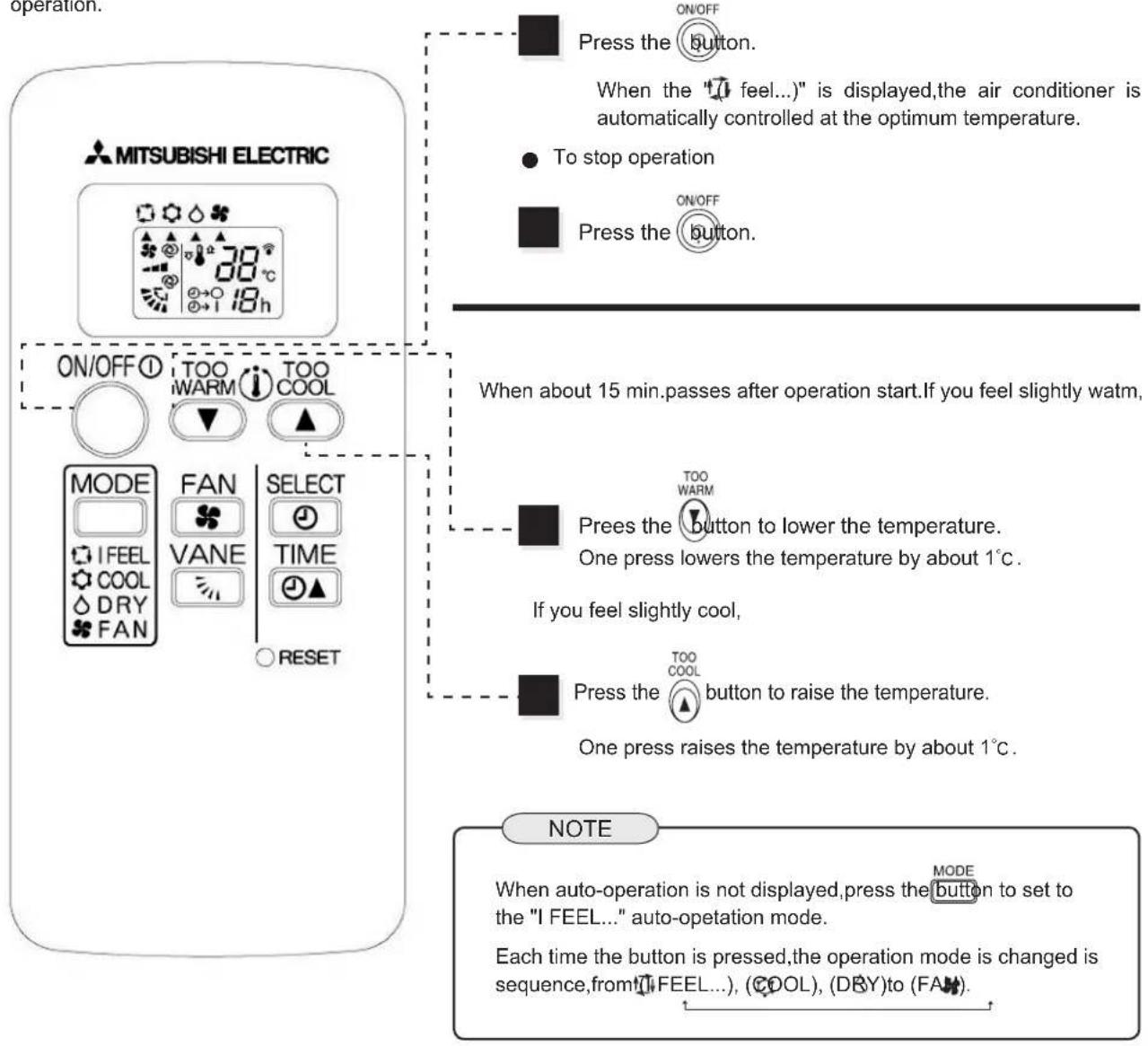
With the(1)FEEL...) auto-operation mode, the optimum room condition can be set automatically by one-touch operation.
TO SELECT "I FEEL..." AUTO-OPERATION
natural_image
Cartoon illustration of a girl holding a pen, enclosed in an oval frame (no text or symbols)"I FEEL..."AUTO-OPERATION
DESCRIPTION OF "I FEEL..." MODE
Details of operation
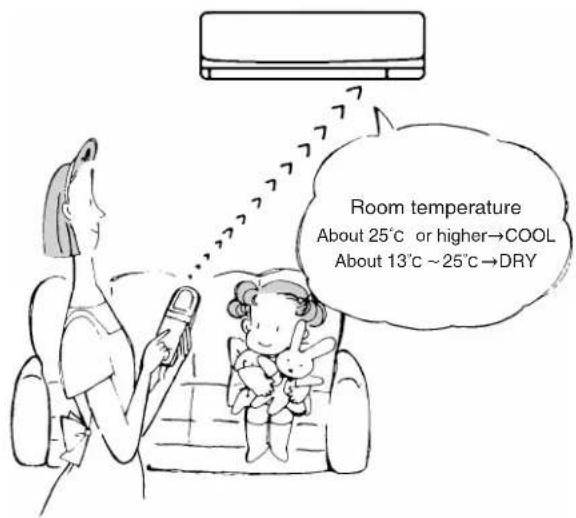
According to the room temperature when the operation starts, the operation mode is automatically selected between COOL and DRY. However, when operation is started again within 2 hours after the operation is stopped, the same operation mode before it is stopped is selected. The operation mode selected first is not changed even if the room temperature changes. If the operation mode does not match the room condition, select the requires operation mode by pressing the button.
Details of auto-operation
| Room temperature when started | OPeration mode | Target temperature (initial state) |
| About 25°C or higher | COOL | About 24°C |
| About 13°C ~ 25°C | DRY | -- |
NOTE
COOL: When the room temperature is 2^ C higher than the set temperature, the set temperature may not be changed since the air conditioner is operating to reach the target(set)temperature. In this case, please wait until the room temperature drops to within 2^ C of the set temperature and then change the set temperature.
Details of display on the indoor unit.
The middle indicator of the indoor unit indicates the operation state.
natural_image
Illustration of a person shouting into a microphone with sound waves, surrounded by other figures (no text or symbols)MANUAL OPERATION (COOL,DRY,FAN)
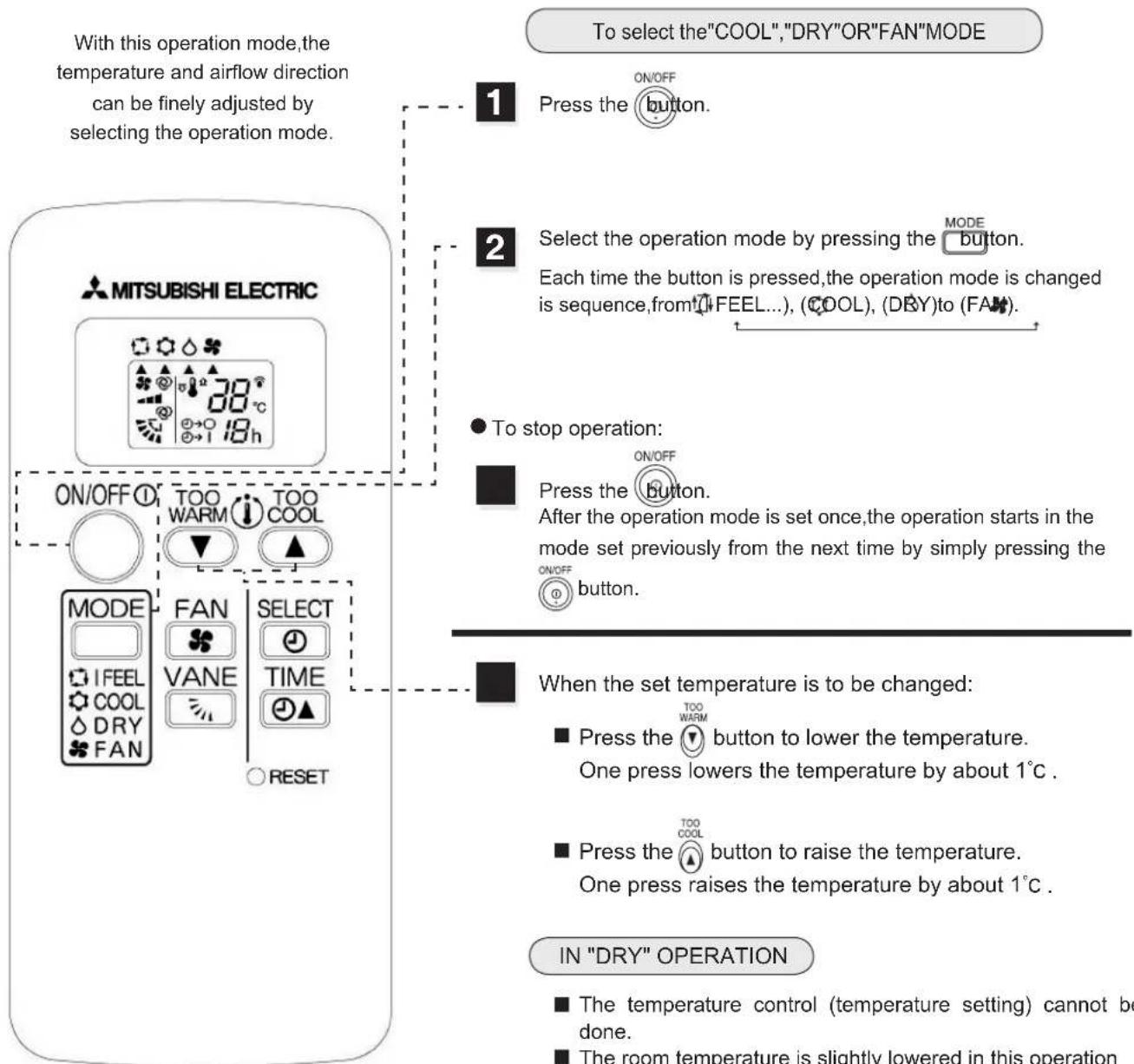
flowchart
graph TD
    A["With this operation mode, the temperature and airflow direction can be finely adjusted by selecting the operation mode."] --> B["To select the "COOL", "DRY" OR "FAN" MODE"]
    B --> C["1 Press the button."]
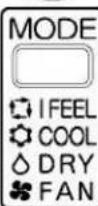
    B --> D["2 Select the operation mode by pressing the MODE button. Each time the button is pressed, the operation mode is changed is sequence, from FEEL...), (COOL), (DRY) to (FAN)."]
    D --> E["● To stop operation:"]
    E --> F["Press the button. After the operation mode is set once, the operation starts in the mode set previously from the next time by simply pressing the ON/OFF button."]
    F --> G["When the set temperature is to be changed:"]
    G --> H["■ Press the button to lower the temperature. One press lowers the temperature by about 1°C."]
    G --> I["■ Press the button to raise the temperature. One press raises the temperature by about 1°C."]
    G --> J["IN "DRY" OPERATION: The temperature control (temperature setting) cannot be done. The room temperature is slightly lowered in this operation"]

The details displayed on the indoor unit are the same as those in the "I FEEL...". See page31.
NOTE
■ When the ambient temperature is too high, the room temperature may not reach the set temperature since the unit operates to cool at high load.
CONVENIENT INFORMATION
COOL
For effective cooling
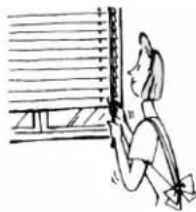
①Close the windows and pull down blinds.Sunshine is reduced and cooling efficiency increases.
② Paste a heat shield film (generally available) on the window. Heat entering the room is reduced.
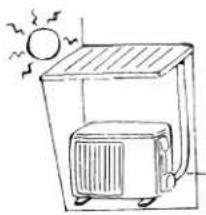
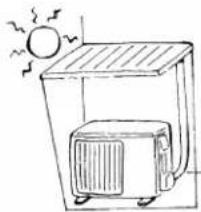
③ Block the outdoor unit from direct sunlight. This saves energy.
natural_image
Simple line drawing of a person sitting near a window with horizontal bars (no text or symbols)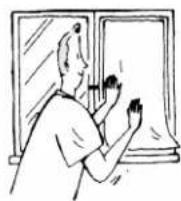
natural_image
Simple line drawing of a sunlit air conditioner unit with birds flying nearby (no text or symbols)DRY
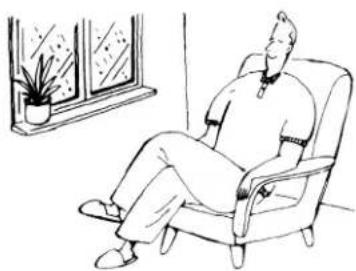
The humidity at which humans feel comfortable
When air contains too much moisture, humans feel clammy. Humidity is related with temperature an dwind. The humidity at which humans feel comfortable is 60%\~75%RH.in summer, 55%\~70%RH.in winter.
natural_image
Line drawing of a person sitting in an armchair near a window with a potted plant (no text or symbols)
natural_image
Simple line drawing of a person holding a phone, enclosed in an oval frame (no text or symbols)AIR FLOW VELOCITY AND DIRECTION ADJUSTMENT
AIR FLOW velocity and direction can be selected as required.
HOW TO CHANGE THE AIR FLOW VELOCITY AND DIRECTION

MITSUBISHI ELECTRIC
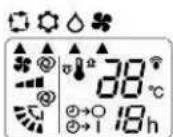
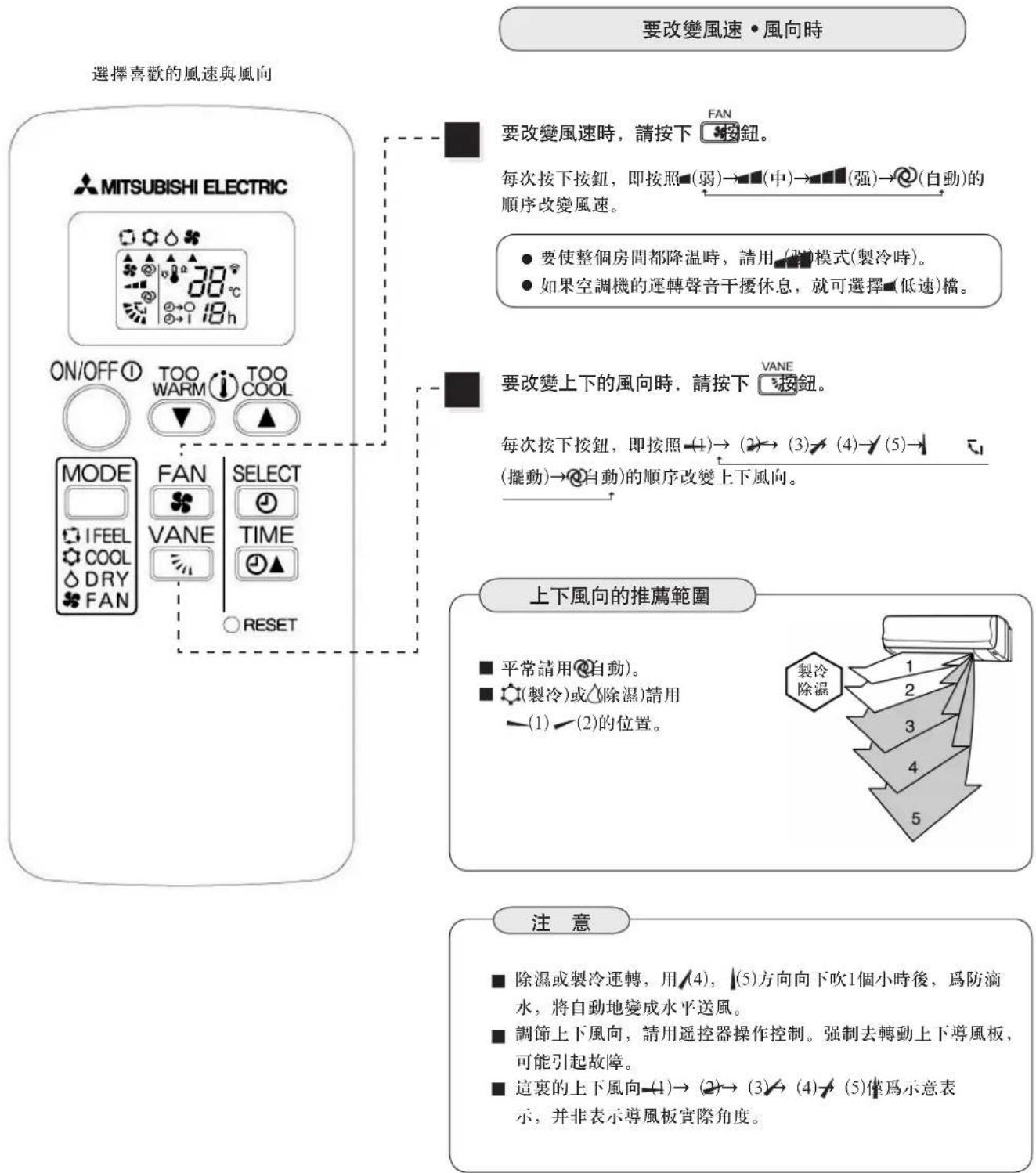
To change the AIR FLOW velocity, press the button.
Each time the button is pressed, fan speed is changed in sequence, from ▶[Lo] ▶[Med] ▶[A@TO].
- To cool the whole room, use the (1) mode.
- If the sound of the air conditioner operation disturbs your sleep, use the ▪(Lo) mode.
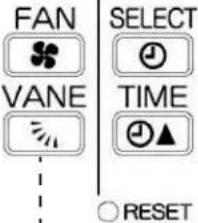
To change the AIR FLOW blowing direction verically, press the VANE button.
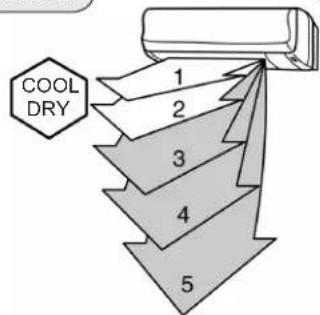
Each time the button is pressed, angle of horizontal vane is changed in sequence, from -(1)(2)(3)(4)(5)(SWING)(AUTO)
RECOMMENDED HORIZONTAL VANE RANGE
■ Use in the Ⓞ (AUTO)position usually.
■ Use —(1)or√(2) position (COOL,DRY) when adjusting as required.
NOTE
In the cooling or drying operation, when the air conditioner is operated with AIR FLOW blowing down √(4)or(5) for 1 hour, the AIR FLOW direction is automatically set to level to prevent condensed water from dropping.
■ Adjust the vertical AIR FLOW direction using the remote controller. If the horizontal vane are moved manually, it may cause trouble.
■ The direction of AIR FLOW at this place(1)→(2)→(3)→/(4)→(5) just a sketch map and it does not indicate the actual angle of the vane.
AUTO AIR FLOW DIRECTION
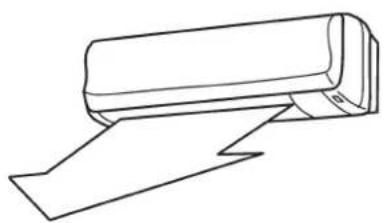
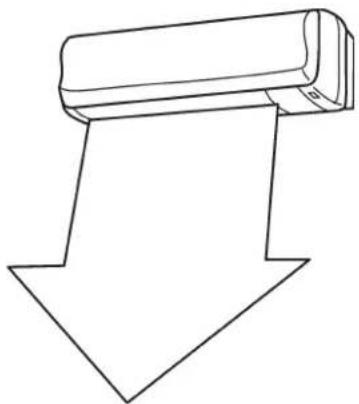
When the AUTO mode is selected with the button, the position of the horizontal vane are automatically set to correspond to the operation mode to perform effective operation.
(1) COOL,DRY
The AIR FLOW blows level.
natural_image
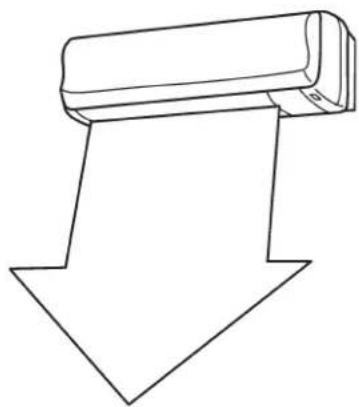
Line drawing of a rolled-up paper or document with a blank sheet (no text or symbols)(2) FAN
The AIR FLOW blows down.
natural_image
Simple line drawing of a downward arrow with a cylindrical object on top (no text or symbols)To change the horizontal direction of the AIR FLOW move the vertical vanes manually.
natural_image
Line drawing of a wall-mounted air conditioner unit (no text or symbols)NOTE
■ Adjust the vanes before starting operation.
■ Since the horizontal vane move automatically during operation, your fingers may by caught.
natural_image
Line drawing of a person holding a phone, enclosed in an oval frame (no text or symbols)flowchart
graph TD
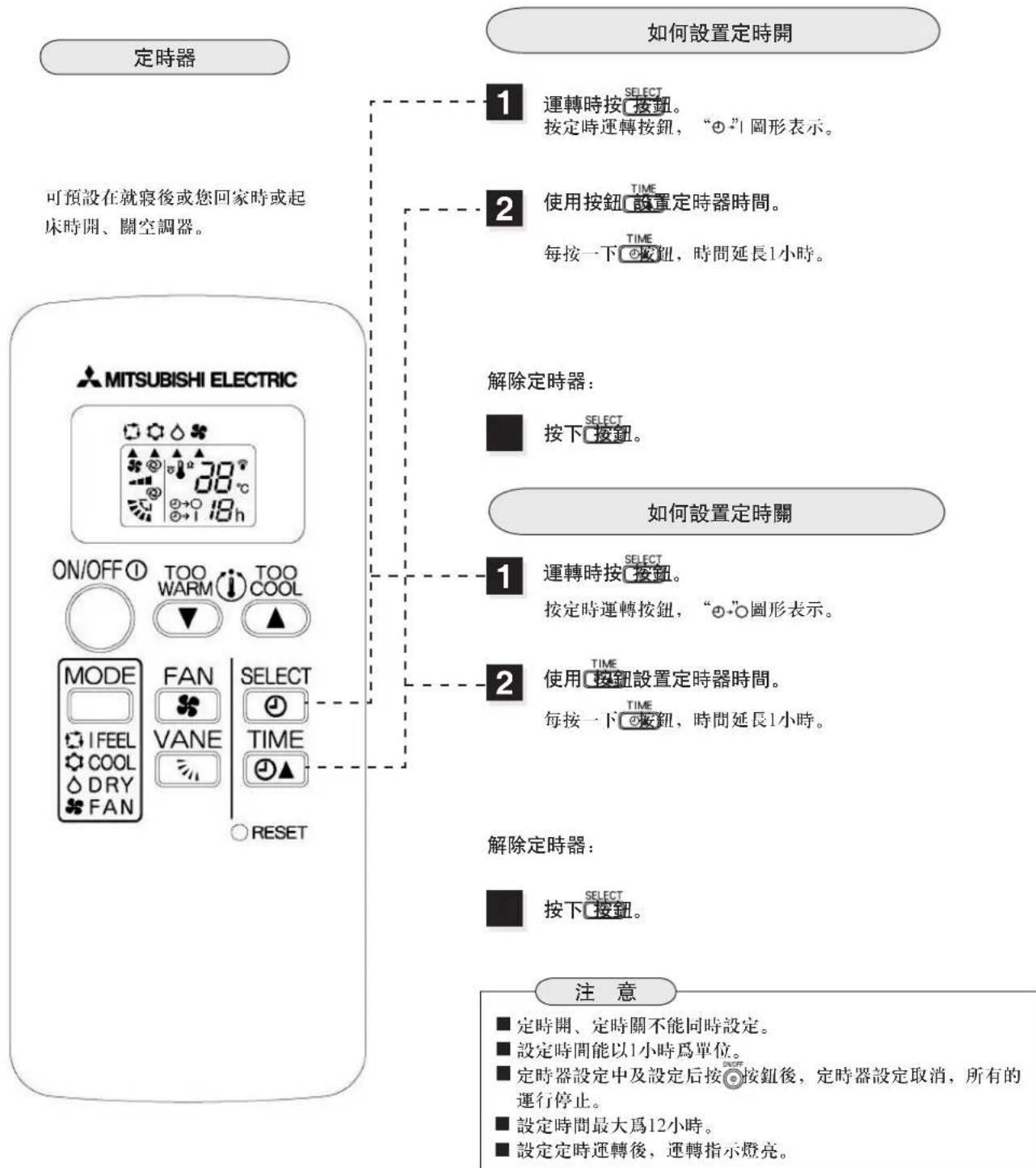
A["TIMER"] --> B{It is convenient to set the timer for the time when you go to bed,when you get home,when you get up,etc.}
B --> C["1 Press the SELECT button during operation.<br>Each time this button is pressed, "o" display."]
B --> D{2 Use TIME button set the time of timer.
Once press TIME button,the time will increase 1 hour.}
D --> E["How to release the timer."]
E --> F["■ Press the SELECT button."]
A --> G{ON/OFF ① TOO WARM ② TOO COOL ③ MODE ④ I FEEL ⑤ COOL ⑥ DRY ⑦ FAN ⑧ RESET}
G --> H{MODE ① VANE ② TIME ③ RESET}
H --> I["1 Press the SELECT button during operation.<br>Each time this button is pressed, "o" display."]
H --> J{2 Use TIME button set the time of timer.
Once press TIME button,the time will increase 1 hour.}
J --> K["How to release the timer."]
K --> L{■ Press the SELECT button.}
L --> M["NOTE"]
M --> N["■ ON timer and OFF timer can be set simultaneously.<br>■ Hour set are both available.<br>■ During or after setting the timer,if the button is pressed,the timer will be released,and the air conditioner will be stopped.<br>■ The maximal time which is set is 12 hours.<br>■ After setting the timer.Operation indicator lamp lighted."]
natural_image
Simple line drawing of a rectangular object inside an oval frame (no text or symbols)WHEN THE AIR CONDITIONER IS NOT GOING TO BE USED FOR A LONG TIME
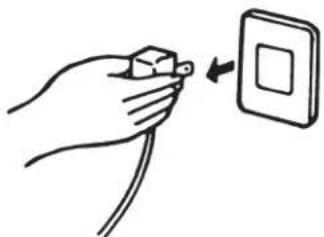
When it is not going to be used for a long time:
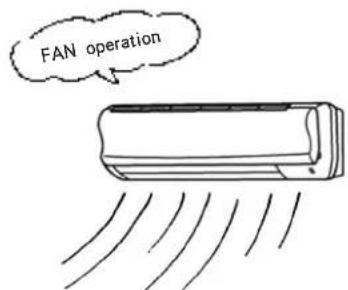
1 Perform FAN operation for 3 or 4 hours to dry the inside of the air conditioner.
- Before perform fan operation, please set the unit work under the cool mode, and select the highest temperature.
2 Turn off the breaker, then disconnect the power plug.
natural_image
Hand holding a small electrical plug with a switch, next to a square outlet (no text or symbols)WARNING
Disconnect the power plug or turn off the breaker when the air conditioner is not going to be used for a long time. Dirt may collect and may cause a fire.
3 Remove the batteries from the remote controller.
When the air conditioner is to be used again:
1 Clean the air filter and install it in the indoor unit. (Refer to page 41 for cleaning it.)
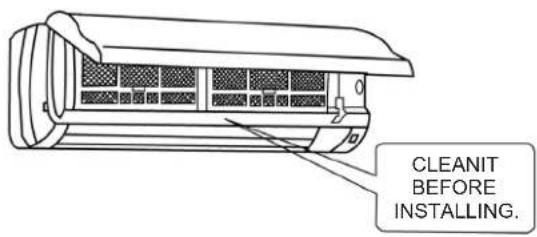
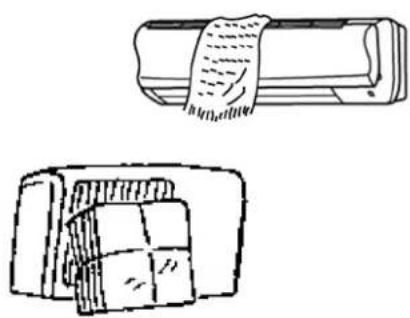
2 Check that the air inlet and outlet of the indoor/outdoor unit are not blocked.
natural_image
Two technical line drawings of a mechanical component, one wrapped in a band and the other with grid-like cutouts (no text or symbols)3 Check that the ground wire is connected correctly.
WARNING
Apply grounding.
- Do not connect a grounding wire to a gas pipe, water pipe, lightning rod or grounding wire of a telephone. If a grounding is absent or incorrect, it may cause an
• electric shock.
natural_image
Illustration of a person with a starburst effect, possibly dancing or gesturing, surrounded by smoke (no text or symbols)MAINTENANCE
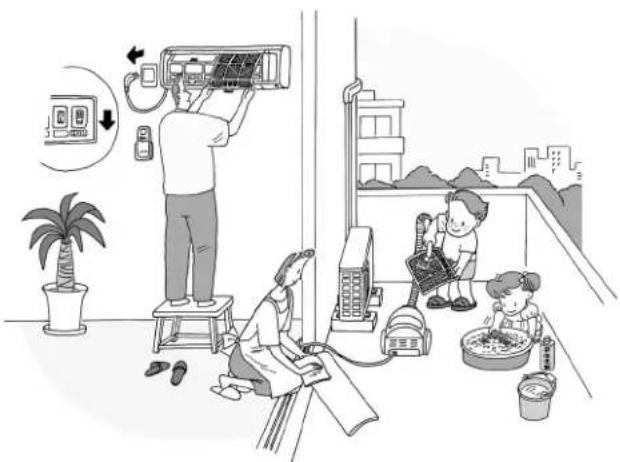
Before starting maintenance

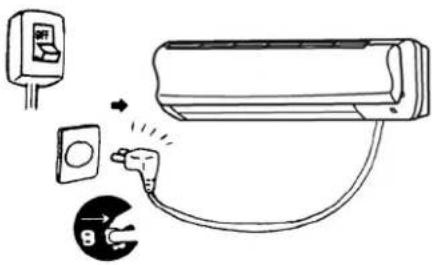
Turn off the breaker, then disconnect the power plug.
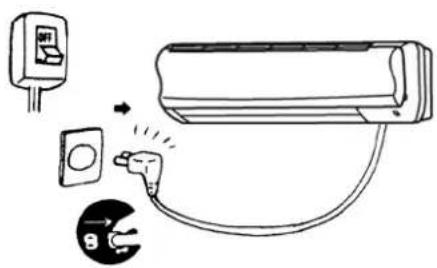

WARNING
When the unit is to be cleaned, switch off and disconnect the power plug or turn off the breaker. Since the fan votates at high speed during operation, it may cause an injury.
natural_image
Illustration of a household cleaning or cleaning room scene with workers, equipment, and a mannequin (no text or symbols)Cleaning the plug

Sweeping dust on the plug.
Cleaning the indoor unit/remote controller

Do not use gasoline, benzine, dilution, polishing powder, detergent, and insecticide. The unit may be damaged.
Deattaching and cleaning the front panel

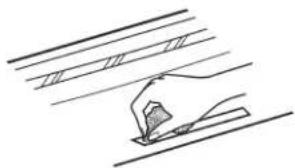
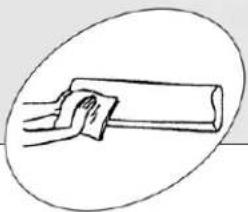
Wiping or cleaning by water with soft cloth. After cleaning by water, please wipe the water away, and dry in shade.

The water remained at the display section should be extracted from the rear.
natural_image
Simple line drawing of a hand using a tool to cut or mark a surface (no text or symbols)
Other dirt can use neutral cleanser and soft cloth to clean.

Do not use gasoline,benine,dilution,polish powder,detergent and insecticide. Do not use brush or any other hard tools.

Do not put in hot water for long time(2hr above),do not put in the sun directly,and do not put in the valid range of the heater,otherwise,the front panel would be distortion and depegment.
natural_image
Simple line drawing of a hand holding a rectangular object, enclosed in an oval frame (no text or symbols)METHOD OF DISASSEMBLY AND INSTALLATION OF THE FRONT PANEL
Disassembly the front panel
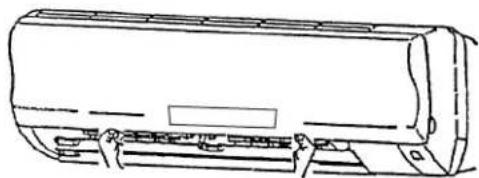
1 Hold the front panel in both hand, and rise to plane, then pull out.
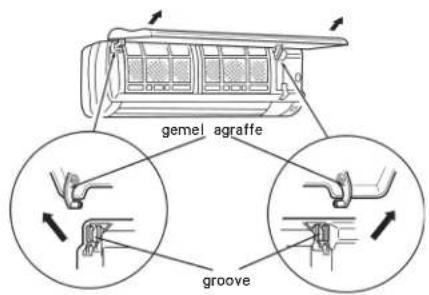
2 Do not pull the front panel out by force, and do not drop down, otherwise, the front panel would be damaged.
3 Do not step onto an unstable bench when attaching/detaching the front panel. It may cause an injury by falling down.
Installation the front panel
1 Hold the front panel in both hand and rise to plane, then insert the gamel on the front panel into the groove on the top of the indoor unit. (Lock until it clicks)
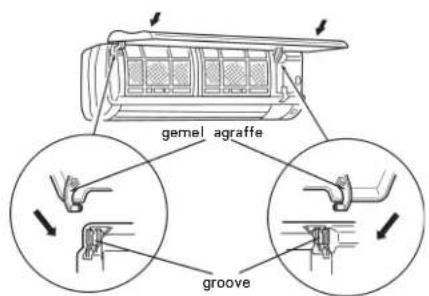
2 Hold the front panel in both hand and close the front panel, then press the three place which denote by arrows in the following figure, thus, the installation is done.
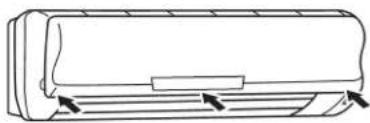
natural_image
Line drawing of a car air conditioner unit with airflow arrows (no text or symbols)
natural_image
Illustration of a person using a tool to clean or install a solar panel (no text or symbols present)CLEANING THE CATECHIN FILTER
When the front panel is to be opened, do not open it up to the level position. If you do, the front panel may come off.
Cleaning the catechin filter. (about once every 2 weeks)
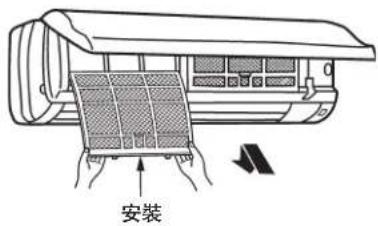
1 Remove the catechin filter.
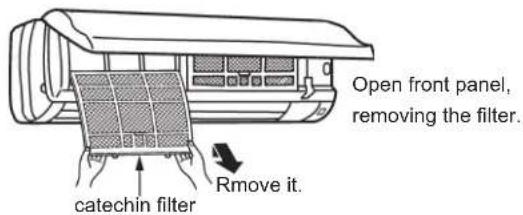
CAUTION
When the catechin filter is to be removed, do not touch the metal parts of the indoor unit. It may cause an injury.
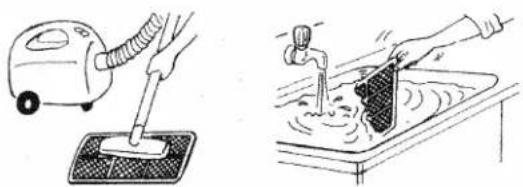
2 Clean dirt from the catechin filter using a vacuum cleaner or by washing with water.
If dirt is conspicuous, wash with a solution of detergent in lukewarm water.
If hot water(50°C or more)is used, it may be deformed.
natural_image
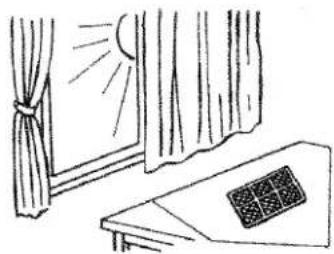
Illustration of a hand washing a small vacuum cleaner and pouring liquid into a basin (no text or symbols)3 After washing with water, dry well in the shade.
■ Do not expose the catechin filter to direct sunlight or heat from a fire when drying it.
natural_image
Simple line drawing of a window with curtains and a patterned object on a desk (no text or symbols)4 Install the catechin filter.
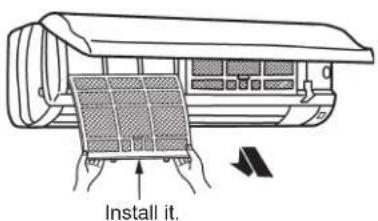
Function of the CATECHIN filfer: Along with the resolution of the CATECHIN (composition of green tea), the odour of cigarette and sweat is eliminated, furthermore the germ is retrainde to develop, grow up, and breed. (test method: Fiber product's quantitative germproof test method of Japanese textile inspection association.)
natural_image
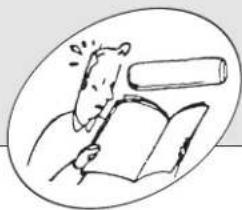
Illustration of a person reading a book with a rolled document above (no text or symbols present)BEFORE CONTACTING THE SERVCEMAN, CHECK THE FOLLOWING AGAIN
The air conditioner cannot be operated. ↓ Check the following.
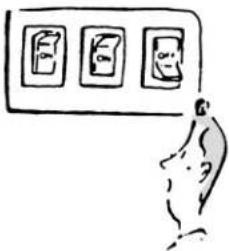
1 The breaker is turned on and fuse is not blown.
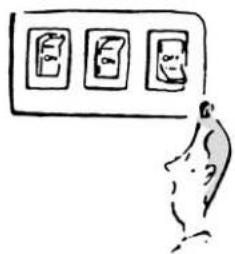
2 The ON-timer is not set.
natural_image
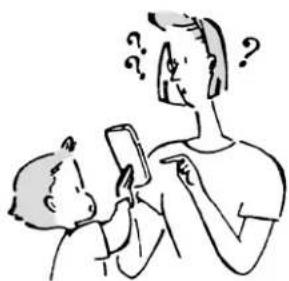
Illustration of a child using a smartphone to interact with an adult (no text or symbols present)Cannot be cooled sufficiently. ↓ Check the following.
1 The temperature setting is correct.
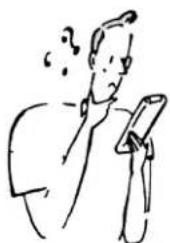
natural_image
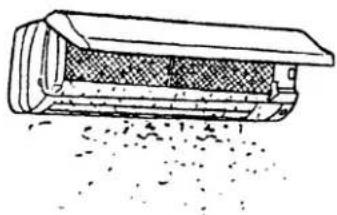
Simple line drawing of a person holding a smartphone (no text or symbols)2 Air filter is not dirty.
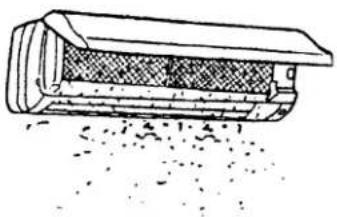
natural_image
Diagram of a mechanical component with textured surfaces and particles, no visible text or symbols3 Outlet of the outdoor unit are not blocked.
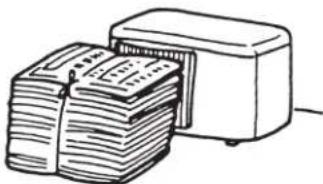
natural_image
Illustration of a stack of documents being inserted into a rectangular device (no text or symbols visible)Display of the remote controller does not appear. The remote control signal cannot be received if it is not near the air conditioner.
1 The batteries are exhausted.
natural_image
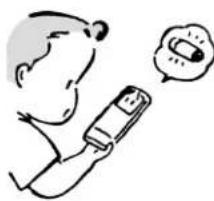
Simple line drawing of a person using a mobile phone with a speech bubble showing a smiling face (no text or symbols present)2 The polarity(+,-) of the batteries is confused.
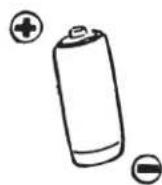
When a power failure occurs. Check the following.
The air conditioner is kept stopping. After the power is restored, pressing the ON/OFF button again.
natural_image
Simple line drawing of a person sitting in a car with a TV and lamp, no text or symbols presentEven if the above items are checked, when the air conditioner does not recover from the trouble, stop using the air conditioner and consult your dealer or service center.
Note the following cases:
The remote control signal may not be received in a room with an electronic ON/OFF type fluorescent lamp(inverter type fluorescent lamp,etc.)is used.
In a weak radio wave area, when the air conditioner is operated, noise may be generated in SW radio reception.
When thunder is heard, stop operation and pull out the power plug or turn off the breaker. Otherwise, the electrical parts may be damaged.
natural_image
Simple line drawing of a girl with surprised expression, no text or symbols presentWHEN YOU THINK THAT TROUBLE HAS OCCURED
QUESTION
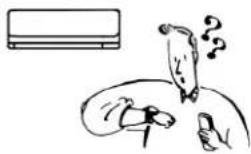
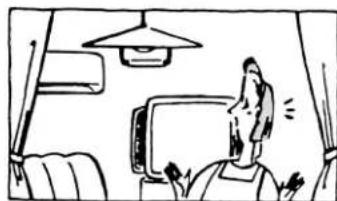
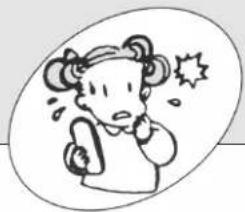
The air conditioner cannot be operated about for 3 minutes when re-started.
natural_image
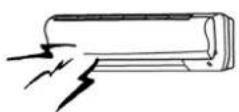
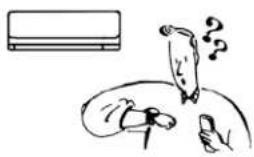
Simple line drawing of a person falling into a circle with a thought bubble, next to an air conditioner unit (no text or symbols)Crack sound is heard.
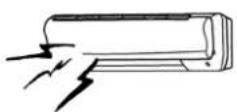
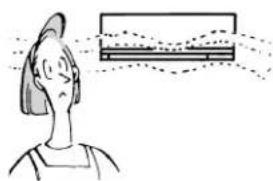
Room smells funny.
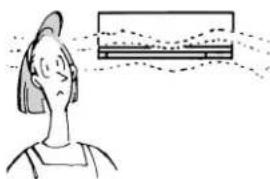
natural_image
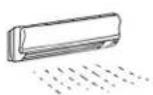
Illustration of a person with head turned toward a computer monitor (no text or symbols visible)Fan stops during the DRY operation.
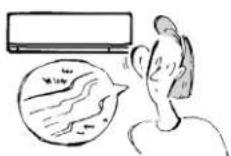
Water flowing sound is heard.
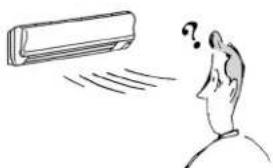
Air flow direction is changed during operation.
natural_image
Simple line drawing of a person looking at a car with a question mark above their head (no text or symbols)ANSWER (not a malfunction)
This protects the air conditioner by instructions from the microprocessor.Wait.
This sound is generated by the expansion/constriction of the fron panel,etc.due to changes of temperature.
The air conditioner sucks an odor adhering a wall, carpet, furniture, cloth, etc. and blow it out with air.
If water condensing to the heat-exchanger evaporated again, the humidity increase. To prevent this, fan operation of the indoor unit stops when the room temperature has dropped sufficiently.
This is the sound of refrigerant flowing inside the air conditioner.
This is the sound of condensed water in the heat-exchanger flowing.
When the air conditioner is operated in the COOL or DRY mode, if the operation continues with air blowing down for 1 hour, the direction is automatically set to level to prevent condensed water from dropping.
natural_image
Simple line drawing of a surprised child with a surprised expression (no text or symbols)WHEN YOU THINK THAT TROUBLE HAS OCCUREDWHEN YOU T
QUESTION
Hissing sound is sometimes heard.
natural_image
Simple line drawing of a person reading a book with a thought bubble showing a refrigerator (no text or symbols)ANSWER (not a malfunction)
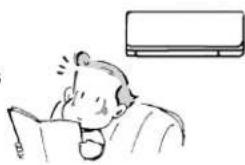
This is the sound when the flow of refrigerant inside the air conditioner is switched.
Water leaks from the outdoor unit.
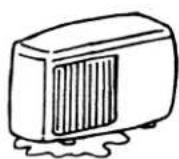
■ During cooling operation, pipe or pipe connector section are cool and cause water condensed.
A mechanical sound is heard from the indoor unit.
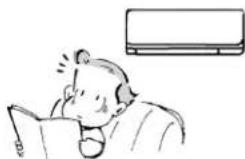
natural_image
Illustration of a person reading a book with a thought bubble showing a refrigerator (no text or symbols present)This is sound of the swich turning ON/OFF the fan or compressor.
The room is not cooled sufficiently.
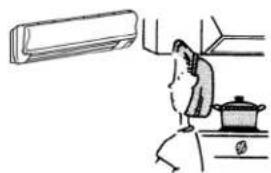
natural_image
Simple line drawing of a kitchen appliance with a fan, stove, and TV (no text or symbols)Because the exhaust fan or stove is in use, the thermal load is high. Thus, the cooling capacity is not enough.
■ The cooling capacity is not enough because the outdoor temperature is too high.
During operation, mirage is blown out from the air outlet of the indoor unit.
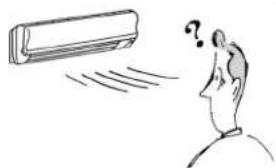
natural_image
Simple line drawing of a person looking at a car with a question mark above their head (no text or symbols)■ The moisture in the air meets with the cold air from the air outlet of the indoor unit, and cause the moisture condensed.

natural_image
Simple line drawing of a person in a suit with two boxes, no text or symbols presentINSTALLATION, RELOCATION AND INSPECTION
INSTALLATION PLACE
Avoid installing the air conditioner in the following places.
■ Where flammable gas could leak.

CAUTION
- Do not install the unit where flammable gas could leak. If gas leaks and collects around the unit, it may cause an explosion.
If the wireless receiver(TV,radio,etc.)has signal disturb where the signal is weak,a signal amplifier is advised to install to improve the receiving quality.
■ Where there is much machine oil.
■ Salty place such as the seaside.
■ Where sulfide gas is generated such as a hot spring.
■ Where oil is splashed or is filled with oily smoke.
■ Where there is high frequency machine or wireless device(wireless phone or mobile phone).
ELECTRICAL WORK
■ Provide an exclusive circuit for power supply of the air conditioner.
■ Be sure to observe the breaker capacity.

WARNING
The customer should not install this unit. If this is done incorrectly, it may cause a fire, electric shock, injury by dropping of the unit, water leakage, etc.
Do not connect using branched outlet or an extension cord, and do not attach many loads to one electric outlet.
A fire or electric shock may result from poor contact, poor insulation, exceeding the permissible current etc.
Consult your dealer or a specialist.

WARNING
Air conditioner socket must apply grounding by a special grounding wire. Do not connect a grounding wire to a gas pipe, water pipe, lightning rod or ground wire of a telephone.
If a grounding is incorrect or absent, it may cause an electric shock.
■ Be sure whether there is a grounding wire and whether it is connected correctly.
■ Install an earth leakage breaker depending on the place where the air conditioner is to be installed(humid place,etc.).
If the earth leakage breaker is not installed, it may cause an electric shock.
TV set, radio or other wireless receiver should be 3m or more away from the outdoor unit. However, if there still is signal disturb, the distance should be lengthened.
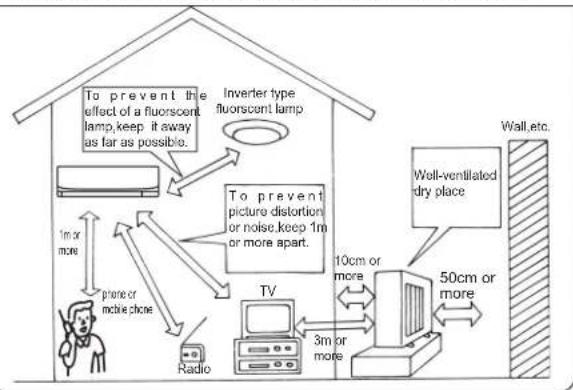
flowchart
graph TD
    A["To prevent the effect of a fluorescent lamp, keep it away as far as possible."] --> B["Inverter type: fluorescent lamp"]
    B --> C["To prevent picture distortion or noise, keep 1m or more apart."]
    C --> D["TV"]
    D --> E["Radio"]
    D --> F["Wall-ventilated dry place"]
    F --> G["50cm or more"]
    G --> H["3m or more"]
    H --> I["Phone or inline chose"]
    I --> J["1m or more"]
    J --> K["Radio"]
    style A fill:#f9f,stroke:#333
    style B fill:#ccf,stroke:#333
    style C fill:#cfc,stroke:#333
    style D fill:#fcc,stroke:#333
    style E fill:#cff,stroke:#333
    style F fill:#ffc,stroke:#333
    style G fill:#cfc,stroke:#333
    style H fill:#fcc,stroke:#333
    style I fill:#ffc,stroke:#333
    style J fill:#cfc,stroke:#333
    style K fill:#fcc,stroke:#333
INSPECTION AND MAINTENANCE
■ When the air conditioner is used for several seasons, the capacity may be lowered due to dirt inside the unit.
■ Depending on the use condition, an odor may be generated or dehumidified water may not drain out smoothly due to dirted, dust, etc.
It is recommend to apply inspection and maintenance(charged)by a specialist in addition to normal maintenance.Consult your dealer.
Do not put an object around the air outlet of the outdoor unit. It may cause lowering of capacity or increase operation sound.
If abnormal sound is heard during operation, consult your dealer.
RELOCATION
When the air conditioner is to be removed or reinstalled because of rebuilding, moving, etc. special techniques and work are required.

WARNING
Repair or relocation should not be done by the customer. If this is done incorrectly, it may cause a fire, electric shock, injury by dropping of the unit, water leakage, etc. Consult your dealer or service center.
If the power supply cord is damaged, be sure to replace it with the special cord or the special wire assembly bought from the air conditioner factory or the service department.
If you have any questions, consult your dealer.
SPECIFICATIONS
| model | MSD-CF09VB-H1 | MSD-CF12VB-H1 |
| Electric-shock proof protection | I type | |
| Power supply | 220V~50Hz | |
| Cooling capacity(W) | 2800 | 3650 |
| Rated power input(W) | 890 | 1160 |
| Rated current(A) | 4.2 | 5.5 |
| Air flow volume( m^3/h ) | 553 | 548 |
| Refrigerant charging(g) | 750 | 1080 |
| Noise (indoor unit(dB(A))(Hi/Lo) | 40/26 | 40/29 |
| Noise (outdoor unit(dB(A)) | 45 | 46 |
| Net weight (indoor unit)(kg) | 10 | 10 |
| Net weight (outdoor unit)(kg) | 27 | 37 |
| Dimensions HW D (indoor unit)(mm) | 278×815×238 | |
| Dimensions HW D (outdoor unit)(mm) | 550×800×285 | |
| Connect pipe length (m) | 4 | |
| Highest work pressure of discharge(MPa) | 4.15 | |
| Highest work pressure of suction(MPa) | 1.64 | |
| Maximum work pressure of heat exchange(MPa) | 4.71 | |
| Limit pressure of accumulator(MPa) | 1.94 | |
Note: ① Guaranteed operating range:
| Indoor Outdoor | |||
| Cooling | Upper Limit | 32°C DB, 23°C DB | 43°C DB,- |
| lower Limit | 21°C DB, 15°C DB | 21°C DB,- | |
② The noise value is tested in the condition of laboratory(No background noise).
③ Test standard: GB/T7725 GB4706·32-2004 GB4343·1-2003

MITSUBISHI ELECTRIC CORPORATION
- 目錄
- Thank you very much for purchasing this Mitsubishi room air conditioner.
- 安全事項
- 清除電源插頭上的灰塵,接插穩固。
- 禁止損傷電源線,或作連接加工。
- 警告
- 運轉中,禁止拔下電源插頭。
- 禁止用水洗刷空調機。
- 用户不可自己進行修理或移設。
- 不要自己安裝機器。
- 禁止拉電源綫。
- 打掃時,應停止運轉,拔下電源插頭。
- 禁止用潮濕的手去操作開關。
- 不要長時間讓冷風直吹肌膚。
- 裝、卸面板時,禁止站在不穩固的腳臺上。
- 和燃燒器具一起使用時,應該時常換氣。
- 禁止燃燒器具放在直接吹得到風的地方。
- 注意
- 長期不使用機器時,應拔下電源插頭。
- 禁止到室外機組上去,或在上面堆放東西。
- 安裝臺如果已陳舊不堪,不可置之不理。
- 禁止当其它特殊用途。
- 禁止在直接吹到風的地方放置動植物。
- 各部件名稱
- 操作前的準備工作
- 自動重新啟動功能
- 遥控器的使用注意事项
- The image is too blurry to recognize any text content.
- “ I FEEL.”(體)感自動運轉
- 除濕
- 70%是人們感覺舒適的濕度分歧點
- 風速、風向的調節
- 自動風向
- 定時器設定(定時關/定時開)
- 長期不使用時
- 長期不使用時 要再開始使用時
- 確認接地線是否牢固。
- 室内機外觀的清掃方法
- 清掃之前
- 電源插頭的清掃
- 室内機/遥控器的清掃
- 前面板的拆下和安装方法
- 前面板的拆下
- 茶精清新網的清掃
- 用水洗滌過後,應待陰干後才能使用。
- 安裝茶精清新網。
- 在請維修人員之前,請再次檢查以下項目
- 完全不運轉? ↓ 進行下一步檢查!
- 當您認爲「發生故障?」時
- 是否出了故障?
- 答案(不是异常)
- 安裝、移機、檢查
- 安装場所
- SAFETY PRECAUTIONS
- WARNING
- Apply grounding.
- CAUTION
- NAME OF EACH PART
- Indoor unit
- Remote controller
- AUTO RESTART FUNCTION is...
- Notes for using the remote controller
- Batteries
- Reference for replacing batteries
- Laying the remote controller
- NOTE
- WHEN THE REMOTE CONTROLLER CANNOT BE USED(Emergency operation)
- Press the Emergency operation switch.
- To stop the Emergency operation, press the Emergency operation switch.
- "I FEEL..."AUTO-OPERATION
- TO SELECT "I FEEL..." AUTO-OPERATION
- DESCRIPTION OF "I FEEL..." MODE
- Details of operation
- MANUAL OPERATION (COOL,DRY,FAN)
- CONVENIENT INFORMATION
- COOL
- For effective cooling
- DRY
- AIR FLOW VELOCITY AND DIRECTION ADJUSTMENT
- RECOMMENDED HORIZONTAL VANE RANGE
- AUTO AIR FLOW DIRECTION
- WHEN THE AIR CONDITIONER IS NOT GOING TO BE USED FOR A LONG TIME
- MAINTENANCE
- Before starting maintenance
- Cleaning the plug
- METHOD OF DISASSEMBLY AND INSTALLATION OF THE FRONT PANEL
- CLEANING THE CATECHIN FILTER
- Remove the catechin filter.
- Clean dirt from the catechin filter using a vacuum cleaner or by washing with water.
- After washing with water, dry well in the shade.
- Install the catechin filter.
- BEFORE CONTACTING THE SERVCEMAN, CHECK THE FOLLOWING AGAIN
- Note the following cases:
- WHEN YOU THINK THAT TROUBLE HAS OCCURED
- QUESTION
- ANSWER (not a malfunction)
- WHEN YOU THINK THAT TROUBLE HAS OCCUREDWHEN YOU T
- INSTALLATION, RELOCATION AND INSPECTION
- INSTALLATION PLACE
- ELECTRICAL WORK
- INSPECTION AND MAINTENANCE
- RELOCATION
- SPECIFICATIONS
- MITSUBISHI ELECTRIC CORPORATION
Brand : MITSUBISHI
Model : MSD-CF09VB-H1
Category : Air Conditioning