
WH-930 - Headphones NOKIA - Free user manual and instructions
Find the device manual for free WH-930 NOKIA in PDF.


| Product Type | Wireless Stereo Headset |
| Brand | Nokia |
| Model | WH-930 |
| Connectivity | Bluetooth 3.0 |
| Wireless Range | Up to 10 meters (33 feet) |
| Battery Type | Rechargeable Lithium-Ion |
| Battery Capacity | 300 mAh |
| Talk Time | Up to 10 hours |
| Standby Time | Up to 200 hours |
| Charging Time | Approximately 2 hours |
| Dimensions (unfolded) | 150 x 150 x 50 mm |
| Weight | 100 g |
| Driver Size | 32 mm |
| Frequency Response | 20 Hz - 20 kHz |
| Impedance | 32 Ω |
| Controls | Volume +/-, Play/Pause, Call answer/end |
| Microphone | Built-in omnidirectional |
| Compatible Devices | Smartphones, tablets, PCs with Bluetooth |
| Cleaning Instructions | Wipe with a soft, dry cloth. Do not use liquids. |
| Safety Warnings | Avoid exposure to extreme temperatures and moisture. |
| Spare Parts Availability | Replacement ear cushions and battery available from Nokia service centers. |
| Repairability | Battery and ear cushions are user-replaceable. For other issues, contact Nokia support. |
Frequently Asked Questions - WH-930 NOKIA
User questions about WH-930 NOKIA
0 question about this device. Answer the ones you know or ask your own.
Ask a new question about this device
Download the instructions for your Headphones in PDF format for free! Find your manual WH-930 - NOKIA and take your electronic device back in hand. On this page are published all the documents necessary for the use of your device. WH-930 by NOKIA.
USER MANUAL WH-930 NOKIA
High Definition On-Ear Headphones
高清入耳式耳机
高清贴耳式耳筒
高清晰度耳罩式耳機
Product and Safety Information
Read these simple guidelines. Not following them may be dangerous or illegal. For further information, read the complete user guide.
When using the headset your ability to hear outside sounds may be affected. Do not use the headset where it can endanger your safety.
Road Safety Comes First
Obey all local laws. Always keep your hands free to operate the vehicle while driving. Your first consideration while driving should be road safety.
Qualified Service
Only qualified personnel may install or repair this product.
Keep Your Device Dry
Your device is not water-resistant. Keep it dry.
Protect Your Hearing
Listen to a headset at a moderate level, and do not hold the device near your ear when the loudspeaker is in use.
Contains small parts. Keep away from children.
Product and Safety Information
Take Care of Your Device
Handle your device, battery, charger and accessories with care. The following suggestions help you protect your warranty coverage.
- Keep the device dry. Precipitation, humidity, and all types of liquids or moisture can contain minerals that corrode electronic circuits. If your device gets wet, remove the battery, and allow the device to dry.
- Do not use or store the device in dusty or dirty areas. Moving parts and electronic components can be damaged.
- Do not store the device in high temperatures. High temperatures can shorten the life of the device, damage the battery, and warp or melt plastics.
-
Do not store the device in cold temperatures. When the device warms to its normal temperature, moisture can form inside the device and damage electronic circuits.
-
Do not attempt to open the device other than as instructed in the user guide.
- Unauthorised modifications may damage the device and violate regulations governing radio devices.
-
Do not drop, knock, or shake the device. Rough handling can break internal circuit boards and mechanics.
• Only use a soft, clean, dry cloth to clean the surface of the device. -
Do not paint the device. Paint can clog moving parts and prevent proper operation.
- Keep your device away from magnets or magnetic fields.
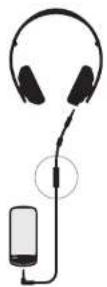
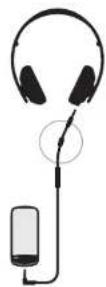
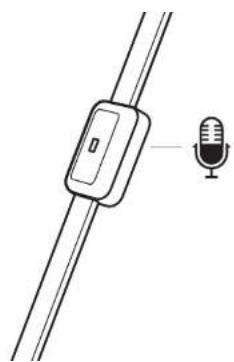
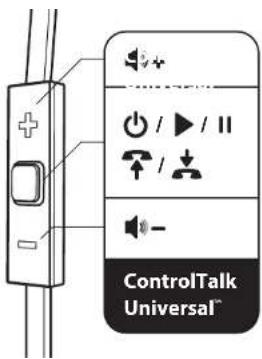
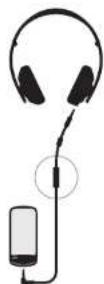
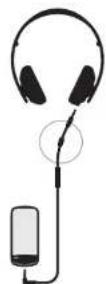
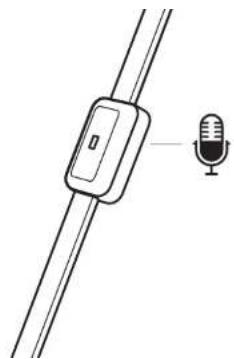
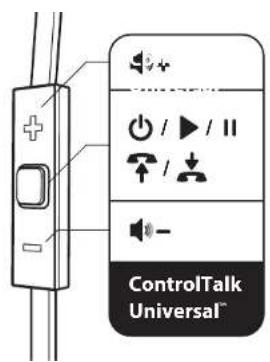
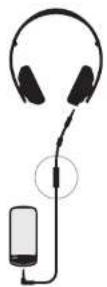
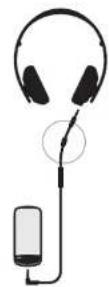
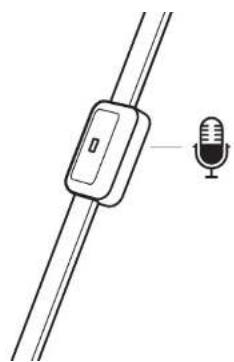
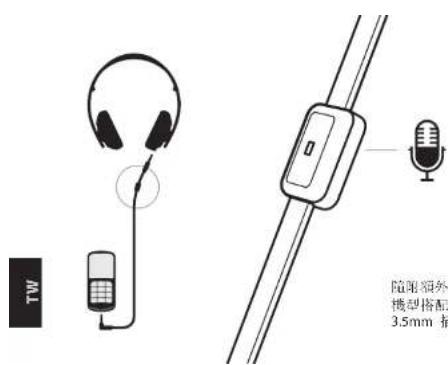
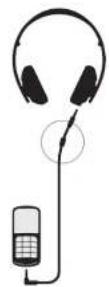
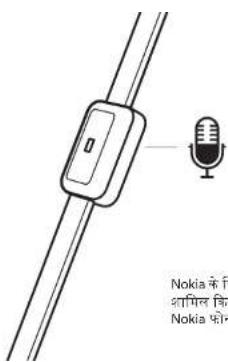
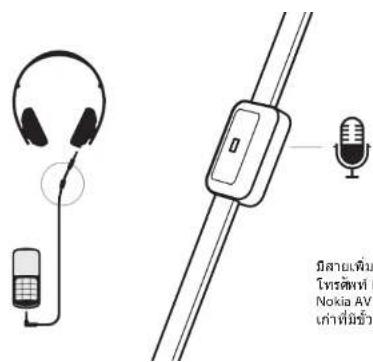
The ControlTalk Universal™ on-cable remote allows you to take calls and talk hands free, depending on your phone's capability. Please consult your phone's owner's manual.
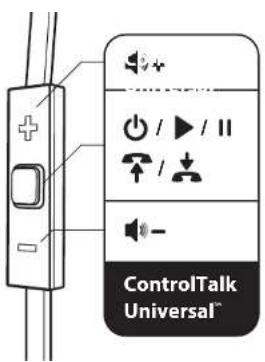
natural_image
Diagram of a microphone attached to a cable, with an inset showing the microphone (no text or symbols present)
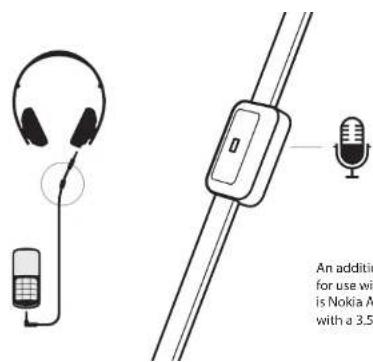
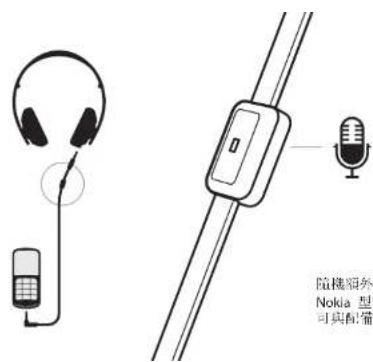
An additional cable with microphone is included for use with specific Nokia models. Included adapter is Nokia AV compatible with legacy Nokia phones with a 3.5mm plug.
Recycle
Always return your used electronic products, batteries, and packaging materials to dedicated collection points. This way you help prevent uncontrolled waste disposal and promote the recycling of materials. Check how to recycle your Nokia products at www.nokia.com/recycling.
EN
© 2011 Nokia. All rights reserved.
Nokia and Nokia Connecting People are trademarks or registered trademarks of Nokia Corporation. Nokia tune is a sound mark of Nokia Corporation. Other product and company names mentioned herein may be trademarks or tradenames of their respective owners.
Reproduction, transfer, distribution, or storage of part or all of the contents in this document in any form without the prior written permission of Nokia is prohibited. Nokia operates a policy of continuous development. Nokia reserves the right to make changes and improvements to any of the products described in this document without prior notice.
The contents of this document are provided "as is". Except as required by applicable law, no warranties of any kind, either express or implied, including, but not limited to, the implied warranties of merchantability and fitness for a particular purpose, are made in relation to the accuracy, reliability or contents of this document. Nokia reserves the right to revise this document or withdraw it at any time without prior notice.
The availability of products, features, applications and services may vary by region. For more information, contact your Nokia dealer or your service provider. This device may contain commodities, technology or software subject to export laws and regulations from the US and other countries. Diversion contrary to law is prohibited.
Nokia provides a 12-month warranty for this product. For details please visit the local Nokia online warranty text web site www.nokia.com/support.
Monster, the Monster logo, Purity, ControlTalk, ControlTalk Universal are trademarks or registered trademarks of Monster Cable Products, Inc., or its subsidiaries in the U.S. and other countries.
产品安全信息
请阅读以下简明的规则。
ControlTalk Universal
线控让您可以免提接听电话
(此特性与手机功能相关)
请参考手机厂商提供的产品手册。
natural_image
Simple line drawing of a microphone attached to two wires, with a small inset showing the microphone (no text or symbols)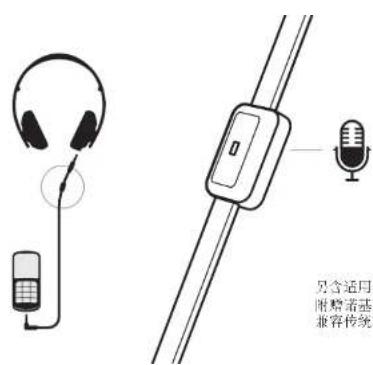
The ControlTalk Universal
natural_image
Diagram of a microphone attached to two wires, with one wire pointing to the microphone (no text or symbols present)

ControlTalk Universal
線控可讓您接聽來電及免持
聽篇通話,視手機功能而定。
請參閱您手機的使用手冊。

natural_image
Diagram of a microphone attached to two wires, with one wire pointing to the microphone (no text or symbols present)
natural_image
Diagram of a microphone attached to a cable, with an inset showing the microphone (no text or symbols present)
natural_image
Diagram of a microphone attached to two wires, with one wire pointing to the microphone (no text or symbols present)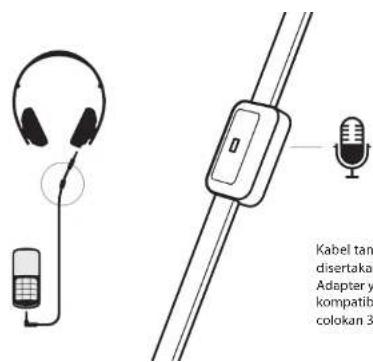
www.nokia.com/recycling.
natural_image
Diagram of a microphone attached to two wires, with one wire pointing to the microphone (no text or symbols present)

Brand : NOKIA
Model : WH-930
Category : Headphones