
Battery Grip BG02 - Tripod GODOX - Free user manual and instructions
Find the device manual for free Battery Grip BG02 GODOX in PDF.


| Product Type | Battery Grip |
| Brand | Godox |
| Model | BG02 |
| Compatibility | Canon EOS 5D Mark II, 5D Mark III, 5D Mark IV |
| Dimensions (L x W x H) | Approx. 150 x 80 x 120 mm |
| Weight (without batteries) | Approx. 320 g |
| Power Source | 2x LP-E6 or 6x AA batteries |
| Battery Type | Rechargeable Li-ion (LP-E6) or Alkaline/Ni-MH AA |
| Functions | Vertical shutter release, extended battery life, additional controls (AE lock, AF start) |
| Materials | High-quality plastic and metal |
| Color | Black |
| Weather Sealing | Yes, dust and moisture resistant |
| Warranty | 2 years (subject to region) |
| Maintenance | Clean with dry cloth; avoid solvents; store in dry place |
| Safety | Use only specified batteries; do not disassemble; avoid extreme temperatures |
| Spare Parts | Battery door, contact pins, screws available from Godox service |
| Repairability | Moderate; authorized service recommended |
| Included Accessories | Battery grip, battery tray, user manual |
| Country of Origin | China |
Frequently Asked Questions - Battery Grip BG02 GODOX
User questions about Battery Grip BG02 GODOX
0 question about this device. Answer the ones you know or ask your own.
Ask a new question about this device
Download the instructions for your Tripod in PDF format for free! Find your manual Battery Grip BG02 - GODOX and take your electronic device back in hand. On this page are published all the documents necessary for the use of your device. Battery Grip BG02 by GODOX.
USER MANUAL Battery Grip BG02 GODOX
natural_image
Line drawing of a cylindrical device with lid and handle, no text or symbols presentBG02
神牛电池手柄
Godox Battery Grip
使用手册
Instruction Manual
V1.1
重要安全须知与注意事项
natural_image
Illustration of a cylindrical device with lid and handle (no text or symbols)电池手柄 ×1
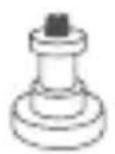
5/8" 柱销 x1
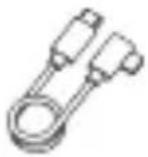
Type-C 线 x1
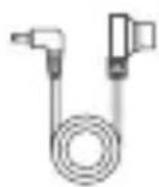
D-TAP 线 x1
说明书 x1
natural_image
Illustration of a device being processed into a cylindrical container (no text or symbols visible)natural_image
Technical illustration of a mechanical device with a cylindrical body and circular dial (no text or symbols)natural_image
Line drawing of a portable electronic device with a cylindrical base and attached lever (no text or symbols)natural_image
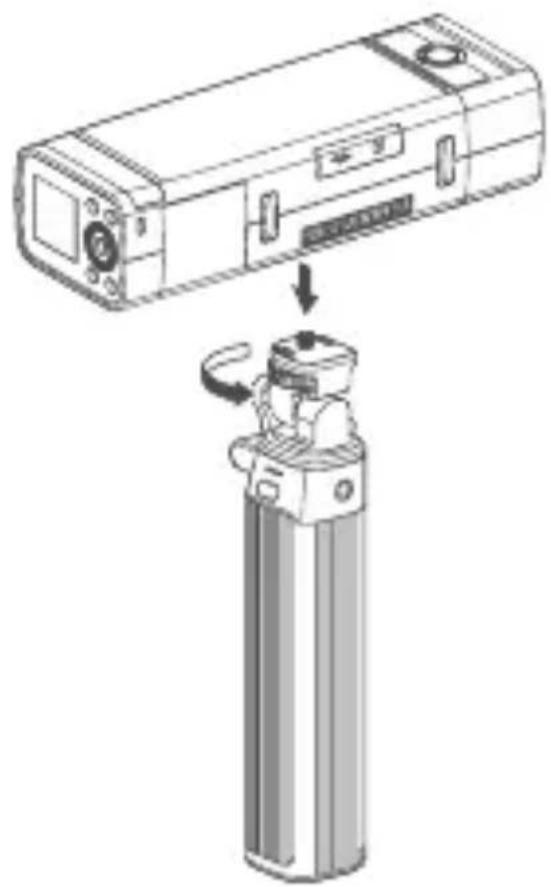
Technical line drawing of a mechanical device with attached components (no text or symbols)搭配闪光灯 AD200Proll
- 将灯具安装在云台。
natural_image
Diagram showing a device being processed into a cylindrical device, with no visible text or symbols.Important Safety Instructions and Precautions
Godox LED lights, especially those with high power output, are professional equipment and should only be operated by professionals. Carefully read and fully understand the instruction manual before use and strictly follow the safety instructions. Failure to do so may result in death, serious injury, damage to the product, or other property damage.
Danger
- Do not use damaged product. Stop using immediately if the product shell is cracked due to falling, squeezing, or strong impact, to avoid touching the internal electronic components and getting an electric shock.
- Do not disassemble the product without permission. If the product malfunctions, it must be checked and repaired by authorized maintenance personnel. If the lamp bead is damaged or deformed by heat, stop using it, and contact the manufacturer, service agent or qualified maintenance personnel to replace the lamp bead in time to avoid accidents.
- Do not use and store this product in explosive atmospheres (near flammable volatile solvents such as alcohol, gasoline, or gases such as methane and ethane).

Warning
- This equipment is not waterproof, please keep it dry and do not immerse it in water or other liquids. The equipment should be installed in a dry and ventilated place, and avoid using it in rainy, humid, dusty or overheated environments. Do not place any objects on the light or let liquid flow into the light to avoid accidents.
- Do not block or cover the heat dissipation port of the product.
• After use, the product should be completely cooled before packaging.
- Some products have built-in lithium batteries. Please use a dedicated charger to charge, and use them within the specified voltage and temperature range according to the correct operating instructions.
Attention
- All transport protective materials and packages on the product must be removed before use.
- When not in use, please turn off the product and stop the power supply promptly.
- Before storing, make sure that the equipment has cooled down completely. For storage, unplug the power cord from the equipment. The equipment should be placed in the carrying case or in a ventilated dry place.
- Do not place equipment near flammable and volatile solvents such as alcohol and gasoline.
- The safety instructions are formulated according to the strict testing of the factory, and the design and specifications of the equipment are subject to change without prior notice. Customers can view the latest electronic instruction manuals on the official website of Godox and learn about the latest product information.
Foreword
Thank you for purchasing!
Godox battery grip BG02 is designed to supply power and handheld support for small fixtures. With the characteristics of large-capacity lithium battery, flexibly adjustable mount, 1/4" screw port with adapter screw for light stand, D-TAP and USB-C dual-port, it's applicable to travel photography, creative creation, life writing and other scenes.
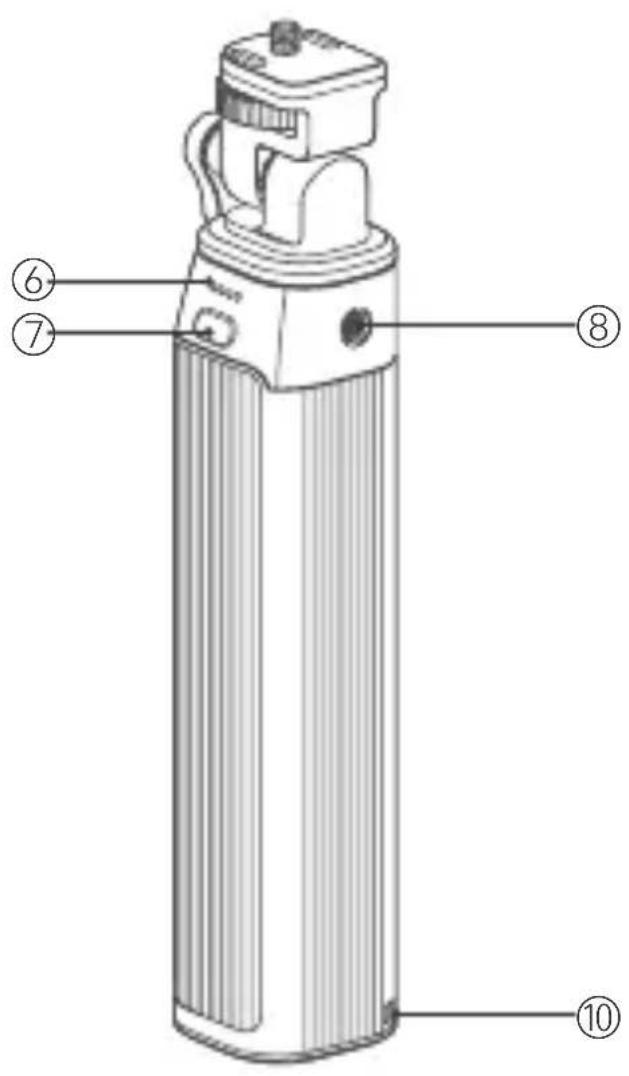
Names of Parts
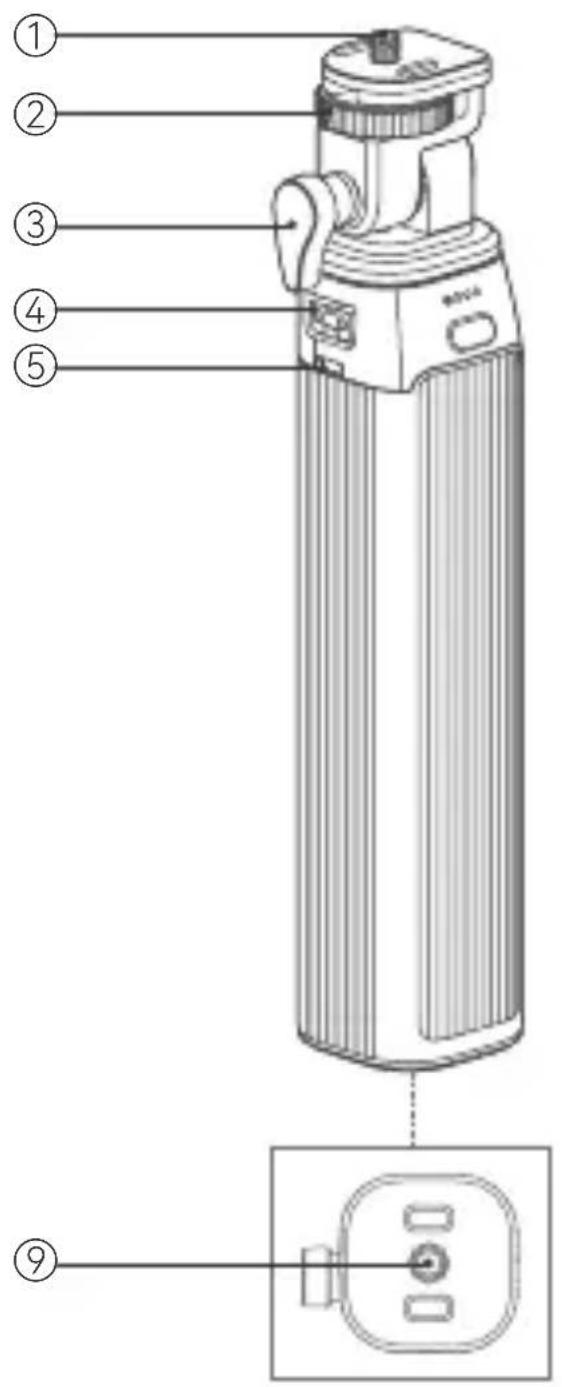
- 1 / 4" Screw
- Locking Device
- Direction Adjusting Knob
- D-TAP Port
- USB-C Port
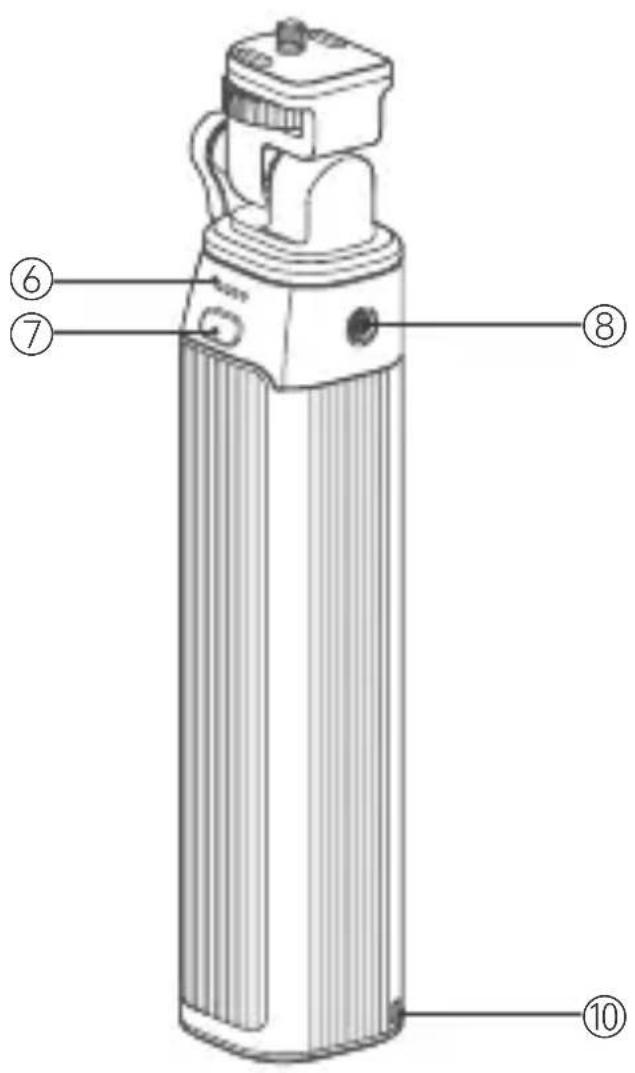
- Battery Level Indicator
- Power Switch Button
- 1/4" Screw Port ①
- 1/4" Screw Port ②
- Lanyard Hole
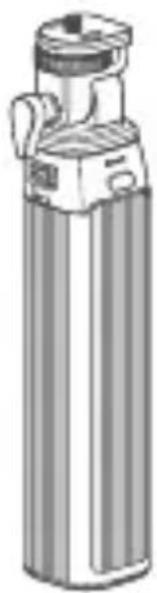
What's Inside
natural_image
Illustration of a cylindrical device with a lid and handle (no text or symbols)Battery Grip x1 D-TAP Cable x1
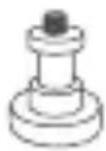
5/8" Screw Pin x1
USB-C Cable x1
Instruction Manualx1
Note: Due to continuous updates and upgrades of the products, there may be differences between the actual products and the pictures. Therefore, the pictures are for reference only, products to prevail in kind.
Using Instructions
With LED Light ML100R
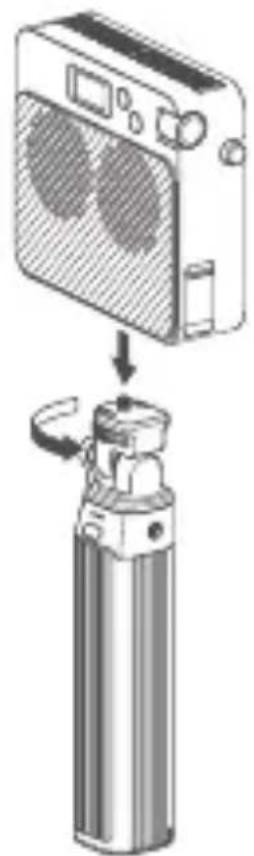
- Align the 1/4" screw port on the fixture with the 1/4" screw on the mount of battery grip, then rotate the locking device until it is tightened.
natural_image
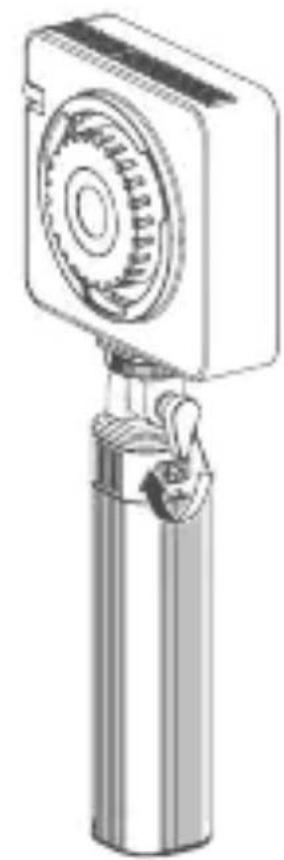
Diagram showing a device being processed into a cylindrical container (no text or symbols present)- Loosen the direction adjusting knob by rotating counterclockwise, adjust the mount to the desired angle, and then tighten the direction adjusting knob by rotating clockwise.
natural_image
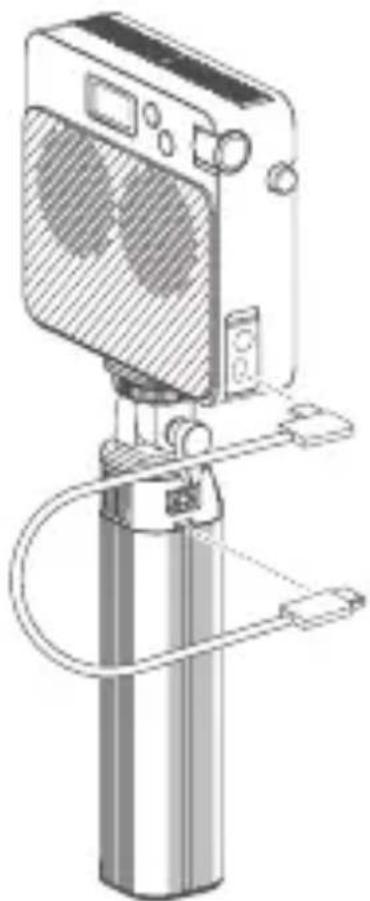
Technical line drawing of a mechanical device with a cylindrical body and gear-like top (no text or symbols)- Connect the fi xture to the USB-C port on the battery grip with the attached USB-C cable, then power on the fi xture.
natural_image
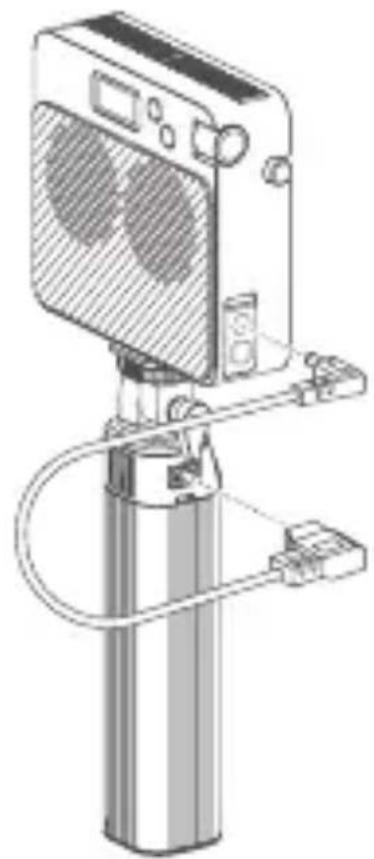
Line drawing of a portable electronic device with a cylindrical base and attached cable (no text or symbols)- Connect the fi xture to the D-TAP port on the battery grip with the attached D-TAP cable, then power on the fi xture.
Note: No need to press the power switch button, the battery grip will start to supply power when it is connected to the fixture, and the battery grip will be turned off by pressing the power switch button twice.
natural_image
Technical line drawing of a mechanical device with no visible text or symbolsWith Flash AD200ProII
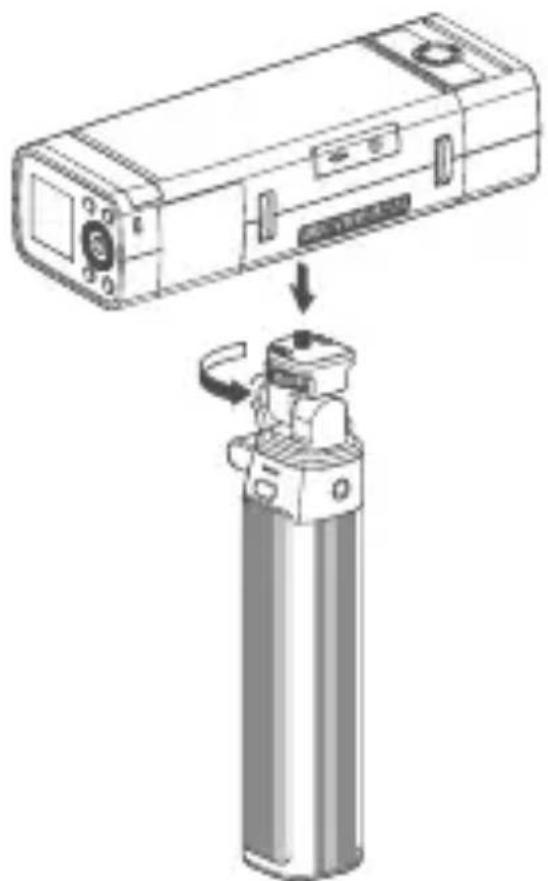
- Install the fi xture onto the mount.
natural_image
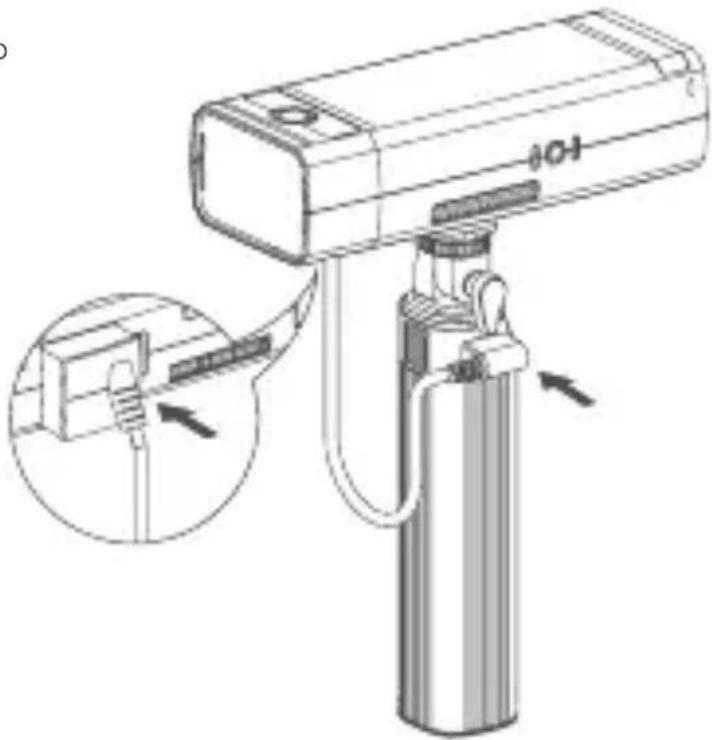
Diagram showing a device being processed into a cylindrical device, with no visible text or symbols.- Install the dummy battery onto the fixture then insert the cable into D-TAP port on the grip, then power on the fixture .
Note: 1. The max torque to which the mount subjected is 1.5N*M. 2. The above fi xture is sold separately. 3. When not in use, please unplug the power cord before placing it.
Charging Through USB-C Port
Insert the attached USB-C cable into the USB-C port on the battery grip, then connect to the power supply to charge it. When the battery level is low, please charge it in time before using or placing it.
Check the Charging Status by Battery Level Indicators
- Battery level below 25%: Four indicators turn on sequentially from left to right and then all turn off, and then cycle again.
- Battery level 25% \~ 50%: Battery indicator ① is constant on, battery indicators ②③④ turn on sequentially and then all turn off, and then cycle again.
Battery level 50% \~ 70%: Battery indicators ①② are constant on, battery indicators ③④ turn on sequentially and then both turn off, and then cycle again.
- Battery level 75% \~ 100%: Battery indicators ①②③ are constant on, battery indicator ④ is flashing.
- Battery level 100%: All four indicators are constant on without flashing, fully charged.
Power Switch Button
- Continuous pressing time more than 100ms but less than 2s is called short press action.
- In the low-power mode, short press will turn on the battery level indicator and enter the no-load state. If a charging or discharging device is detected, it will enter the corresponding charging or discharging state. In the no-load state, if no charging or discharging device access is detected in the USB-C port for a sustained period of 10s, then it will enter the low-power state.
- Two consecutive short presses within 1s in no-load state will turn off the device and enter the low-power state, and the battery level indicators and discharge output will also be turned off.
Technical Data
| Model | BG02 |
| Lithium Battery Parameters | 14.4V 6600mAh 95.04Wh |
| USB-C Port | Input: 5V=3A, 9V=2A, 12V=1.5A, 15V=3A, 20V=3A |
| Output: 5V=3A, 9V=3A, 12V=3A, 15V=3A, 20V=5A | |
| D-TAP Port | Output: 14.4V=10A |
| Working Environment Temperature | 0°C ~ 45°C |
| Dimension ≈ | 2.13"*1.77"*9.37" |
| Net Weight ≈ | 636g |
FCC Caution
This device complies with part 15 of the FCC Rules. Operation is subject to the following two conditions:
(1) This device may not cause harmful interference, and
(2) this device must accept any interference received, including interference that may cause undesired operation.
Any Changes or modifications not expressly approved by the party responsible for compliance could void the user's authority to operate the equipment.
IC Warning
This device complies with Industry Canada licence-exempt RSS standard(s). Operation is subject to the following two conditions:
(1) This device may not cause interference, and
(2) This device must accept any interference, including interference that may cause undesired operation of the device.
Declaration of Conformity
GODOX Photo Equipment Co., Ltd. hereby declares that this equipment are in compliance with the essential requirements and other relevant provisions of Directive 2014/35/EU, 2014/30 EU. They are allowed to be used in all EU member states. For more information of DoC, Please click this web link: https:
//www.godox.com/eu-declaration-of-conformity/
Warranty
Dear customers, as this warranty card is an important certificate to apply for our mainte- nance service, please fill in the following form in coordination with the seller and safe-keep it. Thank you!
| Product | Model | Product Code Number |
| Information | Name | Contact Number |
| Customer | Address | |
| Information | Name | |
| Contact Number | ||
| Seller | Address | |
| Information | Date of Sale | |
| Note: | ||
Note: This form shall be sealed by the seller.
Applicable Products
The document applies to the products listed on the Product Maintenance Information (see below for further information). Other products or accessories (e.g. promotional items, giveaways and additional accessories attached, etc.) are not included in this warranty scope.
Warranty Period
The warranty period of products and accessories is implemented according to the relevant Product Maintenance Information. The warranty period is calculated from the day(purchase date) when the product is bought for the first time, And the purchase date is considered as the date registered on the warranty card when buying the product.
How to Get the Maintenance Service
If maintenance service is needed, you can directly contact the product distributor or authorized service institutions. You can also contact the Godox after-sale service call and we will offer you service. When applying for maintenance service, you should provide valid warranty card. If you cannot provide valid warranty card, we may offer you maintenance service once confirmed that the product or accessory is involved in the maintenance scope, but that shall not be considered as our obligation.
Inapplicable Cases
The guarantee and service offered by this document are not applicable in the following cases: ①. The product or accessory has expired its warranty period; ②. Breakage or damage caused by inappropriate usage, maintenance or preservation, such as improper packing, improper usage, improper plugging in/out external equipment, falling off or squeezing by external force, contacting or exposing to the improper temperature, solvent, acid, base, flooding and damp environments, etc; ③. Breakage or damage caused by non-authorized institution or staff in the process of installation, maintenance, alternation, addition and detachment; ④. The original identifying information of product or accessory is modified, alternated, or removed; ⑤. No valid warranty card; ⑥. Breakage or damage caused by using illegally authorized, nonstandard or non-public released software; ⑦. Breakage or damage caused by force majeure or accident; ⑧. Breakage or damage that could not be attributed to the product itself. Once met these situations above, you should seek solutions from the related responsible parties and Godox assumes no responsibility. The damage caused by parts, accessories and software that beyond the warranty period or scope is not included in our maintenance scope. The normal discoloration, abrasion and consumption are not the breakage within the maintenance scope.
Maintenance and Service Support Information
The warranty period and service types of products are implemented according to the following Product Maintenance Information:
| Product Type | Name | Maintenance Period(month) | Warranty Service Type |
| Parts with electrical properties | Circuit board | 12 | Customer sends the product to designated site |
| Other Items | Cable, or other packages, etc. | NO | Without warranty |
Godox After-sale Service Call 0755-29609320-8062
Offi cial Account
神牛微信公众号
深圳市神牛摄影器材有限公司
GODOX Photo Equipment Co., Ltd.
Add.: Building 2, Yaochuan Industrial Zone, Tangwei Community, Fuhai Street,
Bao'an District, Shenzhen 518103, China
Tel: +86-755-29609320(8062) Fax: +86-755-25723423
E-mail: godox@godox.com
www.godox.com
Made in China | 705-BG0200-02


- BG02
- 神牛电池手柄
- 重要安全须知与注意事项
- 搭配闪光灯 AD200Proll
- Important Safety Instructions and Precautions
- Danger
- Warning
- Attention
- Foreword
- Names of Parts
- What's Inside
- Using Instructions
- With LED Light ML100R
- With Flash AD200ProII
- Charging Through USB-C Port
- Check the Charging Status by Battery Level Indicators
- Power Switch Button
- FCC Caution
- IC Warning
- Declaration of Conformity
- Warranty
- Applicable Products
- Warranty Period
- How to Get the Maintenance Service
- Inapplicable Cases
- Maintenance and Service Support Information
- 深圳市神牛摄影器材有限公司
- GODOX Photo Equipment Co., Ltd.
Brand : GODOX
Model : Battery Grip BG02
Category : Tripod