
MAF-CY75 - Deep fryer MIDEA - Free user manual and instructions
Find the device manual for free MAF-CY75 MIDEA in PDF.


| Brand | Midea |
| Model | MAF-CY75 |
| Product Type | Air Fryer |
| Rated Power | 1300-1450W |
| Voltage | 220-240V~ |
| Frequency | 50/60Hz |
| Display Type | Digital LED Touch |
| Cooking Modes | Juicy (moist) and Crispy (dry) |
| Water Tank | Yes, for Juicy mode |
| Moisture Spray Function | Yes, during cooking |
| Temperature Control | Adjustable in Crispy mode; fixed in Juicy mode |
| Timer | Adjustable up to 60 minutes (not specified, typical) |
| Safety Features | Micro-switch, overheat protection, auto shut-off |
| Basket Material | Non-stick coated |
| Crisper Plate Material | Non-stick coated |
| Housing Material | Plastic |
| Cleaning Method | Hand wash basket and plate; wipe exterior; do not immerse housing |
| Water Tank Cleaning | Drain after use; use purified water to prevent clogging |
| Accessories Included | Air fryer basket, crisper plate, water tank |
| Power Cord Length | Approximately 1 m (not specified) |
Frequently Asked Questions - MAF-CY75 MIDEA
User questions about MAF-CY75 MIDEA
0 question about this device. Answer the ones you know or ask your own.
Ask a new question about this device
Download the instructions for your Deep fryer in PDF format for free! Find your manual MAF-CY75 - MIDEA and take your electronic device back in hand. On this page are published all the documents necessary for the use of your device. MAF-CY75 by MIDEA.
USER MANUAL MAF-CY75 MIDEA
natural_image
Line drawing of a modern kitchen appliance with a circular vent and lid (no text or symbols)AIR FRYER
USER MANUAL
MAF-CY75
LANGUAGES
EN English
MAY Malaysia
CN China
THANK YOU LETTER
Thank you for choosing Midea! Before using your new Midea product, please read this manual thoroughly to ensure that you know how to operate the features and functions that your new appliance offers in a safe way.
EN
CONTENTS
THANK YOU LETTER 01
SAFETY INSTRUCTIONS 02
SPECIFICATIONS 06
PRODUCT OVERVIEW 07
QUICK START GUIDE 08
OPERATION INSTRUCTIONS 10
TROUBLESHOOTING 16
TRADEMARKS, COPYRIGHTS AND LEGAL STATEMENT 18
DISPOSAL AND RECYCLING 19
DATA PROTECTION NOTICE 20
SAFETY INSTRUCTIONS
Intended Use
The following safety guidelines are intended to prevent unforeseen risks or damage from unsafe or incorrect operation of the appliance. Please check the packaging and appliance on arrival to make sure everything is intact to ensure safe operation. If you find any damage, please contact the retailer or dealer. Please note modifications or alterations to the appliance are not allowed for your safety concern. Unintended use may cause hazards and loss of warranty claims.
EN
Explanation of Symbols

Danger
This symbol indicates that there are dangers to the life and health of persons due to extremely flammable gas.

Warning of electrical voltage
This symbol indicates that there is a danger to life and health of persons due to voltage.

Warning
The signal word indicates a hazard with a medium level of risk which, if not avoided, may result in death or serious injury.

Caution
The signal word indicates a hazard with a low degree of risk which, if not avoided, may result in minor or moderate injury.

Attention
The signal word indicates important information (e.g. damage to property), but not danger.

Observe instructions
This symbol indicates that a service technician should only operate and maintain this appliance in accordance with the operating instructions.
Read these operating instructions carefully and attentively before using/commissioning the unit and keep them in the immediate vicinity of the installation site or unit for later use!
- This appliance is not intended for use by persons (including children younger 8) with reduced physical, sensory or mental capabilities, or lack of experience and knowledge, unless they have been given supervision or instruction concerning the use of appliance by a person responsible for their safety.
- Check if the voltage indicated on the appliance corresponds to the local mains voltage before you connect the appliance.
- Do not use the appliance if the plug, the mains cord or the appliance itself is damaged.
- If the mains cord is damaged, you must have it replaced by the manufacturer, its service agent or similarly qualified persons in order to avoid a hazard.
- Children should be supervised to ensure that they do not play with the appliance. Cleaning and user maintenance shall not be made by children unless they are older than 8 and supervised.
- Keep the appliance and its mains cord out of the reach of children younger than 8 when the appliance is switched on or is cooling down.
- Keep the mains cord away from hot surfaces.
- Do not plug in the appliance or operate the control panel with wet hands.
- Only connect the appliance to an earthed wall socket. always make sure that the plug is inserted into the wall socket properly.
- Never connect this appliance to an external timer switch or separate remote-control system in order to avoid a hazardous situation.
-
Do not place the appliance on or near combustible materials such as a tablecloth or curtain.
-
Do not place the appliance against a wall or against other appliances. Leave at least 10cm free space on the back and sides and 10cm free space above the appliance. Do not place anything on top of the appliance.
- Do not use the appliance for any other purpose than described in this manual.
- Do not let the appliance operate unattended.
- During hot air frying, hot steam is released through the air outlet openings. Keep your hands and face at a safe distance from the steam and from the air outlet openings. Also be careful of hot steam and air when you remove the pan from the appliance.
- The accessible surfaces may become hot during use.
- After using the appliance, the metal cover inside is very hot, avoid to contact the hot metal inside after cooking.
- Immediately unplug the appliance if you see dark smoke coming out of the appliance. Wait for the smoke emission to stop before you remove the pan from the appliance.
EN
WARNING
- Never immerse the housing, which contains electrical components and the heating elements, in water nor rinse under the tap.
- Do not let any water or other liquid enter the appliance to prevent electric shock.
- Always put the ingredients to be fried in the basket, to prevent it from coming into contact with the heating elements.
- Do not cover the air inlet and the air outlet openings while the appliance is operating.
- Do not fill the pan with oil as this may cause a fire hazard.
- Never touch the inside of the appliance while it is operating.
- Never immerse the housing, which contains electrical components and the heating elements, in water nor rinse under the tap. decreased sufficiently.
- This appliance is for household use only. Do not use outdoors.
- Please pay attention to scald where there is a high temperature symbol.
SPECIFICATIONS
| Product Model | MAF-CY75 |
| Voltage | 220-240V~ |
| Frequency | 50/60Hz |
| Host Rated Power | 1300-1450W |
EN
PRODUCT OVERVIEW
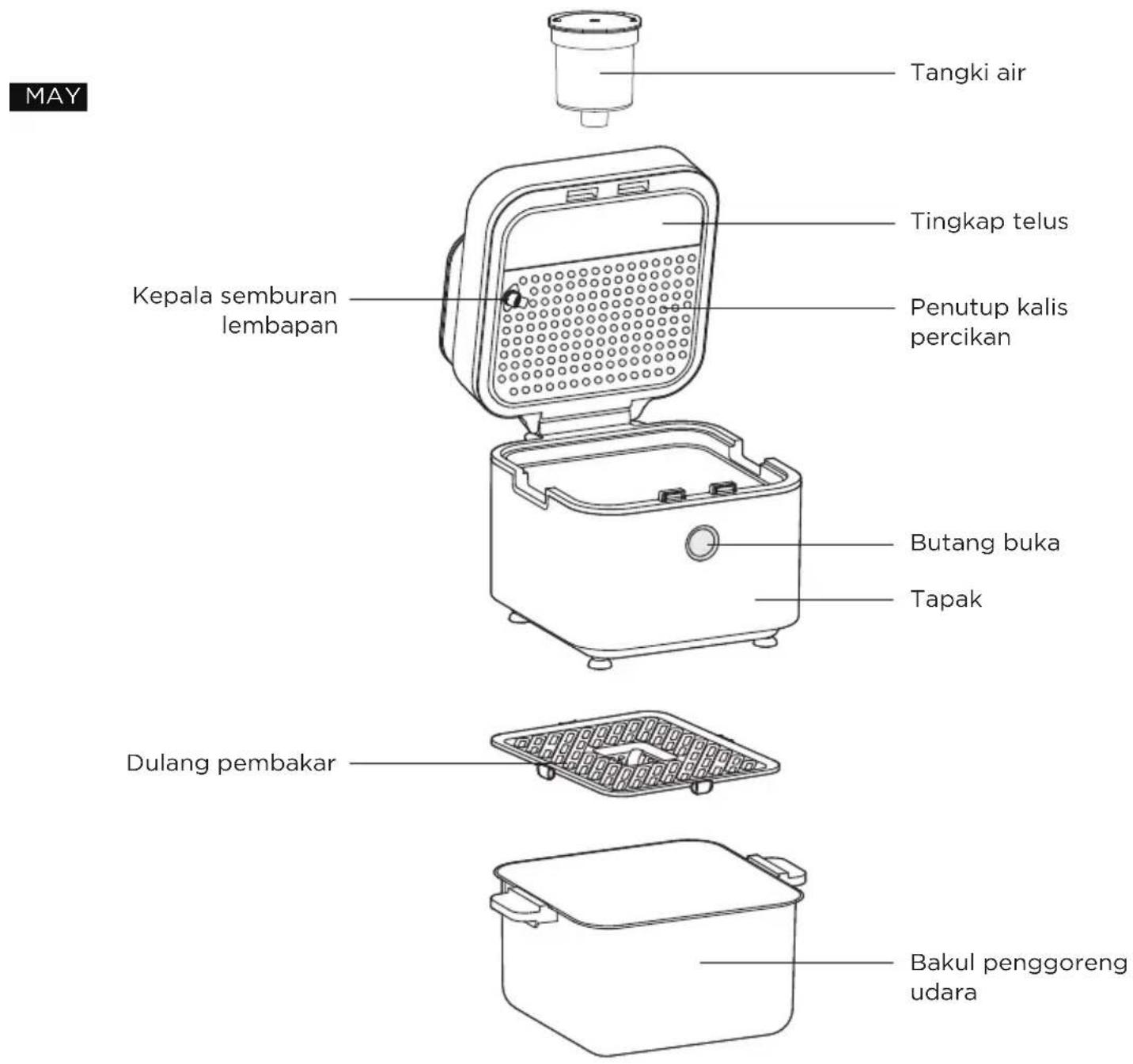
Component Name
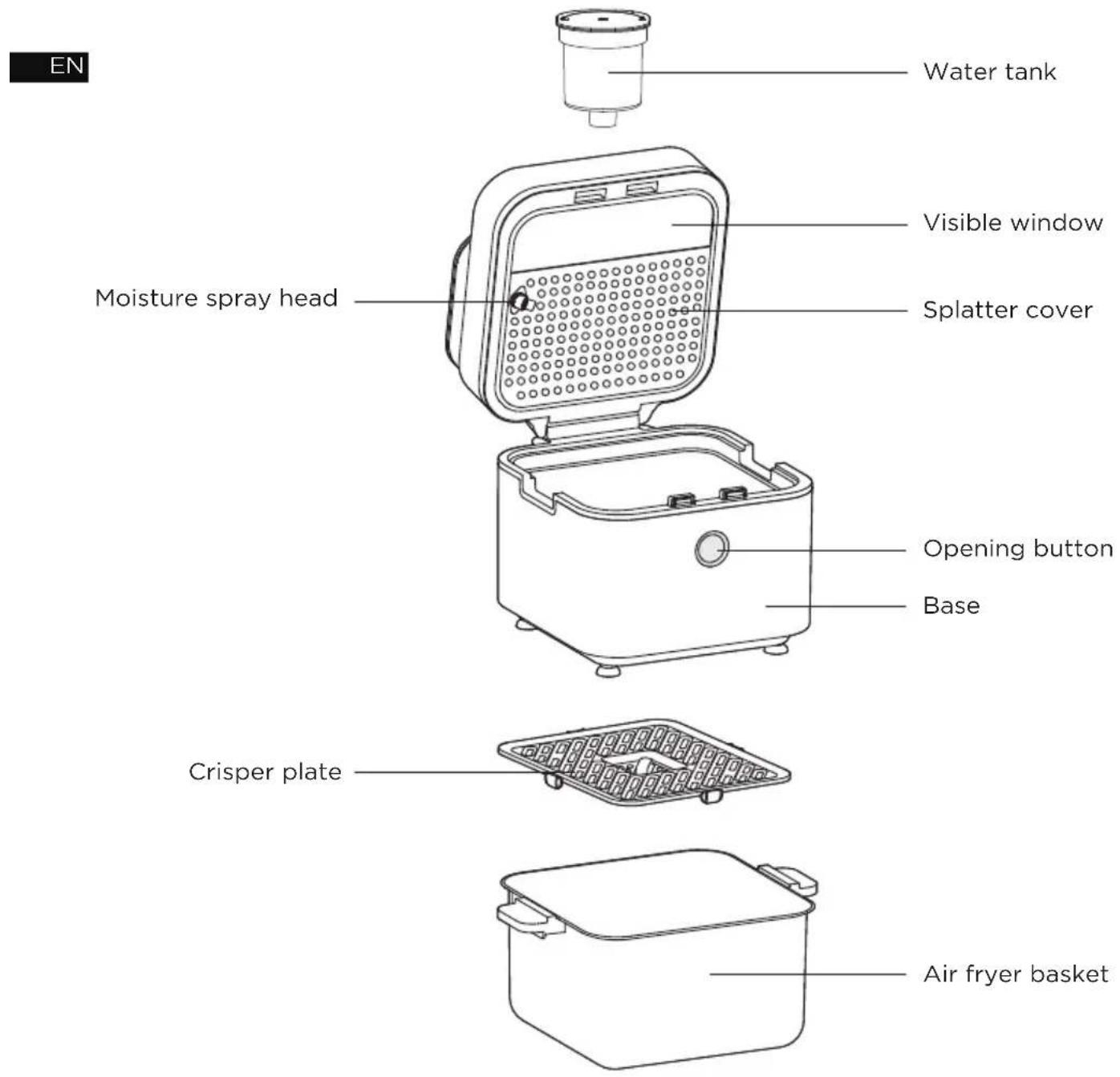
QUICK START GUIDE
Operation Steps
1 After the power is turned on, the Air fryer enters the standby state, and the screen display as shown in the figure. If there's no operation for 2 minutes, the appliance enters the screen off state. Touch the ▷|| button to re-enter the standby mode when the screen is OFF.
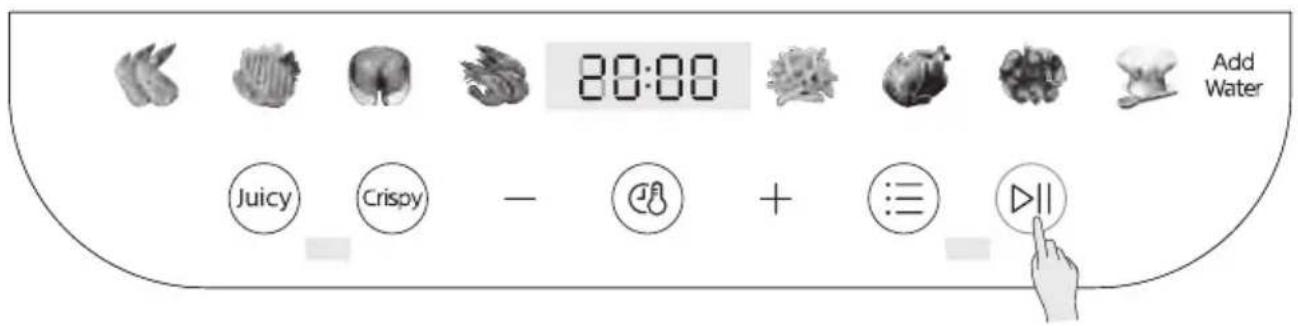
2 Click ☐ to select menu in standby mode, and the selected menu blinks. Click or Crispy key to select Juicy flavor or Crispy flavor, then the selected taste key blinks and the unselected taste key is constant ON. When you select the Juicy flavor, the Add Water prompt light flashes, and you need to fill the water tank with purified water and start the appliance.
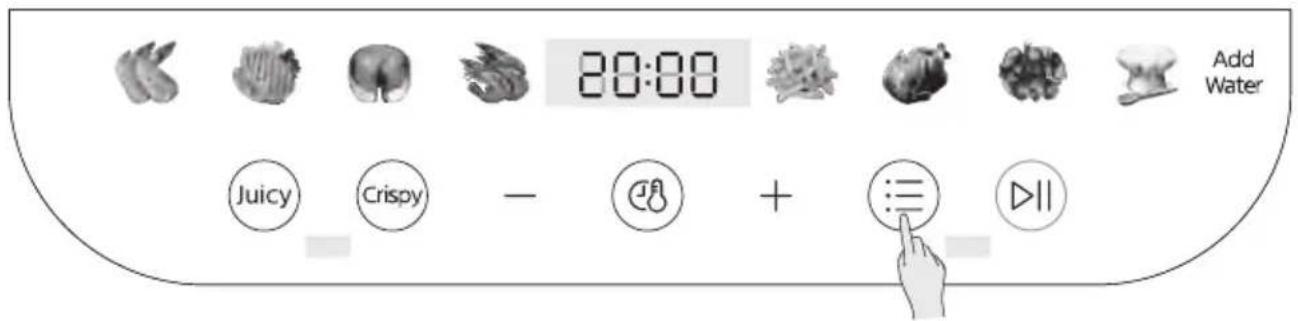
3 After confirming the menu and taste, press the ▷|| button and the appliance starts working.
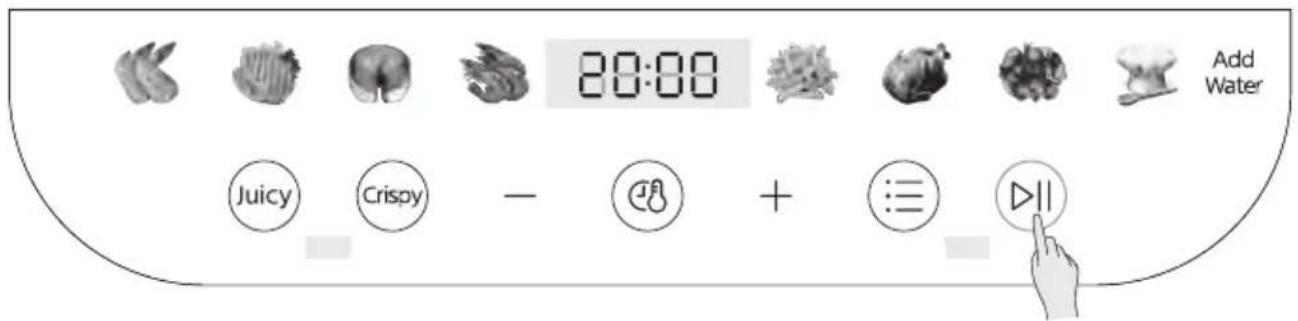
4 When the appliance is halfway through the set time, the appliance buzzer beeps 5 times, while the display interface shows “Turn Food” to indicate the flip-over, then pull out the frying bucket, hold the bucket handle, gently shake the bucket to turn the ingredients, and then use chopsticks to pull it apart and continue baking evenly until the cooking is ended.


Displayed alternatively
Tips:
The temperature and time settings for Crisper flavor can be adjusted; but for Juicy flavor, settings are fixed to ensure best cooking results.
OPERATION INSTRUCTIONS
Operation Part
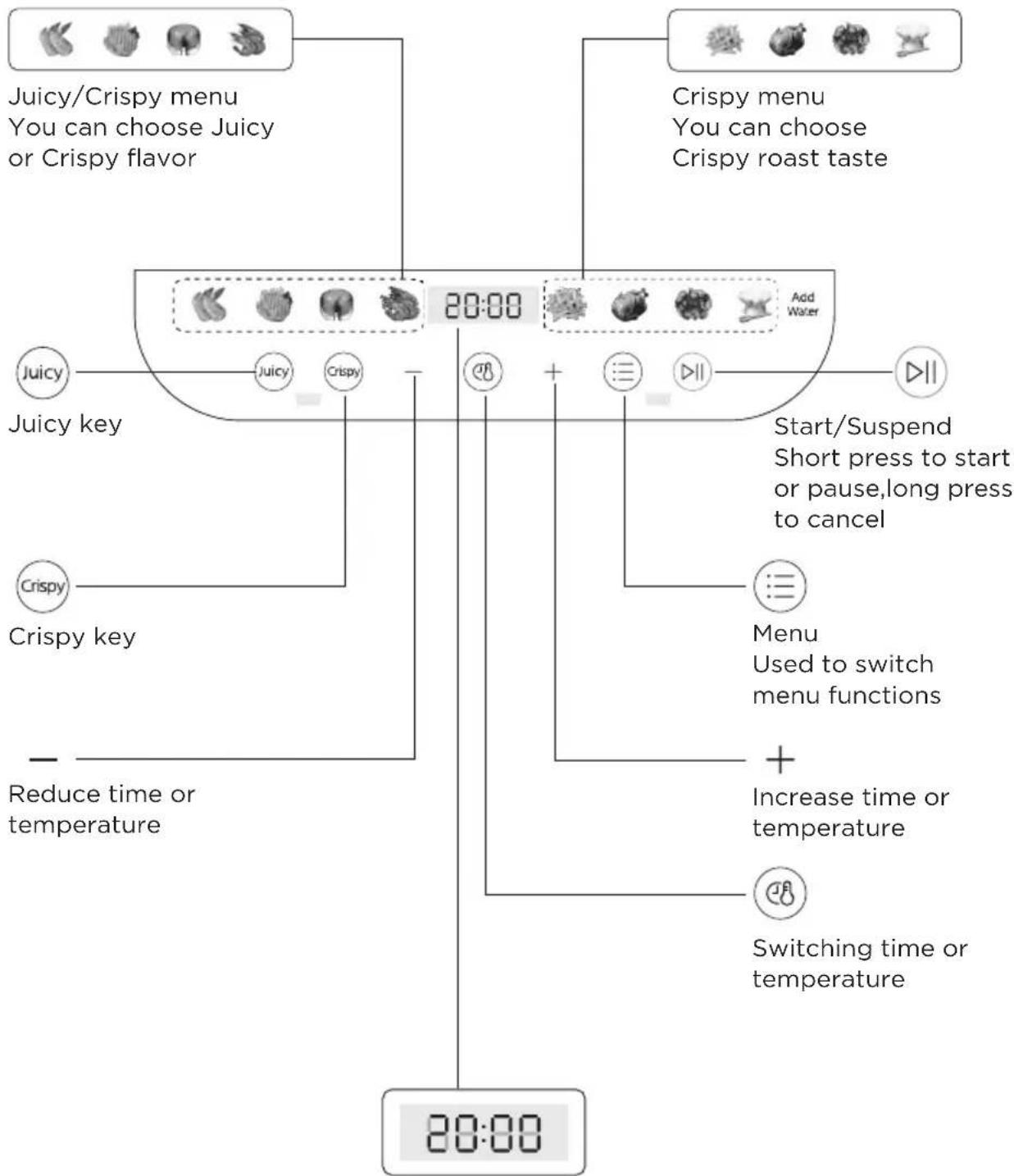
flowchart
graph TD
    A["Juicy/Crispy menu\nYou can choose Juicy or Crispy flavor"] --> B["20:00"]
    C["Crispy menu\nYou can choose\nCrispy roast taste"] --> B
    D["Juicy"] --> E["Juicy"]
    F["Crispy"] --> G["Crispy"]
    H["Start/Suspend\nShort press to start or pause,long press to cancel"] --> I["Menu\nUsed to switch menu functions"]
    J["Increase time or temperature"] --> K["Switching time or temperature"]
    L["Reduce time or temperature"] --> M["End"]
Display cooking time and temperature
Quick Start
(Cooking the sweet potatoes as an example; the following appliance pictures are for Quick Start reference only. Please refer to the actual product.)
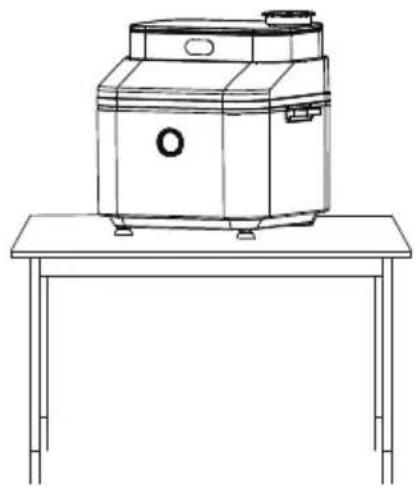
1 The appliance should be placed steadily on a flat table so that the power cord has sufficient length to be plugged into an outlet, and the air around the appliance should be kept flowing and not close to flammable objects.
natural_image
Line drawing of a vintage portable radio on a table (no text or symbols)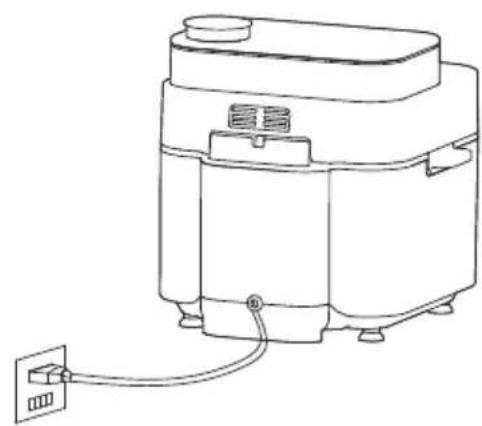
natural_image
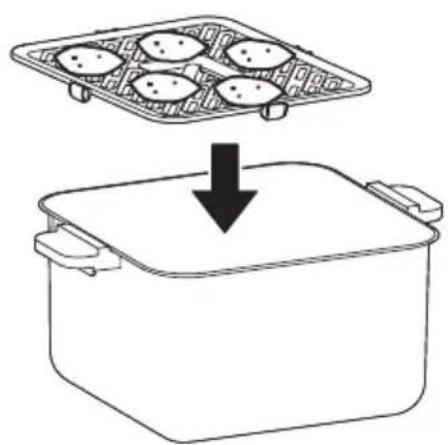
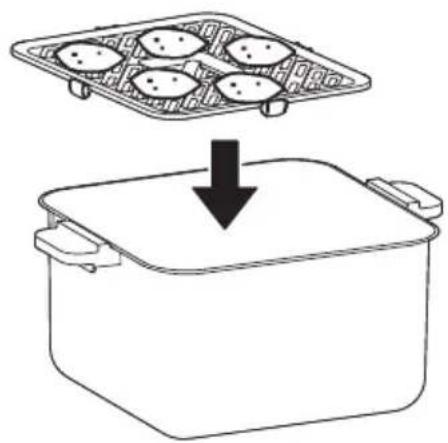
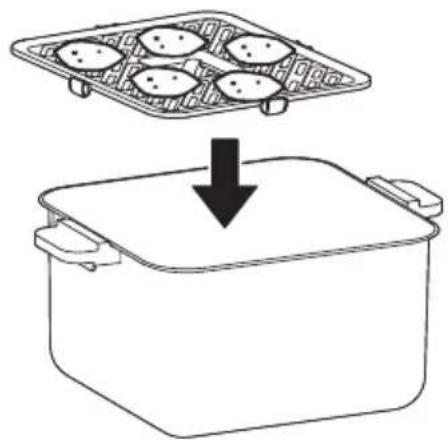
Line drawing of a rice cooker with a power outlet connected to its side panel (no text or symbols)2 Wash the sweet potatoes and put them flat on a baking tray.
natural_image
Diagram showing a container with four food items being placed into a larger pot, with a downward arrow indicating the process (no text or symbols present)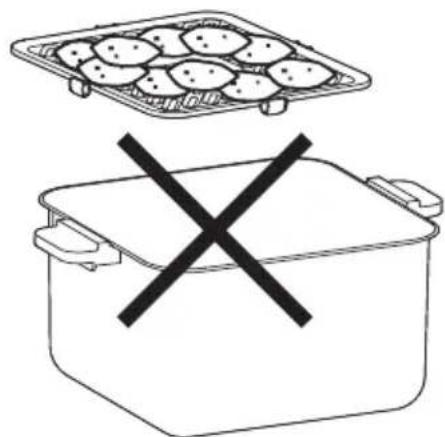
natural_image
Simple line drawing of a food container with a tray and a crossed-out X symbol (no text or labels)Tips:
- Please take the appropriate amount of sweet potatoes according to your personal needs, put the sweet potatoes on the baking tray. Do not stack the ingredients too high!
- Overlaying the food may cause uneven cooking performance.
3 After placing the basket into the air fryer and closing the top lid, the function you want, and the press click ⏰ to select the ▷|| menu and start the appliance to begin working.
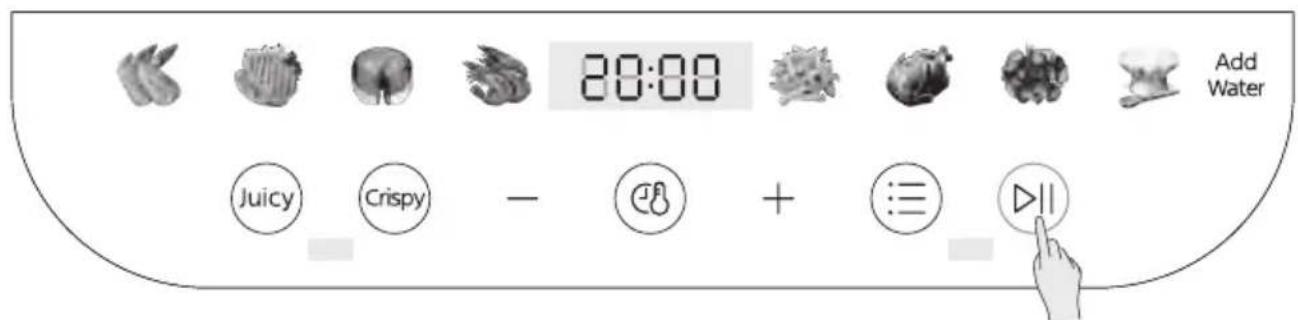
Function Selection Interface
EN
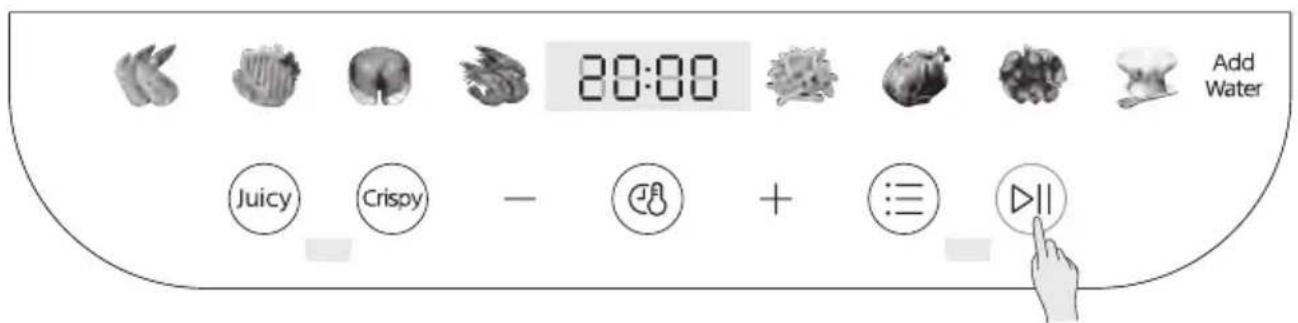
Product Working Interface
Tips:
- Adjust the cooking time and temperature to your taste, click the ⏻ button to select the time or temperature after selecting the menu, and then click the "+"/"- " button to adjust the time and temperature.
- The appliance is provided with safety protection unit, through which, the appliance cannot be started and the "C4" appears on the display interface when the fryer component is not put into the cavity.
4 When the appliance is halfway through the set working time, the appliance prompts to turn over, take out the basket and gently shake the bucket to turn over the sweet potatoes and continue cooking; for other ingredients, use chopsticks to pull the ingredients apart evenly and continue baking until the end of cooking.
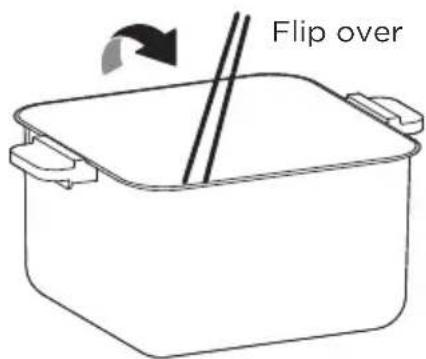
5 When the appliance beeps and the cooking is complete, remove the basket carefully and use chopsticks or a jig to take out the food.
Juicy flavor quick start
(Cooking "chicken wings" as an example; the following appliance pictures are for Quick Start reference only. Please refer to the physical product.)
EN
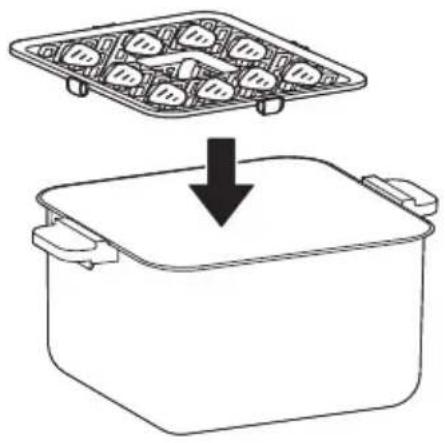
1 Please marinate the chicken wings in the seasoning for half an hour or more according to your taste. Once marinated, put the chicken wings flat on a baking tray.
natural_image
Simple line drawing of a container with food items inside, showing an upward arrow from the top to the bottom (no text or symbols)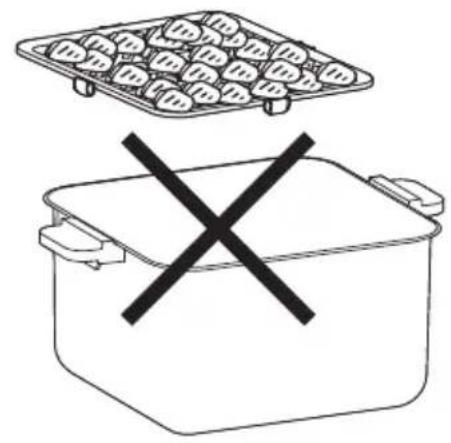
natural_image
Simple line drawing of a food pot with a tray and a crossed-out X symbol (no text or labels)Tips:
- Chicken wings taste and color are better after marinating; if not, the surface color will be white. Recommended marinade ingredients: soy sauce, cooking wine, oyster sauce, salt and cumin powder.
- Please spread the ingredients according to your personal needs; do not stack them too high!
2 Place the basket into the air fryer and close the top lid, click on ⏰ to select the menu. Click on the Juicy flavor button, fill the water tank with purified water and start the appliance.
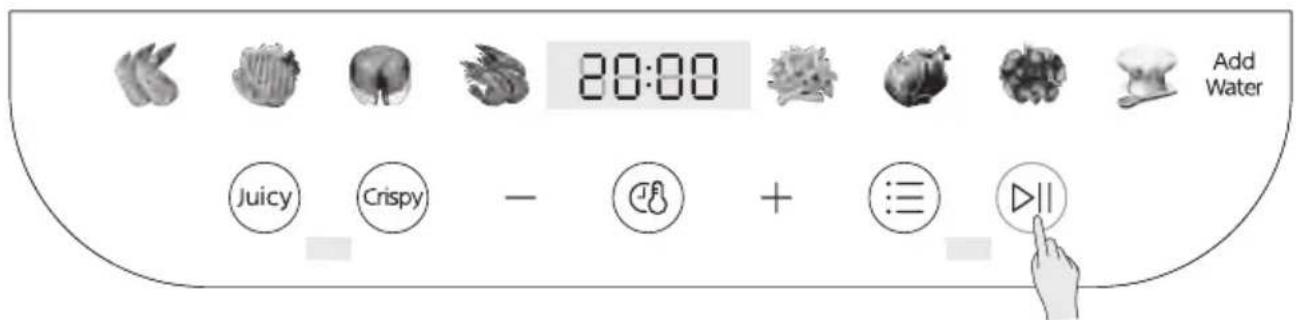
Function Selection Interface
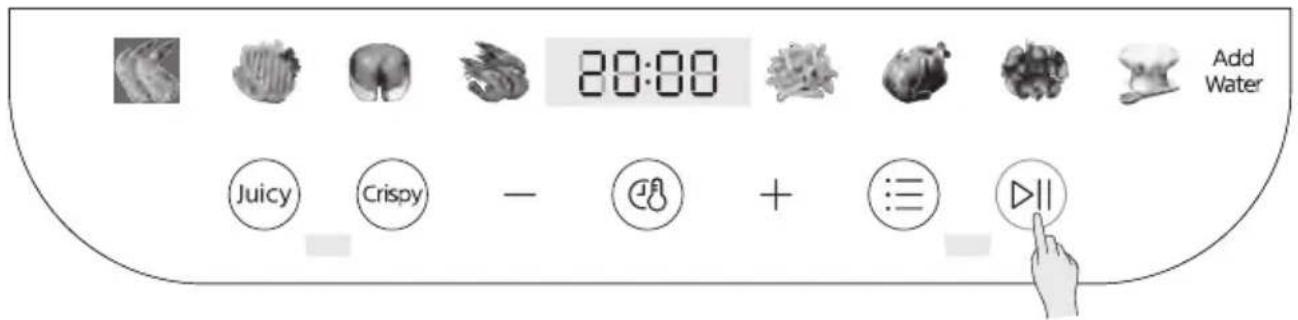
Product Working Interface
EN
Tips:
-
To prevent the pump from blocking due to the use of tap water over a long period of time, please fill the water tank with purified when selecting the Tender Roast function.
-
The appliance is provided with safety protection unit, through which, the appliance cannot be started and the "C4" appears on the display interface when the fryer component is not put into the cavity.
3 When the product is halfway through the set working time, the appliance prompts to turn over, turn the wings over and continue baking.
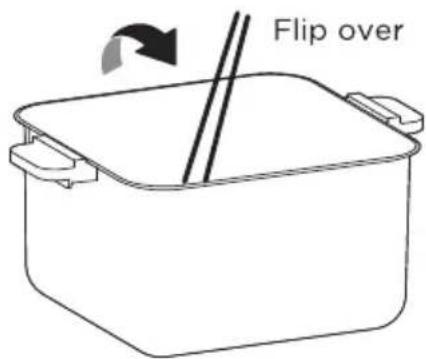
4 When the appliance beeps and the baking is complete, remove the basket carefully and use chopsticks or a jig to take out the food.
5 Close the lid but in a power-on state when finished cooking, press the ⏰ key to light up the Juicy and Crispy keys, then press and hold Juicy and Crispy for 3s to start the water drainage procedure and empty the water circuit of the appliance!
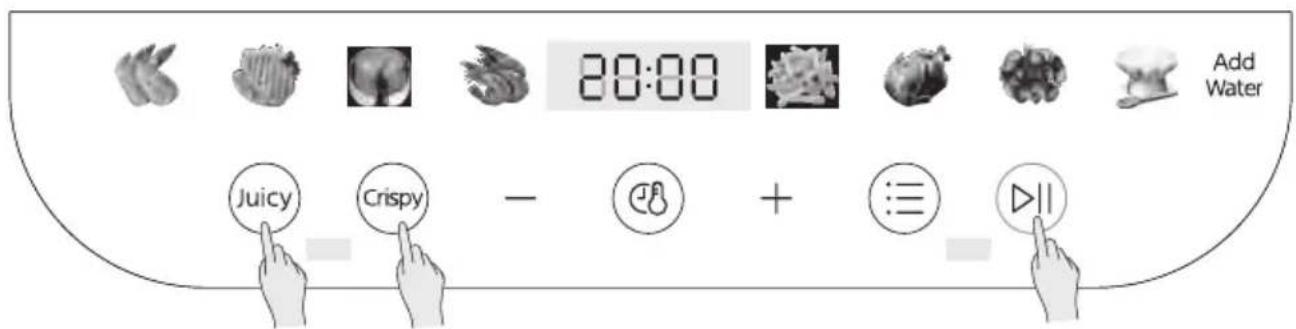
Press and hold the Juicy and Crispy flavor buttons together for 3s to start the water drainage procedure.
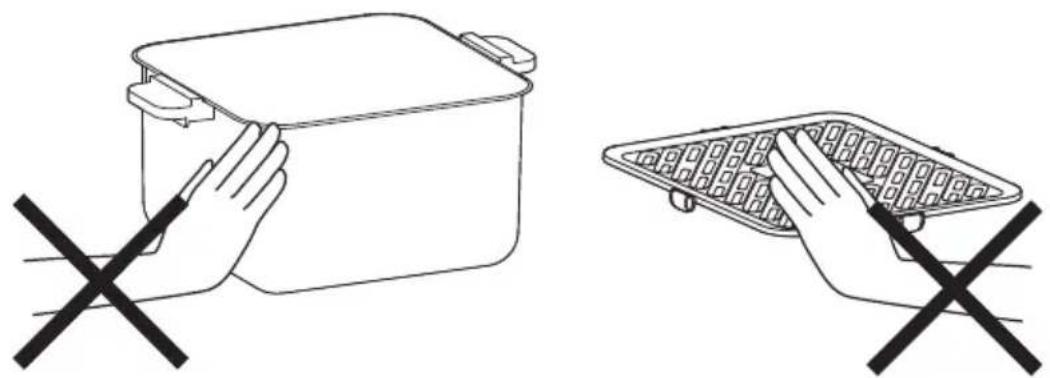
Do not touch the basket and crisper plate with your hands as they are hot at the end of baking.
EN
natural_image
Two line drawings of a food container and a waffle basket, each with a black X symbol indicating prohibition or prohibition (no text or labels present)Precautions
- Do not use non-heat resistant containers such as plastic or paper to carry food into the air fryer.
- Do not use glass or ceramic dishes or lids (but can be used for cold recipes such as yoghurt).
• The working time can be adjusted to suit individual tastes and it is recommended that you check your food frequently during the working process to avoid burning. - For better grilling and baking results, it is recommended to preheat for 3-5 minutes before use.
- Do not touch or move the air fryer as the temperature on the outside surface and the air outlet may be very high when the air fryer is in operation and for a period of time afterwards to avoid danger.
- When the air fryer is working, ensure that the fryer is pushed into place and that the micro switch is triggered so as not to affect the safety of the machine and the baking effect.
- The silicone on the baking tray is made of high temperature resistant food grade material and is designed to prevent the edges of the tray from scratching the bucket coating.
Cleaning and maintenance
- Please clean the air fryer when it is fully cooled to prevent scalding.
• After each use, please clean the crisper plate and air fry basket in time to avoid the damage of the coating caused by the erosion of the food residue and grease. - In order to prevent damage to the machine and your health, please do not use strong or corrosive detergent when doing maintenance.
- Please select a soft and clean cloth to wipe the air fryer. Please do not use wet cloth to clean the air fryer to prevent water from entering the air fryer, which may cause short circuit, fire, etc.
- Please use neutral detergent or water to clean the air fryer basket and crisper plate.
- Please do not use hard and sharp objects (such as steel ball, blade, etc.) to clean the crisper plate and air fry basket, so as to prevent scratching or damaging the coating
TROUBLESHOOTING
| Cause SolutionProblem | ||
| The air fryer does not work | ·The appliance is not plugged in. | Put the mains plug in an earthed wall socket. |
| ·You have not set thetimer. | Turn the timer knob to the required preparation time to switch on the appliance. | |
| ·The pan is not put into the appliance properly. | Slide the pan into the appliance properly. | |
| The ingredients fried with the air fryer are not done. | ·The amount of ingredients in the basket is too big. | Put smaller batches of ingredients in the basket Smaller batches are fried more evenly. |
| ·The set temperature is too low. | Turn the temperature control key to the required temperature setting (see section 'settings' in chapter 'Using the appliance'). | |
| ·The preparation time is too short. | Turn the timer key to the required preparation time (see section 'Settings' in chapter 'Using the appliance'). | |
| The ingredients are fried unevenly in the air fryer. | ·Certain types of ingredients need to be shaken halfway through the preparation time. | Ingredients that lie on top of or across each other (e.g.fries) need to be shaken halfway through the preparation time. See section'Settings' in chapter "Using the appliance". |
| Fried snacks are not crispy when they come out of the air fryer. | ·You used a type of snacks meant to be prepared in a traditional deep fryer. | Use oven snacks or lightly brush some oil onto the snacks for a crispier result. |
| I cannot slide the pan into the appliance properly. | ·There are too much ingredients in the basket. | DO NOT fill the basket beyond in full, refer to the "Setting" table above. |
| ·The basket is not placed, in the pan correctly. | Push the basket down into the pan until you hear a click. | |
EN
EN
| Cause SolutionProblem | ||
| White smoke comes out of the appliance. | ·You are preparing greasy ingredients. | When you fry greasy ingredients in the air fryer, a large amount of oil will leak into the pan. The oil produces white smoke and the pan may heat up more than usual. This does not affect the appliance or the end result. |
| ·The pan still contains grease residues from previous use. | White smoke is caused by grease heating up in the pan. Make sure you clean the pan properly after each use. | |
| Fresh fries are fried unevenly in the air fryer. | ·You did not use the right potato type. | Use fresh potatoes and make sure they stay firm, during frying. |
| ·You did not rinse the potato sticks properly before you fried them. | Rinse the potato sticks properly to remove starch from the outside of the sticks. | |
| Fresh fries are not crispy when they come out of the air fryer. | ·The crispiness of the fries depends on the amount of oil and water in the fries. | Make sure you dry the potato sticks properly before you add the oil. |
| Cut the potato sticks smaller for a crispier result. | ||
| Add slightly more oil for a crispier result. | ||
TRADEMARKS, COPYRIGHTS AND LEGAL STATEMENT
Midea logo, word marks, trade name, trade dress and all versions thereof are valuable assets of Midea Group and/or its a liates (“Midea”), to which Midea owns trademarks, copyrights and other intellectual property rights, and all goodwill derived from using any part of an Midea trademark. Use of Midea trademark for commercial purposes without the prior written consent of Midea may constitute trademark infringement or unfair competition in violation of relevant laws.
EN
This manual is created by Midea and Midea reserves all copyrights thereof. No entity or individual may use, duplicate, modify, distribute in whole or in part this manual, or bundle or sell with other products without the prior written consent of Midea.
All the described functions and instructions were up to date at the time of printing this manual. However, the actual product may vary due to improved functions and designs.
DISPOSAL AND RECYCLING
Important instructions for environment
Compliance with the WEEE Directive and Disposing of the Waster Product:
EN
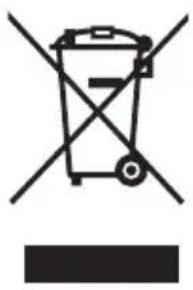
This product complies with EU WEEE Directive (2012/19/EU). This product bears a classification symbol for waster electrical and electronic equipment (WEEE).
This symbol indicates that this product shall not be disposed with other household wastes at the end of its service life. Used device must be returned to official collection point for recycling of electrical electronic devices. To find these collection systems please contact to your local authorities or retailer where the product was purchased. Each household performs important role in recovering and recycling of old appliance. Appropriate disposal of used appliance helps prevent potential negative consequences for the environment and human health.
natural_image
Symbol of a trash bin crossed with no visible text or labelsDATA PROTECTION NOTICE
For the provision of the services agreed with the customer,
we agree to comply without restriction with all stipulations of applicable data protection law, in line with agreed countries within which services to the customer will be delivered, as well as, where applicable, the EU General Data Protection Regulation (GDPR).
Generally, our data processing is to fulfil our obligation under contract with you and for product safety reasons, to safeguard your rights in connection with warranty and product registration questions. In some cases, but only if appropriate data protection is ensured, personal data might be transferred to recipients located outside of the European Economic Area.
Further information are provided on request. You can contact our Data Protection Officer via MideaDPO@midea.com. To exercise your rights such as right to object your personal date being processed for direct marketing purposes, please contact us via MideaDPO@midea.com. To find further information, please follow the QR Code.
SURAT UCAPAN TERIMA KASIH
GAMBARAN KESELURUHAN PRODUK 07
PANDUAN MULA CEPAT 08
ARAHAN PENGENDALIAN 10
GAMBARAN KESELURUHAN PRODUK
Nama Komponen
Dipaparkan secara alternatif
Petua:
natural_image
Line drawing of a vintage portable radio on a table (no text or symbols)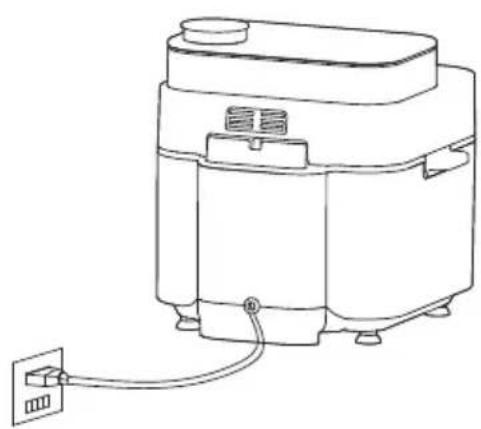
natural_image
Line drawing of a rice cooker with a power outlet connected to its side panel (no text or symbols)2 Cuci ubi keledek dan susun ubi keledek secara rata di atas dulang pembakar.
natural_image
Diagram showing a cooking pan with four dumplings above and a cooking pot below, with a downward arrow indicating the process (no text or symbols present)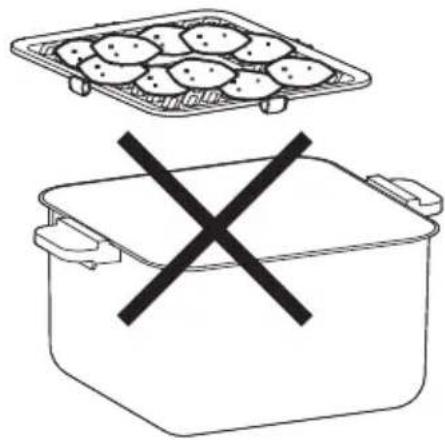
natural_image
Simple line drawing of a food container with a tray and a crossed-out X symbol (no text or labels)Petua:
natural_image
Simple line drawing of a container with food items being placed into a larger pot (no text or symbols)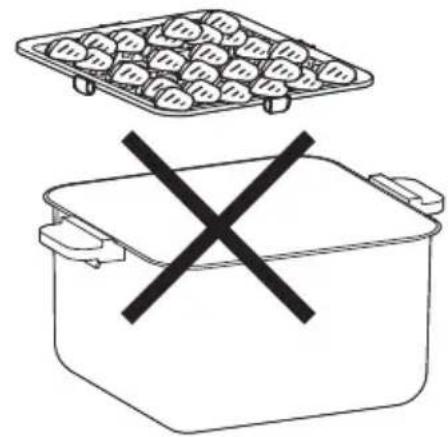
natural_image
Simple line drawing of a food container with a tray and a crossed-out X symbol (no text or labels)Petua:
natural_image
Two line drawings of a cooking pot and a griddle, each with a hand crossed out (no text or symbols)natural_image
Symbol of a trash bin crossed with no text or labels, accompanied by a black rectangular block below (no text or symbols present)natural_image
Recycling symbol icon with three chasing arrows forming a triangle (no text or labels)NOTIS PERLINDUNGAN DATA
交替显示
温馨提示:
natural_image
Line drawing of a vintage portable radio on a table (no text or symbols)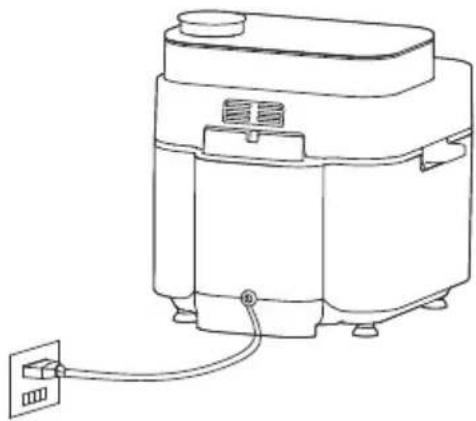
natural_image
Line drawing of a rice cooker with a power outlet connected to its side panel (no text or symbols)2 红薯洗净,平放在烤盘上。
natural_image
Line drawing of a cooking pot with a tray and lid, showing a downward arrow indicating cooling (no text or symbols)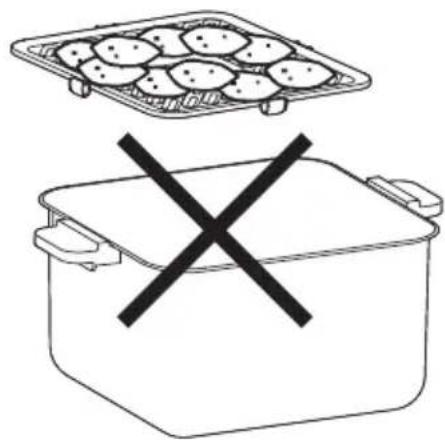
natural_image
Simple line drawing of a food container with a tray and a crossed-out X symbol (no text or labels)温馨提示:
natural_image
Simple line drawing of a container with food items inside, showing a downward arrow from top to bottom (no text or symbols)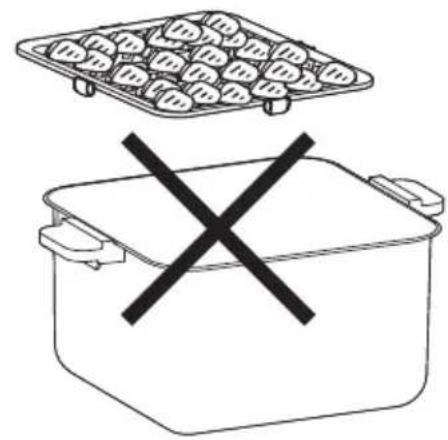
natural_image
Simple line drawing of a food container with a tray above and a crossed-out X symbol below (no text or labels)温馨提示:
natural_image
Two line drawings of a container with handles and a waffle plate, each marked with a black X (no text or symbols)注意事先
natural_image
Symbol of a trash bin crossed out by two crossed lines (no text or numbers present)
数据保护声明
make yourself at home

- USER MANUAL
- LANGUAGES
- THANK YOU LETTER
- CONTENTS
- SAFETY INSTRUCTIONS
- Intended Use
- Explanation of Symbols
- Danger
- Warning of electrical voltage
- Warning
- Caution
- Attention
- Observe instructions
- SPECIFICATIONS
- PRODUCT OVERVIEW
- Component Name
- QUICK START GUIDE
- Operation Steps
- Tips:
- OPERATION INSTRUCTIONS
- Operation Part
- Quick Start
- Juicy flavor quick start
- EN
- Precautions
- Cleaning and maintenance
- TROUBLESHOOTING
- TRADEMARKS, COPYRIGHTS AND LEGAL STATEMENT
- DISPOSAL AND RECYCLING
- Important instructions for environment
- DATA PROTECTION NOTICE
- SURAT UCAPAN TERIMA KASIH
- GAMBARAN KESELURUHAN PRODUK
- Nama Komponen
- Petua:
- NOTIS PERLINDUNGAN DATA
- 温馨提示:
- 注意事先
- 数据保护声明
Brand : MIDEA
Model : MAF-CY75
Category : Deep fryer