
Tru Studio 1 - Headphones Majority - Free user manual and instructions
Find the device manual for free Tru Studio 1 Majority in PDF.


| Product Type | Wireless Over-Ear Headphones |
| Brand | Majority |
| Model | Tru Studio 1 |
| Dimensions (approx.) | 18 x 16 x 8 cm |
| Weight | 200 g |
| Power Supply | Rechargeable lithium-ion battery, 500 mAh |
| Battery Life | Up to 20 hours of playback |
| Charging Time | Approximately 2 hours |
| Connectivity | Bluetooth 5.0 |
| Wireless Range | Up to 10 meters |
| Driver Size | 40 mm |
| Frequency Response | 20 Hz - 20 kHz |
| Impedance | 32 Ω |
| Controls | Multi-function button for power, pairing, playback, and volume |
| Microphone | Built-in microphone for hands-free calls |
| Foldable Design | Yes, for portable storage |
| Cable Included | 3.5 mm audio cable and USB charging cable |
| Maintenance | Clean with a soft dry cloth; avoid moisture |
| Safety Warnings | Do not expose to extreme temperatures; keep away from water |
| Spare Parts Availability | Contact Majority support for replacement parts |
| Warranty | 1 year limited warranty |
Frequently Asked Questions - Tru Studio 1 Majority
User questions about Tru Studio 1 Majority
0 question about this device. Answer the ones you know or ask your own.
Ask a new question about this device
Download the instructions for your Headphones in PDF format for free! Find your manual Tru Studio 1 - Majority and take your electronic device back in hand. On this page are published all the documents necessary for the use of your device. Tru Studio 1 by Majority.
USER MANUAL Tru Studio 1 Majority
Tru Studio Headphone

natural_image
Black high-voltage headphones with attached audio jack connectors (no visible text or symbols)EN
Contents
Contents 1
What's in the box....1
Scope and operation instructions....2
Specifications....3
Wide Application....3
Safety Information 4
EN
What's in the box
Package Included
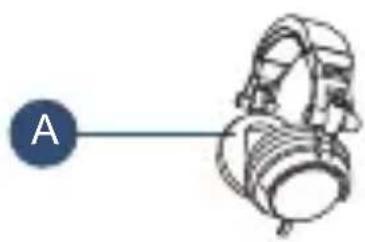
A. Majority Tru Studio headphone
C. Audio Jack adapter
B. Pouch
D. User manual
natural_image
Simple line drawing of a mechanical device with a labeled point A (no text or symbols on the device itself)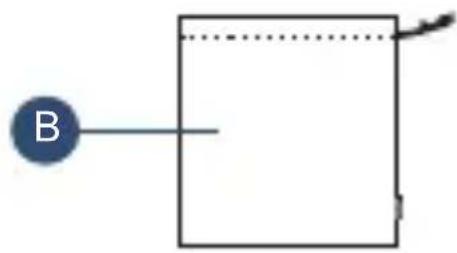
natural_image
Simple diagram with a blue circle labeled 'B' pointing to a rectangle, connected by a dotted line (no text or symbols beyond the label)
natural_image
Simple diagram showing a circular node labeled 'C' connected to a vertical line with a small mechanical component (no text or symbols)
flowchart
graph LR
    D["● D"] --> Box[" "]
EN
Scope and operation instructions
- The headphones can be used for computers, CD and MP3 Players, Walkman, mobile phones, Amps and guitars etc.
- To obtain the optimal sound effect from the headphones, please wear the headphones correctly. The L, and R marked on the headphone indicate left, and right, respectively.
- When using headphones or using a headphone amplifier for connection, please note to decrease the volume to the minimum level, and then increase the volume slowly to avoid damage to your hearing or to the headphones.
- To avoid affecting the useful life of the product, please take protective measures for moisture prevention, and high temperature prevention, etc.
Plug and Play
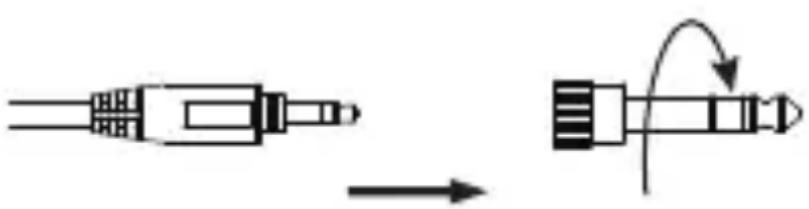
3.5mm plug and 6.35mm audio adapter is plug and play, with no need to install anything. Connect to your computer using the 3.5mm aux or connect to amps or guitars using the 6.35mm jack.
natural_image
Diagram showing a connector being inserted into a socket, with an arrow indicating direction (no text or symbols present)| Driver Diameter | ∅50mm |
| Impedance | 32Ω |
| Frequency Response | 15Hz~20kHz |
| Sensitivity | 100±3dB |
| Cards | ≥1.5meters |
| Plug | ∅3.5mm |
| Net Weight | ≈376g |

Wide Application
Support
If you require further assistance with your new Majority Tru Studio Headphone please contact our support team on the Majority website: www.Majority.co.uk/support
Warranty
All products come with a standard 12 month warranty. All items must be registered on www.Majority.co.uk for the warranty to be valid. Once on the web page, use the menu to find "Register Your Product". You will also be given the chance to extend your warranty for an additional 24 months, free of charge.
- Read these instructions.
- Keep these instructions. Instructions are also available for www.majority.co.uk
- Heed all warnings.
- Follow all instructions.
- Do no clean the apparatus near or with water.
- Do not block any ventilation openings. Install in accordance with the manufacturer's instructions.
- Do not install near any heat sources such as radiators, heat registers, stoves, or other apparatus (including amplifiers) that produce heat.
- Protect the power from being walked on or pinched particularly at plugs, convenience receptacles, and the point where they exit from the apparatus.
- Only use attachments/accessories specified by the
- Unplug this apparatus during light storms or when unused for long periods of time.
- Refer all servicing to qualified service personnel. Servicing is required when the apparatus has been damaged in a way, such as power-supply cord or plug is damaged, liquid has been spilled or objects have fallen into the apparatus, the apparatus has been exposed to the rain or moisture, does not operate normally or has been dropped. No naked flame sources, such as lit candles, 12. should be placed on the apparatus.
- Dispose of used electrical products and batteries safely according to your local authority and regulations.
ADDITIONAL WARNINGS
The apparatus shall not be exposed to dripping or splashing and no objects filled with liquid, such as vases, shall be places on the apparatus.
Main plug is used to disconnect device and it should remain readily operable during intended use. In order to disconnect the apparatus from the main mains completely, the mains plug should be disconnected from the main socket outlet completely.
Battery shall not be exposed to excessive heat such as sunshine, fire or the like.
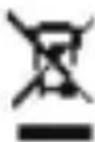
RECYCLING ELECTRICAL PRODUCTS
You should now recycle your waste electrical goods and in doing so help the environment.
This symbol means an electrical product should
not be disposed of with normal household waste.
Please ensure it is taken to a suitable facility for disposal when finished with.

IMPORTANT: Please read all instructions carefully before use and keep for future reference.

Risk of electric shock. Do not open

Read all instructions carefully before use and keep for future reference
When servicing, use only identical replacement parts


IMPORTANT: Please read all instructions carefully before use and keep for future reference
MAJORITY
www.majority.co.uk
Brand : Majority
Model : Tru Studio 1
Category : Headphones