
SME 211 - Video Encoder Extron - Free user manual and instructions
Find the device manual for free SME 211 Extron in PDF.


| Product Type | H.264 Streaming Encoder |
| Model | SME 211 |
| Brand | Extron |
| Part Number | 60-1763-01 |
| Maximum Resolution | 1920x1080 (1080p) |
| Frame Rate | 30, 50, or 60 fps |
| Video Bitrate | 6000 kbps |
| Rate Control | CBR (Constant Bitrate) or VBR (Variable Bitrate) |
| GOP Size | 30 frames |
| IDR Interval | 2 seconds |
| Entropy Encoding | CAVLC |
| H.264 Profile | Main |
| Framing | I and P frames only |
| Streaming Protocol | RTMP (Real-Time Messaging Protocol) |
| Encoder Configuration | Via WebUI (Web User Interface) |
| Number of Encodes | 2 (Encode 1 and Encode 2) |
| Streaming Service | Twitch (and other RTMP-compatible services) |
Frequently Asked Questions - SME 211 Extron
User questions about SME 211 Extron
0 question about this device. Answer the ones you know or ask your own.
Ask a new question about this device
Download the instructions for your Video Encoder in PDF format for free! Find your manual SME 211 - Extron and take your electronic device back in hand. On this page are published all the documents necessary for the use of your device. SME 211 by Extron.
USER MANUAL SME 211 Extron
Using an H.264 Extron SME Encoder to Stream to Twitch

The following notes provide guidance on setting up an Extron SME Encoder for publishing live streams to Twitch, a third-party service. For more information, please call your Extron Application Engineer.
Extron Products Affected:
| SME 211 | 60-1763-01 |
SPECIAL NOTES
Streaming to third party services requires a user to have an account with those services. Accounts with third party providers are the responsibility of those maintaining the stream and its content.
To configure the Encoder for RTMP Push streaming to Twitch:
- Open the WebUI for the SME 211
-
Navigate Configuration>Encoding & Settings
-
Drop the Encoder settings field:
Resolution: 1920X1080
Framerate: 30,50,60
Video Bitrate: 6000 kbps
Rate Control: CBR/VBR
- Open Advanced Settings:
GOP: 30
IDR: 2
Entropy: CAVLC
Profile: Main
Framing: IP
5. Note in the Capture below settings on Encode 2:

- Close the Encoder Settings drop down.
7. Open the RTMP settings drop down:

- Note the Encode 2 Settings in the capture above.
a. You will need to enter the Server URL using the information from Twitch at this link: https://stream.twitch.tv/ingests/
i. Twitch checks your IP and finds the best reflector for your location.
- Copy and paste your chosen link into the server URL. In the example below remove the highlighted information.
rtmp://atl.contrib.live-video.net/app/{stream_key}
- Log into your Twitch account and navigate to Settings>Stream
- Where the screen shows Primary Stream Key, click "Copy" as shown:
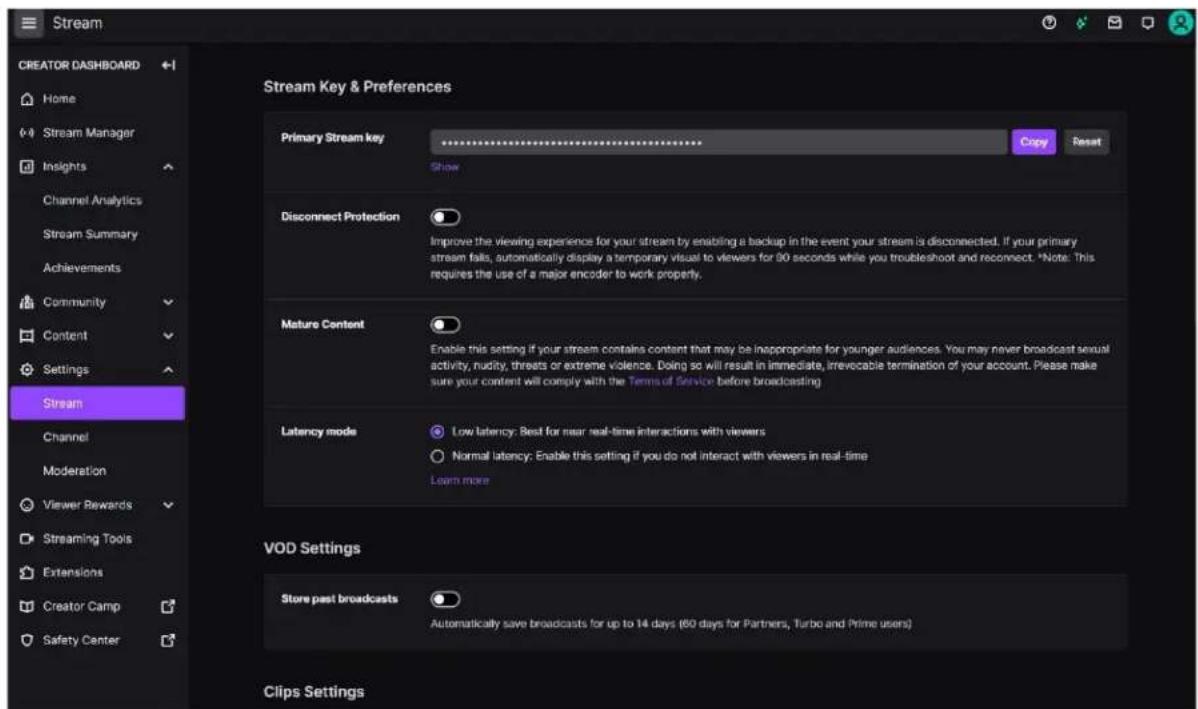
- Then, navigate back to the SME WebUI and paste the copied data in the Server Stream key field.
![Extron Electronics Logic Status Configuration File Management Tracking AV Connection Show Run Time Options Streaming Home Digital And In HDMI Analog And In Video/Video Digital And Video Wave/Alt Audio/Alt Video Signal Output L R L Track Wave Input / Output Settings USB Image Settings F10000 & Streaming Bar and Bars Signal and Type Network Settings Advanced Features Status Encoder 1 Stream Description: Disabled Inactive RTSP (RGB) Disabled Locked RTP (Push): Disabled Locked RTMP (Push): Disabled Selected Streamer 1 RTSP (RGB) Disabled Locked RSA (Push) Selected RSB (Push) Selected User Shooting Encoder 2 Stream Description: Follow Encoder 1 RTSP (RGB) Disabled Locked RSA (Push) Selected RSB (Push) Selected User Shooting Encoder Settings RSB (RGB) Stream Settings RSB/RSP (Shift) Stream Settings RSBP (Shift) Stream Settings Encoder 1 - RSBP Stream Server URL: https://data.org decades.c Backup URL: Server URL: https://www-"scaadoc-5c- Server Stream Name/Clip: AB_120004-HDQ78893-0a- Backup URL: Backup Stream Name/Clip: Adder Encoder 2 - RSBP Stream Server URL: http://data objects.ina Backup URL: Server URL: http://data objects.ina Server Stream Name/Clip: Backup URL: Backup Stream Name/Clip: Adder Advanced Settings RSBP Stream Results 1 [snugren] 2 [snugren] 3 [snugren] 4 [snugren] 5 [snugren] 6 [snugren] 7 [snugren] 8 [snugren] 9 [snugren] 10 [snugren] 11 [snugren] 12 [snugren] 13 [snugren] 14 [snugren] 15 [snugren] 16 [snugren] Auto/Photo - Auto/Photo - Cut Remote and Static Signal Busley Mask, DVD and Lost Patterns Metadata Shuning and Profile](/content/2026/05/907997/images/ad7f2bd9cf90e8063307b51bcad9155baef46e270052e52037930901c0c1faf1.jpg)
- Ensure the RTMP Encode is enabled.
- Enable the Main Stream Control.

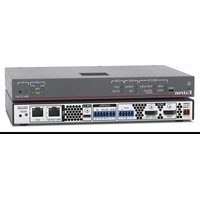
Brand : Extron
Model : SME 211
Category : Video Encoder