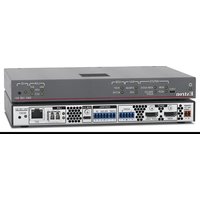
NAV 10E 501 - Video Encoder Extron - Free user manual and instructions
Find the device manual for free NAV 10E 501 Extron in PDF.


Pick your language and provide your email: we'll send you a specifically translated version.
| Product Type | Network AV Encoder/Decoder |
| Model | NAV 10E 501 |
| Brand | Extron |
| Dimensions (H x W x D) | 1.7 in (4.3 cm) x 17.5 in (44.4 cm) x 10.0 in (25.4 cm) |
| Weight | 4.5 lb (2.04 kg) |
| Power Supply | External 12 VDC, 2 A (included) or PoE+ (802.3at) |
| Video Input | 1x HDMI, 1x DisplayPort (via optional adapter) |
| Video Output | 1x HDMI |
| Maximum Resolution | 4096x2160 at 60 Hz (4:4:4, 8-bit) |
| Audio | Embedded HDMI audio, analog audio input/output via optional adapters |
| Network Interface | 1x RJ-45 Gigabit Ethernet (AV over IP) |
| Streaming Protocol | Extron NAV家族的专有协议 (or just "Extron NAV") |
| Control | Ethernet, RS-232, USB configuration port |
| Mounting | 1U rack-mountable, with included hardware |
| Operating Temperature | 32°F to 104°F (0°C to 40°C) |
| Maintenance | Periodic dust removal from vents; avoid liquids |
| Safety Notices | Use only approved power supply; do not block airflow |
| Spare Parts & Repairability | Contact Extron for replacement power supplies, fans; service by authorized technicians only |
| Environmental Compliance | RoHS, WEEE |
Frequently Asked Questions - NAV 10E 501 Extron
What is the Extron NAV 10E 501 used for?
The NAV 10E 501 is a Network AV encoder/decoder that transmits video, audio, and control signals over a standard Ethernet network using Extron's NAV AV over IP technology.
What video resolutions does the NAV 10E 501 support?
It supports resolutions up to 4096x2160 at 60 Hz with 4:4:4 chroma sampling and 8-bit color depth.
Can I power the device via PoE?
Yes, the NAV 10E 501 supports PoE+ (802.3at) in addition to an external 12 VDC power supply.
How do I set up the device on my network?
Connect the device to your network via the Gigabit Ethernet port. Use the Extron PCS software or web interface to configure IP settings, stream parameters, and control options.
What is the maximum cable length for HDMI input?
For reliable 4K60 signal, use high-quality HDMI cables up to 15 ft (4.6 m). Longer distances may require extender/repeaters.
Can I use the device as both encoder and decoder?
The NAV 10E 501 is a fixed-role device. Check the model suffix: 'E' typically denotes Encoder, while 'D' denotes Decoder. The 501 is an encoder.
How do I update the firmware?
Firmware updates can be applied via the web interface or Extron's Product Configuration Software (PCS). Download the latest firmware from Extron's support website.
Does it support analog audio?
Analog audio can be added using optional Extron audio breakaway adapters or via the HDMI embedded audio.
Is the device rack-mountable?
Yes, the NAV 10E 501 includes rack-mounting brackets and is designed for 1U rack installations.
What are the dimensions and weight?
The device measures 1.7 in x 17.5 in x 10.0 in (H x W x D) and weighs approximately 4.5 lb (2.04 kg).
User questions about NAV 10E 501 Extron
0 question about this device. Answer the ones you know or ask your own.
Ask a new question about this device
No questions yet. Be the first to ask one.
Download the instructions for your Video Encoder in PDF format for free! Find your manual NAV 10E 501 - Extron and take your electronic device back in hand. On this page are published all the documents necessary for the use of your device. NAV 10E 501 by Extron.
USER MANUAL NAV 10E 501 Extron


Manual assistant
Powered by Anthropic
Waiting for your message
Product information
Brand : Extron
Model : NAV 10E 501
Category : Video Encoder