303702 - Barcode scanners Aplic - Free user manual and instructions
Find the device manual for free 303702 Aplic in PDF.


| Product Type | 2D Barcode Scanner |
| Brand | Aplic |
| Model | 303702 |
| Communication Interfaces | HID-KBW, USB Virtual COM, RS232 |
| Supported 1D Symbologies | Codabar, Code 128, Code 39, Code 93, EAN-8, EAN-13, UPC-A, UPC-E, Interleaved 2 of 5, Industrial 2 of 5, IATA 2 of 5, Matrix 2 of 5, China Post, ITF-14, RSS-14, RSS-Limited, MSI, Plessey, Code 11, Code 32, DP-12, DP-14, GS1-128, AIM-128, ISBT-128, Code 2 of 5 (various), and more |
| Supported 2D Symbologies | PDF417, QR Code, Data Matrix, Aztec Code |
| Scanning Modes | Manual (trigger), Automatic, Continuous, Pulse Trigger |
| Readable Code Length | Adjustable minimum and maximum length for most symbologies |
| Data Editing | Prefix, Suffix, Code ID, AIM ID, Terminator character, NoRead output, Character name output |
| Indicator Settings | Aiming lamp flash modes, Indicator LED flash modes and duration, Good read beep frequency and time |
| Error Remind | Sound reminder on/off, number of beeps |
| Image Processing | Flipping (mirror) vertically/horizontally |
| Keyboard Language | Multiple international keyboard layouts supported (US, Belgium, Brazil, Canada French, Czech, Denmark, Finland, France, Germany, Greek, Hungary, Israel, Italy, Latin America, Netherlands, Norway, Poland, Romania, Portugal, Russia, SCS, Slovakia, Spain, Sweden, Switzerland, Turkey, UK, Japan ASCII) |
| Baud Rate (RS232) | 1200, 2400, 4800, 9600, 19200, 38400, 57600, 115200 bps |
| Power Source | Not specified (typically USB bus-powered or external power) |
| Dimensions | Standard handheld scanner size (approx. 170mm x 70mm x 100mm) |
| Weight | Approximately 200g |
| Operating Temperature | Not specified (typical 0°C to 40°C) |
| Storage Temperature | Not specified (typical -20°C to 60°C) |
| Compliance | FCC, CE (estimated) |
| Cleaning & Maintenance | Clean with a soft, dry cloth. Avoid solvents. Keep away from moisture and extreme temperatures. |
| Safety | Do not stare into the laser beam (if applicable). Use only with approved power supply. |
Frequently Asked Questions - 303702 Aplic
User questions about 303702 Aplic
0 question about this device. Answer the ones you know or ask your own.
Ask a new question about this device
Download the instructions for your Barcode scanners in PDF format for free! Find your manual 303702 - Aplic and take your electronic device back in hand. On this page are published all the documents necessary for the use of your device. 303702 by Aplic.
USER MANUAL 303702 Aplic
Save as Custom Defaults

Query Manufacturer Information

Query Model Number

Query products Serial Number

Query Production Batch

Query Production date
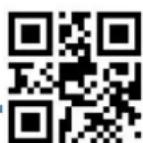
Exit Setup
Communication Interface

HID-KBW

USB Virtual Com

RS232

Disable All Symbologies

Enable All symbologies
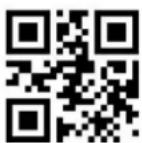
Disable 1D Symbologies

Enable 1D symbologies

Disable 2D symbologies

Enable 2D symologies

Exit Setup
Codabar

Enable Codabar

Disable Codabar

Set the Minimum Length

Set the Maximum Length

Transmit Start/Stop Character

Do Not Transmit Start/Stop Character

Exit Setup

Set No.1 Code ID

Set No.2 Code ID
Check Character Verification

Disable

Do Not Transmit Check
Character After Verification

Transmit Check Character
After Verification
起始符和终止符

ABCD/ABCD

ABCD/TN*E

abcd/abcd

abcd/tn*e
Code 2 of 5 Interleaved

Enable Interleaved 2 of 5

Disable Interleaved 2 of 5

Set the Minimum Length
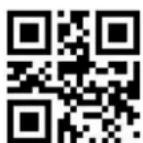
Set the Maximum Length

Set No.1 Code ID

Set No.2 Code ID

Disable

Exit Setup

Transmit Check Character
After Verification
Plessey Code

Enable Plessey

Disable Plessey

Set the Minimum Length

Set the Maximum Length

Set No.1 Code ID

Set No.2 Code ID

Disable

Exit Setup

Transmit Check Character
After Verification
Code 2 of 5 China Post

Enable CodeCode 2 of 5 China Post

Disable Code 2 of 5 China Post

Set the Minimum Length

Set the Maximum Length

Set No.1 Code ID

Set No.2 Code ID

Disable

Exit Setup

Transmit Check Character
After Verification
Code 2 of 5 Matrix

Enable Matrix 2 of 5

Disable Matrix 2 of 5

Set the Minimum Length

Set the Maximum Length

Set No.1 Code ID

Set No.2 Code ID

Disable

Exit Setup

Transmit Check Character
After Verification
Code 2 of 5 Industrial

Enable Code 2 of 5 Industrial

Disable code 2 of 5 industrial

Set the Minimum Length

Set the Maximum Length

Set No.1 Code ID

Set No.2 Code ID

Disable

Exit Setup

Transmit Check Character
After Verification
Code 2 of 5 IATA

Enable Code 2 of 5 IATA

Disable code 2 of 5 IATA

Set the Minimum Length

Set the Maximum Length

Set No.1 Code ID

Set No.2 Code ID

Disable

Exit Setup

Transmit Check Character
After Verification
ITF-14

Enable Code ITF-14

Disable ITF-14

Do Not Transmit Code 11 Check Character

Transmit Code 11 Check Character

Set No.1 Code ID

Set No.2 Code ID

Exit Setup
DP-12

Enable DP-12

Disable DP-12

Do Not Transmit Code 11 Check Character

Transmit Code 11 Check Character

Set No.1 Code ID

Set No.2 Code ID

Exit Setup
DP-14

Enable DP-14

Disable DP-14

Do Not Transmit Code 11 Check Character

Transmit Code 11 Check Character

Set No.1 Code ID

Set No.2 Code ID

Exit Setup
Code-128

Enable Code-128

Disable Code128

Set the Minimum Length

Set the Maximum Length

Set No.1 Code ID

Set No.2 Code ID

Exit Setup
GS1-128

Enable GS1-128

Disable GS1-128

Set the Minimum Length

Set the Maximum Length

Set No.1 Code ID

Set No.2 Code ID

Exit Setup
AIM-128

Enable AIM-128

Disable AIM-128

Set the Minimum Length

Set the Maximum Length

Set No.1 Code ID

Set No.2 Code ID

Exit Setup
ISBT-128

Enable ISBT-128

Disable ISBT-128

Set the Minimum Length

Set the Maximum Length

Set No.1 Code ID

Set No.2 Code ID

Exit Setup
MSI

Enable MSI

Disable MSI

Set the Minimum Length

Set the Maximum Length

Set No.1 Code ID

Set No.2 Code ID

Exit Setup
Check Character Verification

One Check Character, No output

One Check Character Input

Two Check Characters, MOD10/MOD10 No output

Two Check Characters, MOD10/MOD10 Input

Two Check Characters, MOD10/MOD11 No output

Two Check Characters, MOD10/MOD11 Input

Disable

Exit Setup
Code11

Enable Code11

Disable Code11

Do Not Transmit Code 11 Check Character

Transmit Code 11 Check Character

Set the Minimum Length

Set the Maximum Length

Set No.1 Code ID

Exit Setup
Code39

Enable Code39

Disable Code39

Transmit Start/Stop Character

Do Not Transmit Start/Stop Character

Enable Code 39 Full ASCII

Disable Code 39 Full ASCI


Set the Minimum Length

Set the Maximum Length

Disable

Do Not Transmit Check
Character After Verification

Transmit Check Character
After Verification

Set No.1 Code ID

Set No.2 Code ID

Exit Setup
Code 32

Enable Code 32

Enable Code 32

Enable Code 32 Prefix“A”

disable Code32 Prefix "A"
Code93

Enable Code93

Disable Code93

Set the Minimum Length

Set the Maximum Length

Set No.1 Code ID

Set No.2 Code ID

Exit Setup
EAN-8

Enable EAN-8

Disable EAN-8

Do Not Transmit Code 11 Check Character

Transmit Code 11 Check Character

Set No.1 Code ID

Set No.2 Code ID

Convert EAN-8 to EAN-13

Exit Setup
Do not Convert EAN-8 to EAN-13

Enable 2-Digit Add on code

EAN-13 Add-On Code Required

EAN-13 Add-On Code Not Require

Add Delimiter before the Add-on Code

Do not Delimiter
UPC-E

Enable UPC-E

Disable UPC-E

Do Not Transmit Code 11 Check Character

Transmit Code 11 Check Character

Enable UPC-E1

Disable UPC-E1

Set No.1 Code ID

Exit Setup

Enable 2-Digit Add on code

EAN-13 Add-On Code Required

EAN-13 Add-On Code Not Require

Exit Setup

Add Delimiter before the Add-on Code

Do not Delimiter

Add US country Code 0

Do Not add Country code

System Character

Do Not system Character

Convert UPC-E1 to UPC-A

Exit Setup
UPC-A

Enable UPC-E1

Disable UPC-A

Do Not Transmit Code 11 Check Character

Transmit Code 11 Check Character

Enable 2-Digit Add on code

EAN-13 Add-On Code Required

EAN-13 Add-On Code Not Require

Add Delimiter before the Add-on Code

Do not Delimiter

Set No.1 Code ID

Set No.2 Code ID

Exit Setup

Add US country Code 0

Do Not add Country code

System Character

Do Not system Character
RSS-14

Enable RSS-14

Disable RSS-14

Transmit Application Identifier "01".

Do Not Transmit Application Identifier

Set No.1 Code ID

Set No.2 Code ID

Exit Setup
RSS-Limited

Enable RSS-Limited

Disable RSS-Limited

Transmit Application Identifier "01".

Do Not Transmit Application Identifier

Set No.1 Code ID

Set No.2 Code ID

Exit Setup
PDF417

Enable PDF417

Disable PDF417

Set the Minimum Length

Set the Maximum Length

Set No.1 Code ID

Set No.2 Code ID

Allowable structural connection

Exit Setup
QR Code

Enable QR Code

Disable QR code

Set the Minimum Length

Set the Maximum Length

Allowable structural connection

Exit Setup
Do Not allowable structural connection

Read mirror symbol

Do not read mirror symbol

Set No.1 Code ID

Set No.2 Code ID
Data Matrix

Enable Data Matrix

Disable Data Matrix

Set the Minimum Length

Set the Maximum Length

Enable Rectangular Barcode

Disable Rectangular Barcode

Enable Inverse code

Exit Setup

Read mirror symbol

Do not read mirror symbol

Allowable structural connection

Do Not allowable structural connection

Set No.1 Code ID

Set No.2 Code ID

Exit Setup
Aztec Code

Enable Aztec

Disable Aztec

Set the Minimum Length

Set the Maximum Length

Set No.1 Code ID

Set No.2 Code ID

Exit Setup
Data Editing

Enable Data Editing

Disable Data Endtting

Enable AIM ID output

Disable AIM ID output

Enable Prefix

Disable Prefix

开启后缀输出

Exit Setup

Enter Setup

关闭后缀输出

Enable Suffix

Disable Suffix

Enable Code ID

Disable Code ID

Code ID before Prefix

Code ID after Prefix


Exit Setup
Enable NG(NoRead)

Disable NG(NoRead)

Enable Character Name

Disable Character Name

开启信息长度值输出

关闭信息长度值输出

设定前缀(1\~16字节)

Set Suffix (1-16bytes)

Exit Setup

Set Terminator Character (1-8 bytes)

Set NoRead information (1-16bytes)

Do Not Add Terminator Character

Set Terminator CR

Set Terminator CR+LF

Set Terminator TAB

Exit Setup

Set Terminator CR+CR

Set Terminator CR+LF+CR+LF
RS232 / TTL232

1200 bps

2400 bps

4800 bps

9600 bps

19200 bps

38400 bps


Exit Setup

Enter Setup
57600 bps

115200 bps

7-1-N

7-2-N

8-1-N

7-1-E

7-2-E
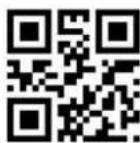

Exit Setup

7-1-0

7-2-0

8-1-0
HID-KBW

Output Characters ALT+Numeric keys

Output characters using a large keyboard

Use "Ctrl" to combine output control characters

Original output control character

Disable analysis of China tax ticket

Enable Analysis of China Tax Ticket

Enable Small keypad

Exit Setup

Caps Lock
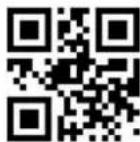
Conver All to Upper Case

Conver All to Lower Case

Letter case interchange

Using Shift to unblock
uppercase locking

Using Capslock to unblock uppercase locking

GBK Chinese direct transmission

GBK-Unicode Chinese direct transmission

BIG5 Chinese direct transmission

BIG5-Unicode direct transmission

Disable Chinese direct transmission

Enable error character prompt

Disable error character prompt

Exit Setup

Enter Setup
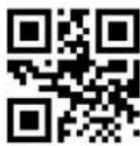
0ms

20ms

40ms
Keyboard language

United States

Belgium

Brazil

Exit Setup

Enter Setup

Canada French

Czech

Denmark

Finland

France

Germany

Greek

Exit Setup

Hungary

Israel

Italy

Latin America

Dutch Netherlands

Norway

Poland

Exit Setup

Enter Setup

Romania

Portugal

Russia

SCS

Slovakia

Spain

Sweden

Exit Setup

SwitzerlandGerman

Turkey F

Turkey Q

Unite Kingdom

Japan ASCII

Exit Setup
Successful remind mode

Enable Sound remind

Disable Sound remind

Sound remind 1 time
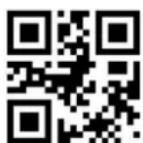
Sound remind 2 times

Set sound remind times(1-5)

Exit Setup
Good Read Beep Frequency

Set Beep Frequency 1600Hz

Set Beep Frequency 2700Hz

Set Beep Frequency 3200Hz

Set Beep Frequency 4200Hz

Set Beep Frequency (100 \~ 20,000Hz)

Good Read Beep time

Set Beep time 50ms

Set Beep time 100ms

Set Beep time 150ms

Set Beep time 200ms

Set Beep time 250ms

Set Beep time 300ms

Exit Setup
Aiming

The aiming lamp does not flash

The aiming lamp flash 1 time

The aiming lamp flash 2 time

The aiming lamp flash 3 time

The aiming lamp flash 4 time

The aiming lamp Continue time 50ms


Exit Setup
The aiming lamp Continue time100ms

The aiming lamp Continue time150ms

The aiming lamp Continue time200ms
Indicator Setting
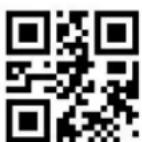
The Indicator does not flash

The indicator flash 1 time

The indicator flash 2 time
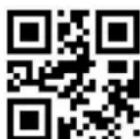
The indicator flash 3 time

Exit Setup

The indicator flash 4 time

The Indicator continue time 100ms

The Indicator continue time 200ms

The Indicator continue time 500ms

The Indicator continue time 1000ms

The Indicator continue time 1500ms


Exit Setup
The Indicator continue time 2000ms

The Indicator Interval time 100ms

The Indicator Interval time 200ms
Error Remind Mode

Use Sound remind

Do not use Sound remind
Scanning Model

Manual Model

Exit Setup

Automatic mode
Illumination

off

Reading On

On
Aiming

off

Reading On

On
Image Flipping (Mirror Image)

Do Not Flip
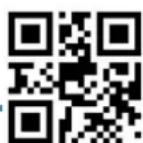
Exit Setup

Flip Vertically

Flip Horizontally
Read Beep

Off

On

Disable Power on Beep

Enable Power on Beep

Disable Setting Code Beep

Enable Setting Code Beep

Exit Setup

Low

Medium

Loud
Manual Reading model

Manual

Maintain trigger

脉冲触发

Unlimited Scan Time

Limited Scan Time

Off Non-sleep

Off enter into Sleep

Exit Setup

Enable Batch Barcode

Max 2 codes

Max 5 codes

Max 10 codes

Max 16 codes

Max 32 codes

Exit Setup

Set any number

Set the pre-aim time (0 \~ 2000ms)

Non Pre-aim

Pre-aim time 500ms

Pre-aim time 1000ms
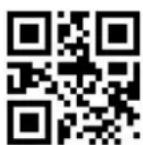
Pre-aim time 2000ms

Exit Setup
After jumping from other modes to manual mode, it is allowed to return to the original mode after a period of off time. Read the following settings to select different delays.

After off 500ms to return

After off 1000ms to return

After off 2000ms to return

After off 3000ms to return

Set Return Delay (100ms \~ 5,000ms)

Exit Setup

Off Non-sleep

Off Non-sleep

Set Off time before enter into sleep

Set off time 500ms

Set off time 1000ms

Set off time 2000ms

Set off time 3000ms

Exit Setup

Set One Reading Time (100ms \~ 25,500ms)

Set reading time 1000ms

Set reading time 2000ms

Set reading time 3000ms

Set reading time 6000ms

Set reading time 10,000ms

Exit Setup
Automatic Scanning Mode

Use aiming Aids

Do Not Use Aiming Aids

Temporary switching Manual mode

Do Not Temporary switching Manual Mode

High Sensitivity

Medium Sensitivity
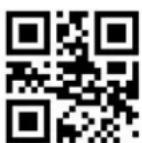
Low Sensitivity

Exit Setup

Set Same Code Delay time 500ms

Set Same Code Delay time 1000ms

Set Same Code Delay time 2000ms

Set Same Code Delay time 3000ms

Set Same Code Delay time 10,000ms
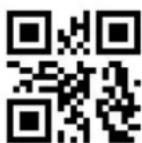
Set Same reading code delay time(100ms \~ 10,000ms)

Exit Setup

Set Image time 100ms

Set Image time 200ms

Set Image time 500ms

Set Image time 1000ms

Set Image time (100ms \~ 3,000ms)

Set Reading time 1,000ms

Set Reading time 2,000ms

Set Reading time 3,000ms

Set Reading time 5,000ms

Set Reading time 10,000ms

Set Reading time 20,000ms

Set Reading time (100ms \~ 25,500ms)

Exit Setup
Continuous Scanning Mode

Continuous Scanning Mode

Read interval setting (0ms \~ 4,000ms)

Set One Reading Time (100ms \~ 25,500ms)

Set Same Read Code Space Time (0ms \~ 10,000ms)

No Temporary Switching Manual Mode

Temporary switching Manual Mode

Exit Setup

Set Space time 0ms

Set Space time 100ms

Set Space time 200ms

Set Space time 500ms

Set Space time 1000ms

Set Space time 2000ms

Exit Setup

Set Reading Time 1,000ms

Set Reading Time 2,000ms

Set Reading Time 3,000ms

Set Reading Time 6,000ms

Set Reading Time 10,000ms

Set Reading Time 20,000ms

Set The Same Reading
Code Space Time 0ms

Exit Setup

Set The Same Reading Code Space Time 1000ms

Set The Same Reading Code Space Time 2000ms

Set The Same Reading Code Space Time 3000ms

Set The Same Reading Code Space Time 4000ms

Set The Same Reading Code Space Time 10,000ms

MISC

Ignore structural connection

Sequential output

Connected output

No Output Setting Code

Output Setting Code

Exit Setup
- Communication Interface
- Codabar
- Code 2 of 5 Interleaved
- Plessey Code
- Code 2 of 5 China Post
- Code 2 of 5 Matrix
- Code 2 of 5 Industrial
- Code 2 of 5 IATA
- Check Character Verification
- RSS-Limited
- Data Matrix
- Aztec Code
- Successful remind mode
- Good Read Beep Frequency
- Good Read Beep time
- Aiming
- Error Remind Mode
- Scanning Model
- Automatic Scanning Mode
- Continuous Scanning Mode
Brand : Aplic
Model : 303702
Category : Barcode scanners