
cd25.3 - Hi-Fi System Music Hall - Free user manual and instructions
Find the device manual for free cd25.3 Music Hall in PDF.


| Product Type | CD Player (High-Fidelity) |
| Dimensions (W x D x H) | 16.9 x 11.6 x 2.4 in (430 x 295 x 50 mm) |
| Weight (packaged) | 11 lbs (5 kg) |
| Power Supply | AC mains via included IEC cable |
| Frequency Response | 20 Hz - 20 kHz, +0 dB / -0.5 dB |
| Signal-to-Noise Ratio | 100 dB |
| Total Harmonic Distortion (THD) | < 0.005% (A-Weighted) |
| Output Level | 2.0V (1 kHz) |
| Output Impedance (Analog) | 100 Ω |
| Digital Outputs | Coaxial (75Ω) and Optical |
| DAC Chip | ESS ES9018K2M 32-bit/384 kHz |
| Transport | Sanyo HD850 |
| Remote Control | Yes (system remote, includes AAA batteries) |
| Standby Mode | Yes (red LED indicates standby) |
| Disc Format | Standard audio CDs |
| Operating Temperature | 5°C to 35°C (41°F to 95°F) |
| Safety Classification | Class 1 Laser Product |
| Cleaning Instructions | Wipe with a soft lint-free cloth; unplug before cleaning |
| Mounting | Fixed level surface; allow ventilation; avoid heat sources |
| Warranty | 1 year parts and labor (from authorized dealer) |
Frequently Asked Questions - cd25.3 Music Hall
User questions about cd25.3 Music Hall
0 question about this device. Answer the ones you know or ask your own.
Ask a new question about this device
Download the instructions for your Hi-Fi System in PDF format for free! Find your manual cd25.3 - Music Hall and take your electronic device back in hand. On this page are published all the documents necessary for the use of your device. cd25.3 by Music Hall.
USER MANUAL cd25.3 Music Hall
music hall
Congratulations on Your Purchase
You have selected a state-of-the-art cd player. Each component chosen for assembly. in the construction of the cd 25.3 cd player was selected to provide you with superior performance and the highest level of sound reproduction available today. Please take a few moments to read over the operating instructions to insure that you get the best performance from your unit and years of trouble-free service.
SAFETY GUIDELINES
This product is designed and manufactured to strict quality and safety standards. However, you should be aware of the following installation and operation precautions:
1. Take heed of warnings and instructions
Read all the instructions before connecting or operating the unit.
Keep this manual so you can refer to these safety instructions. Heed all warnings and safety information in these instructions and on the unit.
2. Water and Moisture
To reduce the risk of fire or electric shock, do not expose the unit to moisture or water. If the unit is exposed to moisture, immediately disconnect the power cord from the wall. Take the unit to an authorized Nusic Hall service center for inspection. Do not touch the unit, power cord, or plug with wet hands.
3. Object or liquid entry
Do not allow foreign objects or liquids into the unit. If this happens, immediately disconnect the power cord from the wall and take the unit to an authorized music Hall service center for inspection.
4. Ventilation
Please allow for a small amount of unobstructed clearance around the unit. Do not place the unit on a bed, sofa, rug, or similar surface that could block ventilation from the bottom. Avoid stacking other components on top of the unit. If the component is placed in a bookcase or cabinet, the cabinet should be ventilated to allow proper cooling.
5. Heat
Keep the unit away from naked flames, radiators, heat registers, stoves, or any other heat-producing appliances (including amplifiers).
6. Climate
The unit has been designed for use in moderate climates. Do not attempt to use below 41 degrees Fahrenheit (5 degrees Celsius) or above 95 degrees Fahrenheit (35 degrees Celsius).
7. Rack and Stands
Place the unit on a fixed, level surface strong enough to support its weight. Do not place it on a moveable cart that could tip over. We recommend only using stands approved for use with audio equipment.
8. Cleaning
Unplug the unit from the mains supply before cleaning. The case should normally require only a wipe with a soft lint-free cloth.
9. Power Sources
Only connect the unit to a power supply of the type and voltage described in the operating instructions or specified on the rear panel of the unit.
10. Power cord protection
Connect the unit to the power outlet only with the cord supplied. Do not modify the supplied cable in any way. Do not attempt to defeat grounding and/or polarization provisions. Do not use extension cords. Do not route the power cord where it will be crushed, pinched, bent at severe angles, exposed to heat, or damaged in any way.
11. Non-use periods
If the unit is to be left unused for a long period of time, the power cord should be unplugged from the wall outlet.
12. Damage Requiring Service
Stop using the unit immediately and have it inspected by an authorized Music Hall service center whenever:
- The power supply cord or plug has been damaged.
- Liquid has been spilled into the unit.
- The unit has been exposed to rain.
- The unit does not operate properly.
- The unit has been dropped or damaged.
- Smoke or any unusual smell is detected from the unit.
CAUTION:
IMPORTANT FOR LASER PRODUCTS
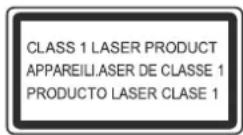
- CLASS 1 LASER PRODUCT
- DANGER: Visible laser radiation when open and interlock failed or bypassed. Avoid direct exposure to beam.
- CAUTION: Do not open the top cover. There are no user serviceable parts inside the player, leave all servicing to qualified service personnel.
WARNING!
To reduce the risk of electrical shock, fires, etc.:
- Do not remove screws, covers or cabinet.
- Do not expose the unit to rain or moisture.
- Do not touch the power cord or plug with wet hands.
CAUTION: TO REDUCE THE RISK OF ELECTRIC SHOCK, DO NOT REMOVE COVER. NO USER-SERVICEABLE PARTS INSIDE. REFER SERVICING TO QUALIFIED SERVICE PERSONNEL.

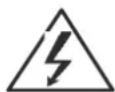

Indicates that the user of this unit must understand important operation and maintenance instructions.
Indicates high-voltage power inside the unit, which will cause electric shock.
Getting Started
Thank you for purchasing the Music Hall cd 25.3 cd player. It is assembled using hand selected parts, a precision cd transport.
When used in a top-end audio system, your Music Hall's cd player will provide years of enjoyment. The cd 25.3 is the perfect complement to Music Hall's a 25.3 integrated amplifier.
A Few Precautions
Please read this manual carefully. In addition to installation and operating instructions, it provides valuable information that will help you get optimum performance from your system. Please contact your authorized Music Hall dealer for answers to any questions you might have. In addition, all of us at music Hall welcome your questions and comments.
Save the Music Hall cd 25.3 shipping carton and all enclosed packing material for future use. Shipping or moving the c d 25.3 in anything other than the original packing material may result in severe damage that is not covered by the warranty. Be sure to keep the original sales receipt. It is your best record of the date of purchase, which you will need in the event warranty service is required.
Placement
Use common sense when placing the cd 25.3. Always place the dac cd player on a level, firm surface. Blake sure that the shelf or cabinet can support its weight. Do not stack heavy components on top of the cd 25.3. Avoid placing the unit where it may be subject to excessive heat, such as on top of a large power amplifier or near a heat register. For best performance, avoid placing the unit where it may be subject to vibration, such as near a speaker.
Output Connections

Audio Output
These outputs are located on the back of your cd25.3 and are labeled AUDIO OUTPUT. Connect these outputs to a line level (cd, dac) input on your amplifier. Match the Red (+) interconnect lead to the (R) analog out and the White (-) interconnect lead to the (L) analog out.
Digital Output
Use this output to connect to a device with a coaxial/optical digital input. A suitable 75 ohm screened cable should be used. Never connect the digital output socket to a conventional audio input.
Connecting to the Mains
Plugging In
Check that the power switch on the right of the unit is in the off position. Push the plug (IEC line socket) of the power cable supplied with the cd 25.3 into the socket (AC IN) on the back of the unit. Make sure it is pressed in firmly. Plug the other end of the power cable into an AC wall outlet.
Using Your cd 25.3

power
Press this button to turn on the cd 25.3 player on and off.
led status indication: this illuminated display indicates the cd 25.3 2 possible states: led is illuminated blue: the cd 25.3 is switched on. the device is ready for use. led is illuminated red: the cd 25.3 is in the standby mode.
open/close
Press once to open or close the cd drawer.
play/pause
Press to play the cd. Press again to pause playing.
stop
Stops the cd playing.
Prev. and next
To advance forward or backward to different tracks on the disc, press on the button in the direction of the track you wish to hear.
Using The Remote Control
Note: Install the two AAA batteries supplied before trying to use your remote control.
The supplied remote control is a system remote and therefore not all buttons will function with the cd 25.3. The remote controls the cd 25.3 and a 25.3
integrated amp.
Do not place anything in front of the display area of the unit, or the remote
control may not work.how to change to symbols on mac keyboard
6
music hall a25.3/cd25.3
① (PREVIOUS) / (PLAY/PAUSE)
(NEXT)
Skips to the previous / next track. Pressing the button successively continues this function. Note: There is no need to hit the play button. Once the desired track is located, remove your finger. The player will automatically begin playing your selected track.
Allows you to start or pause disc playing. Pressing once, starts the disc playing. Pressing again, pauses play. Pressing one more time, resumes play.
② OPEN/CLOSE
Press this button to open and close the cd drawer.
③ (FAST BACKWARD) / ■ (STOP) / p¥• (FAST FORWARD)
Scans backward / forward while the disc is playing.
Stops disc playing. Pressing twice will delete a stored program once it has played.
④ BUTTONS NUMBERED 1-0
These buttons allow direct access to individual tracks on the disc. To select a track, press the corresponding keypad button. The player will move to the selected track and begin playing. There is no need to hit the play button. For tracks greater than 9, enter the digits in sequence. For example, to play track 13, press 1, then 3. The display will show 13 and the cd will begin playing in a few seconds.

⑤ DIMMER
Dims the display. Press the dimmer button repeatedly to toggle through the settings.
7 —
⑥ REPEAT / RANDOM
This button allows you to continuously repeat the current track selected or all tracks on the disc. First press the play button, then press this button once (an repeat one appears on the display) and the current track will repeat. Press this button button again (an repeat all appears on the display) and the entire disc (all tracks) will repeat third time press this button (an repeat off appears on the display) and turn off the repeat function. the fourth time press this button (an random one appears on the display) and this instructs the cd player to play tracks from the entire disc in random order, once all of the tracks have been played, the disc will stop playing. than Press this button button again (an random off appears on the display) and turn off the random function.
Technical Specifications
Specification
Analog Outputs
| Frequency response: | 20Hz- 20KHz, +0dB / -0.5dB |
| Signal-to-noise ratio: | 100dB |
| Dynamic: | >95dB |
| Channel separation: | >80dB, 1kHz |
| THD: | <0.005% (A-Weighted) |
| Output Level: | 2.0V, 1kHz Output impedance: 100Ω |
Digital Output
COAXIAL/OPTICAL
| Output impedance: | 75 Ω |
| Open Voltage: | 1.0 Vp-p |
| Load Voltage: | 0.5 Vp-p |
| CD DAC: | ESS ES9018K2M 32bit/384 KHz |
| DIGITAL INPUTS DAC: | Comtrue CT5302 |
| Transport: | Sanyo HD850 |
| Digital Output Connection: Coaxial: | 75 ohm |
Physical
| Dimensions: | w16.9 x d11.6 x h2.4 in (w430 x d295 x h50 mm) |
| Weight: | 11 lbs. pkgd. (5 kg) |
Supplied Accessories: Mains Lead, Remote Control, 2 x AAA Batteries,
Radio Interference
The cd 25.3 is a digital audio device that has been designed to very high standards of electromagnetic compatibility.
cd players generate and can radiate RF (Radio Frequency) energy. In some cases this can cause interference with FBI and AM radio reception. If this is the case, keep the dac cd player and its connecting cables as far from the tuner and its antenna. Connecting the cd 25.3 and the tuner to different mains sockets may also help to reduce interference.
USA - This product complies with FCC requirements.
Guarantee
This entitles you to have the Music Hall cd 25.3 repaired or replaced, at our discretion, free of charge for one year after purchase, at any authorized Music Hall dealer, provided the unit was purchased from an authorized dealer. Your original sales receipt is used as proof of purchase date. music Hall can take no responsibility for defects arising from accident, misuse, abuse, wear and tear, neglect or through unauthorized repair and or adjustment; neither can Music Hall accept responsibility for damage or loss occurring during transit to or from the person claiming under the guarantee.
Warranty
Your music Hall c d 25.3 warranty covers parts and labor costs for one year from the purchase date. After one year, you must pay for both parts and labor costs. The warranty does not cover transportation costs at any time.
Claims under guarantee
The cd 25.3 should be packed in the original packing and returned to the dealer from whom it was purchased, or to an authorized music Hall Service Center. It should be sent by a reputable carrier carriage prepaid. Do not send the dac/cd player via USPS (United States Postal Service). No responsibility can be accepted for the unit while in transit to the dealer, customer, or authorized service agent, therefore, customers are advised to insure the unit against loss, damage, or theft while in transit.
For further details contact Music Hall LLC:
108 Station Road
Great Neck, NY 11023
T: 516.487.3663
F: 516.773.3891
W: http://www.musichallaudio.com
- Congratulations on Your Purchase
- SAFETY GUIDELINES
- Take heed of warnings and instructions
- Water and Moisture
- Object or liquid entry
- Ventilation
- Heat
- Climate
- Rack and Stands
- Cleaning
- Power Sources
- Power cord protection
- Non-use periods
- Damage Requiring Service
- CAUTION:
- IMPORTANT FOR LASER PRODUCTS
- WARNING!
- Getting Started
- A Few Precautions
- Placement
- Output Connections
- Audio Output
- Digital Output
- Connecting to the Mains
- Plugging In
- Using Your cd 25.3
- power
- open/close
- play/pause
- stop
- Prev. and next
- Using The Remote Control
- ⑥ REPEAT / RANDOM
- Technical Specifications
- Specification
- Physical
- Radio Interference
- Guarantee
- Warranty
- Claims under guarantee
Brand : Music Hall
Model : cd25.3
Category : Hi-Fi System