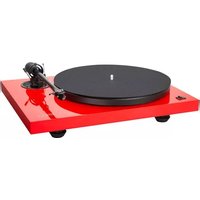
PA2.2 - Hi-Fi System Music Hall - Free user manual and instructions
Find the device manual for free PA2.2 Music Hall in PDF.


Pick your language and provide your email: we'll send you a specifically translated version.
| Product Type | Phono Preamplifier |
| Brand | Music Hall |
| Model | PA2.2 |
| Dimensions (W x D x H) | Approx. 170 x 100 x 50 mm |
| Weight | Approx. 0.5 kg |
| Power Supply | External DC adapter, 12V/500mA |
| Input | RCA (phono) with ground terminal |
| Output | RCA line level |
| Gain | 40 dB (moving magnet) / 60 dB (moving coil selectable) |
| Input Impedance | 47 kΩ (MM) / 100 Ω (MC) |
| RIAA Equalization | Accurate to ±0.5 dB |
| Signal-to-Noise Ratio | > 80 dB (MM) |
| Total Harmonic Distortion | < 0.01% |
| Frequency Response | 20 Hz - 20 kHz ±0.5 dB |
| Chassis Material | Aluminum with black anodized finish |
| Compatibility | Moving magnet and moving coil cartridges |
| Warranty | 2 years (limited) |
Frequently Asked Questions - PA2.2 Music Hall
How do I connect my turntable to the PA2.2?
Connect the turntable's RCA cables to the Input RCA jacks on the PA2.2. Ensure you also connect the ground wire from your turntable to the GND terminal on the preamp to reduce hum.
Can I use the PA2.2 with a moving coil (MC) cartridge?
Yes, the PA2.2 supports both moving magnet (MM) and moving coil (MC) cartridges. Use the gain switch on the rear panel to select the appropriate gain setting (MM: 40 dB, MC: 60 dB).
What power adapter does the PA2.2 require?
The PA2.2 uses an external DC power adapter with 12V output and at least 500mA current rating. The center pin is positive.
Why do I hear a humming noise?
Hum is often caused by a ground loop. Ensure the ground wire from your turntable is securely connected to the GND terminal. Also, keep the PA2.2 away from power supplies and other electronics.
What is the output level of the PA2.2?
The output level is line level (typically 200-500 mV for MM, higher for MC). This can be connected to any aux input on your amplifier or receiver.
How do I switch between MM and MC modes?
Locate the gain switch on the rear panel. Slide it to the MM position for moving magnet cartridges or the MC position for moving coil cartridges. Turn the unit off before switching.
Does the PA2.2 come with a power supply?
Yes, the PA2.2 includes a 12V DC adapter in the box. If lost, you can use any compatible adapter with the correct polarity.
Can I use the PA2.2 with a powered speaker?
Yes, you can connect the PA2.2's RCA output directly to the RCA input of powered speakers or an amplifier with line-level inputs.
How do I clean the PA2.2?
Use a soft, dry cloth to clean the chassis. Do not use any liquids or solvents. Keep the unit away from moisture and dust.
What is the warranty period for the PA2.2?
Music Hall offers a 2-year limited warranty against defects in materials and workmanship. Keep your receipt for proof of purchase.
User questions about PA2.2 Music Hall
0 question about this device. Answer the ones you know or ask your own.
Ask a new question about this device
No questions yet. Be the first to ask one.
Download the instructions for your Hi-Fi System in PDF format for free! Find your manual PA2.2 - Music Hall and take your electronic device back in hand. On this page are published all the documents necessary for the use of your device. PA2.2 by Music Hall.
USER MANUAL PA2.2 Music Hall

Manual assistant
Powered by Anthropic
Waiting for your message
Product information
Brand : Music Hall
Model : PA2.2
Category : Hi-Fi System