
SLFOLD10 - Treadmills SereneLife - Free user manual and instructions
Find the device manual for free SLFOLD10 SereneLife in PDF.


| Product Type | Folding Treadmill |
| Brand | SereneLife |
| Model | SLFOLD10 |
| Dimensions (Unfolded) | Approx. 60 x 26 x 45 inches |
| Dimensions (Folded) | Approx. 30 x 26 x 55 inches |
| Product Weight | Approx. 50 lbs (22.7 kg) |
| Max User Weight | 220 lbs (100 kg) |
| Motor Power | 2.0 HP DC |
| Speed Range | 0.5 - 6 mph (0.8 - 9.7 km/h) |
| Incline | Manual, 3 levels |
| Display | LED/LCD: Time, Distance, Speed, Calories, Pulse |
| Preset Programs | 12 |
| Heart Rate Monitor | Hand pulse sensors |
| Safety Feature | Safety key with tether |
| Foldable | Yes, with hydraulic folding system |
| Transport Wheels | Yes |
| Power Supply | 120V, 60Hz |
| Warranty | 1 year limited |
| Cleaning | Wipe with damp cloth; do not use solvents |
| Maintenance | Lubricate belt every 3 months; tighten bolts |
Frequently Asked Questions - SLFOLD10 SereneLife
User questions about SLFOLD10 SereneLife
0 question about this device. Answer the ones you know or ask your own.
Ask a new question about this device
Download the instructions for your Treadmills in PDF format for free! Find your manual SLFOLD10 - SereneLife and take your electronic device back in hand. On this page are published all the documents necessary for the use of your device. SLFOLD10 by SereneLife.
USER MANUAL SLFOLD10 SereneLife
natural_image
Black treadmill with green accent stripe and 'ULTRA PRO 10' branding, no visible text or symbols on the device itself.SLFOLD10
Folding Treadmill Electric Motorized Running Machine
2.5 HP Power, 3 White LED Display & Mobile Phone/Tablet for Indoor Exercise
USER GUIDE
IMPORTANT: Read all instructions carefully before using this product. Retain this owner's manual for future reference. The specifications of this product may vary from this photo and are subject to change without prior notice.
IMPORTANT SAFETY INSTRUCTIONS
Basic precautions, including the following important safety instructions, should always be followed when using this treadmill. Read all instructions before using this treadmill.
DANGER: To reduce the risk of electric shock, always unplug the treadmill from the electrical outlet immediately after use and before cleaning, assembling, or servicing the treadmill. Failure to follow these instructions may result in personal injury and damage to the treadmill.
WARNING: To reduce the risk of burns, fire, electric shock, or injury to any persons, please read the following:
- Never leave the treadmill unattended while it is plugged in. Disconnect it by turning off the master power switch and unplugging it from the wall outlet when not in use and before attaching or removing parts.
- Use this appliance only for its intended purpose as described in this manual. Do not use attachments that are not recommended by the manufacturer.
- Do not operate this treadmill if it has a damaged cord or plug, or if it is not functioning properly. If it has been dropped, damaged, or exposed to water, return the appliance to a service center for examination and repair.
- Do not attempt any maintenance or adjustments other than those described in this manual. If any problems arise, stop using the treadmill and consult an Authorized Service Representative.
- Never operate the appliance with the air openings blocked.
Keep the air openings free of lint, hair, and other obstructions. - Do not use the treadmill outdoors.
Do not pull the treadmill by its power cord or use the cord as a handle. - Keep children and pets away from the equipment while it is in use.
- Elderly or disabled users should only use this treadmill in the presence of an adult who can provide assistance if needed.
- Do not operate it in areas where aerosol (spray) products are being used or where oxygen is being administered.
-
Keep it dry - do not operate it in wet or moist conditions.
-
The motor cover can become hot while the treadmill is in use. Do not place the treadmill on a blanket or other flammable surface as this can create a fire hazard.
- Keep the electrical cord away from heated surfaces.
- Keep the treadmill on a solid, level surface with a minimum safety area clearance of two meters around the treadmill. Ensure that the area around the treadmill remains clear of any obstructions during use.
- This treadmill is for domestic household use only.
- Only one person should use the treadmill at a time.
- Wear comfortable and suitable clothing when using the treadmill. Do not use the treadmill barefoot or in socks. Always wear appropriate, enclosed athletic footwear. Never wear loose or baggy clothing as it can become caught on the treadmill and create an entrapment hazard.
• Always hold onto the handrails while using the treadmill. - Always ensure that the spring knob and round knob are in place when folding and moving the treadmill.
- Do not leave children who are under 12 years old unsupervised near or on the treadmill.
- To disconnect, turn all controls to the off position, then remove the plug from the wall outlet.
- This appliance is not intended for use by persons (including children) with reduced physical, sensory, or mental capabilities, or a lack of experience and knowledge unless they have been given supervision or instruction concerning the use of the appliance by a person responsible for their safety.
- Children should not be allowed to play on or near the treadmill at any time.
- CAUTION - RISK OF INJURY TO PERSONS - To avoid injury, use extreme caution when stepping onto or off of a moving treadmill belt.
Carefully read this instruction manual before use.
• Maximum Weight Capacity is 265 lbs.
- Pull out the Safety Tether Key for an emergency stop.
- This unit must be plugged into a nominal 120-volt 60 Hz outlet that has been grounded.
- Keep hands clear of all moving parts. Never place hands or feet under the treadmill while it is in use.
- Do not use the treadmill on a carpet that is greater than 1.3 cm in height.
- Before using the treadmill, check that the belt is aligned and centered on the running deck and that all visible fasteners on the treadmill are sufficiently tightened and secure.
• Children shall not play with the appliance.
- Cleaning and user maintenance shall not be performed by children without supervision.
- If the supply cord is damaged, it must be replaced by the manufacturer, its service agent, or similarly qualified persons in order to avoid a hazard.
- Never operate this treadmill if it is in the folded position.
- Allow the running belt to fully stop, and unplug the power cord from the wall outlet before folding up the treadmill.
• Always face towards the computer console and do not run backward on the running belt.
WARNING: Before starting any exercise program, consult your physician, especially if you are over 35 years old or have pre-existing health problems. Read all instructions before using any fitness equipment.
Do not operate this exercise equipment without properly fitted guards, as the moving parts can pose a serious risk of injury if exposed.
CAUTION: Read all instructions carefully before operating this product. Keep this Owner's Manual for future reference.
TOOL KIT
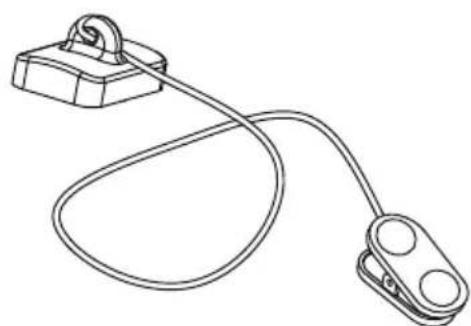
natural_image
Line drawing of a cable and clamp device with a handle (no text or symbols)Safety Tether Key x 1
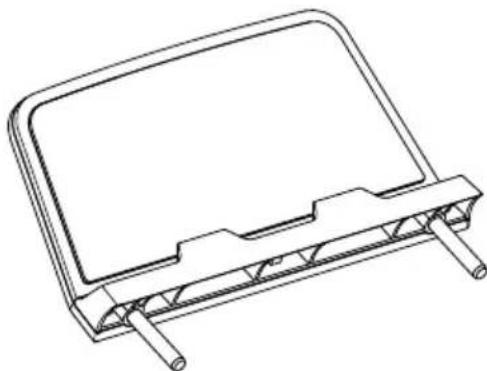
natural_image
Technical line drawing of a mechanical component with mounting brackets and a flat plate (no text or symbols)Tablet Holder x 1
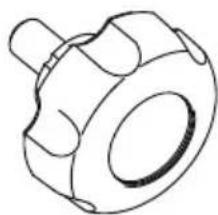
natural_image
Technical line drawing of a mechanical component with no visible text or symbolsComputer Knob x2
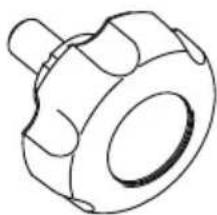
natural_image
Technical line drawing of a mechanical component with no visible text or symbols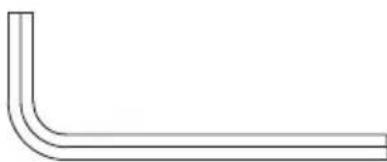
natural_image
Simple line drawing of a bent pipe or elbow joint (no text or symbols)Allen Key x 1
PARTS LIST
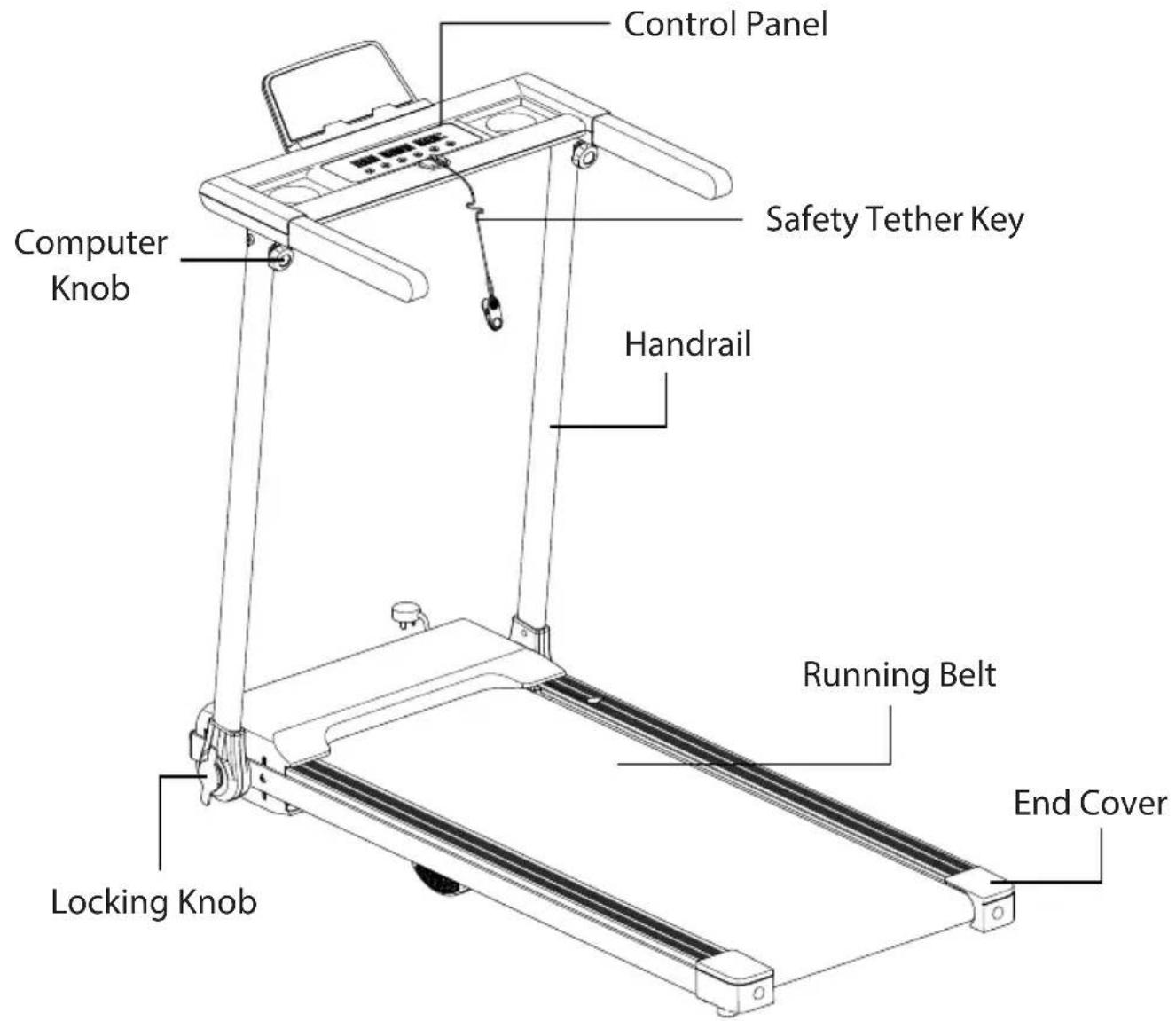
ASSEMBLY INSTRUCTION
STEP 1
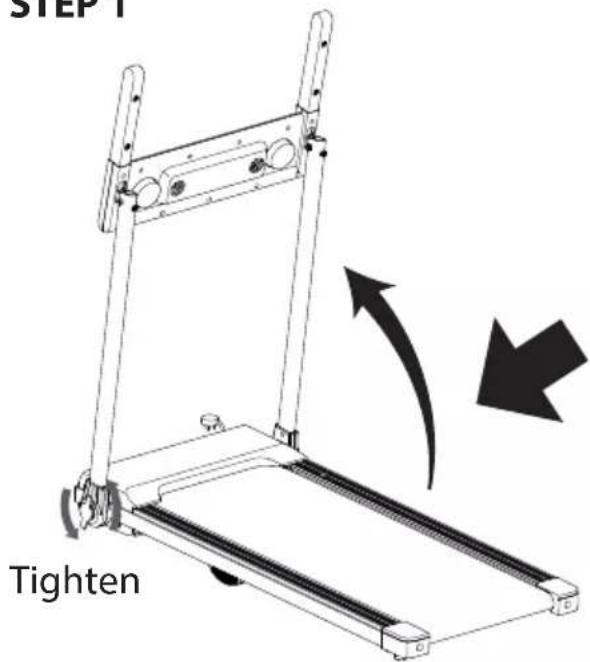
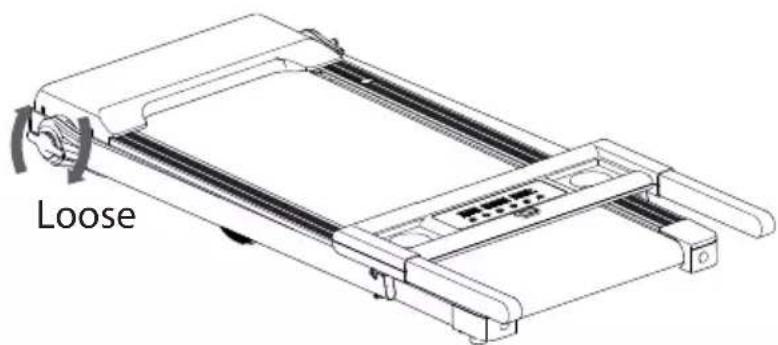
It is recommended to have a second person assist with this step.
Slightly loosen the Locking Knobs on both the Right and Left Handlebar Support Tubes to lift them up. One person should hold both the Right and Left Handlebar Support Tubes in place while the other person tightens the Locking Knobs.
STEP 2
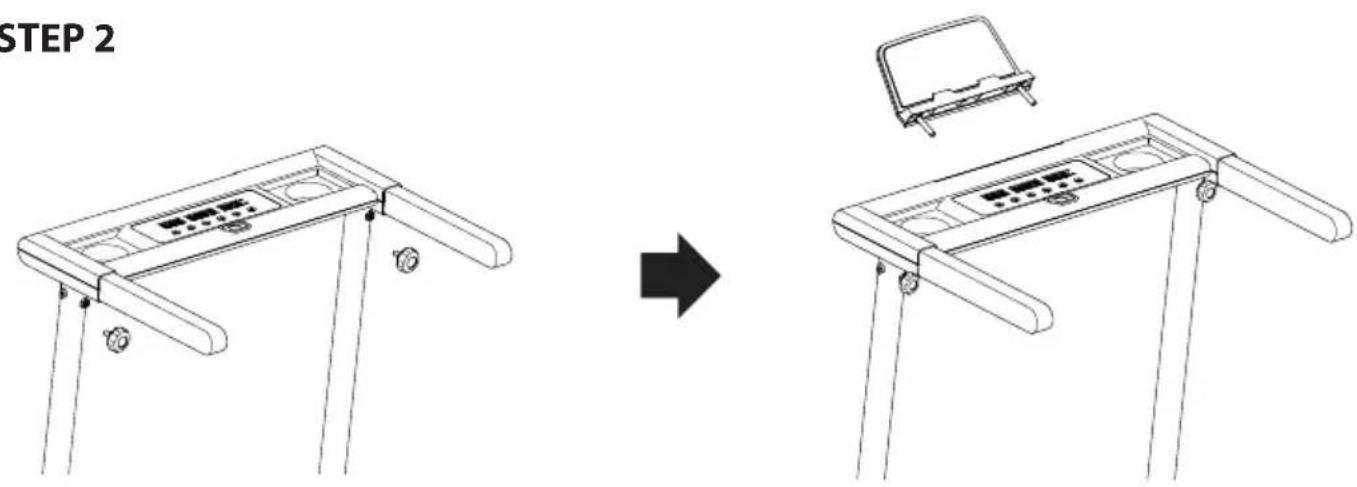
A. Use two Computer Knobs to tighten the Computer Console.
B. Install the Tablet Holder onto the Computer Console.
FOLDING THE TREADMILL
natural_image
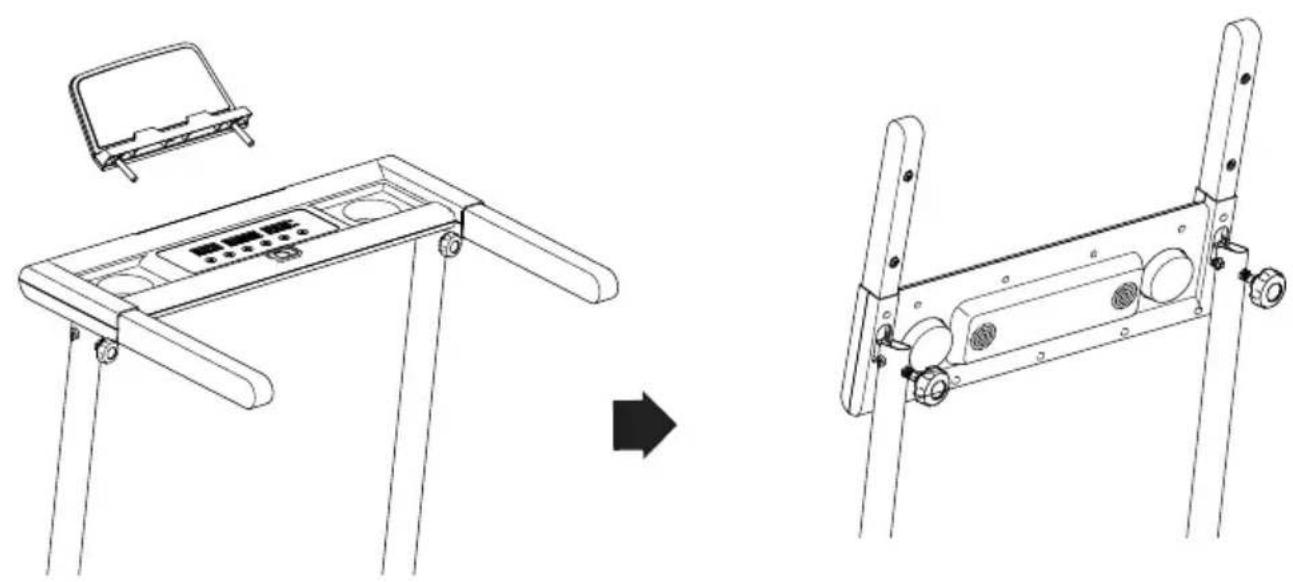
Technical line drawing showing a device with a handle and panel, before and after assembly (no text or symbols)Remove the Tablet Holder and semi loose the Computer Knobs to fold the Computer Console.
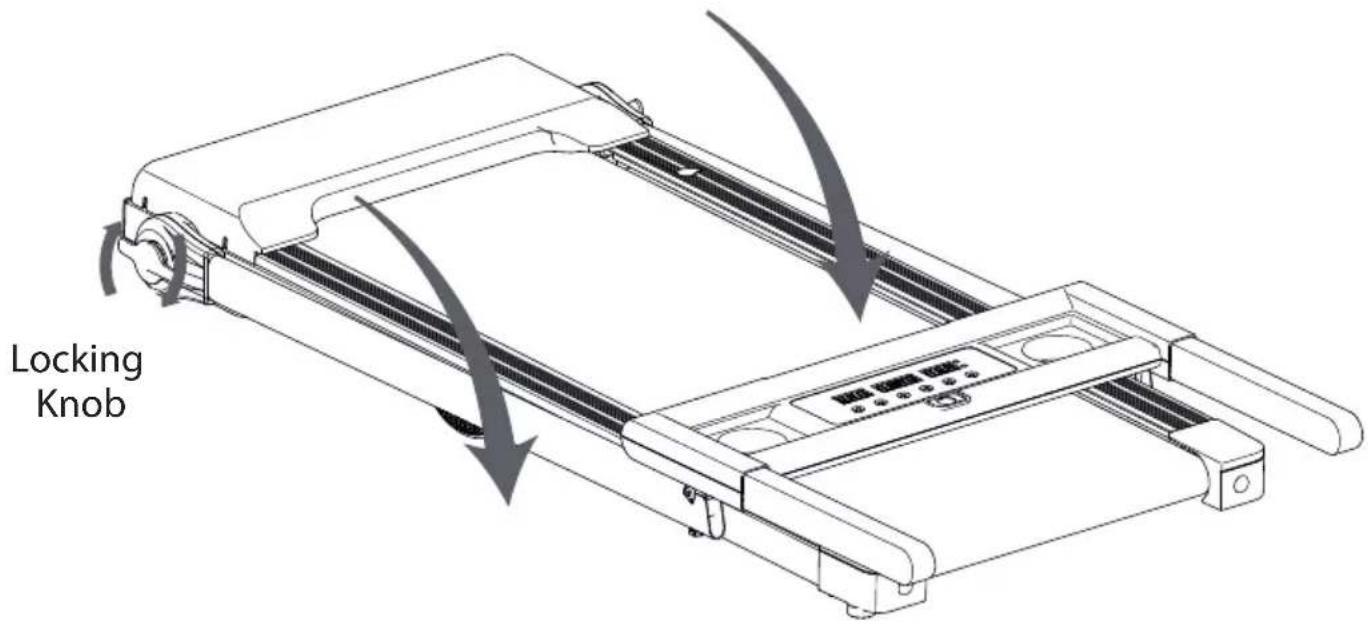
Slightly loosen the Locking Knobs, and adjust both the Right and Left Handlebar Support Tubes to the correct position before tightening them again.
natural_image
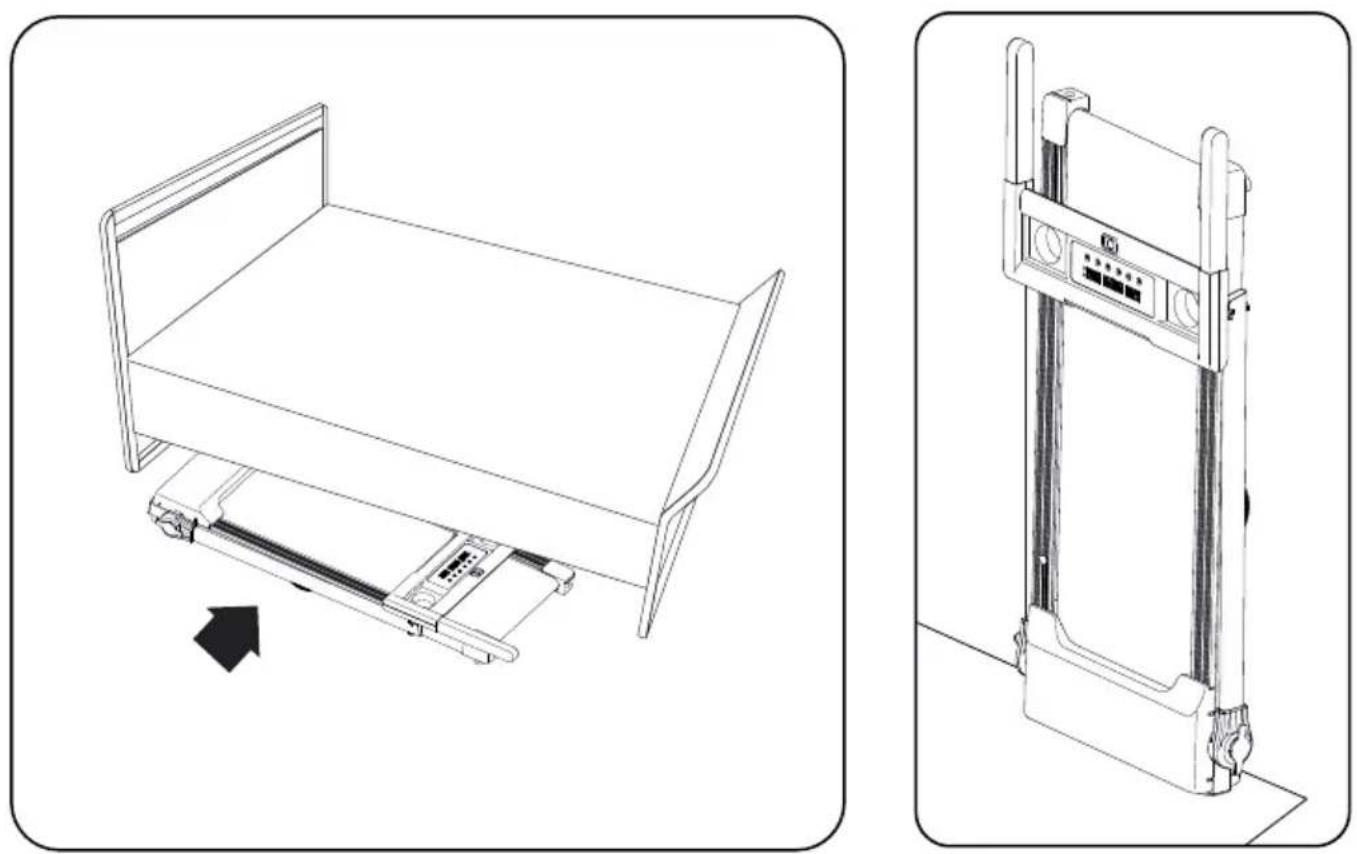
Technical line drawing of a bed with internal components and a vertical scale mechanism (no text or symbols)You could store the treadmill under the bed or stand against the wall.
CONTROL PANEL
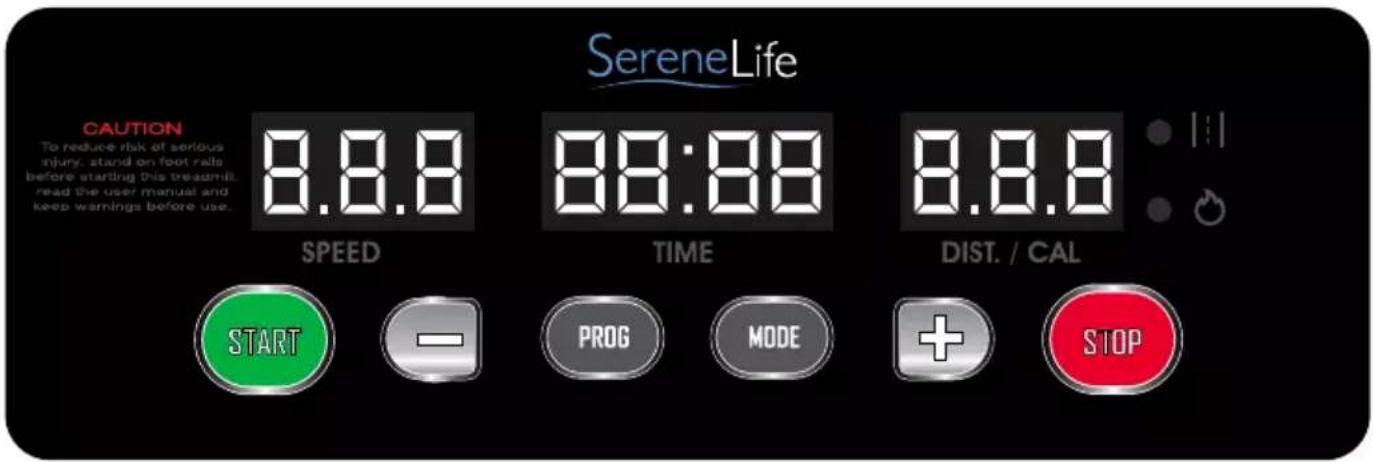
NOTE: Always stand on the side rails when you start the treadmill, never start the treadmill while you are standing on the running belt.
DISPLAY FUNCTIONS
QUICK START:
Press the START button on the computer to begin exercising. The running belt starts moving with an initial speed of 0.6MPH. You may press the SPEED + or SPEED - button on the computer console to increase or decrease the running speed during exercise. During workout, you may press the STOP button on the computer console to end your workout at any time.
START: Press the START button to begin exercising.
STOP: Press the STOP button to end your workout.
MODE: To select different function (TIME, DISTANCE, or CALORIES) for setting exercise goals in manual program mode before training.
PROG (PROGRAM): To select your chosen workout (P1 to P12).
SPEED +: To adjust the function value up. To increase running speed adjustments during all training periods on different training modes.
SPEED -: To adjust the function value down. To decrease running speed adjustments during all training periods on different training modes.
DISPLAY FUNCTIONS
TIME: Displays your elapsed workout time in minutes and seconds.
You may also pre-set target time in STOP mode before training.
To set TIME press the MODE button on the computer console until you see the split window of TIME begin blinking. Press the SPEED + or SPEED - button on the computer console to change the setting.
The pre-set target time range is from 5:00 to 99:00 minutes. Once you pre-set target time, press the START button on the computer to begin exercising.
SPEED: Displays the current speed from the minimum 0.6 MPH to the maximum 7.5 MPH.
DIS (DISTANCE): Displays the accumulative distance traveled during workout.
You may also pre-set target distance in STOP mode before training.
To set DIS (DISTANCE) press the MODE button on the computer console until you see the split window of DIS (DISTANCE) begin blinking.
Press the SPEED + or SPEED - button on the computer console to change the setting. The pre-set target distance range is from 1.00 to 65.0 km.
Once you pre-set target distance, press the START button on the computer to begin exercising.
CAL (CALORIES): Displays the total calories burned during your workout.
You may also pre-set target calories in STOP mode before training.
To set CAL (CALORIES) press the MODE button on the computer console until you see the split window of CAL (CALORIES) begin blinking.
Press the SPEED + or SPEED - button on the computer console to change the setting. The pre-set target calories range is from 10 to 995 calories.
Once you pre-set target calories, press the START button on the computer to begin exercising.
TRAINING IN PRE-SET PROGRAM MODE:
When in PROGRAM mode, press the PROG (PROGRAM) button to select your chosen workout (P01 to P12). Press the SPEED + or SPEED - button to change the setting. Press the START button to confirm and start your workout.
| PROG | 1 | 2 | 3 | 4 | 5 | 6 | 7 | 8 | 9 | 10 | 11 | 12 | 13 | 14 | 15 | 16 | 17 | 18 | 19 | 20 |
| P1 | 1.5 | 2.0 | 2.0 | 2.5 | 3.0 | 2.0 | 2.5 | 3.0 | 3.0 | 2.0 | 2.5 | 3.0 | 2.5 | 2.5 | 1.5 | 2.0 | 3.0 | 2.0 | ||
| P2 | 1.5 | 2.5 | 2.5 | 3.0 | 3.5 | 2.5 | 3.5 | 3.5 | 3.5 | 2.5 | 3.0 | 3.5 | 2.5 | 2.5 | 1.5 | 1.5 | 3.0 | 2.5 | 1.5 | |
| P3 | 1.5 | 2.5 | 2.5 | 3.5 | 3.5 | 2.5 | 4.0 | 4.0 | 4.0 | 2.5 | 4.0 | 4.0 | 2.5 | 2.5 | 1.5 | 2.5 | 3.0 | 2.0 | 1.5 | |
| P4 | 2.0 | 3.0 | 3.0 | 3.5 | 4.0 | 4.0 | 3.0 | 4.0 | 4.0 | 5.0 | 5.0 | 3.0 | 5.5 | 3.0 | 3.5 | 3.5 | 2.5 | 2.5 | 2.0 | |
| P5 | 1.5 | 2.5 | 2.5 | 3.0 | 3.5 | 4.0 | 4.0 | 3.0 | 3.5 | 4.0 | 5.0 | 5.0 | 3.0 | 2.5 | 3.5 | 3.0 | 3.0 | 2.5 | 1.5 | |
| P6 | 1.5 | 2.5 | 2.0 | 2.5 | 3.0 | 2.5 | 5.0 | 4.0 | 3.0 | 4.0 | 5.0 | 2.0 | 3.5 | 2.5 | 1.5 | 3.0 | 2.5 | 2.0 | 1.5 | |
| P7 | 1.5 | 2.0 | 2.0 | 2.0 | 2.5 | 3.0 | 2.0 | 2.5 | 3.0 | 2.0 | 2.5 | 3.0 | 2.0 | 2.0 | 3.5 | 3.5 | 3.0 | |||
| P8 | 1.5 | 2.0 | 2.0 | 3.5 | 4.0 | 4.0 | 2.5 | 3.5 | 4.0 | 2.5 | 2.5 | 2.5 | 3.5 | 4.0 | 2.5 | 2.5 | 5 | 1.5 | 2.0 | 1.5 |
| P9 | 1.5 | 2.5 | 2.5 | 4.0 | 4.0 | 2.5 | 4.0 | 5.0 | 2.5 | 5.0 | 5.5 | 5.5 | 2.5 | 2.5 | 2.5 | 3.0 | 3.5 | 2.0 | 2.0 | 1.5 |
| P10 | 1.5 | 2.5 | 3.0 | 3.5 | 4.0 | 3.0 | 2.5 | 3.5 | 5.0 | 5.0 | 3.5 | 3.5 | 3.0 | 2.5 | 2.5 | 1.5 | 2.5 | 2.0 | 2.0 | |
| P11 | 2.0 | 2.5 | 3.0 | 5.5 | 3.0 | 5.5 | 3.0 | 3.0 | 3.0 | 5.5 | 5.5 | 3.0 | 3.0 | 3.0 | 5.5 | 5.5 | 5.0 | 4.0 | 3.5 | 2.0 |
| P12 | 1.5 | 3.0 | 5.0 | 6.0 | 4.0 | 4.0 | 6.0 | 6.0 | 4.0 | 4.0 | 6.0 | 6.0 | 3.5 | 3.5 | 5.5 | 5.5 | 3.0 | 3.0 | 2.5 | 2.0 |
LUBRICATION
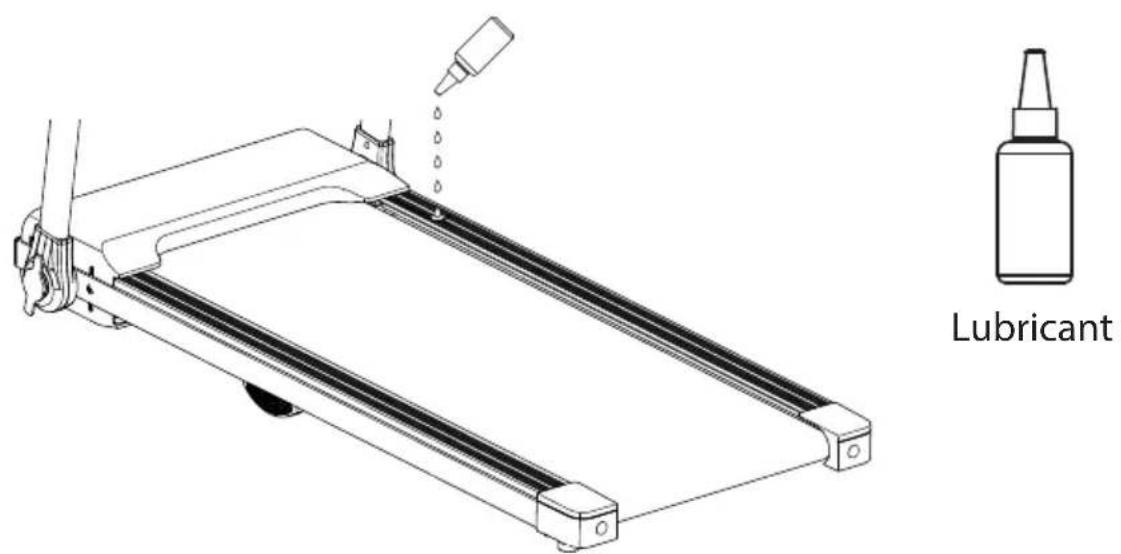
Lubricating your treadmill running belt will ensure superior performance and extend its life expectancy. When you receive your treadmill please apply some lubricant into each oil cap. After the first 25 hours of use (or 2-3 months) apply some lubricant and repeat for every following 50 hours of use (or 5-8 months). Run on the treadmill at a slow speed for 3 to 5 minutes to evenly distribute lubricant.
How to check running belt for proper lubrication
Remove the cap on the lubrication system, squeeze few drops of lubricant inside. If the surface is slick to the touch, then no further lubrication is required. If the surface is dry to the touch, apply some lubricant. Avoid over oiling the running deck.

Brand : SereneLife
Model : SLFOLD10
Category : Treadmills