
OpenComm UC - Headphones AFTERSHOKZ - Free user manual and instructions
Find the device manual for free OpenComm UC AFTERSHOKZ in PDF.


| Type | Open-ear Bone Conduction Headphones |
| Model | OpenComm UC |
| Brand | AfterShokz |
| Connectivity | Bluetooth 5.1 |
| Battery | Rechargeable lithium-ion, magnetic charging cable |
| Microphone | Noise-canceling microphone |
| Water Resistance | Water-resistant, not waterproof |
| Operating Temperature | 0~45°C (32~113°F) |
| Storage Temperature (Adapter) | 0~55°C (32~131°F) |
| EQ Modes | Standard, Earplug mode |
| Voice Assistant | Compatible (long press multifunction button) |
| NFC Pairing | Supported |
| Bone Conduction Technology | Yes |
| Multifunction Button | Play/pause, answer/end calls, skip tracks, voice assistant |
| Mute Function | During calls (hold Volume + and -) |
| Battery Status | Voice prompts: high/medium/low/charge me |
| Moisture Detection | Alerts if charging port is wet |
| Safety | Do not disassemble or expose to heat |
| Warranty | Limited warranty, see website for details |
| What's in the Box | Headset, USB-A adapter, magnetic charging cable, user guide |
Frequently Asked Questions - OpenComm UC AFTERSHOKZ
User questions about OpenComm UC AFTERSHOKZ
0 question about this device. Answer the ones you know or ask your own.
Ask a new question about this device
Download the instructions for your Headphones in PDF format for free! Find your manual OpenComm UC - AFTERSHOKZ and take your electronic device back in hand. On this page are published all the documents necessary for the use of your device. OpenComm UC by AFTERSHOKZ.
USER MANUAL OpenComm UC AFTERSHOKZ
Pairing to Mobile Device 06
Pairing to PC 07
NFC Pairing 09
How to Wear 11
Volume 12
Mute the Microphone 13
Multifunction Button 14
Check Battery Status 17
EXTRA FEATURES
EQ Modes 19
Switching EQ modes 20
Restore Factory Settings 21
Changing languages 23
CARE AND MAINTENANCE
Charging Tips 26
Moisture Detection Alert 27
Storage and Maintenance 28
Warranty 30
TROUBLESHOOTING 31
WHAT'S IN THE BOX 32
REGULATORY AND LEGAL INFORMATION 33
How It Works
Headset Controls
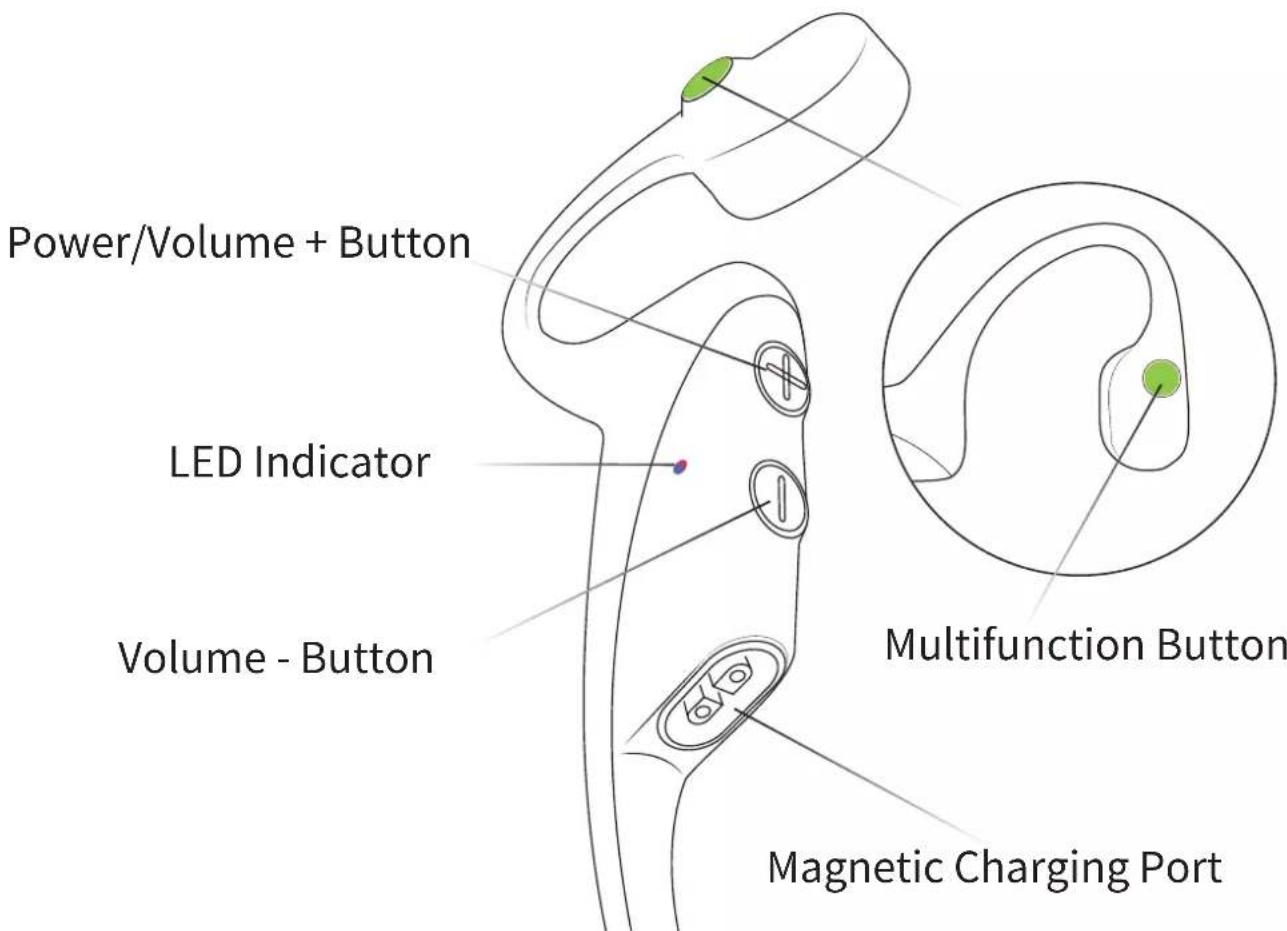
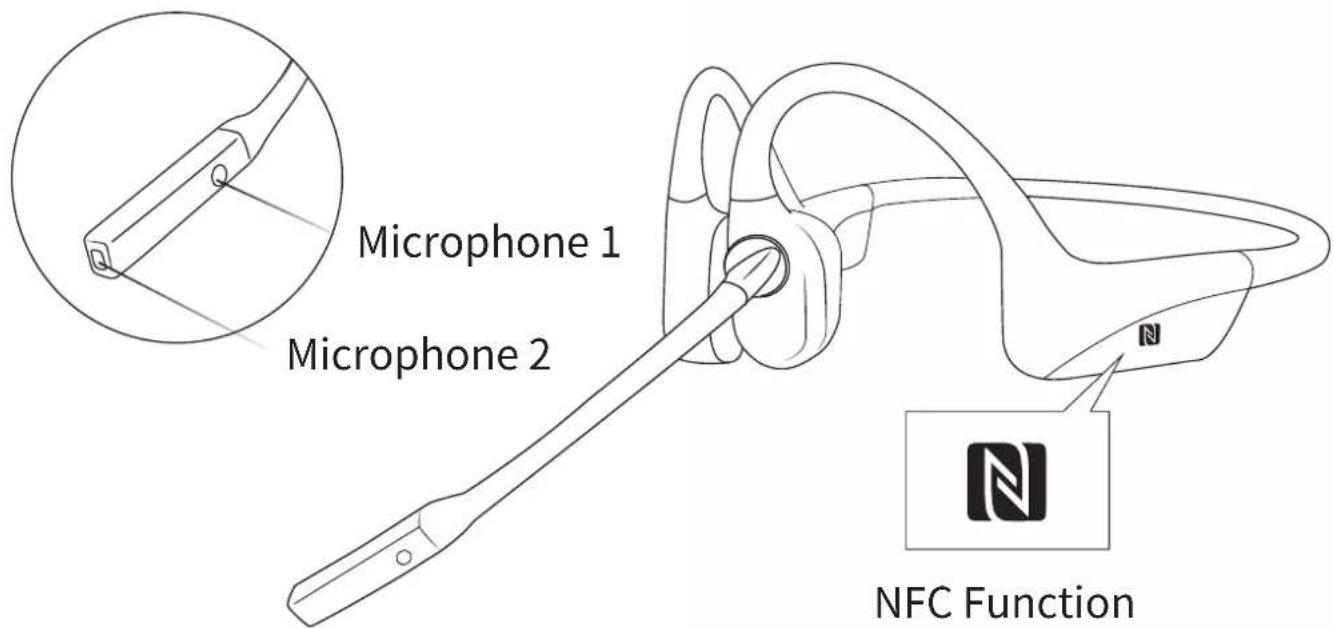
ON/OFF
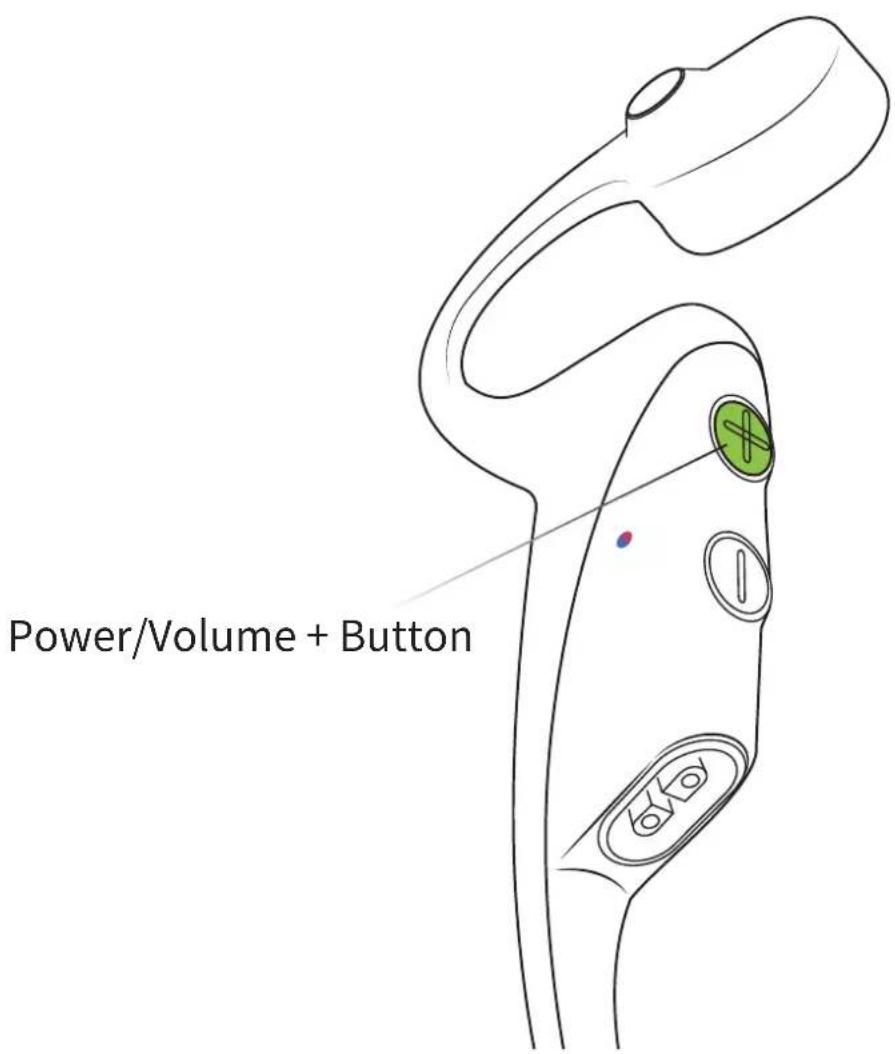
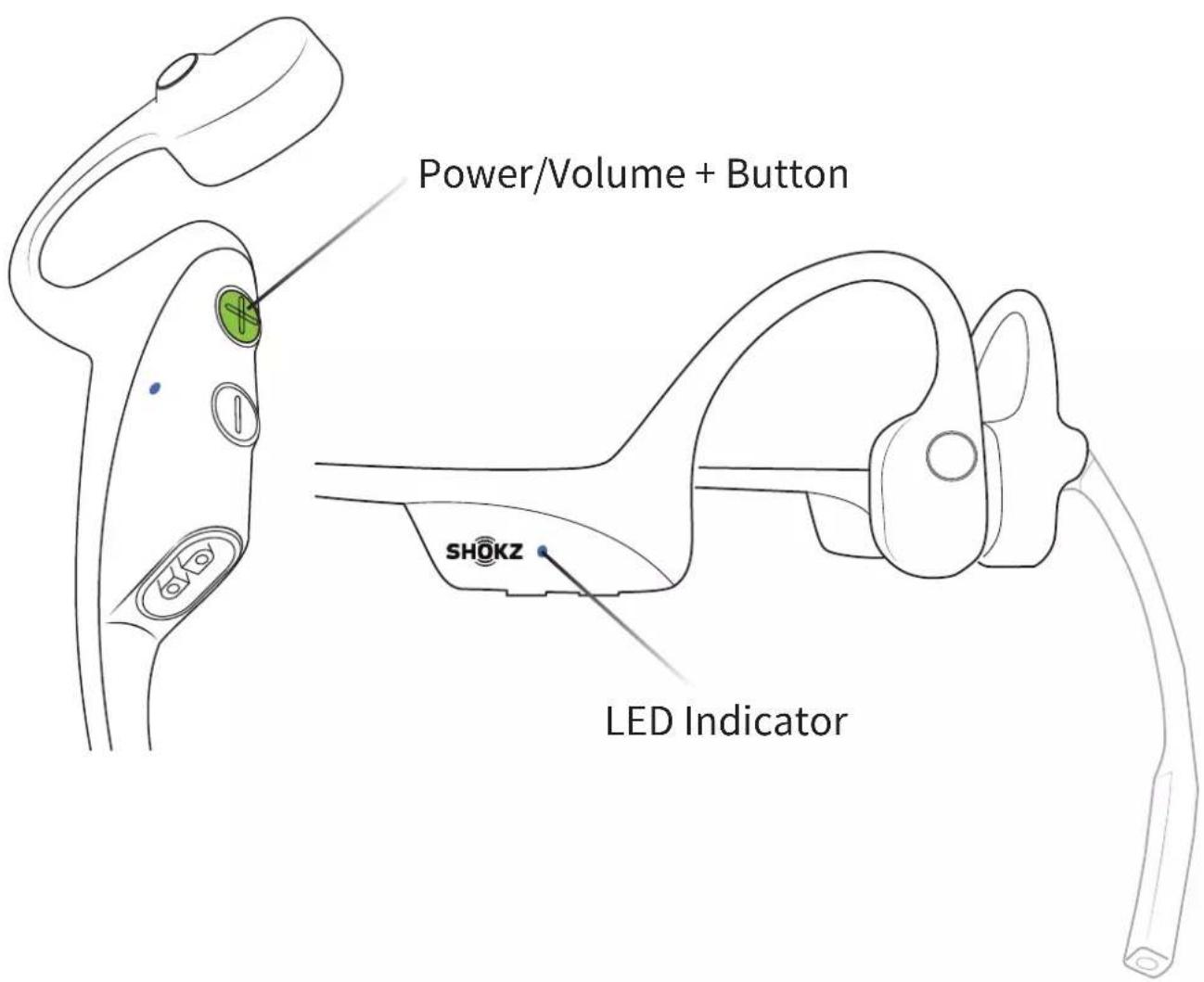
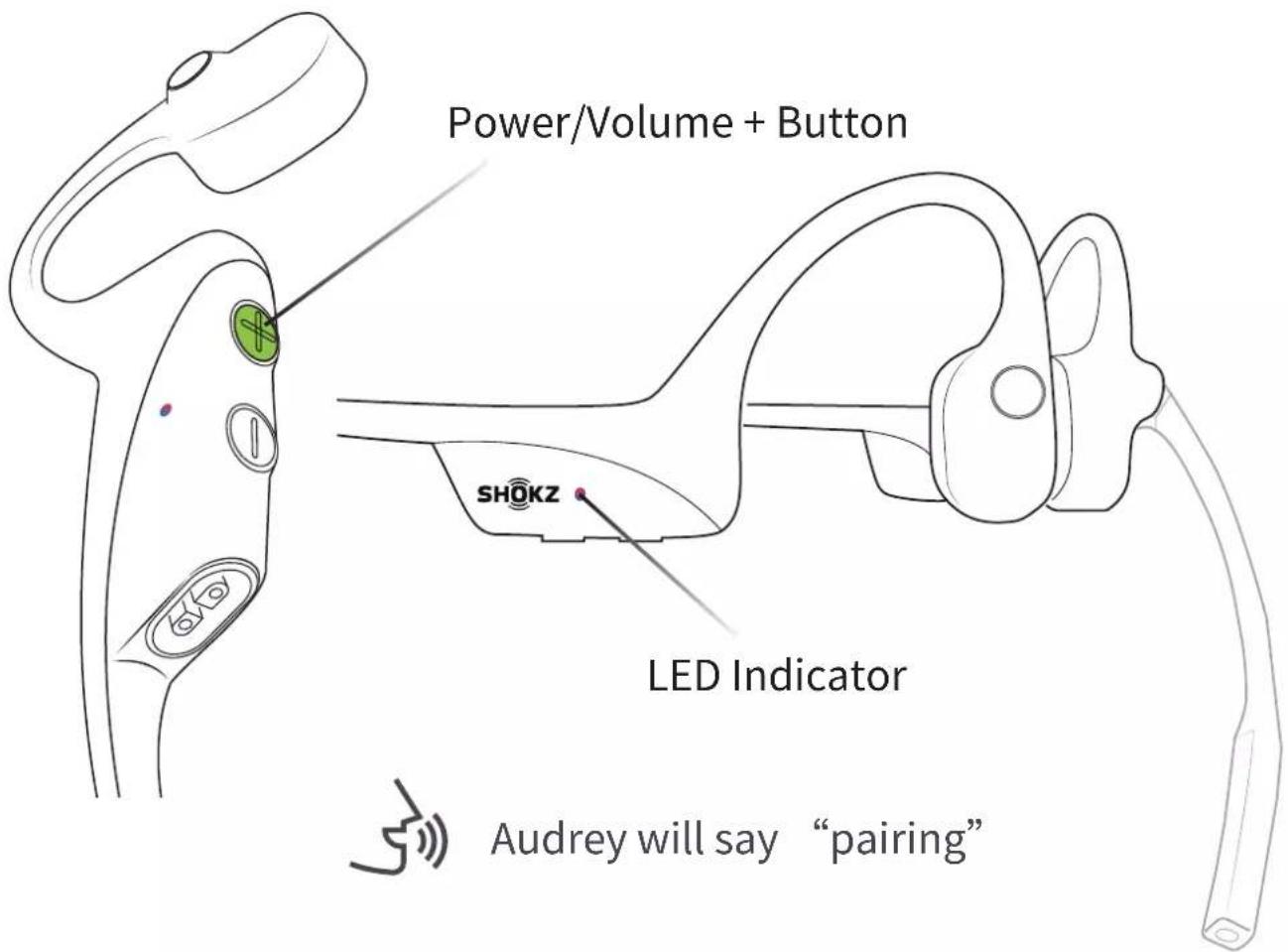
Turn on the headset:
Press and hold the Power/Volume + Button until the LED Indicator flashes blue.
*Audrey will say: "Welcome to Shokz"
Turn off the headset:
Press and hold the Power/Volume + Button until the LED Indicator flashes red.
*Audrey will say: “Power off”。
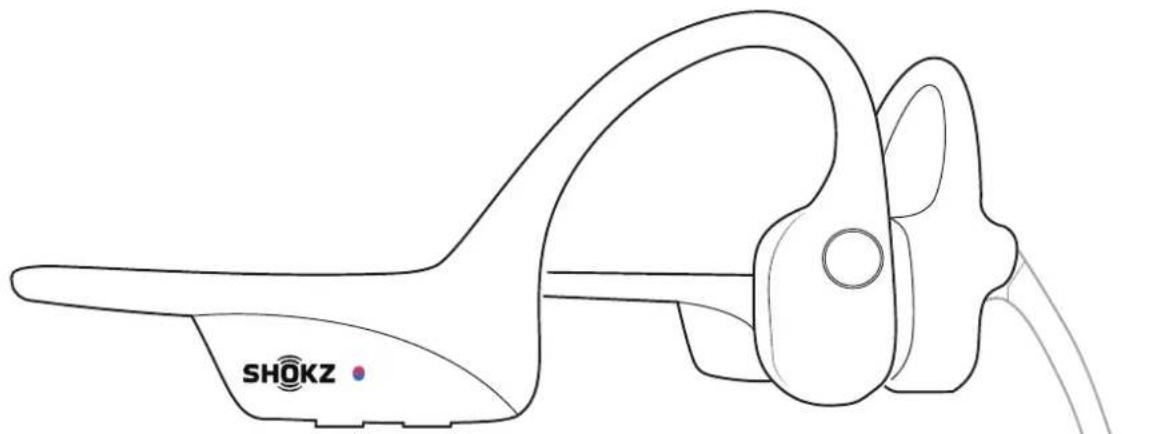
Pairing to Mobile Device
natural_image
Line drawing of a SHOKZ earplifier device with attached microphone (no text or symbols on the device itself)- Start with OpenComm turned off.
- Press and hold the Volume + Button until the LED Indicator flashes red and blue alternately.
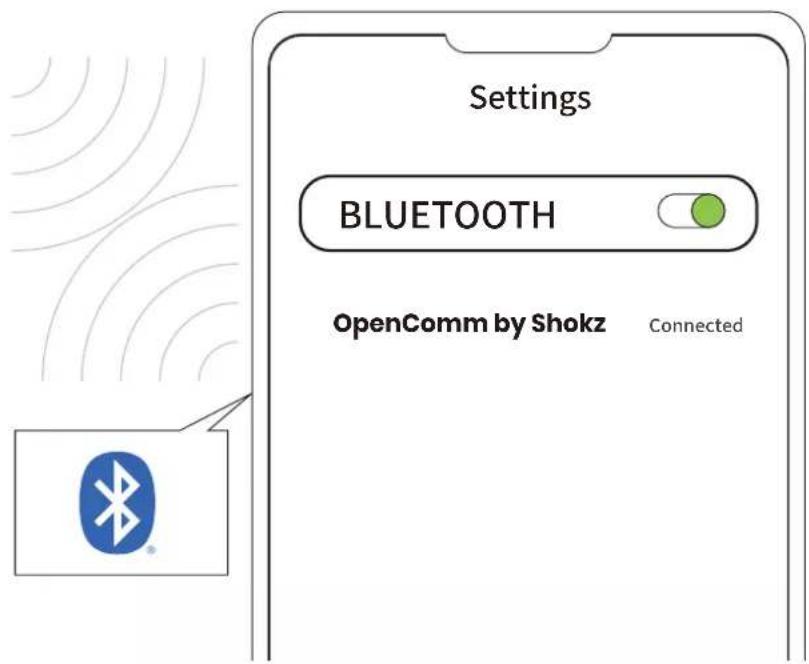
3.Open your device's Bluetooth settings and select "OpenComm by Shokz." Audrey will say "connected."
Pairing to PC
Operate controls with headset powered off.
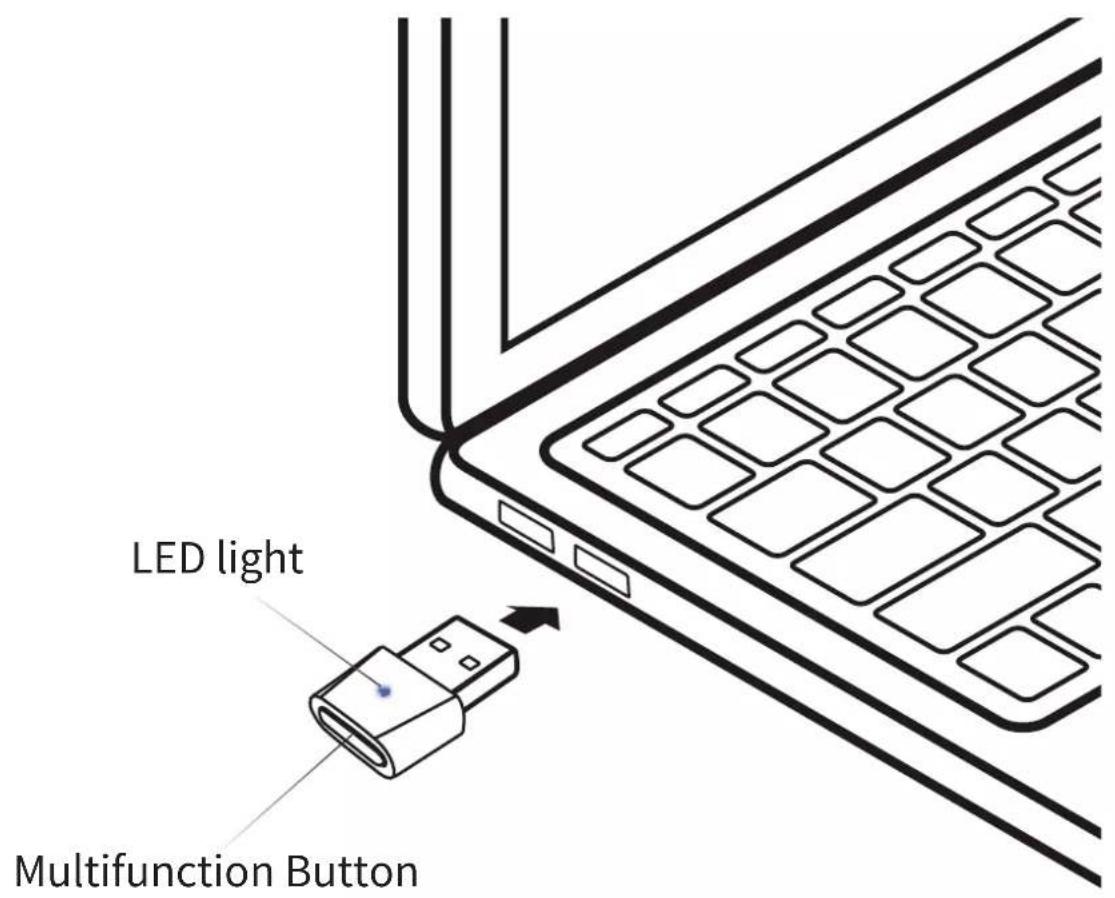
- Start with OpenComm turned on.
- Plug the included USB adapter into a USB port on your PC.
3.Connection is established when Audrey says "Connected" or beeps, and the LED Indicator on the USB adapter is solid blue.

SELECT THE SOUND DEVICE:

natural_image
Blue square icon with a white speaker symbol and sound waves (no text or numbers)Shokz Loop100
Connected
Configure
*To play music or take calls on the headset, please ensure the “Shokz Loop100” is both identified as the default input and output devices in your operating system’s audio settings.
NFC Pairing
Operate controls with headset powered off.
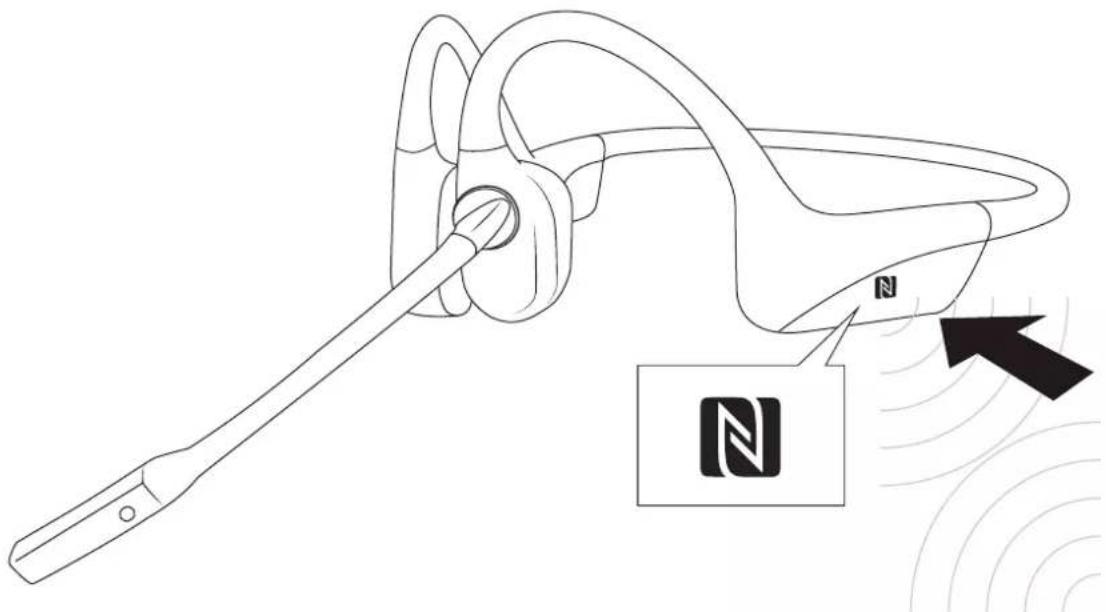
- Power on your headset (press and hold Power/Volume+ until LED Indicator flashes blue)
natural_image
Line drawing of a handheld earbell with a tool inserted, showing sound waves and a label with 'N' (no text or symbols on the diagram itself)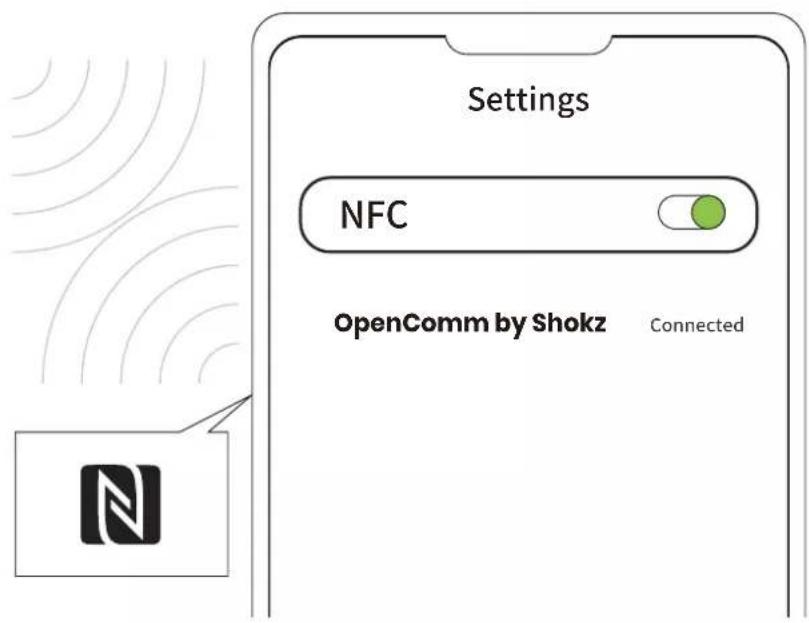
- Unlock your phone and turn on NFC pairing (Refer to your phone's user guide if needed).
- Position the headset's NFC logo near the NFC detection area of your phone until the device shows pairing is completed. The headset's LED Indicator will flash blue once when pairing is successful.
How to Wear
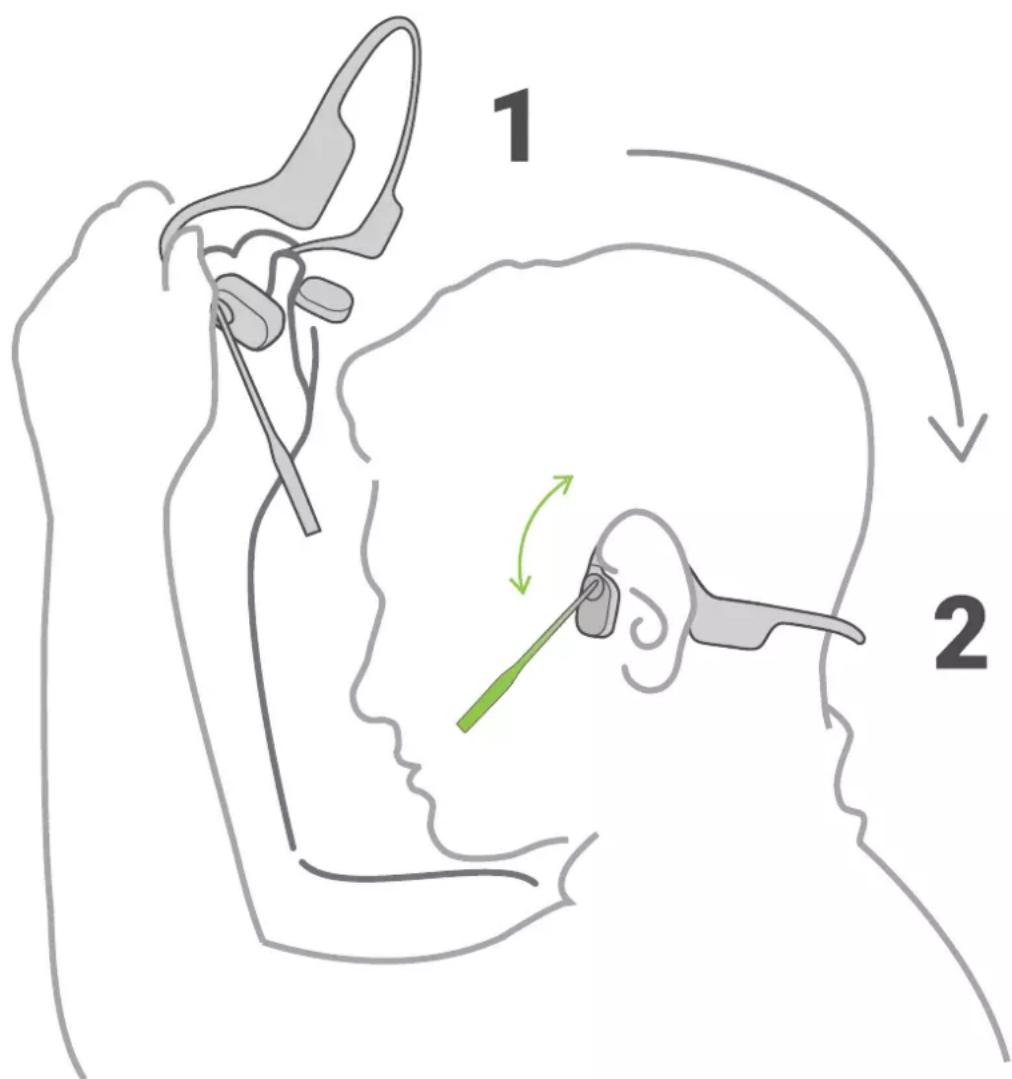
Pick up the headset, bring them behind the back of the base of your neck, position the earhooks on your ears.
*Position the noise-canceling microphone close to your mouth.
*Wearing your headset the wrong way could cause discomfort. The transducers should rest in front of your ears.
Volume

Operate volume controls while audio is playing.
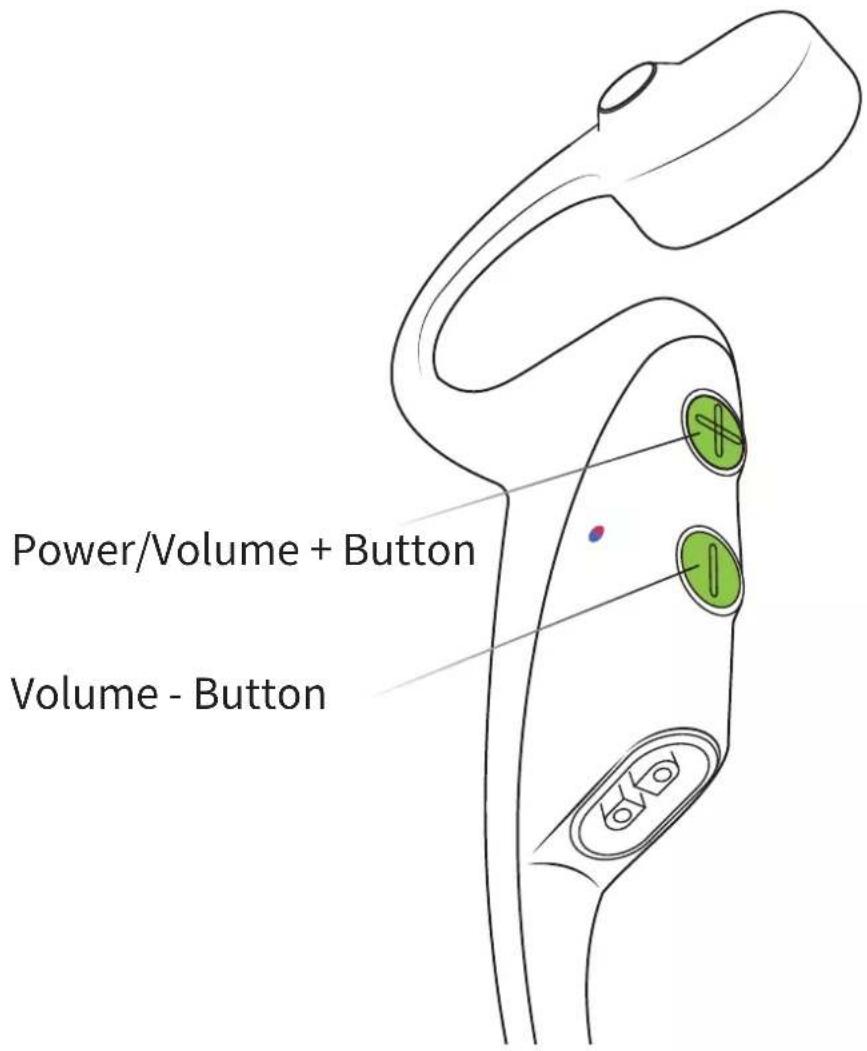
How to change volume:
While your audio is playing, adjust headset volume by pushing either the Volume + or Volume – buttons.
*A “beep” will sound when the volume is at its max.

*Listening with headset at high volume may affect your hearing and the audio will be distorted.
Mute the Microphone
During a call
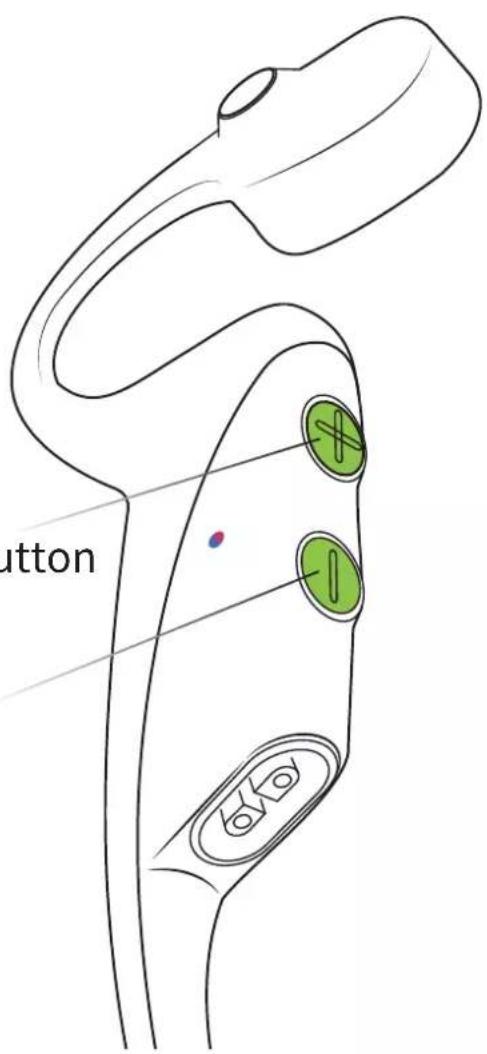
Power/Volume + Button
Volume - Button
To Turn Mute On
Press and hold the Volume + and Volume - buttons while on a call until Audrey says "Mute on".
To Turn Mute Off
Press and hold the Volume + and Volume - buttons while the microphone is muted until Audrey says "Mute off".
Multifunction Button
natural_image
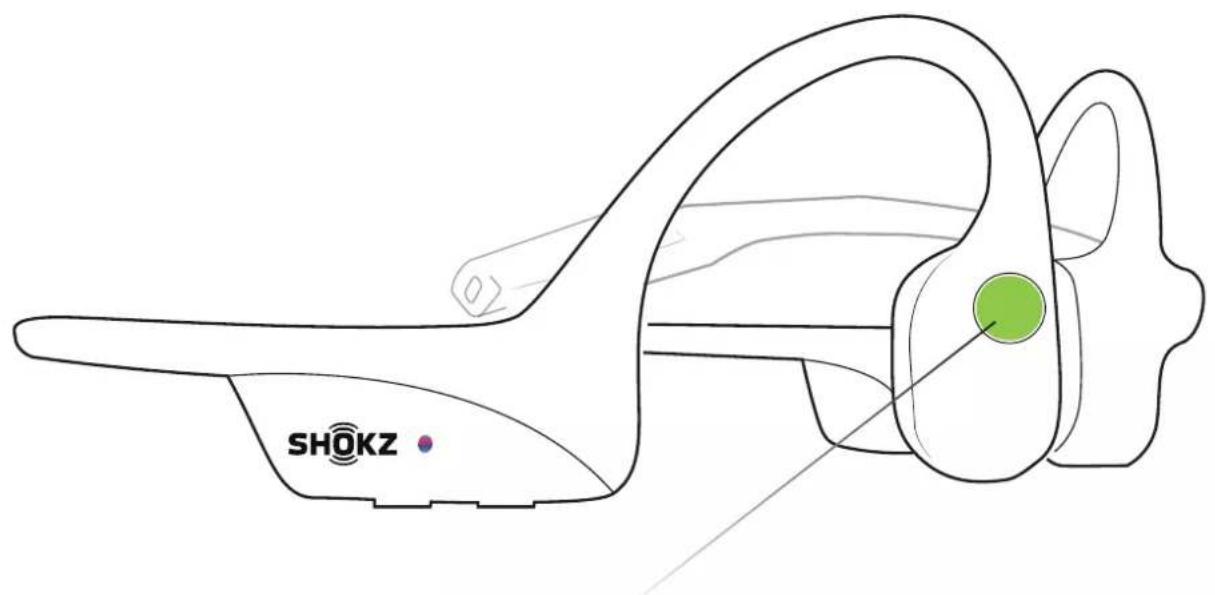
Line drawing of a Shokz ear device with green circular marking (no text or symbols on the device itself)Multifunction Button
▷II Play/pause music
Click once


Answer call

Click once
Next song
Double-click while music is playing


End call

Click once
Previous song
Triple-click while music is playing

Multifunction Button
| Play music | Click once |
| Pause music | Click once |
| Next song | Double-click while music is playing |
| Previous song | Triple-click while music is playing |
| Switch language | Double-click while pairing |
| Answer call | Click once |
| End call | Click once during a call |
| Answer call waiting and end current call | Press and hold for 2 seconds when receiving a second call |
| Ignore a call | Press and hold for 2 seconds during an incoming call |
| Activate voice assistant | Press and hold for 2 seconds when device is on standby |
| Redial last number | Double-click on standby |
*Only applicable for phone calls, not online calls
Multifunction Button on Adapter
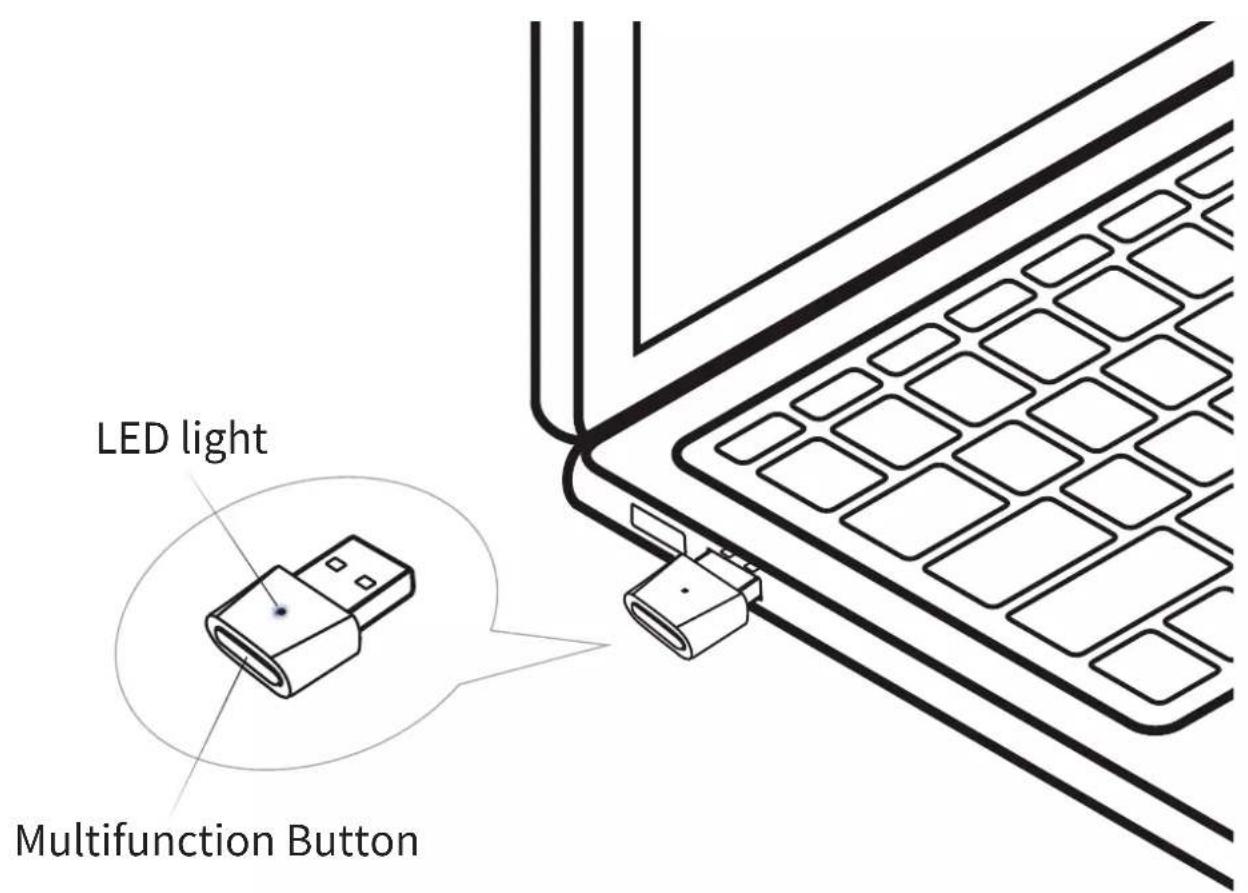
Pair to a new headset
Press and hold for 2 seconds
LED: Flashes blue rapidly
Reconnect to the last connected headset
Click once
LED: Flashes blue every second
Reset the adapter
Press and hold for 2 seconds, then double-click
LED: Flashes blue then turns solid blue for 5 seconds,
then flashes blue rapidly
Check Battery Status

Operate controls while audio is not playing
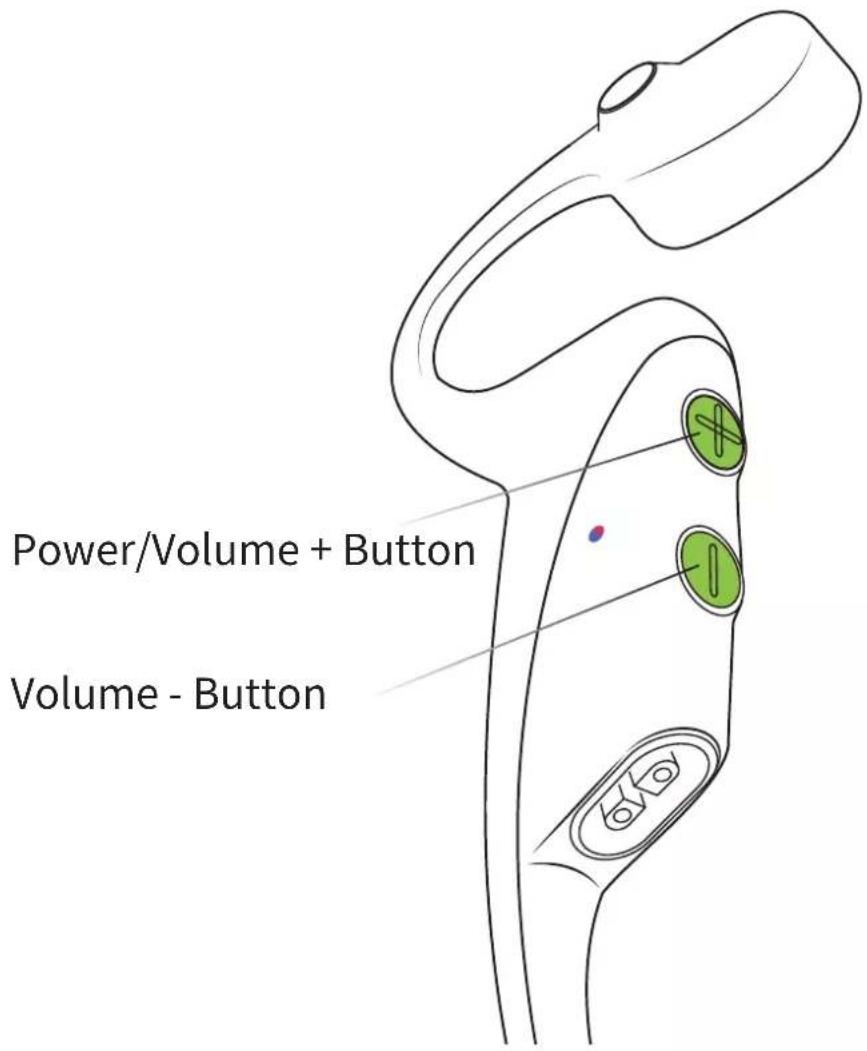
How to check battery status:
Click the Volume + or Volume - button while music is paused, Audrey will tell you the battery status:
* "Battery high/Battery medium/Battery low/Charge me"
Extra Features
EQ Modes
natural_image
Simple line drawing of a human ear with sound waves (no text or symbols)Standard Mode:
Standard listening mode with your ears open.
natural_image
Simple line drawing of two stylized objects with a Wi-Fi signal icon below (no text or symbols)Earplug Mode:
Use earplugs with headset in noisy environments where it is safe to block out ambient noise, such as on a train or in a factory plant.
Switching EQ Modes

Operate controls while music is playing
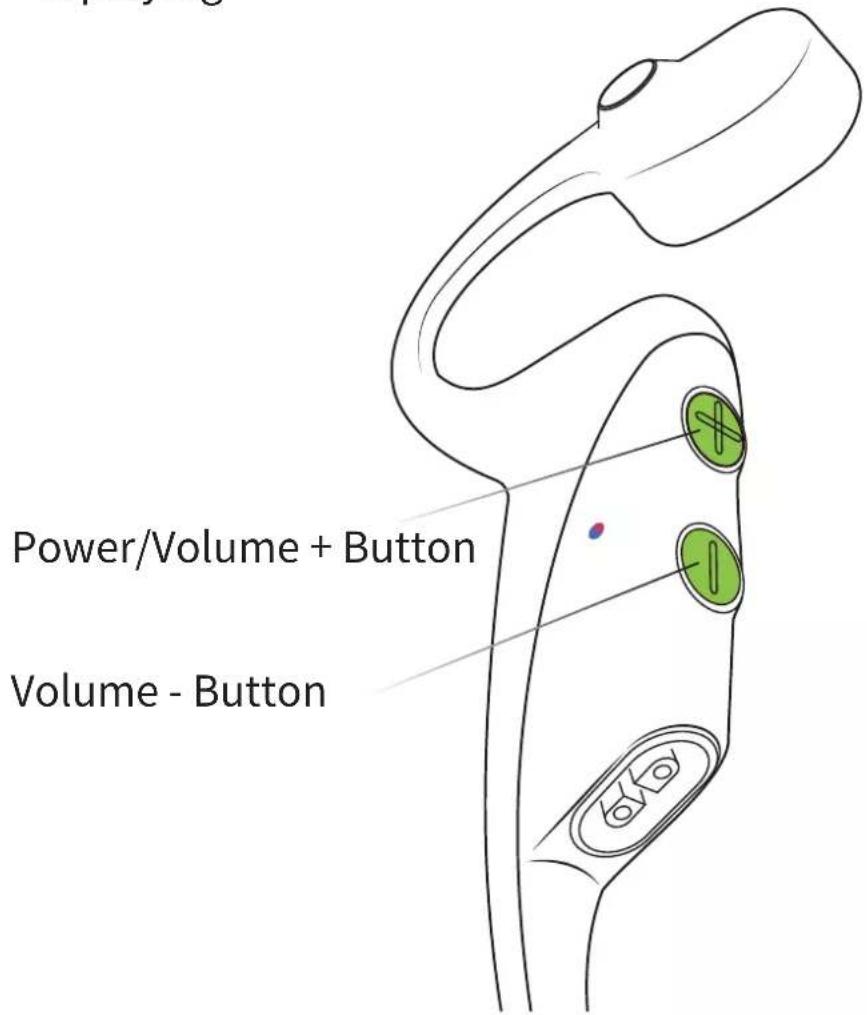
How to switch EQ mode:
Press and hold both buttons (Power/Volume + Button and Volume - Button) while music is playing until you hear a beep.
*Audrey will say: “EQ changed”
Operate controls with headset powered off.
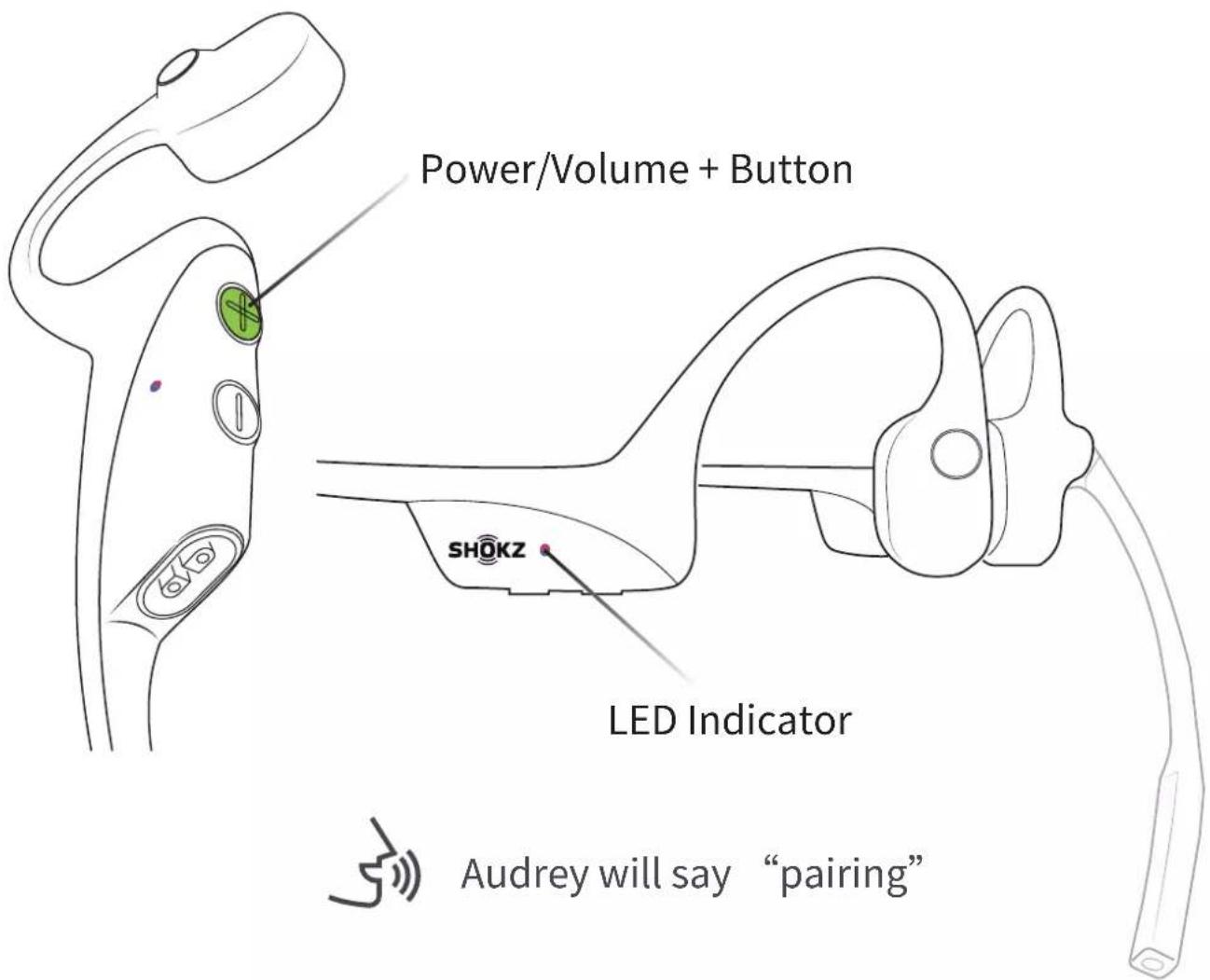
- Start with your headset powered off.
- Press and hold Volume + until Audrey will say “pairing” and the LED indicator flashes red and blue alternately.
-
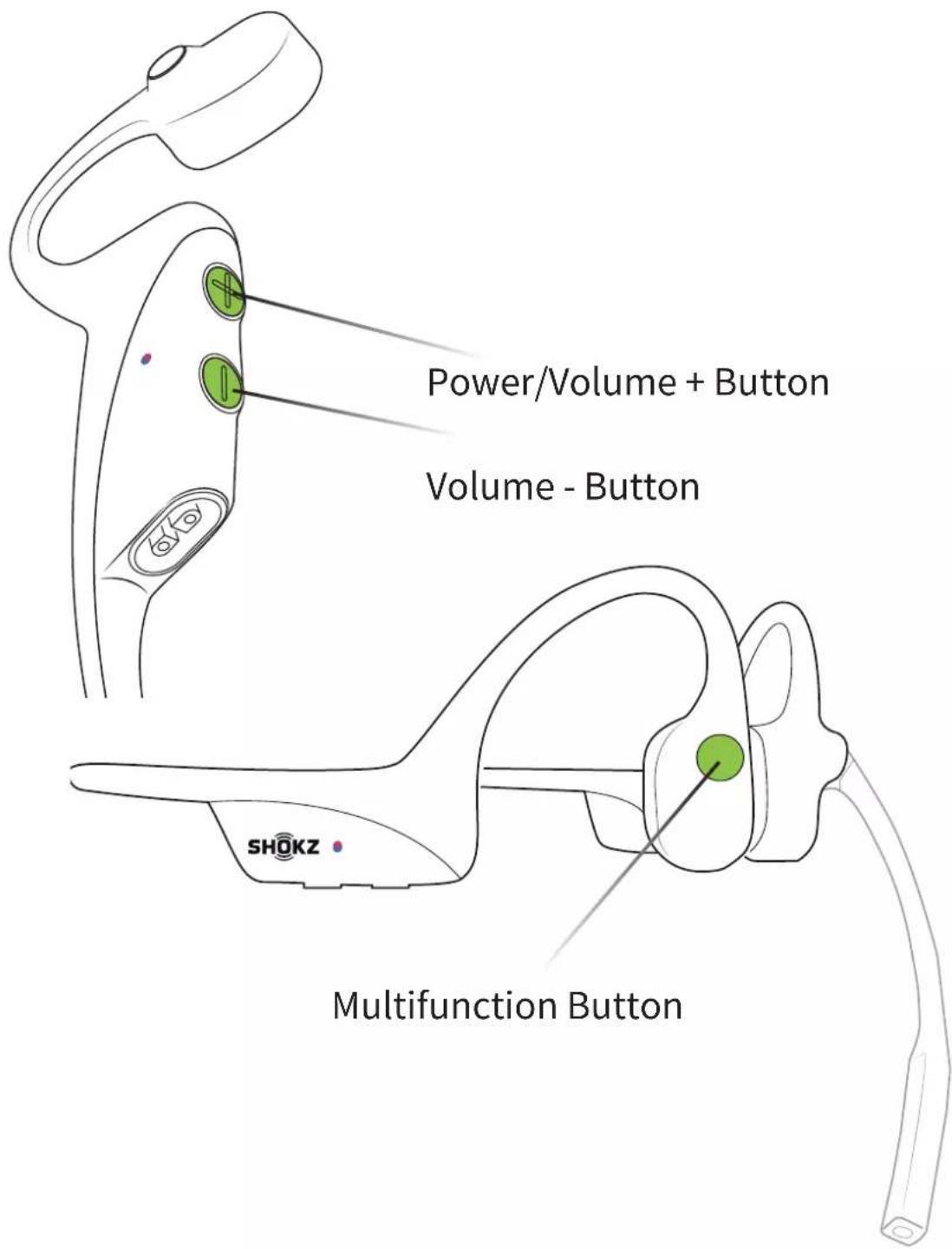
Press and hold the multifunction button, Volume – button and Volume + button until hear two beeps and feel the vibration.
-
Turn your headset off. OpenComm is now reset and can be re-paired to your device.
Changing Languages
Your headphones have four built-in languages: Chinese, English, Japanese and Korean.
Follow the instruction when headset powered off
- Start with your headset powered off.
- Press and hold Volume + until Audrey will say “pairing” and the LED indicator flashes red and blue alternately.
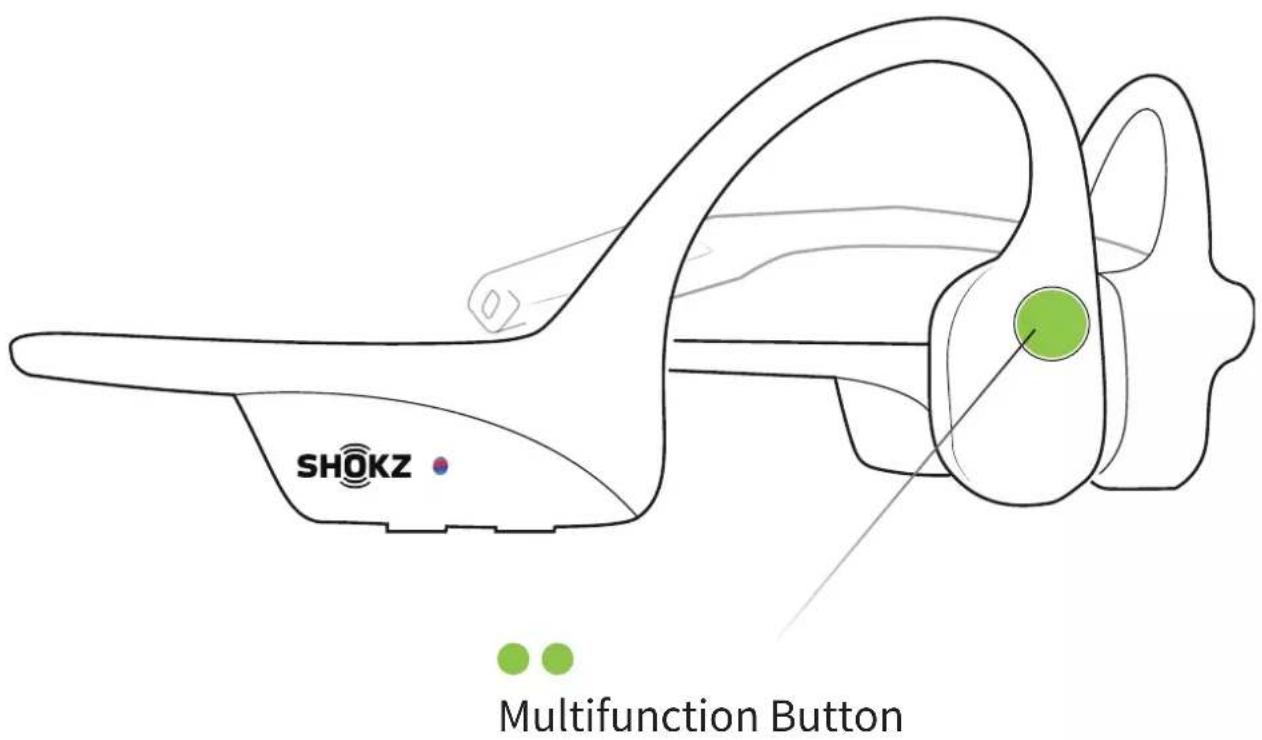
- Double-press the multifunction button. Languages have been switched when you hear the corresponding language.
Care and Maintenance
Charging Tips
The headset will automatically shut down when charging
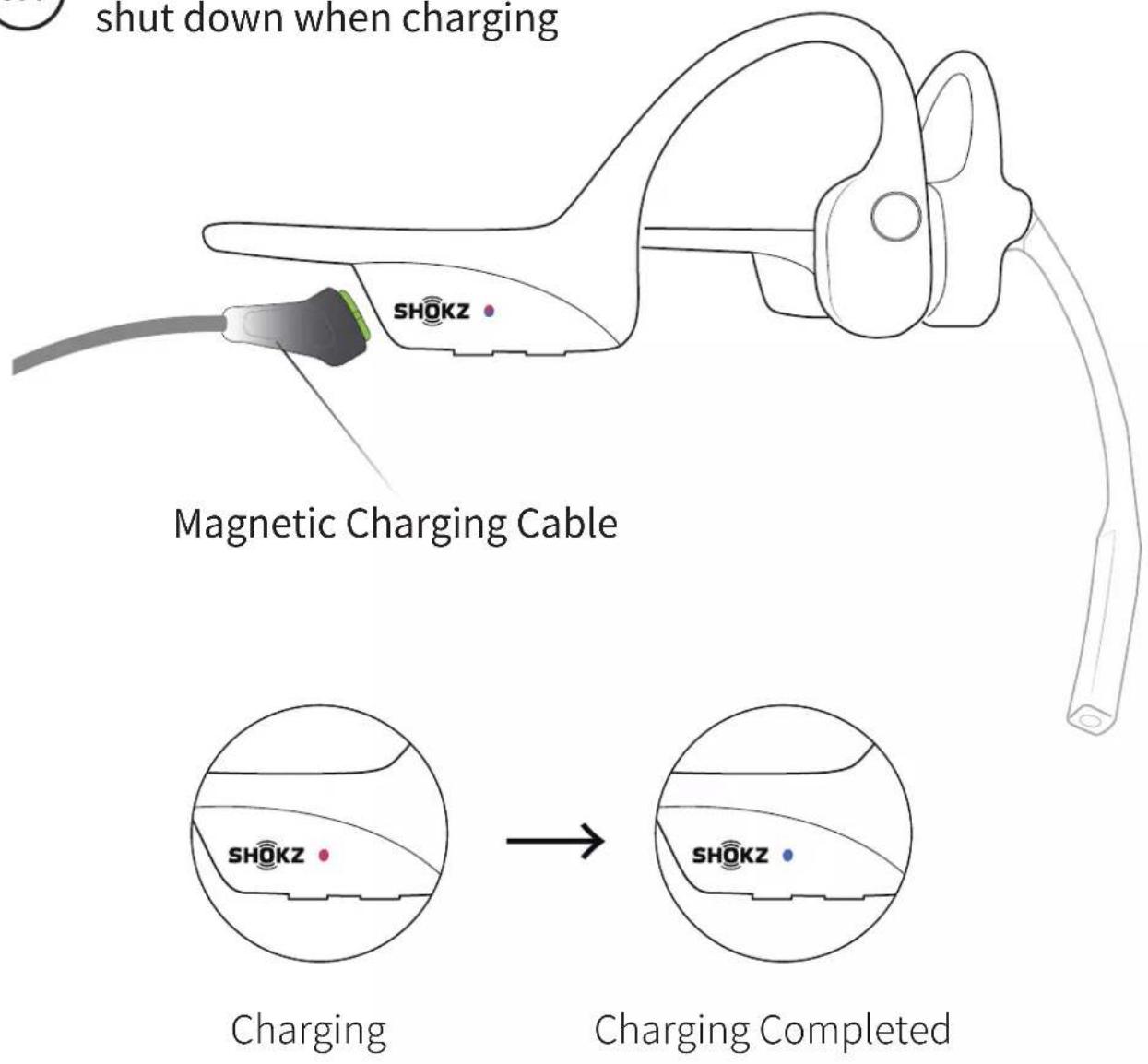
When the headset is at low battery, there will be a “charge me” prompt and the red light will flash intermittently. Use the corresponding magnetic charging cable for charging.
The LED indicator will turn red during the charging process and the headset will automatically turn off. The LED indicator will turn from red to blue when charging is complete.
Moisture Detection Alert
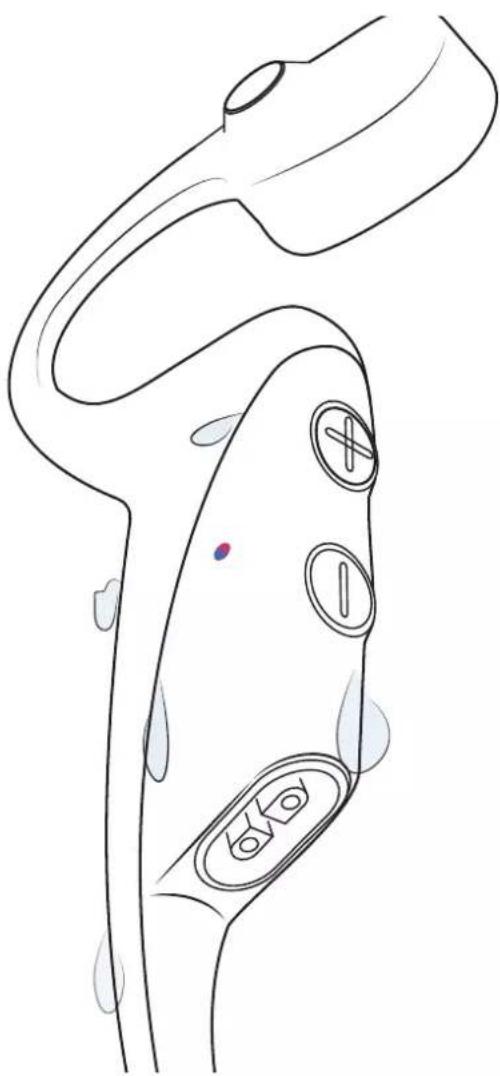
natural_image
Line drawing of a medical device with labeled buttons and tubing (no text or symbols)How it Works:
These headset can detect liquid such as water, sweat, or rain. If the headset this plugged into the charger while wet, the LED indicator will flash red and blue. The headset will then emit a beep. If this happens, remove the charging cable, dry them completely, then proceed with charging.
Storage and Maintenance
OpenComm
- Store the headset in a cool, dry place. The working temperature should be 0\~45°C(32\~113°F). Working in a cold/hot environment, a highly humid area, or an extremely low air pressure may reduce the battery life.
- Keep the product away from heat sources, direct sunlight, combustible gas or other liquids.
- Keeping the charging port dry before connecting to the charger will reduce the risk of damage.
- This headset is water-resistant, but is not waterproof. Please do not submerse the headset in water.
- Clean the headset with a soft dry cloth.
- Do not charge right after exercising, in case there's sweat inside the charging port, which could lead to circuit burning while charging.
- After storage for a long period, please charge the headset before using again.
Note

Design and specification are subject to change without notice. For the most up-to-date product information, please visit https://shokz.com.
Warning
To avoid the risk of explosion, fire, or leakage from toxic chemicals, please do not disassemble the product or replace, deform, or mutilate the battery.
Shokz Loop100 USB-A Bluetooth® Adapter
- Store the product in a cool, dry place. The working and storage temperature should be 0^ - 55^ (32°F-131°F).
- Never allow children and pets to play with the product – small parts may be a choking hazard. If accidental ingestion happens, seek immediate medical attention.
- Keep the produce away from heat sources, direct sunlight, combustible gas, or other liquids.

- Do not disassemble the product.
- Unplug, discontinue use, and contact Shokz if the product overheats or has a damaged outer casing or plug.
Note
Design and specification are subject to change without notice. For the most up-to-date product information, please visit https://shokz.com.
Warning
To avoid the risk of explosion, fire, or leakage from toxic chemicals, please do not disassemble the product or replace, deform, or mutilate the battery.
Warranty
Your headset are covered by a warranty.
Visit our website at https://shokz.com/pages/warranty-landing
for details of the limited warranty.
*Failure to register will not affect your limited warranty rights.
Troubleshooting
If you have any trouble or problems, please visit https://shokz.com/pages/faq for more support!
What's in the Box
OpenComm UC Box
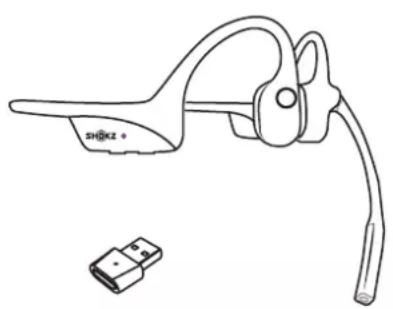
natural_image
Line drawing of a mechanical clamp device with a small connector (no text or symbols)OpenComm Headset &USB-A Adapte
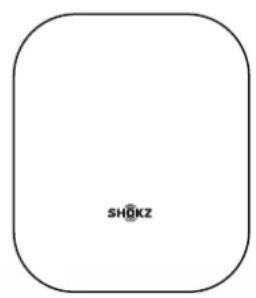
OpenComm UC Package
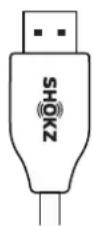
Magnetic
Charging Cable

natural_image
Empty white square with black border (no text or symbols)OpenComm UC User Guide
OpenComm UC /USB-A Adapter Legal Statement
If any part of your product is damaged or missing, do not use it. Contact authorized Shokz dealer or Shokz customer service.
*Please note that the packaging envelope may vary depending on the sales region.
Regulatory and Legal Information
OpenComm
FCC Caution
Any changes or modifications not expressly approved by the party responsible for compliance could void the user's authority to operate the equipment. This device complies with Part 15 of the FCC Rules.
Operation is subject to the following two conditions:
(1) this device may not cause harmful interference, and
(2) this device must accept any interference received, including interference that may cause undesired operation.
FCC Statement
This equipment has been tested and found to comply with the limits for a Class B digital device, pursuant to part 15 of the FCC Rules.
These limits are designed to provide reasonable protection against harmful interference in a residential installation. This equipment generates, uses and can radiate radio frequency energy and, if not installed and used in accordance with the instructions, may cause harmful interference to radio communications. However, there is no guarantee that interference will not occur in a particular installation. If this equipment does cause harmful interference to radio or television reception, which can be determined by turning the equipment off and on, the user is encouraged to try to correct the interference by one or more of the following measures:
-Reorient or relocate the receiving antenna.
-Increase the separation between the equipment and receiver.
-Connect the equipment into an outlet on a circuit different from that to which the receiver is connected.
-Consult the dealer or an experienced radio/TV technician for help. This equipment complies with FCC/IC radiation exposure limits set forth for an uncontrolled environment and meets the FCC radio frequency (RF) Exposure Guidelines and RSS-102 of the IC radio
frequency (RF) Exposure rules. This equipment has very low levels of RF energy that is deemed to comply without testing of specific absorption rate (SAR).
Responsible party (contact for FCC matters only):
AfterShokz LLC.
3200 Gracie Kiltz Lane, Suite 400 Austin, TX 78758 USA
https://shokz.com
Industry Canada
This device complies with Industry Canada licence-exempt RSS standard(s): Operation is subject to the following Two conditions: (1) this device may not cause interference, and (2) this device must accept any interference, including interference that may cause undesired operation of the device.
CE Declaration of Conformity
C€
Shokz Holding Limited hereby declares that this product is in compliance with the essential requirements and other relevant provisions of Directive 2014/53/EU and all other applicable EU Directive requirements. The complete declaration of conformity can be found at:
https://shokz.com/pages/policies.Shokz's EU representative is AfterShokz Euro B.V., Schipholweg 103, 2316XC Leiden, Netherlands.
| Frequency Range Max. | Transmit Power |
| 2400-2483.5MHz 8dBm(EIRP) | |
UK CA
UK Declaration of Conformity
Shokz Holding Limited hereby declares that this product is in compliance with the essential requirements and all other applicable United Kingdom’s regulations. The complete declaration of conformity can be found at: https://shokz.com/pages/policies.Shokz’s authorised representative in the UK is Pinpoint Consumer Electronics Ltd., Unit 35, Meridian House, Road One, Winsford Industrial Estate, Winsford, Cheshire CW7 3QG.
WEEE Declaration of Conformity
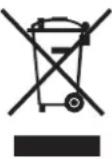
This WEEE logo means that this product must not be discarded as household waste, and should be delivered to an appropriate collection facility for recycling. Proper disposal and recycling helps protect natural resources, human health and the environment. For more information on disposal and recycling of this product, contact your local municipality, disposal service, or the shop where you bought this product.
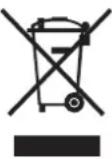
Australia/New Zealand
Singapore
Philippines

Complies with IMDA Standards DA106614

NTC Type Accepted NO. ESD-RCE-2127971
Shokz Loop100 USB-A Bluetooth® Adapter
FCC Caution
Any changes or modifications not expressly approved by the party responsible for compliance could void the user's authority to operate the equipment. This device complies with Part 15 of the FCC Rules.
Operation is subject to the following two conditions:
(1) this device may not cause harmful interference, and
(2) this device must accept any interference received, including interference that may cause undesired operation.
FCC Statement
This equipment has been tested and found to comply with the limits for a Class B digital device, pursuant to part 15 of the FCC Rules.
These limits are designed to provide reasonable protection against harmful interference in a residential installation. This equipment generates, uses and can radiate radio frequency energy and, if not installed and used in accordance with the instructions, may cause harmful interference to radio communications. However, there is no guarantee that interference will not occur in a particular installation. If this equipment does cause harmful interference to radio or television reception, which can be determined by turning the equipment off and on, the user is encouraged to try to correct the interference by one or more of the following measures:
-Reorient or relocate the receiving antenna.
-Increase the separation between the equipment and receiver.
-Connect the equipment into an outlet on a circuit different from that to which the receiver is connected.
-Consult the dealer or an experienced radio/TV technician for help. This equipment complies with FCC/IC radiation exposure limits set forth for an uncontrolled environment and meets the FCC radio frequency (RF) Exposure Guidelines and RSS-102 of the IC radio frequency (RF) Exposure rules. This equipment has very low levels of RF energy that is deemed to comply without testing of specific absorption rate (SAR).
Responsible party (contact for FCC matters only):
AfterShokz LLC.
3200 Gracie Kiltz Lane, Suite 400 Austin, TX 78758 USA
https://shokz.com
Industry Canada
This device complies with Industry Canada licence-exempt RSS standard(s): Operation is subject to the following Two conditions: (1) this device may not cause interference, and (2) this device must accept any interference, including interference that may cause undesired operation of the device.
CE Declaration of Conformity

Shokz Holding Limited hereby declares that this product is in compliance with the essential requirements and other relevant provisions of Directive 2014/53/EU and all other applicable EU Directive requirements. The complete declaration of conformity can be found at:
https://shokz.com/pages/policies.Shokz's EU representative is AfterShokz Euro B.V., Schipholweg 103, 2316XC Leiden, Netherlands.
| Frequency: 2400-2483.5MHz Maximum Power: 3.9dbm | |
| Input: 5V == 1000mA | |
UK Declaration of Conformity

Shokz Holding Limited hereby declares that this product is in compliance with the essential requirements and all other applicable United Kingdom’s regulations. The complete declaration of conformity can be found at: https://shokz.com/pages/policies.Shokz’s authorised representative in the UK is Pinpoint Consumer Electronics Ltd., Unit 35, Meridian House, Road One, Winsford Industrial Estate, Winsford, Cheshire CW7 3QG.
WEEE Declaration of Conformity
This WEEE logo means that this product must not be discarded as household waste, and should be delivered to an appropriate collection facility for recycling. Proper disposal and recycling helps protect natural resources, human health and the environment. For more information on disposal and recycling of this product, contact your local municipality, disposal service, or the shop where you bought this product.
Australia/New Zealand
Singapore
Philippines

Complies with IMDA Standards DA106614

NTC Type Accepted NO. ESD-RCE-2128215
SHOKZ

- EXTRA FEATURES
- CARE AND MAINTENANCE
- How It Works
- Headset Controls
- ON/OFF
- Turn on the headset:
- Turn off the headset:
- Pairing to Mobile Device
- Pairing to PC
- SELECT THE SOUND DEVICE:
- Shokz Loop100
- Connected
- Configure
- NFC Pairing
- How to Wear
- Pick up the headset, bring them behind the back of the base of your neck, position the earhooks on your ears.
- Volume
- How to change volume:
- Mute the Microphone
- To Turn Mute On
- To Turn Mute Off
- Multifunction Button
- Multifunction Button on Adapter
- Pair to a new headset
- Reconnect to the last connected headset
- Reset the adapter
- Check Battery Status
- How to check battery status:
- EQ Modes
- Standard Mode:
- Earplug Mode:
- Switching EQ Modes
- How to switch EQ mode:
- Changing Languages
- Charging Tips
- Moisture Detection Alert
- How it Works:
- Storage and Maintenance
- OpenComm
- Note
- Warning
- Shokz Loop100 USB-A Bluetooth® Adapter
- Warranty
- Troubleshooting
- What's in the Box
- Regulatory and Legal Information
- FCC Caution
- FCC Statement
- Industry Canada
- CE Declaration of Conformity
- UK Declaration of Conformity
- WEEE Declaration of Conformity
- Australia/New Zealand
- Singapore
- Philippines
- SHOKZ
Brand : AFTERSHOKZ
Model : OpenComm UC
Category : Headphones