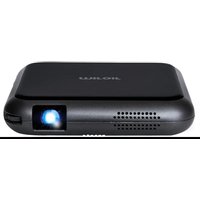
MP60 - Video projector Miroir - Free user manual and instructions
Find the device manual for free MP60 Miroir in PDF.


Pick your language and provide your email: we'll send you a specifically translated version.
| Product Type | Portable LED Video Projector |
| Model | MP60 |
| Brand | Miroir |
| Display Technology | DLP |
| Resolution | 854 x 480 (Native) |
| Brightness | 100 ANSI Lumens |
| Light Source | LED, up to 30,000 hours |
| Projection Size | 20 - 100 inches |
| Connectivity | HDMI, USB-A, Micro SD, Audio Out |
| Built-in Speaker | 1 x 1W |
| Battery | Rechargeable, 2-3 hours playback |
| Dimensions (W x H x D) | 10.2 x 10.2 x 2.5 cm |
| Weight | 0.28 kg |
| Power Supply | DC 5V/2A via Micro USB |
| Operating System | None (Plug and Play) |
| Supported Formats | Video: MP4, AVI, MKV; Image: JPEG, PNG |
| Keystone Correction | Manual, ±15° |
| Focus | Manual |
| Cleaning | Use a soft, lint-free cloth to clean the lens. Avoid abrasive cleaners. |
| Safety | Do not expose to water or extreme heat. Use only the supplied charger. |
| Spare Parts & Repairability | LED module not user-replaceable. Contact Miroir support for service. |
Frequently Asked Questions - MP60 Miroir
How do I connect my phone to the Miroir MP60?
You can connect via HDMI using an adapter (e.g., Lightning to HDMI for iPhone, USB-C to HDMI for Android). Alternatively, use the USB port to play media from a flash drive.
What is the battery life of the MP60?
The built-in battery lasts approximately 2-3 hours of continuous playback, depending on brightness and content.
Can I use the projector without a Wi-Fi connection?
Yes, the MP60 does not require Wi-Fi. It works as a plug-and-play device with wired connections.
How large can the projected image be?
The image can range from 20 to 100 inches diagonal. The optimal size is between 40 and 80 inches for best brightness.
How do I clean the lens?
Gently wipe the lens with a soft, dry microfibre cloth. Do not use any liquids or abrasive materials.
What video formats are supported?
The projector supports MP4, AVI, and MKV video files. For audio, it plays MP3, and for images, JPEG and PNG.
Does the MP60 come with a remote control?
Yes, a small remote control is included for basic operations like power, volume, and input switching.
Is the projector compatible with game consoles?
Yes, you can connect game consoles like Nintendo Switch or PlayStation via HDMI. Note that there may be minor input lag.
How do I perform a factory reset?
There is no user-accessible factory reset. If issues persist, turn off the device, unplug it for 30 seconds, and restart. Contact support for further assistance.
What is the warranty for the Miroir MP60?
The MP60 comes with a 1-year limited warranty covering manufacturing defects. Warranty does not cover damage from misuse or normal battery wear.
User questions about MP60 Miroir
0 question about this device. Answer the ones you know or ask your own.
Ask a new question about this device
No questions yet. Be the first to ask one.
Download the instructions for your Video projector in PDF format for free! Find your manual MP60 - Miroir and take your electronic device back in hand. On this page are published all the documents necessary for the use of your device. MP60 by Miroir.