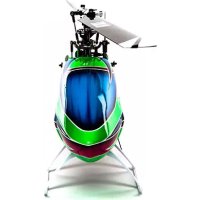
Fusion 360 Smart - Remote control toy Blade - Free user manual and instructions
Find the device manual for free Fusion 360 Smart Blade in PDF.


Pick your language and provide your email: we'll send you a specifically translated version.
| Product Type | Remote Control Quadcopter Drone |
| Brand | Blade |
| Model | Fusion 360 Smart |
| Dimensions | 360 mm diagonal (motor-to-motor) |
| Weight | Approx. 80 g (with battery) |
| Power Supply | 1S 3.7V 600 mAh LiPo battery (included) |
| Flight Time | Up to 8 minutes |
| Charging Time | Approx. 60 minutes via USB charger |
| Control Range | Up to 100 meters |
| Camera | 720p HD camera with live video feed |
| Features | Altitude hold, one-key takeoff/landing, headless mode, 3D flips, speed modes, auto-return |
| Controller | 2.4 GHz remote controller with smartphone holder |
| Gyroscope | 6-axis gyro stabilization |
| Propellers | 4 replaceable propellers (spares included) |
| Age Recommendation | 14 years and up |
| Certifications | CE, FCC, RoHS |
| Maintenance | Clean propellers and motors with soft brush; store in dry place |
| Safety | Keep away from water, do not fly near people or animals, use in open areas |
| Spare Parts | Replacement propellers, batteries, motors, and landing gear available from Blade |
| Warranty | 1 year limited warranty |
Frequently Asked Questions - Fusion 360 Smart Blade
How long does the battery last?
The included 3.7V 600 mAh LiPo battery provides up to 8 minutes of flight time. Actual duration may vary based on flying conditions and maneuvers.
How do I charge the drone?
Use the provided USB charging cable. Connect to a USB power source (5V/1A recommended). Charging takes approximately 60 minutes. Do not leave unattended while charging.
What is the control range?
The 2.4 GHz remote controller has a range of up to 100 meters in open areas, free of interference.
Does the drone have a camera?
Yes, it features a 720p HD camera that transmits live video to your smartphone via Wi-Fi. You can record videos and take photos.
How do I pair the remote with the drone?
Turn on the drone, then turn on the remote. The remote will automatically bind. If not, move the throttle stick up and down once. The drone's LEDs will indicate a successful connection.
What should I do if the drone doesn't take off?
Check that the battery is fully charged and properly inserted. Ensure the propellers are correctly installed. Calibrate the gyroscope by placing the drone on a level surface and moving both sticks to the bottom-right corner for 2 seconds.
Can I replace the propellers?
Yes, propellers are replaceable. The drone comes with 4 spare propellers. Use a small screwdriver to remove the old ones and press the new ones on securely. Ensure correct orientation (A and B markings).
Is the drone suitable for beginners?
Yes, it includes altitude hold, one-key takeoff/landing, and headless mode which make it easier for beginners. Practice in a wide open area.
What safety precautions should I take?
Fly in open spaces away from crowds, power lines, and airports. Keep away from water. Do not fly in strong wind or rain. Always follow local drone regulations.
Where can I find spare parts?
Spare parts such as batteries, propellers, motors, and landing gear are available from Blade's official website or authorized retailers. Check the manual for part numbers.
User questions about Fusion 360 Smart Blade
0 question about this device. Answer the ones you know or ask your own.
Ask a new question about this device
No questions yet. Be the first to ask one.
Download the instructions for your Remote control toy in PDF format for free! Find your manual Fusion 360 Smart - Blade and take your electronic device back in hand. On this page are published all the documents necessary for the use of your device. Fusion 360 Smart by Blade.