
Chime - Doorbell EZVIZ - Free user manual and instructions
Find the device manual for free Chime EZVIZ in PDF.


| Product Type | Wi-Fi Doorbell Chime |
| Brand | EZVIZ |
| Model | Chime |
| Power Supply | 100-240 V AC, 50/60 Hz (wall plug) |
| Transformer included | Yes, 12 V AC output |
| Wireless Connectivity | Wi-Fi 2.4 GHz (IEEE 802.11 b/g/n) |
| Compatibility | EZVIZ doorbell only |
| LED Indicator | LED (solid red: startup; slow flashing red: Wi-Fi failure; solid blue: normal operation; fast flashing blue: ready for Wi-Fi connection) |
| Reset Button | Yes, press and hold 5 seconds |
| Antenna | Built-in |
| QR Code | On the device and quick start guide |
| Mobile App | EZVIZ (free, iOS and Android) |
| Installation | Plug the chime into an outlet, install the transformer and wire the existing doorbell |
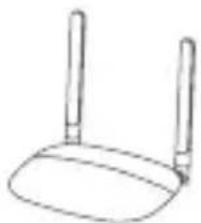
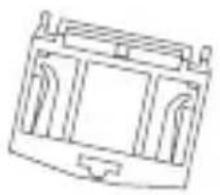
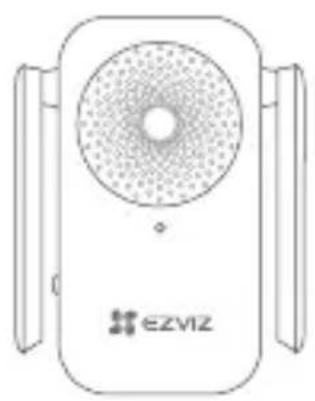
| Package Contents | 1 chime, 1 transformer, 1 mounting bracket, 1 quick start guide |
| Warranty | 2 years |
| Manufacturer | Hangzhou EZVIZ Software Co., Ltd. |
| RF Certifications | Compliant, max transmitted power 100 mW (EIRP) |
| Care and Cleaning | Clean with a soft dry cloth |
| Usage | Indoor only |
| Safety | Turn off main power before any installation or intervention |
Frequently Asked Questions - Chime EZVIZ
User questions about Chime EZVIZ
0 question about this device. Answer the ones you know or ask your own.
Ask a new question about this device
Download the instructions for your Doorbell in PDF format for free! Find your manual Chime - EZVIZ and take your electronic device back in hand. On this page are published all the documents necessary for the use of your device. Chime by EZVIZ.
USER MANUAL Chime EZVIZ
Scan the QR code with the EZVIZ App to add the device to your account.
Please keep it for further reference.
EN
DE
ES
FR
IT
NL
PL
GR
CZ
SK
NO
SW
DK
FI
COPYRIGHT © Hangzhou EZVIZ Software Co., Ltd.. ALL RIGHTS RESERVED. Any and all information, including, among others, wordings, pictures, graphs are the properties of Hangzhou EZVIZ Software Co., Ltd. (hereinafter referred to as “EZVIZ”). This user manual (hereinafter referred to as “the Manual”) cannot be reproduced, changed, translated, or distributed, partially or wholly, by any means, without the prior written permission of EZVIZ. Unless otherwise stipulated, EZVIZ does not make any warranties, guarantees or representations, express or implied, regarding to the Manual.
About this Manual
The Manual includes instructions for using and managing the product. Pictures, charts, images and all other information hereinafter are for description and explanation only. The information contained in the Manual is subject to change, without notice, due to firmware updates or other reasons. Please find the latest version in the website (http://www.ezvizlife.com).
Revision Record
New release – January, 2019
Trademarks Acknowledgement
EZVIZ ^TM , ^TM , and other EZVIZ's trademarks and logos are the properties of EZVIZ in various jurisdictions. Other trademarks and logos mentioned below are the properties of their respective owners.
Legal Disclaimer
TO THE MAXIMUM EXTENT PERMITTED BY APPLICABLE LAW, THE PRODUCT DESCRIBED, WITH ITS HARDWARE, SOFTWARE AND FIRMWARE, IS PROVIDED "AS IS", WITH ALL FAULTS AND ERRORS, AND EZVIZ MAKES NO WARRANTIES, EXPRESS OR IMPLIED, INCLUDING WITHOUT LIMITATION, MERCHANTABILITY, SATISFACTORY QUALITY, FITNESS FOR A PARTICULAR PURPOSE, AND NON-INFRINGEMENT OF THIRD PARTY. IN NO EVENT WILL EZVIZ, ITS DIRECTORS, OFFICERS, EMPLOYEES, OR AGENTS BE LIABLE TO YOU FOR ANY SPECIAL, CONSEQUENTIAL, INCIDENTAL, OR INDIRECT DAMAGES, INCLUDING, AMONG OTHERS, DAMAGES FOR LOSS OF BUSINESS PROFITS, BUSINESS INTERRUPTION, OR LOSS OF DATA OR DOCUMENTATION, IN CONNECTION WITH THE USE OF THIS PRODUCT, EVEN IF EZVIZ HAS BEEN ADVISED OF THE POSSIBILITY OF SUCH DAMAGES.
TO THE MAXIMUM EXTENT PERMITTED BY APPLICABLE LAW, IN NO EVENT SHALL EZVIZ'S TOTAL LIABILITY FOR ALL DAMAGES EXCEED THE ORIGINAL PURCHASE PRICE OF THE PRODUCT.
EZVIZ DOES NOT UNDERTAKE ANY LIABILITY FOR PERSONAL INJURY
OR PROPERTY DAMAGE AS THE RESULT OF PRODUCT INTERRUPTION OR SERVICE TERMINATION CAUSED BY: A) IMPROPER INSTALLATION OR USAGE OTHER THAN AS REQUESTED; B) THE PROTECTION OF NATIONAL OR PUBLIC INTERESTS; C) FORCE MAJEURE; D) YOURSELF OR THE THIRD PARTY, INCLUDING WITHOUT LIMITATION, USING ANY THIRD PARTY'S PRODUCTS, SOFTWARE, APPLICATIONS, AND AMONG OTHERS. REGARDING TO THE PRODUCT WITH INTERNET ACCESS, THE USE OF PRODUCT SHALL BE WHOLLY AT YOUR OWN RISKS. EZVIZ SHALL NOT TAKE ANY RESPONSIBILITES FOR ABNORMAL OPERATION, PRIVACY LEAKAGE OR OTHER DAMAGES RESULTING FROM CYBER ATTACK, HACKER ATTACK, VIRUS INSPECTION, OR OTHER INTERNET SECURITY RISKS; HOWEVER, EZVIZ WILL PROVIDE TIMELY TECHNICAL SUPPORT IF REQUIRED.SURVEILLANCE LAWS AND DATA PROTECTION LAWS VARY BY JURISDICTION. PLEASE CHECK ALL RELEVANT LAWS IN YOUR JURISDICTION BEFORE USING THIS PRODUCT IN ORDER TO ENSURE THAT YOUR USE CONFORMS TO THE APPLICABLE LAW. EZVIZ SHALL NOT BE LIABLE IN THE EVENT THAT THIS PRODUCT IS USED WITH ILLEGITIMATE PURPOSES.
IN THE EVENT OF ANY CONFLICTS BETWEEN THE ABOVE AND THE APPLICABLE LAW, THE LATTER PREVAILS.
Regulatory Information
FCC Information
This Camera complies with Part 15 of the FCC Rules. Operation is subject to the following two conditions:
(1) This Camera may not cause harmful interference, and
(2) This Camera must accept any interference received, including interference that may cause undesired operation.
Note: This product has been tested and found to comply with the limits for a Class B digital Camera, pursuant to Part 15 of the FCC Rules. These limits are designed to provide reasonable protection against harmful interference in a residential installation. This product generates, uses, and can radiate radio frequency energy and, if not installed and used in accordance with the instructions, may cause harmful interference to radio communications.
However, there is no guarantee that interference will not occur in a particular installation. If this product does cause harmful interference to radio or television reception, which can be determined by turning the equipment off and on, the user is encouraged to try to correct the interference by one or more of the following measures:
—Reorient or relocate the receiving antenna.
—Increase the separation between the equipment and receiver.
-Connect the equipment into an outlet on a circuit different from that to which the receiver is connected.
—Consult the dealer or an experienced radio/TV technician for help.
Please take attention that changes or modification not expressly approved by the party responsible for compliance could void the user's authority to operate the equipment.
This equipment should be installed and operated with a minimum distance 20cm between the radiator and your body.
This Camera complies with Industry Canada licence-exempt RSS standard(s). Operation is subject to the following two conditions:
(1) this Camera may not cause interference, and
(2) this Camera must accept any interference, including interference that may cause undesired operation of the Camera.
Under Industry Canada regulations, this radio transmitter may only operate using an antenna of a type and maximum (or lesser) gain approved for the transmitter by Industry Canada. To reduce potential radio interference to other users, the antenna type and its gain should be so chosen that the equivalent isotropically radiated power (e.i.r.p.) is not more than that necessary for successful communication.

EU Conformity Statement
This product and - if applicable - the supplied accessories too are marked with "CE" and comply therefore with the applicable harmonized European standards listed under the Radio Equipment Directive 2014/53/EU, the EMC Directive 2014/30/EU, the RoHS Directive 2011/65/EU.

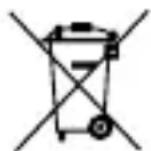
2012/19/EU (WEEE directive): Products marked with this symbol cannot be disposed of as unsorted municipal waste in the European Union. For proper recycling, return this product to your local supplier upon the purchase of equivalent new equipment, or dispose of it at designated collection points. For more information see: www.recyclethis.info.
2006/66/EC (battery directive): This product contains a battery that cannot be disposed of as unsorted municipal waste in the European Union. See the product documentation for specific battery information. The battery is marked with this symbol, which may include lettering to indicate cadmium (Cd), lead (Pb), or mercury (Hg). For proper recycling, return the battery to your supplier or to a designated collection point. For more information see: www.recyclethis.info.
EC DECLARATION OF CONFORMITY
Hereby, Hangzhou EZVIZ Software Co., Ltd. declares that the radio equipment type [CS-CMT-A0-CHIME] is in compliance with Directive 2014/53/EU.
The full text of the EC DECLARATION OF CONFORMITY is available at the following web link:
http://www.ezvizlife.com/declaration-of-conformity.
Safety Instruction
Key Safety Tips for Transformer:
- Inspect your transformer thoroughly to prevent or minimize breakdowns. Before installation, monitor your transformer by checking for any burnt odor, damaged power cords and connectors or any parts that are improperly installed.
- Keep the power off when working on the transformer. Make sure there is zero electrical leakage or continuity between the current source and the system.
- Learn the maximum voltage requirements of your transformer. Be careful of system overload from a single transformer, with the understanding that multiple transformers help balance the impedance of each load.
- Keep spare nuts, bolts and other objects away from your work, so that they don't touch or fall into the transformer.
- Be certain that your transformer is grounded, which will prevent static electricity and protect the coils from contacting the enclosure or core.
• Always keep your transformer and all of its components dry and free from any kind of moisture or water. To protect unskilled onlookers, set up caution signs that warn people to keep away from danger.
Due to the product shape and dimension, the name and address of the importer/manufacturer are printed on the package.
Customer Service
For more information, please visit www.ezvizlife.com.
Need help? Contact us:
Telephone: +31 20 204 0128
Technical Inquires Email: support.eu@ezvizlife.com
SAVE THIS MANUAL FOR FUTURE REFERENCE
COPYRIGHT © Hangzhou EZVIZ Software Co., Ltd. ALLE RECHTE VORBEHALTEN.
http://www.ezvizlife.com/declaration-of-conformity.
Sicherheitshinweis
natural_image
Line drawing of a device with a circular vent and two side panels, no text or symbols present.
natural_image
Line drawing of a mechanical device with no visible text or symbolsDoorbell Chime
Power Pin (x1) Transformer(x1)
natural_image
Simple line drawing of a rectangular enclosure or storage unit (no text or symbols)
Mounting Base (x1) Quick Start Guide (x1)

What's Required for Installation
Head Screwdriver
Basics
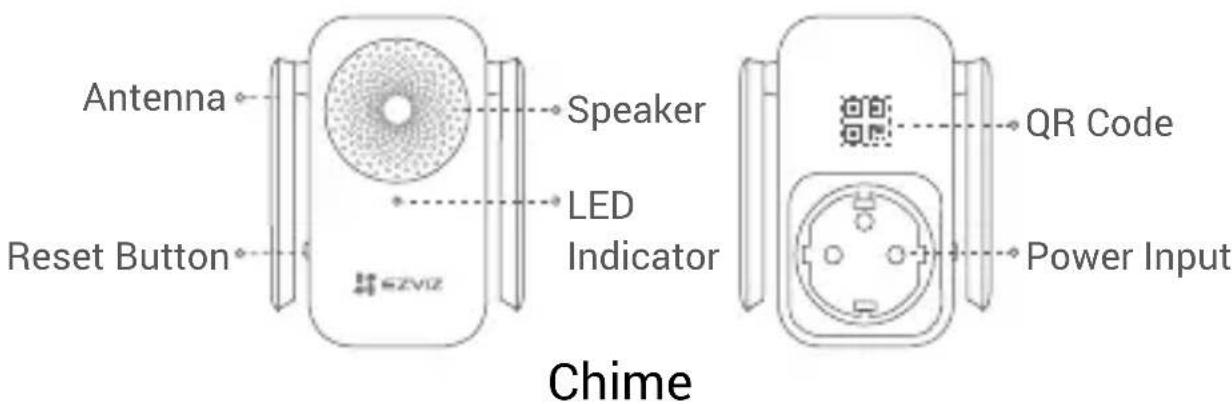
Name Description
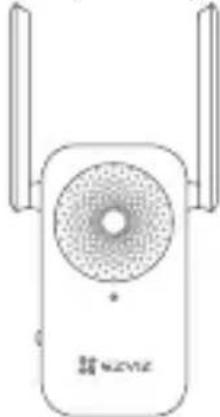
Antenna Enhances the transmission of wireless network signal between the chime and other wireless network terminals.
LED Indicator • Solid Red: Chime is starting up.
- Slow-Flashing Red: Wi-Fi connection has failed.
• Solid Blue: Chime is functioning properly. - Fast-Flashing Blue: Chime is ready for Wi-Fi connection.
Reset Button Hold for 5 seconds to restart and all parameters are reset to default.
QR Code Scan the QR code with the EZVIZ App to add the device to your account. Please keep it for further reference.
Power Input 100 to 240 VAC, 50/60Hz
The chime appearance is subject to the actual one you have bought.
How the System Works
EN
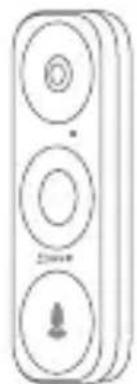
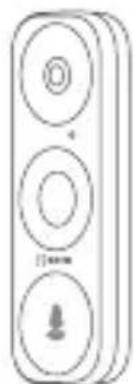
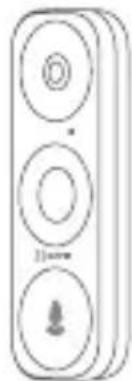
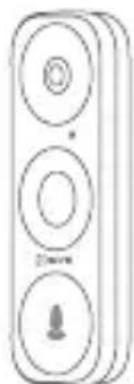
The system includes 2 parts. One is the doorbell at your porch. The other is the Wi-Fi chime plugged into indoor power outlet. The doorbell is powered by existing doorbell wires.

Chime should work with EZVIZ doorbell. Please log into EZVIZ app for further instructions.
Get the EZVIZ App
- Connect your mobile phone to Wi-Fi (suggested).
- Search for "EZVIZ" in App Store or Google Play™.
- Download and install the EZVIZ app.
- Launch the app, and register an EZVIZ user account.
Installation
Step 1: Shut off power at the Fusebox.
Since you'll be working with high-voltage electricity, first shut off the main power switch on your fusebox or consumer unit.

natural_image
Illustration of an open electrical control box with six panels and a red circuit line (no text or symbols)Step 2: Locate your existing Doorbell Transformer.
In order for EZVIZ doorbell to function properly, 12V AC power is a must. Please check if your existing doorbell transformer meets this requirement. If not, please replace yours with the one in the package.

If you need help with this process or live in an area where it's illegal to work inside your fusebox or consumer unit, hire a qualified electrician.
- Your transformer is most likely in your fusebox or consumer unit. If not, look in other places where electrical components are installed.
Step 3: Wire your Transformer.
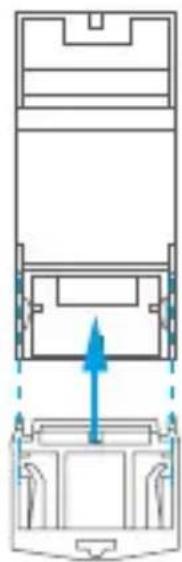
- Install the mounting base (included) to your new transformer.
- Disconnect the 4 wires from your existing transformer, and remove it from your fusebox or other install location.
- Connect these 4 wires to your new transformer, making sure not to swap the mains and secondary wires.
- Insert the wire ends into each clamp-down terminal, and tighten each connection with a screwdriver.
- Make sure that each wire is securely clamped for a solid connection.
natural_image
Diagram of a vehicle front view showing top and side views with an upward arrow indicating motion (no text or symbols)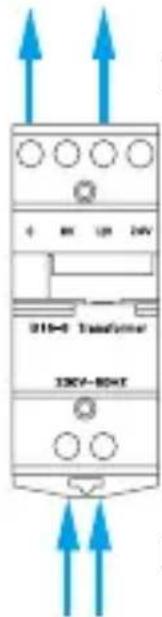
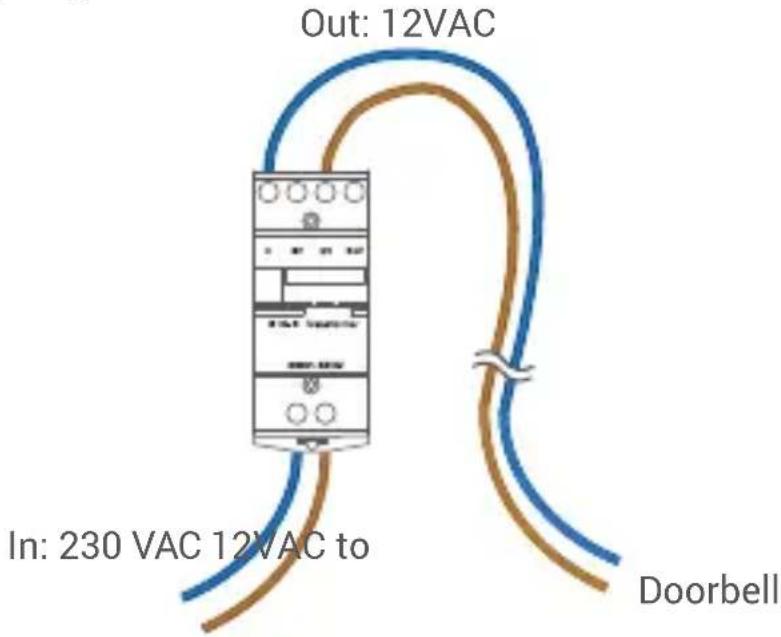
To your EZVIZ Doorbell (0, 12V)
Mains Power In
This repurposes those mains wires to carry 12 volt power to your doorbell. The resulting installation should look similar to the following diagram.
EN
Chime should work with EZVIZ doorbell. If you have installed other type of doorbell, remove it, and install EZVIZ doorbell.
- Unscrew your existing doorbell from the wall and disconnect its wires.
- Install your EZVIZ doorbell. For detailed operations, you can refer to the doorbell Quick Start Guide.
- Follow the EZVIZ app wizard to add the doorbell to your EZVIZ account, and choose the right chime type in the doorbell settings interface.
How to select the right chime type?
Choose the chime type as same as the product label.
Step 5: Install the Chime.
- Find a location between your Wi-Fi router and your doorbell.
- Plug the chime into a power outlet. When the LED indicator is fast-flashing blue, it is ready for Wi-Fi connection.
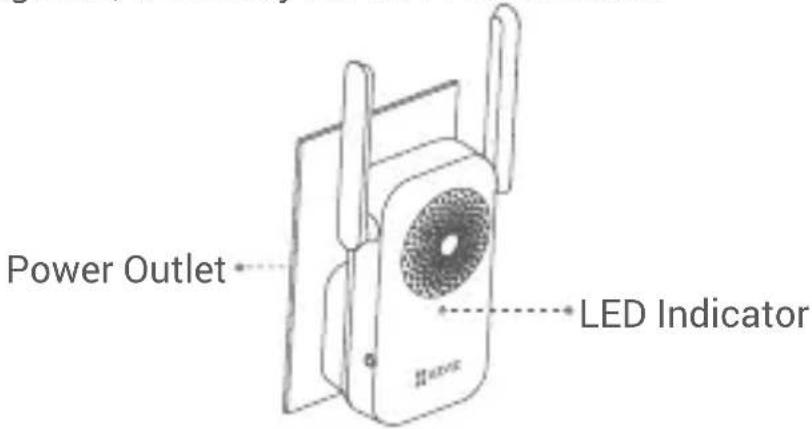
Choose an outlet that is central to your home, so you can clearly hear your doorbell notifications.
Step 6: Restore Power at the Breaker.

natural_image
Illustration of an open electrical control box with multiple panel switches and a red circuit board (no text or symbols)Setup
EN
- Log in to your EZVIZ account.
- On the Home screen, tap "+" on the upper-right corner to go to the Scan QR Code interface.
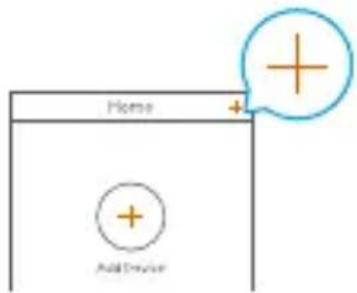
- Scan the QR Code on the cover of this quick start guide or on the body of the chime.
- Tap Next to add the chime to the EZVIZ app.
- Tap Next to go to Link to the bell interface.
- Turn on Link to the chime of your doorbell.
- Follow the EZVIZ app wizard to finish the settings.
Linking to the chime will extend the standby time of your doorbell and shorten its response time.
EXPOSURE TO RADIOFREQUENCY RF
The frequency bands and the nominal limits of transmitted power (radiated and/or conducted) applicable to this radio device are the following:
Band Wi-Fi 2.4 GHz
Frequency From 2.412 GHz to 2.472 GHz
Power transmission (EIRP) 100mW
Troubleshooting
1 Why the chime in my home responds slowly, or even doesn't function?
Please confirm the following details.
- Select the right chime type (same as the product label) in the doorbell settings interface in the EZVIZ app.
- Your doorbell contains a power cell which may need to charge before the first use. If you complete the install process and your doorbell does not appear to function, give it 10 minutes to 3 hours to charge and then try again.
2 I have failed to connect my chime to Wi-Fi.
- Make sure your chime is not blocked by firewall or any limitation in your network.
- Do not connect too many devices to the router.
- Make sure the static IP setting is disabled and the router can distribute IP address to your device (DHCP is on).
3 My doorbell is offline frequently.
- Make sure the doorbell has received strong and stable Wi-Fi signal. If you think low Wi-Fi signal strength is causing your issue, try moving your Wi-Fi router closer to your doorbell, or add a chime to boost Wi-Fi.
- Make sure your router and the internet is functional.
- The doorbell requires at least 2 Mbps uploading speed, please make sure the bandwidth of the network is sufficient, and do not have too many devices connected to the router.
- If all the troubleshooting techniques listed above does not resolve the problem, please delete the device from your EZVIZ account, reset and re-add.
4 My doorbell has failed to link to my chime.
EN
Network Connect Type 1
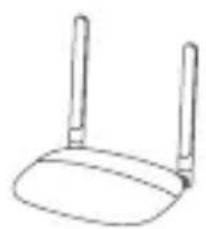
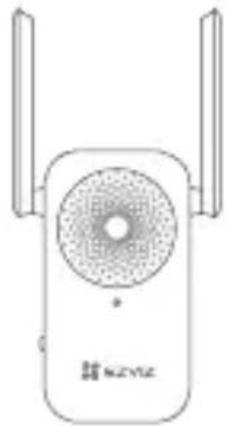
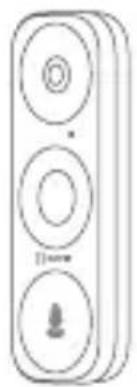
- If you installed your chime between your doorbell and the router, as the figure shown below.
The router and doorbell should be placed as close to each other as possible for optimal performance, and should not exceed 10 feet (3 m).
natural_image
Simple line drawing of a wireless router (no text or symbols)Router
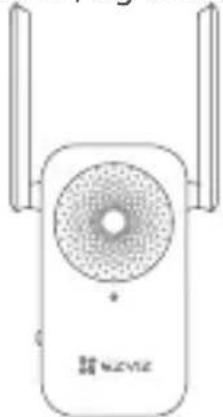
Indoor
))
natural_image
Line drawing of a wireless router device with two antennas and a circular vent (no text or symbols)Chime
Indoor
( )
3m
natural_image
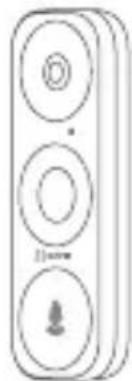
Simple line drawing of a three-tiered remote control device (no text or symbols)Doorbell
Outdoor
Network Connect Type 2
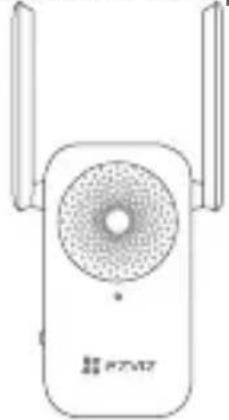
- If you installed your chime near the router, and far from your doorbell, as the figure shown below.
The router and doorbell should be placed as close to each other as possible for optimal performanc.
natural_image
Line drawing of a wireless router device with two ports and a central circular head (no text or symbols)Chime Indoor
))
natural_image
Simple line drawing of a router with two handles (no text or symbols)Router Indoor
( )
natural_image
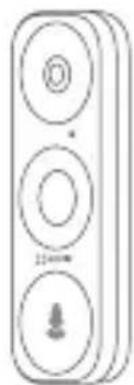
Simple line drawing of a three-tiered vertical device with circular buttons and a small icon at the bottom (no text or symbols)Doorbell Outdoor
Lieferumfang

natural_image
Line drawing of a device with a circular vent and two side connectors (no text or symbols)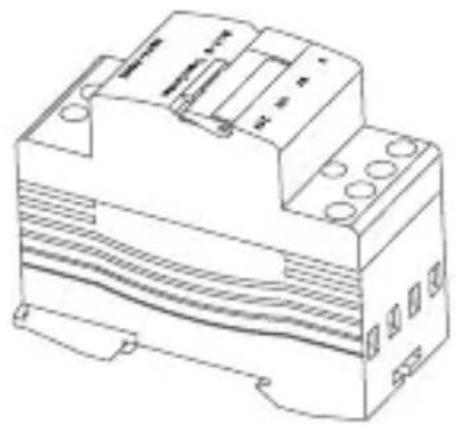
natural_image
Line drawing of a mechanical device with no visible text or symbolsnatural_image
Simple line drawing of a rectangular device with internal compartments and mounting brackets (no text or symbols)
natural_image
Illustration of an open electrical control box with multiple switches and wiring (no text or symbols)natural_image
Diagram of a mechanical component with an upward force arrow, showing internal structure without any text or symbols.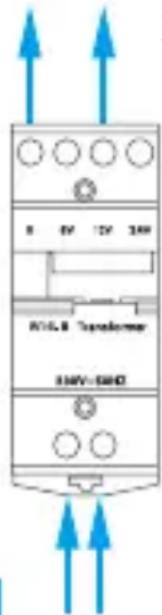
natural_image
Illustration of an open electrical control box with multiple battery cells and red circuit lines (no text or symbols)Einrichtung
natural_image
Line drawing of a device with a circular vent and two side panels, no text or symbols present.
natural_image
Line drawing of a mechanical device with no visible text or symbolsES
natural_image
Simple line drawing of a rectangular enclosure or storage unit with no text or symbols
natural_image
Illustration of an open electrical control box with multiple panel switches and a red circuit breaker (no text or symbols)natural_image
Diagram of a vehicle front view showing internal compartments and structural components (no text or labels)Al videoportero EZVIZ (0, 12 V)
natural_image
Illustration of an open electrical control box with multiple switches and wiring (no text or symbols)Configuración
Pulsador (exterior)Enrutador (i
natural_image
Line drawing of a device with a circular top and side connectors (no text or symbols)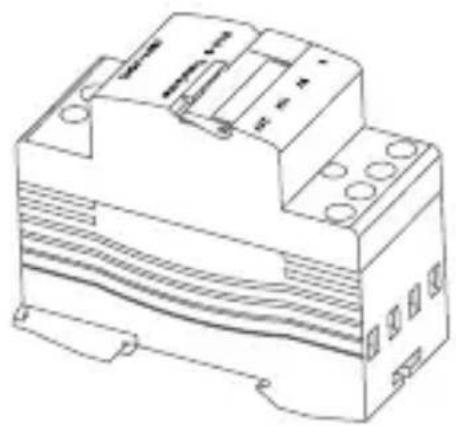
natural_image
Line drawing of a mechanical device with no visible text or symbolsnatural_image
Simple line drawing of a rectangular device with internal compartments and mounting brackets (no text or symbols)
natural_image
Illustration of an open electrical control box with multiple panel switches and a red circuit breaker (no text or symbols)natural_image
Illustration of an open electrical control box with multiple switches and wiring (no text or symbols)Installation
natural_image
Line drawing of a device with a circular vent and two side panels, no text or symbols present.
natural_image
Line drawing of a mechanical device with no visible text or symbolsnatural_image
Simple line drawing of a battery pack (no text or symbols)
natural_image
Illustration of an open electrical control box with multiple switches and wiring (no text or symbols)natural_image
Illustration of an open electrical control box with multiple panels and a red circuit board (no text or symbols)Configurazione
IT
natural_image
Line drawing of a device with a circular vent and two side connectors (no text or symbols)
natural_image
Technical line drawing of a mechanical device with no visible text or symbolsnatural_image
Simple line drawing of a rectangular device with internal compartments and ventilation slots (no text or symbols)
Montagestuk (x1) Snelstartgids (x1)
natural_image
Illustration of an open electrical control box with multiple switches and wiring (no text or symbols)natural_image
Diagram of a vehicle front panel with an arrow indicating upward movement (no text or symbols present)Naar uw EZVIZ-deurbel (0, 12 V)

Stroomingang
natural_image
Illustration of an open electrical control box with multiple battery cells and red circuit lines (no text or symbols)Installatie
natural_image
Line drawing of a device with a circular vent and two side connectors (no text or symbols)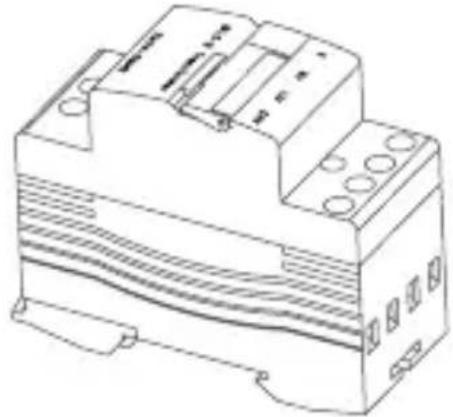
natural_image
Line drawing of a mechanical electronic device with no visible text or symbolsnatural_image
Simple line drawing of a device casing with internal compartments (no text or symbols)
PL
natural_image
Illustration of an open electrical control box with multiple panel switches and a red circuit line (no text or symbols)natural_image
Diagram of a mechanical component with an upward arrow indicating force or direction (no text or symbols present)58
natural_image
Pure electrical circuit lines without any symbolsnatural_image
Illustration of an open electrical control box with multiple panel switches and a red circuit board (no text or symbols)Konfiguracja
natural_image
Line drawing of a wireless router device with two side antennas and a central speaker (no text or symbols)Gong w budynku


natural_image
Simple line drawing of a wireless router (no text or symbols)Router w budynku

natural_image
Simple line drawing of a three-tiered vertical device with circular buttons and a download icon (no text or symbols)natural_image
Line drawing of a device with a circular vent and two side connectors (no text or symbols)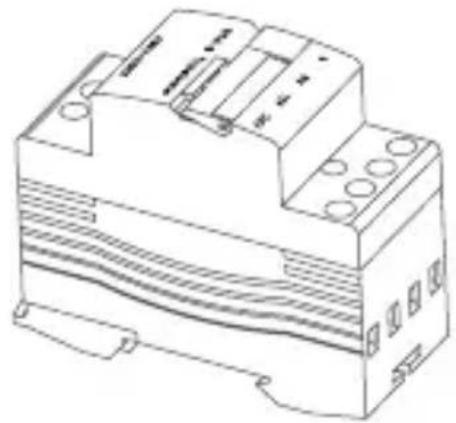
natural_image
Line drawing of an electrical component with no visible text or symbolsnatural_image
Simple line drawing of a rectangular device with internal compartments (no text or symbols)
natural_image
Illustration of an open electrical control box with multiple terminals and a red circuit line (no text or symbols)natural_image
Diagram of a vehicle front view showing internal components and a blue upward arrow indicating motion (no text or symbols)natural_image
Illustration of an open electrical control box with multiple panels and a red circuit board (no text or symbols)Ρύθμιση
natural_image
Line drawing of a device with a circular vent and two side panels, no text or symbols present.
natural_image
Technical line drawing of a mechanical device with mounting holes and internal components (no text or symbols)natural_image
Simple line drawing of a battery pack with no text or symbols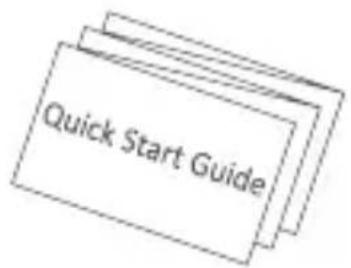
natural_image
Illustration of an open electrical control box with multiple switches and wiring (no text or symbols)natural_image
Diagram showing a mechanical assembly with an upward force arrow, no text or symbols present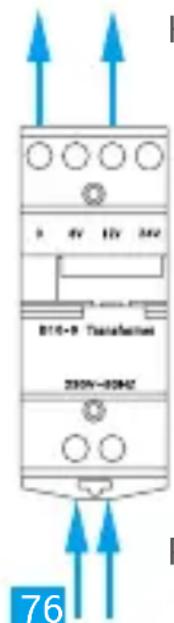
natural_image
Illustration of an open electrical control box with multiple switches and wiring (no text or symbols)Instalace
natural_image
Simple line drawing of a wireless router (no text or symbols)Směrovač uvnitř

natural_image
Line drawing of a wireless router device with two antennas and a circular head (no text or symbols)Zvonek uvnitř

3m
natural_image
Simple line drawing of a vertical control panel with three circular buttons and a downward arrow (no text or symbols)natural_image
Line drawing of a wireless router device with two antennas and a central speaker (no text or symbols)Zvonek uvnitř

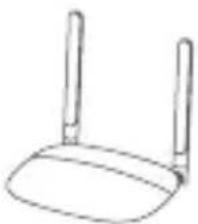
natural_image
Simple line drawing of a wireless router (no text or symbols)Směrovač uvnitř

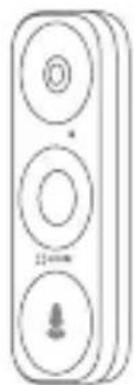
natural_image
Simple line drawing of a three-tiered vertical device with circular buttons and a small icon at the bottom (no text or symbols)natural_image
Line drawing of a device with a circular vent and two side connectors (no text or symbols)
natural_image
Technical line drawing of a mechanical device with mounting holes and internal structure (no text or symbols)Konektor napájania vchodového zvončeka (1 x) Transformátor (1 x)

natural_image
Simple line drawing of a rectangular device with internal compartments and mounting brackets (no text or symbols)natural_image
Illustration of an open electrical control box with multiple switches and wiring (no text or symbols)natural_image
Line drawing of a portable electronic device with two speakers and a fan (no text or symbols)Indikátor LED
natural_image
Electrical enclosure with open door and red circuit lines (no text or symbols)Nastavenie
- Prihláste sa do svojho konta EZVIZ.
- Na domovskej obrazovke tuknite na symbol „+“ v pravom hornom rohu, aby ste prešli do rozhrania skenovania QR kódu.

natural_image
Line drawing of a wireless router device with two antennas and a speaker grille (no text or symbols)natural_image
Simple line drawing of a wireless router (no text or symbols)Vnútorný smerovač


natural_image
Simple line drawing of a three-tiered vertical device with circular buttons and a small icon at the bottom (no text or symbols)natural_image
Line drawing of a device with a circular vent and two side panels, no text or symbols present.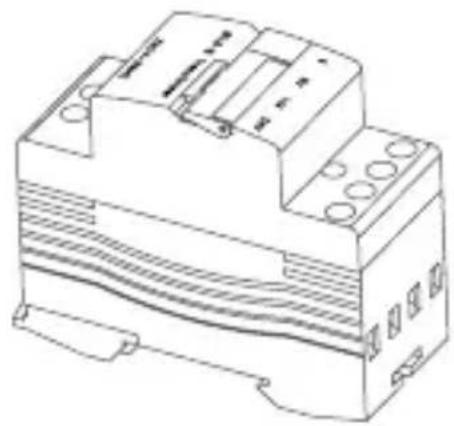
natural_image
Technical line drawing of an electrical component with no visible text or symbolsRingeklokkeenhet (x1) Transformator (x1)

natural_image
Simple line drawing of a battery pack with no text or symbols
Monteringsbase (x1) Hurtigstartveiledning (x1)
natural_image
Illustration of an open electrical control box with multiple panel switches and a red circuit breaker (no text or symbols)NO
Trinn 2: Finn den eksisterende dørklokketransformatoren.
natural_image
Diagram of a vehicle front view showing top and side views with an upward arrow indicating motion (no text or symbols)
natural_image
Illustration of an open electrical control box with multiple circuit breakers and a red piping (no text or symbols)Oppsett
natural_image
Illustration of a wireless router device with two antennas and a speaker grille, emitting sound waves (no text or symbols)natural_image
Simple line drawing of a wireless router (no text or symbols)Ruter innendørs


natural_image
Simple line drawing of a vertical control panel with three circular buttons and a small icon at the bottom (no text or symbols)Dørklokke utendørs
natural_image
Line drawing of a device with a circular vent and brand logo (no readable text or symbols beyond branding)
natural_image
Technical line drawing of an electrical component with no visible text or symbolsDörrklocka med stickkontakt (x 1) Transformator (x 1)
natural_image
Simple line drawing of a rectangular device with internal compartments and mounting brackets (no text or symbols)
Monteringsplatta (x1) Snabbstartsguide (x 1)

natural_image
Illustration of an open electrical control box with multiple switches and wiring (no text or symbols)Steg 2: Lokalisera transformatorn för din befintliga dörrklocka.
natural_image
Diagram of a vehicle front view showing top and side views with an upward arrow indicating motion (no text or symbols)Till din EZVIZ-dörrklocka (0, 12 V)
SW
natural_image
Illustration of an open electrical control box with multiple panel switches and a red circuit board (no text or symbols)SW
Inställning
natural_image
Line drawing of a wireless router device with two antennas and a circular head (no text or symbols)Klangenhet inomhus
))

natural_image
Simple line drawing of a router with two handles (no text or symbols)Router inomhus
( )
natural_image
Simple line drawing of a three-tiered vertical control panel with circular buttons and a downward arrow (no text or symbols)Dörrklocka utomhus
Indholdet i pakken

natural_image
Line drawing of a device with a circular vent and two side connectors (no text or symbols)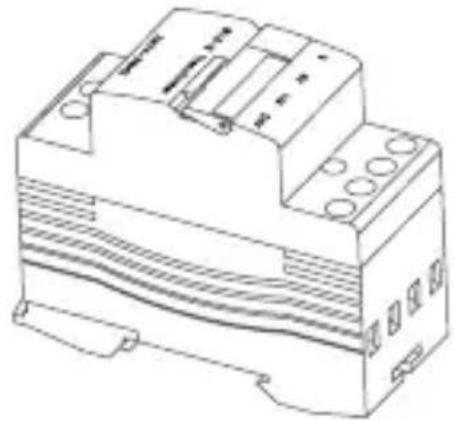
natural_image
Technical line drawing of an electrical component with no visible text or symbolsnatural_image
Simple line drawing of a battery pack with no text or symbols
Monteringsbase (x 1) Startvejledning (x 1)

natural_image
Illustration of an open electrical control box with multiple panels and a red circuit line (no text or symbols)DK
Trin 2: Find transformeren til din eksisterende dørtelefon.
natural_image
Diagram of a mechanical component with an upward arrow indicating force or direction (no text or symbols present)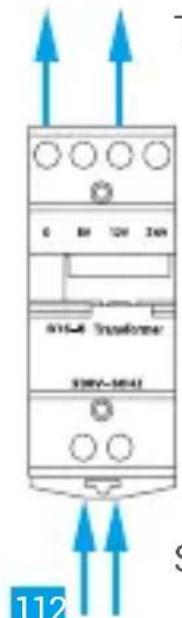
natural_image
Illustration of an open electrical control box with multiple switches and wiring (no text or symbols)Konfiguration
natural_image
Simple line drawing of a wireless router (no text or symbols)Router indendørs

natural_image
Line drawing of a wireless router device with two antennas and a central speaker (no text or symbols)Klokke indendørs

3m
natural_image
Simple line drawing of a vertical control panel with three circular buttons and a small download icon (no text or symbols)Dørtelefon udendørs
natural_image
Line drawing of a device with two vertical bars and a circular vent (no text or symbols)Klokke indendørs


natural_image
Simple line drawing of a wireless router (no text or symbols)Router indendørs

natural_image
Simple line drawing of a three-tiered vertical device with circular buttons (no text or symbols)Dørtelefon udendørs
DK
Pakkauksen sisältö
natural_image
Line drawing of a device with a circular vent and two side connectors (no text or symbols)natural_image
Technical line drawing of a mechanical device with no visible text or symbols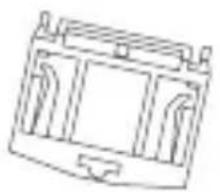
natural_image
Simple line drawing of a rectangular enclosure or enclosure with internal compartments (no text or symbols)
natural_image
Illustration of an open electrical control box with multiple switches and wiring (no text or symbols)natural_image
Illustration of an open electrical control box with multiple panel switches and a red circuit breaker (no text or symbols)FI
Määritys
Thank you for purchasing Hangzhou EZVIZ Software Co., Ltd. ("EZVIZ") products. This limited warranty ("warranty") gives you, the original purchaser of the EZVIZ product, specific legal rights. You may also have other legal rights that vary by state, province or jurisdiction. This warranty applies only to the original purchaser of the product.
"Original purchaser" means any consumer having purchased the EZVIZ product from an authorized seller. The disclaimers, exclusions, and limitations of liability under this warranty will not apply to the extent prohibited by applicable law. No distributor, reseller, agent, or employee is authorized to make any modification, extension, or addition to this warranty.
Your EZVIZ product is warranted for a period of two (2) years from the date of purchase against defects in materials and workmanship, or such longer period as may be required by law in the country or state where this product is sold, when used normally in accordance with user manual.
You can request warranty service by contacting our Customer Service.
For any defective EZVIZ products under warranty, EZVIZ will, at its option, (i) repair or replace your product free of charge; (ii) exchange your product with a functional equivalent product; or (iii) refund the original purchase price, provided you provide the original purchase receipt or copy, a brief explanation of the defect, and return the product in its original packaging. At EZVIZ's sole discretion, repair or replacement may be made with a new or refurbished product or components. This warranty does not cover the shipping cost, insurance, or any other incidental charges incurred by you in returning the product.
Except where prohibited by applicable law, this is your sole and exclusive remedy for breach of this warranty. Any product that has either been repaired or replaced under this warranty will be covered by the terms of this warranty for the longer of ninety (90) days from the date of delivery or the remaining original warranty period.
This warranty does not apply and is void:
- If the warranty claim is made outside the warranty period or if the proof of purchase is not provided;
- For any malfunction, defect, or failure caused by or resulting from the evidence of impact; mishandling; tampering; use contrary to the applicable instruction manual; incorrect power line voltage; accident; loss; theft; fire; flood; or other Acts of God; shipping damage; or damage resulting from repairs performed by unauthorized personnel;
- For any consumable parts, such as batteries, where the malfunction is due to the normal aging of the product;
- Cosmetic damage, including but not limited to scratches, dents, and broken plastic on ports;
- Any software, even if packaged or sold with EZVIZ hardware;
- For any other damages free from defects in material or workmanship;
• Routine cleaning, normal cosmetic and mechanical wear and tear.
Please do not hesitate to contact your seller or our Customer Service, with any questions.
EINGESCHRÄNKTE GARANTIE


- About this Manual
- Revision Record
- Trademarks Acknowledgement
- Legal Disclaimer
- Regulatory Information
- EU Conformity Statement
- EC DECLARATION OF CONFORMITY
- Safety Instruction
- Customer Service
- Sicherheitshinweis
- Basics
- Name Description
- How the System Works
- EN
- Get the EZVIZ App
- Installation
- Step 1: Shut off power at the Fusebox.
- Step 2: Locate your existing Doorbell Transformer.
- Step 3: Wire your Transformer.
- Step 5: Install the Chime.
- Step 6: Restore Power at the Breaker.
- Setup
- EXPOSURE TO RADIOFREQUENCY RF
- Troubleshooting
- My doorbell has failed to link to my chime.
- Network Connect Type 1
- Network Connect Type 2
- Lieferumfang
- Einrichtung
- Configuración
- Configurazione
- Installatie
- Konfiguracja
- Ρύθμιση
- Instalace
- Nastavenie
- Trinn 2: Finn den eksisterende dørklokketransformatoren.
- Oppsett
- Steg 2: Lokalisera transformatorn för din befintliga dörrklocka.
- Inställning
- Indholdet i pakken
- Trin 2: Find transformeren til din eksisterende dørtelefon.
- Konfiguration
- Pakkauksen sisältö
- Määritys
- EINGESCHRÄNKTE GARANTIE
Brand : EZVIZ
Model : Chime
Category : Doorbell