
275E2FAE - Screen PHILIPS - Free user manual and instructions
Find the device manual for free 275E2FAE PHILIPS in PDF.

 FR
FR
 AR
AR
 BG
BG
 CS
CS
 DA
DA
 DE
DE
 EL
EL
 EN
EN
 ES
ES
 FI
FI
 HR
HR
 HU
HU
 IT
IT
 JA
JA
 KO
KO
 NL
NL
 NO
NO
 PL
PL
 PT
PT
 RO
RO
 RU
RU
 SK
SK
 SL
SL
 SV
SV
 TH
TH
 TR
TR
 UK
UK
 VI
VI
 ZH
ZH
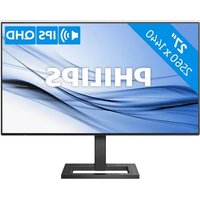
| Product type | Desktop monitor |
| Brand | Philips |
| Model | 275E2FAE |
| Screen size | 27 inches (68.6 cm) |
| Resolution | 2560 × 1440 pixels (QHD) |
| Panel type | IPS |
| Refresh rate | 75 Hz |
| Response time | 4 ms (fast mode) |
| Brightness | 300 cd/m² |
| Contrast | 1000:1 (static) |
| Viewing angle | 178° horizontal / 178° vertical |
| Connectivity | 1x HDMI, 1x DisplayPort, 1x VGA, headphone output |
| Dimensions with stand | 613 x 462 x 203 mm |
| Weight with stand | 4.3 kg |
| Power supply | 100-240 V AC, 50-60 Hz |
| Power consumption | 26 W (typical), less than 0.5 W in standby |
| Main features | LowBlue mode, flicker-free technology, Adaptive Sync |
| Care and cleaning | Use a soft, dry cloth, avoid harsh chemicals |
| Safety | Use a grounded electrical outlet, do not open the housing |
| Spare parts and repairability | VESA 100x100 mount, have repairs done by a professional |
| General information | PC and Mac compatibility, frameless design |
Frequently Asked Questions - 275E2FAE PHILIPS
User questions about 275E2FAE PHILIPS
0 question about this device. Answer the ones you know or ask your own.
Ask a new question about this device
Download the instructions for your Screen in PDF format for free! Find your manual 275E2FAE - PHILIPS and take your electronic device back in hand. On this page are published all the documents necessary for the use of your device. 275E2FAE by PHILIPS.
USER MANUAL 275E2FAE PHILIPS
www.philips.com/welcome
2.1 Installation....5
Elskrot WEEE (Waste Electrical and Electronic Equipment)

This marking on the product or on its packaging illustrates that, under European Directive 2012/19/EU governing used electrical and electronic appliances, this product may not be disposed of with normal household waste. You are responsible for disposal of this equipment through a designated waste electrical and electronic equipment collection. To determine the locations for dropping off such waste electrical and electronic, contact your local government office, the waste disposal organization that serves your household or the store at which you purchased the product.
Your new monitor contains materials that can be recycled and reused. Specialized companies can recycle your product to increase the amount of reusable materials and to minimize the amount to be disposed of.
All redundant packing material has been omitted. We have done our utmost to make the packaging easily separable into mono materials.
Please find out about the local regulations on how to dispose of your old monitor and packing from your sales representative.
Taking back/Recycling Information for Customers
Philips establishes technically and economically viable objectives to optimize the environmental performance of the organization's product, service and activities.
From the planning, design and production stages, Philips emphasizes the important of making products that can easily be recycled. At Philips, end-of-life management primarily entails participation in national take-back initiatives and recycling programs whenever possible, preferably in cooperation with competitors, which recycle all materials (products and related packaging material) in accordance with all Environmental Laws and taking back program with the contractor company.
Your display is manufactured with high quality materials and components which can be recycled and reused.
To learn more about our recycling program please visit
http://www.philips.com/a-w/about/sustainability.html

① Kensington anti-tyverisikring
② AC/DC strømindgang
③ HDMI 1 -indgang
4 HDMI 2 -indgang
5 Displayport-indgang
6 lydudgang
Tilslutning til pc
Advarsel

Bemærk

Bemærk
- Tryk til venstre for at starte SmartImage på skærmen.
- Tryk op og ned for at skifte mellem: FPS, Racing, RTS, Gamer1 (Spil1), Gamer2 (Spil2), LowBlue-Mode
Pixeldefekttolerancer
Check cable connection
Monitor control unlocked
Monitor controls locked
Brand : PHILIPS
Model : 275E2FAE
Category : Screen