TIM-250 - Doorbell Steren - Free user manual and instructions
Find the device manual for free TIM-250 Steren in PDF.


| Brand | Steren |
| Model | TIM-250 |
| Product Type | Wireless doorbell |
| Range | 50 metres |
| Tones | 16 selectable tones |
| Receiver Power | 3V (2x AA batteries, not included) |
| Transmitter Power | 12V (1x 23A battery, not included) |
| Volume Levels | Low, Medium, High |
| Indicator | In-use LED on receiver |
| Installation | Dry place; clean with soft, dry cloth; do not open; avoid extreme temperatures |
| Warranty | 1 year from date of purchase |
Frequently Asked Questions - TIM-250 Steren
User questions about TIM-250 Steren
0 question about this device. Answer the ones you know or ask your own.
Ask a new question about this device
Download the instructions for your Doorbell in PDF format for free! Find your manual TIM-250 - Steren and take your electronic device back in hand. On this page are published all the documents necessary for the use of your device. TIM-250 by Steren.
USER MANUAL TIM-250 Steren
Receptor
1.- Bocina
natural_image
Simple line drawing of a device with a labeled component (no text or symbols)natural_image
Simple line drawing of a refrigerator with a battery and directional arrow (no text or symbols)Timbre
natural_image
Illustration of a hand pointing at a device with a small icon on the screen (no text or symbols)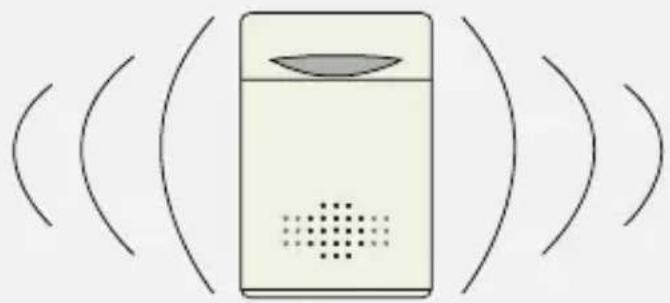
natural_image
Simple line drawing of a device with sound waves and a speaker grille (no text or symbols)Tonos de timbre
on purchasing your new Steren product.
This manual includes all the feature operations and troubleshooting necessary to install and operate your new Wireless door bell Steren. Please review this manual thoroughly to ensure proper installation and operation of this product. For support, shopping, and everything new at Steren, visit our website:
www.steren.com
IMPORTANT
Install it in a dry place
Clean with a soft, dry cloth
Do not try to open the device, may cause damages and warranty will be void
Do not expose to extreme temperatures
Highlights
- Wireless
- You don't need any cable, only batteries
•50 metres wide range
•16 tones
Controls
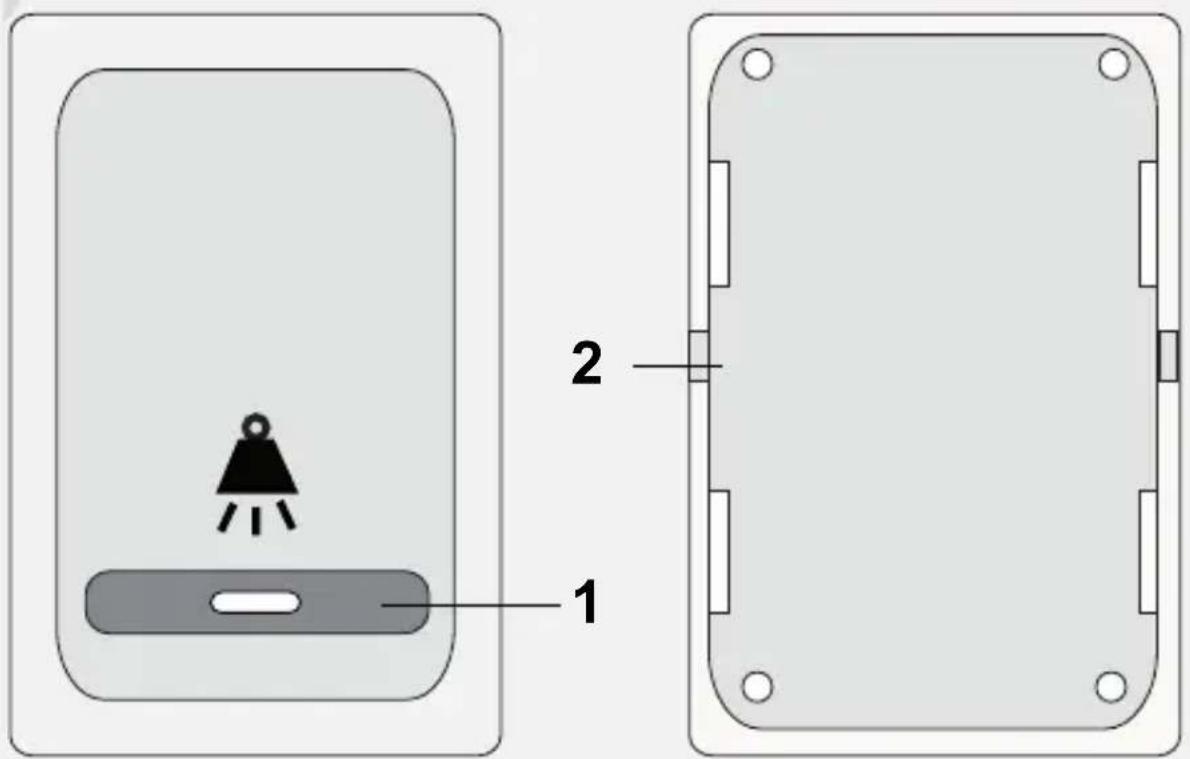
Door bell
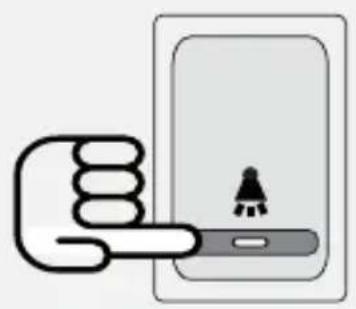
1.- Ring button
Press to activate a tone in the receiver
2.- battery compartment
Use it to install a 23A battery
Receiver
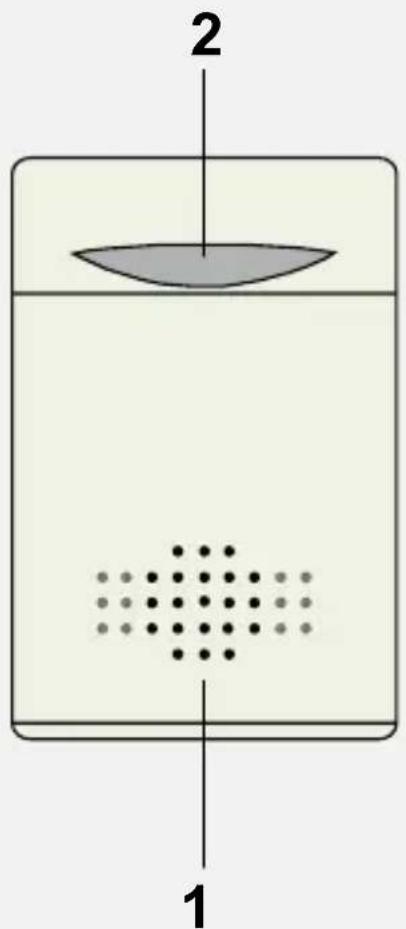
1.- Speaker
Allows you to hear s door bell sound
2.- In use indicator
Lights on when somebody press the door bell
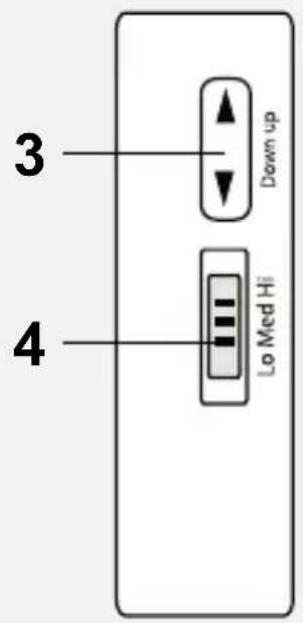
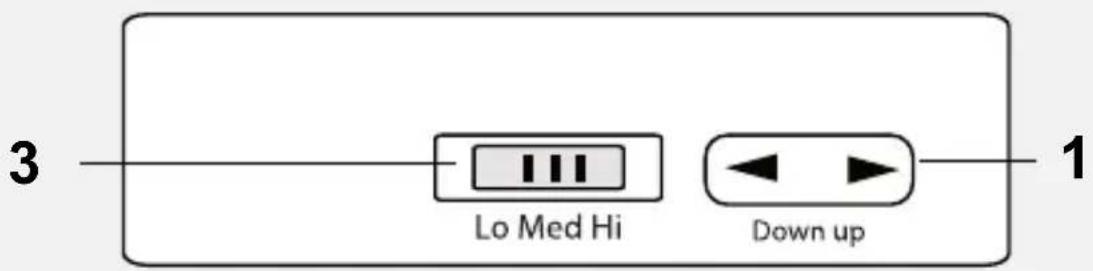
3.- Up / Down
Use it to select a tone
4.- Lo / Med / Hi
Select Lo to listen to the tone, with low volume level
Select Med to listen to the tone, with medium volume level
Select Hi to listen to the tone, with high volume level
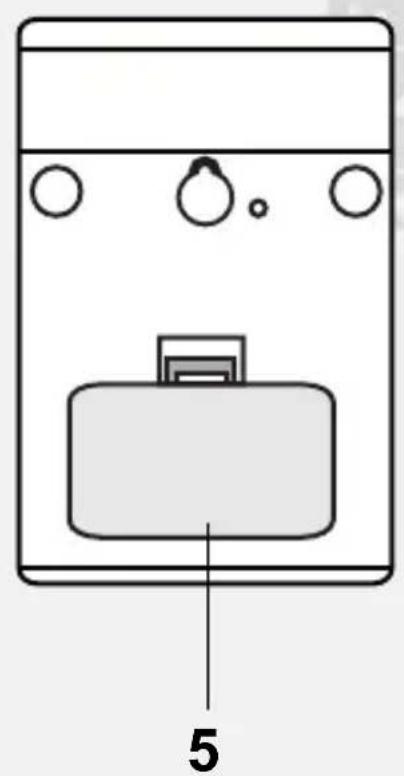
5.- Battery compartment
Use it to install two AA batteries
Battery installation
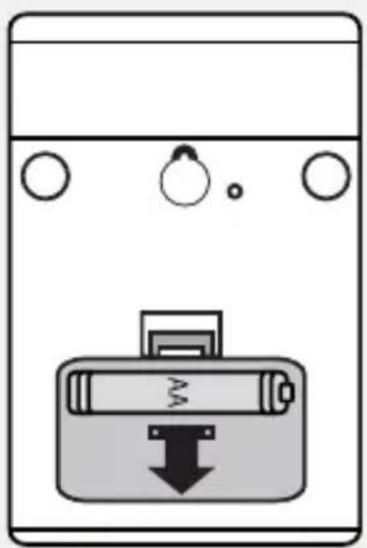
Receiver
1.- Remove the cover from the battery compartment.
2.- Place two AA batteries (not included), paying attention to polarity.
3.- Replace the cover.
natural_image
Diagram of a battery with a downward arrow and circular ports, no text or symbols presentDoor bell
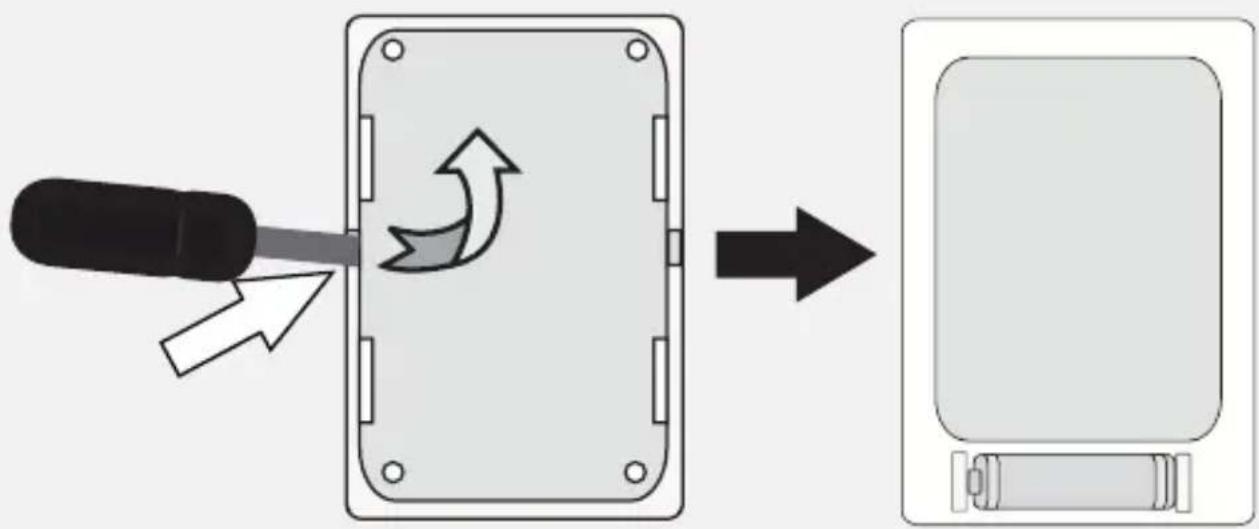
1.- Remove the cover from the battery compartment, using a screwdriver, as shown.
2.- Place one 23A type battery, paying attention to polarity.
3.- Replace the cover.
Installing the door bell
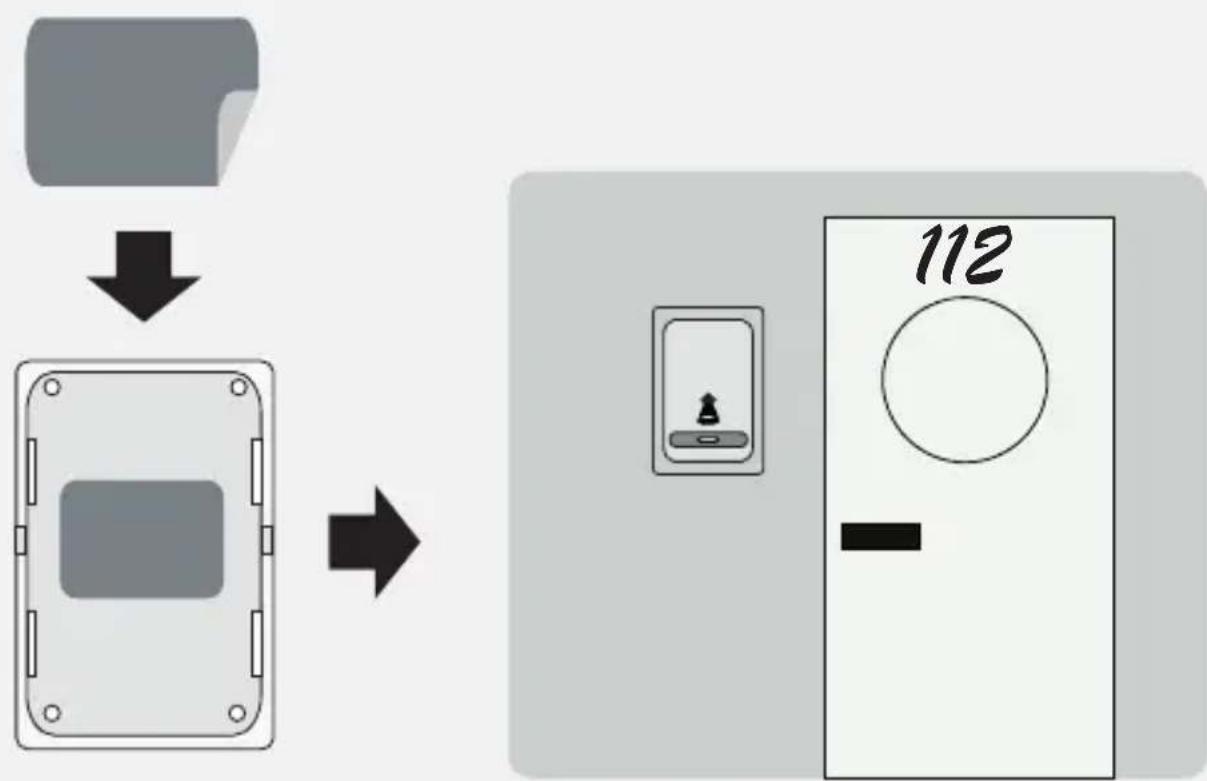
1.- Place the receiver in a flat surface or hang it up using the right hole.
2.- To install the door bell, clean the surface where you want to install it (wall or door).
3.- Remove one of the protectors of the sticker and stick it on the wall or door. Press it slightly.
4.- Then, remove the second protector from the sponge.
5.- Place the door bell over the sponge and press slightly.
flowchart
graph TD
    A["File"] --> B["Download"]
    B --> C["Output"]
    C --> D["112 Timer"]
    D --> E["-"]
How to use
After installing the device, press the Ring button, then you will hear a tone in the receiver.
natural_image
Illustration of a hand pointing at a device with a small icon on the screen (no text or symbols)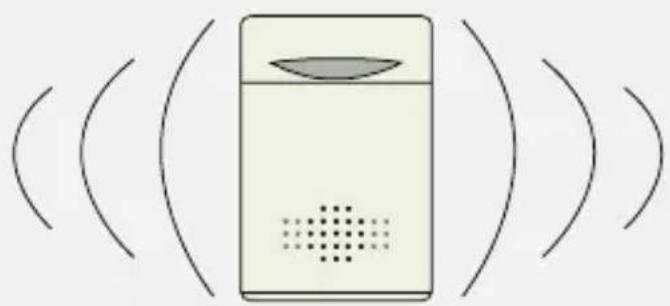
natural_image
Simple diagram of a device with a lens and sound waves, no text or symbols present.Tones
To change the tone:
1.- Press Up / Down button to select a tone.
2.- After selection, drop the button.
3.- If you want to modify the volume level, use Lo / Med / Hi.
Specifications
Receiver
Input: 3V --- (2xAA)
Transmitter
Input: 12V --- (1x23A)
Product design and specifications may vary, without notice.

STEREN
Product: Wireless door bell
Part number: TIM-250
Brand: Steren
WARRANTY
This Steren product is warranted under normal usage against defects in workmanship and materials to the original purchaser for one year from the date of purchase.
CONDITIONS
1.- This warranty card with all the required information, invoice, product box or package, and product, must be presented when warranty service is required.
2.- If the product stills on the warranty time, the company will repair it free of charge.
3.- The repairing time will not exceed 30 natural days, from the day the claim was received.
4.- Steren sell parts, components, consumables and accessories to customer, as well as warranty service, at any of the addresses mentioned later.
THIS WARRANTY IS VOID IN THE NEXT CASES:
If the product has been damaged by an accident, acts of God, mishandling, leaky batteries, failure to follow enclosed instructions, improper repair by unauthorized personnel, improper safe keeping, among others.
a) The consumer can also claim the warranty service in the purchase establishment.
b) If you lose the warranty card, we can reissue it, if you show the invoice or purchase ticket.
www.steren.com

natural_image
Abstract black-and-white geometric pattern with horizontal stripes (no text or symbols)STEREN
Help us to improve this instruction manual, call us to:
01800 500 9000
natural_image
Simple line drawing of a classic telephone handset and keypad (no text or symbols)- Receptor
- 1.- Bocina
- Timbre
- Tonos de timbre
- IMPORTANT
- Highlights
- Controls
- Door bell
- Receiver
- 1.- Speaker
- 2.- In use indicator
- 3.- Up / Down
- 4.- Lo / Med / Hi
- 5.- Battery compartment
- Battery installation
- Installing the door bell
- How to use
- Tones
- Specifications
- STEREN
- Product: Wireless door bell
- Part number: TIM-250
- Brand: Steren
- WARRANTY
- CONDITIONS
- THIS WARRANTY IS VOID IN THE NEXT CASES:
- Help us to improve this instruction manual, call us to:
Brand : Steren
Model : TIM-250
Category : Doorbell