
Mi Portable Mouse - Mouse Xiaomi - Free user manual and instructions
Find the device manual for free Mi Portable Mouse Xiaomi in PDF.


| Product type | Wireless mouse |
| Brand | Xiaomi |
| Model | Mi Portable Mouse |
| Dimensions | 100 x 60 x 30 mm |
| Weight | 60 g |
| Power supply | Rechargeable lithium-ion battery, 500 mAh, USB-C port |
| Battery life | Approximately 30 days (daily use) |
| Connectivity | Bluetooth 5.0, USB dongle included |
| Sensor | Optical, 1200 dpi resolution |
| Buttons | 3 buttons (left click, right click, clickable scroll wheel) |
| Compatibility | Windows, macOS, Android, iOS, Linux |
| Noise level | Silent clicks |
| Maintenance | Clean with a soft dry cloth |
| Precautions | Do not expose to water or excessive heat |
| Spare parts | Built-in non-replaceable battery |
| Repairability | For any repairs, contact authorized after-sales service |
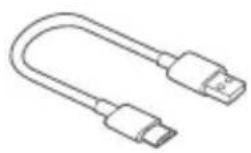
| Box contents | Mouse, USB dongle, USB-C charging cable, user manual |
Frequently Asked Questions - Mi Portable Mouse Xiaomi
User questions about Mi Portable Mouse Xiaomi
0 question about this device. Answer the ones you know or ask your own.
Ask a new question about this device
Download the instructions for your Mouse in PDF format for free! Find your manual Mi Portable Mouse - Xiaomi and take your electronic device back in hand. On this page are published all the documents necessary for the use of your device. Mi Portable Mouse by Xiaomi.
USER MANUAL Mi Portable Mouse Xiaomi
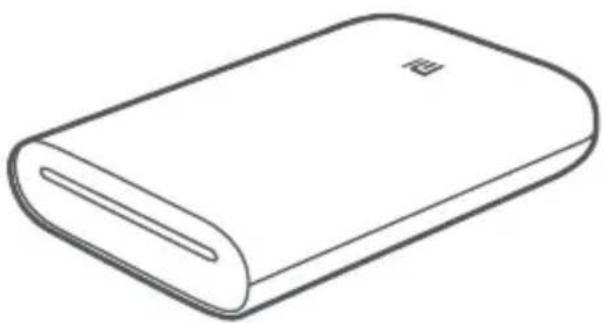
Mi Portable Photo Printer User Manual 1
Read this manual carefully before use, and retain it for future reference.
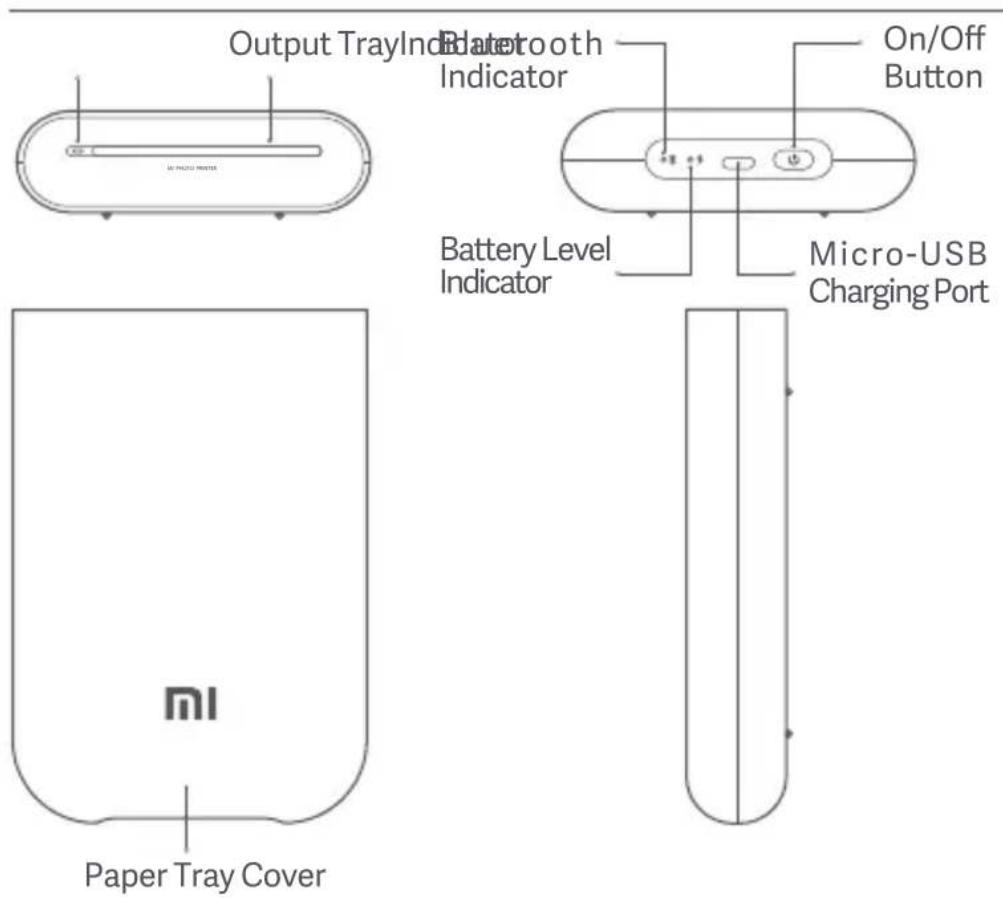
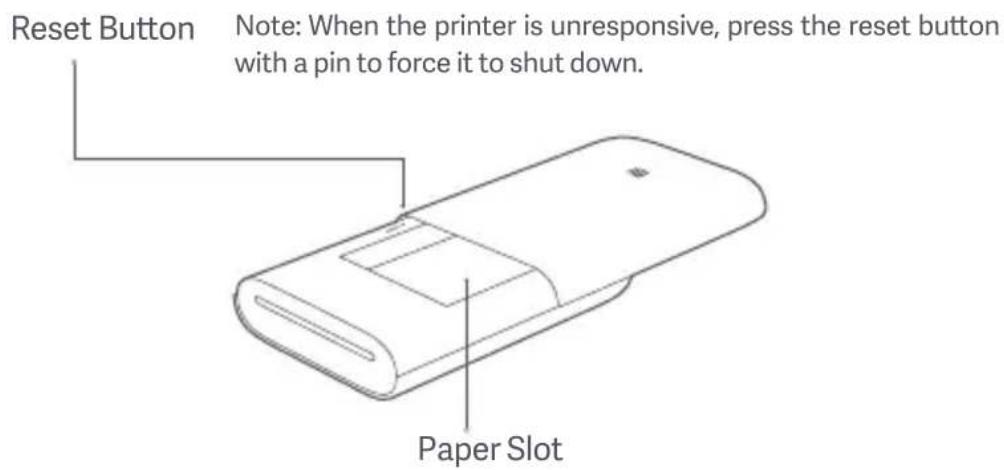
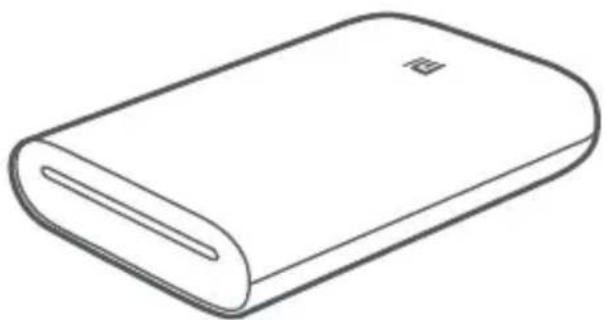
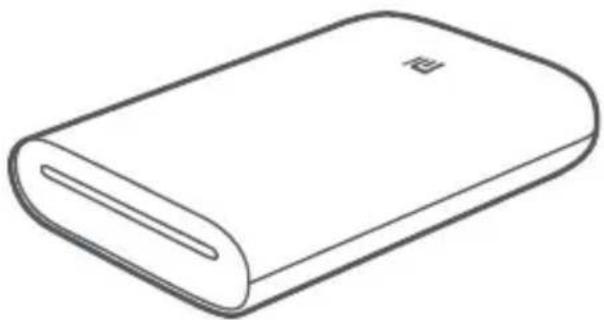
Product Overview
Accessories
natural_image
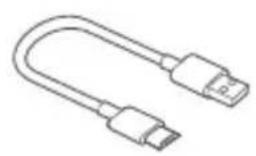
Line drawing of a U-shaped USB cable with two connectors (no text or symbols)USB Charging Cable
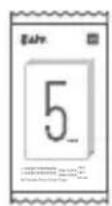
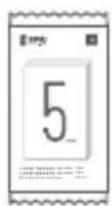
Photo Paper Pack (5 sheets)
Powering On
To turn on the printer, press and hold the power button for 2 seconds until the status indicator turns white. The printer will then wait for a pairing with a Bluetooth device, and the Bluetooth indicator is turning into orange.
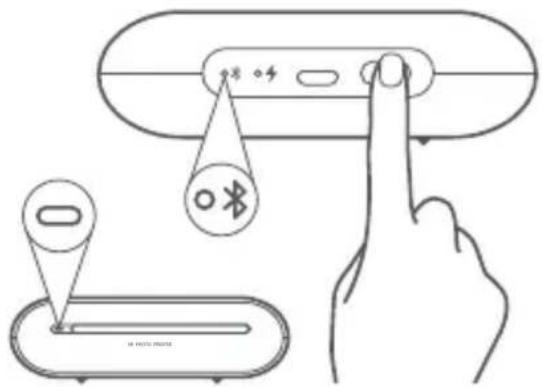
On/Off Button Instruction
| 2 seconds | Press and hold | Turning On/Off | |
| 6 times | Continuously press 6 times | Restoring factory settings |
Note: Pressing or pressing and holding the on/off button will not interrupt a firmware update.
Connect with Mi Home / Xiaomi Home App
This product works with Mi Home / Xiaomi Home app*. Control your device with Mi Home / Xiaomi Home app.
Scan the QR code to download and install the app. You will be directed to the connection setup page if the app is installed already. Or search "Mi Home / Xiaomi Home" in the app Store to download and install it.
Open Mi Home / Xiaomi Home app, tap "+" on the upper right, and then follow prompts to add your device.
Once the printer is successfully connected to your phone, you can use Mi Home/Xiaomi Home app to print photos.
* The app is referred to as Xiaomi Home app in Europe (except for Russia). The name of the app displayed on your device should be taken as the default.

Note:
The version of the app might have been updated, please follow the instructions based on the current app version.
Load Photo Paper
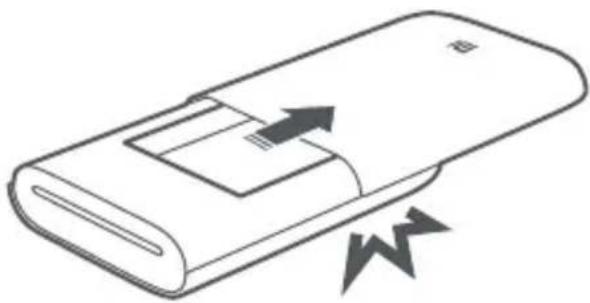
1 Open the printer paper tray cover.
Firmly press the paper tray cover until it clicks into place.
natural_image
Diagram of a device with arrows indicating motion or force, no text or symbols present2 Load Photo Paper
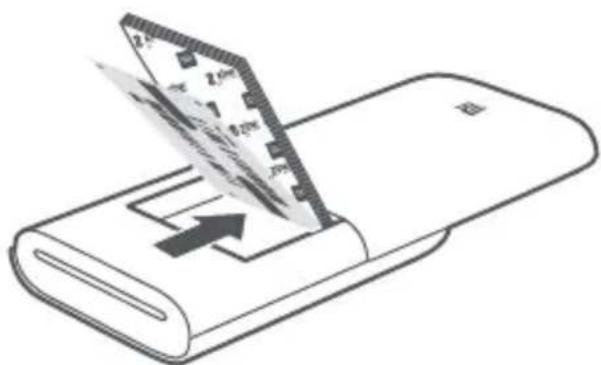
Remove the photo paper from its packaging and load the entire stack of paper into the printer with the glossy side up. Make sure the Smart Sheet is placed at the very bottom with its barcode facing down.
Note: Make sure the Smart Sheet is placed at the very bottom.
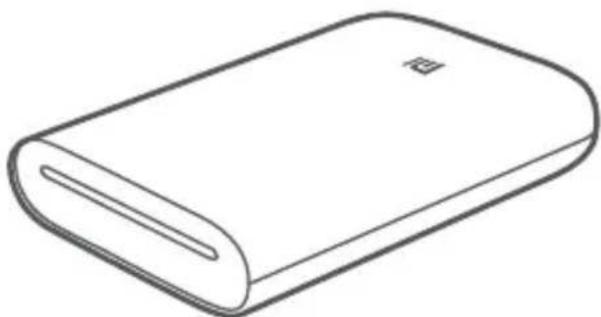
3 Close the paper tray cover.
natural_image
Line drawing of a closed book with a bookmark (no text or symbols)Indicator Instruction
Battery Level Indicator
| Pulsating white | Low battery level | |
| ○4 | White | Charging |
| •4 | Off | Battery is sufficient/Fully charged |
Bluetooth Indicator
| ○※ | Orange | Ready to pair |
| ○※ | Blue | Successfully paired |
Indicator
| Off | The printer is off | |
| White | The printer is standing by | |
| Blinking white | Printing/Updating firmware | |
| Blinking orange | Printer error |
Precautions
- The printer's optimal operating temperature is 15^ C to 35^ C at a relative humidity of 40% to 60%. Improper temperature or humidity levels may adversely affect print quality, including causing paper jams or incomplete printing.
- To ensure print quality, only use genuine photo paper and the included Smart Sheet.
- Do not mix using photo paper and Smart Sheet from different packages, as this may impact print quality. For best results, load an entire pack of photo paper each time the printer is out of paper and use the Smart Sheet included with each new paper pack to recalibrate the printer.
- When loading paper, do not touch the glossy side, as this can leave fingerprints and impact print quality. Add paper glossy side up and place the Smart Sheet on the bottom of the stack with its barcode facing down.
- To ensure proper printer function and print quality, do not block the output tray or touch the paper during printing. Do not attempt to force paper out of the printer, as this can damage the printer.
-
Do not store photo paper at high temperatures or in direct sunlight, as this can cause the paper to become discolored. Do not expose to humid environments, water, and other liquids so as not to cause the paper to become discolored and wrinkled. Avoid any dust as it can cause scratches on the paper and damage the printer.
-
When pasting a photo, choose a smooth, flat surface. Do not expose the paper to high humidity or moisture to avoid it curling up or losing its adhesive properties.
- The printer has a built-in lithium battery and should not be stored in a hot or humid environment. Charge the printer at least once every 3 months. Do not attempt to disassemble, repair or replace the battery. Never use the printer if it is exposed to water.
Specifications
Name: Mi Portable Photo Printer
Model: XMKDDYJ01HT
Item Dimensions: 124 x 85 x 24.6 mm
RF Specification: Bluetooth LE/BR/EDR
Maximum Output Power: 10 dBm
Net Weight: Approx. 181 g
Operating Temperature: 15 °C to 35 °C
Input: 5 V == 1 A
Wireless Connectivity: Bluetooth 5.0
Working Frequency: 2402-2480 MHz
Regulatory Compliance Information

Hereby, Xiaomi Communications Co., Ltd. declares that the radio equipment type XMKDDYJ01HT is in compliance with Directive 2014/53/EU. The full text of the EU declaration of conformity is available at the following internet address: http://www.mi.com/global/service/support/declaration.html

All products bearing this symbol are waste electrical and electronic equipment (WEEE as in directive 2012/19/EU) which should not be mixed with unsorted household waste. Instead, you should protect human health and the environment by handing over your waste equipment to a designated collection point for the recycling of waste electrical and electronic equipment, appointed by the government or local authorities. Correct disposal and recycling will help prevent potential negative consequences to the environment and human health. Please contact the installer or local authorities for more information about the location as well as terms and conditions of such collection points.
- The operation temperature range of the battery is 0 °C\~45 °C.
- Replacement of a battery with an incorrect type that can defeat a safeguard (for example, in the case of some lithium battery types);
- Disposal of a battery into fire or a hot oven, or mechanically crushing or cutting of a battery, that can result in an explosion;
- Leaving a battery in an extremely high temperature surrounding environment that can result in an explosion or the leakage of flammable liquid or gas;
- A battery subjected to extremely low air pressure that may result in an explosion or the leakage of flammable liquid or gas.
Illustrations of product, accessories, and user interface in the user manual are for reference purposes only. Actual product and functions may vary due to product enhancements.
The Bluetooth® word mark and logos are registered trademarks owned by Bluetooth SIG, Inc. and any use of such marks by Xiaomi Inc. is under license. Other trademarks and trade names are those of their respective owners.
For detailed e-manual, please go to www.mi.com/global/service/userguide
Nota:
natural_image
Line drawing of a device with arrows indicating motion or movement, no text or symbols presentnatural_image
Illustration of a foldable electronic device with a screen and an arrow indicating compression or disassembly (no text or symbols)natural_image
Line drawing of a closed book with a bookmark (no text or symbols)http://www.mi.com/global/service/support/declaration.html

natural_image
Diagram of a device with arrows indicating motion or force, no text or symbols presentnatural_image
Illustration of a closed book with a card being inserted into it, showing the paper's edge and cover (no text or symbols)natural_image
Line drawing of a closed book with a bookmark (no text or symbols)natural_image
Diagram of a device with arrows indicating motion or force, no text or symbols presentnatural_image
Illustration of a computer with a slide and an arrow indicating compression or disassembly (no text or symbols)natural_image
Line drawing of a closed book with a bookmark (no text or symbols)Nota:
natural_image
Diagram of a device with directional arrows indicating movement or force (no text or symbols)natural_image
Illustration of a device being processed into a closed book, showing a foldable screen with a pencil and an arrow indicating process (no text or symbols)natural_image
Line drawing of a closed book with a flat cover and a small rectangular cutout (no text or symbols)Hinweis:
natural_image
Diagram of a device with arrows indicating motion or force, no text or symbols presentnatural_image
Simple line drawing of a closed book or document (no text or symbols visible)natural_image
Line drawing of a rectangular electronic device with a flat top and internal compartments (no text or symbols)인화지 넣는 곳
부품 리스트
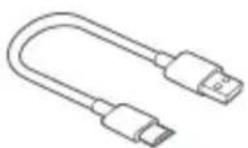
USB 충전 케이블
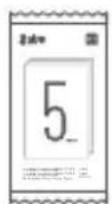
인화지(5개입)
부팅
전원 버튼 조작 설명
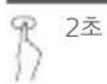
전원 버튼을 길게 누릅니다
전원 켜기/끄기

참고:
natural_image
Illustration of a closed book with an arrow indicating compression and lightning bolts around it (no text or symbols)2 인화지 넣기
③ 프린터 카톤 커버를 닫아줍니다.
natural_image
Line drawing of a closed book with a bookmark (no text or symbols)지시등 상태 설명
전량 표시등
Xiaomi Communications Co., Ltd. 전지:
XU101653-20006
電源ボタンの操作方法
注:
natural_image
Diagram of a device with arrows indicating motion or force, no text or symbols present② フォト用紙をセットする
natural_image
Illustration of a foldable device with a paper sheet being inserted, showing internal structure and an arrow indicating compression (no text or symbols)natural_image
Line drawing of a closed book with a bookmark (no text or symbols)指示ランプの説明
電池残量表示ランプ
電源鍵操作說明
natural_image
Illustration of a closed electronic device with an arrow indicating direction and lightning bolts around it (no text or symbols)2 放入相紙
natural_image
Illustration of a computer with a screen showing an open circuit board and an arrow indicating compression (no text or symbols)3 合上印表機紙盒蓋
natural_image
Line drawing of a closed book with a bookmark (no text or symbols)指示燈狀態說明
電量指示燈
natural_image
Line drawing of a rectangular electronic device with a handle and internal components (no text or symbols)相紙槽
配件清單
natural_image
Line drawing of a U-shaped USB cable with two connectors (no text or symbols)USB 充電線
相紙包(5 張裝)
開機
電源鍵操作說明
natural_image
Diagram of a device with arrows indicating motion or force, no text or symbols present2 放入相紙
3 合上打印機紙盒蓋
natural_image
Line drawing of a closed book with a bookmark (no text or symbols)指示燈狀態說明
電量指示燈
Xiaomi Communications Co., Ltd.
Address: No.019, floor 9, building 6, yard 33, middle Xierqi Road, Haidian District, Beijing, China, 100085
For further information, please go to www.mi.com
Xiaomi Communications Co., Ltd.
Fabricado por: No.019, floor 9, building 6, yard 33, middle Xierqi Road, Haidian District, Beijing, China, 100085
Xiaomi Communications Co., Ltd.
Производитель: No.019, floor 9, building 6, yard 33, middle Xierqi Road, Haidian District, Пекин, Китай, 100085
Xiaomi Communications Co., Ltd.
Fabriquée par :No.019, floor 9, building 6, yard 33, middle Xierqi Road, Haidian District, Beijing, Chine, 100085
Pour plus d' informations, consultez le site www.mi.com
Xiaomi Communications Co., Ltd.
Fabbricato da: No.019, floor 9, building 6, yard 33, middle Xierqi Road, Haidian District, Pechino, Cina, 100085
Xiaomi Communications Co., Ltd.
Adresse: No.019, floor 9, building 6, yard 33, middle Xierqi Road, Haidian District, Beijing, China, 100085
Xiaomi Communications Co., Ltd.
주소:No.019, floor 9, building 6, yard 33, middle Xierqi Road, Haidian District, Beijing, China, 100085
Xiaomi Communications Co., Ltd.
所在地 :No.019, floor 9, building 6, yard 33, middle Xierqi Road, Haidian District, Beijing, China, 100085
- Product Overview
- Powering On
- Connect with Mi Home / Xiaomi Home App
- Note:
- Load Photo Paper
- Open the printer paper tray cover.
- Load Photo Paper
- Close the paper tray cover.
- Indicator Instruction
- Precautions
- Specifications
- Regulatory Compliance Information
- 부팅
- 인화지 넣기
- ③ 프린터 카톤 커버를 닫아줍니다.
- 지시등 상태 설명
- ② フォト用紙をセットする
- 指示ランプの説明
- 放入相紙
- 合上印表機紙盒蓋
- 開機
- 合上打印機紙盒蓋
- 指示燈狀態說明
Brand : Xiaomi
Model : Mi Portable Mouse
Category : Mouse