LBUNMS16 - Mouse Logik - Free user manual and instructions
Find the device manual for free LBUNMS16 Logik in PDF.
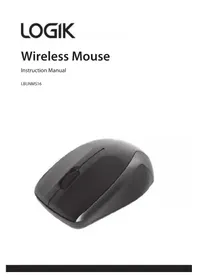


| Product Type | Wireless Mouse |
| Brand | Logik |
| Model | LBUNMS16 |
| Connectivity | 2.4 GHz Wireless via Nano Dongle |
| Resolution | 1000 dpi |
| Operating Range | >8 m (open space) |
| Frequency Band | 2400 - 2482 MHz |
| Max RF Power Transmitted | 6.9 dBm |
| Power Source | 1 x AAA Battery (included) |
| Dimensions (L x W x H) | 102 x 60 x 37 mm |
| Weight (approx.) | 60 g (with battery) |
| System Requirements | Windows 7/8/10, Mac OS X, available USB port |
| Compliance | CE, R&TTE Directive 1999/5/EC |
| Color | Black (glossy) |
| Buttons | Left, Right, Scroll Wheel |
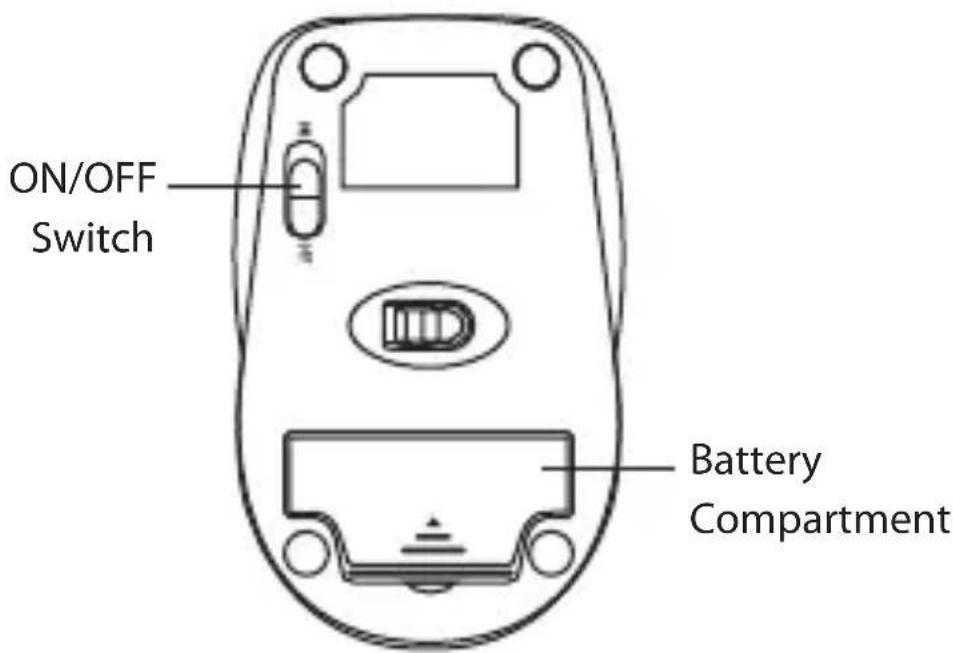
| On/Off Switch | Yes (bottom) |
| Low Battery Indicator | LED flashes |
| Spare Parts | AAA battery, Nano Dongle (included) |
| Repairability | No serviceable parts; replace if faulty |
| Cleaning | Wipe with soft dry cloth; avoid liquids |
Frequently Asked Questions - LBUNMS16 Logik
User questions about LBUNMS16 Logik
0 question about this device. Answer the ones you know or ask your own.
Ask a new question about this device
Download the instructions for your Mouse in PDF format for free! Find your manual LBUNMS16 - Logik and take your electronic device back in hand. On this page are published all the documents necessary for the use of your device. LBUNMS16 by Logik.
USER MANUAL LBUNMS16 Logik
Contents
Safety Warnings....4
Unpacking 5
Product Overview......6
Top View....6
Bottom View....6
System Requirements ....7
Installing the Batteries....7
Connecting the Nano Dongle 8
Activating the Wireless Mouse ....8
Hints and Tips......9
Specifications....10
Safety Warnings
- Your product complies with CE rules.
- This product has no serviceable parts. Use of controls or adjustments of procedures other than the Quick Start Guide may result in danger.
- While the mouse is functioning, the laser beam is not visible to the naked eye. Avoid looking directly into the emitter hole while the mouse is active.
Wireless Devices:
- Before boarding any aircraft or packing a wireless device in luggage that will be checked in, remove the batteries from the wireless device.
- Wireless devices can transmit radio frequency (RF) energy, whenever batteries are installed and the wireless device is turned on (If it has an On/Off switch).
Battery-Powered Devices:
- Improper use of batteries may result in battery fluid leakage, overheating, or explosion.
- Released battery fluid is corrosive and may be toxic. It can cause skin and eye burns, and is harmful if swallowed.
To Reduce the Risk of Injury:
- Keep batteries out of the reach of children.
- Do not heat, open, puncture, mutilate, or dispose of batteries in fire.
- Do not mix new and old batteries or batteries of different types.
- Risk of explosion if battery is replaced by an incorrect type.
- Do not allow metal objects to touch the battery terminals on the device; they can become hot and cause burns.
- Please dispose of batteries correctly by following the guidance in this manual.
Thank you for purchasing your new product.
We recommend that you spend some time reading this instruction manual in order to fully understand all the operational features it offers. You will also find some hints and tips to help you resolve any issues.
Read all the safety instructions carefully before use and keep this instruction manual for future reference.
Unpacking
Remove all items from the packaging. Retain the packaging. If you dispose of it, please do so according to local regulations.
The following items are included:
• Main Unit (with Nano Dongle) - AAA Size Battery x 1 • Instruction Manual
Product Overview
Top View
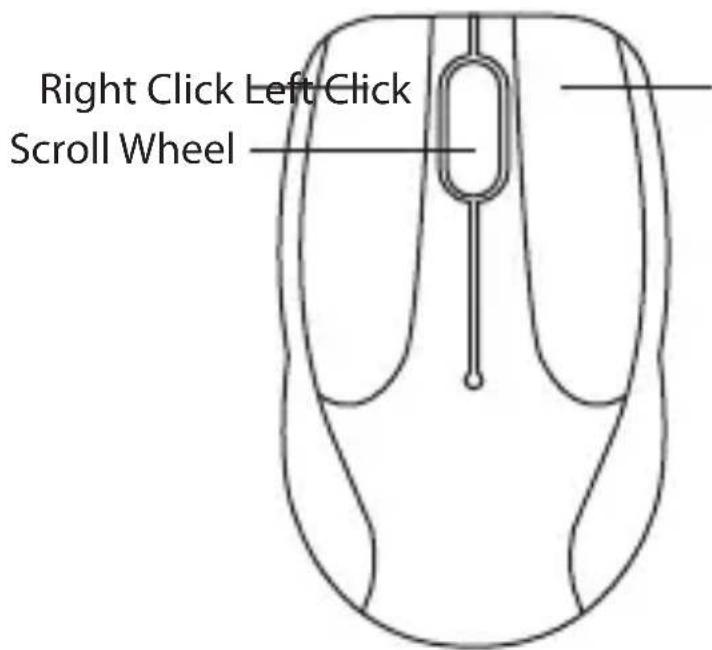
Bottom View
System Requirements
Operating Systems: Microsoft® Windows® 7 / 8 / 10
MAC® OS X
Hardware: 1 available USB port
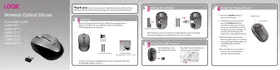
Installing the Batteries
When battery is low, the LED indicator will flash.
- Lift the battery cover up.
- Insert 1 x AAA battery.
- Close the battery cover.
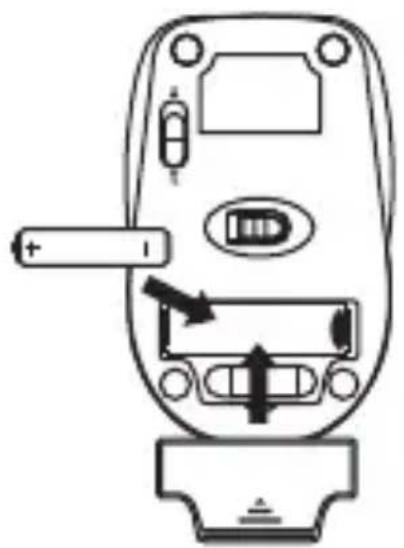

Please ensure the batteries' polarities (+ / -) match the battery compartment's polarities.
Connecting the Nano Dongle
Remove the Nano Dongle from the mouse and then plug the Nano Dongle directly into your computer's USB port.
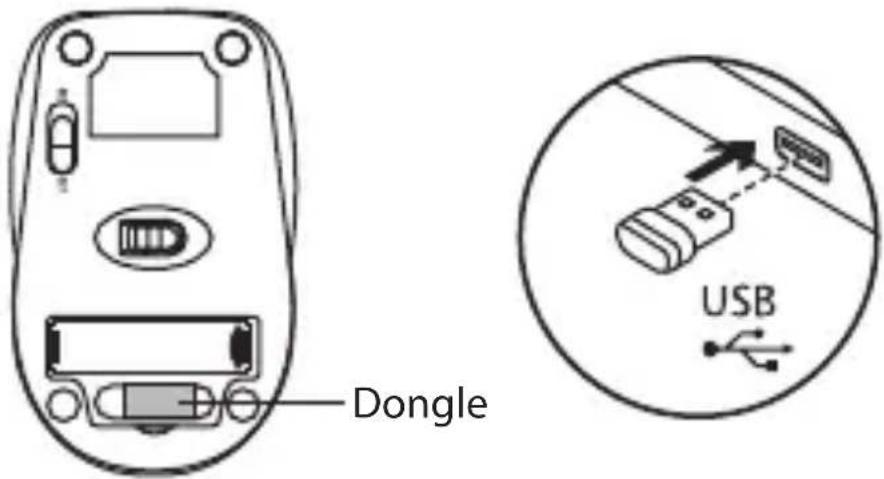
Activating the Wireless Mouse
Switch the ON/OFF button to power on the mouse and then the mouse will automatically connect to the Nano Dongle plugged into your computer.
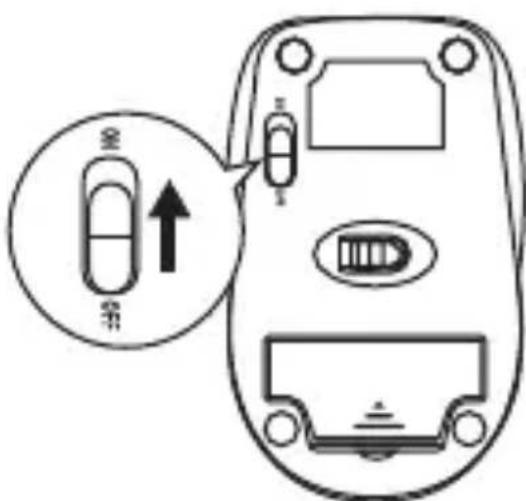

To save energy, switch the ON/OFF button to the off position to turn off the mouse and disconnect the mouse and the Nano Dongle.
Hints and Tips
Mouse not working:
- Check that the power switch is in the on position.
- Make sure the Nano Dongle is plugged into a USB port and the computer is on or try the Nano Dongle in a different USB port.
- Check battery installation. Replace battery if needed.
- If mouse performance is slow or intermittent around a wireless network, unplug the Nano Dongle from the USB port and then reinsert it. To reactivate the mouse, switch it on, off and on again using the ON/OFF switch on the bottom of the mouse.
- Repeat the connection procedure. You can also try moving the mouse closer to the Nano Dongle.
- If the mouse is moving erratically, change the working surface which the mouse is operating on.
Specifications
| Model LBUNMS16 | |
| Wireless Frequency 2.4GHz | |
| Operating Range >8m (open space) | |
| Resolution 1000 dpi | |
| Frequency Band(s) 2400 – 2482 MHz | |
| Max. Radio Frequency Power Transmitted | 6.9 dBm |
| Dimension (L) x (W) x (H) | 102 x 60 x 37 mm |
Features and specifications are subject to change without prior notice.

Visit Partmaster.co.uk today for the easiest way to buy electrical spares and accessories. With over 1 million spares and accessories available we can
deliver direct to your door the very next day. Visit www.partmaster.co.uk or call 0344 800 3456 (UK customers only). Calls charged at National Rate.
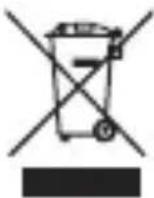
The symbol on the product or its packaging indicates that this product must not be disposed of with your other household waste. Instead, it is your responsibility to dispose of your waste equipment by handing it over to a designated collection point for the recycling of waste electrical and electronic equipment. The
separate collection and recycling of your waste equipment at the time of disposal will help conserve natural resources and ensure that it is recycled in a manner that protects human health and the environment.
For more information about where you can drop off your waste for recycling, please contact your local authority, or where you purchased your product.
Notes for battery disposal
The batteries used with this product contain chemicals that are harmful to the environment.
To preserve our environment, dispose of used batteries according
to your local laws or regulations. Do not dispose of batteries with normal household waste.
For more information, please contact the local authority or your retailer where you purchased the product.
The wireless LAN hardware in your product conforms to the requirements and provisions set out in European Directive 1999/5/EC (R&TTE). Limitations may apply for details go to www.currys.co.uk/compliance.
All trademarks are the property of their respective owners and all rights are acknowledged.
DSG Retail Ltd. (co. no. 504877)
1 Portal Way, London, W3 6RS, UK
IB-L13BUN17-170905V2
- CONTENTS
- SAFETY WARNINGS
- UNPACKING
- PRODUCT OVERVIEW
- SYSTEM REQUIREMENTS
- INSTALLING THE BATTERIES
- CONNECTING THE NANO DONGLE
- ACTIVATING THE WIRELESS MOUSE
- HINTS AND TIPS
- SPECIFICATIONS
- WIRELESS DEVICES
- BATTERY-POWERED DEVICES
- TO REDUCE THE RISK OF INJURY
- THANK YOU FOR PURCHASING YOUR NEW PRODUCT
- TOP VIEW
- BOTTOM VIEW
- MOUSE NOT WORKING
- NOTES FOR BATTERY DISPOSAL
Brand : Logik
Model : LBUNMS16
Category : Mouse