
OSMO Mobile Device Holder - Trépied pour caméra DJI - Free user manual and instructions
Find the device manual for free OSMO Mobile Device Holder DJI in PDF.


| Product Type | Smartphone Holder for DJI Osmo |
| Dimensions | 116 x 30 x 34 mm |
| Weight | 118 g |
| Max Clamping Size | 160 x 77 mm |
| Compatibility | DJI Osmo Handle (rosette mount) |
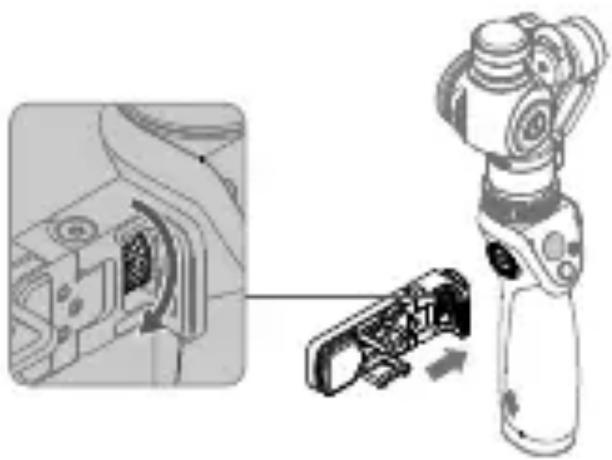
| Mounting Method | Attach to rosette, tighten knob |
| Primary Function | Secures smartphone as viewfinder and touchscreen controller via DJI GO app |
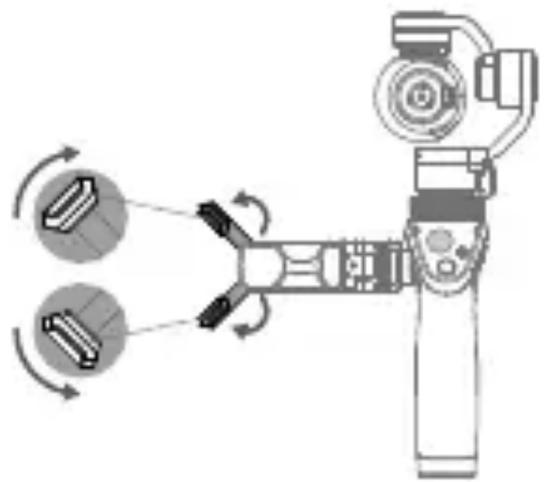
| Adjustable Arms | Yes, unfold and adjust pads |
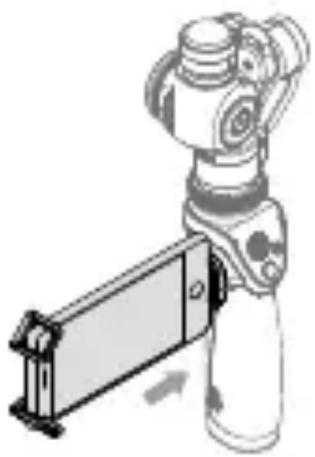
| Rotation | Yes, rotate smartphone to desired position |
| Safety Warning | Ensure secure mounting; do not force oversized devices |
| Material | Plastic / metal (unspecified) |
| Color | Black (typical) |
| Maintenance | Clean with dry cloth; avoid solvents |
| Spare Parts | Not available separately, contact DJI support |
| Repairability | Non-repairable by user; replace if damaged |
| Included Accessories | Mobile Device Holder only |
| Warranty | Standard DJI warranty applies |
| User Manual | Available for free download at www.dji.com/product/osmo |
| Certifications | CE, FCC (assumed) |
Frequently Asked Questions - OSMO Mobile Device Holder DJI
User questions about OSMO Mobile Device Holder DJI
0 question about this device. Answer the ones you know or ask your own.
Ask a new question about this device
Download the instructions for your Trépied pour caméra in PDF format for free! Find your manual OSMO Mobile Device Holder - DJI and take your electronic device back in hand. On this page are published all the documents necessary for the use of your device. OSMO Mobile Device Holder by DJI.
USER MANUAL OSMO Mobile Device Holder DJI
natural_image
Technical line drawing of a mechanical device housing with internal components (no text or symbols)Disclaimer and Warning
Congratulations on purchasing your new DJI product. The information in this document affects your safety and your legal rights and responsibilities. Read this entire document carefully to ensure proper configuration before use. Failure to read and follow instructions and warnings in this document may result in serious injury to yourself or others, damage to your DJI product, or damage to other objects in the vicinity. This document and all other collateral documents are subject to change at the sole discretion of DJI. For up-to-date product information, visit http://www.dji.com and click on the product page for this product.
By using this product, you hereby signify that you have read this disclaimer and warning carefully and that you understand and agree to abide by the terms and conditions herein. You agree that you are solely responsible for your own conduct while using this product, and for any consequences thereof. You agree to use this product only for purposes that are proper and in accordance with all applicable laws, rules, and regulations, and all terms, precautions, practices, policies and guidelines DJI has made and may make available.
DJI accepts no liability for damage, injury or any legal responsibility incurred directly or indirectly from the use of this product. The user shall observe safe and lawful practices including, but not limited to, those set forth in this document.
Introduction
The Mobile Device Holder for the Osmo secures your smartphone alongside the handle. Your smartphone can then serve as a real-time viewfinder with touchscreen camera control through the DJI GO app.
Specifications
Dimensions: 116 mm × 30 mm × 34 mm
Weight: 118 g
Max Clamping Dimensions: 160 mm × 77 mm
Installation
- Attach the Mobile Device Holder to the rosette mount on the Osmo handle. Tighten the knob to secure.
natural_image
Diagram showing a robotic arm interacting with a mechanical device, with an inset close-up of the component (no text or symbols visible)- Unfold the arms and adjust the pads.
natural_image
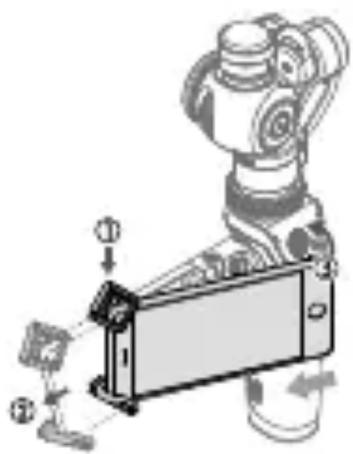
Diagram of a robotic arm with two circular components and directional arrows indicating motion (no text or symbols)- Place one end of your mobile device into the arms. Push the other end, extending the arms until your entire mobile device is seated in the Mobile Device Holder.
natural_image
Mechanical assembly diagram showing a robotic arm with labeled parts and directional arrows (no text or symbols)- Release your mobile device. Ensure it is secure. Adjust the pads if necessary.
natural_image
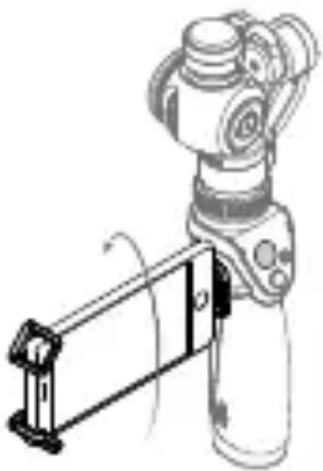
Illustration of a robotic arm gripping a rectangular device (no text or symbols visible)- Rotate your mobile device to the desired position.
natural_image
Technical line drawing of a robotic arm with a lever mechanism (no text or symbols)WARNING
- Ensure the Mobile Device Holder and your mobile device are mounted securely to prevent damage to your property.
- DO NOT force an oversized mobile device into the Mobile Device Holder.
The content is subject to change.
Download the latest version from
www.dji.com/product/osmo
If you have any questions about this document, please contact
DJI by sending a message to DocSupport@dji.com.
Brand : DJI
Model : OSMO Mobile Device Holder
Category : Trépied pour caméra