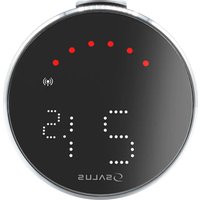
Salus PMV24 - Uncategorized

PMV24 - Uncategorized Salus - Free user manual and instructions

Find the device manual for free PMV24 Salus in PDF.

📄 2 pages English EN Download 💬 AI Question 10 questions ⚙️ Specs
Notice Salus PMV24 - page 1
Pick your language and provide your email: we'll send you a specifically translated version.
Product Type Wireless Programmable Thermostat
Dimensions 130 x 86 x 24 mm
Weight 150 g
Power Supply 2 x AA batteries
Display LCD with backlight
Temperature Range 5°C to 35°C
Programmable Schedules 7-day, up to 4 time periods per day
Wireless Frequency 868 MHz
Range Up to 100 m in open space
Frost Protection Yes (5°C)
Compatibility Compatible with most boilers and heating systems
Installation Wall-mounted using included screws and plugs
Care Clean with a soft, dry cloth
Safety Low battery indicator
Spare Parts Batteries (AA), mounting screws
Manufacturer Salus
Model PMV24

Frequently Asked Questions - PMV24 Salus

How do I install the Salus PMV24 thermostat?
Mount the thermostat on a wall using the included screws and plugs. Ensure it is away from direct heat sources and at a height of about 1.5 m. Insert two AA batteries and follow the pairing procedure with your receiver.
What batteries does the PMV24 use?
The PMV24 uses two AA alkaline batteries. Battery life is approximately one year under normal use.
How do I program the weekly schedule?
Press the menu button to enter programming mode. Use the arrow keys to set the time, day, and desired temperature for each period. You can set up to 4 time periods per day for each day of the week.
Can the PMV24 control underfloor heating?
Yes, the PMV24 is compatible with underfloor heating systems. It can be used with a suitable relay or actuator. Check the manual for specific wiring instructions.
What is the wireless range of the PMV24?
The wireless range is up to 100 meters in open space. Obstacles like walls may reduce the range.
How do I reset the thermostat to factory settings?
Press and hold the reset button located on the back of the thermostat for 10 seconds using a paperclip. All settings will be erased.
Why is my thermostat not responding?
Check that the batteries are inserted correctly and not depleted. Ensure the thermostat is within range of the receiver. Try resetting both devices and re-pairing them.
How do I enable frost protection?
Frost protection is enabled by default at 5°C. To change or disable it, go to the advanced settings menu. The thermostat will automatically heat to 5°C if the temperature drops below that.
Can I use the PMV24 with a smart home system?
The PMV24 is not directly compatible with smart home systems. It is a standalone wireless thermostat. For smart integration, consider Salus iT500 or similar models.
How do I clean the thermostat?
Use a soft, dry cloth to wipe the surface. Do not use water or cleaning agents, as they may damage the electronics.

User questions about PMV24 Salus

0 question about this device. Answer the ones you know or ask your own.

Ask a new question about this device

The email remains private: it is only used to notify you if someone responds to your question.

No questions yet. Be the first to ask one.

Download the instructions for your Uncategorized in PDF format for free! Find your manual PMV24 - Salus and take your electronic device back in hand. On this page are published all the documents necessary for the use of your device. PMV24 by Salus.

USER MANUAL PMV24 Salus

Northfield Business Park Forge Way,

Parkgate, Rotherham S60 1SD,

United Kingdom

Salus PMV24 - 1

1", 22 mm, 3/4" a 28 mm

Northfield Business Park Forge

Way, Parkgate, Rotherham S60

TSD, United Kingdom

Manual assistant
Powered by Anthropic
Waiting for your message
Product information

Brand : Salus

Model : PMV24

Category : Uncategorized