
Nova - Game controller Gamesir - Free user manual and instructions
Find the device manual for free Nova Gamesir in PDF.


| Product Type | Gaming Controller |
| Brand | Gamesir |
| Model | Nova |
| Connectivity | Wireless (Bluetooth) |
| Battery | Built-in rechargeable lithium-ion |
| Charging Port | USB-C |
| Lighting Modes | Monochromatic, Breathing, Fantasy, Rainbow, Radar, Off |
| Lighting Controls | M + Left Stick (brightness), M + Right Stick (color), M + D-Pad (saturation & animation speed) |
| Buttons | M, B, Left Stick, Right Stick, D-Pad |
| Compatibility | PC, Android, iOS |
| Dimensions | Approx. 160 × 100 × 60 mm |
| Weight | Approx. 250 g |
| Material | Plastic |
| Color | Black |
| Manual | PDF available for free download |
| Cleaning | Wipe with a soft, dry cloth |
| Safety | Avoid exposure to water and extreme temperatures |
Frequently Asked Questions - Nova Gamesir
User questions about Nova Gamesir
0 question about this device. Answer the ones you know or ask your own.
Ask a new question about this device
Download the instructions for your Game controller in PDF format for free! Find your manual Nova - Gamesir and take your electronic device back in hand. On this page are published all the documents necessary for the use of your device. Nova by Gamesir.
USER MANUAL Nova Gamesir
Hold M + B Button for 2s

Hold M + Left Stick Left/Right
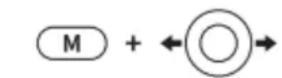
CYKLUS SVĚTELNÝCH EFEKTŮ MONOCHROMATICKÝ - DÝCHÁNÍ - FANTASY (VÝCHOZÍ) - DUHA - RADAR - VYPNUTO
Hold M + D-Pad Left/Right

SNÍŽENÍ/ZVÝŠENÍ RYCHLOSTI ANIMACE PRO REŽIMY DÝCHÁNÍ, FANTAZIE A DUHY.
Hold M + Left Stick Up/Down
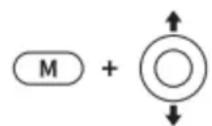
ZVÝŠENÍ / SNÍŽENÍ ÚROVNĚ JASU OSVĚTLENÍ
Hold M + Right Stick Rotation

NASTAVENÍ HODNOTY BARVY V MONOCHROMATICKÉM, DECHOVÉM A
RADAROVÉM REŽIMU.
Hold M + D-Pad Up/Down
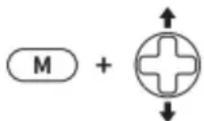
ZVÝŠENÍ / SNÍŽENÍ HODNOT SYTOSTI BAREV V MONOCHROMATICKÉM, ROVÉM REŽIMU.

Brand : Gamesir
Model : Nova
Category : Game controller