
FMP 125 BT - Radio GoGen - Free user manual and instructions
Find the device manual for free FMP 125 BT GoGen in PDF.


| Product Type | Portable FM Radio with Bluetooth and Micro SD Playback |
| Brand | GoGen |
| Model | FMP 125 BT |
| Dimensions | 126.5 x 70 x 32 mm |
| Weight | 212 g ± 5 g |
| Power Source | DC 5V, 500 mA (via Micro USB) |
| Battery Capacity | 3.7V, 1200 mAh Lithium-ion |
| Playback Time | Up to 9 hours at 60% volume |
| Charging Time | Approximately 3 hours |
| Radio Frequency Range | FM 87.5 – 108 MHz |
| Bluetooth Version | V5.0, range up to 10 m |
| Bluetooth Frequency | 2402 – 2480 MHz, EIRP: 3.07 dBm |
| Frequency Response | 200 Hz – 15 kHz |
| Output Power | 1 x 3 W |
| Supported SD Cards | Micro SD up to 32 GB, FAT32 format |
| Supported Audio Formats | MP3, WMA, WAV, FLAC, APE |
| Modes | FM Radio, Bluetooth, SD Card, PC Speaker |
| Special Features | LED light, Sleep Timer, Number buttons, Key Lock |
| Warranty | 2 years from date of purchase |
| Included Accessories | USB charging cable (charger not included) |
| Care Instructions | Do not use chemical solvents; store at room temperature; clean with dry cloth |
| Safety Warnings | Do not expose to water or rain; do not disassemble; keep plastic bag away from children |
| Disposal | Do not dispose as household waste; recycle according to local regulations |
Frequently Asked Questions - FMP 125 BT GoGen
User questions about FMP 125 BT GoGen
0 question about this device. Answer the ones you know or ask your own.
Ask a new question about this device
Download the instructions for your Radio in PDF format for free! Find your manual FMP 125 BT - GoGen and take your electronic device back in hand. On this page are published all the documents necessary for the use of your device. FMP 125 BT by GoGen.
USER MANUAL FMP 125 BT GoGen
natural_image
Abstract logo with a stylized white 'S' inside a black circle (no text or symbols)FMP 125 BT
GoGEN
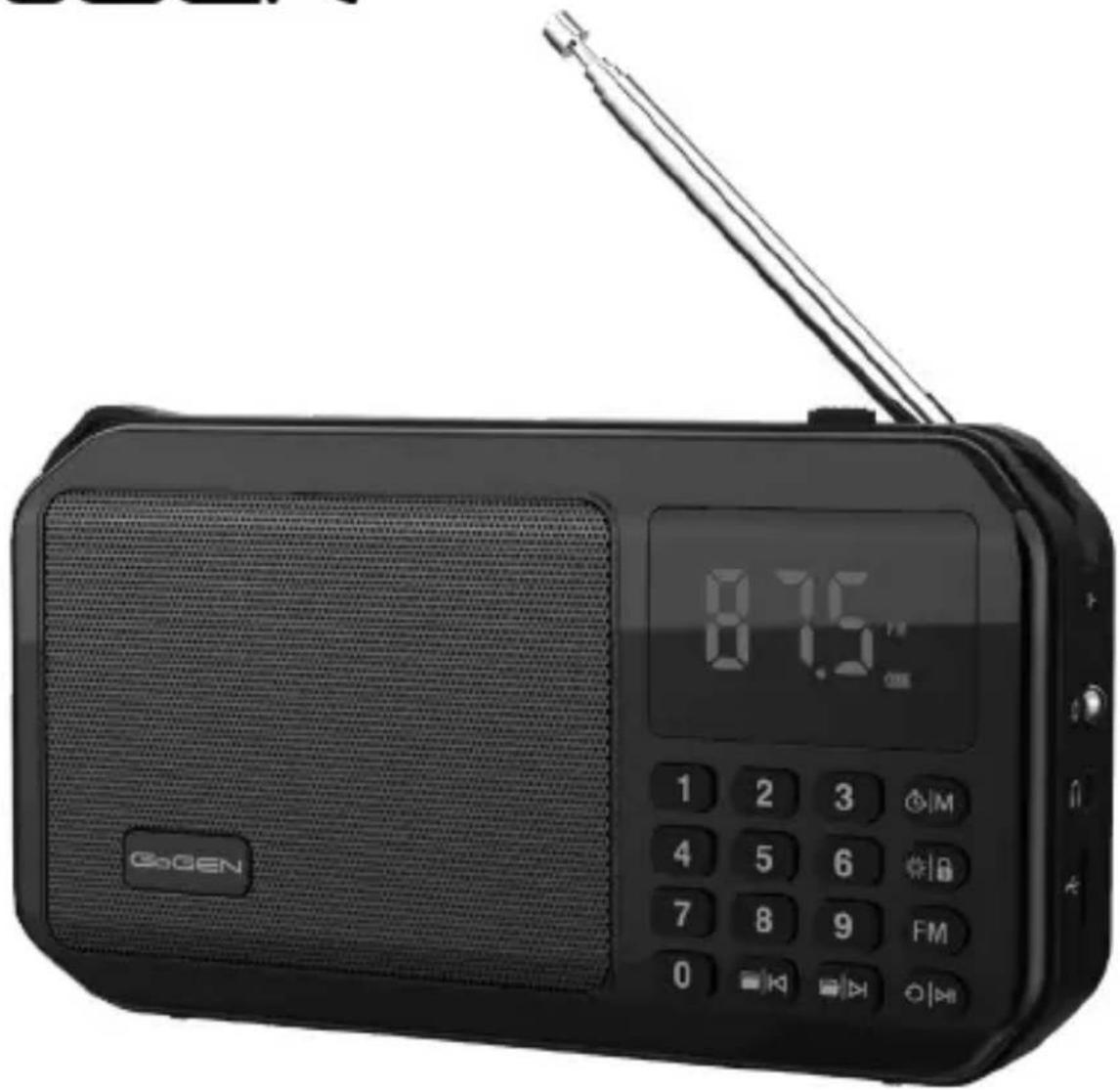

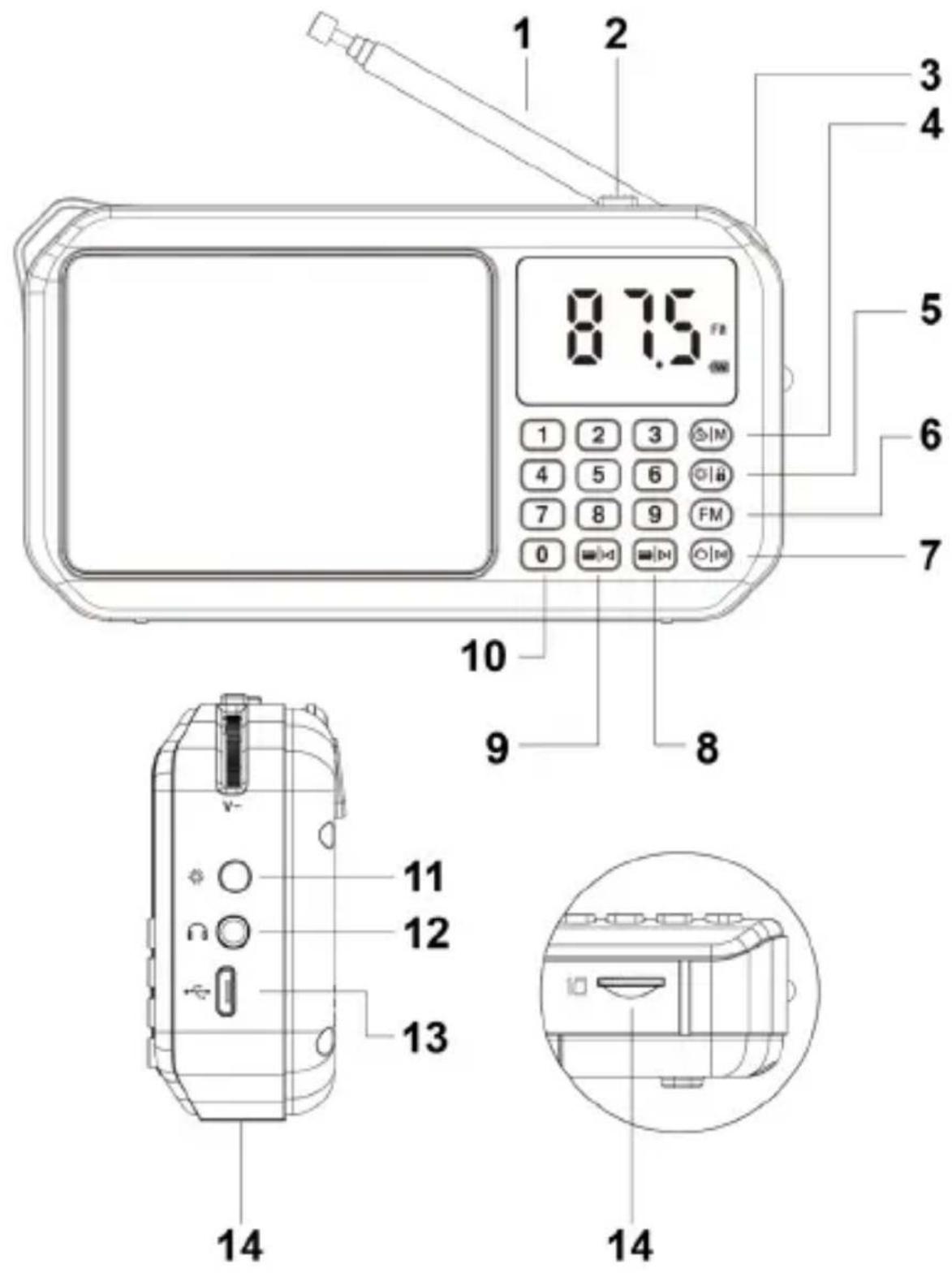
VYOBRAZENÍ VÝROBKU / VYOBRAZENIE VÝROBKU WYGLĄD URZĄDZENIA / PRODUCT OVERVIEW / KÉSZÜLÉK LEÍRÁSA
ÚVOD
Thank you for buying our product. Please read through these operating instructions, so you will know how to operate your equipment properly. After you finished reading the instructions manual, put it away in a safe place for future reference.
SAFETY INSTRUCTIONS
- Please read the manual carefully
- Please use and store this product at room temperature
- Do not expose this product to rain or wet conditions
- Do not throw and drop this product to avoid product damage
- Do not self-dismantling, repair and transform the product
- Do not use chemical solvent cleaning the product
- Please do not arbitrarily discard or placed the lithium battery in the fire in order to avoid the risk of explosion
WARRANTY
Our product is warranted for 2 full years from the date of purchase.
The warranty is provided on all material defects and workmanship. A guarantee of 2 years does not apply to a decrease in the accumulator's effective capacity caused by its use or age. Effective capacity gradually decreases depending on the method of use of the accumulator.
CHARGING
- The charger is not included in the package, please charge the speaker via a standard 5 V / 1-2 A charger or via a PC.
- The LED light will glow red during charging. It turns off when fully charged.
- Charge time should be 3 hours.
IMPORTANT: Please make a complete charge every three months to avoid shortening the battery lifespan.
SPECIFICATIONS
• Power source: DC 5 V / 500 mA
• Battery Capacity: 3,7 V / 1200 mAh
• Battery Playback Time: 9 hours (60% Volume)
• Radio frequency: FM 87,5 – 108 MHz
- Bluetooth version: V5.0
- Bluetooth frequency: 2402 – 2480 MHz, EIRP: 3,07 dBm
- Bluetooth connecting range: 10 m
• Frequency Response: 200 Hz – 15 kHz
• Power output: 1 x 3 W
• Product size: 126,5 x 70 x 32 mm
• Weight: 212g ± 5 g
PRODUCT OVERVIEW AND CONTROL BUTTONS
-
Antenna
-
ON/OFF switch button
-
Volume control
-
Sleep/Mode button
→ Short press to select the mode
(FM radio, BT - Bluetooth, SD card, PC speaker)
→ FM/SD mode: Press and hold repeatedly to set sleep timer (00 - means no timer set, 30, 60, 90 min)
- LED light/Lock button
→ Short press to turn on/off the LED light
→ Press and hold to lock/unlock the buttons
- FM button
→ Short press to select FM mode
→ Press and hold to start the automatic searching
- Playback mode/Play/Pause button
→ FM mode: Short press to mute
→ SD mode: Short press to start/pause playback
Long press to select the playback mode
→ BT mode: Short press to start/pause playback
Press twice quickly to disconnect paired Bluetooth device, press once to reconnect the last paired device
- Next Folder/Song button
→ FM mode: Short press to skip to next FM station
Press and hold to search for the next FM station
→ SD mode: Short press to next song
Long press to next folder
→ BT mode: Short press to next song
- Previous Folder/Song button
→ FM mode: Short press to skip to previous FM station
Press and hold to search for the previous FM station
→ SD mode: Short press to previous song
Long press to previous folder
→ BT mode: Short press to previous song
- Number buttons
→ FM mode: Press the corresponding number to select saved FM station
→ SD mode: Press the corresponding number to select the desired song
- LED light
12. Headphone output
13. Micro USB port
→ Charging port: Connect to DC 5V power to charge the speaker
→ PC speaker: Turn on the device and connect it to a computer through a USB cable
14. Micro SD slot
→ Supported audio files: MP3, WMA, WAV, FLAC, APE
→ Supported cards: Micro SD up to 32GB, the file format FAT32
FM MODE
Note: Extend or move the antenna for better reception.
Press and hold FM button to start the automatic searching.
Press and hold /to search for the previous/next strong FM station.
Press the Number buttons to enter the desired frequency manually.
For example: To enter the frequency 89,6 MHz, press the buttons 8, 9, 6 one by one and wait a second.
BLUETOOTH MODE
The device is ready to pair if the Bluetooth icon flashes quickly. Activate Bluetooth of mobile phone and search for device name "FMP 125 BT" then connect it. If the pairing is successful, the Bluetooth icon will slow flash.
Note: The speaker will auto power off after 15 minutes if there is no operate.
SD CARD MODE
Long press ⓣ to select the playback mode:
- ONE repeat one
- rAn random play
- ALL repeat all
LOCK BUTTON
Press and hold to lock/unlock the buttons. If the keys are locked, the icon will appear on the display. We reserve the right to change technical specifications.
We reserve the right to change technical specifications.
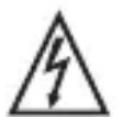
WARNING: DO NOT USE THIS PRODUCT NEAR WATER, IN WET AREAS TO AVOID FIRE OR INJURY OF ELECTRIC CURRENT. ALWAYS TURN OFF THE PRODUCT WHEN YOU DON'T USE IT OR BEFORE A REVISION. THERE AREN'T ANY PARTS IN THIS APPLIANCE WHICH ARE REPARABLE BY CONSUMER. ALWAYS APPEAL TO A QUALIFIED AUTHORIZED SERVICE. THE PRODUCT IS UNDER A DANGEROUS TENTION.


TO AVOID DANGER OF SUFFOCATION, KEEP THE PLASTIC BAG AWAY FROM BABIES AND CHILDREN. DO NOT USE THIS BAG IN CRIBS, BEDS, CARRIAGES OR PLAYPENS. THIS BAG IS NOT A TOY.
Disposal of old Electrical & Electronic Equipment (Applicable in the European Union and other European countries with separate collection systems)
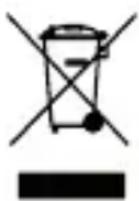
This symbol on the product or on its packaging indicates that this product shall not be treated as household waste. Instead it shall be handed over to the applicable collection point for the recycling of electrical and electronic equipment. By ensuring this product is disposed of correctly, you will help prevent potential negative
consequences for the environment and human health, which could otherwise be caused by inappropriate waste handling of this product. The recycling of materials will help to conserve natural resources. For more detailed information about recycling of this product, please contact your local Civic Office, your household waste disposal service or the shop where you purchased the product.
Hereby, ETA a.s. declares that the radio equipment type FMP125BT is in compliance with Directive 2014/53/EU. The full text of the EU declaration of conformity is available at the following internet address: www.gogen.cz/declaration_of_conformity
BEVEZETÉS
natural_image
Abstract logo design with white stylized 'S' inside a black circle (no text or symbols)GoGEN
- VYOBRAZENÍ VÝROBKU / VYOBRAZENIE VÝROBKU WYGLĄD URZĄDZENIA / PRODUCT OVERVIEW / KÉSZÜLÉK LEÍRÁSA
- ÚVOD
- SAFETY INSTRUCTIONS
- WARRANTY
- CHARGING
- SPECIFICATIONS
- PRODUCT OVERVIEW AND CONTROL BUTTONS
- Headphone output
- Micro USB port
- Micro SD slot
- FM MODE
- BLUETOOTH MODE
- SD CARD MODE
- LOCK BUTTON
- Disposal of old Electrical & Electronic Equipment (Applicable in the European Union and other European countries with separate collection systems)
- BEVEZETÉS
- GoGEN
Brand : GoGen
Model : FMP 125 BT
Category : Radio