
FRAME 20 WIFI - Digital photo frame GoGen - Free user manual and instructions
Find the device manual for free FRAME 20 WIFI GoGen in PDF.


| Product Type | Digital Photo Frame |
| Brand | GoGen |
| Model | FRAME 20 WIFI |
| Display Size | 20 inches (diagonal) |
| Resolution | 1920 x 1080 pixels (Full HD) |
| Connectivity | Wi-Fi 802.11 b/g/n, USB 2.0, SD card slot |
| Supported Media | JPEG, BMP, PNG for images; MP4, AVI for videos (via USB/SD) |
| Dimensions (with stand) | Approx. 490 x 320 x 30 mm (19.3 x 12.6 x 1.2 in) |
| Weight | Approx. 2.0 kg (4.4 lbs) |
| Power Supply | AC 100-240V, 50/60Hz via included adapter |
| Power Consumption | 12W (typical) |
| Main Functions | Slideshow, clock, calendar, Wi-Fi cloud upload, USB/SD playback, auto-rotate |
| Control | Touchscreen or remote control (included) |
| Memory | Internal storage 8GB (expandable via USB/SD up to 32GB) |
| Care and Cleaning | Wipe screen with soft, dry cloth; do not use liquids or abrasives |
| Safety | Keep away from moisture, heat sources, and direct sunlight |
| Spare Parts & Repairability | Power adapter and remote available from GoGen support; frame not user-serviceable |
| General Information | Wall-mountable (VESA 100x100); includes stand, remote, power adapter, manual |
Frequently Asked Questions - FRAME 20 WIFI GoGen
User questions about FRAME 20 WIFI GoGen
0 question about this device. Answer the ones you know or ask your own.
Ask a new question about this device
Download the instructions for your Digital photo frame in PDF format for free! Find your manual FRAME 20 WIFI - GoGen and take your electronic device back in hand. On this page are published all the documents necessary for the use of your device. FRAME 20 WIFI by GoGen.
USER MANUAL FRAME 20 WIFI GoGen
natural_image
Black-and-white photo of a child wearing a knitted hat and pointing through snow, framed on a tablet screen (no text or symbols visible)ÚVOD
ÚPLNÝ NÁVOD K POUŽITÍ
APLIKACE FRAMEO
Chcete-li odeslat fotografie do fotorámečku, použijte aplikaci Frameo.

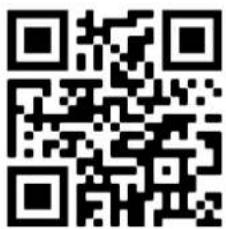
bit.ly/3zKtxWX
ZÁSADY OCHRANY OSOBNÍCH ÚDAJŮ
ÚPLNÝ NÁVOD NA POUŽITIE
APLIKÁCIA FRAMEO
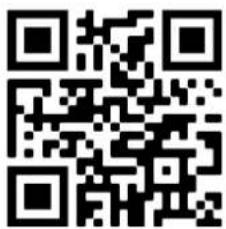
bit.ly/3zKtxWX
ZÁSADY OCHRANY OSOBNÝCH ÚDAJOV
PEŁNA INSTRUKCJA OBSŁUGI
APLIKACJA FRAMEO
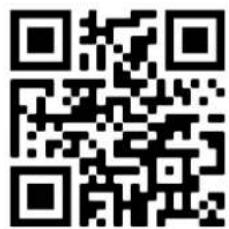
bit.ly/3zKtxWX
POLITYKA PRYWATNOŚCI
Thank you for buying our product. Please read through these operating instructions, so you will know how to operate your equipment properly. After you finished reading the instructions manual, put it away in a safe place for future reference.
PRODUCT OVERVIEW AND CONTROL BUTTONS
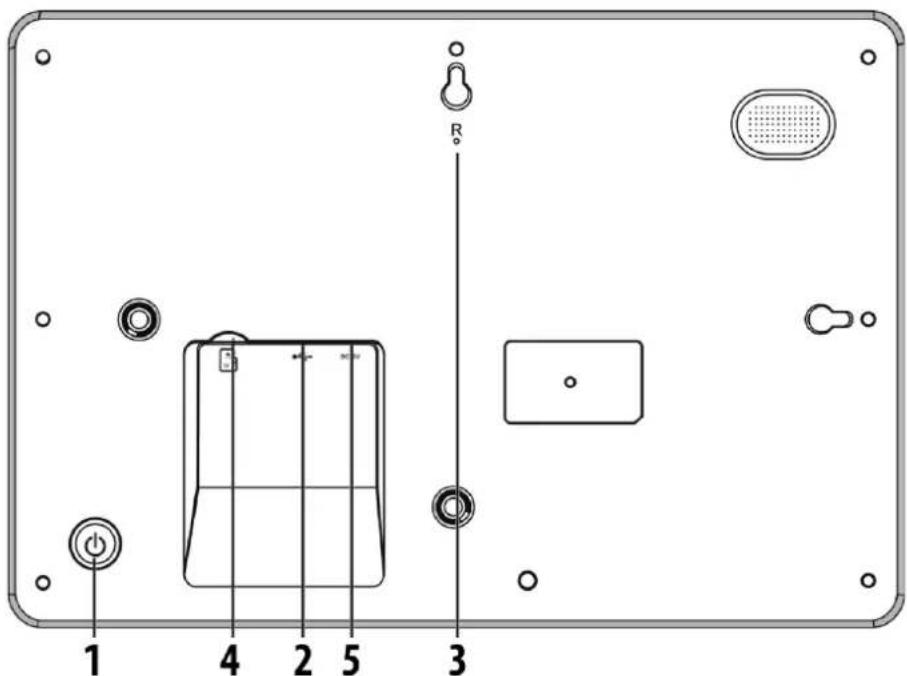
1. POWER
Press and hold the power button for about 5 seconds to turn it on (until the screen turns on). Press and hold the power button for about 3 seconds to enter the reboot or shutdown menu. Short press the power button to turn off/on the screen(but the photo frame stays on).
2. USB
Connect a USB flash drive to transfer data.
3. RESET
Use a needle or paper clip to reset unit.
4. Micro SD
Load external Micro SD memory cards here.
5. DC socket
Connect DC adapter to power on the device.
GETTING STARTED
- Connect the power adaptor to the back of the photo frame and plug it into a power socket.
- When powering it on for the first time, set up your photo frame by following the Frameo quick setup or follow the on-screen guide.
- Once you set up your photo frame, you can start connecting it to your friends and family.
FRAMEO QUICK SETUP
When starting your photo frame for the first time, you will need to set up the photo frame.
- Select a language. This will be the language used on the Frameo.
- Connect your frame to the internet by connecting it to Wi-Fi.
- Verify or correct the date and time.
Note: Frameo may ask you to update to the latest version. It is recommended to update your photo frame before continuing if asked to.
- Enter your name, and the location where you have placed your photo frame e.g. "Jeffrey Lebowski" and "Living room", "Carpet" or "Bowling alley".
• Finally set the timezone if not already correct.
START USING FRAMEO
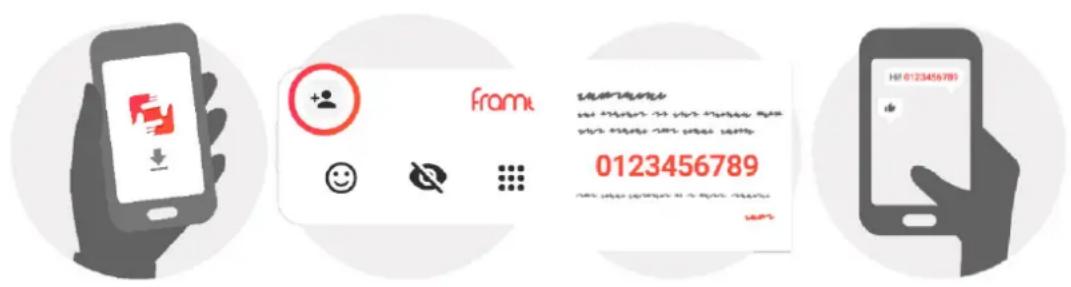
Start by connecting with your friends and family by providing them with a unique code from your photo frame. If you want to be able to send photos to the photo frame yourself, start by downloading the app for iOS or Android on App Store or Google Play. Then use the code to connect your photo frame and app as described below.
Connecting a new friend
- Make sure that your friend has downloaded and installed the Frameo app.
- Click the add friend icon on your photo frame. A dialog will appear showing a unique code which is valid for 12 hours.
- Now share this code in whatever fashion you prefer e.g. SMS, E-Mail, IM, phone call, to your friend.
- Once your friends have added the code in their Frameo app, they will automatically appear on your photo frame and be able to send you photos.
FULL USER MANUAL
To find the full user manual scan the QR code or use the link: support.frameo.net/hc/en-us
FRAMEO APP
To send photos to your photo frame, use the Frameo app for iOS or Android.

Scan QR code to find the app
NOTE: Features may change depending on the version of the application.
VIDEO TUTORIALS
Check out our Frameo Tutorials playlist on YouTube with informative videos where we guide you on how to get started using Frameo. Scan the QR code to the right or use the link to find the playlist.
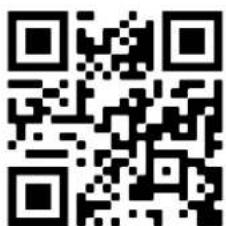
bit.ly/3zKtxWX
PRIVACY
For more information regarding privacy, please visit privacy.frameo.net
SPECIFICATION
| Operation System Android 6.0 | |
| Internal memory Approx. 4,7 GB free space | |
| External Flash Support external | Micro SD card, up to 32GB |
| Display 10,1 inch TFT LED display | |
| Touch Panel 5 point touch panel | |
| Resolution 1280 x 800 pxl / IPS / 16:9 | |
| Memory card Slot Micro SD card | Slot (can import photos from micro SD card to photo frame, can copy photos from photo frame to SD card, can playback photos from micro SD card directly) |
| USB Micro USB 2.0 (can import | photos from USB to photo frame, can copy photos from photo frame to USB, can playback photos from USB directly) |
| WiFi Built in 802.11b/g/n; E.i.r.p | 16,01 dBm; Wireless Working Frequency 2412-2472 MHz |
| Power Adapter Input: 100-240V | AC 50-60 Hz Output: 5V/2A |
We reserve the right to change technical specifications.

WARNING: DO NOT USE THIS PRODUCT NEAR WATER, IN WET AREAS TO AVOID FIRE OR INJURY OF ELECTRIC CURRENT. ALWAYS TURN OFF THE PRODUCT WHEN YOU DON'T USE IT OR BEFORE A REVISION. THERE AREN'T ANY PARTS IN THIS APPLIANCE WHICH ARE
REPARABLE BY CONSUMER. ALWAYS APPEAL TO A QUALIFIED AUTHORIZED SERVICE. THE PRODUCT IS UNDER A DANGEROUS TENTION.
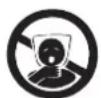

TO AVOID DANGER OF SUFFOCATION, KEEP THE PLASTIC BAG AWAY FROM BABIES AND CHILDREN. DO NOT USE THIS BAG IN CRIBS, BEDS, CARRIAGES OR PLAYPENS. THIS BAG IS NOT A TOY.
Disposal of old Electrical & Electronic Equipment
(Applicable in the European Union and other European countries with separate collection systems)
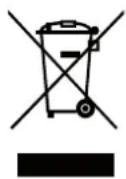
This symbol on the product or on its packaging indicates that this product shall not be treated as household waste. Instead it shall be handed over to the applicable collection point for the recycling of electrical and electronic equipment. By ensuring this product is disposed of correctly, you will help prevent potential negative consequences for the environment and human health, which could otherwise be caused by inappropriate waste
handling of this product. The recycling of materials will help to conserve natural resources. For more detailed information about recycling of this product, please contact your local Civic Office, your household waste disposal service or the shop where you purchased the product.
Hereby, ETA a.s. declares that the radio equipment type FRAME20WIFI is in compliance with Directive 2014/53/EU. The full text of the EU declaration of conformity is available at the following internet address: www.gogen.cz/declaration_of_conformity
BEVEZETÉS
Connect DC adapter to power on the device.
ELSŐ BEKAPCSOLÁS
TELJES HASZNÁLATI ÚTMUTATÓ
FRAMEO APP
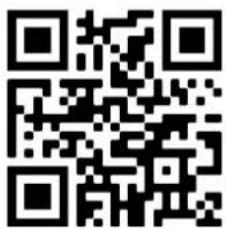
bit.ly/3zKtxWX
ADATVÉDELEM
| EN - English | ||
| Charging adapter | ||
| A | Manufacturer's name or trademark, business registration number and address | Shenzhen Runshengfeng Power Technology Co., Ltd. 3rd Floor, Building A4, Xinfu Industrial Park, Chongqing Road, Fuyong Street, Baoan District, Shenzhen, Guangdong, China |
| B | Model identifier RSF-DY080-0502000EU | |
| C | Input voltage 100-240 V | |
| D | Input frequency 50/60 Hz | |
| E | Output voltage 5 V | |
| F | Output current 2 A | |
| G | Output power 10 W | |
| H | Average efficiency in active mode 79,09% | |
| I | low load efficiency (10%) 76,55% | |
| J | Power consumption without load | 0,056 W |
natural_image
Abstract black and white circular logo with stylized white lines forming a stylized 'S' shape (no text or symbols)- ÚVOD
- ÚPLNÝ NÁVOD K POUŽITÍ
- APLIKACE FRAMEO
- ZÁSADY OCHRANY OSOBNÍCH ÚDAJŮ
- ÚPLNÝ NÁVOD NA POUŽITIE
- APLIKÁCIA FRAMEO
- ZÁSADY OCHRANY OSOBNÝCH ÚDAJOV
- PEŁNA INSTRUKCJA OBSŁUGI
- APLIKACJA FRAMEO
- POLITYKA PRYWATNOŚCI
- PRODUCT OVERVIEW AND CONTROL BUTTONS
- POWER
- USB
- RESET
- Micro SD
- DC socket
- GETTING STARTED
- FRAMEO QUICK SETUP
- START USING FRAMEO
- Connecting a new friend
- FULL USER MANUAL
- FRAMEO APP
- VIDEO TUTORIALS
- PRIVACY
- We reserve the right to change technical specifications.
- Disposal of old Electrical & Electronic Equipment
- BEVEZETÉS
- ELSŐ BEKAPCSOLÁS
- TELJES HASZNÁLATI ÚTMUTATÓ
- ADATVÉDELEM
Brand : GoGen
Model : FRAME 20 WIFI
Category : Digital photo frame