
SWS 3600 - Weather Station SENCOR - Free user manual and instructions
Find the device manual for free SWS 3600 SENCOR in PDF.


| Product Type | Weather Station |
| Brand | Sencor |
| Model | SWS 3600 |
| Dimensions (Base Station) | Approximately 150 x 100 x 30 mm |
| Weight (Base Station) | Approximately 200 g |
| Power Supply (Base Station) | 2 x AA batteries (not included) |
| Power Supply (Outdoor Sensor) | 2 x AAA batteries (not included) |
| Indoor Temperature Range | 0°C to +50°C |
| Outdoor Temperature Range | -40°C to +60°C |
| Humidity Range | 20% to 95% |
| Barometric Pressure Range | 600 to 1100 hPa |
| Wireless Range | Up to 30 meters (open area) |
| Transmission Frequency | 433 MHz |
| Weather Forecast | Yes (icons for sunny, cloudy, rainy, etc.) |
| Time/Calendar | Yes, with alarm function |
| Backlight | Yes (LED or EL backlight) |
| Min/Max Memory | Records min and max temperature and humidity |
| Number of Outdoor Sensors | 1 (expandable up to 3) |
| Maintenance | Clean with a soft, dry cloth. Avoid water and solvents. |
| Safety | Use indoors only. Keep away from water and heat sources. Do not disassemble. |
| Spare Parts | Replacement outdoor sensors available. Batteries not included. |
| Warranty | 1 year (refer to manual for details) |
Frequently Asked Questions - SWS 3600 SENCOR
User questions about SWS 3600 SENCOR
0 question about this device. Answer the ones you know or ask your own.
Ask a new question about this device
Download the instructions for your Weather Station in PDF format for free! Find your manual SWS 3600 - SENCOR and take your electronic device back in hand. On this page are published all the documents necessary for the use of your device. SWS 3600 by SENCOR.
USER MANUAL SWS 3600 SENCOR
EN ■User Manual Weather Station with Wireless Sensor
- 6 buttons: [SET] [ALERT/ALARM] [+/RCC] [-/MEM] [CH] [SNZ]
- DCF time receiving function
- Calendar display
• 12HR/24HR display selectable
• 15 countries week display - Dual alarms and snooze function (snooze time can be set)
• 12 levels of moon phase - INDOOR temperature display range: -9.9°C\~+50°C & +13.9°F\~+122°F
- INDOOR humidity display range: 20% RH 95% RH
- OUTDOOR temperature display range: -40°C\~+70°C & -40°F\~+158°F
• OUTDOOR humidity display range: 20%RH\~95%RH
• Support up to 3 sensors(1 included) - OUTDOOR temperature upper limit alarm and lower limit alarm (independent setting).
- Frost warning display function.
• Temperature & humidity trend display. - INDOOR&OUTDOOR record of maximum and minimum temperature and humidity (records can be cleared manually).
- 5 levels of comfort indicator display
• 3 levels of mold risk warning display - 6 types of weather forecast: sunny, cloudy, overcast day, rainy, thunderstorm, snow day (built-in air pressure to predict)
POWER ON OR RESET
When power on or reset, the LCD will fully display for 3 seconds and emit 3 beeps of BI at the same time. After the backlight is on for 1 second, it will switch to the standard display mode, displaying the indoor temperature and relative humidity and automatically enter the 3 minutes RF long receive mode of OUTDOOR temperature and humidity.
OVERVIEW
MAIN UNIT
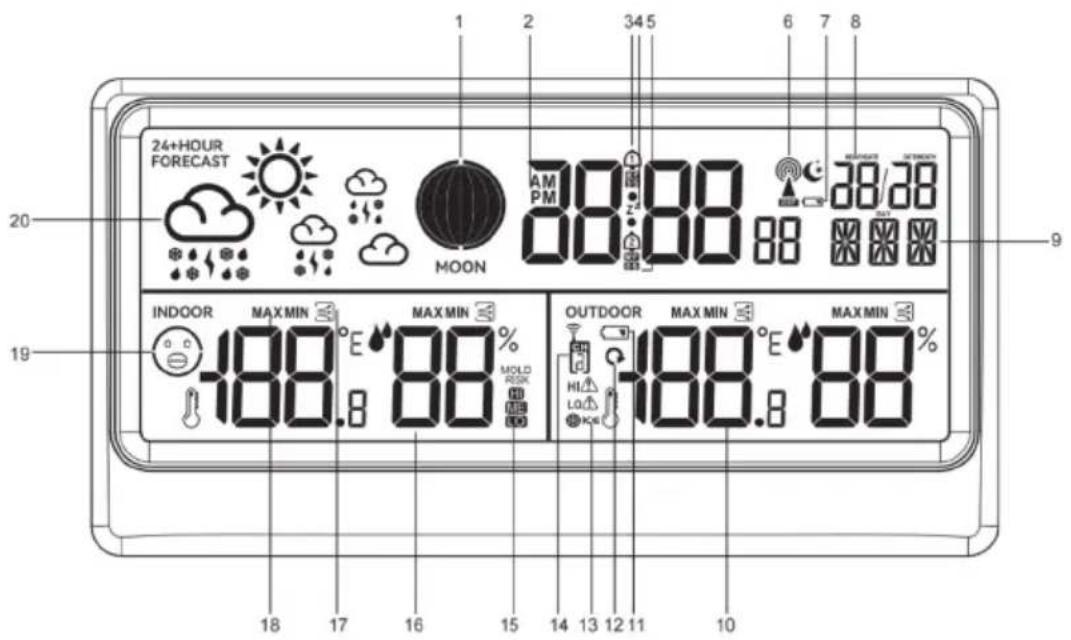
- Moon Phase
- Time
- Alarm
- Snooze
- Alarm days
- RCC Icon
- Low battery Indicator (main unit)
- Date/Month
- Weekday
- Outdoor temperature and humidity
- Low battery Indicator (Sensor)
- Cycle display for 3 channels
- Frost Alert for outdoor channel
- Outdoor channel
- Mold Risk Alert
- Indoor temperature and humidity
- Temperature and Humidity Trend
- Max Min record for temperature and humidity
- Comfortable Indicator
- Weather Forecast
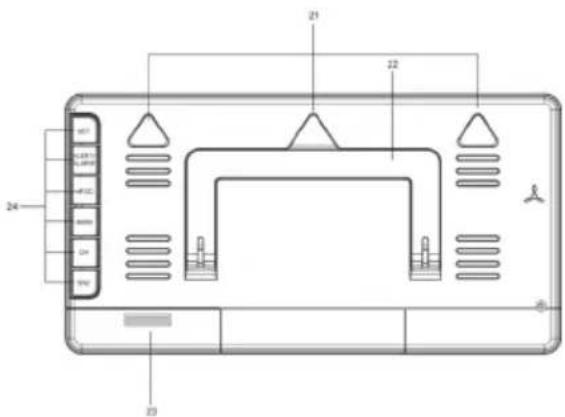
21, Hanging Holes
22, Stand
23. Battery compartment Cover
24. Buttons: SET, ALERT/ALARM, +/RCC, -/MEM, CH, SNZ
SENSOR
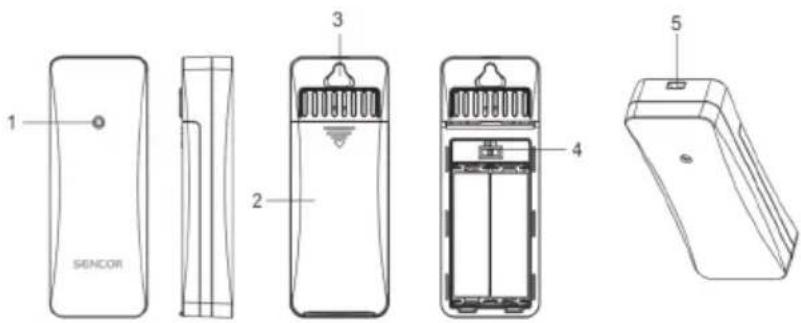
- LED light
- Battery compartment
- Hanging hole
- Channel shift
- Rope hanging hole
BUTTON FUNCTION
- In the standard mode, long press the [SET] key to enter the time setting mode
- In the time setting mode, single press the [SET] key to confirm the setting result and go to the next setting item
- In the standard mode, single press the [ALERT/ALARM] key to enter the alarm time and temperature alarm viewing mode
- In standard mode, press and hold the [ALERT/ALARM] button to enter the clock alarm and temperature alarm settings
- In the alarm clock and temperature alarm setting mode, single press the [ALERT/ALARM] key to confirm the setting result and go to the next setting item
- In the standard mode, single press the [+/RCC] key to switch the temperature unit
- In standard mode, press and hold the [+/RCC] key to enter RCC reception manually, and press the [+/RCC] key again during reception to exit RCC reception
- In the standard mode, single press the [-/MEM] key to view the records of the maximum and minimum values of temperature and humidity
- In the standard mode, press and hold the [-/MEM]] key to clear the record of the maximum and minimum values of temperature and humidity
- In the standard mode, single press the [CH] key to switch the channel CH
- In the standard mode, long press the [CH] key to enter the RF long receiving mode
- In the setting mode, single press the [+ / RCC] key, the setting item will advance one step; long press this key will advance at a speed of 8 steps per second.
- In the setting mode, single press the [-/MEM] key, the setting item will go back one step; long press this key will go back at a speed of 8 steps per second.
- When the alarm is ringing, press any key to stop the alarm, and press the [SNZ] button to enter the snooze state, and the alarm will be delayed for 5 minutes.
TIME SETTING
- In the standard mode, press and hold the [SET] key to enter the time setting mode, the set item flashes, and the others are hidden.
- In the time setting mode, single press the [SET] key to confirm the setting result and go to the next setting item
- Setting sequence:
RCC ON/OFF(Chose ON)→DST ON/OFF→time zone→time format→hour→minute→date format→year→month→day→week language→weather setting→exit OR RCC ON/OFF (chose OFF)→time format→hour→minute→date format→year→month→day→week language→weather setting→exit
Note: When chose RCC-OFF, the RCC will be turned off permanently, until the product is repowered on or reset RCC to be ON.
ALARM SETTING AND TEMPERATURE ALARM SETTING
- In the standard mode, single press the [ALERT/ALARM] key to enter the alarm time and temperature alarm checking mode
- Checking order: alarm 1 mode→alarm 2 mode→upper limit alarm mode→lower limit alarm mode→back to standard time mode
- In the checking mode, single press the [+/RCC] or [-/MEM] key to turn on/off the alarm clock or temperature alarm
-
In the checking mode, if there is no operation for 8 seconds, it will automatically return to the time mode
-
In the standard mode, press and hold the [ALERT/ALARM] key to enter the alarm time and temperature alarm setting mode, and the set items will flash at a frequency of 1HZ
- In the setting mode, press the [ALERT/ALARM] key to confirm the setting result and go to the next setting item
- Setting Order: Hour (Alarm 1)→Minute(Alarm 1)→Alarm period(Alarm 1)→Snooze time (Alarm 1)→Hour (Alarm 2)→Minute(Alarm 2)→Alarm period(Alarm 2)→Snooze time(Alarm 2)→Highest temperature alert for sensor→Lowest temperature alert for sensor→exit
- When setting alarm days function, in the alarm setting mode, the repeat setting option can be added, there are 3 options can be set:
• (Monday-Friday)
• (Saturday-Sunday)
• M-F (Monday-Sunday)
- Setting the snooze time. The default snooze time is 5 minutes, and the adjustable range is 5-60 minutes.
When setting is OFF, there is no snooze function.
- When entering the temperature upper limit or lower limit setting, the temperature value of the OUTDOOR box becomes the set value of the upper limit or lower limit, and flashes, and at the same time, the upper limit symbol “HI” or the lower limit symbol “L” displays and flashes is moving, indicating that the alarm upper limit or Lower limit is being set.
- In the temperature upper limit or lower limit setting mode, press the [CH] key to switch the OUTDOOR channel, the temperature setting value of each channel is different, you need to switch to the channel column and then press the [+ /RCC] or [-/MEM] key to change the setting
- In the setting mode, single press the [+ / RCC] key, the setting item will advance one step; long press this key will advance at a speed of 8 steps per second
- In the setting mode, single press the [-/MEM] key, the setting item will go back one step; long press this key will go back at a speed of 8 steps per second
- In the setting mode, if there is no setting within 20 seconds, it will save the setting and exit.
ALARM FUNCTION
- Alarm time: 2 minutes,
- Alarm method: 0-10 seconds: BI once every second
10-20 seconds: BI BI twice per second
21-30 seconds: BI BI BI three beeps per second
31-120 seconds: continuous BI BI BI BI beeps
- When the alarm is ringing, press any key to stop the alarm; press the [SNZ] button to stop the alarm and enter the Snooze function, the snooze frequency is unlimited.
- When the alarm is ringing, single press the [SNZ] button to delay the alarm, and press other keys to exit the alarm.
INDOOR/OUTDOOR TEMPERATURE FUNCTION
- Outdoor temperature range: -40°C\~70°C/ -40°F\~158°F; higher than 70°C/158°F will display HH.H, lower than -40°C/-40°F will display LL.L0.
- Indoor temperature range: -9.9°C\~50°C/14.2°F\~158°F; higher than 50°C/122°F will display HH.H, lower than -9.9°C/14.2°F will display LL.L.
- Indoor/outdoor humidity detection range: 20% to 95%; if it is higher than 95%, it will display 95%, if it is lower than 20%, it will display 20%.
INDOOR COMFORT LEVEL INDICATOR FUNCTION
• Human comfort index is related to the temperature, relative humidity

MOLD RISK WARNING FUNCTION
- There are 3 levels of mold risk warning: LO, ME and HI; when the level of mold risk warning is LO or ME, the symbol is always displayed, and when the level is HI, the symbol "HI" is flashing.
| Temperature range | No Risk Low | Risk Medium Risk High Risk | |
| display no display | LO display does not flash | ME display does not flash | HI display/flashing 1 time per second |
| <11.0°C Any humidity value | |||
| 11.0°C~25.9°C Humidity≤48 49≤humidity≤78 79≤Humidity | |||
| 26.0°C~30.9°C Humidity=78 79≤Humidity≤87 88≤Humidity | |||
| 31.0°C~40.9°C Humidity=48 49≤Humidity≤87 88≤Humidity | |||
| ≥41.0°C Any humidity value |
MOON PHASE DISPLAY FUNCTION
- MOON PHASE displays the moon phase level, and the moon phase level is divided into 12 levels, as shown in the figure below


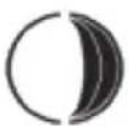
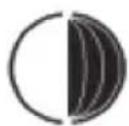


New Moon Waxing Crescent First Quarter Waxing Gibbous
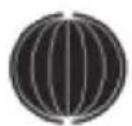
Full Moon Waning Gibbous

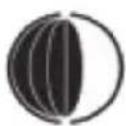



Last Quarter
Waning Crescent
OUTDOOR TEMPERATURE ALARM FUNCTION
- When open the ultra-high alarm function, the detected temperature exceeds the ultra-high limit, the product will emit BI three times, corresponding to the symbol “HI ⚠️” flash on the screen at the same time, and each time the temperature data is updated, if it still exceeds its limit, it will make another BI beep once
- When open the ultra-low alarm function, the detected temperature exceeds the ultra-low limit, the product will emit BI three times, corresponding to the symbol “LOA” flash on the screen at the same time, and each time the temperature data is updated, if it still exceeds its limFull Moonit, it will make another BI beep once In this temperature alarm mode, after pressing any key, the next time the temperature data is updated, the BI sound will no longer be issued, but the corresponding alarm symbol is still flashing.
FROST ALARM FUNCTION
- When the OUTDOOR temperature is within the range of -1.0 +2.9^ C & +30.2^ F +37.2^ F , the frost alarm symbol "☐" will flash continuously. Only when the temperature detection value is not within the temperature range of frost point alarm, the symbol will not display.
- When the outdoor temperature of the current RF channel is in the range of -1.0\~+2.9°C & +30.2°F\~+37.2°F, the symbol of frost and snow “” flashes.
Remarks: The frost alarm does not need to be turned on, it will display as long as the corresponding channel temperature is reached, and the temperature of other channels is reached, it needs to be switched to this channel to display.
TEMPERATURE AND HUMIDITY MAX AND MIN VALUE RECORDS AND ITS RISING AND FALLING TREND FUNCTION
In the mode of checking the value of MAX or MIN, press and hold the [-/MEM] button for more than 2 seconds to clear the maximum and minimum values of MAX, When clearing, the MAX value or MIN value is displayed as -- and after 1 second, it will converted to current value.
- When the temperature rises continuously and exceeds 1^ \& 1.8^ , the temperature trend symbol will display “ n^2 ”.
- When the accumulative value of temperature rise or fall within 1 hour does not exceed 1^ \& 1.8^ , the symbol of " .
- When the cumulative temperature decreases by more than 1^ \& 1.8^ , the symbol of temperature trend will display "
- When the accumulative humidity continuously rises and exceeds 5%RH, the temperature trend symbol will display “.”
- When the accumulative value of humidity rise or fall within 1 hour does not exceed 5% RH , the symbol of degree trend will display " .
- When the cumulative humidity drops continuously and exceeds 5%RH, the trend symbol will display “ _n ”.
WEATHER FORECAST DISPLAY FUNCTION
- The weather forecast is to predict the weather conditions in the next 12 hours based on the past and actual changes in atmospheric pressure. There are 6 types of weather displays, and the forecast is calculated every 6 hours. The display is shown in the figure below.
| WEATHER ICON |  |  |   |   |   |   |
| Description | Sunny Partly Cloudy Cloudy Rainy Thunderstorm Snowy | |||||
RF RECEIVE FUNCTION
- After the power is turned on, main unit power on or reset, or force reception, after all three channels receive signals, close the reception immediately, do not wait for 3 minutes before closing; within the 3-minute long reception time, as long as there is still one channel that has not received successfully, the RF receiving mark is still flashing. During long-term reception, the RF signal sign “” flashes at a frequency of 1Hz. After the RF signal is successfully received, turn off the RF receiving mode, and after receiving the signal, the symbol “” will be displayed for a long time.
- If the receiver only receives 1 or 2 channels within 3 minutes, the channel that does not receive a signal will no longer be automatically opened for reception in the future, and only the channel that has been paired and registered will be received, unless it is powered on again, reset or manually forced pairing to receive all channels.
- The channel where the receiver has continuously lost codes for more than 1 hour cannot clear the ID when it automatically turns on the 3-minute long reception. The ID can only be cleared unless it is powered on again, reset or manually forced to pair and register to receive RF. Note: When manually clearing the ID, only the displayed channel will be cleared.
- After 1 hour of RF code drop, turn on the RF receiver for 3 minutes, if the signal is still not received, it will display --, and the original data cannot be displayed; after 3 minutes, continue to receive according to the timing of the original channel; if it has not been received Every hour after receiving the signal, the RF is still open for 3 minutes to receive the original ID channel information.
RCC RECEIVE FUNCTION
The main unit will not automatically enter the RCC long receiving mode after 3 minutes of RF long receiving after starting up In standard mode, press and hold the [+/RCC] key to enter the RCC manual receiving mode, and then press the [+/RCC] key to stop RCC reception.
Receive time: 7 minutes
The RCC triangle symbol “” is displayed and flashes at a frequency of 1Hz. If during the RCC receiving process, there is a valid signal, the RCC triangle symbol “” will not flash. The RCC signal wave symbol “” is displayed and flashes at a frequency of 1Hz, if the signal is suddenly interrupted during effective reception, the RCC signal wave symbol “” is not displayed, and the RCC triangle symbol “” is converted to display and flashes until a valid signal is received again, and then to the previous effective display mode.
Automatically receive RCC function: Regardless of whether the RCC signal is received or not, it will automatically enter the RCC reception at 1:00, 2:00, 3:00, 4:00, and 5:00 every morning. When receiving 5 times in sequence, 1:00, 2:00 and 3:00 must be received, and if 3:00 is not received successfully, the receiving is turned on in turn, as long as there is 1 successful reception. If it succeeds, the receiving will not be turned on for the next few times, no matter whether the receiving is successful or not, the RCC will enter the cyclic receiving mode again after 1:00 in the morning of the next day.
OTHER FUNCTION
• Power by: AA battery*3 &4.5 V
• The max time can be set from January 1, 2000 to December 31, 2099
15 KINDS OF WEEK LANGUAGE
| Language\Week | Country Monday Tuesday Wednesday Thursday Friday Saturday Sunday | |||||||
| English | 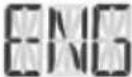 | 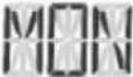 | 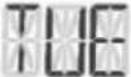 | 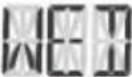 | 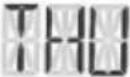 | 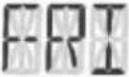 | 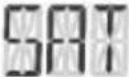 | 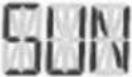 |
| German | 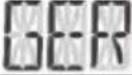 |  | 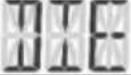 | 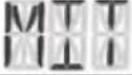 | 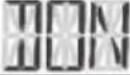 | 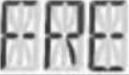 | 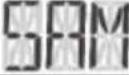 | 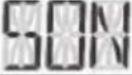 |
| French | 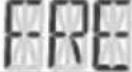 |  | 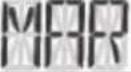 | 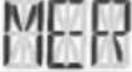 | 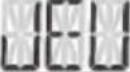 | 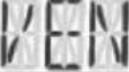 | 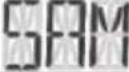 | 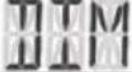 |
| Spanish | 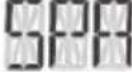 |  | 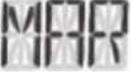 | 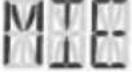 | 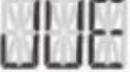 | 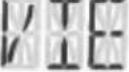 | 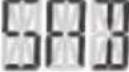 | 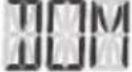 |
| Italian | 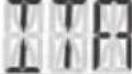 |  | 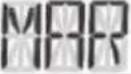 | 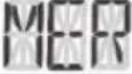 | 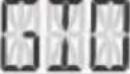 | 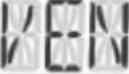 | 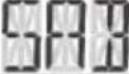 | 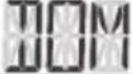 |
| Portuguese | 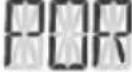 | 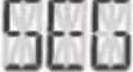 | 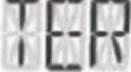 | 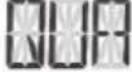 |  | 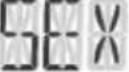 | 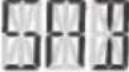 | 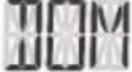 |
| Dutch | 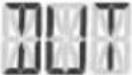 | 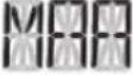 | 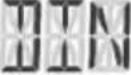 | 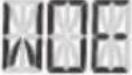 | 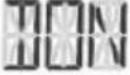 | 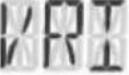 | 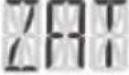 | 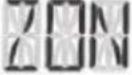 |
| Danish | 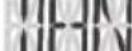 | 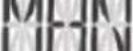 | 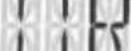 | 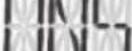 | 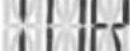 | 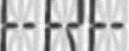 | 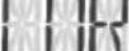 |  |
| Norwegian | 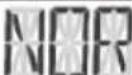 | 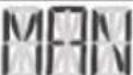 | 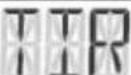 | 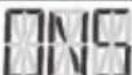 | 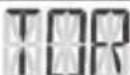 | 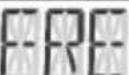 | 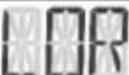 | 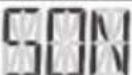 |
| Swedish |  | 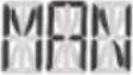 | 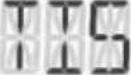 | 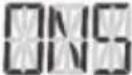 | 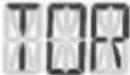 | 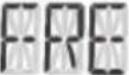 | 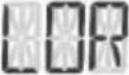 | 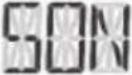 |
| Polish | 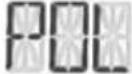 | 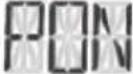 | 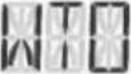 | 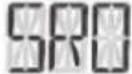 | 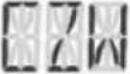 | 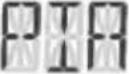 | 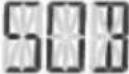 |  |
| Finnish | 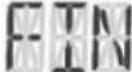 | 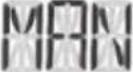 | 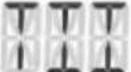 | 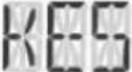 |  | 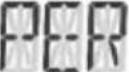 | 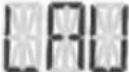 | 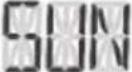 |
| Czech | 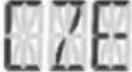 | 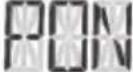 |  |  |  |  | 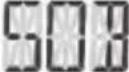 | 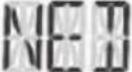 |
| Hungarian | 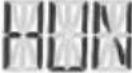 | 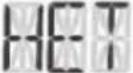 | 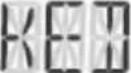 | 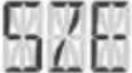 | 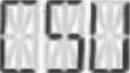 | 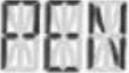 | 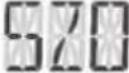 | 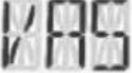 |
| Russian | 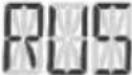 | 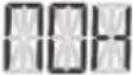 | 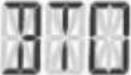 | 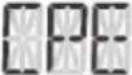 | 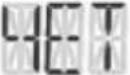 | 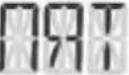 | 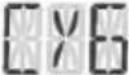 | 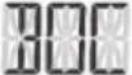 |
TECHNICAL SPECIFICATIONS
Weather Forecast Icon (Sunny, Partly Cloudy, Cloudy, Rainy, Thunderstorm, Snowy)
12 \~ 24 Hour Forecast Based on Changing Air Pressure and Temperature
Indoor Temperature and Humidity Reading with Comfort and Trend Indicator
Outdoor Temperature and Humidity Reading with Trend Indicator
Radio Controlled Clock by Signal DCF77 (Manual Setting Possible)
Digital Time, Date and Weekday, Moon Phase
Comfort Level Indication (5 Levels)
Mold Risk Alert (3 Levels)
Outdoor Temperature High / Low Alert Function
Frost Alert for Outdoor Channel
Max / Min Memory Records (24 h)
Dual Alarm, Snooze Function
Indoor Temperature Range: -10°C to +50°C
Outdoor Temperature Range: - 40°C to +70°C
Indoor and Outdoor Humidity Range: 20% to 95% RH
12 / 24 Hours Selectable Format
Temperature Display with °C / °F Selectable
Desktop or Wall Mountable
Low Battery Indicators (for Main Unit and Outdoor Sensor)
Support up to 3 Sensors
Function Auto Scrolling Measured Data of All Three Outdoor Sensors
1 Sensor Included (SWS TH3600-4500-4900)
Transmission Between Main Unit and Sensor up to 80 m (in Open Area)
Sensor Transmission Frequency: 433.92 MHz
Power of Station: 3 x 1.5 V Type AA (Batteries Not Included)
Power of Sensor: 2 x 1.5 V Type AA (Batteries Not Included)
Dimensions of Main Unit: (w / h / d) 215 x 113 x 20 mm
Weight of Main Unit: 240 g
INSTRUCTIONS AND INFORMATION ON THE DISPOSAL OF DISCARDED PACKAGING MATERIALS
Take the packaging material to a collection yard for disposal.
DISPOSAL OF DISCARDED ELECTRICAL AND ELECTRONIC EQUIPMENT
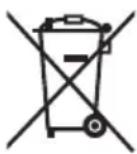
This symbol on the product, accessory or packaging indicates that the product must not be treated as normal household waste. Please dispose of this product in a collection yard designated for the recycling of electrical and electronic equipment. In some EU countries or in some European countries, you can return your products to your local retailer when you buy an equivalent new product. Correct disposal of this product helps save valuable natural resources and prevents possible adverse impacts on the environment and human health that might be caused by improper waste disposal. Please contact your local authority or the nearest waste collection yard for further details. Improper disposal of this type of waste may be subject to a legal fine.
For companies in the European Union
If you need to dispose of electrical or electronic equipment, ask your dealer or supplier for the necessary information.
Disposal in countries outside the European Union
To dispose of this product, please ask your local authorities or dealer for the necessary information on correct disposal.

This product complies with EU requirements.
FAST ČR, a. s. hereby declares that the radio device type SWS 3600 complies with Directive 2014/53/EU. For full version of the EU declaration of conformity, please refer to the website: www.sencor.cz
Changes in the text, design and technical specifications may be made without prior notice and we reserve the right to make such changes.
The original version is in Czech.
Manufacturer: FAST ČR, a.s., U Sanitasu 1621, Říčany 251 01, Czech Republic
Authorized service centers: Visit www.sencor.com for detailed information about authorized service centers.
SENCOR®
EN Warranty conditions
Warranty card is not a part of the device packaging.
This product is warranted for the period of 24 months from the date of purchase to the end-user. Warranty is limited to the following conditions. Warranty is referred only to the customer goods using for common domestic use. The claim for service can be applied either at dealer's shop where the product was bought, or at below mentioned authorized service shops. The end-user is obligated to set up a claim immediately when the defects appeared but only till the end of warranty period. The end user is obligated to cooperate to certify the claiming defects. Only completed and clean (according to hygienic standards) product will be accepted. In case of eligible warranty claim the warranty period will be prolonged by the period from the date of claim application till the date of taking over the product by end-user, or the date the end-user is obligated to take it over. To obtain the service under this warranty, end-user is obligated to certify his claim with duly completed following documents: receipt, certificate of warranty, certificate of installation.
This warranty is void especially if apply as follows:
■ Defects which were put on sale.
■ Wear-out or damage caused by common use.
The product was damaged by unprofessional or wrong installation, used in contrary to the applicable instruction manual, used in contrary to legal enactment and common process of use or used for another purpose which has been designed for.
■ The product was damaged by uncared-for or insufficient maintenance.
The product was damaged by dirt, accident of force majeure (natural disaster, fire, and flood).
■ Defects on functionality caused by low duality of signal, electromagnetic field interference etc.
■ The product was mechanically damaged (e.g. broken button, fall).
■ Damage caused by use of unsuitable media, fillings, expendable supplies (batteries) or by unsuitable working conditions (e.g. high temperatures, high humidity, quakes).
■ Repair, modification or other failure action to the product by unauthorized person.
■ End-user did not prove enough his right to claim (time and place of purchase).
■ Data on presented documents differs from data on products.
■ Cases when the claiming product cannot be identified according to the presented documents (e.g. the serial number or the warranty seal has been damaged).
Manufacturer:
FAST ČR, a.s., U Sanitasu 1621, Ríčany 251 01, Czech Republic
Visit www.sencor.com for detailed information about authorized service centers.
The original version of the instructions is in the Czech language, other language versions are made by the appropriate translation.
FUNKCE
FUNKCE VAROVÁNÍ PŘED NEBEZPEČÍM TVORBY PLÍSNÍ
- POWER ON OR RESET
- OVERVIEW
- MAIN UNIT
- SENSOR
- BUTTON FUNCTION
- TIME SETTING
- ALARM SETTING AND TEMPERATURE ALARM SETTING
- ALARM FUNCTION
- INDOOR/OUTDOOR TEMPERATURE FUNCTION
- INDOOR COMFORT LEVEL INDICATOR FUNCTION
- MOLD RISK WARNING FUNCTION
- MOON PHASE DISPLAY FUNCTION
- OUTDOOR TEMPERATURE ALARM FUNCTION
- FROST ALARM FUNCTION
- TEMPERATURE AND HUMIDITY MAX AND MIN VALUE RECORDS AND ITS RISING AND FALLING TREND FUNCTION
- WEATHER FORECAST DISPLAY FUNCTION
- RF RECEIVE FUNCTION
- RCC RECEIVE FUNCTION
- OTHER FUNCTION
- TECHNICAL SPECIFICATIONS
- INSTRUCTIONS AND INFORMATION ON THE DISPOSAL OF DISCARDED PACKAGING MATERIALS
- DISPOSAL OF DISCARDED ELECTRICAL AND ELECTRONIC EQUIPMENT
- For companies in the European Union
- Disposal in countries outside the European Union
- SENCOR®
- EN Warranty conditions
- This warranty is void especially if apply as follows:
- Manufacturer:
- FUNKCE
- FUNKCE VAROVÁNÍ PŘED NEBEZPEČÍM TVORBY PLÍSNÍ
Brand : SENCOR
Model : SWS 3600
Category : Weather Station