
CTR 603 BTCN - FM Transmitter GoGen - Free user manual and instructions
Find the device manual for free CTR 603 BTCN GoGen in PDF.


| Product Type | FM Transmitter |
| Brand | GoGen |
| Model | CTR 603 BTCN |
| Dimensions (approx) | 10 x 5 x 2 cm |
| Weight (approx) | 30 g |
| Power Supply | 12V DC car cigarette lighter |
| Audio Inputs | USB, SD card, AUX (3.5mm) |
| Frequency Range | 87.5 - 108.0 MHz |
| Transmission Range | Up to 10 meters |
| Bluetooth Version | 5.0 (for hands-free calling) |
| Display | LCD digital display |
| Main Functions | Wireless music streaming, hands-free calling, USB/SD card playback, AUX input |
| Number of Presets | 30 preset stations |
| Controls | Rotary knob and buttons |
| Cable Length | Approx. 1.5 meters |
| Operating Voltage | 12V - 24V DC |
| Power Consumption | Less than 5W |
| Maintenance | Clean with a soft, dry cloth. Avoid liquids. |
| Safety Warnings | Keep away from moisture and heat. Use only in vehicles. |
| Spare Parts and Repairability | Not user-serviceable. Contact support for replacements. |
| General Information | Designed for in-car use. Compatible with most car stereos. |
Frequently Asked Questions - CTR 603 BTCN GoGen
User questions about CTR 603 BTCN GoGen
0 question about this device. Answer the ones you know or ask your own.
Ask a new question about this device
Download the instructions for your FM Transmitter in PDF format for free! Find your manual CTR 603 BTCN - GoGen and take your electronic device back in hand. On this page are published all the documents necessary for the use of your device. CTR 603 BTCN by GoGen.
USER MANUAL CTR 603 BTCN GoGen
Please Read this manual carefully before using it. Keep following this instruction. Don't try to disassemble it by yourself. Don't exposed directly to sunlight, open flames which will cause a potential damage. Keep your attention on road and don't operation this product while driving.
PRODUCT OVERVIEW
- USB-A: DC 5V/2,4A max.
- USB-C: DC 5V/3A - 9V/3A - 12V/2,5A (30W max.)
- AUX in port
- Micro SD card port
- Previous song
- BASS button
- TRE (Treble) button
- Microphone
- TFT color display
- CH button: Press to enter the FM frequency change mode.
- M (Menu) button
- ▶▶ Next song
- USB flash drive port
- Multifunction knob (MK): Power ON/OFF; Change frequency; Volume +/-; Call Answer & Hung up.
SCREEN DISPLAY OVERVIEW
- Frequency spectrum
- Track number
- USB/Micro SD card
- Volume
- Equalizer: NOR - Normal, ROCK; POP; CLAS – Classic
- Repeat mode: A – Repeat all; D – Repeat folder, R – Random play; 1 – Repeat one
- FM frequency
- Bluetooth: Icon stay lit means Bluetooth connected Icon blinking means Bluetooth disconnected
- Song name
- Playing time
- Car battery voltage
GETTING STARTED
Plug the device into your car cigarette lighter socket to power on it. The display shows the car battery voltage and then enter into Bluetooth connect mode with voice prompt: "Bluetooth waiting for connection", the BT icon is blinking.
• Power ON/OFF: Long press the MK knob to power On/Off the device.
- Bluetooth connect: On your smart phone, enable Bluetooth function, search available devices, select "CTR 603 BTCN" and pair with it. Once connected, there is a voice prompt: "Bluetooth connected successfully", the BT icon is lit.
- FM transmitter frequency setting: Turn on FM on your car radio, and find a vacant (unoccupied) channel. And then go to adjust the frequency on the device to match the frequency on your car radio. Press CH button until the frequency display flickering, rotate the MK knob to adjust the FM transmitting frequency to be as same as frequency on your car radio.
- Transmitting power selection: Press and hold the CH button for 5 sec to set high or low transmitting power.

High transmitting power

ow transmitting power
After the initial setting, you can start playing on your smart phone, the music will be streaming by Bluetooth A2DP function, from your phone via FM transmitting to car radio, and come out from car stereo system.
- Play / Pause – Press MK knob
- Previous / Next track – Pres ◀◀ / ▶▶
• Volume – Rotate MK knob
SOUND SETTING
Press the TRE / BASS button to enter the settings. Rotate the MK knob to adjust the treble / bass level.
HANDS-FREE CALL
After you get ready for playing, you can also start to use hands-free function.
- Answer an incoming call – Press MK knob
-
Reject an incoming call – Press and hold MK knob
-
Hang up a calling – Press MK knob
- Recall last incoming/outgoing call – Quickly press MK knob twice
- In phone call state - Pres ◀ and ▶ to switch the call from the device to phone and vice versa.
Plug USB/Micro SD card into the port, the device will start playing music automatically.
- Play / Pause – Press MK knob
- Previous / Next track – Pres ◀◀ / ▶▶
• Volume – Rotate MK knob
PLAY MUSIC VIA AUX INPUT
Using 3,5 mm Aux cable to connect your external device. The device will switch into Aux in mode automatically.
VOLUME
Rotate MK knob to adjust the volume.
MENU SETTING
Under Micro SD card / USB playing status press and hold the M button to open the setting menu.
• Language: English, Čeština, Slovenčina, Polski, Magyar
- Repeat mode: 4 playing modes
• Equalizer: 4 EQ options
• Card/ USB folders: Folder selection
- Restore factory settings
Press ◀◀ / ▶▶ to select an item, press MK knob to confirm.
SPECIFIATION
Input: DC 12-24V/3,5A max
Output: USB-A: DC 5V 2,4A max.
USB-C: DC 5V/3A, 9V/3A, 12V/2,5A (30W max.)
Bluetooth: V 5.0
Bluetooth frequency: 2402 – 2480 MHz, EIRP: 0,63mW
Bluetooth connect distance: < 10 m
Audio format: MP3, WMA, FLAC, WAV
FM frequency: 87,6 – 107,9 MHz
FM transmitting distance: max. 2 m
USB/ Micro SD card capacity: max. 32 GB
Working temperature range: -20°C to 40°C
Storage temperature range: -40°C to 85°C
We reserve the right to change technical specifications.

TO AVOID DANGER OF SUFFOCATION, KEEP THE PLASTIC BAG AWAY FROM BABIES AND CHILDREN. DO NOT USE THIS BAG IN CRIBS, BEDS, CARRIAGES OR PLAYPENS. THIS BAG IS NOT A TOY.
Disposal of old Electrical & Electronic Equipment
(Applicable in the European Union and other European countries with separate collection systems)
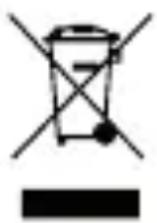
This symbol on the product or on its packaging indicates that this product shall not be treated as household waste. Instead it shall be handed over to the applicable collection point for the recycling of electrical and electronic equipment. By ensuring this product is disposed of correctly, you will help prevent potential negative
consequences for the environment and human health, which could otherwise be caused by inappropriate waste handling of this product. The recycling of materials will help to conserve natural resources. For more detailed information about recycling of this product, please contact your local Civic Office, your household waste disposal service or the shop where you purchased the product.
Hereby, ETA a.s. declares that the radio equipment type CTR603BTCN is in compliance with Directive 2014/53/EU. The full text of the EU declaration of conformity is available at the following internet address:
http://www.gogen.cz/declaration_of_conformity
natural_image
Abstract black and white circular logo with stylized white lines (no text or symbols)
- PRODUCT OVERVIEW
- SCREEN DISPLAY OVERVIEW
- GETTING STARTED
- SOUND SETTING
- HANDS-FREE CALL
- PLAY MUSIC VIA AUX INPUT
- VOLUME
- MENU SETTING
- SPECIFIATION
- We reserve the right to change technical specifications.
- Disposal of old Electrical & Electronic Equipment
- (Applicable in the European Union and other European countries with separate collection systems)
Brand : GoGen
Model : CTR 603 BTCN
Category : FM Transmitter