
SSK 160 - Shredder SENCOR - Free user manual and instructions
Find the device manual for free SSK 160 SENCOR in PDF.


| Product Type | Strip Cut Paper Shredder |
| Brand | Sencor |
| Model | SSK 160 |
| Cutting Type | Strip cut |
| Shred Size | 6 mm strips |
| Sheet Capacity | Max 6 sheets (80 g/m²) |
| Bin Capacity | Approx. 7 liters |
| Working Width | 220 mm (A4) |
| Cutting Speed | 2.2 m/min |
| Rated Operating Time | 1 minute |
| Rated Rest Time | 30 minutes |
| Noise Level | Approx. 70 dB |
| Power Consumption | 190 W / 1.0 A |
| Power Supply | AC 220-240 V / 50 Hz |
| Protection Class | II |
| Dimensions (Shredder + Bin) | 312 × 118 × 386 mm |
| Dimensions (Shredder Only) | 312 × 118 × 86 mm |
| Dimensions (Bin Only) | 312 × 118 × 351 mm |
| Weight | Approx. 1.4 kg |
| Auto Start/Stop | Yes |
| Reverse Function | Yes (REV setting) |
| Overload Protection | Automatic motor shutdown |
| Maintenance | Maintenance-free; no oiling required |
| Safety Features | Automatic shutoff, reverse for jam clearing, safety warnings |
Frequently Asked Questions - SSK 160 SENCOR
User questions about SSK 160 SENCOR
0 question about this device. Answer the ones you know or ask your own.
Ask a new question about this device
Download the instructions for your Shredder in PDF format for free! Find your manual SSK 160 - SENCOR and take your electronic device back in hand. On this page are published all the documents necessary for the use of your device. SSK 160 by SENCOR.
USER MANUAL SSK 160 SENCOR
natural_image
Black rectangular electronic device with white lid and ventilation slots (no visible text or symbols)User's manual
Návod k obsluze
Návod na obsluhu
Használati útmutató
Instrukcja obsługi
Korisničko uputstvo
Before operating this unit, please read all instructions.
natural_image
Line drawing of a rectangular container with a side slot, labeled with number 7 (no text or symbols on the diagram itself)Use
natural_image
Line drawing of a rectangular electronic device with lid and base (no text or symbols)Fig. A
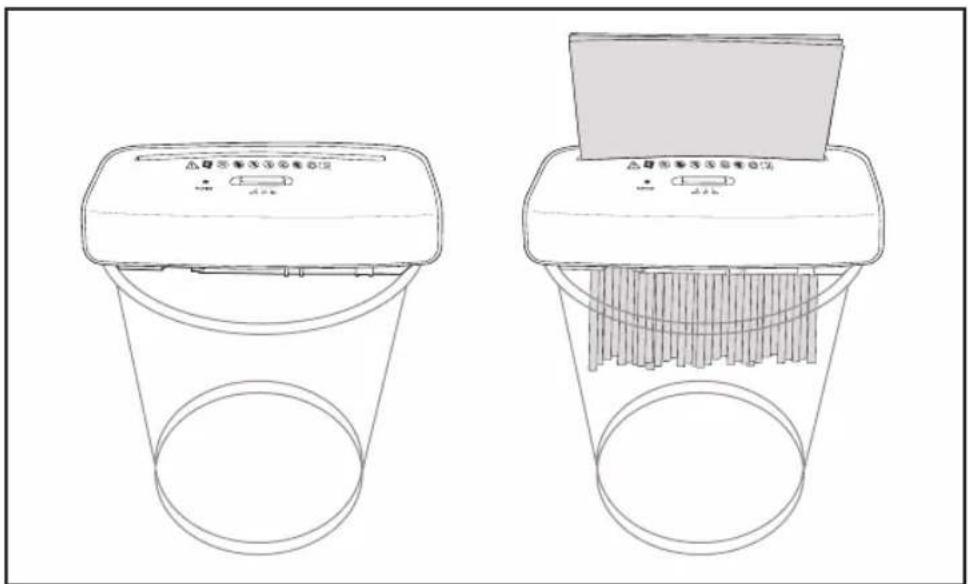
Fig. B
natural_image
Line drawing of a toilet with a curved lid and base (no text or symbols)Fig. C
EN - 2
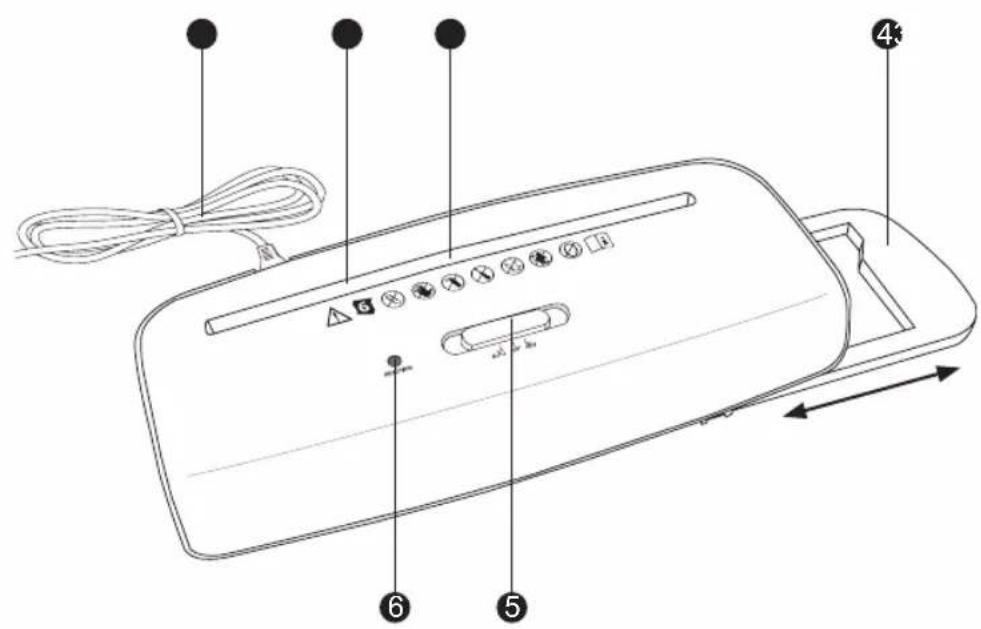
Package contents / device parts
1 Power cable / power plug
2 Feed-in slot for paper
3 Paper sensor
4 Extendable rail
5 Slide switch (AUTO / OFF / REV)
6 LED ready indicator
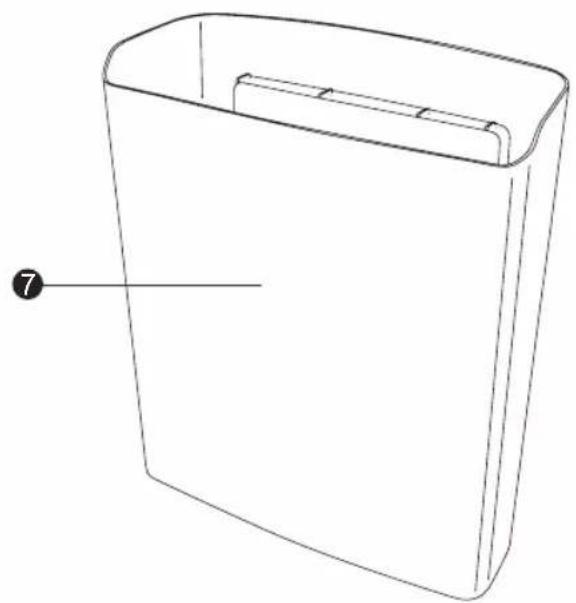
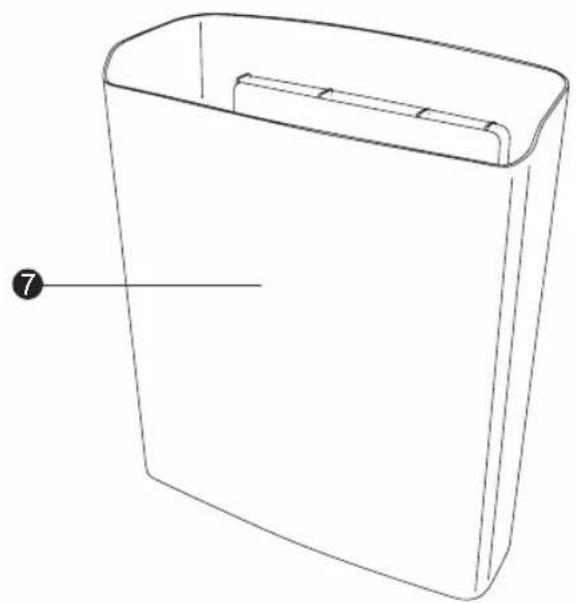
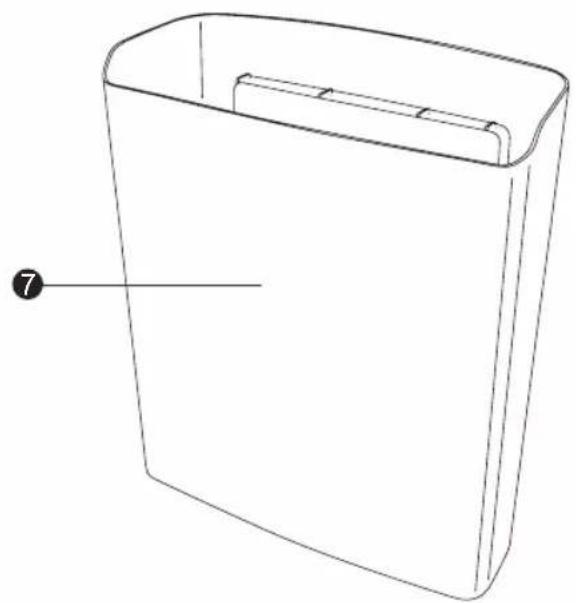
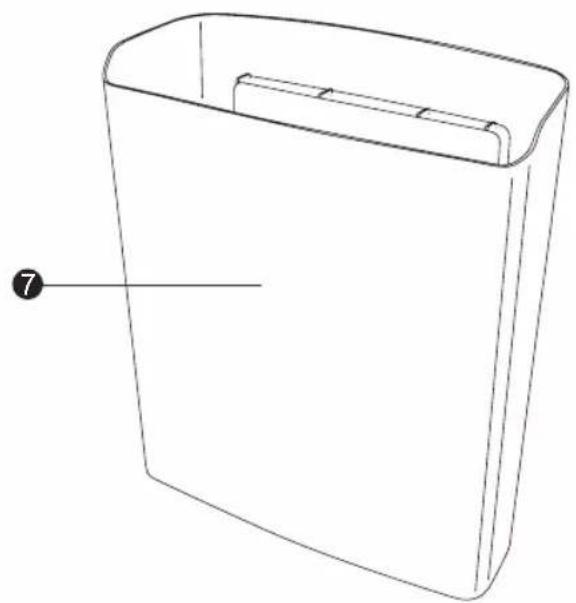
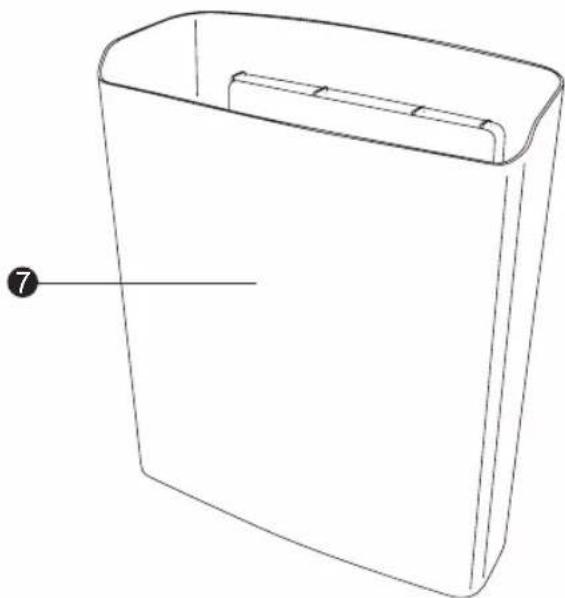
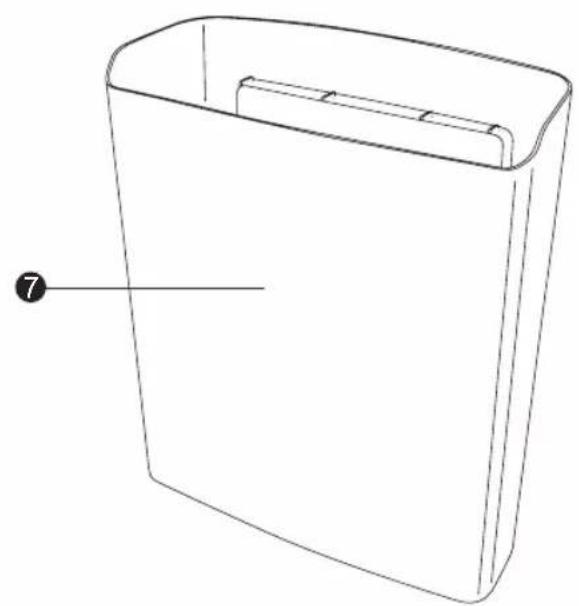
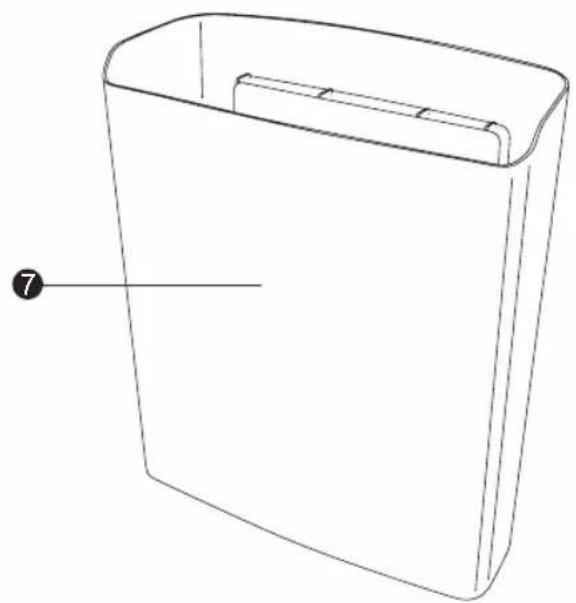
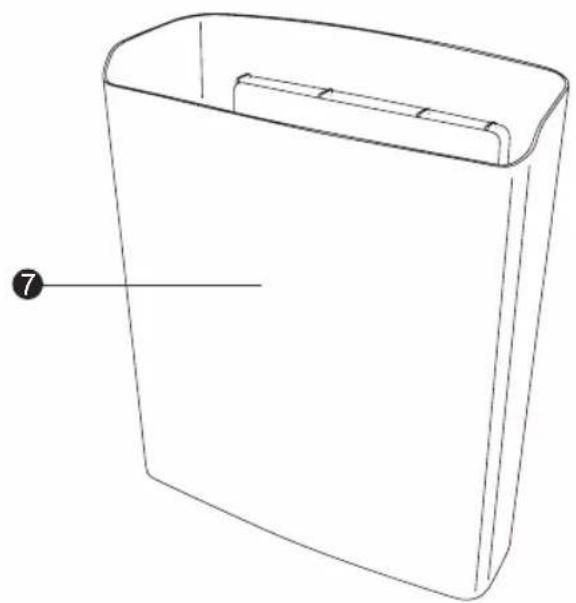
7 Paper bin
General information
Reading and storing the user manual

This user manual accompanies this strip cut paper shredder (hereafter referred to as "paper shredder"). It contains important information on start-up and handling. Before using the paper shredder, read the user manual carefully. This particularly applies for the safety notes. Failure to heed this user manual may result in severe injury or damage to the paper shredder.
Store the user manual for further use. Make sure to include this user manual when passing the paper shredder on to third parties.
Explanation of symbols
The following symbols and signal words are used in this user manual, on the paper shredder or on the packaging.
This signal symbol/word designates a hazard with moderate degree of risk which may lead to death or severe injury if not avoided.
NOTICE!
This signal symbol/word warns of possible damage to property.

This symbol provides you with useful additional information regarding operation or handling.

Declaration of conformity (see chapter “Declaration of conformity”): Products marked with this symbol meet all applicable regulations for the European Economic Area.

Read the user manual.

The paper shredder complies with protection class II. It is equipped with dual protective insulation and therefore contains no touchable metallic parts, which could conduct voltage in the event of a fault.
Only use the paper shredder indoors.

Important safety information.

Do not reach into the inlet slot!

Not a children's toy! Children must not use it.
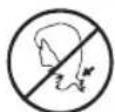
Keep long, loose hair away from the area of the inlet slot.

Keep neckties, scarves and loose clothing away from the area of the inlet slot!
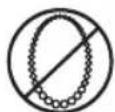
Avoid wearing accessories (necklaces, etc.) while using the device!

Do not insert any paper clips or staples in the inlet slot!
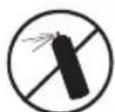
Do not use any spray cans / aerosols in the vicinity of the device!

Only insert a maximum of 6 sheets of paper (80 g/m ^2 ) at any one time!
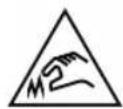
Sharp edges, do not touch.
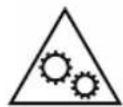
This symbol indicates a risk of injury from moving parts. Do not touch any moving parts, such as cutting blade, during operation.
Safety
Proper use
The paper shredder is only designed for cutting paper. It is only intended for private use and not suitable for commercial purposes.
Only use the paper shredder as described in this user manual. Using it in any other way is deemed improper and may result in damage to property or even personal injury. The paper shredder is not a children's toy.
The manufacturer or vendor cannot be held liable for damages incurred through improper or incorrect use.
Safety notes

WARNING!
Risk of injury!
Risk of electric shock!
A faulty electrical installation or excessive line voltage may result in an electric shock or a short circuit.
- Only connect the paper shredder in indoor areas and only to a properly installed AC 220-240 V socket with a protective conductor.
- Only connect the paper shredder to an easily accessible socket so that you can quickly disconnect it from the power supply in case of a failure.
- Do not operate the paper shredder if it is visibly damaged or if the power cable or power plug is defective.
- If the power cable of the paper shredder is damaged, the manufacturer, its customer service team or a person with similar qualifications must replace it.
- Do not open the housing; instead, have a qualified professional perform repairs. To do so, contact the service address indicated on the warranty card. Liability and warranty claims are waived in the event of repairs or conversions performed by the user, improper connection of the device or incorrect operation.
- Only parts that comply with the original device data may be used for repairs. Electrical and mechanical parts, which are essential for providing protection against sources of danger, are located in this paper shredder.
- Do not operate the paper shredder with an external timer or separate telecontrol system.
- Make sure that the paper shredder and the power cable or plug do not come into contact with water or other liquids.
- Do not immerse the paper shredder or the power cable or power plug in water or other liquids.
- Do not perform any other work (such as cleaning) on the paper shredder while it is operating.
- Only use an adapter plug or extension cord with protective contact and connect it to an easily accessible socket so that you can quickly disconnect the paper shredder from the power supply in case of a failure.
- Never touch the power plug with damp hands.
- Never pull the power plug out of the socket by the power cable; instead, always do so by taking hold of the power plug.
- Never use the power cable as a carrying strap.
- Keep the paper shredder, power plug and power cable away from open flames and hot surfaces.
- Lay the power cable so that it does not pose a tripping hazard.
- Do not kink the power cable and do not lay it over sharp edges.
- Only use the paper shredder in indoor areas. Do not use it in wet rooms or in the rain.
- Never store the paper shredder so that it is at risk of falling into a bath tub or washbasin.
- Never reach to retrieve the paper shredder if it has fallen in water. In such a case, immediately disconnect the power plug.
- Make sure that children do not insert any objects into the paper shredder.
- Always switch the paper shredder off and pull the power plug out of the socket when you are not using the paper shredder, cleaning it or in the event of a fault.

WARNING!
Risk of injury!
The main unit of the paper shredder contains sharp cutting blades. Touching the cutting blades may result in serious injury.
- Keep loose clothing, hair and accessories away from the area of the inlet slot.

WARNING!
Danger for children and persons with impaired physical, sensory or mental capacities (e.g. partially disabled persons, older persons with reduced physical and mental capacities) or lack of experience and knowledge (e.g. older children).
- This paper shredder may be used by persons with impaired physical, sensory or mental capacities or those lacking experience and knowledge if they are supervised or have been instructed in how to safely use the paper shredder and have understood the risks associated with operating it. Children must not play with the paper shredder. Cleaning and user maintenance must not be performed by children.
- Keep children under eight years of age away from the paper shredder and connector cable.
- Do not leave the paper shredder unattended while it is operating and do not perform any other activities during operation.
- Make sure that children do not play with the packaging wrapper. Children may get caught in it when playing and suffocate.
- Keep the paper shredder away from pets.
– Clearly advise other users of the risks.
NOTICE!
Risk of damage!
Improper handling of the paper shredder may damage the paper shredder.
- Never place the paper shredder on or near hot surfaces (e.g. stovetops, heaters etc.).
- Place the paper shredder on an easily accessible, level, dry, heat-resistant and sufficiently stable work surface. Do not place the paper shredder on the edge of the work surface.
- Ensure that the power cable does not come into contact with hot parts.
- Protect the paper shredder from direct sunlight, high temperatures or the effects of the weather.
- Never fill the paper shredder with liquid.
- Do not sit on the paper shredder and do not put any objects on it.
- Stop using the paper shredder if its plastic parts exhibit cracks or breaks or are deformed. Only replace damaged parts with corresponding original spare parts.
First use
Checking the paper shredder and product contents
NOTICE!
Risk of damage!
If you are not cautious when opening the packaging with a sharp knife or other pointed objects, you may easily damage the paper shredder.
- For this reason, be very careful when opening the packaging.
- Take the paper shredder out of the packaging and check whether the paper shredder or individual parts exhibit damages. If this is the case, do not use the paper shredder. Contact the manufacturer using the service address specified on the warranty card.
- Check to make sure that all contents have been received (see page 5).
Operation
NOTICE!
Risk of damage!
Incorrect handling of the paper shredder may damage the motor or the inner rollers.
- Avoid overloading the motor by not putting more than 6 sheets of paper (80 g/m ^2 ) into the slot at the same time.
- Do not shred formats larger than A4 or continuous paper.
- Unplug the device if the motor cuts out because of overloading. Ensure that the slide switch is at OFF. Leave the motor to cool for about 30 minutes to room temperature, before you plug the shredder back in. You can then continue with operations.
- Remove paper clips, staples and similar fixings before you start shredding.
Short-term operation:

- The shredder is suitable only for short-term operation and not for continuous use. After continuous operation of a maximum of 1 minute, let the shredder rest for 30 minutes, to prevent overheating of the device.
- The shredder motor switches off automatically if it overheats.
Placing on a waste bin
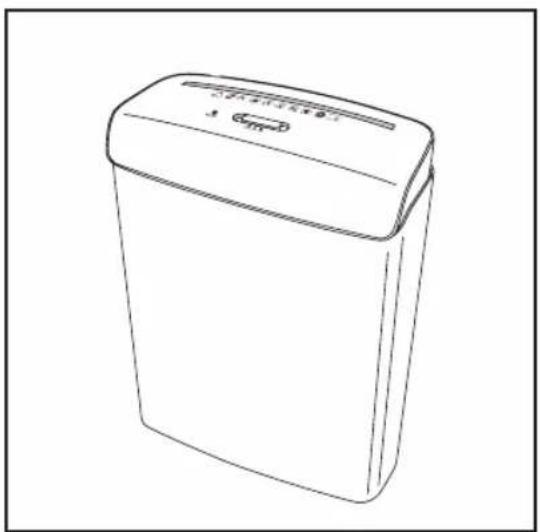
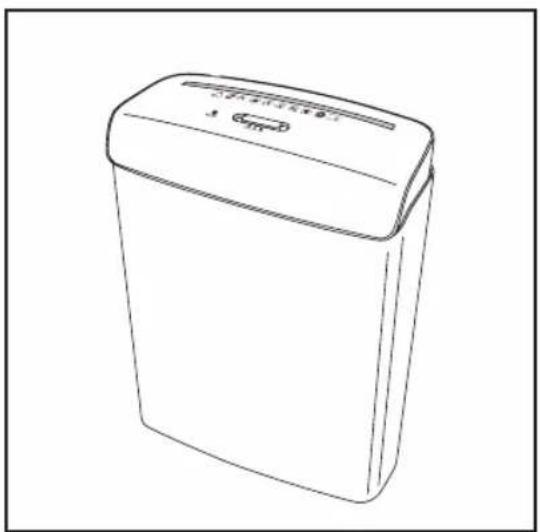
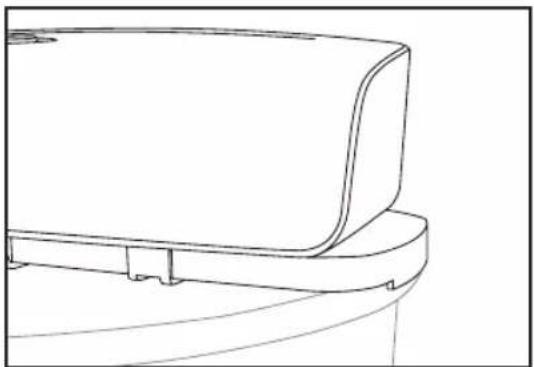
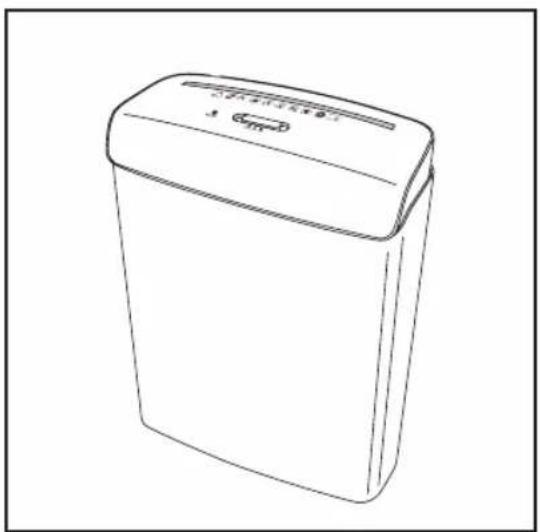
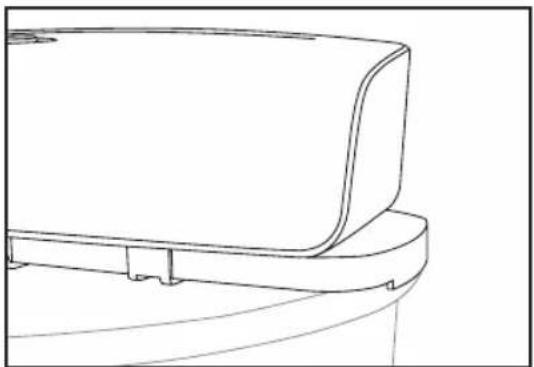
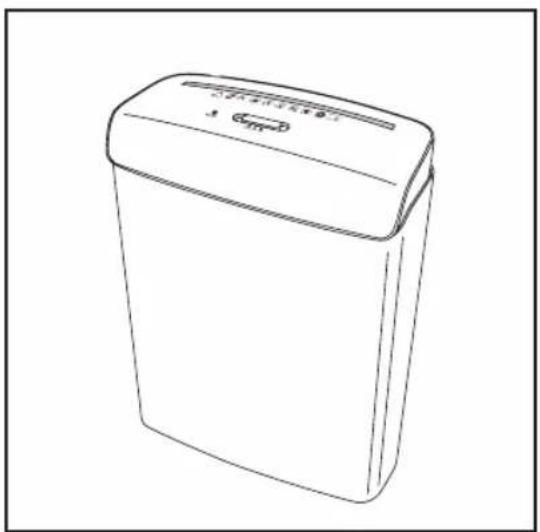
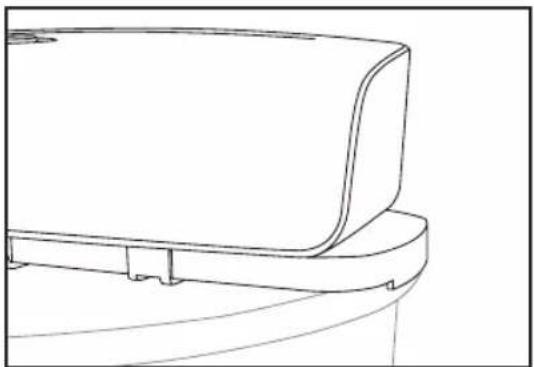
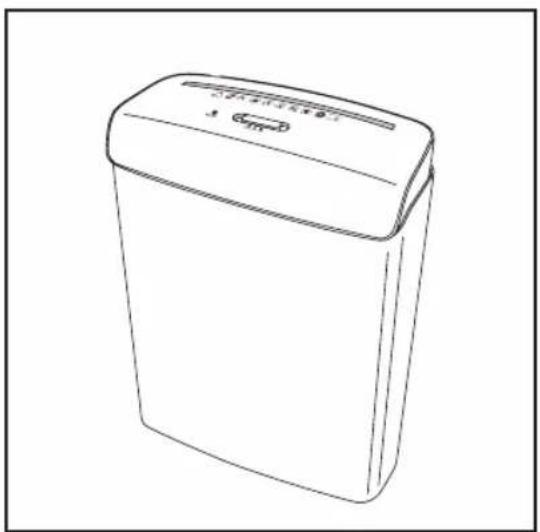
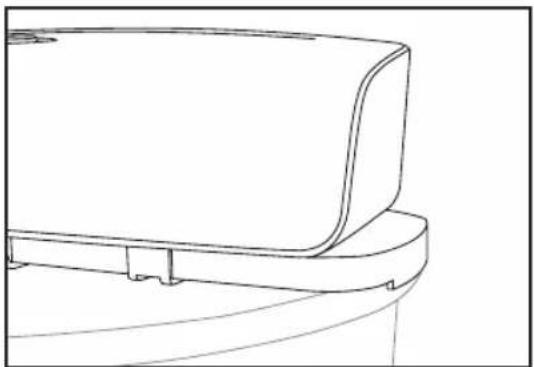
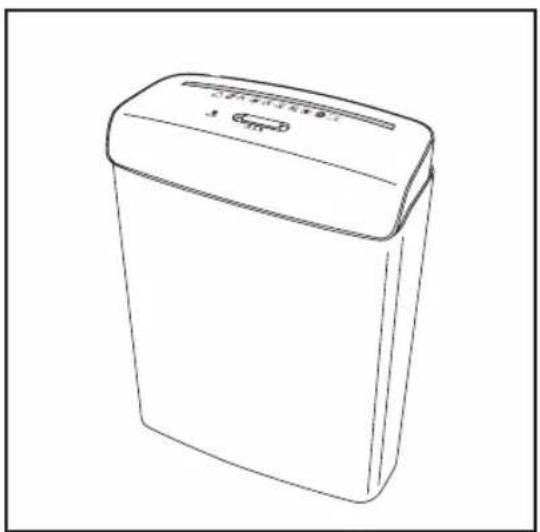
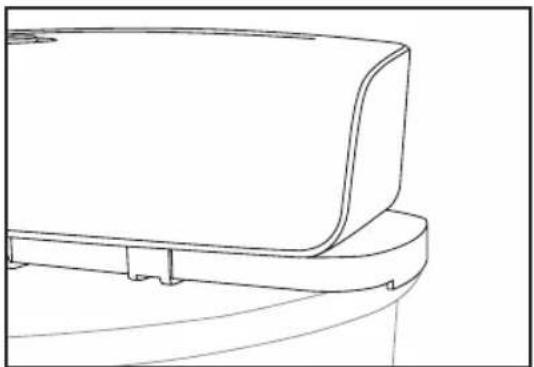
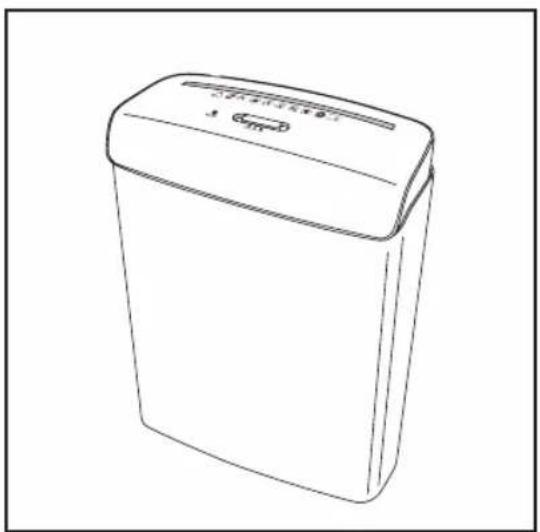
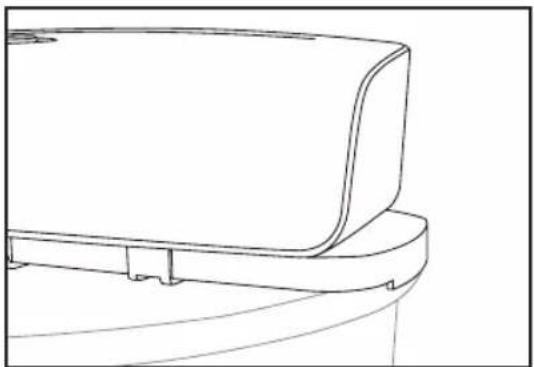
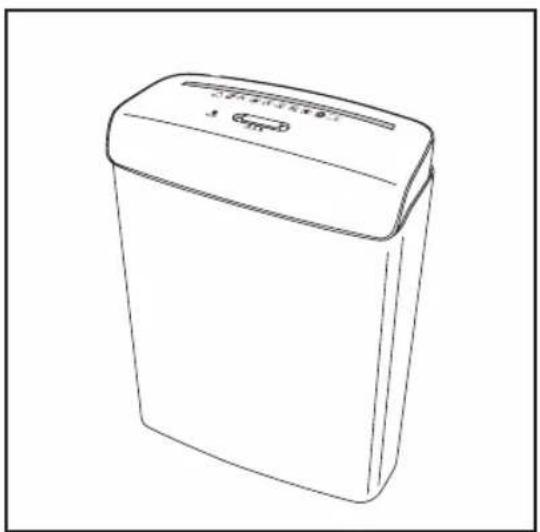
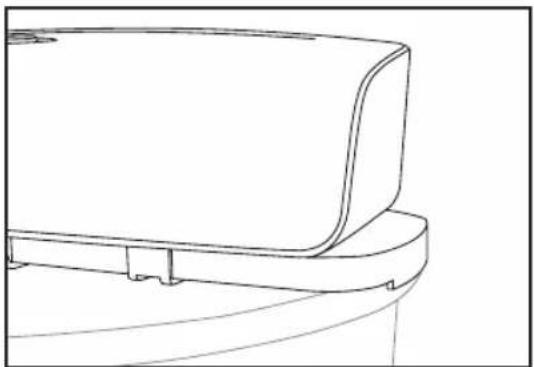
The paper shredder comes with a paper bin ⑦. Place the paper shredder directly on the paper bin and ensure that the paper shredder is seated firmly on it (see fig A).
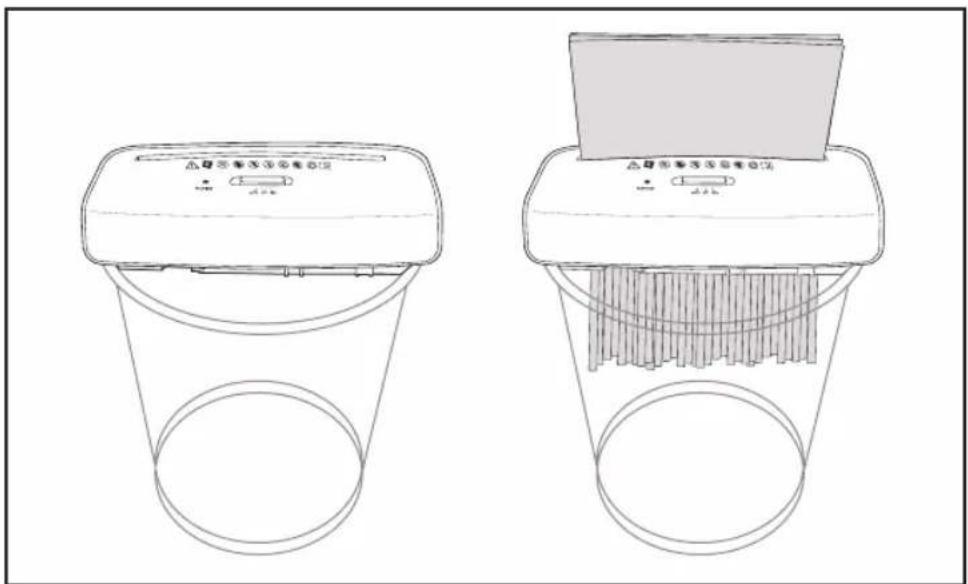
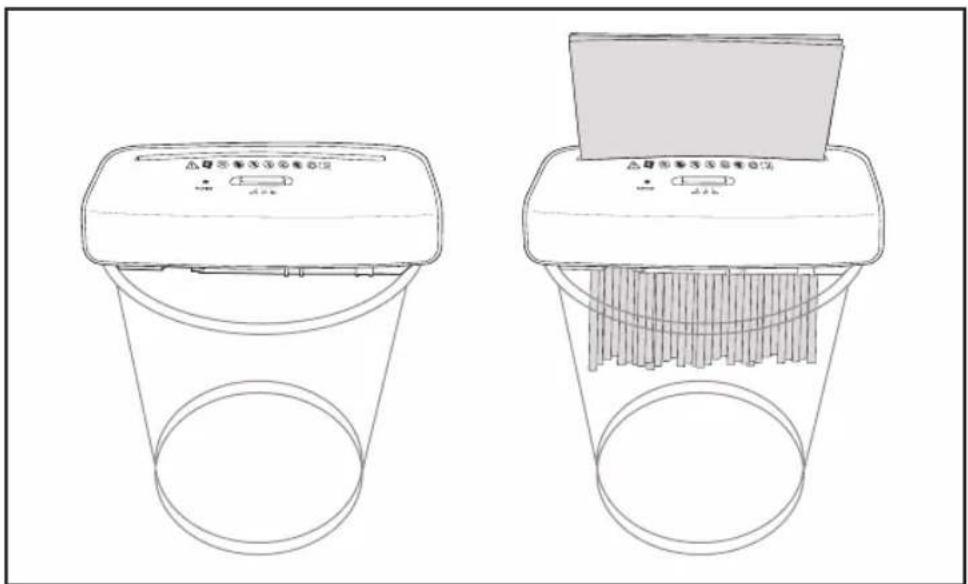
Alternatively, use a round waste bin with a diameter of between 27.5 cm and 37.5 cm. To ensure proper operation, place the paper shredder with both hands on the ring surface or the edge of the waste bin.
You can adapt the paper shredder to ensure that it fits well on the waste bin.
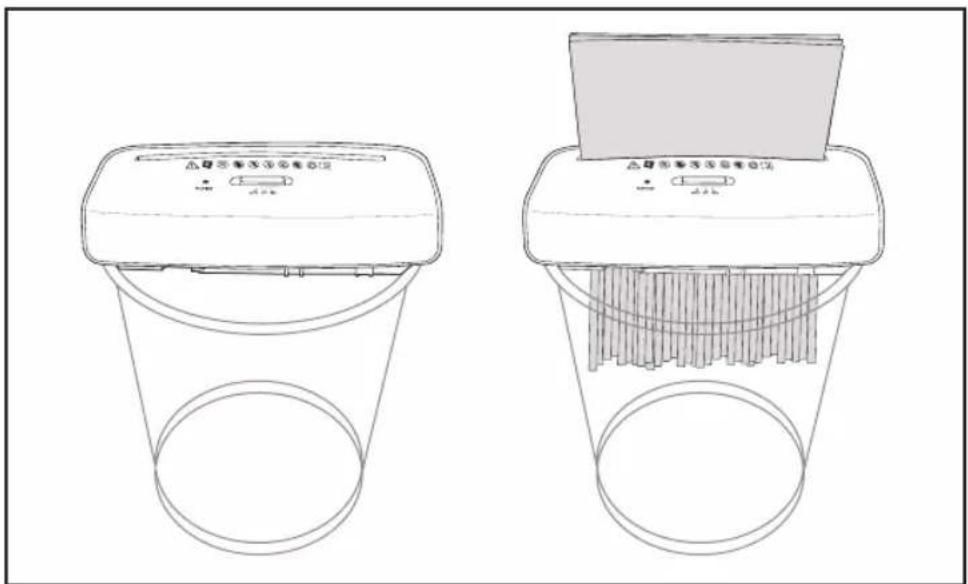
Situation 1:
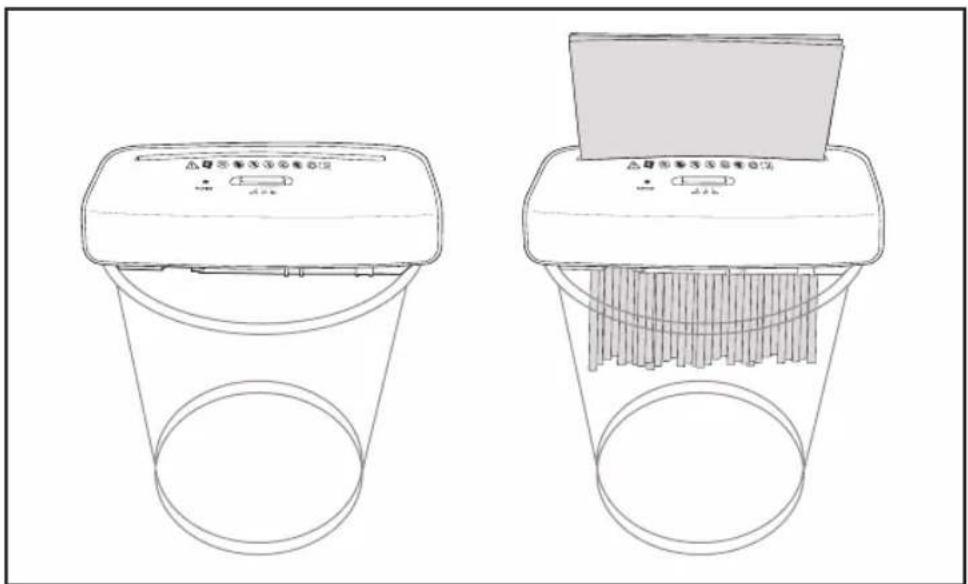
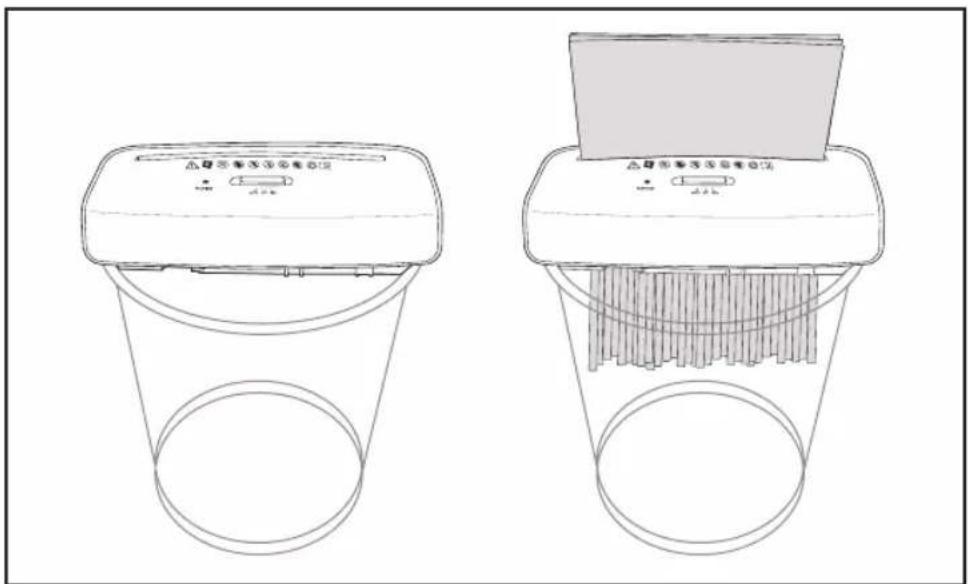
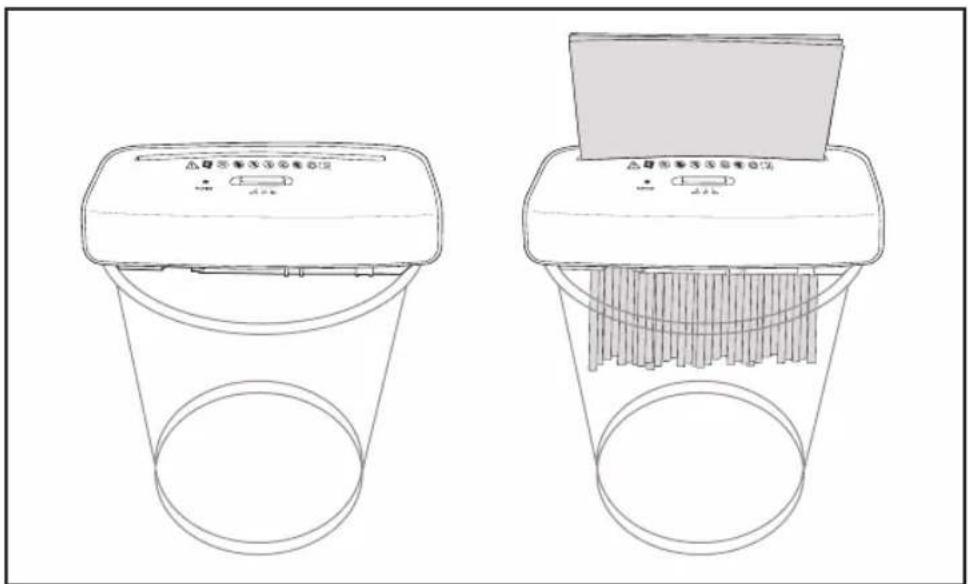
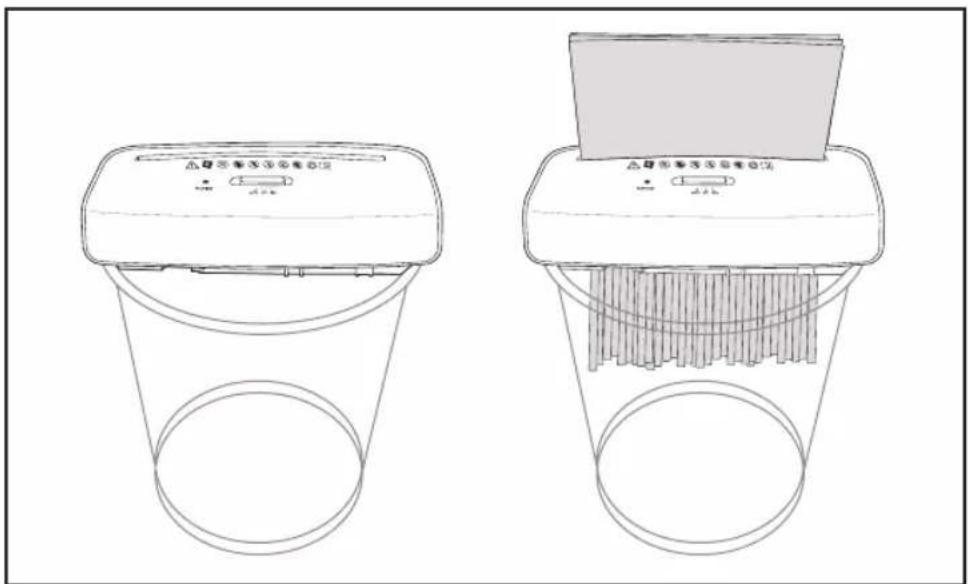
- If the inner diameter of the waste bin is around 27.5 cm, you can directly put the paper shredder on the waste bin without using the extendable rail ④.
- Ensure that the shredder is seated firmly on the waste bin (see fig. B).
- Connect the power plug ① to a properly installed socket with a protective conductor (AC 220-240 V; 50 Hz = house connection).
Situation 2:
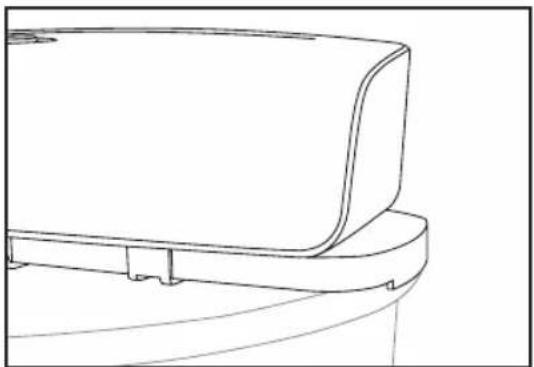
- If the inner diameter of the waste bin is larger than 27.5 cm, pull off the extendable rail ④ to a suitable length and then place the paper shredder on the waste bin with both hands.
- Ensure that the shredder is seated firmly on the waste bin (see fig. C).
- Connect the power plug ① to a properly installed socket with a protective conductor (AC 220-240 V; 50 Hz = house connection).
Using the AUTO setting
You can shred your paper with the Auto setting.
- Place the slide switch ⑤ at the AUTO position. The LED ready indicator ⑥ comes on green and the paper shredder is ready for use.
- Feed the paper through the feed-in slot for paper ② into the cutters. Make sure that you push in the paper straight and centred. If the slide switch is at AUTO, the paper shredder switches off automatically as soon as the paper has been shredded.
- Place the slide switch at OFF if you no longer need the paper shredder. The LED ready indicator goes out.
- Disconnect the power plug ① and empty the waste bin.

There is a paper sensor ③ in the centre of the feed-in slot for paper ②. It detects the paper inserted and activates the cutters in the paper shredder. For this reason, always push smaller paper formats into the centre of the slot.
Using the REV setting
Use the REV setting to put the cutters into reverse operating direction.
- Move the slide switch 5 to the REV position. The cutters run in reverse and move the fed paper back out of the shredder.
- Take the paper out of the shredder in order to continue with the shredding process (see “paper jam” in the fault table).
Cleaning
NOTICE!
Risk of short circuit!
Water that has penetrated the housing may cause a short circuit.
- Disconnect the power plug before cleaning.
- Never submerge the paper shredder in water.
- Make sure that no water penetrates the housing.
NOTICE!
Risk of damage!
Improper handling of the paper shredder may result in damage to the paper shredder.
- Do not use any aggressive cleaners, brushes with metal or nylon bristles, sharp or metallic cleaning utensils such as knives, metal sponges and the like. They could damage the surfaces.
- Use a damp cloth to wipe off the paper shredder. Let all parts dry completely afterwards.

The paper shredder is maintenance-free and the cutting mechanism need not be treated with special oil.
Storage
NOTICE!
Risk of damage!
Improper storage of the paper shredder may result in damage to the paper shredder.
- Never store the paper shredder next to a heat source.
- Do not fold or crush the power cable.
- Only stow the paper shredder if it is dry.
- Always store the paper shredder in a clean, dry area that it is protected from direct sunlight and is not accessible for children. Use the original packaging for storage.
Fault table
| Fault Cause | Correction | |
| A paper jam is blocking the paper shredder. | Too much paper was fed into the cutters. | Move the slide switch 5 to the REV position. The cutters run in reverse and move the paper back out of the feed-in slot for paper 2. |
| Reduce the amount of paper and switchback to AUTO. | ||
| Disconnect the power plug 1 and then remove the paper residue by hand. | ||
| The shredder fails to switch off automatically. | There is paper residue under the paper sensor 3. | Do not move the slide switch 5 from REV to AUTO, as the shredder cannot be switched off then. Feed another sheet of paper into the feed-in slot for paper 2 to clear the blockage. |
| Disconnect the power plug 1 and then turn over the paper shredder. Carefully remove the pieces of paper from the feedin slot for paper with tweezers or a similar device. Be careful not to damage the cutters. |
Technical data
Model: SSK 160
Line voltage: AC 220-240 V / 50 Hz
Power consumption: 190 watt; 1.0 A
Protection class: II
Dimensions (W × D × H): 312 × 118 × 386 mm (shredder and paper bin)
312 × 118 × 86 mm (shredder)
312 × 118 × 351 mm (paper bin)
Weight: approx. 1.4 kg
Volume of paper bin: approx. 7 litre
Supported round waste bins: 27.5–37.5 cm (diameter)
Working width: 220 mm (A4)
Cutting type: Strip cut
Cutting speed: 2.2 m per minute
Cutting performance per operation: max. 6 sheets (80 g/m ^4 )
Strip width: 6 mm
Rated operating time: 1 minute
Rated non-operating time: 30 minutes
Noise level: approx. 70 dB
Automatic start/stop function: yes
REV reverse function: yes
Technical changes reserved
INSTRUCTIONS AND INFORMATION REGARDING THE DISPOSAL OF USED PACKAGING MATERIALS
Dispose of used packaging material at a site designated for waste in your municipality.
DISPOSAL OF USED ELECTRICAL AND ELECTRONIC EQUIPMENT
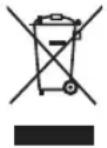
This symbol on products or original documents means that used electric or electronic products must not be added to ordinary municipal waste. For proper disposal, renewal and recycling hand over these products to determined collection points. Or as an alternative in some European Union states or other European countries you may return your products to the local retailer when buying an equivalent new product.
Correct disposal of this product helps save valuable natural resources and prevents damage to the environment caused by improper waste disposal. Ask your local authorities or collection facility for more details.
In accordance with national regulations penalties may be imposed for the incorrect disposal of this type of waste.
For business entities in European Union states
If you want to dispose of electric or electronic appliances, ask your retailer or supplier for the necessary information.
Disposal in other countries outside the European Union
This symbol is valid in the European Union. If you wish to dispose of this product, request the necessary information about the correct disposal method from the local council or from your retailer.

This product meets all the basic requirements of EU directives that apply to it.
Changes in the text, design and technical specifications may change without prior notice and we reserve the right to make these changes.
Manufacturer: Fast ČR, a. s., U Sanitasu 1621, CZ 251 01 Říčany
SENCOR®
EN Warranty conditions
Warranty card is not a part of the device packaging.
This product is warranted for the period of 24 months from the date of purchase to the end-user. Warranty is limited to the following conditions. Warranty is referred only to the customer goods using for common domestic use. The claim for service can be applied either at dealer's shop where the product was bought, or at below mentioned authorized service shops. The end-user is obligated to set up a claim immediately when the defects appeared but only till the end of warranty period. The end user is obligated to cooperate to certify the claiming defects. Only completed and clean (according to hygienic standards) product will be accepted. In case of eligible warranty claim the warranty period will be prolonged by the period from the date of claim application till the date of taking over the product by end-user, or the date the end-user is obligated to take it over. To obtain the service under this warranty, end-user is obligated to certify his claim with duly completed following documents: receipt, certificate of warranty, certificate of installation.
This warranty is void especially if apply as follows:
■ Defects which were put on sale.
■ Wear-out or damage caused by common use.
The product was damaged by unprofessional or wrong installation, used in contrary to the applicable instruction manual, used in contrary to legal enactment and common process of use or used for another purpose which has been designed for.
■ The product was damaged by uncared-for or insufficient maintenance.
■ The product was damaged by dirt, accident of force majeure (natural disaster, fire, and flood).
■ Defects on functionality caused by low duality of signal, electromagnetic field interference etc.
■ The product was mechanically damaged (e.g. broken button, fall).
■ Damage caused by use of unsuitable media, fillings, expendable supplies (batteries) or by unsuitable working conditions (e.g. high temperatures, high humidity, quakes).
■ Repair, modification or other failure action to the product by unauthorized person.
■ End-user did not prove enough his right to claim (lime and place of purchase).
■ Data on presented documents differs from data on products.
Cases when the claiming product cannot be identified according to the presented documents (e.g. the serial number or the warranty seal has been damaged).
Authorized service centers
Visit www.sencor.eu for detailed information about authorized service centers.
Popis
natural_image
Line drawing of a rectangular container with a side slot, labeled with number 7 (no text or symbols on the diagram itself)Použití
natural_image
Line drawing of a rectangular electronic device with lid and base (no text or symbols)Obr. A
Obr. B
natural_image
Line drawing of a toilet with a curved lid and base (no text or symbols)Obr. C
natural_image
Line drawing of a rectangular container with a side slot, labeled with number 7 (no text or symbols on the diagram itself)Použitie
natural_image
Line drawing of a rectangular electronic device with lid and base (no text or symbols)Obr. A
Obr. B
natural_image
Line drawing of a toilet with a curved lid and base (no text or symbols)Obr. C
natural_image
Line drawing of a rectangular container with a side slot, labeled with number 7 (no text or symbols on the diagram itself)Használat
natural_image
Line drawing of a rectangular electronic device with lid and base (no text or symbols)A. ábra
B. ábra
natural_image
Line drawing of a toilet with a curved lid and base (no text or symbols)C. ábra
natural_image
Line drawing of a rectangular container with a slot, labeled with number 7 (no text or symbols on the diagram itself)Sposób użycia
natural_image
Line drawing of a rectangular electronic device with lid and base (no text or symbols)Rys. A
Rys. B
natural_image
Line drawing of a toilet with a curved lid and base (no text or symbols)Rys. C
natural_image
Line drawing of a rectangular container with a handle and label pointing to the side (no text or symbols on the diagram itself)Upotreba
natural_image
Line drawing of a rectangular electronic device with lid and base (no text or symbols)Slika A
Slika B
natural_image
Line drawing of a toilet with a curved lid and base (no text or symbols)Slika C
SRL - 2
natural_image
Line drawing of a rectangular container with a side slot, labeled with number 7 (no text or symbols on the diagram itself)Upotreba
natural_image
Line drawing of a rectangular electronic device with lid and base (no text or symbols)SI. A
SI. B
natural_image
Line drawing of a toilet with a curved lid and base (no text or symbols)SI. C
natural_image
Line drawing of a rectangular container with a side slot, labeled with number 7 (no text or symbols on the diagram itself)Χρήση
natural_image
Line drawing of a rectangular electronic device with lid and base (no text or symbols)Eik. A
Eik. B
natural_image
Line drawing of a toilet with a curved lid and base (no text or symbols)Eik. C
EL-2
- Package contents / device parts
- General information
- Reading and storing the user manual
- Explanation of symbols
- NOTICE!
- Safety
- Proper use
- Safety notes
- WARNING!
- Risk of injury!
- Risk of electric shock!
- Risk of damage!
- First use
- Checking the paper shredder and product contents
- Operation
- Short-term operation:
- Placing on a waste bin
- Situation 1:
- Situation 2:
- Using the AUTO setting
- Using the REV setting
- Cleaning
- Risk of short circuit!
- Storage
- Technical data
- INSTRUCTIONS AND INFORMATION REGARDING THE DISPOSAL OF USED PACKAGING MATERIALS
- DISPOSAL OF USED ELECTRICAL AND ELECTRONIC EQUIPMENT
- For business entities in European Union states
- Disposal in other countries outside the European Union
- SENCOR®
- EN Warranty conditions
- This warranty is void especially if apply as follows:
- Authorized service centers
- Použití
- Použitie
- Használat
- Sposób użycia
- Upotreba
- Χρήση
Brand : SENCOR
Model : SSK 160
Category : Shredder