
Toucan - Mouse Natec - Free user manual and instructions
Find the device manual for free Toucan Natec in PDF.


| Product Type | Mouse |
| Brand | Natec |
| Model | Toucan |
| Interface | USB Wired |
| Number of Buttons | 6 (Left, Right, Scroll, DPI, Forward, Back) |
| DPI Resolution | Adjustable, up to 2400 DPI |
| Cable Length | 1.5 m |
| Dimensions (L x W x H) | 125 x 70 x 40 mm |
| Weight | 100 g |
| Power Supply | USB Powered |
| Compatibility | Windows, macOS, Linux |
| Color | Black |
| Scroll Wheel | Yes, clickable |
| LED Lighting | RGB LED |
| Ergonomic Design | Right-handed |
| Warranty | 2 years |
| Package Contents | Mouse, User Manual |
Frequently Asked Questions - Toucan Natec
User questions about Toucan Natec
0 question about this device. Answer the ones you know or ask your own.
Ask a new question about this device
Download the instructions for your Mouse in PDF format for free! Find your manual Toucan - Natec and take your electronic device back in hand. On this page are published all the documents necessary for the use of your device. Toucan by Natec.
USER MANUAL Toucan Natec
natural_image
Close-up of a computer mouse with abstract patterned design (no visible text or symbols)TOUCAN
User Manual
FEATURES
- Precise optical sensor with up to 1600 DPI resolution
- Nano receiver with up to 10 m working range
- Ergonomic shape
SPECIFICATION
- Sensor type Optical
• Resolution 800 - 1200 - 1600 DPI
• Number of buttons 3 - Dimensions 100 x 60 x 38 mm
Frequency band: 2405MHz - 2470 Ghz Maximum radio-frequency power: -1.89 dBm
INSTALLATION
- Connect the USB transmitter to the USB port in your computer
- System will install driver automatically
• The device is ready for use
Note: The mouse is equipped with Auto Power Sleep mode, which is activated after several seconds of inactivity, press any button to wake it up.
DPI CHANGE
To change DPI resolution press and hold the left button + scroll wheel at same time for about 5 seconds. The mouse will switch to the next DPI level. Available are 3 levels of DPI settings (800 - 1200 - 1600) which can be switched in loop.
REQUIREMENTS
• PC or compatible device with a USB port
- Windows® XP/Vista/7/8/10, Linux, Android
SAFETY INFORMATION
- Use as directed.
• Non-authorized repairs or taking the device to pieces make the warranty void and may cause the product damage. - Avoid to hit or friction with a hard object, otherwise it will lead to grind surface or other hardware damage.
- Do not use the product in low and high temperatures, in strong magnetic fields and in the damp or dusty atmosphere.
- Do not drop, knock, or shake the device. Rough handling can break it.
- Slots and openings in the case are provided for ventilation and should not be obscure. Blocking the vents can cause overheating of the device.
WARRANTY
• 2 years limited manufacturer warranty
GENERAL
• The safe product, conforming to the EU requirements.
• The product is made in accordance with RoHS European standard.
- The WEEE symbol (the crossed-out wheeled bin) using indicates that this product in not home waste. Appropriate waste management aids in avoiding consequences which are harmful for people and environment and result from dangerous materials used in the device, as well as improper storage and processing. Segregated household waste collection aids recycle materials and components of which the device was made. In order to get detailed information about recycling this product please contact your retailer or a local authority.
- Hereby, IMPAKT S.A. declares that that the radio equipment type NMY-1071 is in compliance with Directives: 2014/53/UE (RED) and 2011/65/UE (ROHS). The full text of the EU declaration of conformity is available at the following internet address www.impakt.com.pl, at product tab.
INSERTING/REMOVING BATTERY

natural_image
Technical line drawing of a mechanical device interior with no visible text or symbolsCECHY
natural_image
Technical line drawing of a mechanical device interior with no visible text or symbolsnatural_image
Technical line drawing of a mechanical device interior with no visible text or symbolsУСТАНОВКА
Visit our website


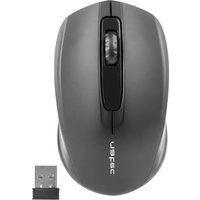

Brand : Natec
Model : Toucan
Category : Mouse