
SFT 3800 - Household Fan SENCOR - Free user manual and instructions
Find the device manual for free SFT 3800 SENCOR in PDF.


Pick your language and provide your email: we'll send you a specifically translated version.
| Product Type | Household Fan |
| Brand | Sencor |
| Model | SFT 3800 |
| Fan Type | Tower Fan |
| Power Supply | AC 220-240 V, 50 Hz |
| Power Consumption | 50 W |
| Number of Speeds | 3 |
| Oscillation | Yes, 90° |
| Timer | Up to 7.5 hours |
| Remote Control | Yes, included |
| Display | Digital LED |
| Height | 75 cm |
| Diameter Base | 30 cm |
| Weight | 4.5 kg |
| Material | ABS Plastic |
| Noise Level | ≤ 55 dB |
| Safety Features | Overheat protection, tip-over switch |
| Cleaning | Wipe with damp cloth; do not immerse |
| Spare Parts | Remote control, power cord (available) |
Frequently Asked Questions - SFT 3800 SENCOR
How do I assemble the Sencor SFT 3800 fan?
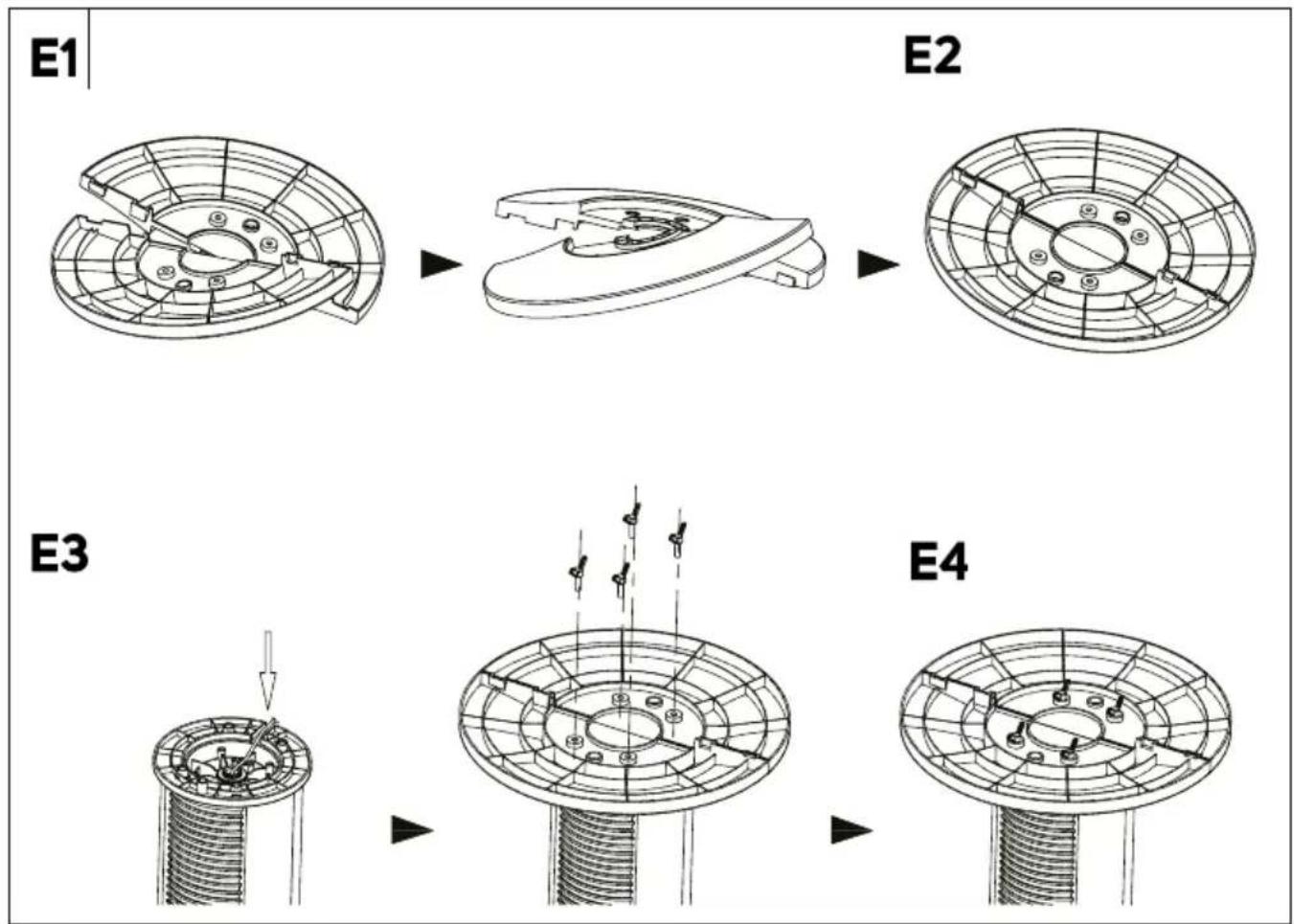
The fan comes pre-assembled. Simply attach the base by clicking it into place. Ensure it is secure before use.
How can I clean the fan?
Unplug the fan. Wipe the exterior with a damp cloth. Do not use abrasive cleaners or immerse in water. The grille can be removed for deep cleaning.
Does the fan have a remote control?
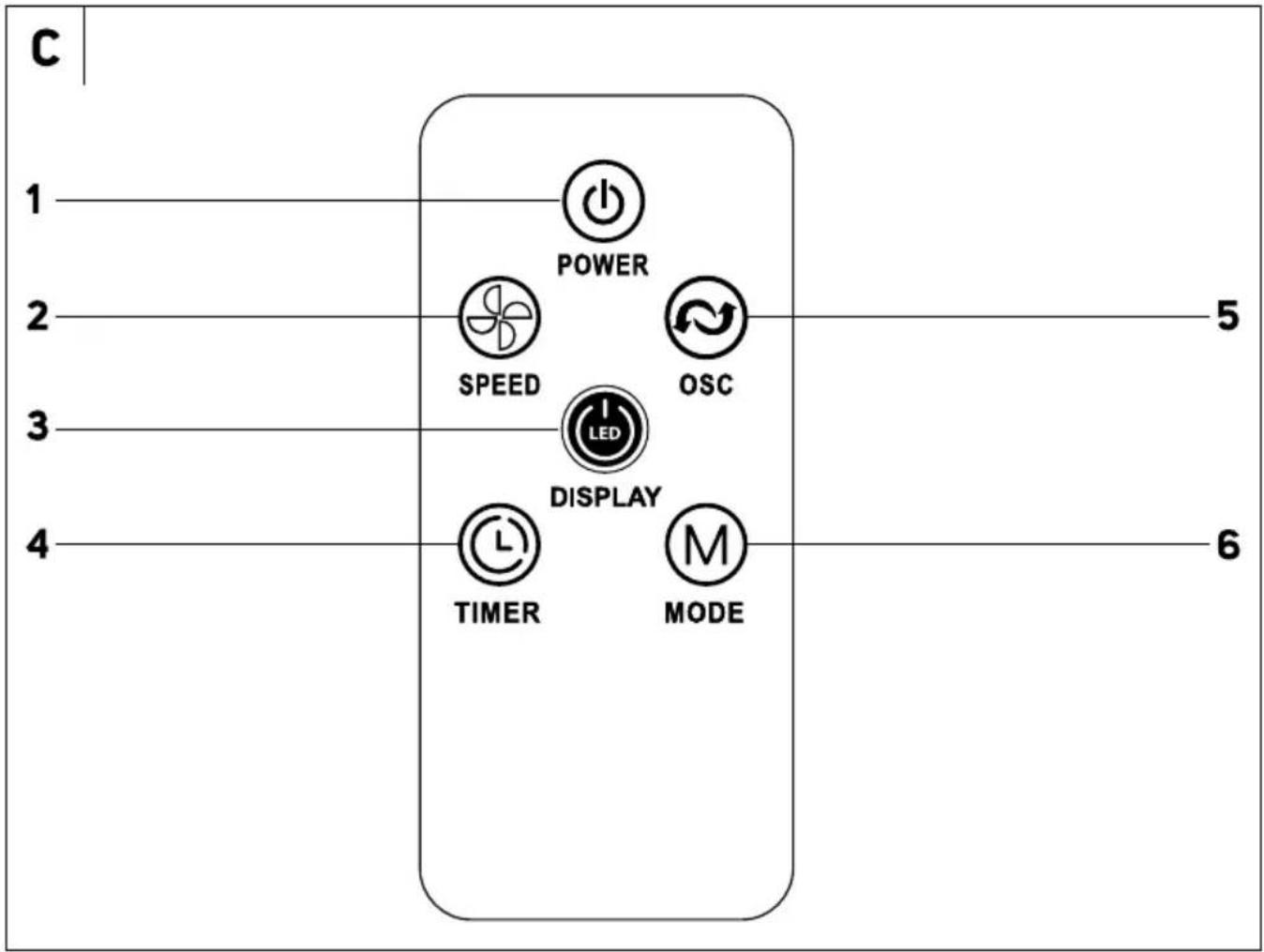
Yes, a remote control is included. It allows you to adjust speed, oscillation, timer, and power on/off from a distance.
How do I set the timer?
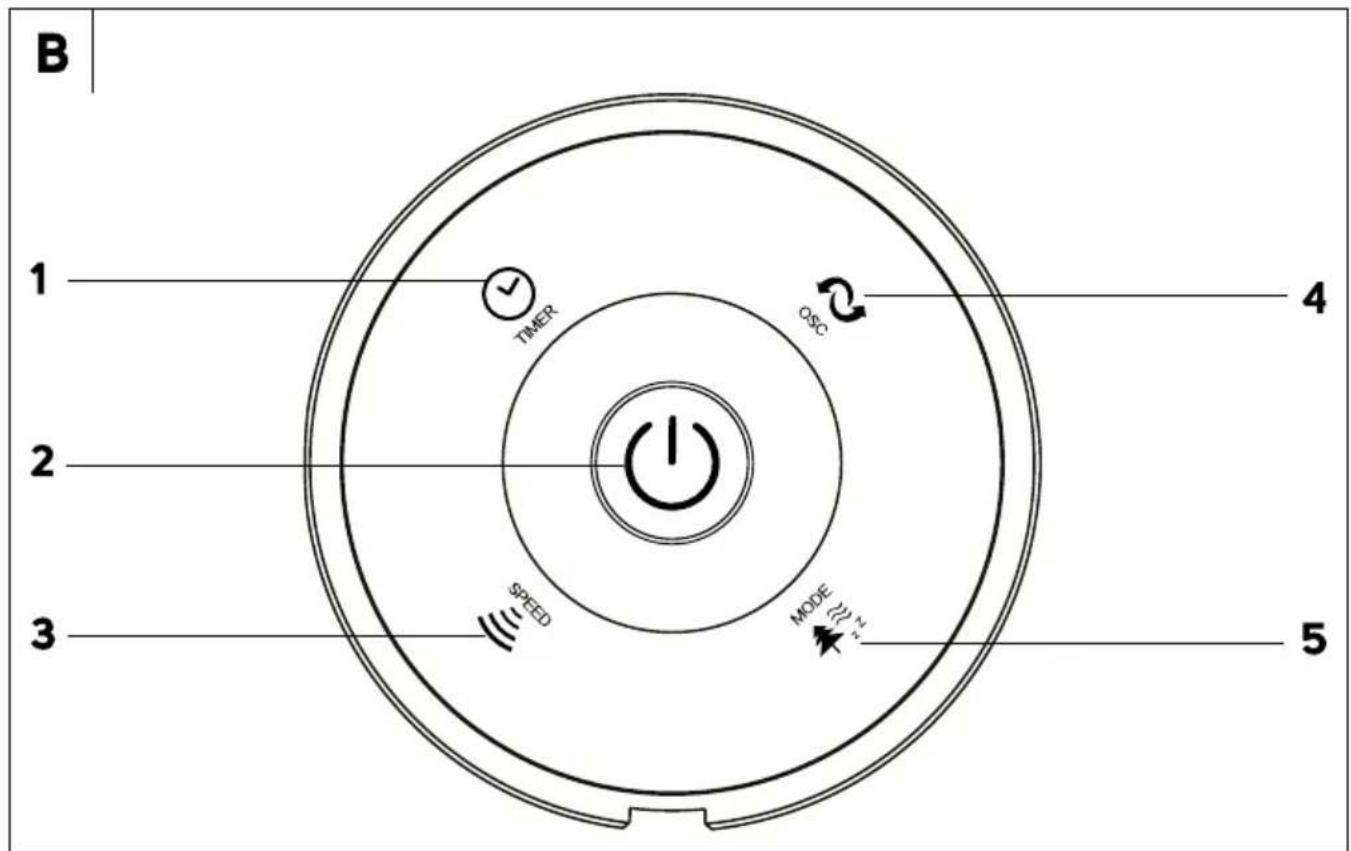
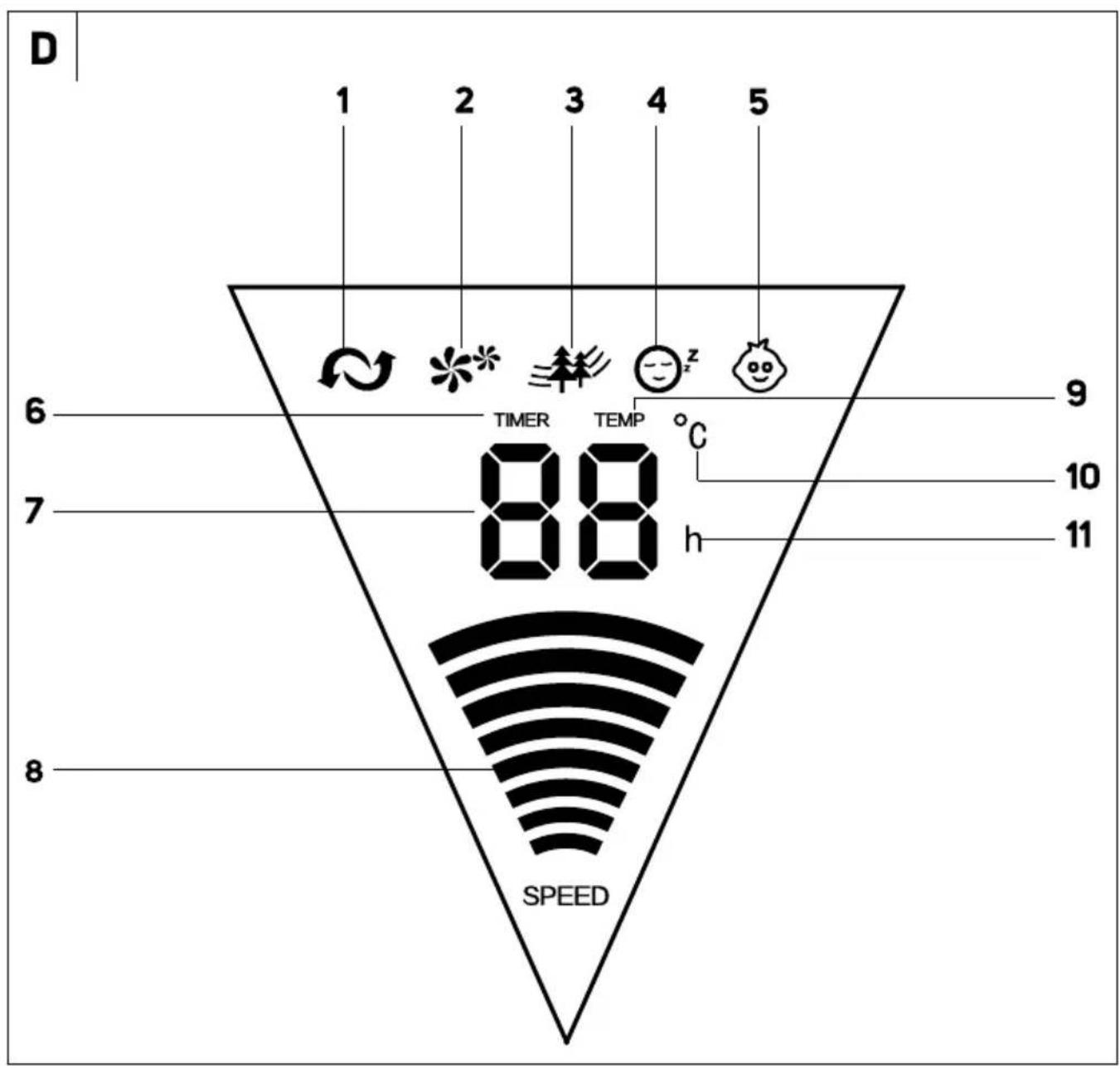
Press the timer button on the fan or remote. Each press increments the timer by 0.5 hours up to a maximum of 7.5 hours. The display will show the remaining time.
Can I use the fan overnight?
Yes, the fan is designed for safe overnight use. Use the timer function to set it to turn off automatically, and select a low speed for quiet operation.
What does the oscillation button do?
Pressing the oscillation button activates a 90-degree side-to-side motion to distribute air more evenly across the room. Press again to stop.
Why is my fan making a clicking noise?
A clicking noise may indicate loose parts. Check that the base is properly attached and that the fan is on a stable, level surface. If noise persists, contact support.
How do I replace the remote control battery?
Slide open the battery compartment on the back of the remote. Replace the CR2025 battery with the correct polarity.
Is there a way to lock the fan settings?
This model does not have a child lock function. Keep the remote out of reach of children to avoid unintended changes.
What should I do if the fan stops working?
First, check the power cord and outlet. If the fan overheated, it may have activated overheat protection. Unplug it and let it cool for 30 minutes before reconnecting. If it still doesn't work, contact Sencor service.
User questions about SFT 3800 SENCOR
0 question about this device. Answer the ones you know or ask your own.
Ask a new question about this device
No questions yet. Be the first to ask one.
Download the instructions for your Household Fan in PDF format for free! Find your manual SFT 3800 - SENCOR and take your electronic device back in hand. On this page are published all the documents necessary for the use of your device. SFT 3800 by SENCOR.
USER MANUAL SFT 3800 SENCOR
natural_image
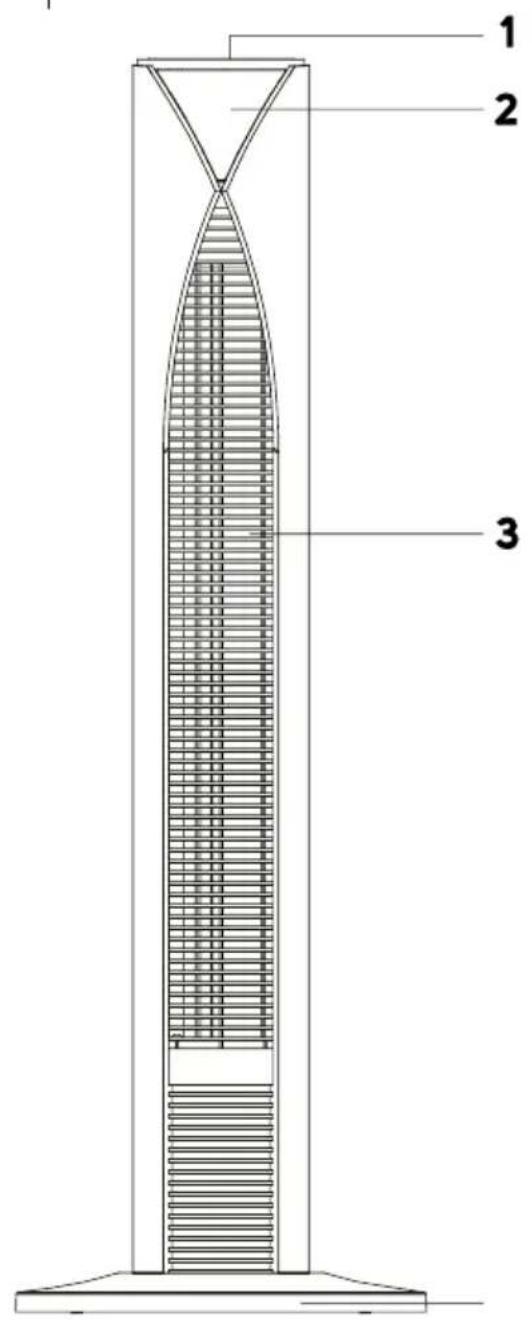
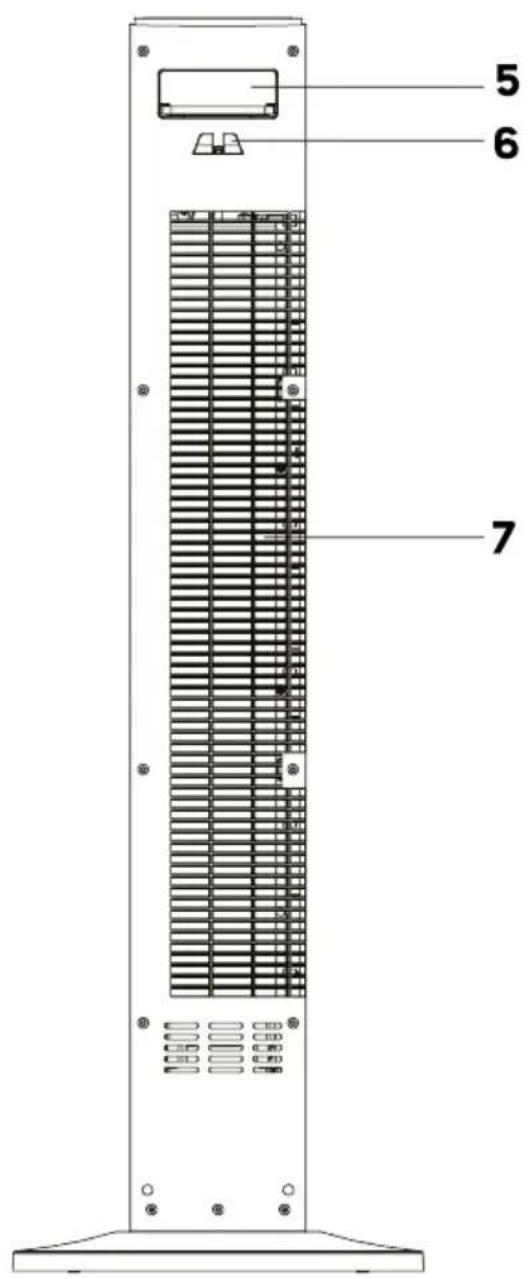
Exterior view of a modern cylindrical industrial fan with a mesh grille and digital display (no text or symbols visible)A


Manual assistant
Powered by Anthropic
Waiting for your message
Product information
Brand : SENCOR
Model : SFT 3800
Category : Household Fan