
AIR 15 AL - Uncategorized Navitel - Free user manual and instructions
Find the device manual for free AIR 15 AL Navitel in PDF.


| Product Type | Portable Cordless Air Compressor |
| Brand | Navitel |
| Model | AIR 15 AL |
| Dimensions | 108.7 mm x 84.7 mm x 36 mm |
| Weight | 0.465 kg |
| Power Source | Rechargeable battery (16.8 Wh, 8.4 V) |
| Charging Input | USB-C, 5V/2A |
| Charging Time | Up to 4 hours |
| Max Air Pressure | 120 PSI / 8.27 bar |
| Inflation Rate | Up to 15 L/min |
| Air Hose Length | 26 cm |
| Operating Temperature | -10°C to 50°C |
| Display | Digital LCD screen |
| Controls | Power, Mode switch, Pressure increase/decrease, LED flashlight button |
| LED Flashlight | Yes, with multiple modes |
| Auto Shut-off | After 90 seconds of inactivity |
| Overheating Protection | Yes, auto stop when temperature too high |
| Package Contents | Compressor, air hose, USB-C cable, 4 valve adapters, storage bag, user manual, warranty card |
| Applications | Tire inflation (cars, bikes, balls), other inflatables |
Frequently Asked Questions - AIR 15 AL Navitel
User questions about AIR 15 AL Navitel
0 question about this device. Answer the ones you know or ask your own.
Ask a new question about this device
Download the instructions for your Uncategorized in PDF format for free! Find your manual AIR 15 AL - Navitel and take your electronic device back in hand. On this page are published all the documents necessary for the use of your device. AIR 15 AL by Navitel.
USER MANUAL AIR 15 AL Navitel
Portable Cordless Air Compressor
Úvod
natural_image
Line drawing of a portable electronic device with a digital display and control panel (no text or symbols visible)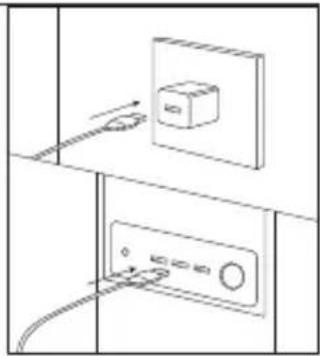
natural_image
Diagram showing two electrical panel connections with a switch and power outlet (no text or symbols)natural_image
Line drawing of a handheld electronic device with a hand adjusting its screen (no text or symbols visible)Opatření

NAVITEL
NAVITEL AIR 15 AL
natural_image
Line drawing of a white electronic device with a digital display and control panel, connected by wires (no text or symbols visible)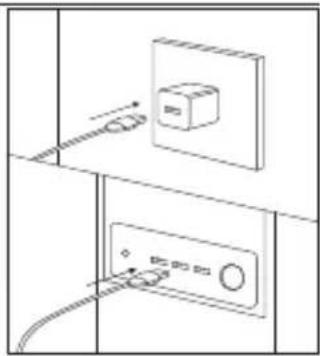
natural_image
Diagram showing two electrical panel connections with a battery and cable, no text or symbols presentnatural_image
Line drawing of a hand holding a small electronic device with a display screen (no text or symbols visible)Dear customer! Thank you for purchasing this NAVITEL® product.
NAVITEL AIR 15 AL is a high-efficient wireless compressor that has many features described in this user manual. Please, read this manual carefully before using this device and keep it for future reference.
Package contents Specifications
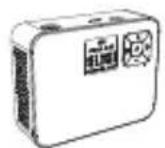
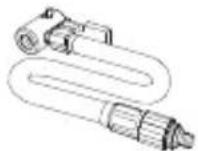
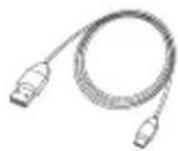
NAVITEL AIR 15 AL Air hose USB-C cable
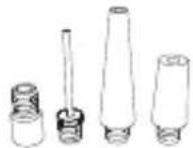
Valve adapter (4 pcs.) Storage bag User manual
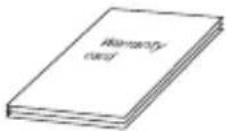
Warranty card
| Max air pressure 120PSI / 8,27 bar | |
| Battery capacity 16,8 Wh | |
| USB-C input 5V/2A | |
| Charging time Up to 4 hours | |
| Voltage 8,4 V | |
| Power 50 W | |
| Inflation rate Up to 15 l/min | |
| Air hose length 26 cm | |
| Dimensions 108,7 mm x 84,7 mm x 36 mm | |
| Weight | 0,465 kg |
| Operating temperature | -10°C — 50°C |
Device layout
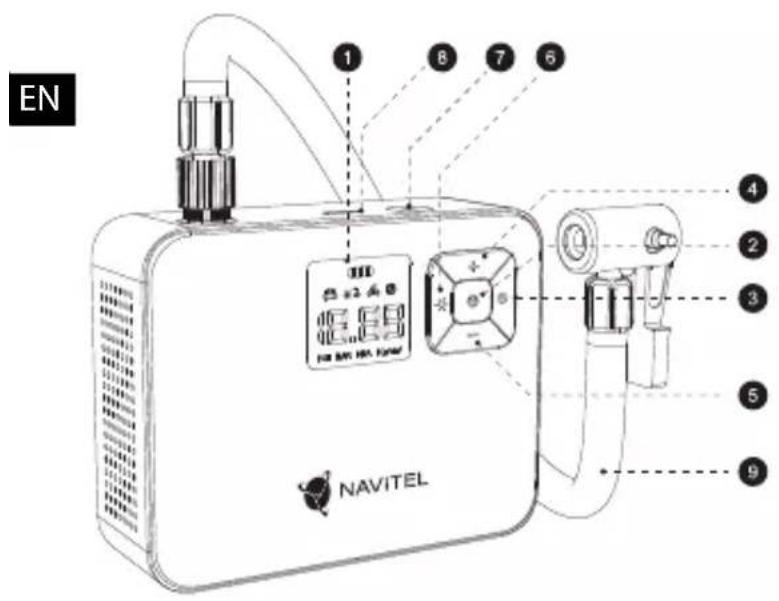
- Display
- Power button
- Mode switch button
- Pressure increase button
- Pressure reduction button
- LED flashlight on/off button
- LED flashlight
- Charging port
- Air hose
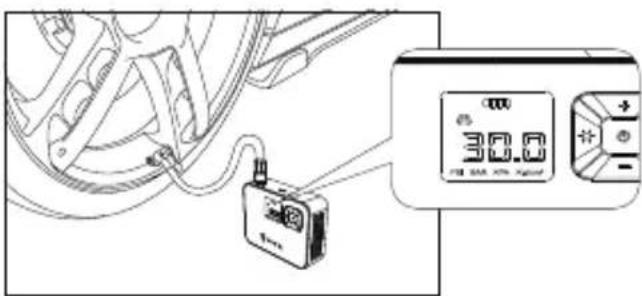
Tire inflation
- Connect the air hose to the compressor and tire.
- Hold the power button to turn on the compressor. The display will show the current tire pressure.
- Press the mode switch button repeatedly to select one of the preset compressor operating modes.
- Hold the mode switch button to enter the pressure unit change mode, at this moment the current unit of measurement on the display should flash. Next, press the mode switch button repeatedly to select the desired pressure unit. To increase or decrease the value of pressure required, use the pressure increase and decrease buttons, respectively. When the pressure value is set, the current tire pressure indicator should flash 3 times, and then "0" will be displayed in all digits of the indicator.
- Press the power button to start the tire inflation. This process will automatically stop when the set tire pressure is reached. To stop the tire inflation before it finishes automatically, press the power button.
- Hold the power button to turn the compressor off. The compressor automatically shuts down after 90 seconds of inactivity.
Note:
- The compressor has an overheating protection system. When the compressor temperature becomes too high, it will stop working. Wait for a while for the compressor to cool down before further use.
- Do not touch the metal surface of the air hose while the compressor is running to avoid burns.
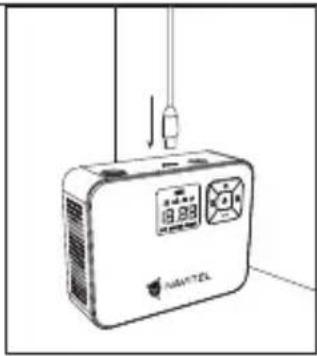
Charging the compressor
- Connect the USB-C cable to the charging port of the compressor.
- Connect the other end of the USB-C cable to the USB port of used charger.
- When charging is completed, disconnect the cable from the compressor and charger.
EN
natural_image
Line drawing of a white electronic device with a digital display and control panel, connected to a vertical line (no text or symbols visible)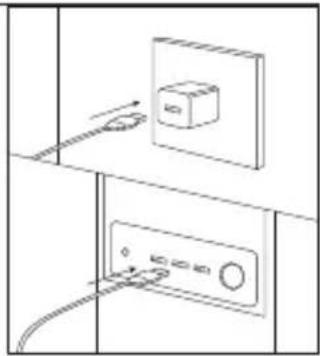
natural_image
Diagram of a wall-mounted electrical switch with cable, showing no text or symbolsUsing the LED flashlight
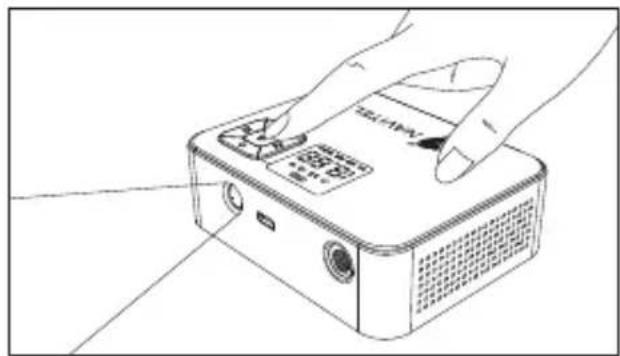
- Hold the LED flashlight on/off button to turn on the LED flashlight.
- To select the flashlight operating mode, press the LED flashlight on/off button repeatedly.
- After finishing of using the LED flashlight, press the LED flashlight on/off button to turn it off.
natural_image
Line drawing of a handheld electronic device with a hand adjusting its top panel (no text or symbols visible)
NAVITEL
NAVITEL AIR 15 AL
Precautions
• Fully charge the compressor before initial use.
- Do not expose the device to mechanical impact.
- Do not disassemble or repair device by yourself. In case of device failure, contact the service center.
- Do not expose the device to moisture, fire or high temperatures. Exposure to fire or high temperatures may shorten the life of the device or cause a fire or explosion.
- Do not allow children to use device.
EN
Wstep

NAVITEL
NAVITEL AIR 15 AL
natural_image
Line drawing of a portable electronic device with a digital display and control panel (no text or symbols visible)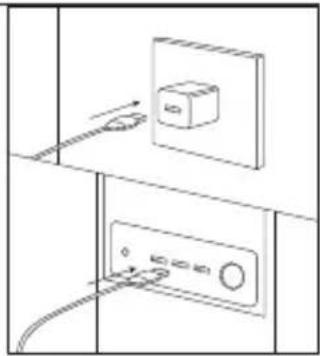
natural_image
Diagram showing two electrical outlets with connected wires and a switch, no text or symbols presentnatural_image
Line drawing of a handheld electronic device with a hand adjusting its screen (no text or symbols visible)Środki ostrożności
natural_image
Line drawing of a portable electronic device with a digital display and control panel (no text or symbols visible)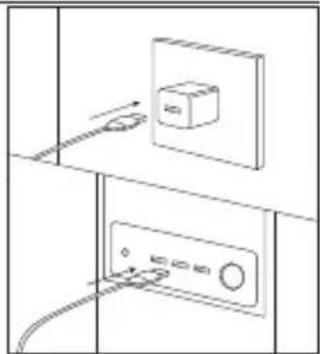
natural_image
Diagram of a wall-mounted electrical switch with cable and power outlet (no text or symbols)natural_image
Line drawing of a hand holding a digital camera module with a screen, no text or symbols present
NAVITEL
NAVITEL AIR 15 AL
natural_image
Line drawing of a white electronic device with a digital display and control panel, connected by wires (no text or symbols visible)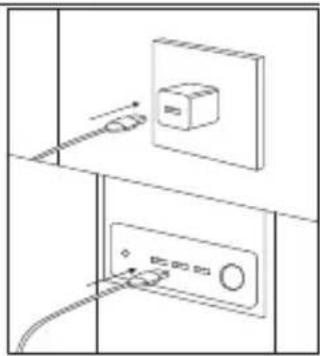
natural_image
Diagram of two electrical outlets with connected wires and a battery, no text or symbols presentnatural_image
Line drawing of a hand holding a digital camera module with a screen, placed on a flat surface (no text or symbols)UA
Запобіжні заходи


Brand : Navitel
Model : AIR 15 AL
Category : Uncategorized