
RAC 341 PLLBW - Alarm clock radio HYUNDAI - Free user manual and instructions
Find the device manual for free RAC 341 PLLBW HYUNDAI in PDF.


| Product Type | Alarm Clock Radio |
| Brand | Hyundai |
| Model | RAC 341 PLLBW |
| Dimensions (Approx.) | 200 mm x 120 mm x 80 mm |
| Weight (Approx.) | 400 g |
| Power Supply | AC 230V ~ 50Hz |
| Backup Battery | CR2032 (3V) coin cell |
| Radio Bands | AM / FM (PLL synthesized) |
| Alarm Modes | Radio or buzzer, dual alarm |
| Snooze Function | Yes (9 minutes) |
| Sleep Timer | Yes (up to 90 minutes) |
| Display | LED with adjustable brightness |
| Clock Format | 12/24 hour selectable |
| Date Display | Yes |
| Dimmer Control | Yes (high/low/off) |
| Preset Stations | 10 (5 AM + 5 FM) |
| Speaker | Built-in mono speaker |
| Headphone Jack | 3.5 mm stereo |
| USB Charging Port | Yes (5V/1A) |
| Cleaning | Wipe with dry soft cloth; do not use liquids |
| Safety | Do not expose to moisture; unplug during storms |
| Spare Parts | Contact Hyundai service center |
| Repairability | Refer to user manual; no user-serviceable parts |
Frequently Asked Questions - RAC 341 PLLBW HYUNDAI
User questions about RAC 341 PLLBW HYUNDAI
0 question about this device. Answer the ones you know or ask your own.
Ask a new question about this device
Download the instructions for your Alarm clock radio in PDF format for free! Find your manual RAC 341 PLLBW - HYUNDAI and take your electronic device back in hand. On this page are published all the documents necessary for the use of your device. RAC 341 PLLBW by HYUNDAI.
USER MANUAL RAC 341 PLLBW HYUNDAI
INFORMACE NA DISPLEJI
Thank you for buying our product. Please read through these operating instructions, so you will know how to operate your equipment properly. After you finished reading the instructions manual, put it away in a safe place for future reference.
SAFETY INSTRUCTIONS
- Minimum distances 5 cm around the apparatus for sufficient ventilations.
- The ventilation should not be impeded by covering the ventilation openings with items such as newspaper, table-cloths, curtains etc.
- No naked flame sources such as lighted candles should be placed on the apparatus.
- Attention should be drawn to the environmental aspects of battery disposal.
- The use of apparatus in moderate climates.
- Where the mains plug is used as the disconnect device, the disconnect device shall remain readily operable.
- Please refer the information on exterior bottom enclosure for electrical and safety information before installing or operating the apparatus.
- The batteries (battery pack or batteries installed) shall not be exposed to excessive heat such as sunshine, fire or the like.
- CAUTION - Danger of explosion if battery is incorrectly replaced. Replace only with the same or equivalent type.

WARNING
DO NOT INGEST BATTERY, CHEMICAL BURN HAZARD
This product contains a coin/button cell battery. If the coin/button cell battery is swallowed, it can cause severe internal burns in just 2 hours and can lead to death.
Keep new and used batteries away from children. If the battery compartment does not close securely, stop using the product and keep it away from children.
If you think batteries might have been swallowed or placed inside any part of the body, seek immediate medical attention.
PRODUCT OVERVIEW AND BUTTONS
- SNOOZE button / DIMMER button
- Display
- Alarm 1 indicator (alarm)
- Alarm 1 indicator (radio)
- Alarm 2 indicator (alarm)
- Alarm 2 indicator (radio)
- SLEEP button
- MEM/M+ button / SET button / DATE button
- BACKWARD button
- FORWARD button
- ALARM 1 button / VOL DOWN button
- ALARM 2 button / VOL UP button
- POWER button / ALARM OFF button
- Speaker
- Battery compartment
- Antenna
- Power cord
GETTING STARTED
Connecting to power
- Connect the power cord to a wall socket (AC 230V \~ 50Hz).
- The radio is powered and in standby mode when you see the display is switched on.
Backup system
- The radio is equipped with a backup system. It requires a 3 V lithium battery (type: CR2032). Insert the battery into the battery compartment and make sure the positive and negative (+ or -) sides of the battery are in contact with the corresponding terminals in the battery compartment.
- If a power cut occurs, the radio automatically switches to the battery power supply and keeps the clock and timer settings.
- To open the battery compartment, use a screwdriver to detach the screw on the compartment door.
- When replacing the battery, do not disconnect the power adapter. Otherwise, all clock and alarm settings will be lost.
Setting the clock
In standby mode, press and hold the SET button to enter the clock setting mode. Press the SET button repeatedly to cycle through the setting options: Year > Month/Day > Time
- Setting year: Press the BACKWARD or FORWARD button.
- Setting month/day: Press the BACKWARD button to set the month and FORWARD button to set the day.
- Setting the time: Press the BACKWARD button to set the hour time and FORWARD button to set the minute time.
- Press the SET button to confirm each setting option.
Using the antenna
Unroll and extend the antenna to improve FM signal reception.
LISTENING TO RADIO
- Press the POWER button to switch the radio on.
- Press the BACKWARD or FORWARD button to adjust frequency.
- Press and hold the BACKWARD or FORWARD button to automatically tune to the next available FM station.
- Press the POWER button to switch the radio off.
Setting preset stations
You can store up to 10 preset stations.
- Tune to a station.
- Press and hold the MEM/M+ button until "P01" (or the next available preset slot) shows on the display.
- Press the BACKWARD or FORWARD button to select a preset number (P01-P10).
- Press the SET button to confirm. The preset station has been set up.
- Press the MEM/M+ button repeatedly while listening to the radio to select a preset station. Alternatively, press the MEM/M+ button once and then press the BACKWARD or FORWARD button to select a preset station.
USING THE ALARMS
Setting alarms
The radio lets you have 2 alarm settings. To set the alarms: In standby mode, press and hold the ALARM 1 or ALARM 2 button to enter the alarm time setting mode. In the alarm setting mode, press the ALARM 1 or ALARM 2 button repeatedly to cycle through the setting options: Alarm time > Alarm sound source > Alarm frequency
- Setting alarm time: Press the BACKWARD to set the hour time and FORWARD button to set the minute time.
- Setting alarm sound source: Press the BACKWARD or FORWARD button to select the alarm or radio as the alarm sound source. The corresponding alarm indicator will turn on according to your selection.
- Setting alarm frequency: Press the BACKWARD or FORWARD button to select an alarm frequency (1-1 = on a selected day only [*], 1-5 = Monday to Friday, 1-7 = Everyday, 6-7 = Weekend only).
[*] Press the ALARM 1 or ALARM 2 button when this option is selected. Then press the BACKWARD or FORWARD to select a specific day for the alarm activation (e.g. 1 = Monday, 2 = Tuesday).
Once the alarm setting is done, the alarm will be automatically activated with the corresponding alarm indicator (alarm or radio) switched on.
Turning the alarms on or off
When the clock time is displayed, press the ALARM 1 or ALARM 2 button to enable or disable the respective alarm. The corresponding Alarm 1 or Alarm 2 indicator (alarm or radio) will switch on when the alarm is enabled.
Deactivating a sounding alarm
Press ALARM OFF button to switch off a sounding alarm. When the alarm sounds, the corresponding Alarm 1 or Alarm 2 indicator (alarm or radio) flashes on the display.
Snooze
To temporarily silence a sounding alarm, press the SNOOZE button. The alarm will sound again when the snooze period (9 minutes) is over. The corresponding Alarm 1 or Alarm 2 indicator (alarm or radio) flashes on the display during the snooze period. To cancel the snooze period and the alarm, press ALARM OFF button.
Sleep
This sleep function defines the duration of time before the radio switches itself off automatically. When the radio is switched on, press the SLEEP button repeatedly to select a sleep period (Options: Off, 10, 20, 30, 40, 50, 60, 70, 80, 90, 100, 110 and 120 minutes). The radio will automatically switch off when the sleep period is over. Press the SLEEP button to check the remaining time before the radio switches off. Press the POWER button to cancel this function.
DISPLAY INFORMATION
- In standby mode, press the Y-M-D button repeatedly to change showing the day of the week [*], year, date and time ( [*] d1 = Monday, d2 = Tuesday, d3 = Wednesday, d4 = Thursday, d5 = Friday, d6 = Saturday and d7 = Sunday).
- In radio mode, press the BACKWARD or FORWARD button once to briefly change the display from the clock time to the current radio frequency.
DISPLAY BRIGHTNESS
- In standby mode, press the DIMMER button to change the brightness level of the display (low / high or off).
Remark: Clock display with dimmer "low" is the default setting. It will consume more power if you set the clock display with dimmer high.
SPECIFICATIONS
Tuner Range: FM: 87,5 – 108 MHz
Number of preset radio stations: 10
Amplifier Rated Output Power: 200 mW (RMS)
Power supply: 230V \~ 50Hz
Power consumption: 5 W
Power consumption (clock only): 0,6 W
Dimensions: 160 x 85 x 65 mm
Weight: 200 g
We reserve the right to change technical specifications.
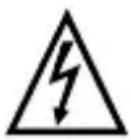
WARNING: DO NOT USE THIS PRODUCT NEAR WATER, IN WET AREAS TO AVOID FIRE OR INJURY OF ELECTRIC CURRENT. ALWAYS TURN OFF THE PRODUCT WHEN YOU DON'T USE IT OR BEFORE A REVISION. THERE AREN'T ANY PARTS IN THIS APPLIANCE WHICH ARE REPARABLE BY CONSUMER. ALWAYS APPEAL TO A QUALIFIED AUTHORIZED SERVICE. THE PRODUCT IS UNDER A DANGEROUS TENTION.


TO AVOID DANGER OF SUFFOCATION, KEEP THE PLASTIC BAG AWAY FROM BABIES AND CHILDREN. DO NOT USE THIS BAG IN CRIBS, BEDS, CARRIAGES OR PLAYPENS. THIS BAG IS NOT A TOY.
Disposal of old Electrical & Electronic Equipment
(Applicable in the European Union and other European countries with separate collection systems)
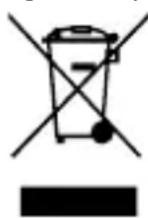
This symbol on the product or on its packaging indicates that this product shall not be treated as household waste. Instead it shall be handed over to the applicable collection point for the recycling of electrical and electronic equipment. By ensuring this product is disposed of correctly, you will help prevent potential negative consequences for the environment and human health, which could otherwise be caused by inappropriate waste handling of this product. The recycling of materials will help to conserve natural
resources. For more detailed information about recycling of this product, please contact your local Civic Office, your household waste disposal service or the shop where you purchased the product.
Hereby, ETA a.s. declares that the radio equipment type RAC341PLLBW is in compliance with Directive 2014/53/EU. The full text of the EU declaration of conformity is available at the following internet address: http://www.hyundai-electronics.cz/declaration_of_conformity
Licensed by Hyundai Corporation Holdings, Korea