
Find Me - Smartwatch Xblitz - Free user manual and instructions
Find the device manual for free Find Me Xblitz in PDF.


| Product Type | Smartwatch |
| Brand | Xblitz |
| Model | Find Me |
| Display | 1.3-inch AMOLED touchscreen |
| Dimensions | 45 x 38 x 11 mm |
| Weight | 50 g (with strap) |
| Battery | 200 mAh lithium-ion |
| Charging | Magnetic charging cable |
| Water Resistance | IP68 (up to 1.5m for 30 min) |
| Connectivity | Bluetooth 5.0 |
| Compatibility | iOS 9.0+ / Android 5.0+ |
| Sensors | Accelerometer, Heart rate sensor |
| Main Functions | Step counter, heart rate monitor, sleep tracking, notifications, music control |
| Activity Tracking | Walking, running, cycling, swimming |
| Notifications | Calls, SMS, app alerts |
| Control | Touchscreen + side button |
| Strap Material | Silicone |
| Strap Size | 20 mm width, adjustable length |
| Power Input | 5V 1A via magnetic pins |
| Operating Temperature | 0°C to 45°C |
| Storage Temperature | -10°C to 60°C |
| Maintenance & Cleaning | Wipe with soft dry cloth; avoid solvents |
| Safety Warnings | Do not disassemble; keep away from fire |
| Spare Parts & Repairability | Contact Xblitz support for replacement straps or battery |
Frequently Asked Questions - Find Me Xblitz
User questions about Find Me Xblitz
0 question about this device. Answer the ones you know or ask your own.
Ask a new question about this device
Download the instructions for your Smartwatch in PDF format for free! Find your manual Find Me - Xblitz and take your electronic device back in hand. On this page are published all the documents necessary for the use of your device. Find Me by Xblitz.
USER MANUAL Find Me Xblitz
natural_image
Blue and cyan children's smartwatch with a logo, shown from front and back angles (no text or symbols visible)PL
03. FUNKCJE APLIKACJI
2

3


natural_image
Circular icon with a yellow boot and 'Step' text, set against a blue sky background (no readable text or symbols beyond the icon)4

5
natural_image
Blue and light blue children's smartwatch with a screen displaying the same face (no visible text or symbols)EN
Please read this user's manual carefully in order to install the APP and use the watch corectly.
Please use USB 5V chargers with maximum intensity 1A only. Using the chargers different from the original ones may cause serious electrical installation damage.
01. PREPARATION
Steps that are necessary to be taken to correctly maintenance the Xblitz KidsWatch Love Me configuration and make the device ready to use:
- Prepare: Xblitz KidsWatch Love Me, Smartphone operating with Android or iOS system, SIM card.
- Make sure that the watch is powered off, and afterwards input the SIM card in the adequate slot. (SIM card needs to maintenance GPRS function and incoming call identification function).
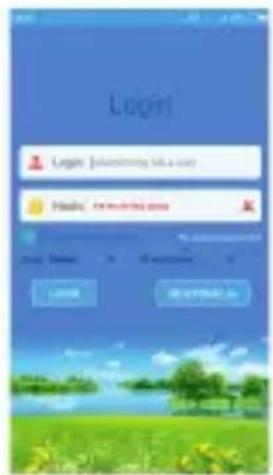
- Scan the QR code located on the back of the watch. The QR code will redirect you to the website, where you are able to download the „SeTracker" application (you may choose between app destined for the Android and the iOS one).
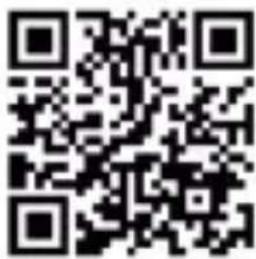
- Install the downloaded „SeTracker“ app.
- After successful installation, go to the main settings: choose your language, time & date, LBS on / off etc.
- Go to the KidsWatch setting: click „MY“ and than „equipment list”. Scan the QR code, add the device to the list and provide your own nickname.
- Go to the KidsWatch settings: safety zone area, kind / sound alarm, family number setting, working mode, profile, phone book, "do not disturb" etc.
- Enjoy correctly configured device. Remember that all changes and settings need to be done online.
02. APP REGISTRATION
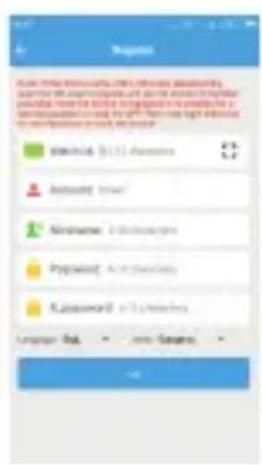
The device ID and password are needed.
Note: ID of the watch is unique, the device should not be registered more than once. If the kidswatch ID has already been registered please contact your seller and obtain a correct, unique ID. The user name (4-16 letters or numbers) has to be unique. The password may be modified; the kidswatch ID, user name and registered phone number are essential during the password recovery.
03. APPLICATION FUNCTIONS
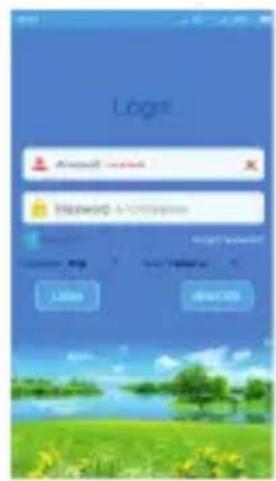
Application menu on the smart phone. After registration, type the user name and password, press "login" and go to main screen of application. Functions:
A. INTERKOM
Enables the communication between the watch and the smart phone application. Sending voice messages via application: start chat function in the application, press „start record” and record a voice message (length up to 15 seconds), and afterwards unleash the button to send the message to the watch. To hear the recorded message, the watch user needs to clock SOS button.
Sending voice messages via
the watch: press and hold button „3" to record voice message (length up to 15 seconds) and afterwards unleash the button to send the message to the smartphone application. The application will obtain a sonic notification concerning receiving a new message. In case of having a friend assigned, open „Make friends" function to record and send a voice message directly on the friend's watch.
B. MAP
Real-time watch location. Map preview possible in the actual location application. Press "locate" - watch localization will start (and lasts for 3 minutes, 10 seconds loop searching). After 3 minutes the watch will return to its normal work mode. Red location icon - GPS. Blue location icon - LBS.
C. FUNCTIONS SETTINGS
- Alarm number setting (SOS): you may set 3 sets of alarm numbers. To connect with one of the alarm number, the user needs to press SOS button. (The number will be chosen repeatedly in case of not answering the call).
■ Monitoring: function meant mostly for the parents. The watch will automatically choose adequate phone number and the parent will hear all the voices from around the child, but the child will not be able to hear the parent's voice.
■ "Do not disturb" function: possibility of setting 3 different time periods, during which the watch communication will be blocked (e.g. during the lessons).
■ SOS alarm settings: low power level, SOS, watch off the hand warning.
■ Phone book: enables to store up to 10 different contact numbers.
■ Default working mode restoring: GPS is on all the time, watch location actualizes itself every 10 minutes.
■ Remote deactivation: the watch user cannot turn it off, when the SIM card is inside the slot.
■ Make friends: start this function and afterwards touch the other watch with yours. After successful connection with a friend the watch sends OK. message. One watch may obtain one friend.
D. SAFETY ZONE
Minimal zone size is 500 meters, the watch sends the alarm signal in case of leaving the safety zone by the child.
E. REWARDS
Choose heart icon in the smartphone application and send it on the child's watch.
F. FIND DEVICE
Send adequate watch code to make it start calling for 1 minute. The sound may be turned off by any given button.
G. WATCH WORKING MODE
The watch may work within 3 basic modes: normal mode, battery saving mode and following mode. Time interval of sending the data from the watch depends on chosen working mode:
- Normal mode: 600 seconds interval
- Battery saving mode: 3600 seconds interval
- Following mode: 60 seconds interval
04. „ME” INTERFACE
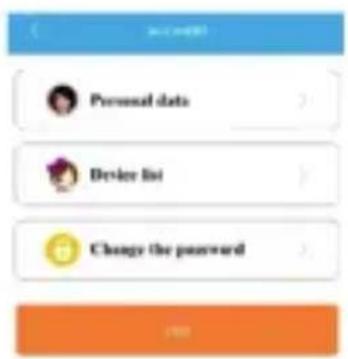
EN
Note: the user may check the registered ID on the list of device. If the ID differs from the one on the back of the watch, the device will not be able to connect with the smartphone application.
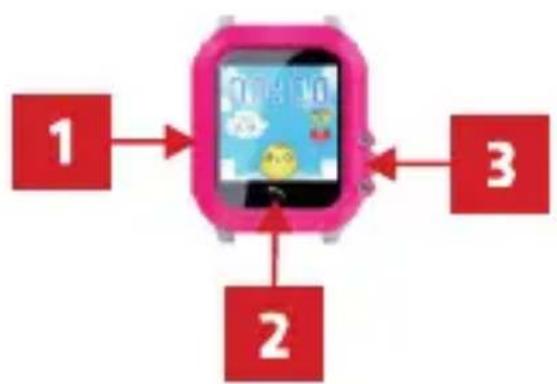
05. WATCH INTRODUCTION
flowchart
graph TD
    A["1"] --> B((0:00:00))
    C["2"] --> B
    D["3"] --> B
1 - SIM card slot
2 - Answer key / Part screen
3 - Power button /
SOS key / Answer key /
Part screen
06. WATCH FUNCTIONS
GPS / LBS
■ GPRS real time positioning, tracking, monitoring
Phone book
Route history
■ Health function
Alarm clock
Intercom
SOS function
Safety zone
Remote shutdown
Make friends
Low battery alert
07. INTERFACE INTRODUCTION
1

2
3

natural_image
Illustration of two children in a circular frame with the text 'Make friends' (no other readable text or symbols)4

natural_image
Circular icon with a golden boot and 'Step' text, set against a blue sky background (no other symbols or text)
5
1 - Phone book
2 - Intercom
3 - Make friends
4 - Pedometer
5 - APP download
Main screen, the top icons are: GSM signal, alarm mode, location icon, networking symbol, battery symbol. The bottom icons are: time & date:
- Phone book - enables to storage 10 different contact numbers, with which you may easily connect.
- Voice messages – Type & send messages to the smartphone application. When the "Make friends" function is on, it is possible to record and send voice messages directly to the friend's kidswatch.
-
Make friends – start this function and afterwards touch with your watch the other one. This action will succeed in a connection between two owensrs' of Xblitz KidsWatch. After successful assignment the watch will send "OK." Individual KidsWatch may connect with only one other device. If the user wants to assign another friend, one has to connect his watch with the new one (other than heretofore). In such case previously assigned friend will be automatically cancelled and replaced with another, new friend. The user may also delete assigned friends by the application on the smartphone.
-
Pedometer - This function is turned off by default settings. This option may be turned on via application; steps are shown on the watch pedometer interface.
-
Scanning – choose the big QR code via application to see ID of the watch.
08. ADDITIONAL FUNCTIONS
1. Alarm signal SOS
Press and hold SOS button and you will see SOS inscription on the screen. Afterwards, double try of alarm number dialing will take place.
The watch may also send an alarm message on the defined SOS alarm number (this option is turned off by default) and to the smartphone application at the same time.
2. Low battery notification
Observe the battery power level. In case of decrease of the power to the level of 20% the watch will send an alarm signal on the alarm number and to the smartphone application.
3. Voice message
Send voice message to the smartphone application.
4. Intercom
Press and hold button „3“ to start recording and then unleash the button to send the message to the application on the smartphone. The watch will obtain a sonic notification. To hear out the message, the user needs to press button „3”.
5. Voice monitoring
Firstly, you need to define the watch number in the settings authorized to voice monitoring. Afterwards, the parent may connect with the watch thanks to that number and monitor all the sounds from the surrounding
6. Phone book
You may set up to 15 predefined phone numbers. Scroll the finger to enter the phone book. Scroll again to choose the number and then press the number to dial.
7. Shutdown
Press and hold the off switch to turn the watch off - this option works when there is no SIM card installed in the watch. Otherwise, turning the watch off is only possible via smartphone application (remote shutdown only).
8. Answering / ending the calls
Press answer key to answer the call or press the power key to end a call.
09. TECHNICAL SPECIFICATION
GSM
SIM card
Display
Touch screen
Speaker
Microphone
Waterproof
Communication
Positioning
Function
Battery capacity
Battery specifications
Dimensions
850 / 900 / 1800 / 1900 MHz
GSM card
1.22" TFT 240 x 240
Glass panels
8 ohmów / 0.5 W
Built-in
IP67
GSM, GPRS
GPS + LBS
Call, SMS notification, voice intercom,
Alarm clock, Low power management,
Number of steps, SOS help, Accelerometer
420 mAh
Lithium-polymer
40mm × 50mm × 15mm
09. WARRANTY / CLAIMS
This product comes with a 24-month manufacturer's warranty. The warranty does not cover defects or damage caused by the fault of the user, or as a result of improper use (or misuse). The guarantee does not cover mechanical damage and ones caused as a result of the use of accessories other than those included in the kit. The guarantee does not cover consumable items such as batteries, rechargeable batteries. The warranty on batteries is 6 months.
Complaints should be submitted in writing or via e-mail address: reklamacje@kgktrade.pl
Contact details and the address of the service can be found on the website: www.xblitz.pl
Importer:
KGK Trade sp. z o.o. s.k.
os. Teatralne 24
31-946 Kraków
Poland
www.xblitz.pl
Compatibility claim CE
can be downloaded on
www.xblitz.pl in the
„Xblitz KidsWatch Find Me“
subpage.



RoHS
Made in China
- FUNKCJE APLIKACJI
- PREPARATION
- APP REGISTRATION
- APPLICATION FUNCTIONS
- INTERKOM
- MAP
- FUNCTIONS SETTINGS
- SAFETY ZONE
- REWARDS
- FIND DEVICE
- WATCH WORKING MODE
- „ME” INTERFACE
- WATCH INTRODUCTION
- WATCH FUNCTIONS
- INTERFACE INTRODUCTION
- ADDITIONAL FUNCTIONS
- Alarm signal SOS
- Low battery notification
- Voice message
- Intercom
- Voice monitoring
- Phone book
- Shutdown
- Answering / ending the calls
- TECHNICAL SPECIFICATION
- WARRANTY / CLAIMS
- Importer:
Brand : Xblitz
Model : Find Me
Category : Smartwatch