
ORYX K700X Pro - Keyboard Niceboy - Free user manual and instructions
Find the device manual for free ORYX K700X Pro Niceboy in PDF.


| Product Type | Mechanical Keyboard |
| Switch Type | Gateron Brown (Tactile) |
| Switch Lifetime | Over 50 million keystrokes |
| Number of Keys | 67 + multimedia sound wheel |
| Layout | US (ANSI) |
| Backlight | RGB per-key backlight with multiple modes and software control |
| Connectivity | Wired USB 2.0 |
| Cable Length | 1.8 m |
| Anti-Ghosting | Full NKRO (N-Key Rollover) |
| Voltage / Current | 5V DC, 160 mA |
| Supported Operating Systems | Windows, macOS, PS4, PS5 |
| Dimensions (W x D x H) | 327 x 114 x 39.2 mm |
| Weight | 745 g |
| Software | Niceboy ORYX K700X Pro software for custom backlight and macros (download from niceboy.cz) |
| Control Shortcuts | FN + Del reset, FN+Win lock wheel, volume wheel, backlight controls |
| Operating Temperature | 0°C to 45°C |
| Storage Temperature | -20°C to 60°C |
| Humidity | 20% to 90% (non-condensing) |
| Safety Warnings | Keep away from children under 3 years; avoid liquids, extreme temperatures, and falls |
| Cleaning | Use a soft, dry cloth; do not use liquids or solvents |
| Repairability | No user-serviceable parts; do not disassemble |
| Environmental Compliance | RoHS, CE; WEEE disposal according to EU directive |
Frequently Asked Questions - ORYX K700X Pro Niceboy
User questions about ORYX K700X Pro Niceboy
0 question about this device. Answer the ones you know or ask your own.
Ask a new question about this device
Download the instructions for your Keyboard in PDF format for free! Find your manual ORYX K700X Pro - Niceboy and take your electronic device back in hand. On this page are published all the documents necessary for the use of your device. ORYX K700X Pro by Niceboy.
USER MANUAL ORYX K700X Pro Niceboy
After unpacking the keyboard connect via the USB connector into your computer. If the keyboard is not recognized, check that your USB drivers are up-to-date (check with the manufacturer of your PC / Notebook PC). For additional functions (such as change of backlight color or macro functions) we advise you to download a software Niceboy ORYX K700X Pro which is available on web page https://niceboy.cz/en/podpora/software.
CONTROL SHORTCUTS
FN + DEL = Reset to factory settings (3s)
FN + WIN = WinLock
Turn wheel left = Volume -
Turn wheel right = Volume +
Press the wheel = Mute
BACKLIGHT CONTROL
FN + PgUp = illumination speed +
FN + PgDn = illumination speed -
FN + ↑ = Brightness Up
FN + ↓ = Brightness Down
FN + → = Switch backlight color
FN + ← = Change the direction of the backlight effect FN + TAB = Switch backlight modes Fn + \ | = Turn the backlight off Fn + N = Custom backlight settings
CUSTOM BACKLIGHT SETTINGS
Fn + N = After briefly holding the buttons down for 3 seconds, the recording of the custom backlight setting will start; when pressed briefly, (Fn + N) the already saved setting will activate Press to select the buttons you want to light up
Pressing the button multiple times will cycle through colours
Fn + N = The settings will save
BACKLIGHT AND MACRO SETTING
To adjust the backlight or to add macros we recommend you to download the Niceboy ORYX K700X Pro software. The software is available on the websites https://niceboy.cz/podpora/software.
SPECIFICATIONS
Switch: mechanical Gateron brown
Switch life time: over 50 million
Key number: 67 + multimedia sound wheel
Layout: US
Voltage: 5V DC, Current: 160 mA
Connectivity: USB 2.0
Anti-ghosting: all keys (NKRO)
Supported OS: Windows, Mac, PS4, PS5
Cord length: 1,8 m
Dimension: 327x 114x 39.2mm
Weight: 745g
ADDITIONAL INFORMATION:
- This package contains tiny parts that may pose hazard to children. This is why the product should be kept beyond their reach.
- Avoid using the keyboard on places exposed to too low or high temperature (0 °C and more/ 45 °C and more) or humidity (20 % and less/ 90 % and more).
- Avoid storing the keyboard on places exposed to too low or high temperature (-20 °C and more/ 60 °C and more) or humidity (90 % and more).
- Protect the product from rain, humidity and liquids and do not attempt to disassemble it.
- Protect the device from sharp objects and falls from height.
- This product meets all the main requirements imposed on it by the EU Directive.
The manual may be installed in its electronic form at www.niceboy.eu under the support section. In so doing, NICEBOY s.r.o. declares that the device K700X Pro meets all the essential requirements of the EU directives that apply to it. The complete version of the EU Declaration of Conformity is available to you here: https://niceboy.eu/cs/podpora/prohlaseni-o-shode-mM38CtmYvX693lHvvu4CWpk3vjGrvnC
USER INFORMATION FOR DISPOSING ELECTRICAL AND ELECTRONIC DEVICES (HOME USE)

This symbol located on a product or in the product's original documentation means that the used electrical or electronic products may not be disposed together with the communal waste. In order to dispose of these products correctly, take them to a designated collection site, where they will be accepted for free. By disposing of a product in this way, you are helping to protect precious natural resources and helping to prevent any potential negative impacts on the environment and human health, which could be the result of incorrect waste disposal. You may receive more detailed information from your local authority or nearest collection site. According to national regulations, fines may also be given out to anyone who disposes of this type of waste incorrectly. User information for disposing electrical and electronic devices.
(Business and corporate use)
In order to correctly dispose of electrical and electronic devices for business and corporate use, refer to the product's manufacturer or importer. They will provide you with information regarding all disposal methods and, according to the date stated on the electrical or electronic device on the market, they will tell you who is responsible for financing the disposal of this electrical or electronic device. Information regarding disposal processes in other countries outside the EU. The symbol displayed above is only valid for countries within the European Union. For the correct disposal of electrical and electronic devices, request the relevant information from your local authorities or the device seller.
DE
INHALT DER PACKUNG
Tastatur Niceboy ORYX K700X Pro
Anleitung
Extra Tasten
INSTALLATION
Anti-ghosting: sve tipke (NKRO)
Zahtjevi za OS: Windows, Mac, PS4, PS5
Kabel: duljina 1,8 m
Dimenzije: 327 x 114 x 39.2mm
Masa: 745g
DODATNE INFORMACIJE
- Ovo pakiranje sadrži sitne dijelove koji mogu biti opasni za djecu. Proizvod stoga treba čuvati izvan njihovog dohvata.
- Ne upotrebljavati tipkovnicu na mjestima s preniskom ili previsokom temperaturom (0 °C i manje/ 45 °C i više) ili vlagom (20 % i manje / 90 % i više).
- Ne čuvati tipkovnicu na mjestima s preniskom ili previsokom temperaturom (-20 °C i manje/ 60 °C i više) ili vlagom (90 % i više).
- Zaštitite proizvod od kiše, vlage i tekućine i ne pokušavajte ga rastaviti.
- Zaštitite uređaj od oštrih predmeta i pada s visine.
- Ovaj proizvod ispunjava sve temeljne uvjete direktiva EU koje se na njega odnose.
Priručnik se može preuzeti u elektroničkom obliku na www.niceboy.cz u odjeljku za podršku. Ovime NICEBOY s.r.o. izjavljuje da uređaj K700X Pro ispunjava sve osnovne zahtjeve prema smjernicama EU koje se na njega odnose. Cijeli tekst EU Izjave o sukladnosti dostupan je na sljedećim web stranicama: https://niceboy.eu/cs/podpora/prohlaseni-o-shode-mM38CtmYvX693IHvvu4CWpk3vjGrvnC
INFORMACIJE ZA KORISNIKA O NAČINU ZBRINJAVANJA ELEKTRIČNIH I ELEKTRONSKIH UREĐAJA (DOMĆINSTVA)
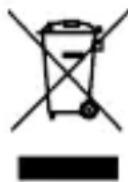
Simbol naveden na proizvodu ili u popratnoj dokumentaciji znači da je zabranjeno odlagati električne ili elektroničke proizvode zajedno s komunalnim otpadom.
Pobrinite se za pravilnu likvidaciju otpada: dotrajali proizvod predajte besplatno u ovlašteni centar za skupljanje otpada. Propisnom likvidacijom dotrajalog proizvoda ćete doprinijeti očuvanju skupocjenih prirodnih izvora te prevenciji negativnih utje-
caja na okoliš i ljudsko zdravlje zbog nepravilne likvidacije otpada. Za više informacija obratite se nadležnom lokalnom uredu ili mjestu zbrinjavanja. Nepravilno zbrinjavanje ove vrste otpada kažnjava se sukladno nacionalnim propisima. Informacije za korisnika o načinu zbrinjavanja električnih i elektronskih uređaja
(Poslovna uporaba)
Vezano za pravilno zbrinjavanje dotrajale električne/elektronske opreme za poslovnu upotrebu i upotrebu u tvorničkim pogonima obratite se proizvođaču ili uvozniku ovog proizvoda. Pro- izvođač će Vam pružiti informacije o načinu zbrinjavanja proizvoda i obavijestit će vas o tome tko je dužan osigurati zbrinjavanje ovog električnog uređaja ovisno o datumu uvođenja pro- izvoda na tržište. Informacije o zbrinjavanju dotrajalog proizvoda u ostalim zemljama (izvan EU). Gore navedeni simbol važi samo u Europskoj uniji. Za više informacija o pravilnom zbrinjavanju električnih i elektronskih uređaja se obratite prodavatelju ili dobavljaču.
PL
ZAWARTOŚĆ OPAKOWANIA
Klawiatura Niceboy ORYX K700X Pro
Wymiary: 327 x 114 x 39.2mm
Masa: 745g
DODATKOWE INFORMACJE
Anti-ghosting: toate tastele (NKRO)
Sistem de operare acceptat: Windows, Mac, PS4, PS5
Praha 4, Czech Republic, ID: 294 16 876.
Made in China.
RoHS CE 📧 ✉



- CONTROL SHORTCUTS
- BACKLIGHT CONTROL
- CUSTOM BACKLIGHT SETTINGS
- BACKLIGHT AND MACRO SETTING
- SPECIFICATIONS
- ADDITIONAL INFORMATION:
- USER INFORMATION FOR DISPOSING ELECTRICAL AND ELECTRONIC DEVICES (HOME USE)
- (Business and corporate use)
- DE
- INHALT DER PACKUNG
- INSTALLATION
- DODATNE INFORMACIJE
- INFORMACIJE ZA KORISNIKA O NAČINU ZBRINJAVANJA ELEKTRIČNIH I ELEKTRONSKIH UREĐAJA (DOMĆINSTVA)
- (Poslovna uporaba)
- PL
- ZAWARTOŚĆ OPAKOWANIA
- DODATKOWE INFORMACJE
Brand : Niceboy
Model : ORYX K700X Pro
Category : Keyboard