
HIVE Drops 3 - Headphones Niceboy - Free user manual and instructions
Find the device manual for free HIVE Drops 3 Niceboy in PDF.


| Product Type | Wireless On-Ear Headphones |
| Driver Size | 40 mm |
| Frequency Response | 20 Hz - 20 kHz |
| Impedance | 32 Ω |
| Sensitivity | 105 dB |
| Bluetooth Version | 5.0 |
| Wireless Range | 10 m (33 ft) |
| Battery Capacity | 300 mAh |
| Charging Time | 2 hours |
| Playback Time | 15 hours (at 50% volume) |
| Standby Time | 200 hours |
| Weight | 150 g (5.3 oz) |
| Dimensions | 160 x 170 x 70 mm (6.3 x 6.7 x 2.8 in) |
| Connectivity | Bluetooth 5.0, 3.5 mm AUX input |
| Controls | Multi-function button, Volume +/-, LED indicator |
| Microphone | Built-in, for hands-free calls |
| Noise Cancellation | Passive attenuation via ear pads |
| Foldable | Yes, swivel and fold design |
| Water Resistance | IPX4 (sweat and splash resistant) |
| Color Options | Black, White (depending on region) |
| Included Accessories | USB charging cable, 3.5 mm audio cable, user manual |
| Spare Parts Availability | Replacement ear pads available from authorized service centers |
| Warranty | 2 years (manufacturer warranty) |
| Compatible Codecs | SBC, AAC |
| Recommended Use | Music, podcasts, calls, gaming |
Frequently Asked Questions - HIVE Drops 3 Niceboy
User questions about HIVE Drops 3 Niceboy
0 question about this device. Answer the ones you know or ask your own.
Ask a new question about this device
Download the instructions for your Headphones in PDF format for free! Find your manual HIVE Drops 3 - Niceboy and take your electronic device back in hand. On this page are published all the documents necessary for the use of your device. HIVE Drops 3 by Niceboy.
USER MANUAL HIVE Drops 3 Niceboy
natural_image
Simple line drawing of a stethoscope with a circular dial and pointer (no text or symbols)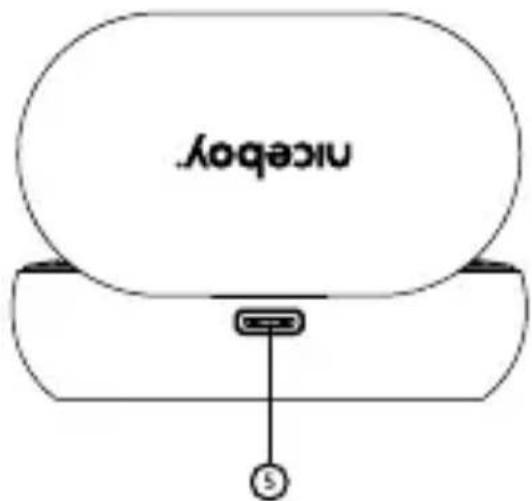
PRVÉ SPUSTENIE A PÁROVANIE
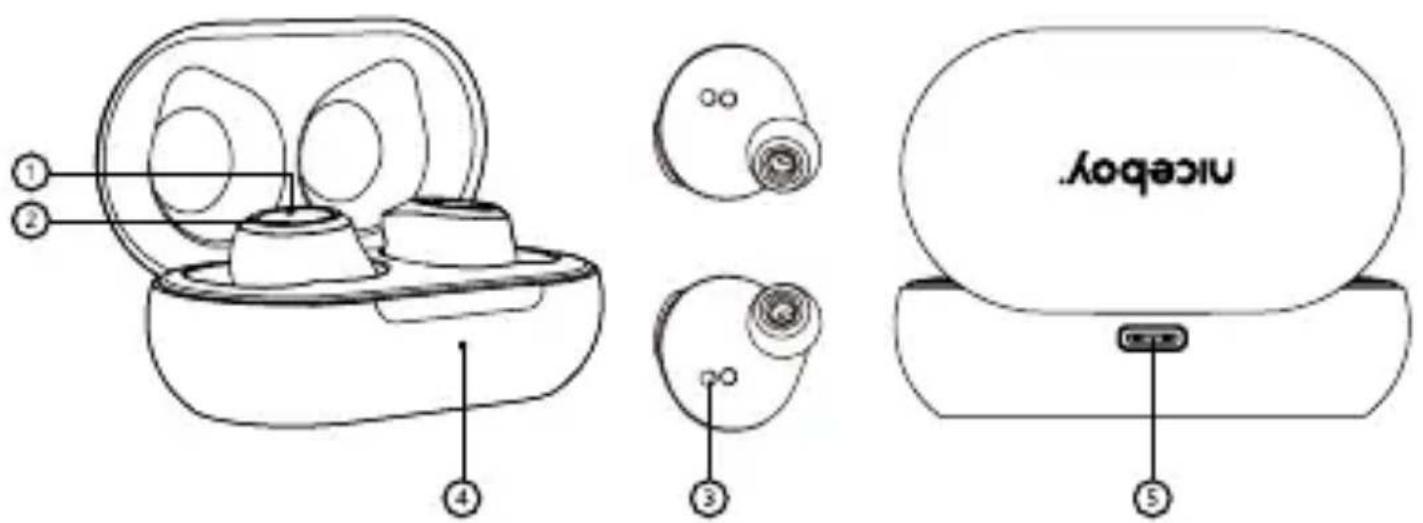
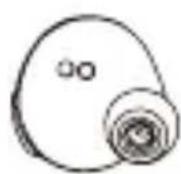
- LED diode
- Multifunctional button
- Input for charging
- LED charging indicator
- Charging USB-C port
FIRST LAUNCH AND PAIRING
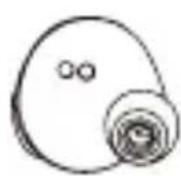
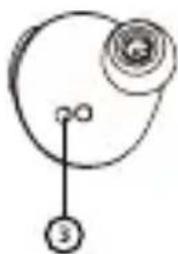
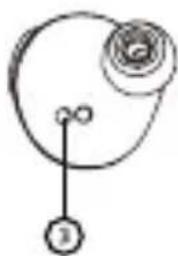
- Take both earphones out of their charging box and remove the stickers protecting the charging pins (3) on the earphones.
- Power on the earphones by pressing and holding the multifunctional buttons (2) on both earphones.
-
The earphones will power on and pair together. The earphones are prepared for connecting to Bluetooth after the LED diode (1) begins to flash both blue and red.
-
Open the Bluetooth settings on your device and find the
"Niceboy HIVE Drops 3" option from the list of available devices. - Successful pairing is announced by an acoustic signal and the
LED diode (1) will flash blue at longer intervals.
Removing the earphones from their charging box is all it takes to connect the earphones again at a later time. The earphones will automatically power on and connect to your device.
POWERING ON AND OFF
Just take the earphones out of their charging box to power them on, or manually power on the earphones by pressing and holding both multifunctional buttons. Then, place the earphones back in their charging box to power them off. They will power off and disconnect from your device on their own. You will know the earphones have been placed back in their box correctly when the LED diode (1) shines red. The diode will stop shining once the earphones have reached a 100% charge. You may also power off the earphones by pressing and holding both multifunctional buttons (2) for about 5 seconds.
MULTIFUNCTIONAL BUTTON - BASIC CONTROLS
Pressing any button twice - play/pause
Pressing the right button once - increase volume by one, accept an incoming call/hang up a call
Pressing the left button once - decrease volume by one, accept an incoming call/hang up a call
Pressing and holding the right button - next track, decline an incoming call
Pressing and holding the left button - previous track, decline an incoming call Pressing the left button three times - activate voice assistant Siri / Google Assistant
CHARGING:
Connect the charging cable into a USB port (5) to charge the actual charging box. When charging, the LED diode (4) will flash. After the box is fully charged the diode will shine red.
CONNECTING TO THE APP
- Download the app by scanning the QR code using your phone or search for "Niceboy ION" in the mobile app store and download it.
- Start the "Niceboy ION" app and register a new account or sign in with your existing account.
- Set the password and proceed to "Add device".
- Turn on Bluetooth; nearby devices will be detected based on the strength of the signal.
- Press the "+" button.
- Wait for "connection".
- If the device was added successfully, "completed" appears on the screen.
- Your device is now successfully connected.
Note: Reset the earphones to factory settings before pairing them with any new device and connect them to the Niceboy ION app.
FACTORY SETTINGS
In case of technical issues, reset the earphones to the factory settings as follows.
- Make sure your device has Bluetooth turned off.
- Remove one headset piece from the charging case and briefly press the multifunction button five times.
- Put the headset back in the charging case and repeat this procedure with the other piece.
- Remove both headphones from the charging case at the same time and pair with your device.
SPECIFICATIONS
BT: 5.1
Frequency band: 2.4 GHz
Radiofrequency power: ≤ 2.5 mW
Supported BT profiles: HFP, HSP, A2DP, AVRCP
Supported codecs: AAC, SBC
Degree of protection: IPX4
Transmission distance: 10m
Frequency: 20Hz - 20kHz
Sensitivity: 94db ± 3dB
Impedance: 16 Ω
Speaker: 6mm
Playback time off one charge: up to 5 hours
Earphones battery capacity: 40mAh
Charging box battery capacity: 300mAh
PACKAGE CONTENTS:
Niceboy HIVE Drops 3 earphones Charging box Backup earphone attachment USB-C cable Manual
SAFETY INFORMATION
Listening to music at very high volume can damage your hearing. Do not expose the device to fluids or humidity. Do not expose the device to extreme temperatures or try to disassemble it. Protect the device from sharp objects and falls from height. Batteries – improper handling (prolonged charging, short circuit, breakage by other objects, etc.) may result in fire, overheating or battery leakage. The battery or accumulator that may be included with the product has a service life of six months, as it is a consumable. Information on all frequency bands in which the radio equipment operates and intentionally transmits radio waves as well as the maximum radio frequency power transmitted in the frequency band in which the radio equipment is operated is included in the instructions and safety information.
NICEBOY s.r.o. hereby declares that the type of radio equipment HIVE Drops 3 complies with Directives 2014/53 / EU, 2014/30 / EU, 2014/35 / EU, and 2011/65 / EU. The full content of EU Declaration of Conformity is available on the following websites: https://niceboy.eu/en/declaration/hive-drops-3
USER INFORMATION FOR DISPOSING ELECTRICAL AND ELECTRONIC DEVICES (HOME USE)
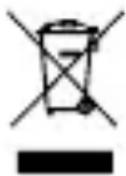
This symbol located on a product or in the product's original documentation means that the used electrical or electronic products may not be disposed together with the communal waste. In order to dispose of these products correctly, take
them to a designated collection site, where they will be accepted for free. By disposing of a product in this way, you are helping to protect precious natural resources and helping to prevent any potential negative impacts on the environment and human health, which could be the result of incorrect waste disposal. You may receive more detailed information from your local authority or nearest collection site. According to national regulations, fines may also be given out to anyone who disposes of this type of waste incorrectly. User information for disposing electrical and electronic devices. (Business and corporate use) In order to correctly dispose of electrical and electronic devices for business and corporate use, refer to the product's manufacturer or importer. They will provide you with information regarding all disposal methods and, according to the date stated on the electrical or electronic device on the market, they will tell you who is responsible for financing the disposal of this electrical or electronic device. Information regarding disposal processes in other countries outside the EU. The symbol displayed above is only valid for countries within the European Union. For the correct disposal of electrical and electronic devices, request the relevant information from your local authorities or the device seller.
DE
PRODUKTBESCHREIBUNG
natural_image
Simple line drawing of a mechanical or electrical component with no text or symbols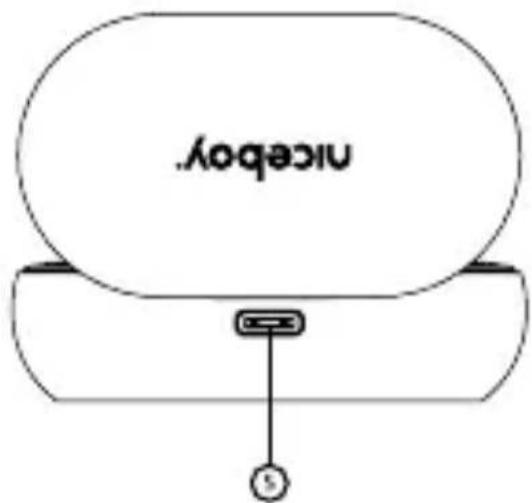
ERSTES EINSCHALTEN UND KOPPELN
PRVO POKRETANJE I UPARIVANJE
https://niceboy.eu/hr/declaration/hive-drops-3
INFORMACIJE ZA KORISNIKA O NAČINU ZBRINJAVANJA ELEKTRIČNIH I ELEKTRONSKIH UREĐAJA (DOMĆINSTVA)
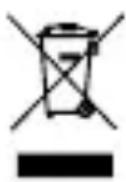
Simbol naveden na proizvodu ili u popratnoj dokumentaciji znači da je zabranjeno odlagati električne ili elektroničke proizvode zajedno s komunalnim otpadom. Pobrinite se za pravilnu likvidaciju otpada: dotrajali proizvod predajte
besplatno u ovlašteni centar za skupljanje otpada. Propisnom likvidacijom dotrajalog proizvoda ćete doprinijeti očuvanju skupocjenih prirodnih izvora te prevenciji negativnih utjecaja na okoliš i ljudsko zdravlje zbog nepravilne likvidacije otpada. Za više informacija obra-tite se nadležnom loka nom uredu ili mjestu zbrinjavanja. Nepravilno zbrinjavanje ove vrste otpada ka njava se sukladno nacionalnim propisima. Informacije za korisnika o načinu zbrinjavanja električnih i elektronskih uređaja (Poslovna uporaba) Vezano za pravilno zbrinjavanje dotrajale električne/elektronske opreme za poslovnu upotrebu i upotrebu u tvorničkim pogonima obratite se proizvođaču ili uvozniku ovog proizvoda. Proizvođač će Vam pružiti informacije o načinu zbrinjavanja proizvoda i obavijestit će vas o tome tko je dužan osigrati zbrinjavanje ovog električnog uređaja ovisno o datumu uvođenja proizvoda na tržište. Informacije o zbrinjavanju dotrajalog proizvoda u ostalim zemljama (izvan EU). Gore navedeni simbol važi samo u Europskoj uniji. Za više informcija o pravilnom zbrinjavanju električnih i elektronskih uređaja se obratite prodava-telju ili dobavljaču.
PL
OPIS PRODUKTU
PIERWSZE WŁĄCZENIE I SPAROWANIE
PRIMA PORNIRE SI SINCRONIZAREA

- PRVÉ SPUSTENIE A PÁROVANIE
- FIRST LAUNCH AND PAIRING
- POWERING ON AND OFF
- MULTIFUNCTIONAL BUTTON - BASIC CONTROLS
- CHARGING:
- CONNECTING TO THE APP
- FACTORY SETTINGS
- SPECIFICATIONS
- PACKAGE CONTENTS:
- SAFETY INFORMATION
- USER INFORMATION FOR DISPOSING ELECTRICAL AND ELECTRONIC DEVICES (HOME USE)
- DE
- PRODUKTBESCHREIBUNG
- ERSTES EINSCHALTEN UND KOPPELN
- PRVO POKRETANJE I UPARIVANJE
- INFORMACIJE ZA KORISNIKA O NAČINU ZBRINJAVANJA ELEKTRIČNIH I ELEKTRONSKIH UREĐAJA (DOMĆINSTVA)
- PL
- OPIS PRODUKTU
- PIERWSZE WŁĄCZENIE I SPAROWANIE
- PRIMA PORNIRE SI SINCRONIZAREA
Brand : Niceboy
Model : HIVE Drops 3
Category : Headphones