
31D864 - VCR FUNAI - Free user manual and instructions
Find the device manual for free 31D864 FUNAI in PDF.
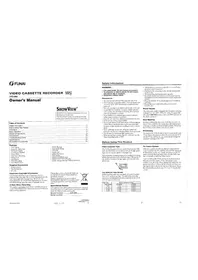


Pick your language and provide your email: we'll send you a specifically translated version.
| Product Type | VHS Video Cassette Player |
| Brand | Funai |
| Model | 31D864 |
| Dimensions (W x H x D) | 430 x 95 x 250 mm |
| Weight | 2.5 kg |
| Power Supply | AC 120V, 60Hz |
| Power Consumption | 15 W (operating), < 2 W (standby) |
| Video Playback System | VHS (NTSC) |
| Audio Output | Monaural |
| Connections | RF Antenna Input, Audio/Video Output (RCA) |
| Functions | Play, Stop, Rewind, Fast Forward, Pause, Eject, Power On/Off |
| Remote Control | Infrared remote included |
| Maintenance | Clean video heads periodically with a cleaning cassette |
| Safety Features | Auto power off, child lock (if applicable) |
| Spare Parts & Repairability | Common parts available; consult authorized service center for repairs |
Frequently Asked Questions - 31D864 FUNAI
How do I connect the VCR to my TV?
Connect the RF antenna cable from the VCR's RF OUT to the TV's antenna input, or use RCA audio/video cables for better quality.
Why is the tape not playing or ejecting?
Ensure the VCR is powered on and the tape is inserted correctly. If stuck, unplug for 30 seconds to reset the mechanism.
How do I clean the video heads?
Use a VHS head cleaning cassette according to its instructions. Avoid touching the heads directly.
Can I record with this VCR?
This model is a player only; it does not have recording capability.
What does the 'Auto Power Off' feature do?
The VCR automatically turns off after 30 minutes of inactivity to save energy and prevent overheating.
How do I set the clock?
Press MENU on the remote, navigate to 'Clock Set', then use the number buttons to input the current time and date.
Why is the picture snowy or unstable?
Check the RF connection and ensure the TV is tuned to the correct channel (usually CH3 or CH4). Also try tracking adjustment with the TRACKING controls.
Can I use a universal remote with this VCR?
Yes, most universal remotes can be programmed using the code for Funai VCRs (e.g., 0042, 1219). Consult the remote manual.
How do I prevent tape jams?
Avoid using damaged or dirty tapes. Keep the VCR on a stable, level surface and do not interrupt power during playback.
Where can I find a replacement remote?
Search for Funai 31D864 remote online or use a universal remote as a substitute.
User questions about 31D864 FUNAI
0 question about this device. Answer the ones you know or ask your own.
Ask a new question about this device
No questions yet. Be the first to ask one.
Download the instructions for your VCR in PDF format for free! Find your manual 31D864 - FUNAI and take your electronic device back in hand. On this page are published all the documents necessary for the use of your device. 31D864 by FUNAI.
USER MANUAL 31D864 FUNAI

Manual assistant
Powered by Anthropic
Waiting for your message
Product information
Brand : FUNAI
Model : 31D864
Category : VCR