
H59 - Headphones Natec - Free user manual and instructions
Find the device manual for free H59 Natec in PDF.


Pick your language and provide your email: we'll send you a specifically translated version.
| Product Type | Headphones (Gaming) |
| Brand | Natec |
| Model | H59 |
| Connectivity | Wired USB 2.0 |
| Cable Length | 1.8 m |
| Weight | 300 g |
| Driver Unit | 40 mm |
| Frequency Response | 20 Hz – 20 kHz |
| Impedance | 32 Ω |
| Sensitivity | 105 dB |
| Microphone | Omnidirectional, noise-cancelling |
| Microphone Frequency Response | 50 Hz – 10 kHz |
| Sound Modes | Stereo, 7.1 Virtual Surround |
| Controls | Volume wheel, microphone mute button |
| Lighting | RGB (static or breathing) |
| Compatibility | Windows PC (Windows 7/8/10/11) |
| Power Supply | USB powered (5 V, 500 mA) |
| Ear Cushions | Breathable mesh fabric, memory foam |
| Installation | Plug and play; optional driver for full features |
| Safety Certifications | RoHS, WEEE |
| Maintenance | Clean with dry cloth; avoid liquids |
| Repairability | No user-serviceable parts; contact retailer |
| Package Contents | Headset, USB cable, manual |
Frequently Asked Questions - H59 Natec
How do I install the Natec H59 headphones?
Simply plug the USB connector into a USB port on your computer. The system should automatically detect the device. For 7.1 surround sound and other advanced features, download and install the dedicated driver from the Genesis website (www.genesis-zone.com). Follow the on-screen instructions.
Can I use the H59 with a PlayStation or Xbox?
The H59 is primarily designed for PC gaming. Some consoles with USB audio support may work, but features like 7.1 surround sound and the microphone may not function correctly. Check your console's compatibility before use.
How do I clean and maintain my H59 headphones?
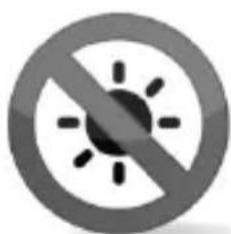
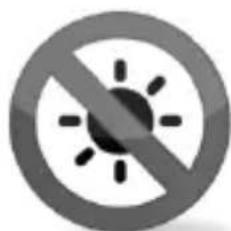
Use a soft, dry cloth to wipe the surfaces. Do not use any liquids or cleaning agents as they may damage the electronics. Store the headphones in a cool, dry place. Avoid exposure to direct sunlight, rain, or extreme temperatures as indicated by the safety symbols.
What do the prohibition symbols in the manual mean?
The symbols indicate: no exposure to sunlight (sun with diagonal line), no snow or ice (snowflake crossed out), no rain or liquids (cloud with rain crossed out), and no user repair (crossed wrench/hammer). These warn against harmful conditions and disassembly.
Why is there no sound from my H59 headphones?
First, ensure the USB cable is properly connected. Check that the volume is not muted or set too low on both the headset and your computer. If using 7.1 virtual surround, make sure the driver is installed and the correct audio device is selected in your system settings.
How do I enable 7.1 surround sound on the H59?
Download and install the official driver from www.genesis-zone.com. Once installed, open the Genesis software and enable 7.1 Virtual Surround. You may also customize equalizer settings to your preference.
Does the H59 microphone work properly?
Yes, the microphone is omnidirectional with noise cancellation. Ensure it is not muted (the mute button on the headset). If others cannot hear you, check your computer's audio input settings and select the correct microphone device.
What is the meaning of the RoHS and WEEE symbols?
The RoHS symbol indicates the product meets European environmental standards restricting hazardous substances. The WEEE symbol (crossed-out wheeled bin) means the product should be disposed of separately from household waste at specialized recycling centers to protect the environment.
Can I adjust the RGB lighting on the H59?
Yes, if you have installed the driver, the Genesis software allows you to change lighting modes (static, breathing, spectrum cycle) and colors. Without the driver, the lighting defaults to a simple dynamic pattern.
Where can I find the user manual or driver for the H59?
The manual is available for download on the official Genesis website at www.genesis-zone.com. Enter your model (H59) to find the latest drivers and documentation. You can also contact Natec support for assistance.
User questions about H59 Natec
0 question about this device. Answer the ones you know or ask your own.
Ask a new question about this device
No questions yet. Be the first to ask one.
Download the instructions for your Headphones in PDF format for free! Find your manual H59 - Natec and take your electronic device back in hand. On this page are published all the documents necessary for the use of your device. H59 by Natec.
USER MANUAL H59 Natec
EN - GENESIS H59- USER'S MANUAL
INSTALLATION
1.
2.
3.
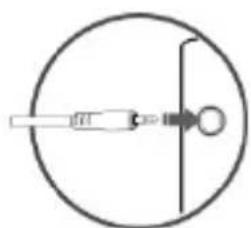
natural_image
Simple line drawing of a dropper inside a circle with a pointer and arrow (no text or symbols)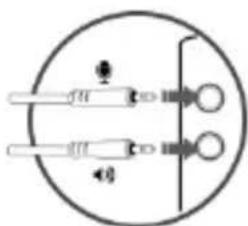

natural_image
Gray circular button with a white checkmark symbol (no text or numbers)SAFETY INFORMATION:
natural_image
Prohibition symbol with sun and radiating lines, no text or numbers present
natural_image
Prohibition symbol of snow with a diagonal line crossing through it, no text or numbers present.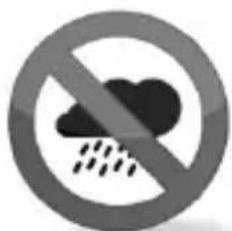
natural_image
Prohibition sign showing no rainfall and cloud (no text or symbols)
natural_image
Prohibition sign with crossed wrench and hammer inside a circle (no text)GENERAL INFORMATION
- The safe product, conforming to the EU requirements.
- The product is made in accordance with RoHS European standard. The standard was issued in order to decrease the amount of the electronic and electrical waste emitted into the atmosphere.
- The WEEE symbol (the crossed-out wheeled bin) using indicates that this product in not home waste. You protect the environment when you recycle hazardous waste appropriately. In order to get detailed information about recycling this product please contact your retailer or a local authority.

For more information visit: www.genesis-zone.com
natural_image
Simple line drawing of a dropper inside a circle, no text or symbols present

natural_image
Gray circular button with a white checkmark symbol (no text or numbers)natural_image
Prohibition symbol with sun and diagonal lines, no text or numbers present
natural_image
Prohibition symbol of snow with a diagonal line crossing through it, no text or numbers present.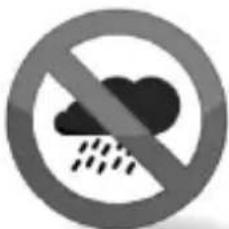
natural_image
Prohibition sign with cloud and raindrops (no text)
natural_image
Prohibition sign with crossed wrench and hammer inside a circle (no text)WICHTIGE HINWEISE:
natural_image
Simple line drawing of a dropper inside a circle with a central arrow (no text or symbols)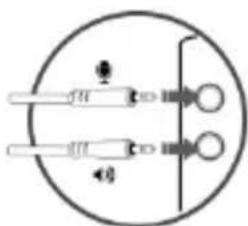

natural_image
Gray circular button with a white checkmark symbol (no text or numbers)BEZPIECZEŃSTWO

natural_image
Prohibition symbol with sun and radiating lines, no text or numbers present
natural_image
Prohibition symbol of snow with a diagonal line crossing through it, no text or numbers present.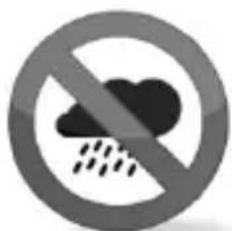
natural_image
Prohibition sign showing no rainfall or precipitation (no text or symbols)
natural_image
Prohibition sign with crossed wrench and hammer inside a circle (no text)UWAGI
natural_image
Simple line drawing of a dropper inside a circle with a pointer and circular end (no text or symbols)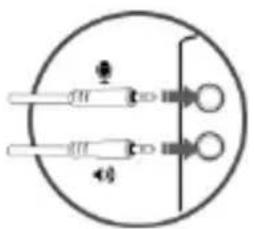

natural_image
Gray circular button with a white checkmark symbol (no text or numbers)BEZPEČNOSTNÍ INFORMACE

natural_image
Prohibition symbol with no text or numbers, featuring a circular background and a diagonal line crossing the sun (no text or symbols)
natural_image
Prohibition sign with snowflake symbol crossed out by a diagonal line (no text)
natural_image
Prohibition sign showing no rainfall and precipitation (no text or symbols)
natural_image
Prohibition sign with crossed wrench and hammer inside a circle (no text)OBECNÉ INFORMACE:
natural_image
Simple line drawing of a dropper inside a circle with a pointer (no text or symbols)

natural_image
Gray circular button with a white checkmark symbol (no text or numbers)BEZPEČNOSTNÉ INFORMÁCIE
natural_image
Prohibition symbol with sun and radiating lines inside a circle (no text)
natural_image
Prohibition sign with a circular border and snowflake symbol (no text)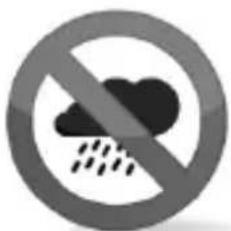
natural_image
Prohibition sign showing a cloud with raindrops (no text or symbols)
natural_image
Prohibition sign with crossed wrench and hammer inside a circle (no text)VŠEOBECNÉ INFORMÁCIE:
natural_image
Simple line drawing of a dropper inside a circle, no text or symbols present

natural_image
Gray circular button with a white checkmark symbol (no text or numbers)SIGURANTA IN UTILIZARE:

natural_image
Four circular symbols representing weather and safety restrictions: no sun, snowflake, cloud, and wrench (no text or labels)GENERAL INFORMATION


Table of contents
Click a title to access it
Manual assistant
Powered by Anthropic
Waiting for your message
Product information
Brand : Natec
Model : H59
Category : Headphones