
CTE C700 Air - PC Case THERMALTAKE - Free user manual and instructions
Find the device manual for free CTE C700 Air THERMALTAKE in PDF.


| Product Type | PC Case |
| Brand | Thermaltake |
| Model | CTE C700 Air |
| Form Factor | Full Tower |
| Dimensions (HxWxD) | 550 x 280 x 580 mm |
| Weight | 12.5 kg |
| Material | Steel, Tempered Glass, Plastic |
| Side Panel | Tempered Glass Left Side |
| Color | Black |
| Motherboard Support | ATX, Micro-ATX, Mini-ITX |
| Expansion Slots | 7 |
| Drive Bays (3.5"/2.5") | 3 x 3.5" or 2.5" Internal |
| Drive Bays (2.5") | 2 x 2.5" Dedicated |
| Front I/O | 2x USB 3.0, 1x USB 3.1 Type-C, HD Audio |
| Max GPU Length | 400 mm |
| Max CPU Cooler Height | 180 mm |
| PSU Support | Standard ATX PSU, Bottom Mount |
| Fan Support (Front) | 3x 140mm or 3x 120mm |
| Fan Support (Top) | 3x 140mm or 3x 120mm |
| Fan Support (Rear) | 1x 140mm or 1x 120mm |
| Radiator Support (Front) | 360/420mm |
| Radiator Support (Top) | 360/420mm |
| Radiator Support (Rear) | 140/120mm |
| Cleaning Instructions | Use a soft dry cloth. Do not use liquid cleaners. |
| Safety Warnings | Keep away from liquids, avoid sharp edges during installation. |
Frequently Asked Questions - CTE C700 Air THERMALTAKE
User questions about CTE C700 Air THERMALTAKE
0 question about this device. Answer the ones you know or ask your own.
Ask a new question about this device
Download the instructions for your PC Case in PDF format for free! Find your manual CTE C700 Air - THERMALTAKE and take your electronic device back in hand. On this page are published all the documents necessary for the use of your device. CTE C700 Air by THERMALTAKE.
USER MANUAL CTE C700 Air THERMALTAKE
natural_image
Abstract geometric pattern with interlocking shapes on a dark textured background (no text or symbols)thermaltake
System Thermal Test Report
Model: CTE C700 Air
Version: 20230621B
NO: RS202306210002

thermaltake
Table of Contents
A. Introduction
B. Test Configuration
C. Conclusion

thermaltake
A. Introduction
- Objective
- Equipment
- Procedure

thermaltake
- Objective
natural_image
Exterior view of a white server rack cabinet with ventilation grilles and internal compartments (no visible text or labels)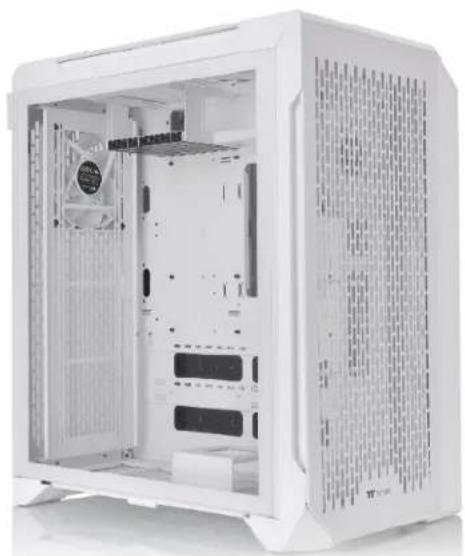
natural_image
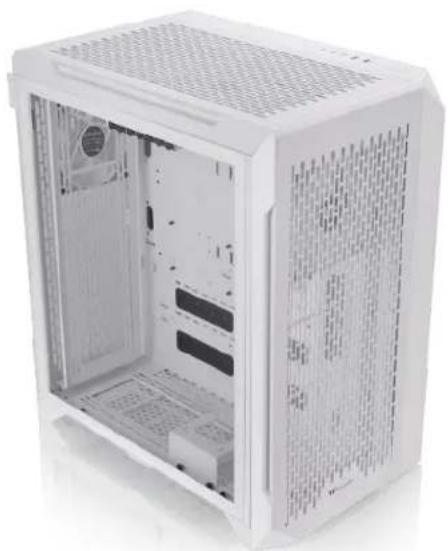
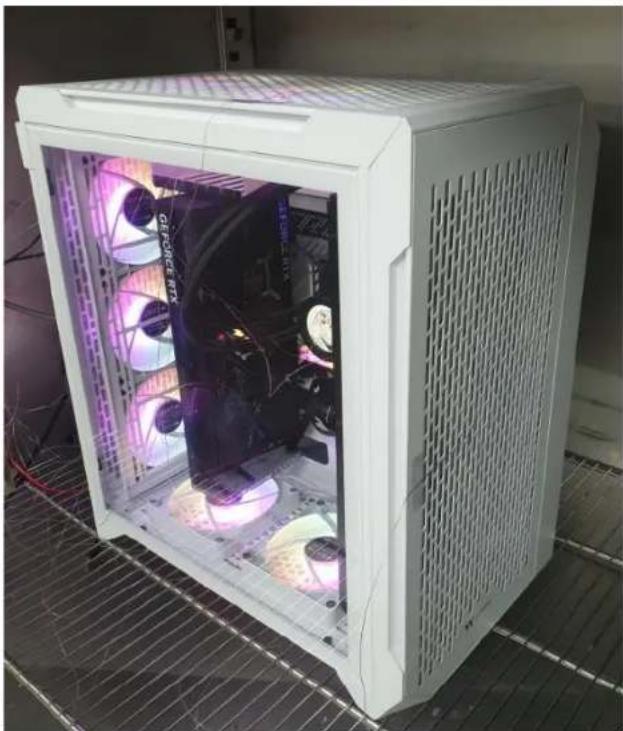
Interior view of a white server rack unit with visible internal compartments and ventilation grilles (no text or labels)Our objective is to find out if the CTE C700 Air can efficiently extract the heat generated by the latest components, so we built a system with an Intel i9-13900K and a ASUS ROG Strix GeForce RTX® 4090 OC and put it to the test. The passing criteria we set was to keep the internal temperature under 41^ while the system is running at full load, with ten installed fans and a AIO 420 installed.

thermaltake
2. Equipment
The equipment we used in the thermal testing includes:
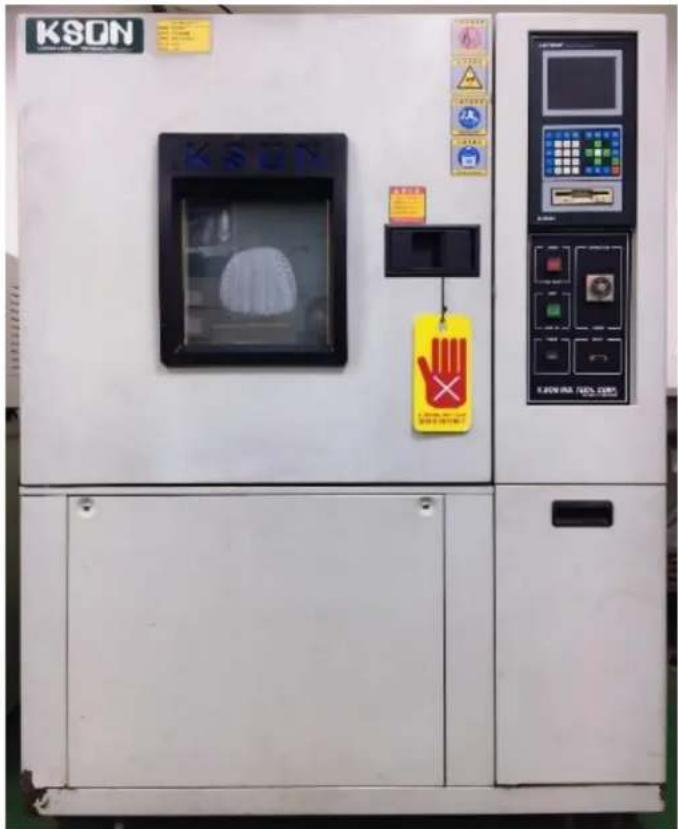
- Temperature & Humidity Chamber
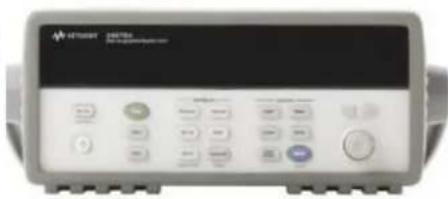
- Data Acquisition Device
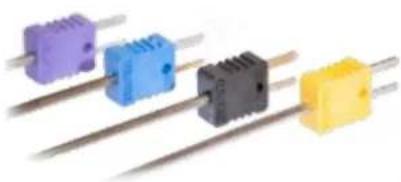
- Thermocouple
The Temp. & Humidity Chamber ensures consistency in the testing environment, particularly temperature and humidity. The temperature was set at 25^ C and the humidity at 50% in the chamber.
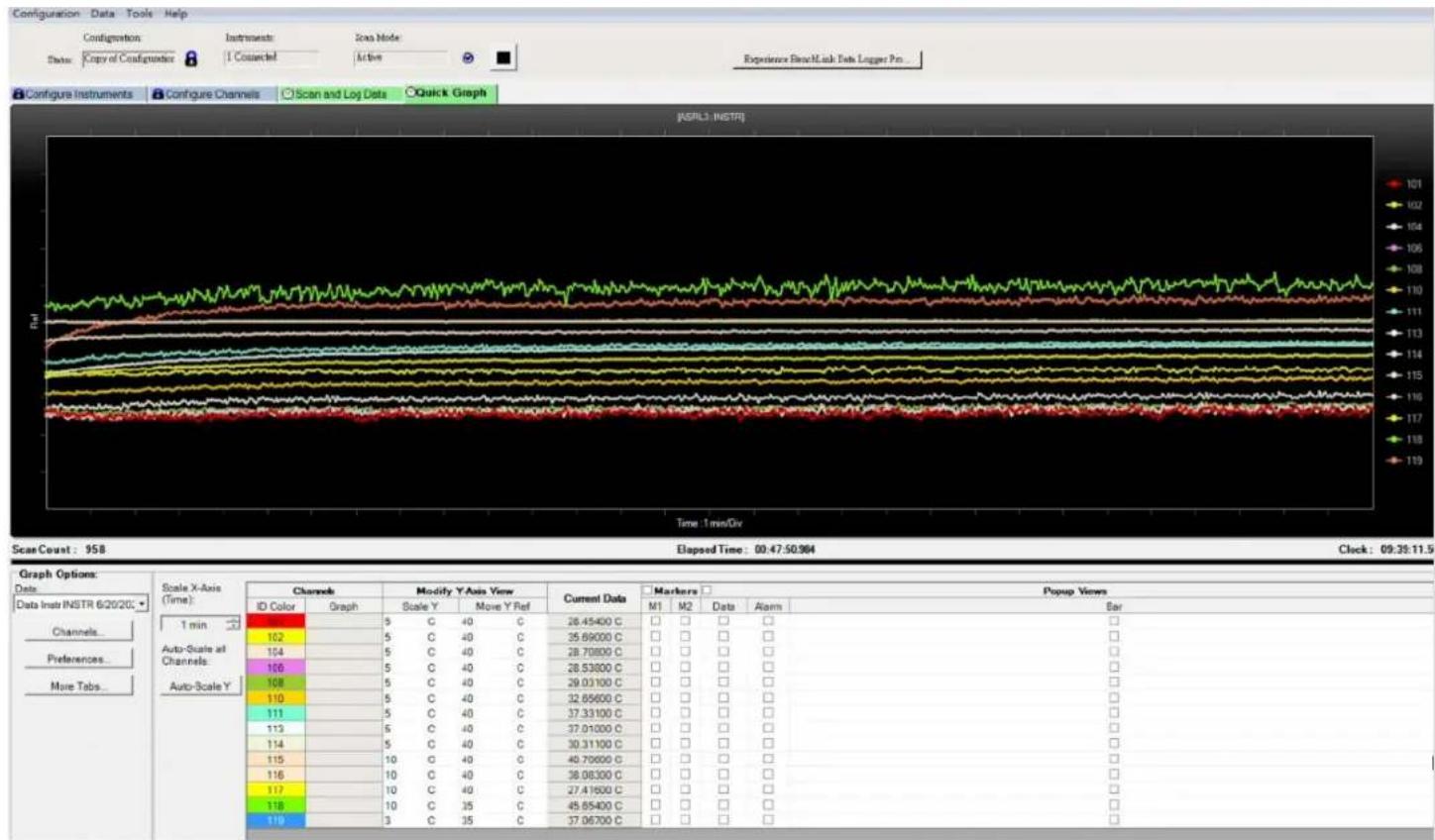
The Data Acquisition Device helps us to directly collect the data through thermocouples, which is the most important equipment for our testing. We set up the thermocouple inside the case at various points to measure the temperature.
We used AIDA64 Extreme and FurMark ROG Edition to push 100% load on the CPU and GPU and tested for 30 minutes.

thermaltake
- Procedure
Testing steps:
- Ready the systems
- Place the chassis into the Temp. & Humidity Chamber
- Set the thermocouple at the specified places
- Set up the Temp. & Humidity Chamber - temperature at 25 °C and the humidity at 50%
- Turn on the Temp. & Humidity Chamber and start testing (for 30 minutes)
- Check the data acquired from the Data Acquisition device
- End testing

thermaltake
B. Test Configuration
- Laboratory Equipment
- Chassis Hardware List
- Chassis Fan Allocation
- Chassis Thermal Airflow
- Chassis Measured Points
- Thermal Stress Test
- AIDA64 & FurMark Test
- Graphics Performance Testing
- Acoustic Test

thermaltake
1. Laboratory Equipment
natural_image
Four colored microturbule sensors with metal leads, shown from different angles (no text or symbols visible)Thermocouple
natural_image
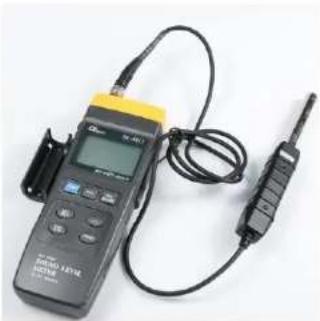
Digital temperature measurement device with attached walkie-talkie and probe (no visible text or symbols)Sound Level Meter
natural_image
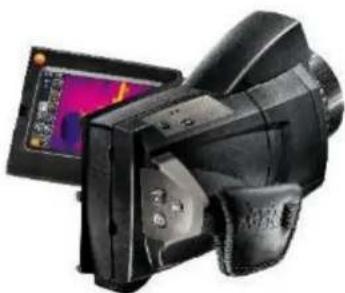
Black digital camera with thermal screen and display panel (no visible text or symbols)Thermal Imaging Camera
natural_image
Exterior view of a KSDN industrial machine with control panel and warning labels (no readable text beyond branding)Temperature & Humidity Chamber Temperature

thermaltake
2. Chassis Hardware List
| Component | Model |
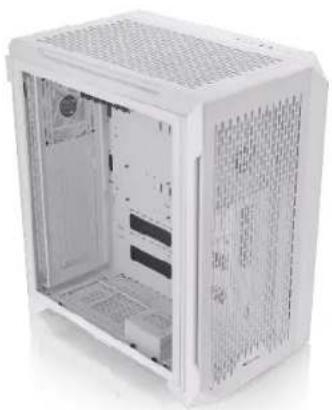
| Chassis | CTE C700 Air Snow |
| Motherboard | ASUS ROG MAXIMUS Z790 APEX |
| CPU | Intel® CoreTM i9-13900K Processor (TDP 253W) |
| GPU | ASUS ROG Strix GeForce RTX® 4090 OC 24GB GDDR6X |
| RAM | TOUGHRAM Z-ONE RGB D5(16G x 2) |
| SSD | Seagate SSD 120G |
| PSU | Toughpower GF3 1200W - TT Premium Edition |
| CPU Cooler | TOUGHLIQUID Ultra 420 AIO Liquid Cooler |
| Fans | AIO:TOUGHFAN 140mm x 3 (2000rpm)Chassis: CT 140mm x 7 (1500 rpm)(Top x 2 , Rear x 3, Bottom x 2 ) |
| Software | 1. AIDA64 Extreme2. FurMark ROG Edition V0.8.14.03. CPU-Z Ver.2.015 x644. Core Temp V1.18 |
| Full load | 30 minutes |
| Camera | Testo 885-2 Thermal Imaging Camera |
natural_image
Exterior view of a white server rack cabinet with visible internal compartments and ventilation grilles (no text or symbols)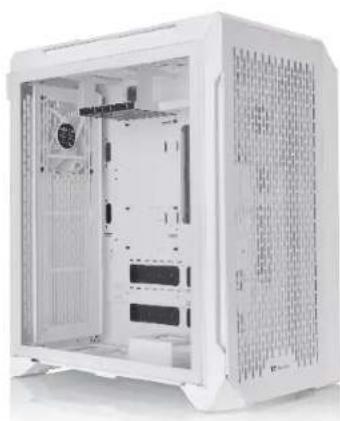
natural_image
Interior view of a white server rack cabinet with ventilation grilles and internal compartments (no visible text or labels)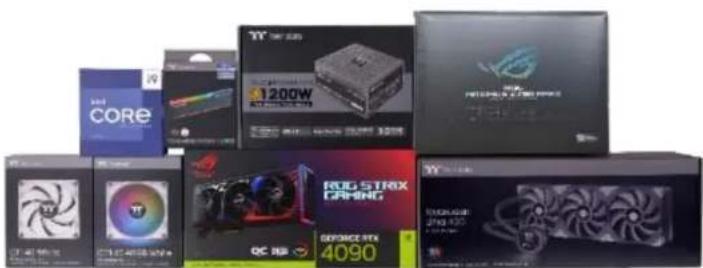
natural_image
Collection of various electronic devices including CPU, RAM, and power chips (no visible text or labels)
thermaltake
3. Chassis Fan Allocation
natural_image
White server case with visible internal circuitry and LED lighting, placed on a metal grid surface (no text or symbols)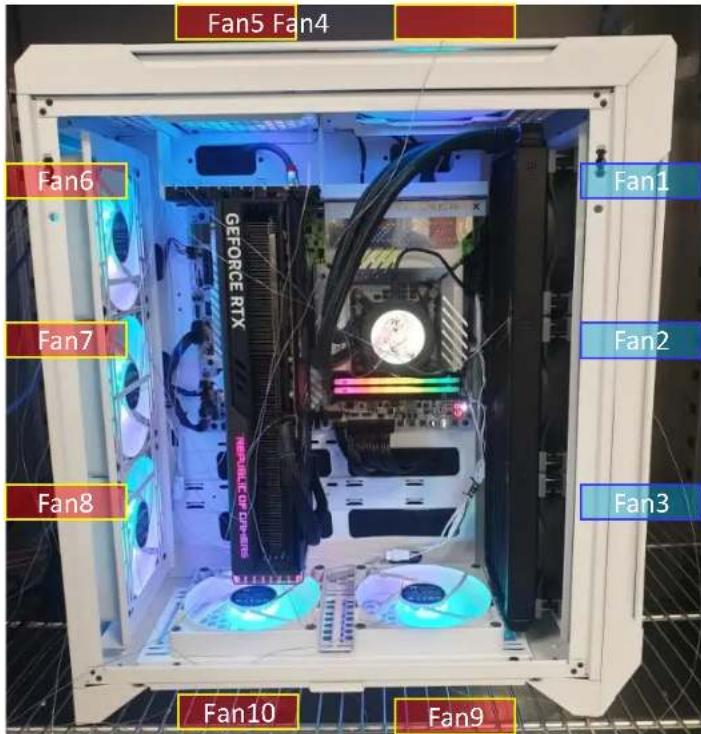

thermaltake
4. Chassis Thermal Airflow
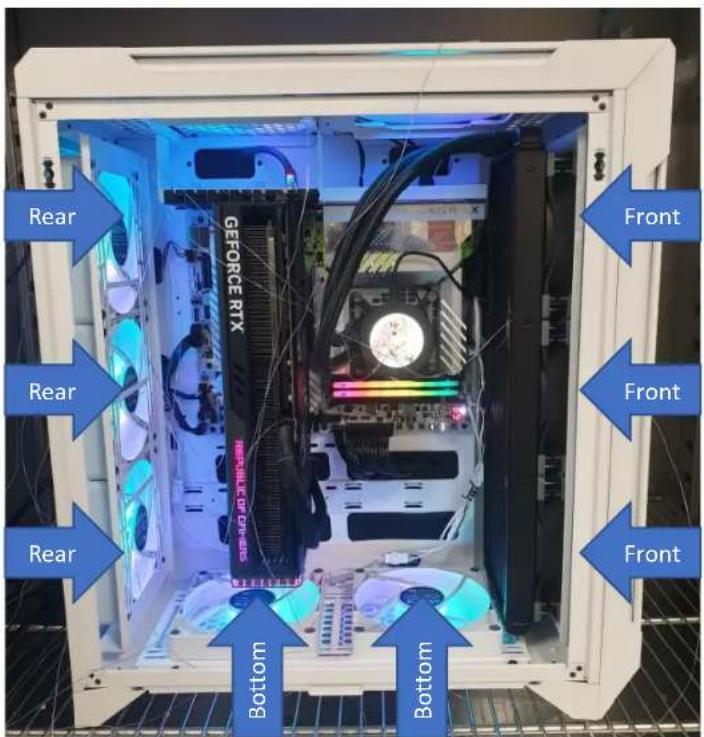
Cool Airflow Inlets (Active)
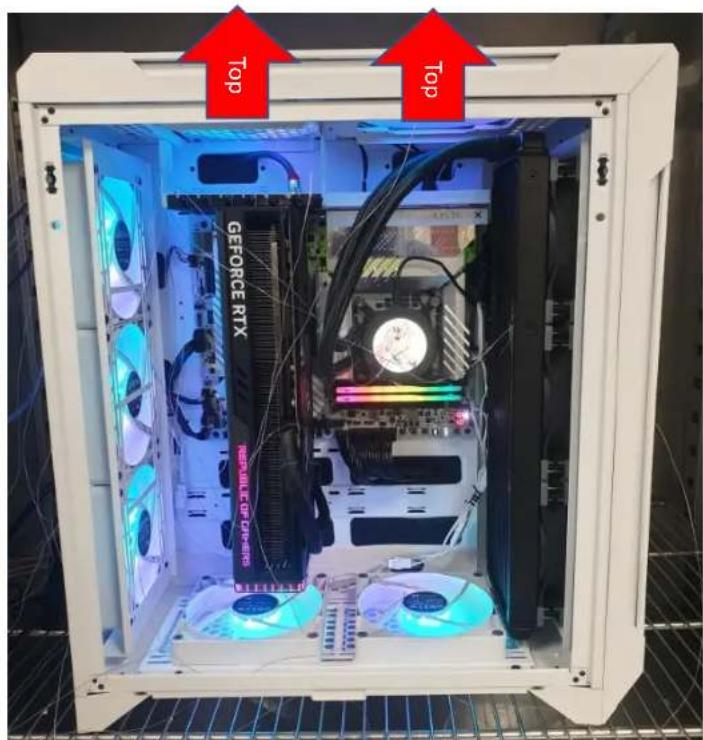
Hot Airflow Exhausts

thermaltake
5. Chassis Measured Points
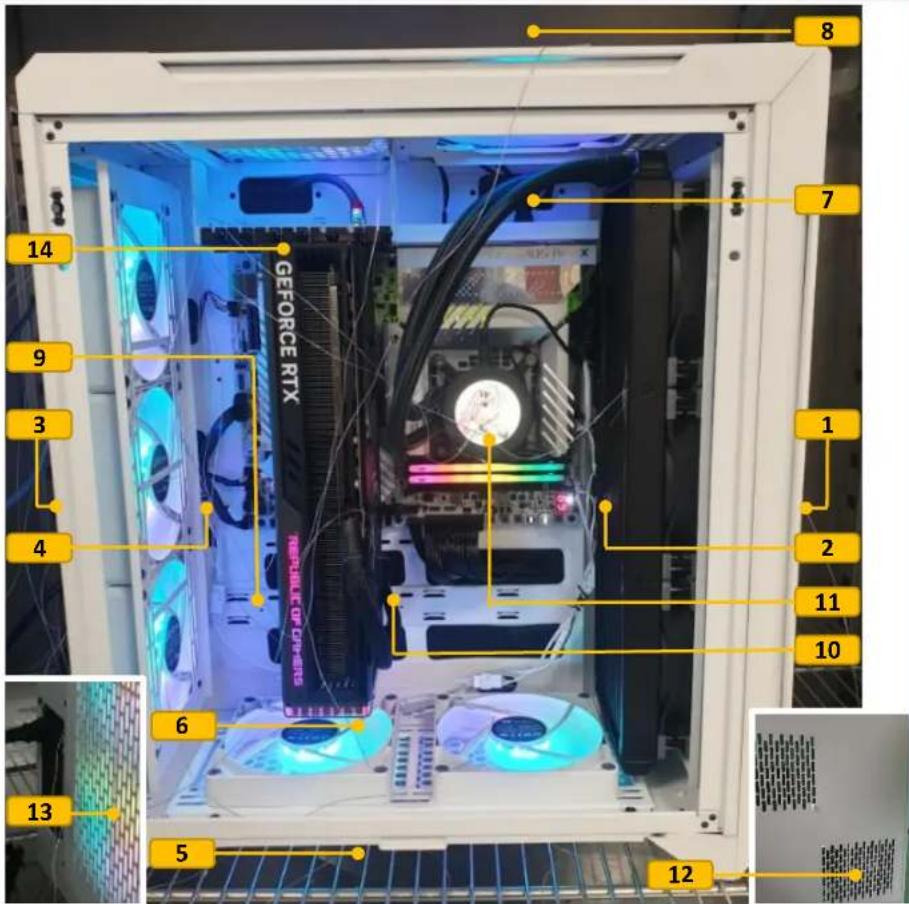
| Measure Point | Description | Airflow | Thermocouple Number |
| 1 | Chassis Front External | Intake | 101 |
| 2 | Chassis Front Internal | Intake | 102 |
| 3 | Chassis Rear External | Intake | 104 |
| 4 | Chassis Rear Internal | Intake | 106 |
| 5 | Chassis Bottom External | Intake | 108 |
| 6 | Chassis Bottom Internal | Intake | 110 |
| 7 | Chassis Top Internal | Exhaust | 111 |
| 8 | Chassis Top External | Exhaust | 113 |
| 9 | GPU Left | Intake | 114 |
| 10 | GPU Right | Exhaust | 115 |
| 11 | AIO Top Cover | - | 116 |
| 12 | PSU Right | Intake | 117 |
| 13 | PSU Rear | Exhaust | 118 |
| 14 | VGA Righ Slot | Exhaust | 119 |

thermaltake
- Thermal Stress Test
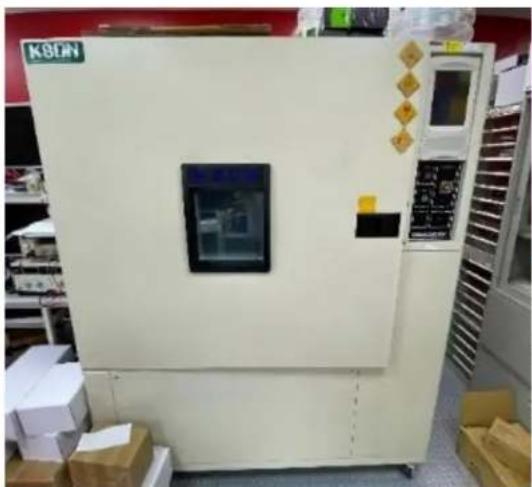
natural_image
Exterior view of a beige industrial machine with control panel and display screen, surrounded by boxes and storage racks (no visible text or symbols)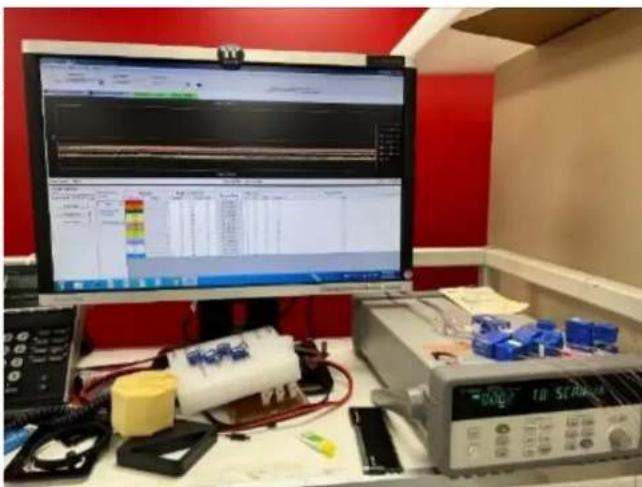
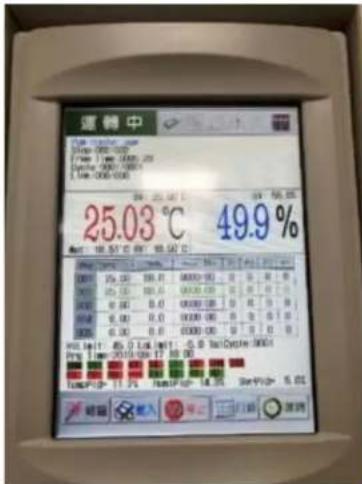
- Setting up the chamber temperature and humidity
• Temperature: 25°C - Humidity: 50%
- Recording Data

thermaltake
6. Thermal Stress Test
line
| Channel | Value | |---------|-------| | 101 | 101 | | 102 | 102 | | 104 | 104 | | 106 | 106 | | 108 | 108 | | 110 | 110 | | 112 | 112 | | 114 | 114 | | 116 | 116 | | 117 | 117 | | 118 | 118 | | 119 | 119 |Temperature Data Recoding

thermaltake
6. Thermal Stress Test
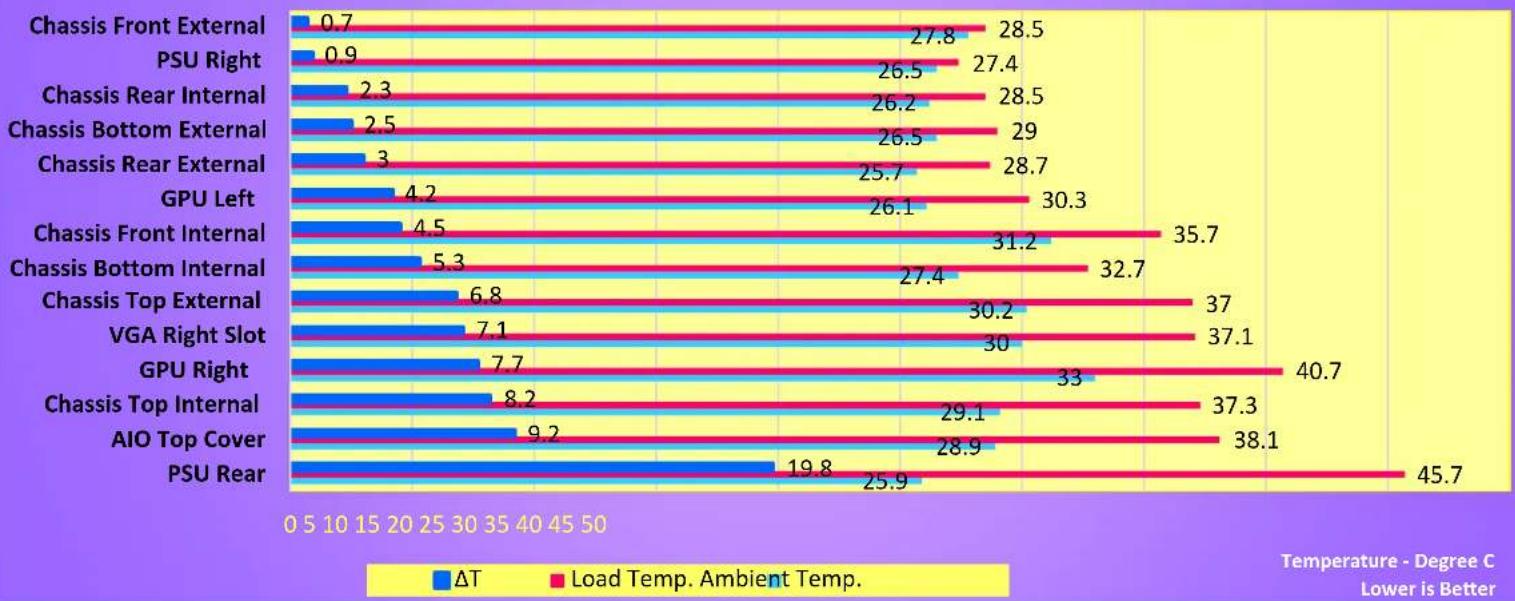
System Thermal Stress Test CTE C700
CPU- Intel Core i9-13900K
GPU-ASUS ROG-STRIX-RTX4090
Ambient Temperature: 25°C
Humidity: 50%
Loading with AIDA64 & FurMark
bar
| Component | ΔT | Load Temp. Ambient Temp. | | :--- | :--- | :--- | | Chassis Front External | 0.7 | 28.5 | | PSU Right | 0.9 | 27.4 | | Chassis Rear Internal | 2.3 | 28.5 | | Chassis Bottom External | 2.5 | 29 | | Chassis Rear External | 3 | 28.7 | | GPU Left | 4.2 | 30.3 | | Chassis Front Internal | 4.5 | 35.7 | | Chassis Bottom Internal | 5.3 | 32.7 | | Chassis Top External | 6.8 | 37 | | VGA Right Slot | 7.1 | 37.1 | | GPU Right | 7.7 | 40.7 | | Chassis Top Internal | 8.2 | 37.3 | | AIO Top Cover | 9.2 | 38.1 | | PSU Rear | 19.8 | 45.7 | Temperature - Degree C Lower is BetterWe expected to see higher temperature at the exhaust points and relatively lower temperature at the intake positions. The highest temperature was found at the AIO exhaust, which is reasonable given the CPU was running at full load. Most of the intake positions recorded a temperature lower than 41°C since they were drawing Air from environment. Two critical positions we were looking at are NO. 115 GPU Right and NO. 116 AIO Top Cover, which were drawing internal Air to cool two of the most important components.

thermaltake
7. AIDA64 & FurMark Test
We used AIDA64 Extreme (stress FPU) and FurMark ROG Edition (resolution: 3840 x 2160) to push 100% load on the CPU and GPU for 30 minutes.
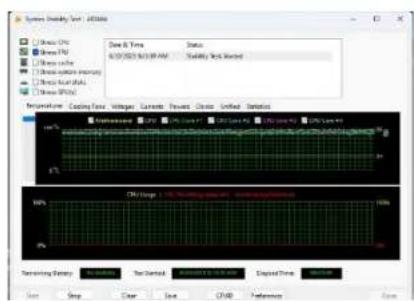
AIDA64 Extreme
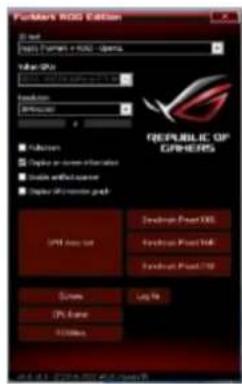
| Date | 6/20/2023 |
| Time (HH:MM) | 9:05 AM |
| CPU Clock | 5501 MHz |
| Motherboard | Asus ROG Maximus Z790 Apex |
| BIOS Version | 0904 |
| Free Memory | 26254 MB |
| GPU Clock | 210 MHz |
| Motherboard | 31°C |
| CPU | 39°C |
| CPU Package | 43°C |
| GPU Diode | 42°C |
| GPU Hotspot | 50°C |
| AIO Pump | 3183 RPM |
| CPU | 644 RPM |
| CPU OPT | 724 RPM |
| GPU | 0 RPM |
| GPU | 0% |
| CPU Core | 1.039 V |
| GPU Core | 0.875 V |
| CPU Package | 28.02 W |
| GPU | 13.36 W |
| GPU TDP% | 3% |
| Date | 6/20/2023 |
| Time (HH:MM) | 9:43 AM |
| CPU Clock | 5200 MHz |
| Motherboard | Asus ROG Maximus Z790 Apex |
| BIOS Version | 0904 |
| Free Memory | 26173 MB |
| GPU Clock | 2760 MHz |
| Motherboard | 34°C |
| CPU | 85°C |
| CPU Package | 96°C |
| GPU Diode | 81°C |
| GPU Hotspot | 90°C |
| AIO Pump | 3154 RPM |
| CPU | 2051 RPM |
| CPU OPT | 1419 RPM |
| GPU | 2677 RPM |
| GPU | 86% |
| CPU Core | 1.190 V |
| GPU Core | 1.050 V |
| CPU Package | 252.41 W |
| GPU | 495.03 W |
| GPU TDP% | 90% |
Full loadIdleFurMark
NO: RS202306210002

thermaltake
7. AIDA64 & FurMark Test
We used AIDA64 Extreme (stress FPU) and FurMark ROG Edition (resolution: 3840 x 2160) to push 100% load on the CPU and GPU for 30 minutes.
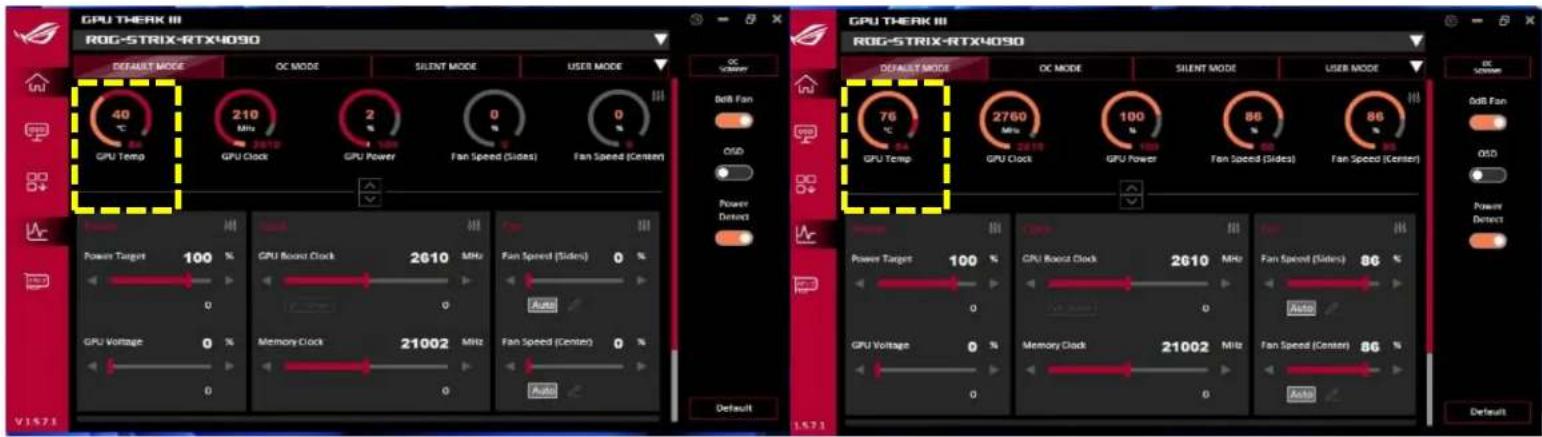
Full loadIdle
CPU & GPU Thermal Stress Test
CTE C700 Air
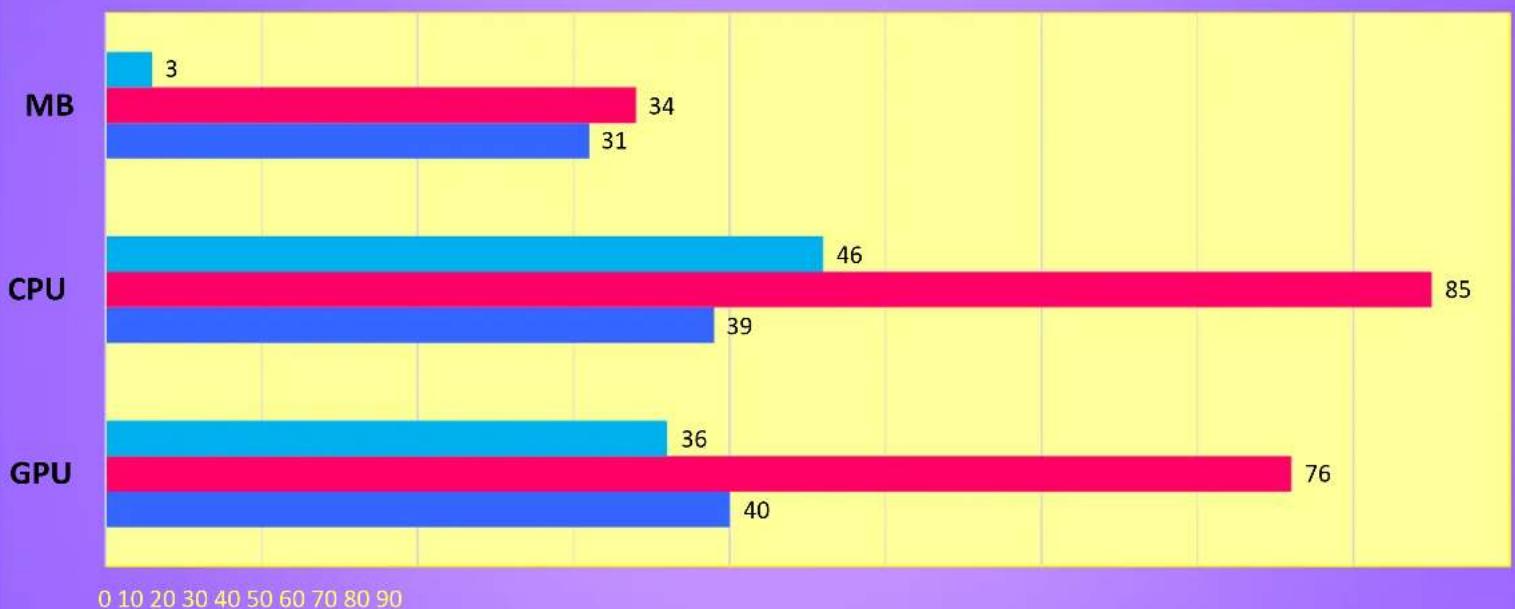
bar
| Category | Blue Bar | Red Bar | Cyan Bar | | -------- | -------- | ------- | -------- | | MB | 3 | 34 | 3 | | CPU | 31 | 39 | 46 | | GPU | 40 | 76 | 36 |CPU- Intel Core i9-13900K
GPU-ASUS ROG-STRIX-RTX4090
Ambient Temperature: 25°C
Humidity: 50%
Loading with AIDA64 & FurMark
- T Load Temp. Idle Temp.
Temperature - Degree C
Lower is Better

thermaltake
8. Graphics Performance Testing
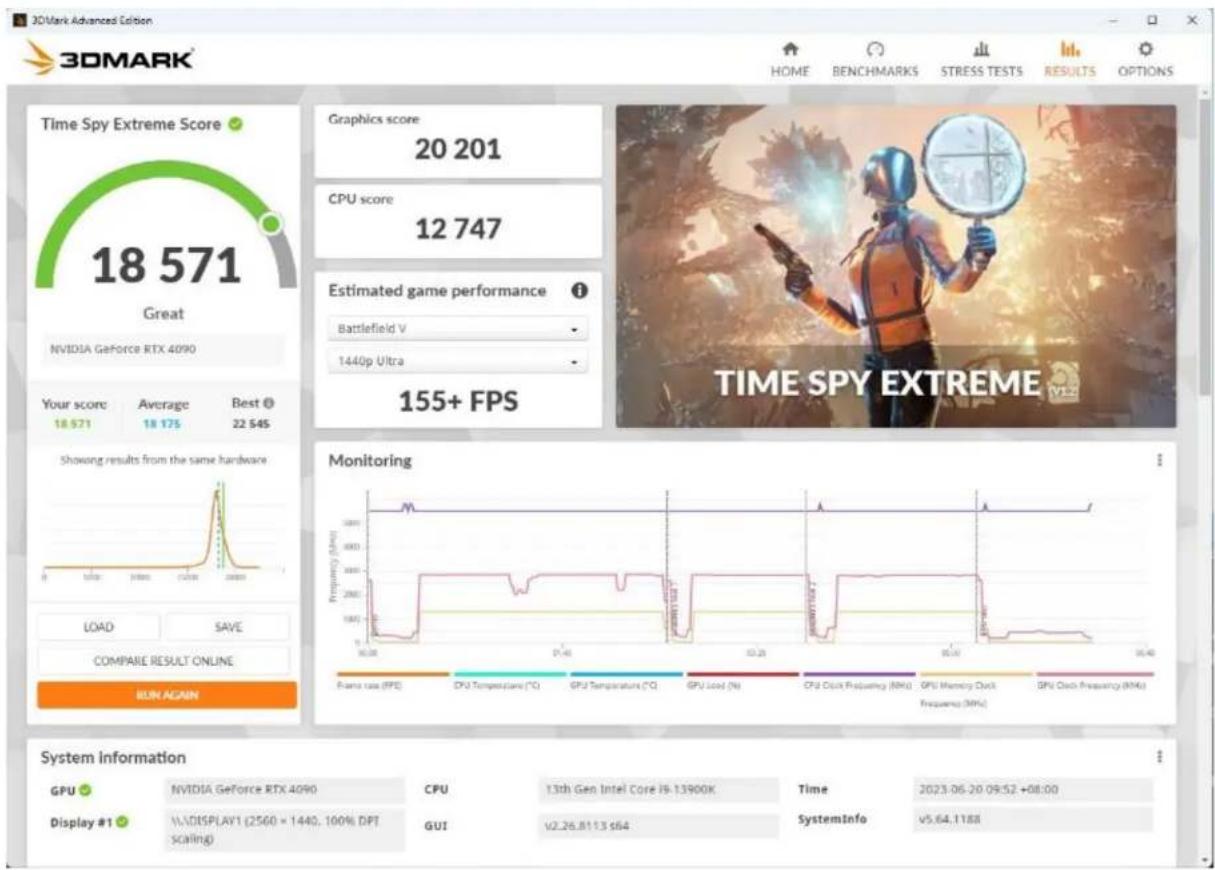

3DMARK
NO: RS202306210002

thermaltake
9. Acoustic Sound Pressure Level Test
Test Environment : Thermaltake Taipei Office
Test Model: CTE C700 Air
Test Ambience: 24.7 °C(Temperature) / 61% R.H.(Relative Humidity)
Microphone position: 50 cm / in front of PC system
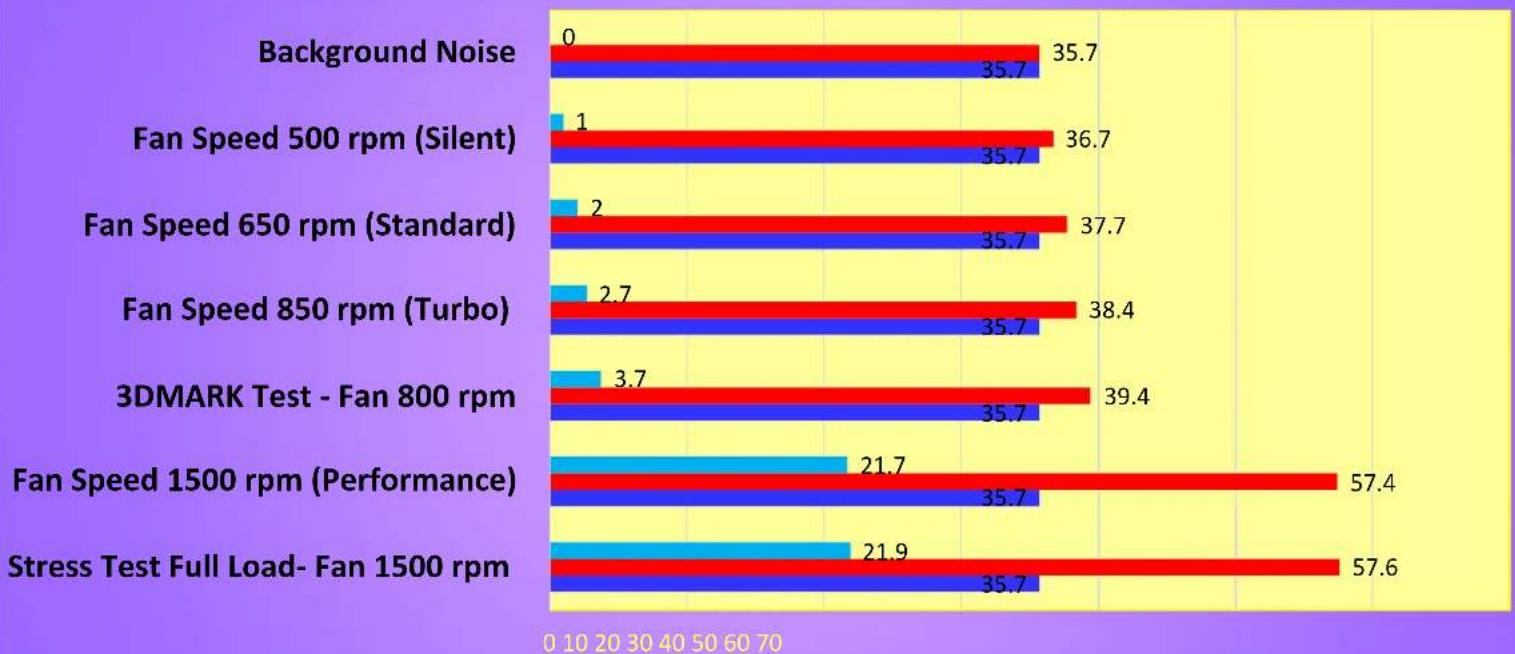
Background Noise : 35.7 dBA.
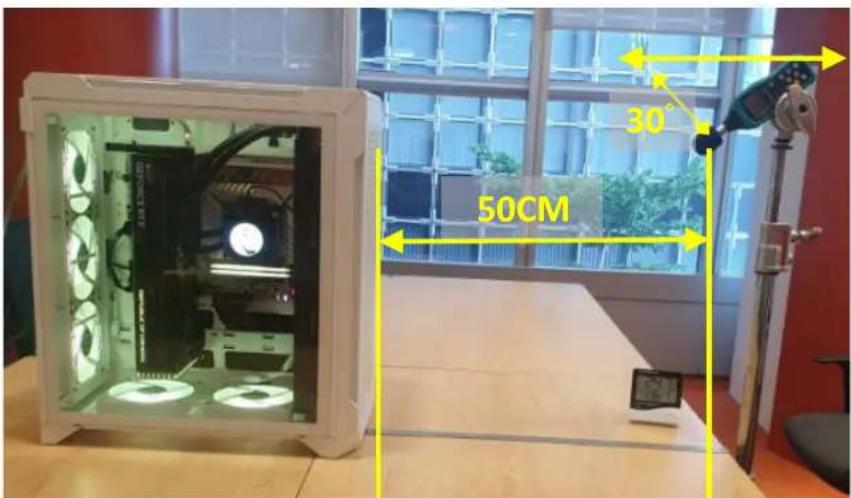
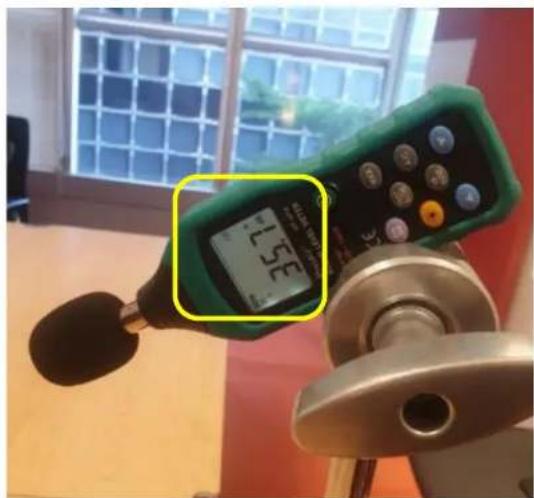
Microphone position Test Ambience

thermaltake
9. Acoustic Sound Pressure Level Test
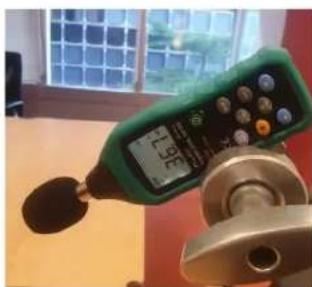
Fan Speed 500rpm - 36.7dBA
Fan Speed 650rpm - 37.7dBA
Fan Speed 850rpm - 38.4dBA
Fan Speed 1500rpm - 57.4dBA
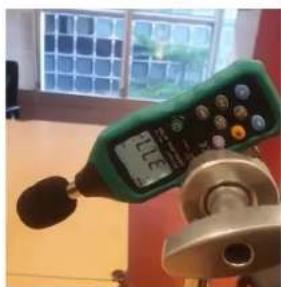
natural_image
Green digital measuring instrument with digital display and rotary knob, mounted on a metal stand (no visible text or symbols)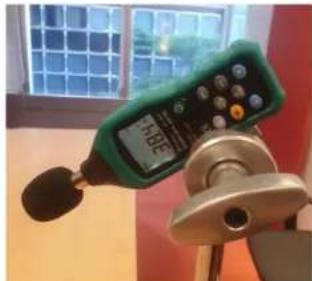
natural_image
Close-up of a green digital measuring device with a black sensor, mounted on a tripod stand (no visible text or symbols)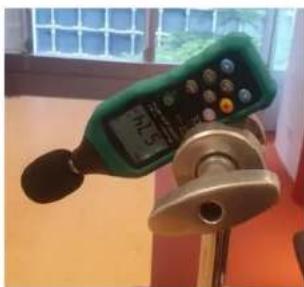
natural_image
Close-up of a green handheld digital measuring instrument with a black adjustment knob, placed on a stand near a window (no visible text or symbols)| Date | 6/20/2023 |
| Time (HH:MM) | 5:16 PM |
| CPU Clock | $200 MHz |
| Motherboard | Asus ROG Maximus Z790 Apex |
| BIOS Version | 0904 |
| Free Memory | 26539 MB |
| GPU Clock | 210 MHz |
| Motherboard | 31°C |
| CPU | 37°C |
| CPU Package | 43°C |
| GPU Diode | 42°C |
| GPU Hotspot | 50°C |
| AIO Pump | 2360 RPM |
| CPU | 472 RPM |
| CPU OPT | 472 RPM |
| GPU | 6 RPM |
| GPU | 0% |
| CPU Core | 1.217 V |
| GPU Core | 0.875 V |
| CPU Package | 34.25 W |
| GPU | 13.69 W |
| GPU TDP% | 3% |
| Date | 6/20/2023 |
| Time (HH:MM) | 5:19 PM |
| CPU Clock | 5500 MHz |
| Motherboard | Asus ROG Maximus Z790 Apex |
| BIOS Version | 0904 |
| Free Memory | 26201 MB |
| GPU Clock | 210 MHz |
| Motherboard | 30°C |
| CPU | 38°C |
| CPU Package | 42°C |
| GPU Diode | 41°C |
| GPU Hotspot | 49°C |
| AIO Pump | 2890 RPM |
| CPU | 508 RPM |
| CPU OPT | 644 RPM |
| GPU | 6 RPM |
| GPU | 0% |
| CPU Core | 1.305 V |
| GPU Core | 0.875 V |
| CPU Package | 37.74 W |
| GPU | 16.24 W |
| GPU TDP% | 3% |
| Date | 6/20/2023 |
| Time (HH:MM) | 5:19 PM |
| CPU Clock | 5501 MHz |
| Motherboard | Aus ROG Maximus 2790 Apex |
| BIOS Version | 0904 |
| Free Memory | 26201 MB |
| GPU Clock | 210 MHz |
| Motherboard | 30°C |
| CPU | 39°C |
| CPU Package | 46°C |
| GPU Diode | 42°C |
| GPU Hotspot | 50°C |
| AIO Pump | 2667 RPM |
| CPU | 886 RPM |
| CPU OPT | 841 RPM |
| GPU | 8 RPM |
| GPU | 0% |
| CPU Core | 1.305 V |
| GPU Core | 0.875 V |
| CPU Package | 44.28 W |
| GPU | 17.34 W |
| GPU TDP% | 3% |
| Date | 6/20/2023 |
| Time (HH:MM) | 5:21 PM |
| CPU Clock | 5501 MHz |
| Motherboard | Asus ROG Maximus Z790 Apex |
| BIOS Version | 0904 |
| Free Memory | 26216 MB |
| GPU Clock | 210 MHz |
| Motherboard | 29°C |
| CPU | 36°C |
| CPU Package | 41°C |
| GPU Diode | 41°C |
| GPU Hotspot | 49°C |
| AIO Pump | 3245 RPM |
| CPU | 327.8 RPM |
| CPU OPT | 1474 RPM |
| GPU | 0 RPM |
| GPU | 0% |
| CPU Core | 1.039 V |
| GPU Core | 0.875 V |
| CPU Package | 36.76 W |
| GPU | 16.88 W |
| GPU TDP% | 3% |

thermaltake
9. Acoustic Sound Pressure Level Test
Acoustic Sound Pressure Level Test - CTE C700 Air
bar
| Category | Red Bar Value | Blue Bar Value | | :--- | :--- | :--- | | Background Noise | 0 | 35.7 | | Fan Speed 500 rpm (Silent) | 1 | 35.7 | | Fan Speed 650 rpm (Standard) | 2 | 35.7 | | Fan Speed 850 rpm (Turbo) | 2.7 | 35.7 | | 3DMARK Test - Fan 800 rpm | 3.7 | 35.7 | | Fan Speed 1500 rpm (Performance) | 21.7 | 35.7 | | Stress Test Full Load- Fan 1500 rpm | 21.9 | 35.7 |CPU- Intel Core i9-13900K
GPU-ASUS ROG-STRIX-RTX4090
Ambient Temperature: 25°C
Humidity: 50%
Loading with AIDA64 & FurMark
Diff Load dBA Idle dBA
Sound Pressure - dBA

thermaltake
C. Conclusion
NO: RS202306210002

thermaltake
Conclusion
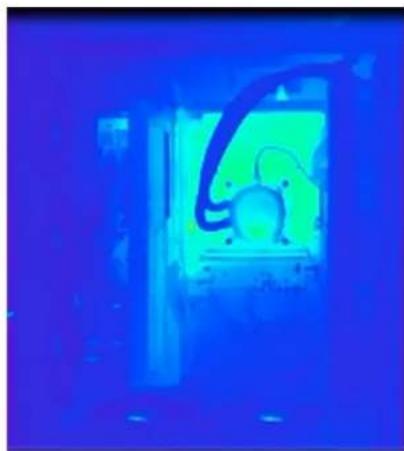
Idle
natural_image
Thermal imaging view showing a heat signature with a circular object inside (no text or symbols visible)Left View
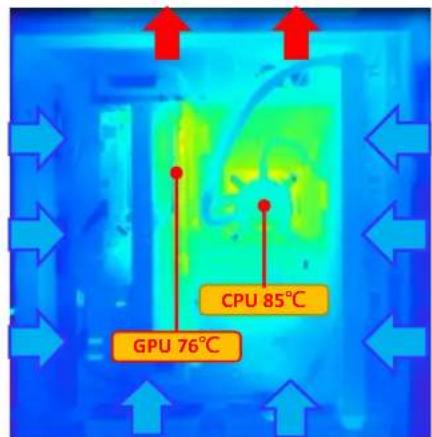
Full Load
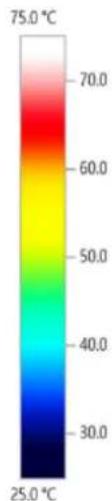
heatmap
| Value | |---| | 75.0 °C | | 70.0 | | 60.0 | | 50.0 | | 40.0 | | 30.0 | | 25.0 °C |AIDA64 Extreme (stress FPU) and FurMark ROG Edition (resolution: 3840 x 2160) to push 100% load on the CPU and GPU for 30 minutes.
-INTEL i9 13900K / CPU Temp. (Max) : 85°C (TDP 253W)
-ASUS ROG Strix GeForce RTX® 4090 OC / GPU Temp. (Max) : 76°C
Through the thermal image, we found that the internal heat was effectively directed to designated exhaustion vents, keeping the system operating at a cooler temperature. This finding validates how efficient The CTE C700 Air is regarding cooling performance.

natural_image
Abstract geometric logo design with white shapes on black background (no text or symbols)thermaltake

Thank you!

- System Thermal Test Report
- Introduction
- thermaltake
- Equipment
- Testing steps:
- Test Configuration
- Laboratory Equipment
- Chassis Hardware List
- Chassis Fan Allocation
- Chassis Thermal Airflow
- Chassis Measured Points
- Thermal Stress Test
- AIDA64 & FurMark Test
- Graphics Performance Testing
- Acoustic Sound Pressure Level Test
- Conclusion
Brand : THERMALTAKE
Model : CTE C700 Air
Category : PC Case