
Transient Designer 4 Mk2 - Hi-Fi SPL - Free user manual and instructions
Find the device manual for free Transient Designer 4 Mk2 SPL in PDF.


| Product Type | Level-independent dynamics processor (4-channel) |
| Model | Transient Designer 4 Mk2 |
| Brand | SPL |
| Dimensions (W x H x D) | 482 x 44 x 237 mm (19 x 1.73 x 9.33 in) |
| Weight (unit) | 3.3 kg (7.27 lbs) |
| Shipping weight (incl. packaging) | 4.45 kg (9.81 lbs) |
| Mains Voltage (selectable) | 230 V AC / 50 Hz or 115 V AC / 60 Hz |
| Fuse Rating | 230 V: T 200 mA, 115 V: T 400 mA |
| Power Consumption (max) | 15 W |
| Power Supply Type | Internal linear power supply with toroidal transformer |
| Analog Inputs & Outputs | XLR (balanced), 4 channels |
| Maximum Input/Output Gain | 21 dBu |
| Input Impedance | 22 kΩ |
| Output Impedance | 100 Ω |
| Common Mode Rejection (1 kHz) | 80 dB |
| Frequency Range (-3 dB) | 10 Hz – 100 kHz |
| THD + N (0 dBu, 10 Hz – 22 kHz) | -90 dB |
| Noise (A-weighted) | -97 dB |
| Dynamic Range | 118 dB |
| Controls per Channel | Attack, Sustain, Link, On switch |
| Attack Adjustment Range | ±15 dB (transient phase) |
| Sustain Adjustment Range | ±24 dB (sustain phase) |
| Linking | Channels 1&2 or 3&4 for stereo; left channel becomes master |
| Relay Hard Bypass | On switch activates bypass; immediate redirect on power fault |
| Signal LED | Illuminates when input level > -20 dB |
| Cleaning Instructions | Disconnect mains; use dry cloth, optionally with acid-free cleaning oil; no solvents |
| Environmental Protection | Do not dispose with household waste; return to WEEE collection point |
| Country of Origin | Germany |
Frequently Asked Questions - Transient Designer 4 Mk2 SPL
User questions about Transient Designer 4 Mk2 SPL
0 question about this device. Answer the ones you know or ask your own.
Ask a new question about this device
Download the instructions for your Hi-Fi in PDF format for free! Find your manual Transient Designer 4 Mk2 - SPL and take your electronic device back in hand. On this page are published all the documents necessary for the use of your device. Transient Designer 4 Mk2 by SPL.
USER MANUAL Transient Designer 4 Mk2 SPL
Transient Designer 4 Mk2
Level-independent dynamics processing

Manual
Further information: spl.audio

Getting started
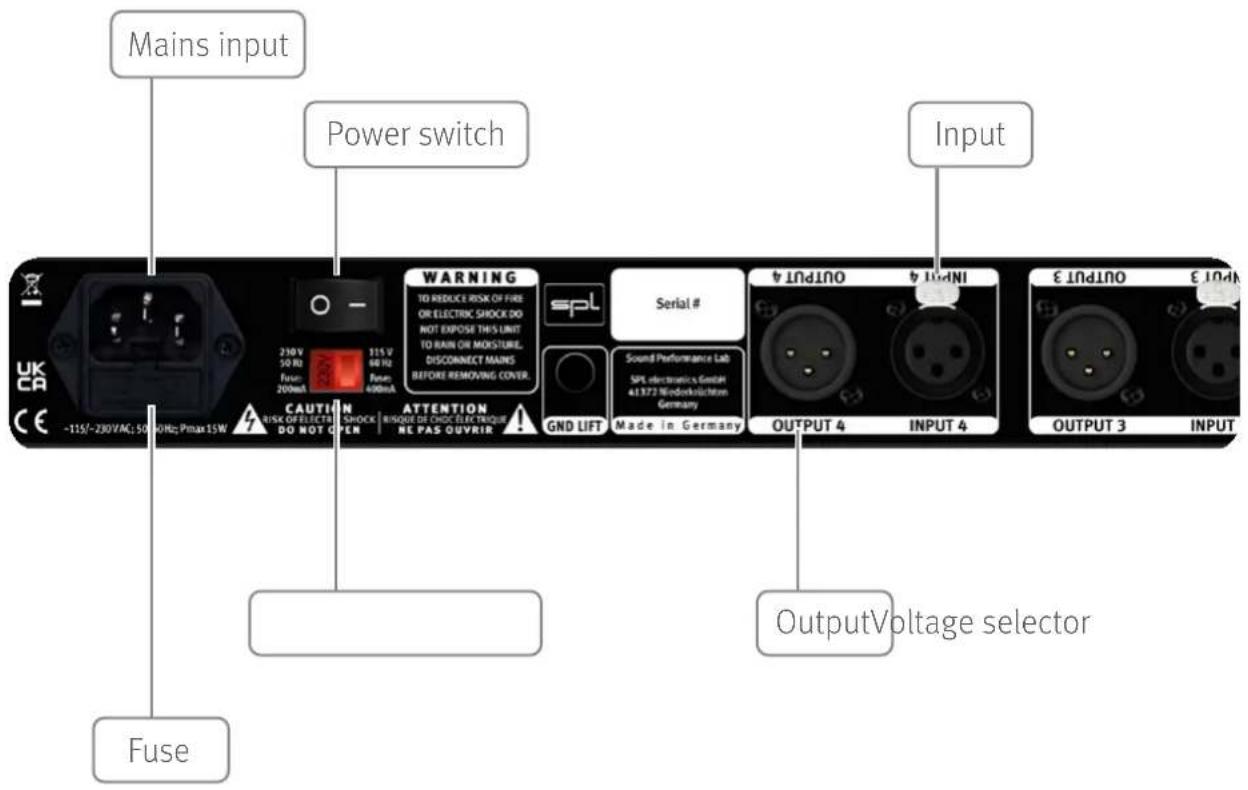
Read the security advises starting on page 7.
Make sure that the mains voltage of the Transient Designer 4 Mk2 mentioned in the specifications (page 6) corresponds to the voltage of your region.
The power switch on the back of the Transient Designer 4 Mk2 must be in the off position. (Off = 0 / On = 1).
Connect the supplied power cord to the power connector of the Transient Designer 4 Mk2 and to a power outlet.
If the supplied power cord does not match your mains socket outlet, please contact your dealer.
The devices that are to be connected to the Transient Designer 4 Mk2 must be be switched off.
Connect your devices to the inputs and outputs of the Transient Designer 4 Mk2 using appropriate audio cables (XLR).
Audio cables not included in the scope of delivery.
Power on
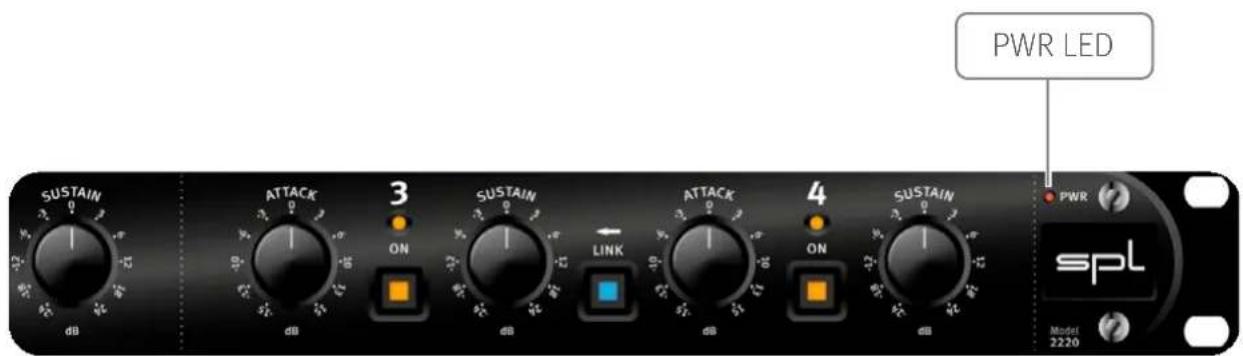
Switch on the power switch on the rear panel of the Transient Designer 4 Mk2 (On = 1). The Power LED and all activated switches light up.
Power off
Switch off the power switch on the rear panel of the Transient Designer 4 Mk2 (Off = 0). The Power LED and all activated switches will no longer light up.

Attack
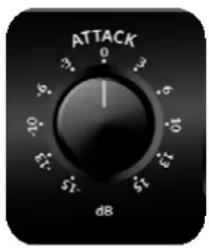
Attack can be used to increase or attenuate the transient phase of a signal by up to 15 dB. A positive attack value increases the amplitude of the transient response. negative attack values lead to an attenuation.
Sustain
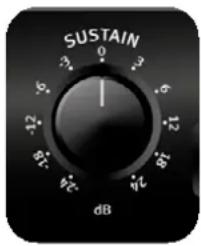
Sustain can be used to increase or attenuate the sustain phase of a signal by up to 24 dB. Positive sustain values extend the sustain. Negative Sustain values shorten the sustain.
Link
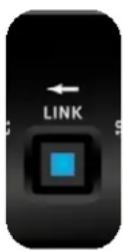
Channels 1 & 2 as well as 3 & 4 can be linked for processing stereo signals. The respective left channel becomes the master.
On
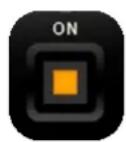
The On switch activates the respective Transient Designer channel. This allows you to quickly switch between processed and unprocessed signal.
To minimize switching noises, switching is performed directly after the balanced inputs and outputs. This relay hard bypass circuitry also provides immediate redirection of inputs to outputs in the event of a power fault on the primary or secondary side of the power supply, or if the device is powered off.
LED
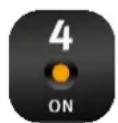
The Sig LED (Sig) indicates whether an audio signal is present at the input which has a level higher than -20 dB.
Specifications
Analog inputs & outputs; XLR (balanced)
| Maximum input gain 21 dBu |
| Input impedance 22 kΩ |
| Maximum output gain 21 dBu |
| Output impedance 100 Ω |
| Common mode rejection (1 kHz) 80 dB |
| Frequency range (-3 dB) 10 Hz – 100 kHz |
| THD + N (0 dBu, 10 Hz – 22 kHz) -90 dB |
| Noise (A-weighted) -97 dB |
| Dynamic range 118 dB |
Internal Linear Power Supply with Toroidal Transformer
| Operating voltage for analog audio +/- 15 V |
| Operating voltage for relays and LEDs + 12 V |
Mains Power Supply
| Mains voltage (selectable) 230 V AC / 50; 115 V AC / 60 Hz |
| Fuse for 230 V T 200 mA |
| Fuse for 115 V T 400 mA |
| Power consumption max. 15 W |
Dimensions & Weight
| W x H x D (width x height x depth) | 482 x 44 x 237 mm |
| 19 x 1.73 x 9.33 inch | |
| Unit weight | 3.3 kg |
| 7.27 lbs | |
| Shipping weight (incl. packaging) | 4.45 kg |
| 9.81 lbs |
Security Advices
Before starting up the device:
- Read thoroughly and follow the security advices.
- Read thoroughly and follow the Quickstart.
- Observe all warning instructions on the device.
- Please keep the user manual as well as the security advices in a safe place for future reference.

Warning
Always follow the security advices listed below to avoid serious injuries or even deadly accidents due to electric shocks, short circuit, fire or other dangers. The following are examples of such risks and do not represent an exhaustive list:
Power supply/Power cord
Do not place the power cord near heat sources such as heaters or radiators and do not excessively bend or otherwise damage the cord, do not place heavy objects on it, or place it in a position where anyone could walk on, trip over, or roll anything over it.
Only use the voltage indicated on the device.
Only use the supplied power cord/plug.
If you intend to use the device in an area other than in the one you purchased it, the included power cord may not be compatible. In this case please contact your dealer.
Be sure to connect the device to an appropriate mains socket outlet with a protective grounding connection. Improper grounding can cause electrical shock.
Do not open
This device contains no user-serviceable parts. Do not open the device or attempt to disassemble the internal parts or modify them in any way. If it should appear to be malfunctioning, turn off the power immediately, unplug the power cord from the mains socket outlet and have it inspected by a qualified professional.
Water warning
Do not expose the device to rain, or use it near water or in damp or wet conditions, or place anything on it (such as vases, bottles or glasses) containing liquids which might spill into any openings. If any liquid such as water seeps into the device, turn off the power immediately and unplug the power cord from the mains socket outlet. Then have the device inspected by a qualified professional.
Never insert or remove an electric plug with wet hands.
Fire warning
Do not put burning items, such as candles, on the unit. A burning item may fall over and cause a fire.
Lightning
Before thunderstorms or other severe weather, disconnect the device from the mains socket outlet; do not do this during a storm in order to avoid life threatening lightning strikes. Similarly, disconnect all the power connections of other devices, antenna and phone/network cables which may be interconnected so that no damage results from such secondary connections.
If you notice any abnormality
When one of the following problems occur, immediately turn off the power switch and disconnect the electric plug from the mains socket outlet. Then have the device inspected by a qualified professional.
- The power cord or plug gets frayed or damaged.
• The device emits unusual smells or smoke. - An object has fallen into the unit.
- There is a sudden loss of sound during the use of the device.

Caution
Always follow the basic precautions listed below to avoid the possibility of physical injury to you or others, or damage to the device or other property. These precautions include, but are not limited to, the following:
Power supply/Power cord
When removing the electric plug from the device or an mains socket outlet, always pull on the plug itself and not the cord. Pulling the cord may damage it.
Unplug the device from the mains socket outlet when the device is not used for a while.
Location
Do not place the device in an unstable position where it might accidentally fall over.
Do not block the vents. This device has ventilation holes to prevent the internal temperature from rising too high. In particular, do not place the device on its side or upside down. Inadequate ventilation can result in overheating, possibly causing damage to the device or even fire.
Do not place the device in a location where it may come into contact with corrosive gases or salty air. This may result in malfunction.
Before moving the device, remove all connected cables. When setting up the device, make sure that the mains socket outlet you are using is easily accessible. If some trouble or malfunction occurs, immediately turn off the power switch and disconnect the plug from the mains socket outlet. Even when the power switch is turned off, electricity is still flowing to the product at a minimum rate. When you are not using the device for a long time, make sure to unplug the power cord from the wall mains socket outlet.

Connections
Before connecting the device to other devices, power down all devices. Before power on or off the devices, set all volume levels to minimum.
Only use appropriate cables to connect the device with other devices. Make sure that the cables you use are intact and comply with the electrical specifications of the connection. Other connections can lead to health risks and damage the equipment.
Handling
Operate the controls and switches only as described in the manual. Incorrect adjustments outside safe parameters can lead to damage. Never use excessive force on the switches or controls.
Do not insert your fingers or hands in any gaps or openings of the device.
Avoid inserting or dropping foreign objects (paper, plastic, metal, etc.) into any gaps or openings of the device. If this happens, power down immediately and unplug the power cord from the mains socket outlet.
Then have the device inspected by a qualified professional.
Do not expose the device to excessive dust or vibrations or extreme cold or heat (such as direct sunlight, near a heater or in a car during the day) to prevent the possibility of causing damage to the housing, the internal components or unstable operation.
If the ambient temperature of the device suddenly changes, condensation can occur (if for example the device is relocated or is affected by a heater or air conditioning).
Using the device while condensation is present may result in malfunction. Do not power on the device for a few hours until the condensation is gone. Only then it is safe to power on.
Cleaning
Disconnect the device from your mains socket outlet before cleaning.
Do not use any solvents, as these can damage the chassis finish. Use a dry cloth, if necessary, with an acid-free cleaning oil.
Disclaimer
Windows ^® is a registered trademark of Microsoft ^®
Corporation in the United States and other countries.
Apple, Mac and Macintosh are trademarks of Apple Inc., registered in the U.S. and other countries.
The company names and product names in this manual are the trademarks or registered trademarks of their respective companies.
SPL and the SPL Logo are registered trademarks of SPL electronics GmbH.
SPL cannot be held responsible for damage caused by improper use or modification of the device or data that is lost or destroyed.
Notes on Environmental Protection
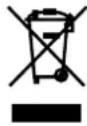
At the end of its operating life, this product must not be disposed with regular household waste but must be returned to a collection point for the recycling of electrical and electronic equipment.
The wheelie bin symbol on the product, user manual and packaging indicates that.
For proper treatment, recovery and recycling of old products, please take them to applicable collection points in accordance with your national legislation and the Directives 2012/19/EU.
The materials can be reused in accordance with their markings. Through reuse, recycling of raw materials, or other forms of recycling of old products, you are making an important contribution to the protection of our environment.
Your local administrative office can advise you of the responsible waste disposal point.
This directive only applies to countries inside the EU. If you wish to discard devices outside the EU, please contact your local authorities or dealer and ask for the correct method of disposal.
WEEE-Reg-No.: 973 349 88
Transient Designer 4 Mk2
Bedienungsanleitung
- Transient Designer 4 Mk2
- Getting started
- Power on
- Power off
- Attack
- Sustain
- Link
- On
- LED
- Specifications
- Security Advices
- Before starting up the device:
- Warning
- Power supply/Power cord
- Do not open
- Water warning
- Fire warning
- Lightning
- If you notice any abnormality
- Caution
- Location
- Connections
- Handling
- Cleaning
- Disclaimer
- Notes on Environmental Protection
Brand : SPL
Model : Transient Designer 4 Mk2
Category : Hi-Fi