
E2s - Uncategorized NIKON - Free user manual and instructions
Find the device manual for free E2s NIKON in PDF.


| Product Type | Digital SLR Camera |
| Brand | Nikon |
| Model | E2s |
| Sensor | 1.3 Megapixel CCD |
| Lens Mount | Nikon F Mount |
| ISO Sensitivity | 800 - 3200 |
| Shutter Speed Range | 1/8000 to 30 sec |
| Exposure Modes | Program, Aperture Priority, Shutter Priority, Manual |
| Dimensions (W x H x D) | 213 x 153 x 127 mm |
| Weight | Approx. 1800 g (without battery) |
| Power Source | NiMH Battery Pack (7.2V) |
| Storage Media | PCMCIA Type III Hard Disk Drive |
| Viewfinder | Optical TTL |
| LCD Monitor | 2.0-inch TFT (approx. 130,000 dots) |
| Flash Compatibility | Nikon Speedlight SB-series |
| Cleaning Instructions | Clean lens with soft cloth; keep camera dry |
| Safety Precautions | Do not expose to moisture; use only specified batteries |
| Spare Parts Available | Battery pack, charger, AC adapter |
| Reparability | Serviceable by authorized Nikon centers |
| Manual Languages | English, French, German, Spanish, Italian, Japanese |
Frequently Asked Questions - E2s NIKON
User questions about E2s NIKON
0 question about this device. Answer the ones you know or ask your own.
Ask a new question about this device
Download the instructions for your Uncategorized in PDF format for free! Find your manual E2s - NIKON and take your electronic device back in hand. On this page are published all the documents necessary for the use of your device. E2s by NIKON.
USER MANUAL E2s NIKON
To reduce the risk of fire or electric shock, do not expose this product to rain or moisture.
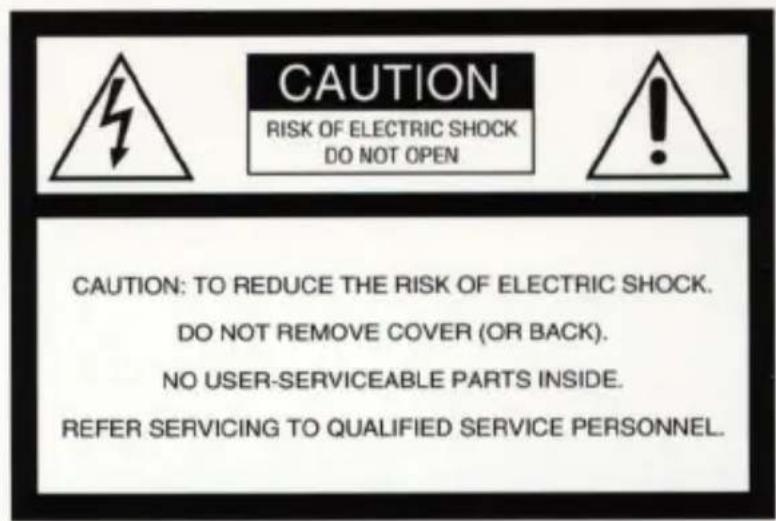
This symbol is intended to alert the user to the presence of uninsulated "dangerous voltage" within the product's enclosure that may be of sufficient magnitude to constitute a risk of electric shock to persons.

This symbol is intended to alert the user to the presence of important operating and maintenance (servicing) instructions in the literature accompanying the appliance.
ATTENTION
CONTAINS NICKEL-CADMIUM BATTERY. MUST BE RECYCLED OR DISPOSED OF PROPERLY.

Ni-Cd
This product that you have purchased contains a rechargeable battery. This battery is recyclable. At the end of its useful life, under various state and local laws, it may be illegal to dispose of this battery into the municipal waste stream. Check with your local solid waste officials for details in your area for recycling options or proper disposal.
For customers in the U.S.A.
WARNING
This equipment has been tested and found to comply with the limits for a Class B digital device, pursuant to Part 15 of the FCC Rules. These limits are designed to provide reasonable protection against harmful interference in a residential installation. This equipment generates, uses, and can radiate radio frequency energy and, if not installed and used in accordance with the instructions, may cause harmful interference to radio communications. However, there is no guarantee that interference will not occur in a particular installation. If this equipment does cause harmful interference to radio or television reception, which can be determined by turning the equipment off and on, the user is encouraged to try to correct the interference by one or more of the following measures:
—Reorient or relocate the receiving antenna.
—Increase the separation between the equipment and receiver.
—Connect the equipment into an outlet on a circuit different from that to which the receiver is connected.
—Consult the dealer or an experienced radio/TV technician for help.
Changes or modifications not expressly approved by the manufacturer for compliance could void the user's authority to operate the equipment.
Notice for customers in Canada CAUTION
This Class B digital apparatus meets all requirements of the Canadian Interference-Causing Equipment Regulations.
Notice for customers in SWITZERLAND
EC DECLARATION OF CONFORMITY
We
Name:
Nikon UK Limited
Address:
Nikon House, 380 Richmond Road,
Kingston, Surrey KT2 5PR, UK
declare that the product
Product Name:
Nikon Digital Still Camera E2/E2s
Manufacturer's Name:
Nikon Corporation
Manufacturer's Address:
Fuji Bldg., 2-3, Marunouchi 3-chome,
Chiyoda-ku, Tokyo 100, Japan
is in conformity with the following Standards
Safety: EN60950
EMC: EN55022: 1987 Class B
EN50082-1
IEC801-2: 1991 4kVCD, 8kVAD
IEC801-3:1984 3V/m
IEC801-4: 1988 1kV AC, 0.5kV I/O
following the provisions of the EMC Directive (89/336/EEC) and the Low Voltage Directive (73/23/EEC).
DECLARATION DE CONFORMITE DE LA CEE
Nous
Nom:
Nikon UK Limited
Adresse:
Nikon House, 380 Richmond Road,
Kingston, Surrey KT2 5PR, UK
Fuji Bldg., 2-3, Marunouchi 3-chome,
Chiyoda-ku,Tokyo 100,Japan
Name: Nikon UK Limited
Anschrift: Nikon House, 380 Richmond Road,
Kingston, Surrey KT2 5PR, UK
Signature/Managing Director
Standard accessories
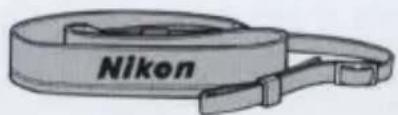
natural_image
Illustration of a Nikon brand strap (no text or symbols on the strap itself)Neckstrap
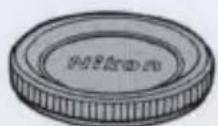
Body cap
natural_image
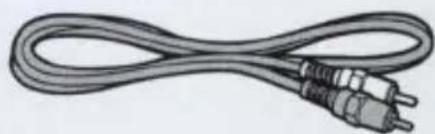
Illustration of a straight cord with two metallic connectors (no text or symbols)Video Cable EG-10
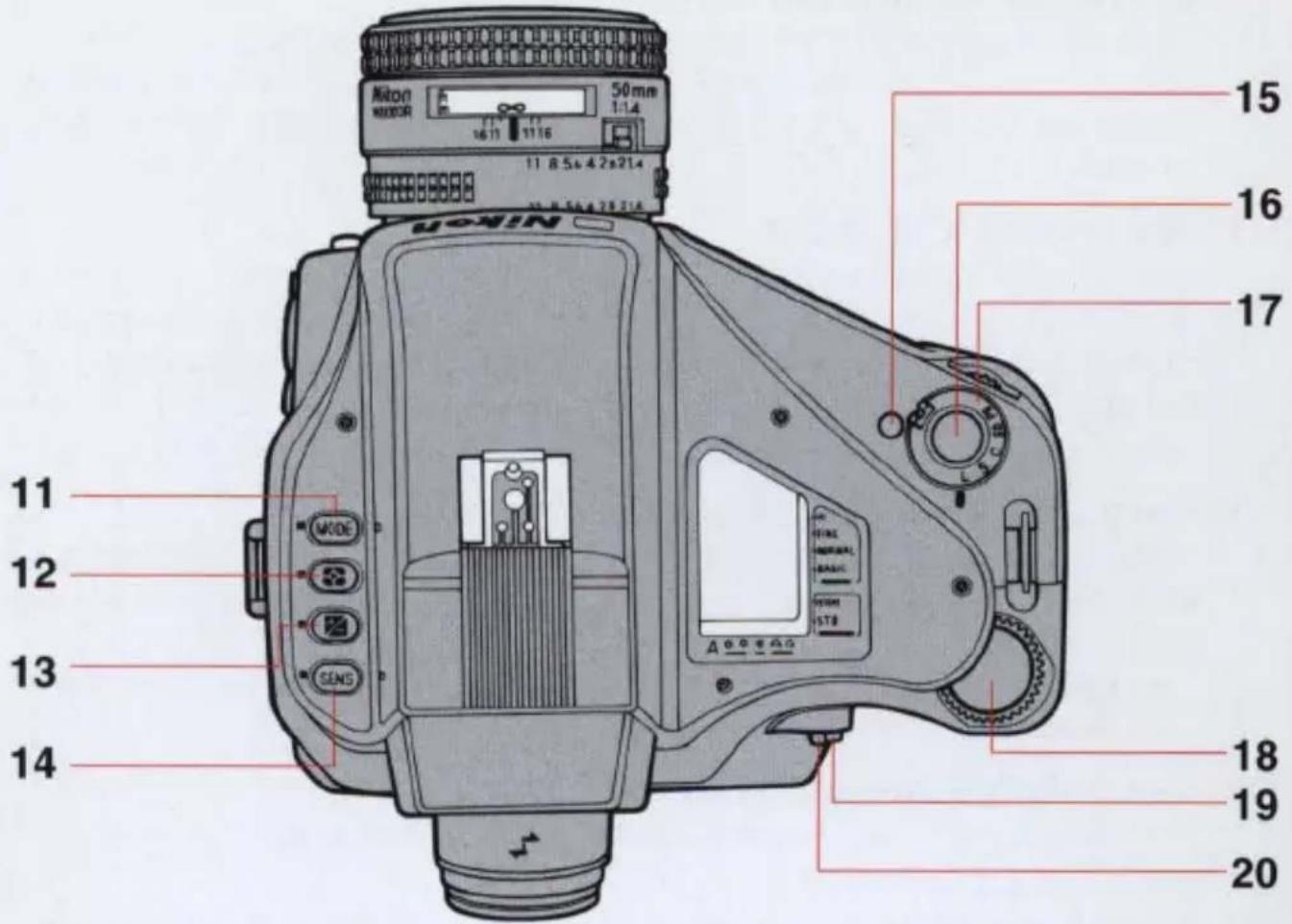
11 MODE (exposure mode) button (See page 35.)
12 Metering system button (See page 36.)
13 Exposure Compensation button (+/-) (See page 58.)
14 SENS (sensitivity selector) button (See page 41.)
15 Main dial lock-release button (See page 34.)
16 Shutter release button (See page 30.)
17 Main dial (L, S, C, SD*, PB) (See page 34.)
18 Command dial (See page 27.)
19 AF-L (Auto Focus Lock) button (See page 61.)
20 AF/AE-L (double lock) lever (See page 57.)
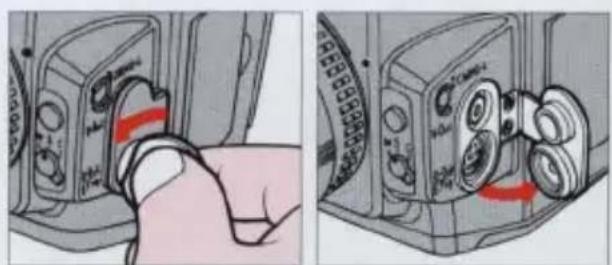
To remove the terminal cap: loosen the screw approx. two turns counter-clockwise.
To attach the terminal cap: first push the rubber portion of the cap back into place securely and tighten the screw by turning it clockwise.
natural_image
Two-panel illustration showing a hand pressing down on a camera module with red arrows indicating motion (no text or symbols)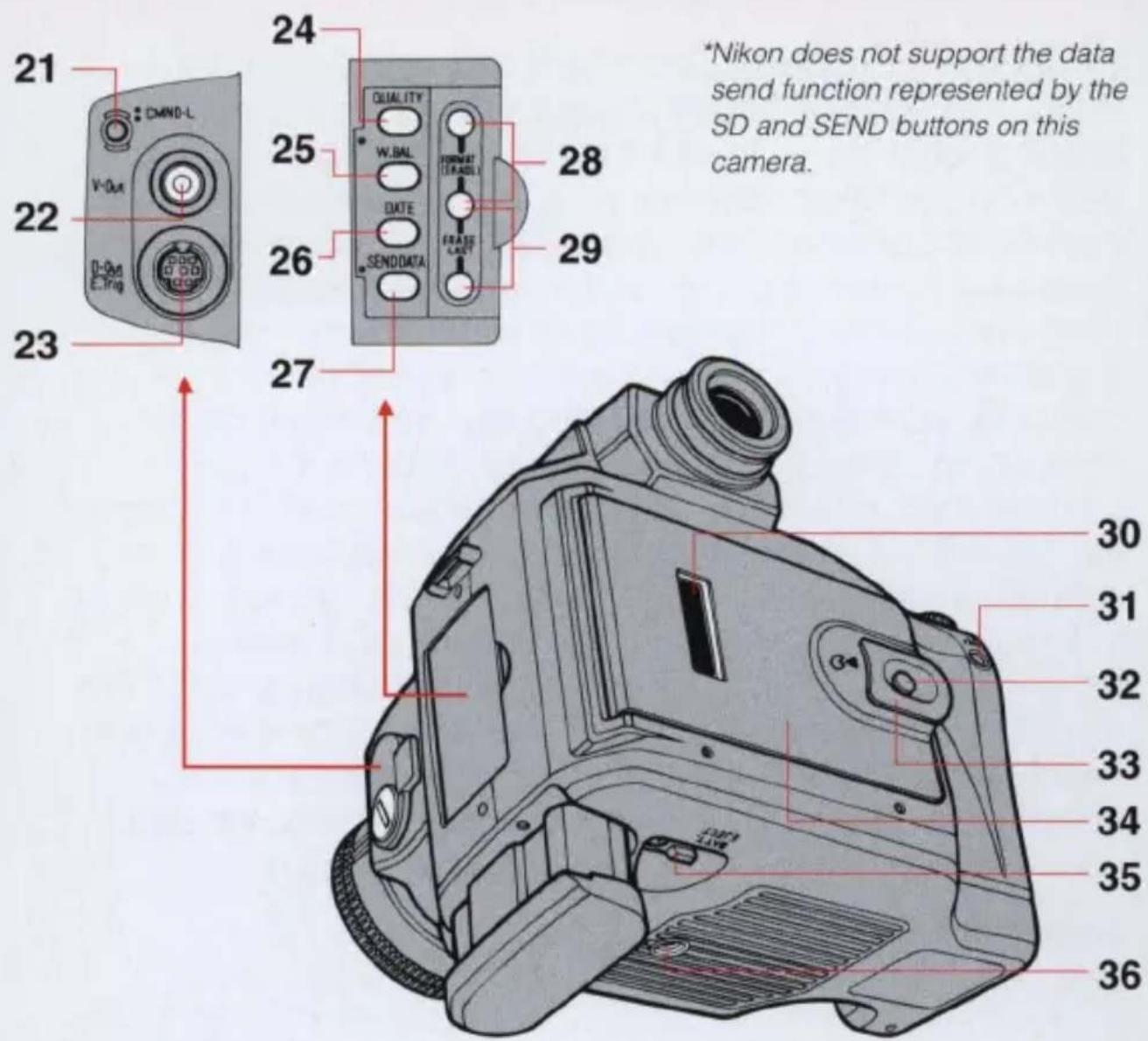
21 CMND-L (command lock) button (See page 46.)
22 V-Out (Video Output) terminal (See page 47.)
23 D-Out (Digital Output) / E. Trig. (External Triggering) terminal (See page 62.)
24 QUALITY (image quality) button (See page 37.)
25 W. BAL (white balance mode) button (See page 38.)
26 DATE (date setting) button (See page 23.)
27 SEND DATA (batch data transfer) button*
28 FORMAT (ERASE) buttons (See page 50.)
29 ERASE LAST (last data erase) buttons (See page 50.)
30 Image Memory Card confirmation window (See page 25.)
31 AE-L (Auto Exposure Lock) button (See page 56.)
32 Eject knob lock-release button (See page 24.)
33 Image memory card (PC card) eject knob (See page 24.)
34 Camera back (incorporating the Image Memory Card slot) (See page 24.)
35 Battery eject lever (See page 21.)
36 Tripod socket
Foreword
Thank you for choosing the Nikon Digital Still Camera E2/E2s. In addition to this camera's advanced digital imaging technology, it also includes many high-performance Nikon features such as Matrix metering, Autofocus operation and compatibility with Nikon's advanced Speedlight System for Automatic Balanced Fill-Flash, and wireless multiple flash photography. Through its digital technology, images taken and stored on the camera's accessory memory card can be viewed on a compatible computer (PC or Mac) or displayed on a TV monitor; through compatible computer software the images can be enhanced on screen and then printed using optional printing devices. We hope that you will enjoy using this professional Nikon product and that it will help you expand your professional opportunities in photography. We would appreciate hearing about your experience with your new Nikon E2/E2s camera. To ensure that you fully understand the operation of the E2/E2s camera, we urge you to thoroughly read this manual. Thank you.
About this manual
The instruction materials consist of the main manual and a separate Quick Reference sheet for easy reference. Read these manuals thoroughly in order to make the most of your camera's potential.
In the main manual, we begin with instructions on how to prepare the camera for shooting and move on to a variety of basic and advanced photographic techniques using all available functions. In the separate Quick Reference sheet, we explain some basic photographic procedures for taking pictures using the camera's simple and convenient functions.
Marks used in this manual
CAUTION
Denotes important points where caution or mandatory action is required.
NOTE
Useful points that should be remembered for future reference.
See page ...
Indicates the reference page.
General recommendations
Warranty/registration cards
Confirm that warranty and registration cards are included in this package. Please fill out all necessary items on your cards and send them without delay to your nearest Nikon service facility to ensure coverage under Nikon's stated guarantee.
Take some trial shots.
When you first handle your E2/E2s camera, and before going on an important assignment, be sure to test the camera and all its functions first. Should you find any problems, immediately take your camera to an authorized Nikon service center for repair.
—Nikon is not liable for any financial loss resulting from equipment malfunction.
■ Have Nikon check your camera regularly.
As this camera is a precision instrument, we recommend that customers have their camera serviced once every one or two years, and overhauled once every three to five years.
—We especially recommend these procedures if the camera is being used for commercial applications.
■ Use only Nikon-approved equipment
This camera has been designed for use in combination with Nikon lenses, speedlights and accessories.
—Using lenses or accessories other than those specified by Nikon may adversely affect the camera and cause damage.
—Please refer to the chart for a complete list of usable lenses. (See page 75.)
Note on copyright
Television programs, films, video tapes and other materials may be copyrighted. Unauthorized recording of such materials may be contrary to the provisions of the copyright laws.
Description of acronyms
NTSC....National Television System Committee, color television telecasting specifications adopted mainly in Japan and the U.S.
PAL ....Phase Alternation Line, a color television system adopted mainly by European countries and China.
JPEG....Joint Photographic Experts Group, a joint organization of the ISO and the CCITT promoting standard specifications for a graphic file coded compression system.
TIFF......Tagged Image File Format, a high density bit-mapped graphics format for scanned images.
PC Card ......Computer memory card complying with PCMCIA/JEIDA standards.
PCMCIA ...... Personal Computer Memory Card International Association.
JEIDA....Japan Electronic Industry Development Association
MS-DOS ......Microsoft Disk Operating System, a single-user operating system for personal computers.
SRAM card ....Static Random Access Memory card, an Image Memory Card incorporating SRAM memory devices.
ATA card ......A high-speed memory card complying with PC Card (ATA) specifications.
Contents
WARNING 2-5
Nomenclature 6-8
Foreword 9
About this manual 9
General recommendations....10
Description of acronyms 11
System chart 14
Major features....15
Viewfinder indications 16
LCD panel indications....17
Dedicated accessories 18
Preparations for taking pictures....19
Mounting and removing the lens 20
Installing and removing the battery 21
Checking battery power 22
Setting and checking date and time 23
Inserting the Image Memory Card 24-25
Basic camera settings 26
Selecting Programmed Auto mode 27
Holding the camera and composing the picture. 29
Focusing and shooting 30
Playing back the pictures 31-32
Functions and settings 33
Setting the frame advance mode 34
Setting the exposure mode 35
Setting the metering systems 36
Setting image quality....37
Adjusting white balance 38-40
Setting the sensitivity level 41
Setting the focus mode 42-44
Setting the six basic modes simultaneously 45
Command lock 46
Playing back pictures 47-49
Erasing data in the Image Memory Card 50
Advanced photography 51
Shutter-Priority Auto Exposure Mode 52
Aperture-Priority Auto Exposure Mode 53
Manual Exposure Mode 54-55
Exposure compensation 56-59
Autofocus with main subject off-center 60-61
External synchro-flash shooting 62
Remote photography (general) 63
Flash photography 64
Available Nikon Speedlights 65
Flash modes available with Nikon Speedlights 66
Notes on using the Speedlight 67
Taking flash pictures in TTL auto flash mode 68-69
Taking pictures in rear-curtain sync flash mode 70-71
Controls in detail 72
Usable lenses 73-74
Lens usability chart 75-76
Shutter speed and aperture 77
Special focusing situations 78
Downloading image data 79
Cleaning the camera's built-in lens 80-81
Image Memory Card 82
The dedicated Rechargeable Battery Pack 83-84
Troubleshooting 85-86
Optional accessories 87-89
EV chart for flash photography 90
Camera care tips 91-93
Specifications 94-96
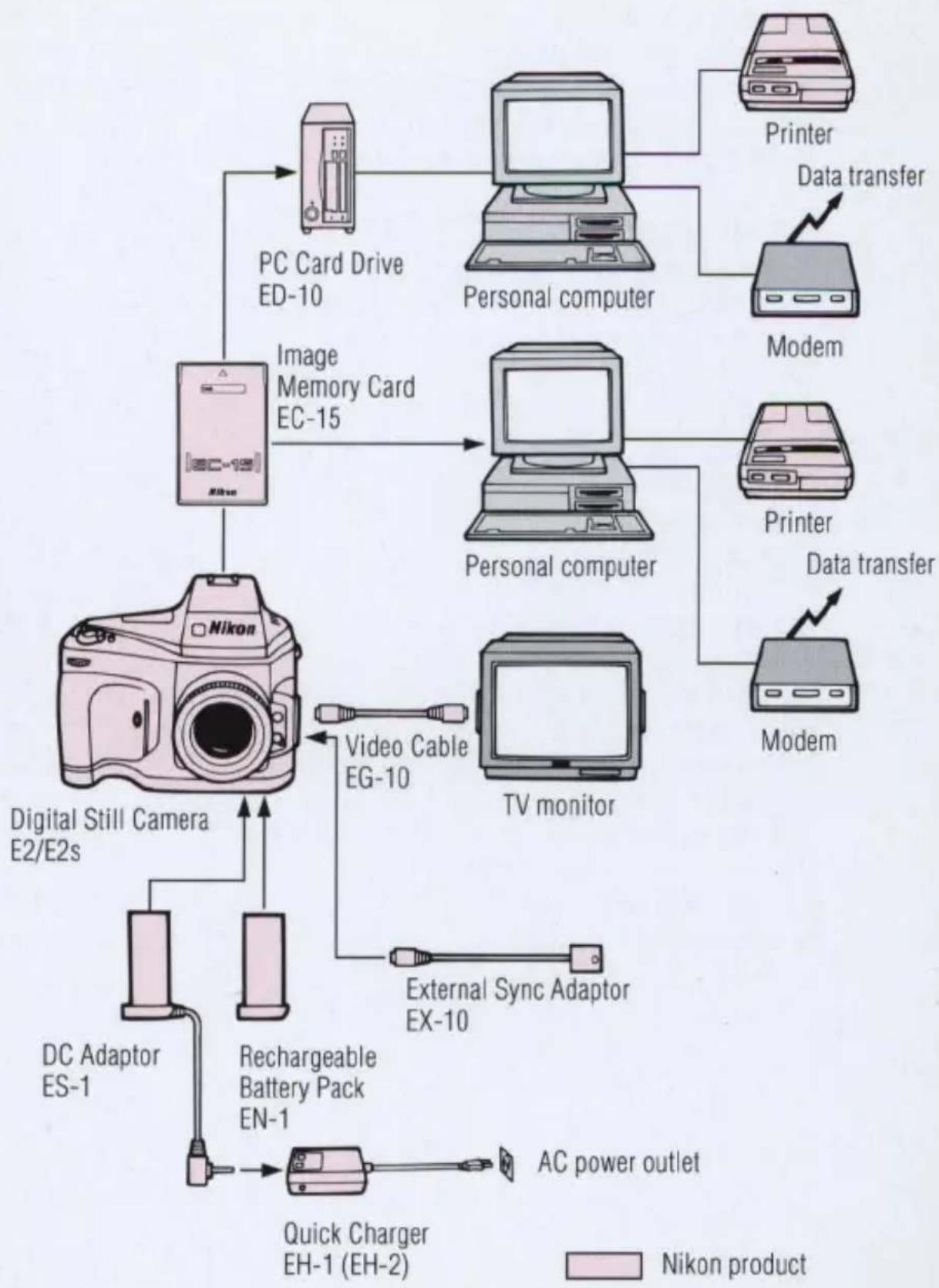
flowchart
graph TD
    A["Nikon Product"] --> B["PC Card Drive ED-10"]
    A --> C["Personal computer"]
    A --> D["Modem"]
    A --> E["Digital Still Camera E2/E2s"]
    A --> F["Video Cable EG-10"]
    A --> G["TV monitor"]
    A --> H["Rechargeable Battery Pack EN-1"]
    A --> I["DC Adaptor ES-1"]
    A --> J["Quick Charger EH-1 (EH-2)"]
    B --> K["Printer"]
    C --> L["Data transfer"]
    D --> M["Printer"]
    E --> N["Modem"]
    F --> O["External Sync Adaptor EX-10"]
    G --> P["AC power outlet"]
    style A fill:#f9f,stroke:#333
    style B fill:#ccf,stroke:#333
    style C fill:#ccf,stroke:#333
    style D fill:#ccf,stroke:#333
    style E fill:#ccf,stroke:#333
    style F fill:#ccf,stroke:#333
    style G fill:#ccf,stroke:#333
    style H fill:#ccf,stroke:#333
    style I fill:#ccf,stroke:#333
    style J fill:#ccf,stroke:#333
Major features
■ High resolution, high quality images
1.3 million pixel CCD (1280 x 1000 pixels) and digital image recording systems capture crisp full-color, high quality, high resolution pictures. Picture quality does not become degraded through repeated duplication.
■ JPEG image data compression system
You can record image data in either compressed or non-compressed format. The internationally recognized JPEG compression system is in use with this camera. Non-compressed images are stored as TIFF files, a standard image file format. Image files can be used in a variety of applications.
PC Card
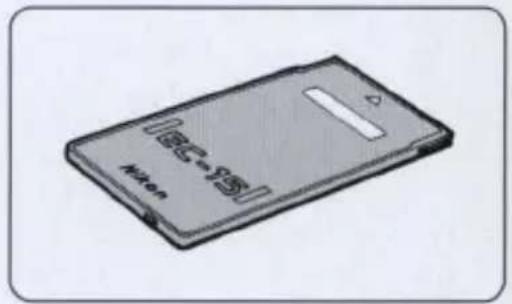
A PC card (Image Memory Card EC-15) complying with the PCMCIA and JEIDA standards is used for storing image data.
■MS-DOS file management system
This camera is compatible with the MS-DOS file management system. Image data can be transferred directly to a personal computer without the need for file conversion. Use PC Card Drive ED-10 or a computer with a built-in PC card slot.
AF and AE controls
High performance, high precision photography is possible due to Nikon F4 series camera-based AF and AE control systems.
■ Various interchangeable Nikon F-mount lenses
Most F-mount AF Nikkor and AI-type Nikkor lenses for Nikon 35mm SLR cameras can be used without any modification. Note: Please refer to the chart for a complete list of usable lenses. (See pages 75-76)
■ Built-in playback function
The camera comes with a video output terminal (NTSC and PAL) that allows you to playback exposed images on an external TV monitor.
■Built-in aperture control unit
A newly developed, high-precision aperture control unit is built into the camera to increase exposure accuracy. (You cannot set the aperture by turning the lens aperture ring.)
Viewfinder indications
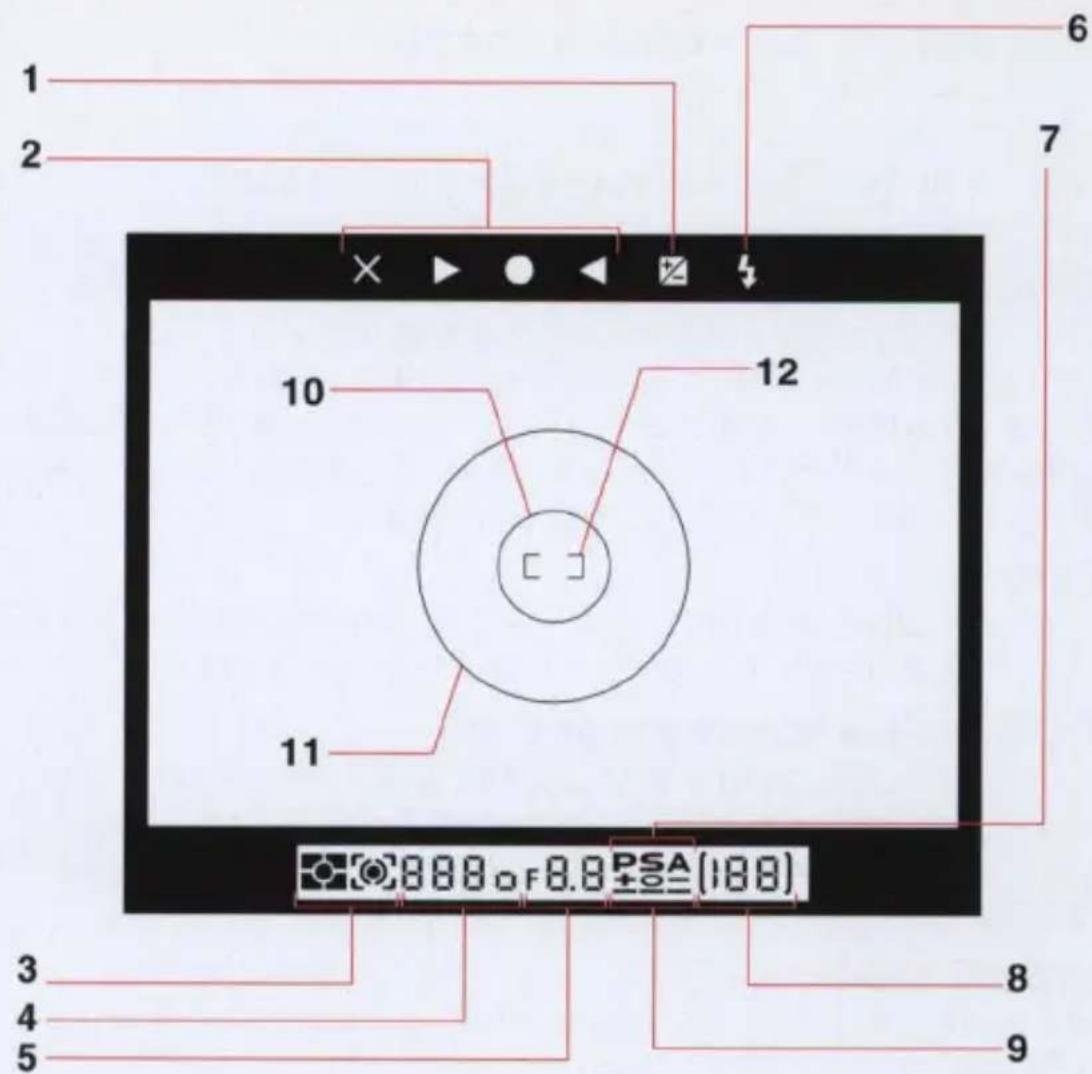
1 Exposure compensation
2 Focus indicators
3 Metering system
4 Automatically selected shutter speed (in P and A mode)
Manually selected shutter speed (in S and M mode)
5 Automatically selected aperture (in P and S mode)
Manually selected aperture (in A and M mode)
6 Flash-ready light
7 Exposure modes
P (Programmed auto mode)
S (Shutter-priority auto mode)
A (Aperture-priority auto mode)
8 Frame counter
9 Exposure indicators (in M mode)
10 5mm-dia. reference circle for spot metering
11 12mm-dia. reference circle for center-weighted metering
12 Focus brackets
A complete set of viewfinder indications are shown in the above illustration for purposes of reference only. All these viewfinder indications would never appear at one time in normal operation.
![1 2 3 4 5 6 7 8 9 CHANGE PROTECT FORMAT BODY CLOCK CARD F8.8 L8888 REMY COUNTD 18-8: [888] HI FINE NORMAL BASIC QUALITY HIGH STD SENSITIVE A WHITE BALANCE 10 11 12 13](/content/2026/05/840369/images/839fed210482cd0b68e37447ded49a982fd8840d8cd4d781296694fd8569f92f.jpg)
1 Exposure mode
2 Image Memory Card
3 Battery
4 Lock indicator
5 Aperture
6 Shutter speed
7 Frames-remaining counter
8 Exposure compensation
9 Metering system
10 Image quality
11 Frames-shot counter
12 Sensitivity
13 White balance mode
A complete set of indications are shown on the above LCD panel for purposes of reference only. All these indications would never appear at one time in normal operation.
• LCDs are temperature sensitive, and may turn black at high temperatures. They clear up when the temperature drops back to normal.
- In cold temperatures, LCDs may take longer to change the display mode. This is typical of LCDs and not a problem.
- It is common for an LCD to diminish in contrast after approximately 6 to 7 years. When the LCD in your E2/E2s exhibits reduced contrast, the LCD can be replaced by the Nikon Service Center for a fee.
• See pages 85-86 for details on LCD panel indications.
Dedicated accessories
The following accessories are not included with the E2/E2s, but are required for proper operation of the camera.
—See page 87 for other optional accessories.
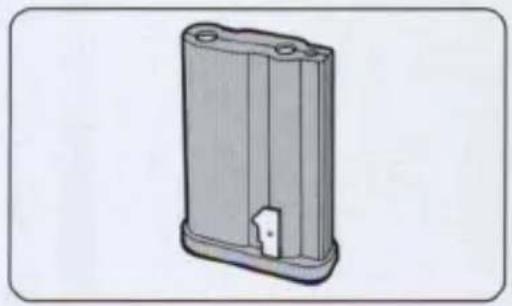
■ Rechargeable Battery Pack EN-1
The EN-1 is the dedicated NiCd battery pack for this camera. Be sure to charge the battery pack fully before using it for the first time.
—The battery pack was not charged when shipped from the factory.
—See page 83 for details about the battery pack.
natural_image
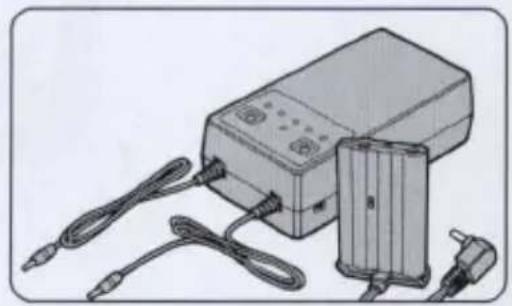
3D rendering of a rectangular mechanical housing with mounting holes and a small internal component (no text or symbols)■ Quick Charger EH-1\* (EH-2)\*\*
The EH-1 (EH-2) is the dedicated charger for rechargeable battery pack EN-1. It takes approx. 60 minutes to fully recharge the EN-1 (at room temperature).
—For more details, refer to the instruction manual provided with the Quick Charger.
—DC adaptor (ES-1) is provided.
natural_image
Illustration of an electronic device with cables and a battery pack (no text or symbols visible)Nikon Image Memory Card EC-15
The EC-15 Image Memory Card is a dedicated ATA PC card for this camera complying with PCMCIA Rel. 2.1 and JEIDA Ver. 4.2 standards. Be sure to initialize the card before using it for the first time. (See page 25.)
—See page 82 for details on the Image Memory Card.
natural_image
Illustration of a beige USB flash drive (no text or symbols visible)*The EH-1 is sold exclusively in the US and Canada.
**The EH-2 is sold outside the US and Canada.
Preparations for taking pictures
Mounting and removing the lens
Only the Nikkor lenses which are listed in the usability chart can be used with the E2/E2s. (See pages 75-76.)
—Be sure to set the Main dial to L. (See page 34.)
—Be careful not to touch, smear or damage the CPU contacts as this may cause the camera to malfunction. If this occurs, clean the contacts with a soft, clean, dry cloth.
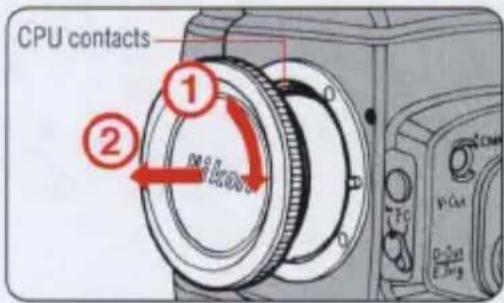
1 Removing the body cap
Rotate the body cap clockwise to remove.
Mounting the lens
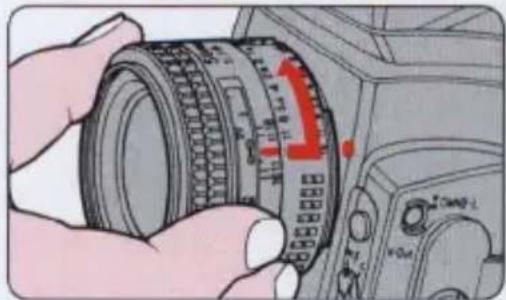
Mount the lens by aligning the distance/aperture index line on the lens with the lens mounting index on the camera. Rotate the lens counter-clockwise until it locks into place.
—Do not press the lens release button when mounting the lens.
natural_image
Illustration of a hand holding a camera lens with a red arrow indicating the lens's direction (no text or symbols present)Removing the lens
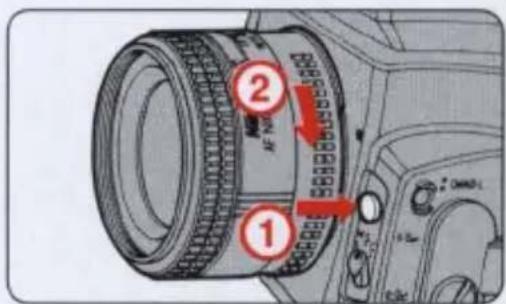
Depress and hold the lens release button; securely grip the lens and rotate it clockwise, in the direction of the arrow.
When leaving the camera without a lens
Attach the body cap to the camera body; align the indexes on both the cap and the body, and rotate the cap counter-clockwise as far as it will go.
If the lens release button remains stuck in the pressed position
Make sure you rotate the lens until the lens release button returns back to the normal position with a click.
Installing and removing the battery
Use the Rechargeable Battery Pack EN-1. The battery pack was not charged when shipped from the factory. You must charge the battery fully before installing it for the first time. (See page 83.)
—Never touch the battery pack's metal port with another metal object.
—Be sure to set the Main dial to L when installing and removing the battery pack.
—See page 83 for handling batteries.
1 Fully recharging the battery pack
Use dedicated Quick Charger EH-1 (EH-2). A full recharge takes approx. 60 minutes.
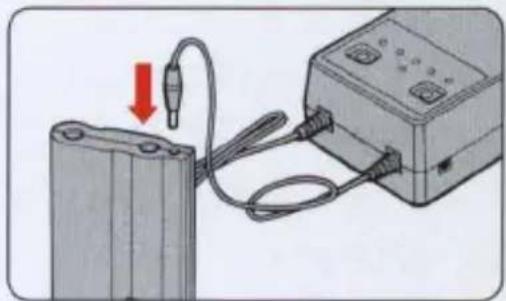
natural_image
Diagram showing a battery connected to an electrical device via cable, with a red arrow indicating the cable's direction (no text or symbols present)Installing the battery pack
Install the fully charged battery pack (EN-1) into the battery chamber at the bottom of the camera and push it down until it locks into place.
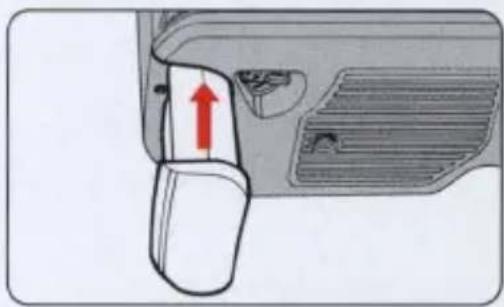
natural_image
Diagram of a car door handle with a red arrow indicating a movement or force (no text or symbols present)Removing the battery pack
Turn the battery eject lever in the direction of the arrow; the battery pack then pops out and can be removed.
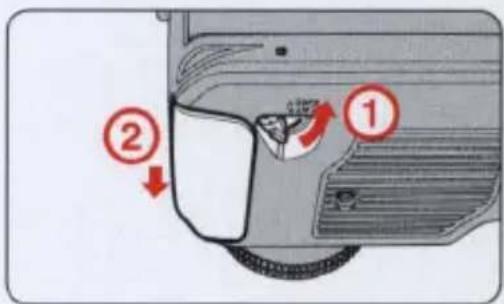
Checking battery power
Be sure to check the camera's battery power after installing a fresh battery pack or prior to taking photographs in order to avoid accidental failure.
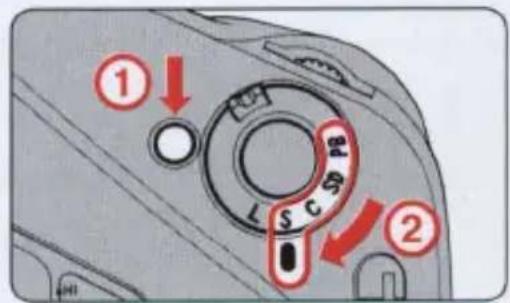
1 Set the Main dial to any position other than L. Confirm that the indicators appear in the LCD panel and inside the viewfinder.
While pressing the Main dial lock-release button, rotate the Main dial.
—If no indicators appear, reinstall the battery pack. (See page 21.)
2 Confirm that no warning indicator appears.
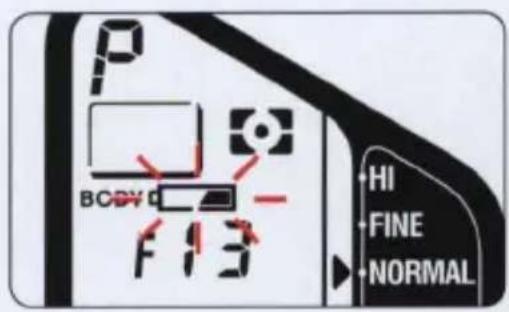
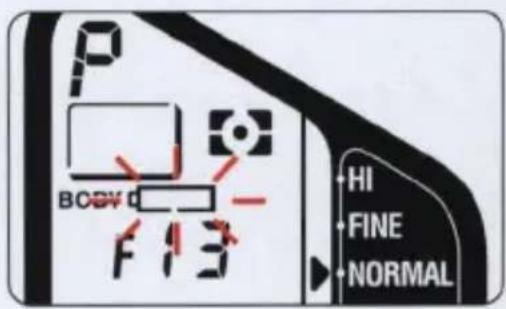
If the □ mark (insufficient battery power indicator) blinks in the LCD panel, the battery is weak. Replace with a fully charged battery.
—If you continue to use the camera with the indicator blinking, the camera may not work correctly.
If the □□ mark blinks in the LCD panel, immediately replace the battery with a fully charged one.
—Battery power is exhausted.
Setting and checking date and time
You can check the current data by pushing the DATE button. The display in the LCD panel changes in the following order: Year, Month, Day, Hour, and Minute as you push the DATE button.
To correct the data, adjust in the following way.
—You cannot check and adjust the data when the Main dial is set to PB.
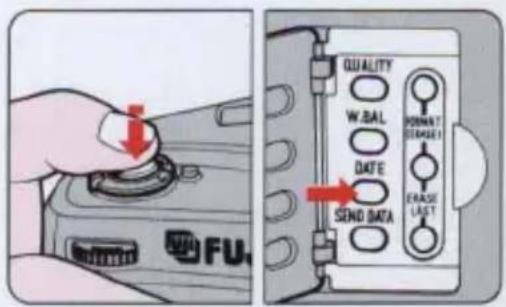
1 Press the shutter release button halfway and push the DATE button.
Push the DATE button for at least one second so that the "year" section starts to blink. Next remove your finger from the shutter release button.
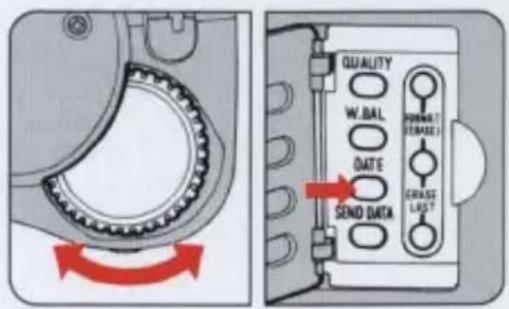
2 Rotate the command dial to set the correct "year" and push the DATE button.
Rotate the command dial counter-clockwise to increase the setting values, and rotate clockwise to decrease the setting values. Then push the DATE button again, and the "month" section starts to blink.
3 Follow the same procedure to set the "month," "day," "hour" and "minute."
Rotate the command dial to set the correct "month", "day," "hour" and "minute," and push the DATE button. When the "minute" is set and the DATE button is pushed, the clock starts working.
—The clock only starts working from 00 sec. when the "minute" setting is corrected.
—If the camera is left untouched in the date/time setting mode for more than 90 seconds, the LCD panel returns to the normal display mode.
—If the shutter is released while date/time setting is in progress, the date/time setting mode will be canceled, and all data set will be invalid.
Inserting the Image Memory Card
Use the Nikon Image Memory Card EC-15 and be sure to initialize the card before using it for the first time.
—The Image Memory Card EC-15 is an ATA PC card and is in compliance with the PCMCIA Rel. 2.1 and JEIDA Ver. 4.2 standards.
—See page 82 for details on the Image Memory Card.
Inserting the Image Memory Card
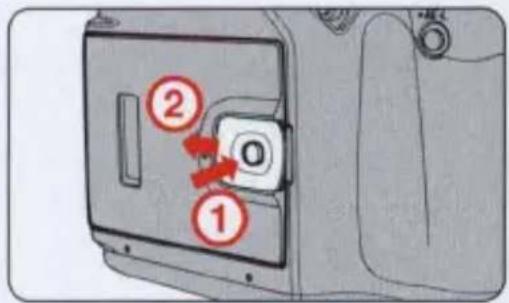
1 Opening the camera back
Holding down the eject knob lock-release button, slide the Image Memory Card eject knob in the direction of the arrow to open the camera back.
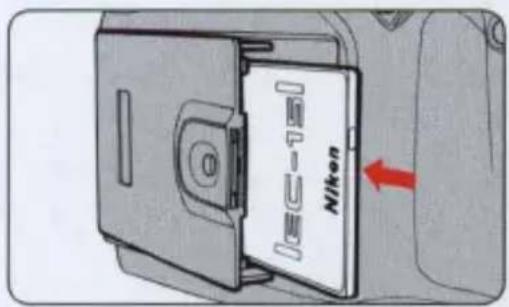
Inserting the memory card
Holding the Image Memory Card face up (with the ◀ arrow pointing left), insert it into the card slot in the camera back.
—Never touch the terminals with your finger or with a metallic object.
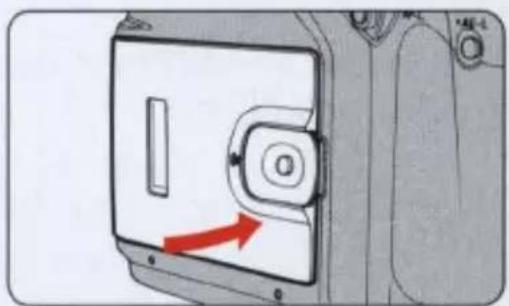
2 Closing the camera back
Close the camera back by pushing it down carefully until it clicks shut.
—If the camera back is not shut properly, a warning indicator appears in the LCD panel and the viewfinder. (See page 85.)
natural_image
Diagram of a device with a red arrow pointing to a panel, no text or symbols present4 LCD confirmation
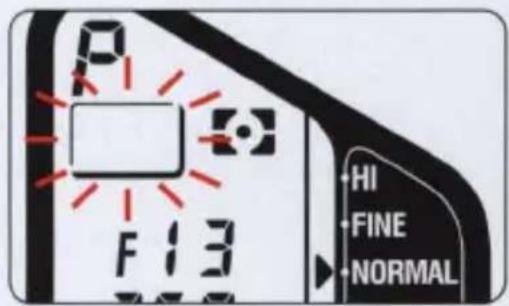
The Image Memory Card indicator appears in the LCD panel and the viewfinder.
CAUTION
- If no memory card is inserted, the Image Memory Card indicator in the LCD panel and the viewfinder blinks as a warning. You should then insert an Image Memory Card.
• To confirm that an Image Memory Card is inserted, look at the Image Memory Card confirmation window. - Be aware that the camera will function even with no Image Memory Card inserted.
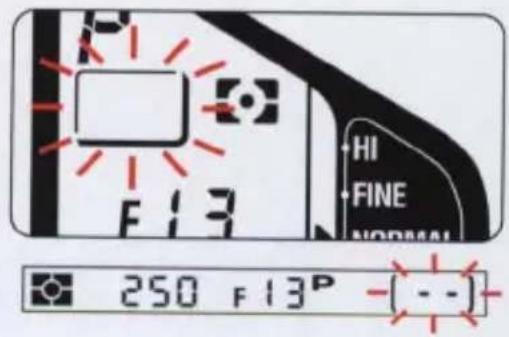
Initializing (formatting) the card
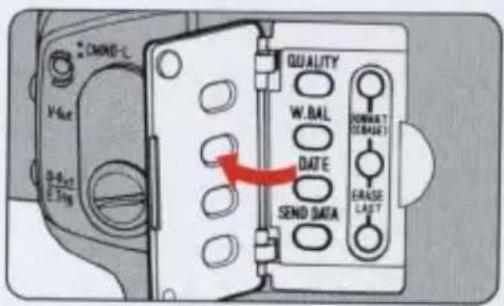
1 Open the cover on the camera side.
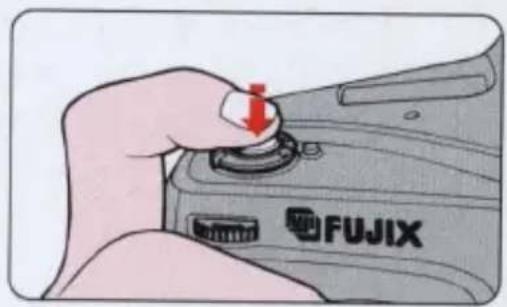
2 Press the shutter release button halfway.
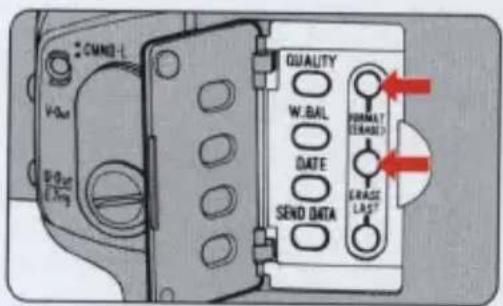
3 Press the FORMAT (ERASE) buttons simultaneously for at least one second to start initializing the Image Memory Card.
—When the initialization is complete, the frame counter advances to "1".
—Initializing time depends on the type and capacity of the memory card.
CAUTION
Any data in the memory card will be deleted during initialization.
• This data will not be recoverable.
• Take special care when initializing a memory card other than for the first time.
Basic camera settings
The following lens type and settings selection provide highly automatic, convenient operation. You may use any usalbe Nikkor lens or make any combination of settings according to your preferences or picture taking requirements.
• Lens: AF Nikkor lens
- Exposure mode: P (Programmed auto)
- Metering system: Matrix metering
• Image quality: NORMAL
• White balance: Auto (A)
• Sensitivity: STD (Standard)
To automatically and quickly reset the camera to the preceding settings, press the MODE button and SENS button simultaneously. (See page 45.)
Selecting Programmed Auto mode
Programmed Auto is ideal for quick operation and is the simplest method for exposure control. Use this mode for most general photographic situations.
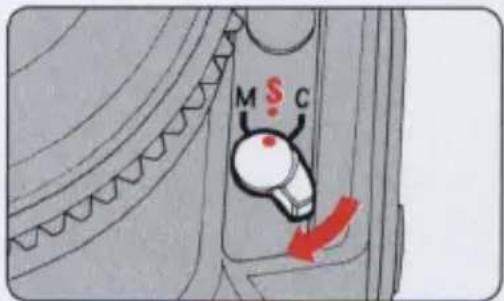
1 Set the focus mode to S.
Rotate the focus mode selector to S (Single Servo Autofocus).
—See page 42 for details on focus modes.
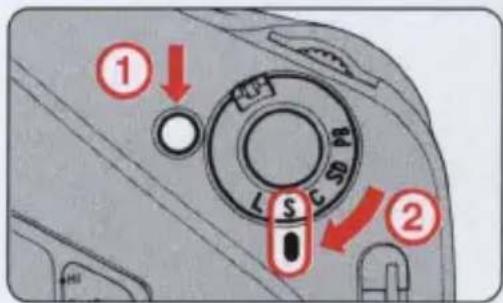
Set the frame advance mode to S.
While pressing the Main dial lock-release button, rotate the Main dial to S (Single-frame shooting).
—See page 34 for details on the frame advance mode.
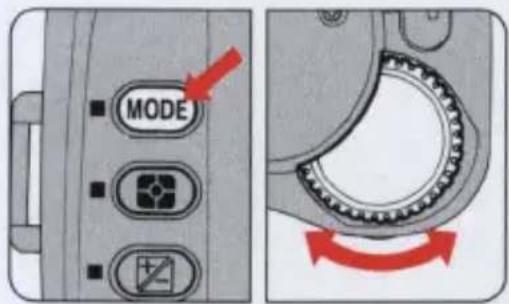
2 Set the exposure mode to P.
Keeping the MODE button pressed, rotate the command dial to set the exposure mode to P (Programmed Auto) mode.
—See page 35 for details on the exposure mode.
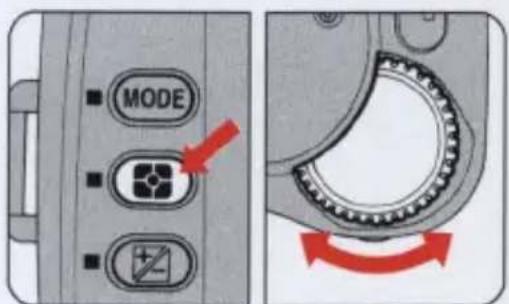
4 Set the metering system to ⚙.
While pressing the metering system button, rotate the command dial to set the metering system to Matrix Metering ☐.
—See page 36 for details on metering systems.
Selecting Programmed Auto mode
5 Set the image quality to NORMAL.
Keeping the QUALITY button pressed, rotate the command dial to set the image quality to NORMAL.
—See page 37 for details on image quality.
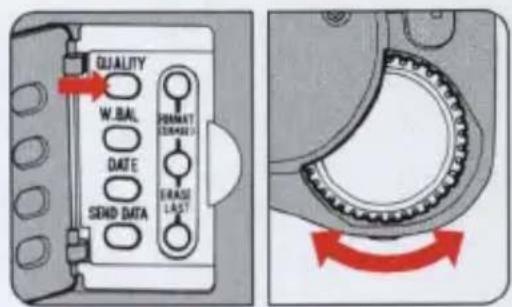
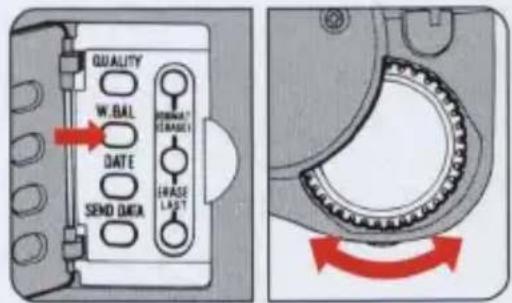
6 Set the white balance to A.
While pressing the W.Bal button, rotate the command dial to set the white balance to A (auto)
—See page 38 for details on white balance.
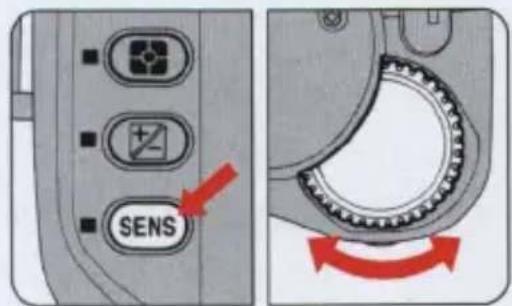
7 Set the sensitivity to STD.
While keeping the SENS button pressed, rotate the command dial to set the sensitivity to STD (standard).
—See page 41 for details on sensitivity.
Holding the camera and composing the picture
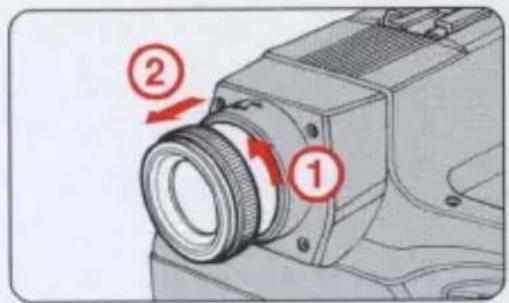
1 Adjust the eyepoint.
You can select the best viewing position by adjusting the eyepoint. Eyeglass wearers will benefit from pushing in the eyepiece, while others can pull the eyepiece out for better viewing.
To pull the eyepiece out, rotate the eyepiece ring counter-clockwise until it comes off the thread, and pull it out until it stops. Then rotate the eyepiece ring counter-clockwise to secure it.
—To push the eyepiece in, repeat the same operation in reverse.
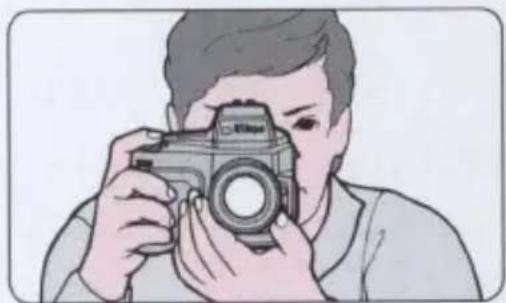
2 Hold the camera and look through the viewfinder.
Hold the camera steady to avoid camera shake or incorrect focusing.
—In autofocus mode, keep your hands off the lens focusing ring when shooting.
natural_image
Illustration of a person holding a camera, no text or symbols presentCompose the picture.
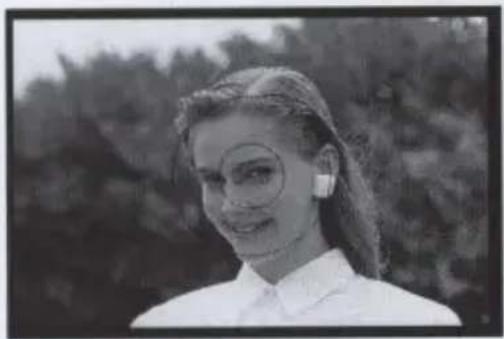
Position the focus bracket on the main subject and compose.
—If the main subject is off-center, use the AF-L button. (See page 60.)
natural_image
Black-and-white portrait of a woman wearing glasses and a white top, outdoors with blurred foliage background (no text or symbols visible)Focusing and shooting
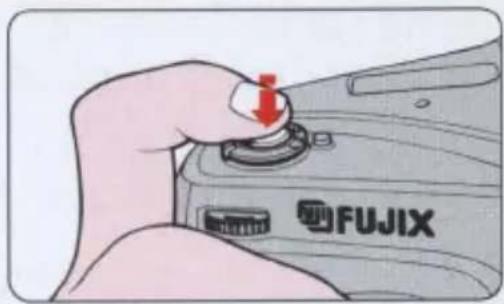
1 Set the Main dial to any position other than L, and press the shutter release button halfway.
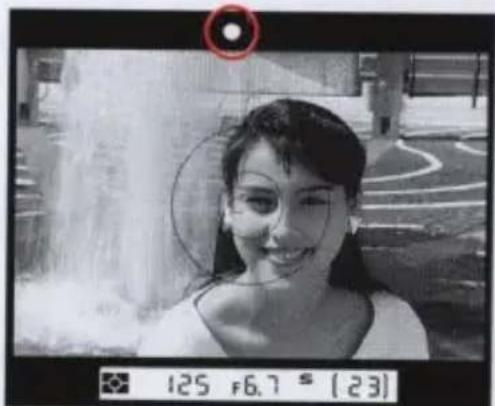
Confirm that the in-focus indicator ● appears in the viewfinder.
—In autofocus mode, keep your hands off the lens focusing ring when shooting.
NOTE
Shutter release operation
- Press the shutter release button lightly to power the camera ON; indicators appear in the LCD panel and inside the viewfinder.
- Power-hold timer allows the indicator illumination to last for 16 seconds after you remove your finger from the shutter release button.
- Fully depress the shutter release button to take pictures.
2 Confirm that the in-focus indicator ● appears and release the shutter to take a picture.
Also confirm that the shutter speed and aperture indicators are visible.
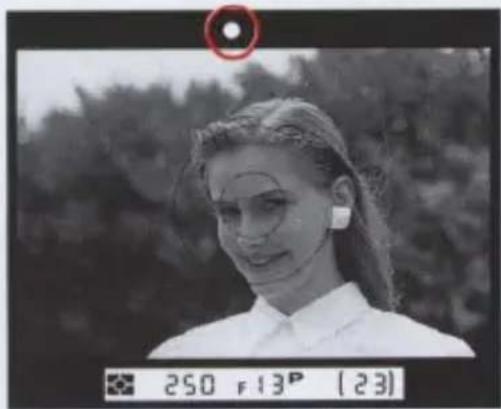
If the following indications appear:
| × | Autofocus is not possible. (See page 78.) |
| ▶ | The subject is out of focus and the area in front of the subject is in focus. (See page 86.) |
| ◀ | The subject is out of focus and the area behind the subject is in focus. (See page 86.) |
| Hi, Lo | Out of exposure control range (overexposure or underexposure alert) (See page 86.) |
Check the frame counter.
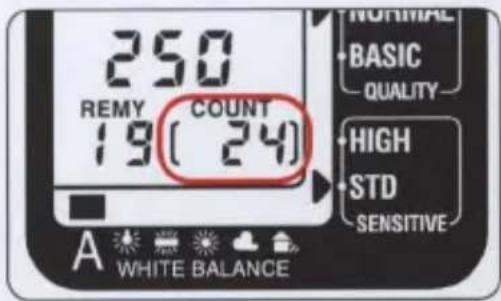
Each time the shutter is released, the frames-shot counter advances to the next frame number, while the frames-remaining counter counts down by one frame. When the memory card is full, "0" blinks in the LCD panel to alert you, and the shutter locks up.
Playing back the pictures
The camera has a built-in video output terminal that enables you to immediately playback the exposed images on a TV monitor with a video input terminal.
—Both NTSC and PAL color television systems are available with this camera. See page 48 for switching from the NTSC to the PAL system or vice versa.
1 Connect the camera to a TV monitor.
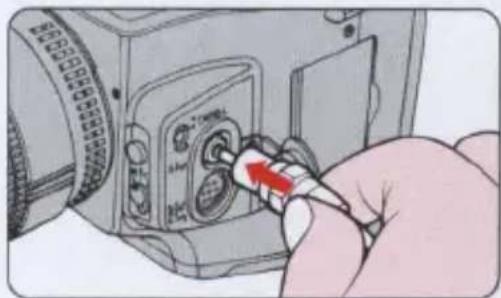
Connect the Video Cable EG-10 (provided) to the camera's video output terminal and the monitor's video input terminal.
—See page 7 on removing the terminal cap.
natural_image
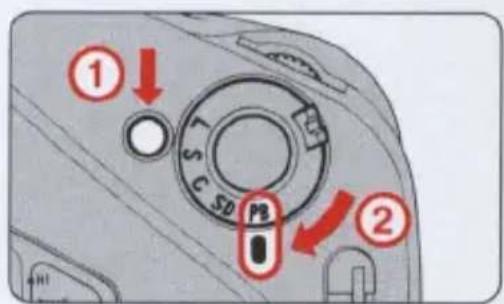
Hand inserting a USB into a camera module (no text or symbols visible)2 Rotate the Main dial to PB (playback).
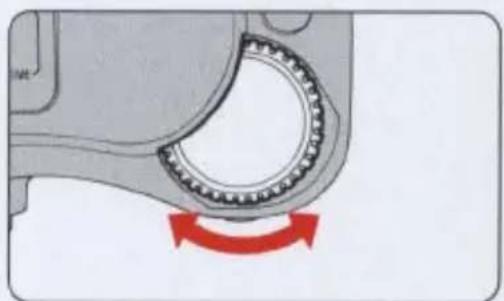
Rotate the command dial.
Rotate the command dial once in either direction to playback one frame.
—When you wish to playback a particular frame, first rotate the command dial while pressing the SENS button to specify the frame number, then remove your finger from the SENS button.
natural_image
Mechanical component with a rotating bearing and red directional arrow indicating rotation (no text or symbols)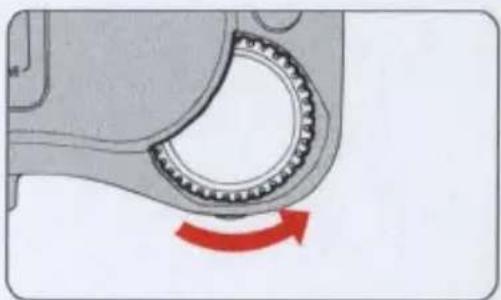
natural_image
Mechanical component with a ball bearing and red motion arrow indicating rotational motion (no text or symbols)Playing back the pictures
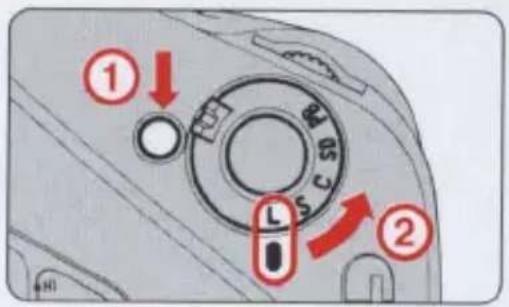
4 When finished, rotate the Main dial to L.
Camera power will turn OFF automatically after approx. 3 minutes when the camera is not in use. We recommend setting the Main dial to L to conserve battery power.
Functions and settings
This section explains basic camera functions and how best to utilize them to obtain optimum results in a variety of photographic situations.
When setting the exposure mode, metering system, image quality, white balance and sensitivity, be sure to set the Main dial to any position other than L, lightly press the shutter release button and make your selection within 16 seconds.
New settings for this camera
In most ways, this camera is no different than other Nikon professional 35 mm SLR cameras. However this camera differs in one significant way: you are no longer creating an image on film, but instead reproducing an image on a memory card. Therefore, you are now required to pay attention to three new settings which pertain to digital technology: image quality, white balance and sensitivity.
Setting the frame advance mode
The Main dial turns the power ON and OFF, and selects shooting, data transfer and playback modes.
While pressing the Main dial lock-release button, rotate the Main dial to the desired mode.
—Make sure that the Main dial clicks into position.
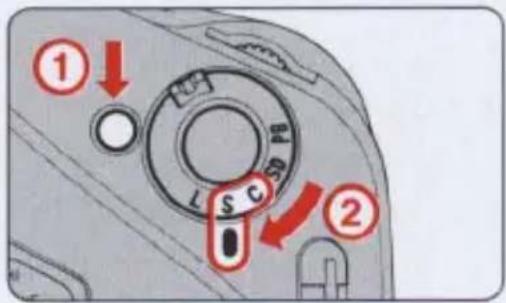
L: Camera power is OFF.
Set the Main dial to L when the camera is not in use to preserve battery power and prevent accidental release of the shutter.
S: Single-frame shooting mode
Shooting operation is limited to one frame at a time.
C: Continuous shooting mode
Shooting operation continues as long as the shutter release button is depressed.
| Model | Shooting speed | Max. number of frames |
| E2 | 1 frame/sec.*1 | — |
| E2s | Approx. 3 frames/ sec.*2 | 7 frames/sec.*3 |
*1 A shutter speed faster than 1/250 sec. is selected and image quality is set to BASIC (when using Image Memory Card EC-15).
*2 A shutter speed faster than 1/250 sec. is selected.
*3 One shooting operation comprises a maximum of 7 frames. An interval of approx. 7 seconds is required before proceeding to the next shooting operation (when using Image Memory Card EC-15).
SD: Digital output mode.
The shutter can be released but no image will be recorded on the Image Memory Card.
PB: Playback mode
Image data stored in the memory card can be played back on a TV monitor.
Setting the exposure mode
This camera offers four exposure modes: Programmed Auto (P), Shutter-Priority Auto (S), Aperture-Priority (A) and Manual (M).
—If no lens is mounted, the exposure mode is automatically set to M and the exposure mode indicator blinks in the viewfinder to alert you.
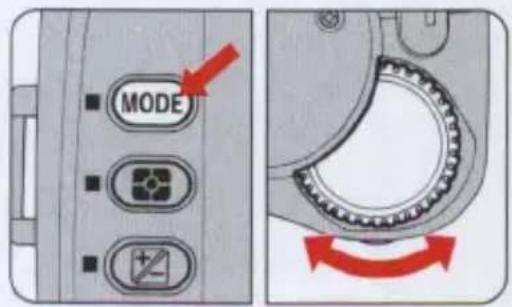
Set the Main dial to either S, C or SD, press the shutter release button halfway and rotate the command dial while pressing the MODE (exposure mode) button.
The exposure mode indicators in the LCD panel appear in sequence as shown below.

P: Programmed Auto Exposure Mode
The camera's microcomputer automatically selects a combination of shutter speed and aperture. This mode is recommended for most common shooting situations as well as for users who are new to 35mm SLR photography, and for those situations when there is no time to fine tune exposure settings.
S: Shutter-Priority Auto Exposure Mode
You set the shutter speed manually using the command dial. The camera automatically selects the proper aperture to match the manually selected shutter speed for correct exposure.
A: Aperture-Priority Auto Exposure Mode
The camera automatically selects the correct shutter speed to match the aperture you have set. We recommend this mode when depth-of-field is a prime consideration.
M: Manual Exposure Mode
Both shutter speed and aperture can be set manually to achieve the desired effect. Adjust aperture and/or shutter speed referring to the over/correct/under exposure indicators.
Setting the metering systems
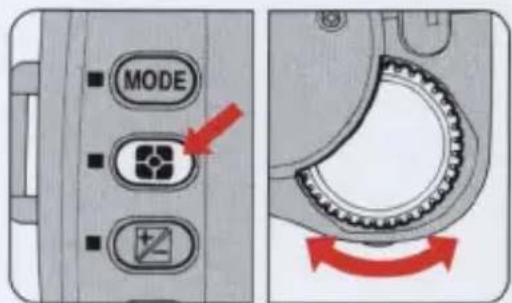
This camera features three types of exposure metering systems—Matrix Metering, Center-Weighted Metering and Spot Metering.
Rotate the command dial while pressing the Metering system button.
—The metering system indicators in the LCD panel appear in sequence as shown below.

flowchart
graph LR
    A["●"] --> B["○"]
    B --> C["•"]
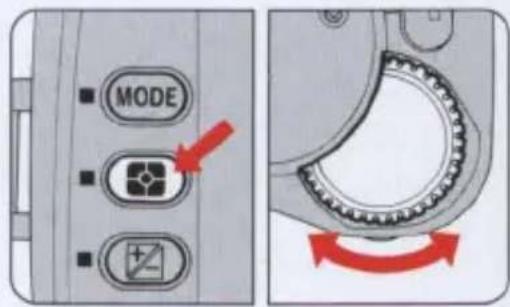
: Matrix Metering
Data on scene brightness and contrast are detected by the camera's 5-segment advanced matrix sensor. By analyzing these data, the camera's built-in computer is able to provide correct exposure even in extremely complex lighting situations.
: Center-Weighted Metering
This system concentrates the meter's sensitivity on the 12mm-dia. circle in the viewfinder. This type of metering is useful in situations where you want to base exposure on a specific, centrally located area in the scene.
[•]: Spot Metering
Most of the meter's sensitivity is concentrated in the 5mm-dia. circle in the center of the viewfinder. This meter is effective when precise measurement of a particular portion of the subject is required.
Setting image quality
Depending on the effect you wish to achieve, four image quality modes are provided with this camera. Pictures taken in Hi image quality mode are uncompressed images with much detail, while pictures taken at the Basic setting have lower quality due to high compression. It follows that more frames can be shot using the Basic mode than the Hi mode, as uncompressed images take up a considerable amount of memory space (see chart below for details).
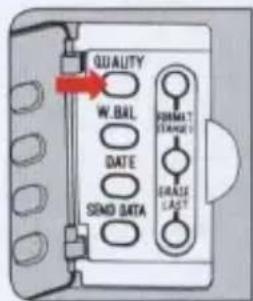
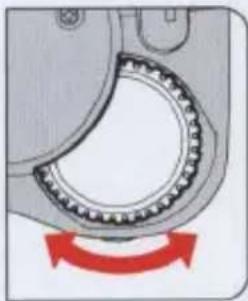
While pressing the QUALITY button, rotate the command dial.
—The ▶ arrow in the LCD panel points to one of the following settings.
BASIC — NORMAL — FINE — HI
natural_image
Mechanical gear meshing with red motion arrow indicating rotational motion (no text or symbols)Refer to the table below for mode specifications and corresponding number of frames.
| Image quality mode | Image compression factor | Data size per frame | Min. number of frames per EC-15 (15 MB) |
| HI | Non compression | Approx. 2.45MB | 5 |
| FINE | 1/4 (4 bit/pixel) | Approx. 640KB | 21 |
| NORMAL | 1/8 (2 bit/pixel) | Approx. 320KB | 43 |
| BASIC | 1/16 (1 bit/pixel) | Approx. 160KB | 84 |
—Select HI mode when image quality is a priority.
—Select BASIC mode when the number of frames is a priority.
Adjusting white balance
In order to ensure proper white balance, an Auto white balance mode and five manual white balance modes are provided with this camera. For most scenes, select the auto white balance mode. Choose the manual modes for particular lighting situations. We recommend that you experiment with the various settings until you are fully familiar with them.
—When using a speedlight in external synchro-flash shooting mode, the white balance is adjusted between subject brightness and the light from the flash.
NOTE
Human vision adapts to illumination color so that a white subject remains white even when the illumination color changes. Not so for video cameras and digital cameras. They have to adjust color and white balance depending on background illumination in order for a white subject to appear white under varying illumination.
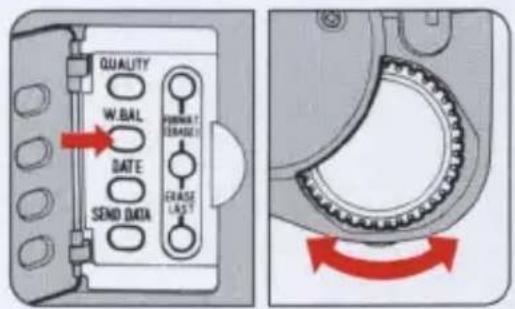
While pressing the W.Bal button, rotate the command dial to change the mode.
—The ■ mark in the LCD panel settles above one of the following symbols.

A : Auto white balance mode
White balance is adjusted automatically by measuring the color temperature of light passing through the white balance window. —If insufficient light passes through the white balance window, the color temperature is adjusted at 5100° K.

: Incandescent light mode
Suitable for shooting under incandescent light. The color temperature is fixed at 3000° K (halogen lamp).

: Fluorescent light mode
Suitable for shooting under fluorescent light. The camera measures the color temperature of the light passing through the white balance window and makes adjustments for either daylight, white, or cool white fluorescent light. Color temperature at 6700° K (daylight fluorescent light) Color temperature at 5000° K (white fluorescent light) Color temperature at 4200° K (cool white fluorescent light) —If insufficient light passes through the white balance window, the color temperature is set at 4200°K (white fluorescent light).

: Fine mode
Suitable for shooting a front-lighted subject in fine weather. The color temperature is set at 5300° K (natural light).

: Cloudy mode
Suitable for shooting in cloudy weather. The color temperature is set at 6500° K (natural light).

: Shade mode (fine weather)
Suitable for shooting shaded subjects such as someone standing in the shadow of a building in fine weather. The color temperature is set at 8000° K (natural light).
CAUTION
In the following situations, auto white balance mode (A) will not function.
- Taking pictures where the illumination at the camera and the subject differs, such as taking pictures of an outdoor subject from inside a room, or shooting a spot-lighted subject on a stage.
• Taking pictures in mixed light sources. For example, taking pictures at a party with fluorescent lights, incandescent lights, etc.
• Taking pictures in special light sources. For example, sodium lamps or other special lighting sources.
NOTE
Color temperature
The color temperature of most illumination sources varies in tones ranging from reddish to bluish. These colors are subject to change depending on individual perception. In order to represent the color of light objectively, we use a color temperature scale expressed in absolute temperature (°K). As shown below, the lower the color temperature, the more reddish the light becomes, and the higher the color temperature the more bluish it becomes.
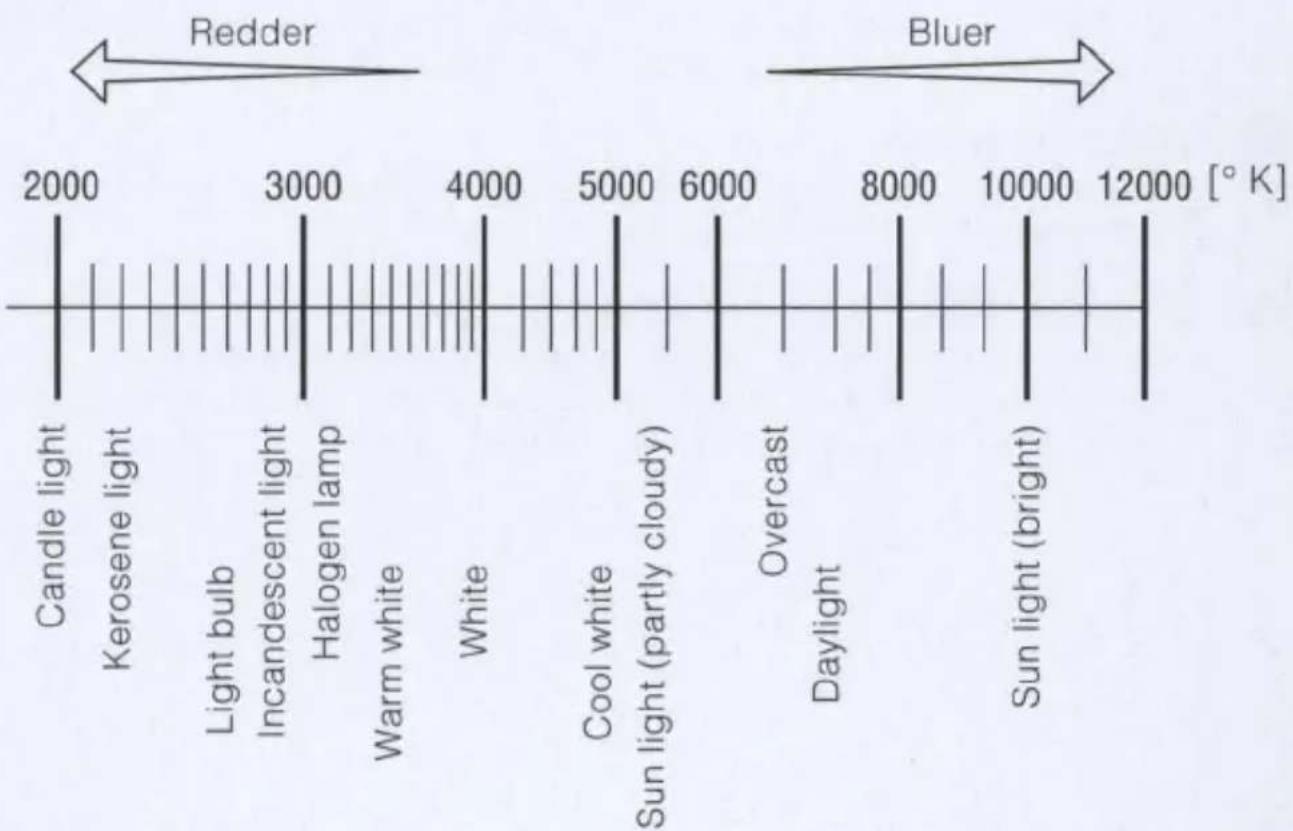
line
| Component | Temperature Range (°K) | |-----------------------|------------------------| | Candle light | 2000 - 3000 | | Kerosene light | 2000 - 3000 | | Light bulb | 2000 - 3000 | | Incandescent light | 2000 - 3000 | | Halogen lamp | 2000 - 3000 | | Warm white | 2000 - 4000 | | White | 2000 - 4000 | | Cool white | 2000 - 5000 | | Sun light (partly cloudy) | 2000 - 6000 | | Overcast | 2000 - 6000 | | Daylight | 2000 - 8000 | | Sun light (bright) | 2000 - 12000 |Setting the sensitivity level
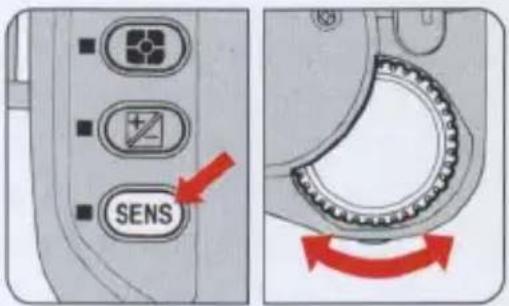
Two shooting sensitivity levels equivalent to film speeds of ISO 800 (STD) and ISO 1600 (HIGH) can be selected. Set the sensitivity to "STD" when taking pictures outside in bright weather, and "HIGH" for dark interiors.
While pressing the SENS button, rotate the command dial in either direction to alter the sensitivity.
—The ▶ arrow in the LCD panel points to one of the following settings.
STD — HIGH
NOTE
Sensitivity and film speed
This camera's shooting sensitivity is equivalent to ISO film speeds of 800 and 1600. Equivalent shutter speed/f-stop combinations can be calculated based on this ISO rating. For example, to compare traditional film to digital, at 1/250 second for the same scene brightness, the E2 might use f/6.7 at ISO 800 which would be equivalent to f/2.8 at ISO 150 on a regular Nikon SLR.
Setting the focus mode
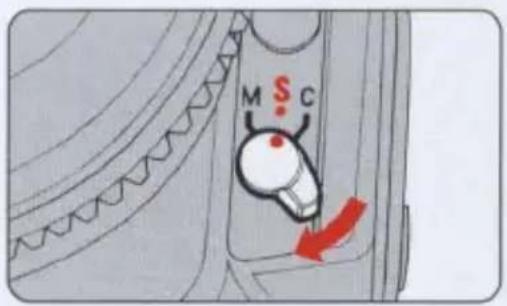
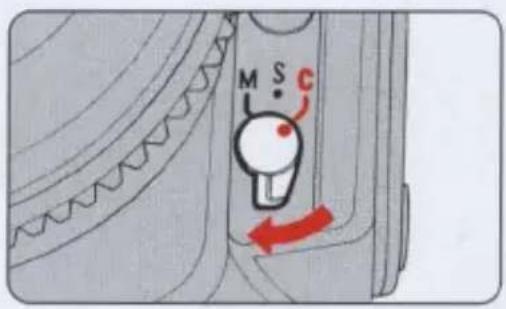
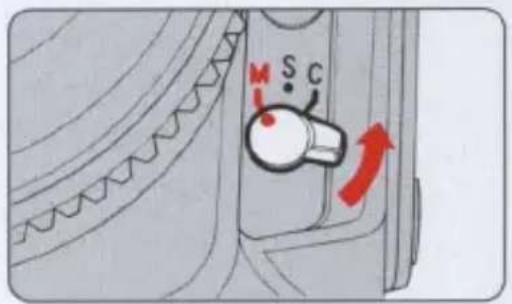
This camera provides two autofocus modes—Single Servo Autofocus (S) and Continuous Servo Autofocus (C)—and a Manual Focus mode (M) selected by setting the focus mode selector to S, C or M.
S : Single Servo Autofocus
Lightly press the shutter release button; the shutter can only be released when the subject is in focus and the in-focus indicator ● appears in the viewfinder, as the priority is on correct focus. After focus is achieved, it remains locked for as long as the shutter release button remains lightly pressed. Remove your finger from the shutter release button once and lightly press the button again when you wish to refocus on a different subject.
—If the shutter release button is fully depressed from the start, the lens starts adjusting for focus and the shutter is released as soon as the subject is in focus. With E2s comera, both focus and exposure are locked.
C : Continuous Servo Autofocus
The shutter can be released anytime, regardless of focus status, since the priority is on shutter release. The camera continues focusing for as long as you keep the shutter release button lightly pressed, even when the in-focus indicator ● appears in the viewfinder.
—In Continuous Shooting mode (the Main dial is set to C), the lens adjusts focus for the first frame only, then the focus is locked when continuous shooting starts.
Viewfinder indications in autofocus modes (S, C)
| ● | The subject is in-focus. |
| × | Autofocus is not possible. The subject is located closer than the lens's closest focusing distance. |
| ▶ | The subject is out of focus and the area in front of the subject is in focus. |
| ◀ | The subject is out of focus and the area behind the subject is in focus. |
CAUTION
Keep your fingers off the lens focusing ring when shooting in autofocus modes (S, C), as correct focusing is achieved automatically.
M: Manual Focus mode
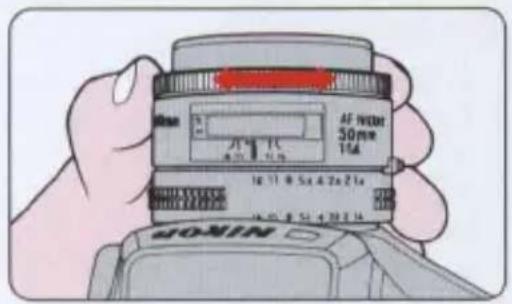
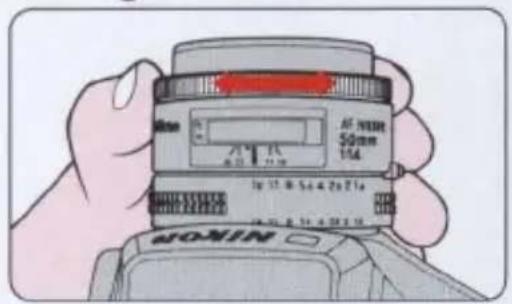
In this mode, there are two ways of assuring precise manual focus: with the Electronic Rangefinder and with the viewfinder's clear matte field. The shutter release button can be depressed fully anytime.
- Manual focus with the viewfinder's clear matte field
Rotate the lens focusing ring manually to focus on the subject using the clear matte field.
- Manual focus with the Electronic Rangefinder
Lightly press the shutter release button and rotate the lens focusing ring manually. The in-focus indicator ● appears in the viewfinder when the subject is in focus.
—Manually rotate the lens focusing ring in the direction indicated ▶ until the in-focus indicator appears.
—When the focus indicators ▶ and ● or ● and ◀ blink alternately, simultaneously or singly, the subject is almost in focus.
![250 F13° [23]](/content/2026/05/840369/images/a5f32fe5f9d525808754534b3299272d415728450aa8211c4a50cf8adf38907b.jpg)
Setting the six basic modes simultaneously
Press the MODE button and SENS button simultaneously for at least 2 seconds; the camera settings are automatically reset for basic shooting as shown below:
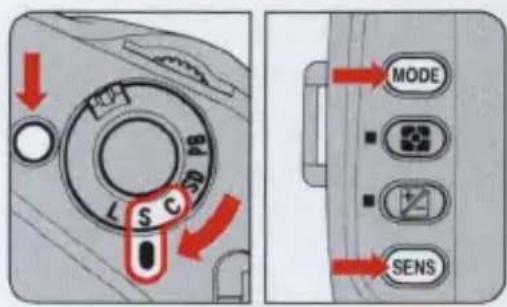
| Exposure mode | : P(Programmed Auto) | See page 35. |
| Metering system | : Matrix | See page 36. |
| Image quality | : NORMAL (Normal) | See page 37. |
| White balance | : A (Auto) | See page 38. |
| Sensitivity | : STD (Standard) | See page 41. |
| Exposure compensation | : 0.0 | See page 58. |
—Command lock is cancelled. (See page 46.)
Command lock
In S (Shutter-Priority Auto), A (Aperture-Priority Auto), or M (Manual) exposure mode, you can lock the shutter speed or aperture value.
—Use command lock to prevent changes in shutter speed or aperture value caused by accidentally rotating the dial during shooting.
In S or M mode
While pressing the CMND-L button, rotate the command dial in either direction, and the shutter speed will be locked with an L appearing next to the shutter speed in the LCD panel.
To release the lock, rotate the command dial in either direction while pressing the CMND-L button.
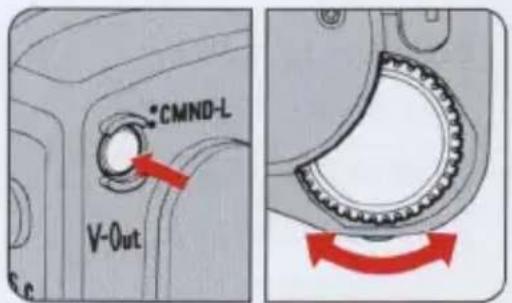
In A or M mode
While pressing the CMND-L button, rotate the aperture dial in either direction, and the aperture value will be locked with an L appearing next to the aperture value in the LCD panel.
To release the lock, rotate the aperture dial in either direction while pressing the CMND-L button.
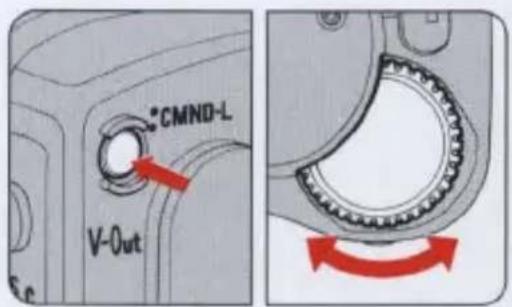
Playing back pictures
Besides being able to playback exposed images on a TV monitor through a video output connector, exposed image data can easily be downloaded to a personal computer using Nikon's PC Card Drive ED-10 or other digital processing equipment.
In this manual we will explain how to playback pictures on a TV monitor only.
—For details on other systems, refer to the instruction manuals for the relevant equipment.
Playback on a TV monitor
1 Connect the camera to a TV monitor.
Connect Video Cable EG-10 (provided) to the camera's video output terminal and the monitor's video input terminal.
—Remove the terminal cap on the V-Out and D-Out/E.Trig. terminals. (See page 7.)
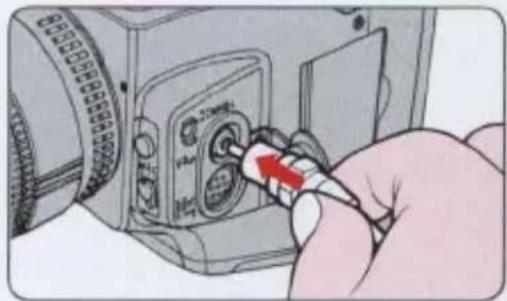
natural_image
Hand inserting a USB into a digital camera module (no text or symbols visible)2 Rotate the Main dial to PB (playback) while pressing the Main dial lock-release button.
The white balance mode marks ■ in the LCD panel all blink at once.
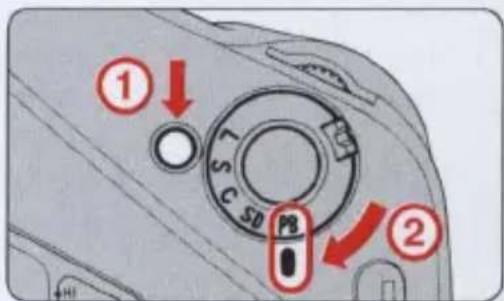
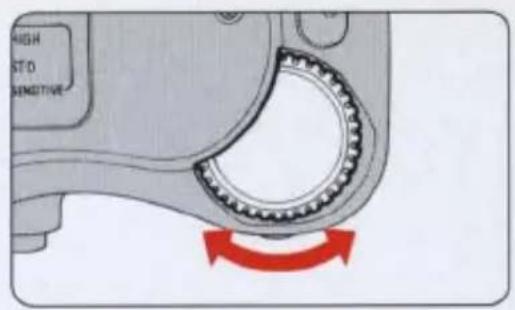
3 Rotate the command dial once in either direction to playback one frame. Rotate the dial in the direction of the arrow to move the frames forward and rotate in the opposite direction to move the frames backward. While playing back pictures, the white balance mode marks ■ light up one after the other.
—When you wish to playback a particular frame, first rotate the command dial while pressing the SENS button to specify the frame number, then remove your finger from the SENS button.
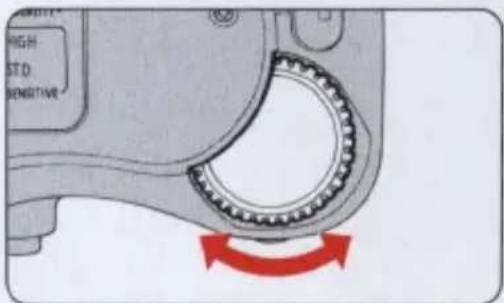
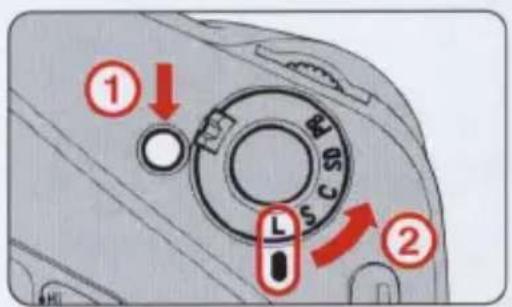
4 When finished, rotate the Main dial
The playback function automatically stops after 3 minutes when the camera is not in use, and then the power turns OFF after a further 16 seconds. We recommend setting the Main dial to L to conserve battery power.
Switching the NTSC/PAL systems
Both NTSC and PAL color television systems are available with this camera. You can switch from NTSC to PAL or vice versa.
To change the system, rotate the command dial while pressing the Metering system and Exposure compensation buttons simultaneously during playback operation.
—The NTSC and PAL systems change alternatively and the system indicator will appear in the LCD panel.
Shooting data displayed on the playback screen
The following shooting data can be displayed on the TV monitor.
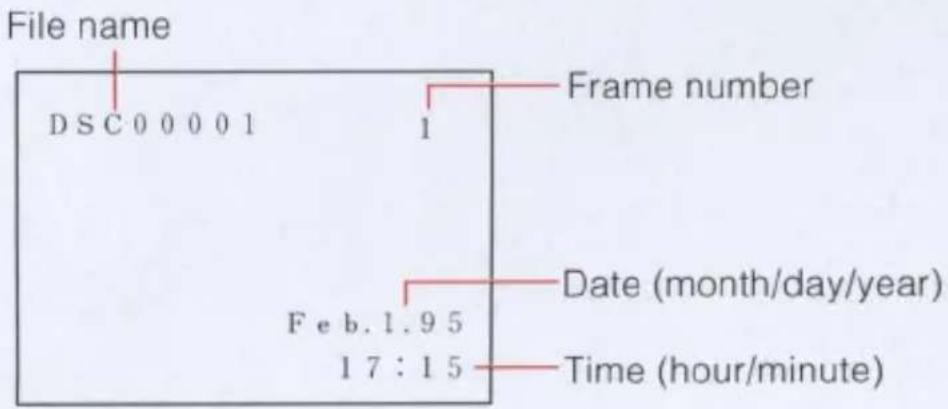
*The above screen shows the NTSC system. The date order differs in the PAL system (day/month/year).
To change on-screen data, rotate the command dial while pressing the MODE button during playback of exposed images.
On-screen data appears in order as shown below.
| LCD panel | TV monitor |
| dSP 0 | None |
| dSP 1 | Frame number |
| dSP 2 | Frame number, date and time |
| dSP 3 | Frame number, date and time, file name |
Long play playback method
You can playback continuously for approx. 60 minutes using a fully charged battery pack (EN-1). If you want to playback for a much longer period of time, use the optional battery charger (EH-1/EH-2) and the DC adaptor (ES-1) to power the camera from the AC power outlet.
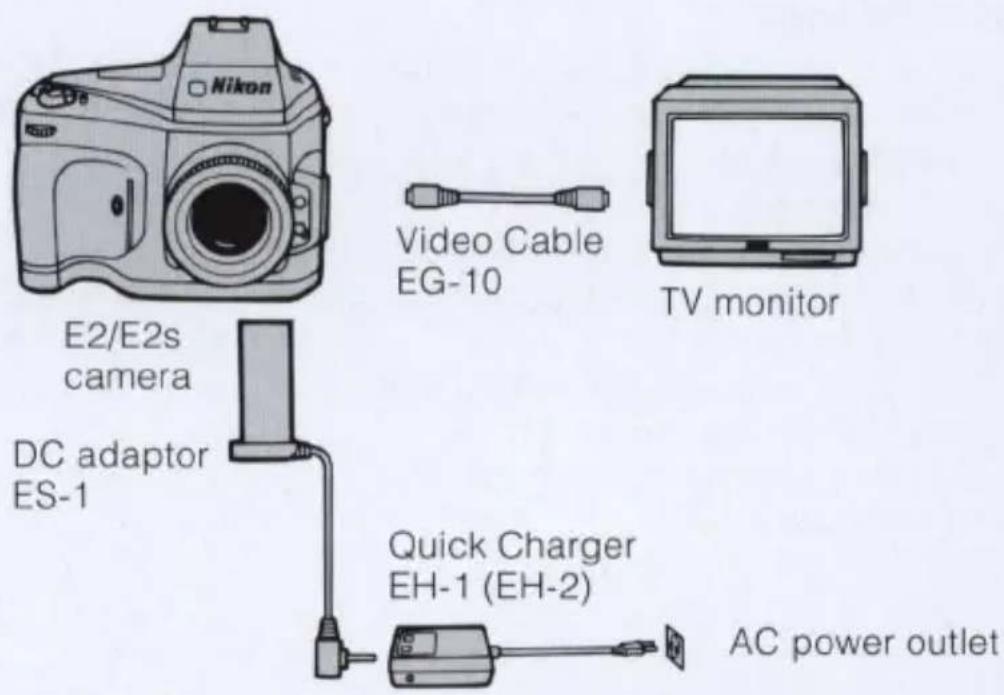
*For more details, read the instruction manuals provided with the Quick Charger EH-1 (EH-2) /DC Adaptor ES-1.
Erasing data in the Image Memory Card
There are two ways to erase the image data stored in the Image Memory Card.
1) Erasing the data frame by frame.
2) Initializing the memory card (batch erasing)
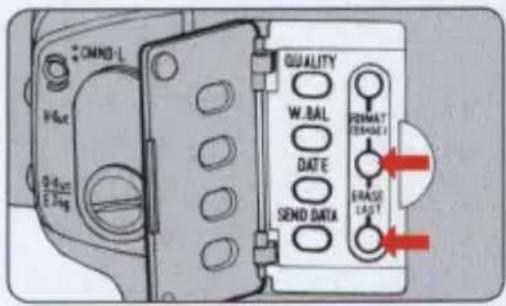
1. Deleting data frame by frame
Lightly press the shutter release button; within 16 seconds, push the ERASE LAST buttons simultaneously and hold for at least 1 second.
The most recently recorded data will be erased and the frames-shot counter in the LCD panel and the viewfinder will count down by one frame.
—To continue erasing data, remove your finger once and press the buttons again.
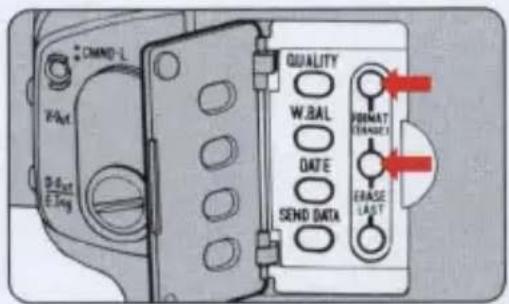
Initializing the memory card (batch erasing)
Lightly press the shutter release button; within 16 seconds, push the FORMAT (ERASE) buttons simultaneously and hold for at least 1 second.
All recorded data will be erased and the frames-shot counter in the LCD panel and the viewfinder will return to 1.
When using a new Image Memory Card, be sure to initialize the card.
—Erasing time varies depending on the type of card and storage capacity.
Advanced photography
In this section we provide some useful information on a variety of photographic techniques.
See page 27 for details on Programmed Auto operation.
Shutter-Priority Auto Exposure Mode
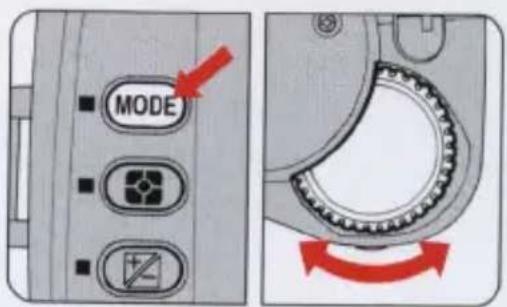
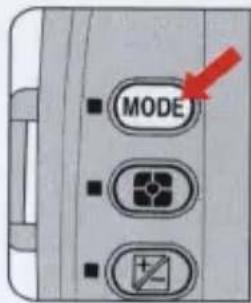
1 Set the MODE button to S.
Press the shutter release button lightly. Rotate the command dial while pressing the MODE button.
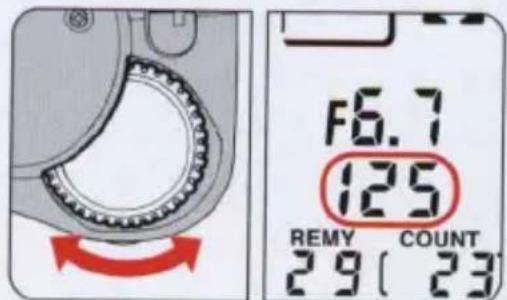
Set the shutter speed.
Rotate the command dial to set the shutter speed.
—You can set shutter speeds from 1/8 to 1/2000 sec. in 1/2 step increments.
—The selected shutter speed appears in the viewfinder and the LCD panel.
3 Compose the picture and press the shutter release button lightly.
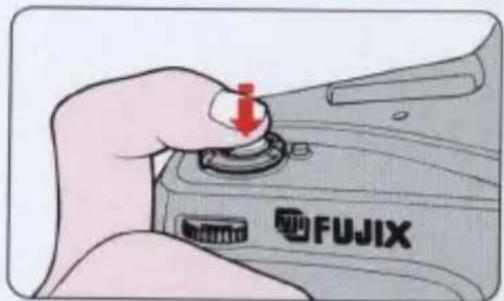
4 Check the focus and fully depress the shutter release button.
—See pages 85-86 on warning indications.
Aperture-Priority Auto Exposure Mode
1 Set the exposure mode to A.
Press the shutter release button lightly.
Rotate the command dial while pressing the MODE button.
natural_image
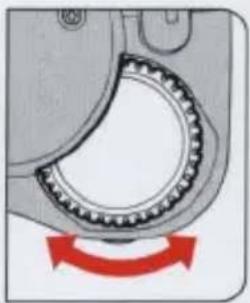
Mechanical gear meshing diagram showing rotational motion (no text or symbols)Set the aperture value.
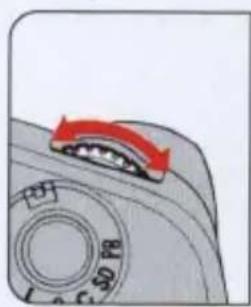
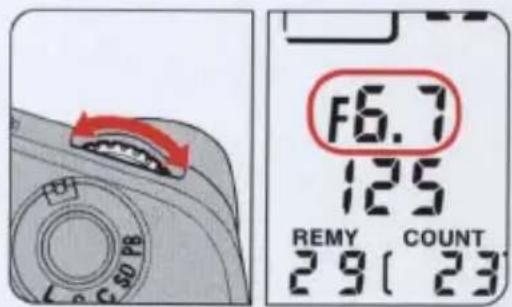
Rotate the aperture dial to set the aperture value.
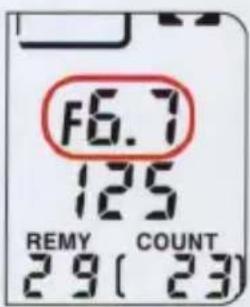
—You can set aperture values from f/6.7 to f/38 in 1/2 step increments.
—The selected aperture value appears in the viewfinder and the LCD panel.
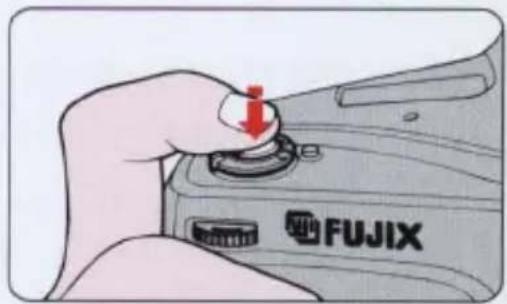
3 Compose the picture and press the shutter release button lightly.
natural_image
Hand holding a camera module with a red arrow pointing to the button (no text or symbols on the device itself)4 Check the focus indicator and fully depress the shutter release button.
—See pages 85-86 on warning indications.
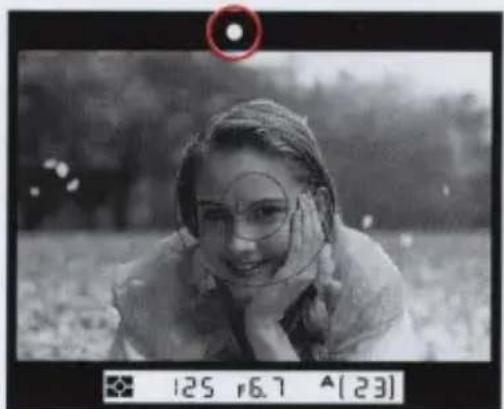
natural_image
Black-and-white photo of a person lying on grass, wearing glasses and focused on the face (no visible text or symbols)NOTE
Rotating the lens aperture ring does not change the aperture value. You can leave the lens aperture ring at any position when mounting the lens.
Manual Exposure Mode
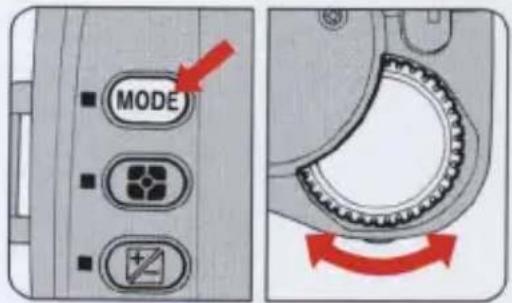
1 Set the exposure to M.
Press the shutter release button lightly. Rotate the command dial while pressing the MODE button.
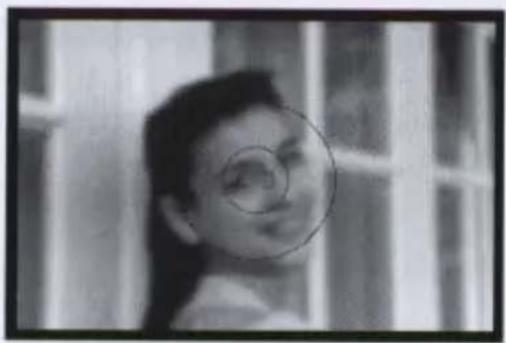
2 Compose the picture.
natural_image
Black-and-white photo of a smiling child with a circular highlight on her face, set against a striped background (no text or symbols)2 Set the shutter speed.
Rotate the command dial to set the shutter speed.
—You can set shutter speeds from 1/8 to 1/2000 sec. in 1/2 step increments.
—The selected shutter speed appears in the viewfinder and the LCD panel.
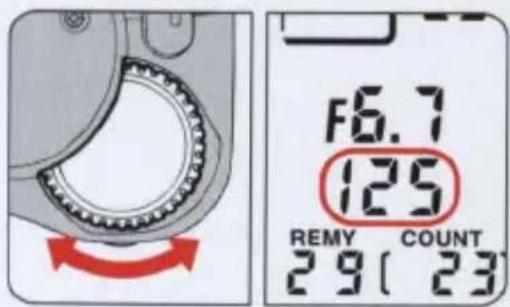
4 Set the aperture value.
Rotate the aperture dial to set the aperture.
—You can set aperture from f/6.7 to f/38 in 1/2 step increments.
—The selected aperture appears in the viewfinder and the LCD panel.
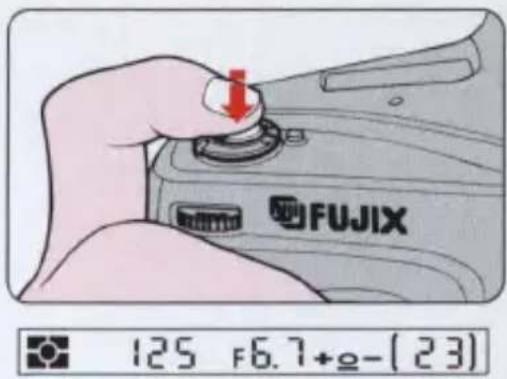
5 Press the shutter release button lightly. Set shutter speed and aperture manually referring to the exposure indicators.
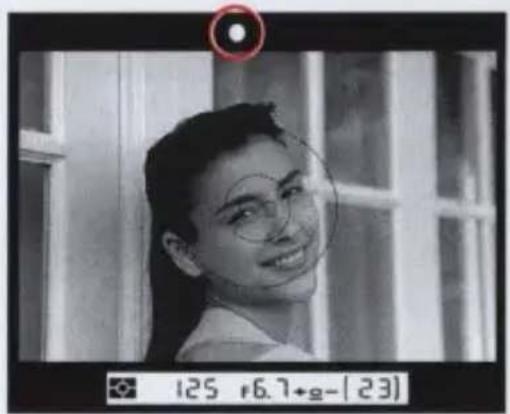
Using exposure indicators
The exposure indicators in the viewfinder monitor differences between the in-camera measured exposure value and that set by the user.
| ±0- | Overexposure by more than +1EV |
| ±0- | Overexposure by more than +1/4EV (within 1EV) |
| +0- | Correct exposure (within ±1/4EV) |
| +0= | Underexposure by more than -1/4EV (within 1EV) |
| +0= | Underexposure by more than -1EV |
6 Check the focus and depress the shutter release button.
Exposure compensation
When shooting an extremely small subject, if the main subject contrasts markedly with the background, or if you identify an extreme condition which might prove difficult for Matrix metering, we recommend using exposure compensation.
Four exposure compensation methods are available with this camera.
- Using AE-L (Auto Exposure Lock)
- Using AF/AE-L (double lock)
- Using Exposure Compensation
- Using Manual Exposure
Using AE-L (Auto Exposure Lock)
1 Set the exposure mode to either P, S, or A.
Do not set the exposure mode to M (Manual).
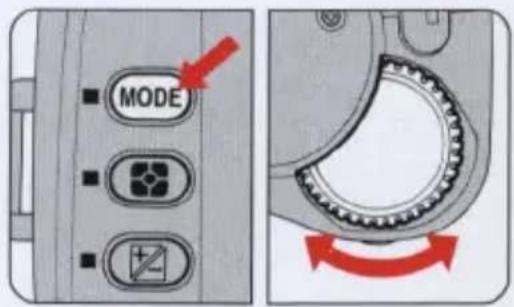
Set the Metering system.
We recommend using Center-Weighted or Spot Metering.
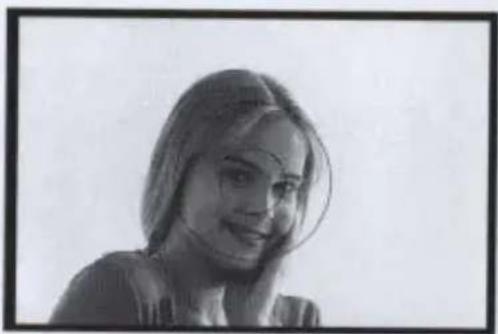
3 Center the main subject inside the viewfinder.
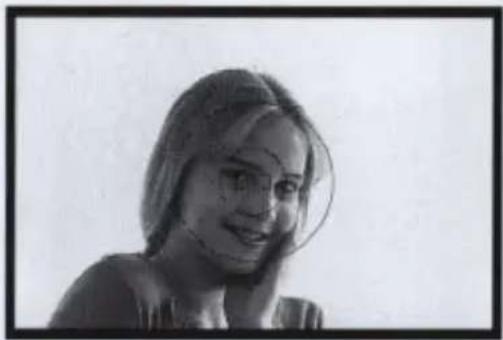
Move in close until the 12mm-diam. reference circle for Center-Weighted metering or 5mm-diam. reference circle for Spot metering is fully covered by the subject.
natural_image
Black-and-white portrait of a smiling woman with glasses (no text or symbols visible)4 Lightly press the shutter release button, and press the AE-L button.
Confirm that no exposure warning indicator appears and press the AE-L button.
—You can remove your finger from the shutter release button, since the exposure value is kept stored in the camera for as long as the AE-L button remains depressed. You can change the shutter speed in S mode and aperture value in A mode.
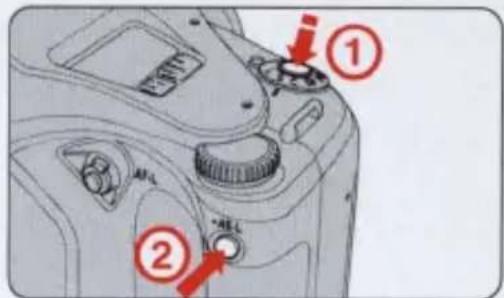
5 Recompose the picture and shoot while keeping the AE-L button pressed.
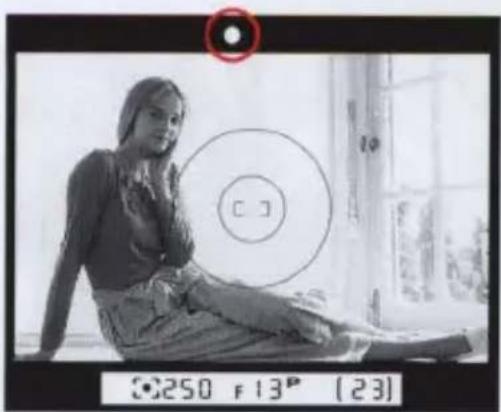
Check the focus indicator and depress the shutter release button.
—Remove your finger from the AE-L button to release the lock.
natural_image
Black-and-white photo of a woman sitting indoors near a window, with a circular target and camera lens visible (no readable text or symbols)Using AF/AE-L (double lock)
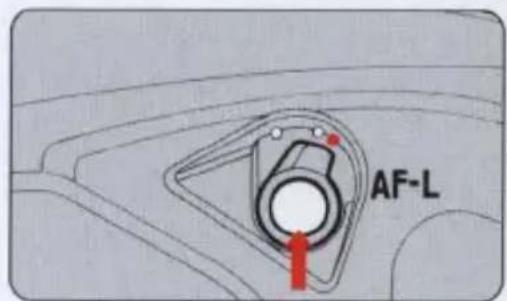
1 Set the AF/AE-L lever.
Slide the AF/AE-L lever to the double lock index □
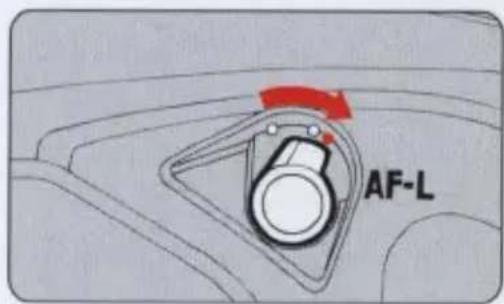
2 Repeat the same procedures as in "Using AE-L" above.
Press the AF-L button instead of the AE-L button. Focusing and exposure values are kept stored in the camera as long as the AF-L button remains depressed.
Using Exposure Compensation
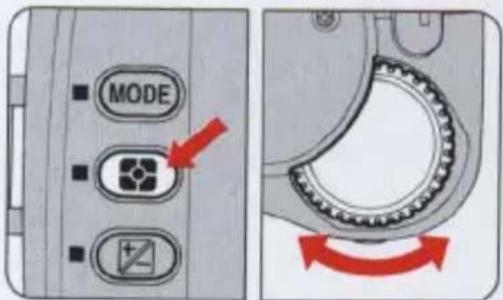
1 Set the metering system
We recommend using Center-Weighted or Spot Metering.
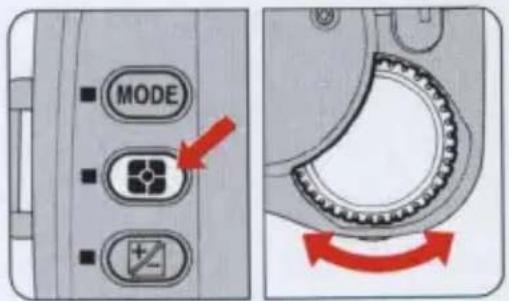
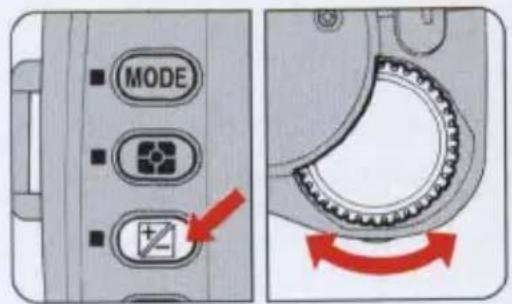
2 Set the exposure compensation value.
Rotate the command dial while pressing the exposure compensation button.
—You can compensate exposure within a range of +2.0 EV to -2.0 EV (in 1/4 EV increments.)
—Rotate the command dial to increase the value (−) when the background is dark, and decrease the value (+) when the background is bright.
3 Remove your finger from the exposure compensation button.
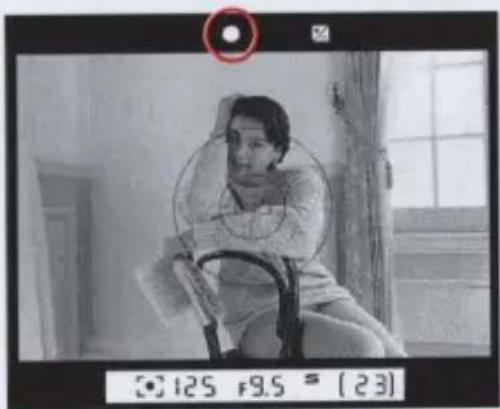
When the compensation is set, the exposure compensation mark appears in the viewfinder and the LCD panel.
—Press the exposure compensation button to confirm the value set and the compensation value will appear in the LCD panel.
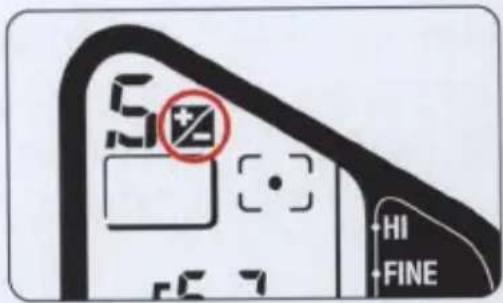
4 Check the focus indicator and fully depress the shutter release button.
natural_image
Black-and-white photo of a person sitting on a chair in an indoor setting, with no visible text or symbols.To cancel exposure compensation
Set the compensation value to 0.0.
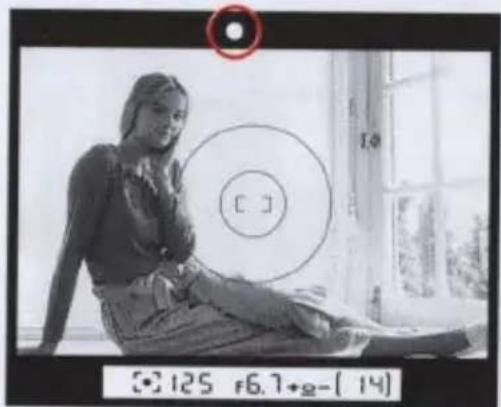
Using Manual Exposure
1 Set the exposure mode to M.
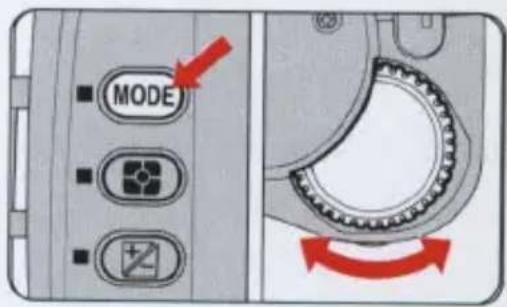
2 Set the metering system. We recommend using Center-Weighted Metering or Spot Metering.
3 Center the main subject inside the viewfinder
Move in close until the 12mm-dia. reference circle for Center-Weighted metering or 5mm-dia. reference circle for Spot metering is fully covered by the subject.
natural_image
Black-and-white portrait of a woman with shoulder-length hair, smiling (no text or symbols visible)4 Set the shutter speed and aperture to obtain a correct exposure.
![F6.7 125 REMY COUNT 3 9 [ 14] +HI +FINE +NORMAL +BASIC +QUALITY- +HIGH](/content/2026/05/840369/images/3c5a584a36fbcc542c21539ac935d3ae9b975f9035e90853f9ac7197428c2c49.jpg)
5 Recompose the picture and shoot. Check the focus and fully depress the shutter release button.
Autofocus with main subject off-center
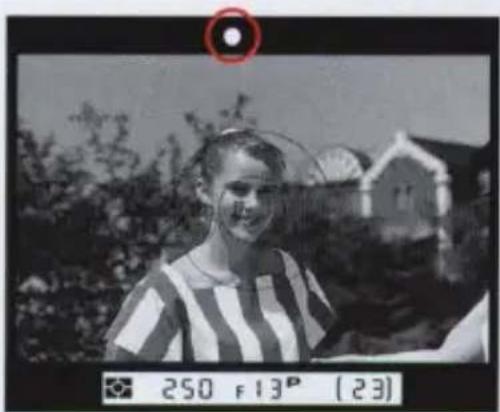
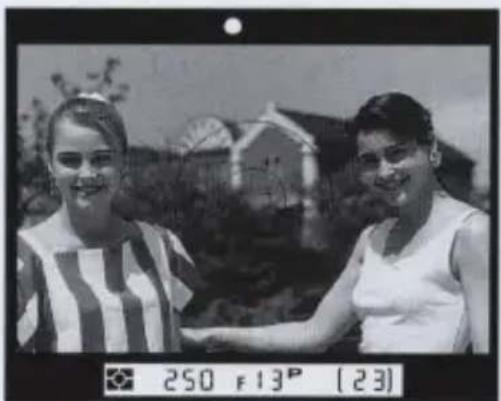
In autofocus mode, the subject inside the focus brackets is in-focus. With an off-center subject, use the Auto Focus Lock function.
In Single Servo Autofocus mode
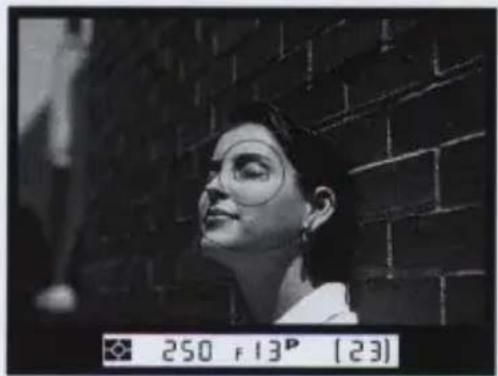
1 Position the focus brackets on the subject and lightly press the shutter release button.
Confirm the in-focus indicator ● appears in the viewfinder; focus remains locked as long as the shutter release button is lightly pressed.
natural_image
Black-and-white photo of a young girl in striped shirt outdoors, with a house and tree in background (no visible text or symbols)2 Keeping the shutter release button lightly pressed, recompose, then fully depress the shutter release button to take a picture.
Do not change the shooting distance after the in-focus indicator ● appears in the viewfinder.
natural_image
Two women posing outdoors with a building in the background (no visible text or symbols)In Continuous Servo Autofocus mode
1 Position the focus brackets on the subject and lightly press the shutter release button.
natural_image
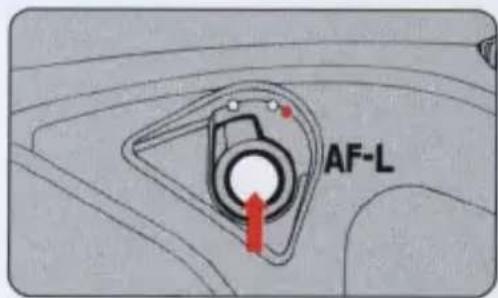
Black-and-white photo of a person looking upward at a brick wall, no visible text or symbols in the image.2 Confirm that the in-focus indicator ● appears in the viewfinder, then press and hold the AF-L button.
Focus is locked even if you remove your finger from the shutter release button as long as the AF-L button remains pressed.
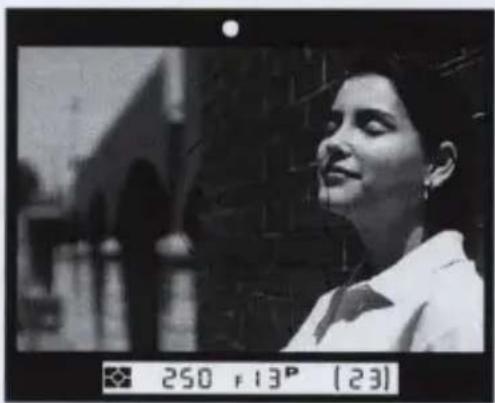
3 While holding in the AF-L button, recompose and then fully depress the shutter release button to take a picture.
Do not change the shooting distance after the in-focus indicator ● appears in the viewfinder.
natural_image
Black-and-white photo of a woman looking upward at a building facade, no visible text or symbols in the main image area.External synchro-flash shooting
In manual exposure mode, this camera's shutter release can be triggered by the firing of a flash on another camera situated nearby. Shutter speed is set at 1/60 sec.
—Optional External Sync Adaptor EX-10 (with a light sensor) is necessary.
—As no exposure indicators appear in the viewfinder, we recommend that you predetermine the correct exposure.
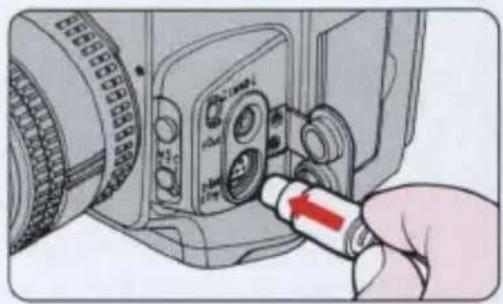
1 Connect the External Sync Adaptor (EX-10) to the camera's D-Out/ E. Trig. terminal.
—Remove the terminal cap on the V-Out and D-Out/E.Trig. terminals. (See page 7.)
natural_image
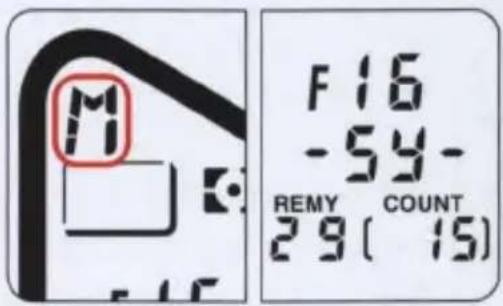
Close-up of a camera module with a red arrow pointing to the connector (no visible text or symbols)2 Set the exposure mode to M and shutter speed to Sy.
Set the exposure mode to M (manual) and rotate the command dial to set the shutter speed to Sy.
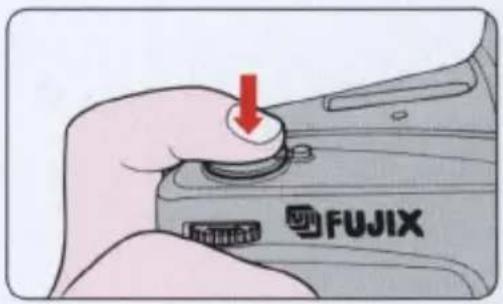
2 Depress the shutter release button.
The "Sy" mark blinks in the LCD panel to indicate that the camera is in standby mode; pictures are taken in sync with the firing of the remote speedlight
—The standby mode will be canceled approx. 10 seconds after depressing the shutter release button if the firing of the remote speedlight is not detected by the camera.
—Lightly depress the shutter release button after shooting and the camera returns to standby mode.
Remote photography (general)
The optional accessories listed below make it possible for you to release this camera's shutter from a remote location by connecting them to the camera's remote terminal. Halfway shutter release operations are possible with power-hold timer enabled accessories, but not with the others.
Accessories (with power-hold timer capability)
Remote Cord MC-12A, Modulate Remote Control Set ML-2, Radio Control Set MW-2, Intervalometer MT-2, Double Cable Release AR-10 —You can set the focus mode to either S, C, or M.
Accessories (without power-hold timer capability)
Terminal Shutter MR-3, Remote Cord MC-4A, Connecting Cord MC-3A, Modulate Remote Control Set ML-1, Radio Control Set MW-1
—Set the focus mode to S or M. (C is not an option).
—Fully depress the shutter release button to take a picture.
—Remove your finger from the shutter release button once before taking the next picture.
—When using Modulate Remote Control Set ML-1, read the ML-1 instruction manual.
Flash photography
This section covers the camera's advanced flash technology for fill-flash in backlit scenes, brightening dull scenes, and various other picture taking situations.
Available Nikon Speedlights
Nikon Speedlights SB-26 and SB-25 are highly recommended for use with this camera.
—Nikon Speedlights SB-20, SB-22, and SB-23 can also be used with this camera.
—Nikon Speedlight SB-24 is not recommended due to a difference in color temperature setting.
CAUTION
The accessory shoe is designed for the Nikon dedicated Speedlights. Do not use models from other manufacturers since higher voltages and/or extra hot shoe contacts may damage the camera.
Mounting the Speedlight
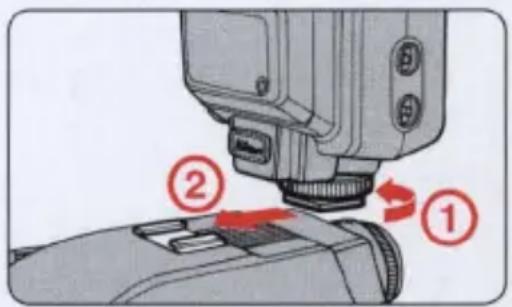
Simply mount the Nikon Speedlight on the accessory shoe with no sync cord connected.
- To loosen, rotate the mounting foot locking wheel in the direction of the arrow. Insert the mounting foot of the speedlight as far as it will go, then fully secure the mounting foot locking wheel.
A safety lock system is provided with this camera to prevent the Speedlight from detaching. Make sure you insert the mount pin into the locking hole.
- To remove the speedlight, unfasten the mounting foot locking wheel.
Flash modes available with Nikon Speedlights
With Nikon Speedlights SB-26 and SB-25 the following flash modes are available.
Matrix Balanced Fill-Flash
The camera's Matrix Metering System determines correct exposure and flash illumination is automatically balanced against the scene's ambient light. This flash mode is recommended for most common flash shooting situations when the subject is backlit in the daytime or for a dark subject with a bright background at night.
Standard TTL Flash
Standard TTL flash is recommended to give more illumination to the main subject, resulting in a bright subject against a dark background. The flash output is compensated manually.
Non-TTL Auto Flash
The flash automatically fires after a flash illumination reading is taken through the light sensor on the Speedlight, instead of through the lens.
Manual Flash
You can select the flash power output and set the aperture according to the flash-to-subject distance to obtain well exposed results.
Rear-curtain sync flash
The flash fires at a later stage in the exposure, just before the rear shutter curtain starts to close to give a natural lighting effect. This is effective for highlighting the movement of subjects at a slow shutter speed.
Notes on using the Speedlight
Be sure to read the instruction manual provided with each Speedlight model before use. Following are some important notes on using Nikon Speedlights SB-26 and SB-25.
—If there is no mention of this camera in the instruction manual, refer to the F4 camera's instruction manual.
Shutter speeds slower than 1/250 sec.
| Exposure mode | Shutter speed |
| P | 1/60 to 1/250 sec. (auto) |
| S | 1/8 to 1/250 sec. (manual)* |
| A | 1/60 to 1/250 sec. (auto) |
| M | 1/8 to 1/250 sec. (manual)* |
(*When the shutter speed is set to 1/350 to 1/2000 sec., it is automatically controlled at 1/250 sec.)
Flash ready-light
If lit: Flash is ready to fire.
If blinking: Flash fires at full output when exposure is not sufficient. Reconfirm the distance between the camera and the subject or select a wider aperture.
In Manual exposure mode
You may continue to take pictures regardless of the underexposure indicators which appear in the viewfinder, (the exposure indicators refer to the amount of background light). If you decide to ignore the indicators, the major subject will be correctly exposed for ambient light, but the background may be underexposed.
If you wish to have both the main subject and the background correctly exposed, use slow sync flash.
(1) Set the exposure mode to S or M.
(2) Set the shutter speed and the aperture to obtain a correct exposure for both the main subject and the background; fully depress the shutter release button.
—Use a tripod to minimize camera shake.
When the TTL flash output level of the Speedlight is adjusted manually, the exposure compensation mark appears in the LCD panel, but the compensation value does not appear.
Taking flash pictures in TTL auto flash mode
Flash photography in TTL auto flash mode with SB-26 and SB-25 Nikon Speedlights.
—For more details, read the instruction manual provided with each Speedlight model before use.
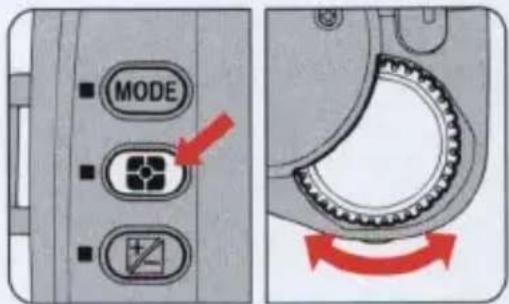
1 Set up your camera.
Set the metering system to Matrix Metering. Set other settings to desired modes.
Set up your Speedlight.
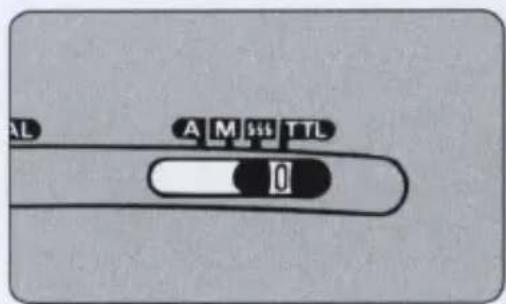
Set the power switch to STBY (standby position) or ON. Set the flash mode selector to TTL. Set the flash sync mode selector to NORMAL.
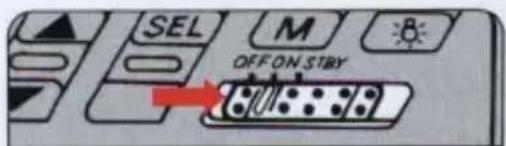
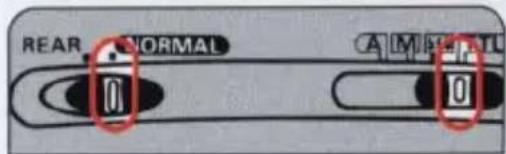
3 Confirm the settings in the LCD panel.
If the TTL flash mode indicators appear in the LCD panel, Matrix Balanced Fill Flash is selected. If the TTL indicator lights up in the LCD panel, Standard TTL flash is selected.
—Press the [M] button to change the flash mode.
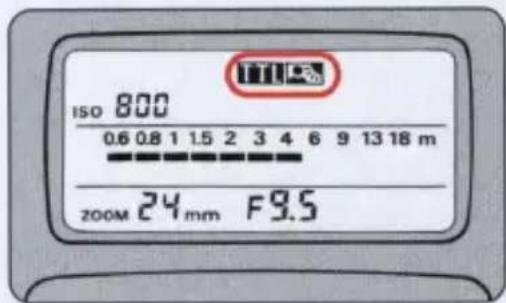
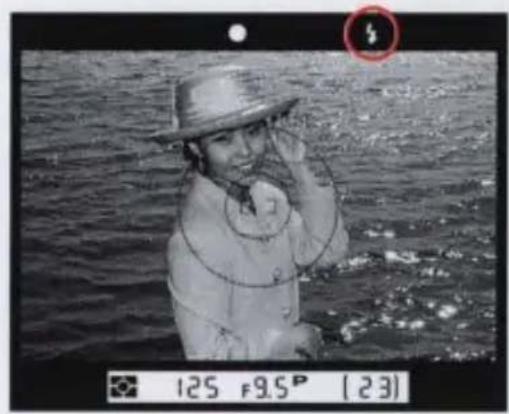
4 Press the shutter release button lightly and check the indicators in the viewfinder.
Confirm that the ready-light is lit and the subject is in focus.
—If the exposure indicators light up, see page 55. If the exposure warning indicators appear, see page 86.
natural_image
Black-and-white photo of a person in a straw hat standing on water, holding a phone to the camera (no visible text or symbols)5 Check the flash shooting range, and release the shutter.
Check if the subject falls within flash shooting range by glancing at the speedlight's shooting distance indicator bars.
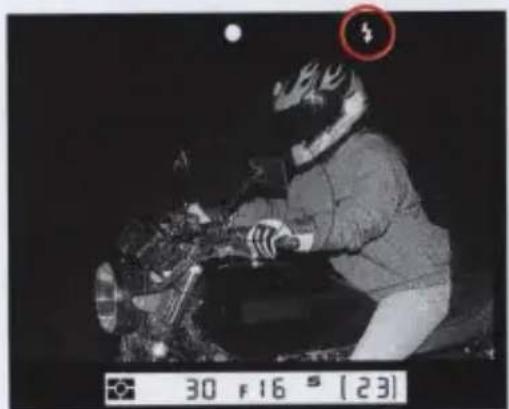
If the "ready" light blinks for a few seconds after shooting, the flash has fired at full output but the light may not have been sufficient.
—Reconfirm the shooting distance and move closer or select a wider aperture.
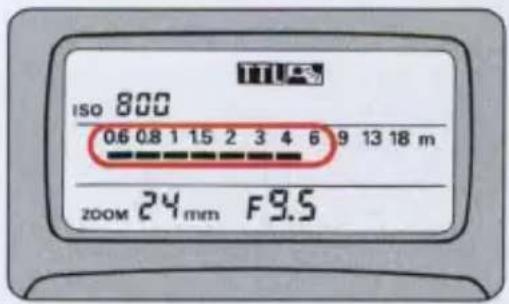
Taking pictures in rear-curtain sync flash mode
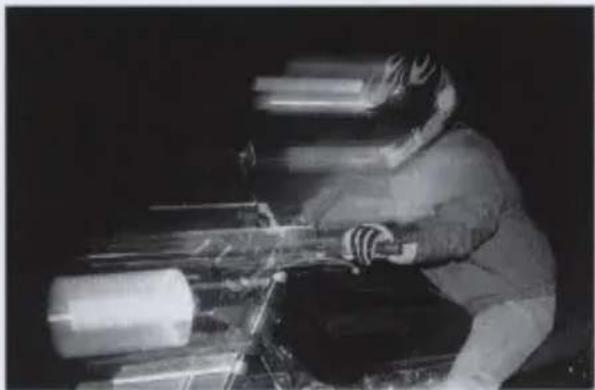
In "NORMAL" flash synchronization, the flash fires at an early stage of exposure (front-curtain sync), resulting in unnatural light patterns at slow shutter speeds with a moving subject. With Nikon Speedlights SB-26 and SB-25, Rear-Curtain Sync is possible, where the flash is set to fire the instant before the rear-curtain begins to close. This transforms available light into a stream of light that follows the moving, flash-illuminated subject.
—Use a tripod to minimize camera shake.
Front-curtain sync
natural_image
Person in winter gear operating machinery at night (no visible text or symbols)Rear-curtain sync
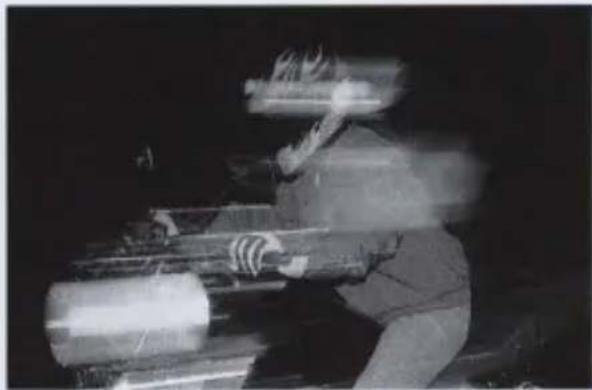
natural_image
Black-and-white photo of a person handling large cylindrical objects, possibly industrial machinery or mechanical components (no visible text or symbols)1 Set the Speedlight's flash sync selector to "REAR".
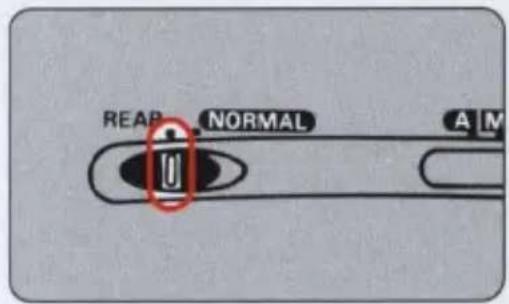
2 Set the Speedlight's flash mode selector to either TTL, A, or M.
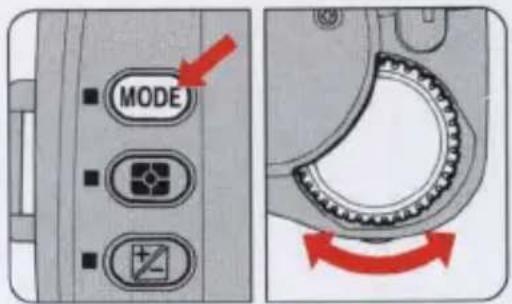
3 Set the camera's exposure mode to S or M.
—You can select P or A exposure mode, but Shutter-Priority Auto and Manual mode are strongly recommended.
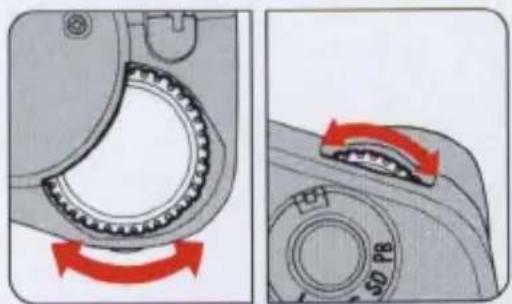
4 Set the shutter speed and aperture. The slower the shutter speed, the more
marked the Rear-Curtain Sync effect.
—In S mode, you do not need to set the aperture.
5 Check the flash shooting range and flash ready-light, and release the shutter.
natural_image
Person in motion gear operating a motorcycle at night, with a red circle highlighting a small object (no readable text or symbols)Controls in detail
In this section we provide some useful information on a variety of photographic controls.
Most AF Nikkor lenses, AI-type Nikkor lenses and Teleconverters can be used.
Nikkor lenses are designed to provide full coverage of the 35mm film format (24mm x 36mm). The CCD in the E2/E2s is 8.7mm x 6.8mm, which is smaller than the 35mm format, In order to provide you with the full angle of view which you associate with your use of Nikon 35mm cameras for each usable Nikkor lens, the E2/E2s incorporates high-quality image size reduction optics. To ensure lens performance commensurate with Nikon's customarily high standards, only the lenses listed in the following chart are regarded as usable with the E2/E2s camera's image reduction system.
Maximum lens apertures
The E2/E2s does not use the Nikkor lens' aperture for exposure control. The lens' aperture remains open all the time for the brightest viewing. Instead, an aperture is built into the camera's image reduction optics. The maximum aperture available is indicated in the following table.
| Lens max. aperture | Available aperture range |
| f/1.2 to f/5.6 | f/6.5 to f/38 |
| Slower than f/5.6 to f/7.3 | f/8 to f/38 |
| Slower than f/7.3 to f/9.5 | f/9.5 to f/38 |
| Slower than f/9.5 | Max. aperture value* to f/38 |
* Apertures can be set in 1/2 step increments.
- Apertures outside the above range cannot be set.
- The depth-of-field that you see in the viewfinder is controlled by the lens' aperture. The actual depth-of-field for the picture will be controlled by the image reduction optics' aperture. Therefore, the actual depth-of-field will be greater than that seen in the viewfinder.
Understanding exposure control
The E2/E2s provides sensitivity settings with ISO equivalents of 800 and 1600. The following table illustrates differences in exposure between a 35mm SLR and the E2/E2s.
| Lens aperture | Effective aperture | Shutter speed | ISO required | |
| E2/E2s | f/2.8 | f/6.7 | 1/1000 sec. | 1600 |
| 35mm SLR | f/2.8 | f/2.8 | 1/1000 sec. | 300 |
Depth-of-field will be controlled by the aperture control of the reduction optics.
Lens usability chart
With AF Nikkor lenses or certain non-AF Nikkor lenses in combination with TC-14B, TC-14E or TC-20E autofocus teleconverters, the E2/E2s provides full autofocus operation. For usability information, refer to the following chart.
◎: Fully usable
○: Usable
Pictures may be slightly dim around the edges of the frame in close-up shots or with infinity-distant subject.
△: Usable subject to conditions Pictures may be colored or dim around the edges of the frame depeding on
| AF Nikkor 18mm f/2.8D | - |
| AF Nikkor 20mm f/2.8D | - |
| AF Nikkor 24mm f/2.8D | - |
| AF Nikkor 24mm f/2.8 | - |
| AF Nikkor 28mm f/1.4D | ◎ |
| AF Nikkor 28mm f/2.8D | - |
| AF Nikkor 28mm f/2.8 | - |
| AF Nikkor 35mm f/2 | △ |
| AF Nikkor 50mm f/1.4 | ◎ |
| AF Nikkor 50mm f/1.8 | - |
| AF Nikkor 85mm f/1.8D | ◎ |
| AF DC-Nikkor 105mm f/2D | ◎ |
| AF DC-Nikkor 135mm f/2 | ◎ |
| AF Nikkor 180mm f/2.8D IF-ED | ◎ |
| AF Nikkor 180mm f/2.8 IF-ED | ◎ |
| AF Nikkor 300mm f/2.8 IF-ED | ◎ |
| AF Nikkor 300mm f/4 IF-ED | ▲ |
| AF-I Nikkor 300mm f/2.8D IF-ED | ◎ |
| AF-I Nikkor 400mm f/2.8D IF-ED | ▲ |
| AF-I Nikkor 500mm f/4D IF-ED | - |
| AF-I Nikkor 600mm f/4D IF-ED | - |
| AF Micro-Nikkor 55mm f/2.8 | - |
| AF Micro-Nikkor 60mm f/2.8D | - |
| AF Micro-Nikkor 105mm f/2.8D | ◎ |
| AF Micro-Nikkor 200mm f/4D IF-ED | ◎ |
| AF Zoom-Nikkor20-35mm f/2.8D | ◎ |
| AF Zoom-Nikkor24-50mm f/3.3-4.5 | - |
| AF Zoom-Nikkor28-70mm f/3.5-4.5D | - |
the aperture value selected.
▲: Usable subject to conditions Pictures are colored or dim around the edges of the frame.
-: Not usable
A shadow appears around the edges of the frame.
| AF Zoom-Nikkor28-85mm f/3.5-4.5 | |
| AF Zoom-Nikkor35-70mm f/2.8D | |
| AF Zoom-Nikkor35-70mm f/3.3-4.5D IF | — |
| AF Zoom-Nikkor35-80mm f/4-5.6D | — |
| AF Zoom-Nikkor35-105mm f/3.5-4.5 | |
| AF Zoom-Nikkor35-105mm f/3.5-4.5D IF | — |
| AF Zoom-Nikkor35-135mm f/3.5-4.5 | |
| AF Zoom-Nikkor70-210mm f/4 | |
| AF Zoom-Nikkor70-210mm f/4-5.6D | |
| AF Zoom-Nikkor75-300mm f/4.5-5.6 | |
| AF Zoom-Nikkor80-200mm f/2.8D ED | |
| Non-AF lenses | |
| Nikkor 6mm f/2.8 | |
| Nikkor 8mm f/2.8 | |
| Nikkor 16mm f/2.8 | — |
| Nikkor 13mm f/5.6 | — |
| Nikkor 15mm f/3.5 | — |
| Nikkor 18mm f/3.5 | — |
| Nikkor 20mm f/2.8 | — |
| Nikkor 24mm f/2 | |
| Nikkor 24mm f/2.8 | — |
| Nikkor 28mm f/2 | |
| Nikkor 28mm f/2.8 | - |
| PC-Nikkor 28mm f/3.5 | - |
| Nikkor 35mm f/1.4 | ◎ |
| Nikkor 35mm f/2 | ○ |
| PC-Nikkor 35mm f/2.8 | - |
| Nikkor 50mm f/1.2 | ◎ |
| Noct Nikkor 58mm f/1.2 | ◎ |
| Nikkor 85mm f/1.4 | ◎ |
| Nikkor 85mm f/2 | ◎ |
| Nikkor 105mm f/1.8 | ◎ |
| Nikkor 105mm f/2.5 | ◎ |
| Nikkor 135mm f/2 | ◎ |
| Nikkor 135mm f/2.8 | ◎ |
| Nikkor 180mm f/2.8 ED | ◎ |
| Nikkor 200mm f/2 ED IF | ◎ |
| Nikkor 200mm f/4 | △ |
| Nikkor 300mm f/2.8 IF-ED | ◎ |
| Nikkor 300mm f/4.5 IF-ED | ▲ |
| Nikkor 400mm f/2.8 IF-ED | ◎ |
| Nikkor 400mm f/3.5 IF-ED | ▲ |
| Nikkor 400mm f/5.6 IF-ED | - |
| Nikkor 500mm f/4P IF-ED | - |
| Nikkor 600mm f/4 IF-ED | - |
| Nikkor 600mm f/5.6 IF-ED | - |
| Nikkor 800mm f/5.6 IF-ED | - |
| Micro-Nikkor 55mm f/2.8 | - |
| Micro-Nikkor 105mm f/2.8 | ◎ |
| Micro-Nikkor 105mm f/2.8 with PN-11 | ◎ |
| Micro-Nikkor 200mm f/4 IF | ▲ |
| Zoom-Nikkor 28-85mm f/3.5-4.5 | △ |
| Zoom-Nikkor 35-70mm f/3.3-4.5 | - |
| Zoom-Nikkor 35-105mm f/3.5-4.5 | △ |
| Zoom-Nikkor 35-135mm f/3.5-4.5 | ◎ |
| Zoom-Nikkor 35-200mm f/3.5-4.5 | - |
| Zoom-Nikkor 50-135mm f/3.5 | ◎ |
| Zoom-Nikkor 50-300mm f/4.5 ED | ▲ |
| Zoom-Nikkor 80-200mm f/4 | ▲ |
| Zoom-Nikkor 100-300mm f/5.6 | — |
| Zoom-Nikkor 180-600mm f/8 ED | — |
| Zoom-Nikkor 1200-1700mm f/5.6-8 P IF-ED | — |
| Zoom-Nikkor 200-400mm f/4 | ▲ |
| With Teleconverter | |
| AF Nikkor 300mm f/2.8 IF-ED with TC-14B | ◎ |
| AF Nikkor 300mm f/4 IF-ED with TC-14B | ◎ |
| Nikkor 300mm f/4.5 IF-ED with TC-14B | ◎ |
| Nikkor 400mm f/2.8 IF-ED with TC-14B | ◎ |
| Nikkor 400mm f/3.5 IF-ED with TC-14B | ◎ |
| Nikkor 400mm f/5.6 IF-ED with TC-14B | △ |
| Nikkor 500mm f/4P IF-ED with TC-14B | ◎ |
| Nikkor 600mm f/4 IF-ED with TC-14B | ◎ |
| Nikkor 600mm f/5.6 IF-ED with TC-14B | △ |
| Nikkor 800mm f/5.6 IF-ED with TC-14B | ▲ |
| AF-I Nikkor 300mm f/2.8D IF-ED with TC-14E | ◎ |
| AF-I Nikkor 400mm f/2.8D IF-ED with TC-14E | ◎ |
| AF-I Nikkor 500mm f/4D IF-ED with TC-14E | ○ |
| AF-I Nikkor 600mm f/4D IF-ED with TC-14E | ▲ |
| AF-I Nikkor 300mm f/2.8D IF-ED with TC-20E | ▲ |
| AF-I Nikkor 400mm f/2.8D IF-ED with TC-20E | ▲ |
| Fish Eye, Reflex, Medical-Nikkor, UV | — |
Shutter speed and aperture
Light reaching the CCD image device is controlled by shutter speed and aperture. The proper combination results in a correct exposure. You can use shutter speed to freeze the action by using a high shutter speed, or create a motion effect by choosing a slower shutter speed. You can control depth of field by varying the aperture. Smaller apertures make the background and foreground sharper while larger apertures tend to blur the background.
Taken with high shutter speed
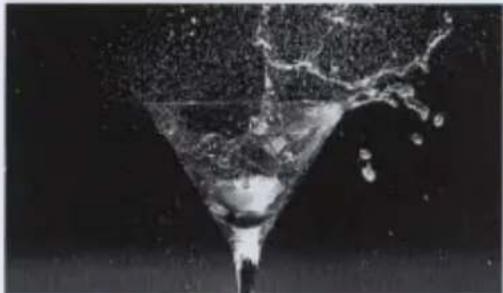
natural_image
Black and white photo of a funnel pouring liquid into a dark liquid (no text or symbols visible)Taken with slow shutter speed
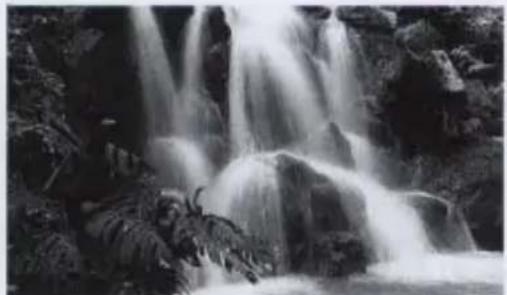
natural_image
Black-and-white photo of a cascading waterfall surrounded by rocks and vegetation (no text or symbols visible)The higher the shutter speed the more effectively you can stop the action, and the slower the shutter speed the more blurry the action becomes.
Taken with narrow aperture

natural_image
Black-and-white photo of a woman sitting on grass in a park, holding her head (no visible text or symbols)Taken with wide aperture

natural_image
Black-and-white photo of a woman sitting on grass, smiling and holding her hand (no text or symbols visible)Depth of field is the zone of sharpness in front of, behind and around the subject on which the lens is focused, and it is greatly affected by aperture. The smaller the aperture, the more distinct the background and foreground, and the larger the aperture the sharper the main subject appears against a blurred background.
Special focusing situations
Autofocus operation depends on lighting, subject contrast and other technical factors. In rare situations where autofocus is not possible, an "X" appears in the viewfinder signaling the need for you to focus manually with the clear matte field.
Very dark subject
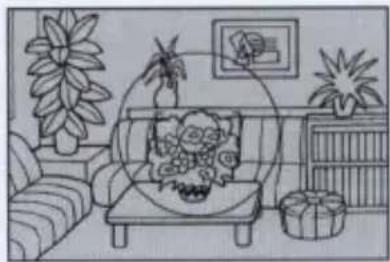
natural_image
Illustration of a cozy living room with sofa, potted plants, and framed picture (no text or symbols)- Focus manually with the clear matte field. (See page 44.)
- Use a Nikon autofocus Speedlight (optional) to perform autofocus with the help of the Speedlight's AF assist illuminator.
Low-contrast subject (against a white background or dressed in a color similar to that of the background).

natural_image
Illustration of a girl standing beside a tree with a clock in the background (no text or symbols)- Focus manually with the clear matte field (see page 44) or focus on another subject at the same distance but with more contrast, then use the auto focus lock. (See page 60.)
Something is behind or in front of the subject (e.g. an animal inside a cage or a person standing next to a tree).

natural_image
Cartoon illustration of a lion peeking through barred windows (no text or symbols)- Focus manually with the clear matte field (see page 44) or focus on another subject at the same distance but with more contrast, then use the auto focus lock. (See page 60.)
Subject is strongly backlit or has a bright shiny surface.
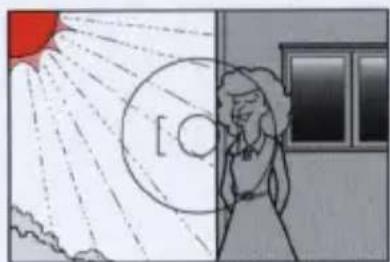
natural_image
Illustration of a person standing beside a circular object with rays, next to a red sun and cloud formation (no text or symbols)- Focus manually with the clear matte field. (See page 44.)
Downloading image data
Image data can be downloaded to external equipment such as a personal computer using the Image Memory Card.
Using the Image Memory Card
To download the image data, insert an Image Memory Card (PC card) into PC Card Drive ED-10 or a personal computer with a built-in PC card slot.
Cleaning the camera's built-in lens
When removing dirt and smudges from the camera's built-in lens (situated behind the shutter curtains), proceed in the following way.
—Be sure to use DC adaptor ES-1 (optional) and Quick Charger EH-1 (EH-2) (optional). You cannot use battery power for this operation.
—Read the instruction manuals provided with the DC adaptor, Quick Charger and the Battery Pack.
1 Set the selector switch of the DC adapter to BULB.
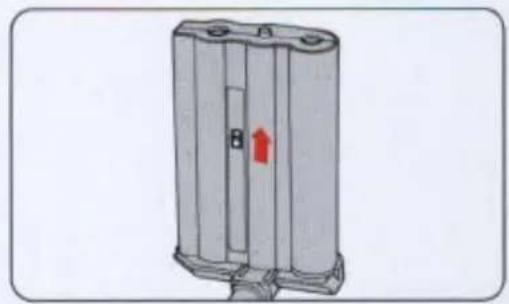
natural_image
Diagram of a cylindrical battery casing with internal structure and a red arrow indicating direction (no text or symbols)2 Connect the camera to the Quick Charger with the DC adaptor.
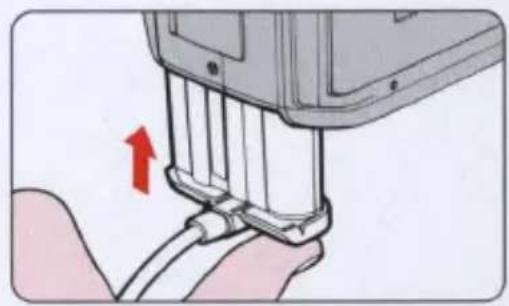
natural_image
Close-up of a hand holding a handheld electronic device with a red arrow indicating the cable attachment (no text or symbols visible)3 Remove the lens mounted on the camera, then turn the power ON.
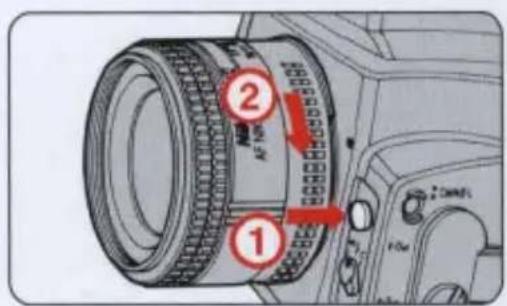
Set the Main dial to any position other than L.
—The "BULB" indicator appears in the LCD panel.
4 Depress the shutter release button. When the shutter is released, the shutter
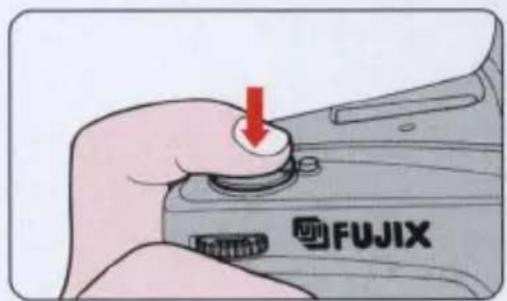
When the shutter is released, the shutter curtains open, then the "BULB" indicator starts to blink.
5 Use a blower to remove dust and particles from the built-in lens.
—If this proves ineffective, take your camera to an authorized Nikon Service Center.
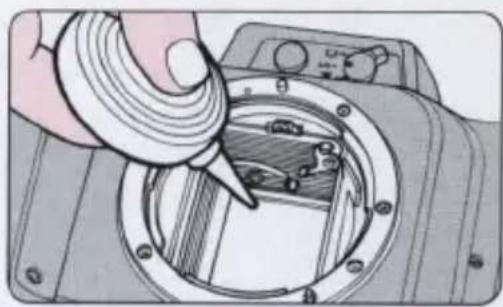
natural_image
Illustration of a hand using a tool to adjust or install a camera lens component (no text or symbols visible)6 Set the Main dial to L. —Make sure that the came
—Make sure that the camera's reflex mirror is kept in the up position.
—Do not touch the shutter curtains.
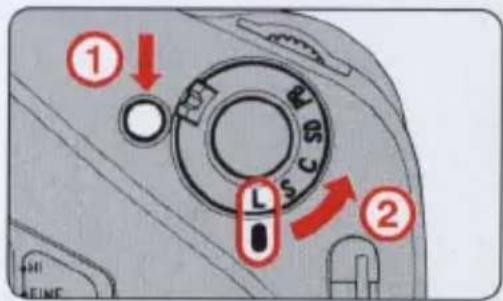
7 Set the Main dial to any position other than L and press the shutter release button halfway.
—Make sure that the camera's reflex mirror is down in the normal position.
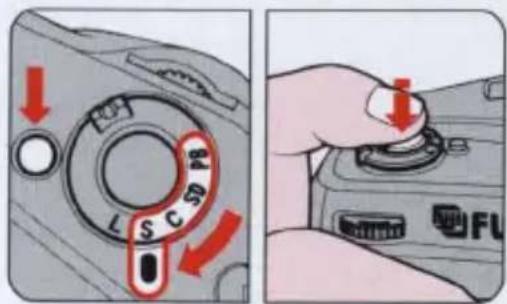
8 Set the Main dial to L and turn the power OFF.
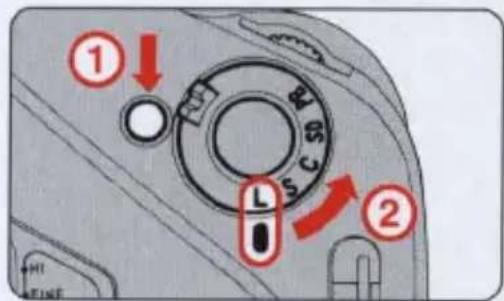
Image Memory Card
■ Usable Image Memory Cards
We recommend using dedicated Image Memory Card EC-15 (optional) with this camera for best performance.
PC cards with the following specifications are also usable.
| Type | SRAM card and ATA card |
| Series | Type I and Type II |
| Power source | +5V only |
| Standard | PCMCIA Release 2.1/JEIDA Version 4.2 |
—The above description is just an overview of usable PC cards.
—If you have any questions concerning PC cards, please ask your nearest authorized Nikon dealer and furnish the necessary information (type of card, maker, and specifications).
Write-protect switch (EC-15)
To protect your image data, use a write-protect switch.
Slide the write-protect switch in the direction of the arrow to protect against overwriting.
Slide the switch in the reverse direction to cancel protection.
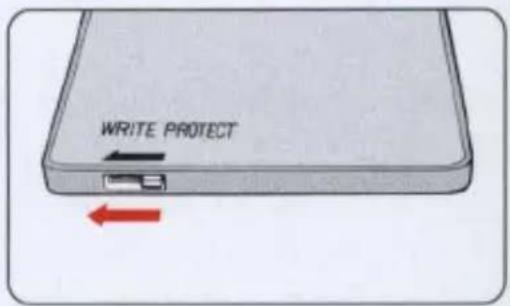
Tips on using the Image Memory Card
- When using a new Image Memory Card, be sure to initialize the card. (See page 25).
- Never touch the terminals with your fingers or with a metallic object.
- Do not bend, drop or apply physical shock to the card.
- Do not leave the Image Memory Card in an excessively hot or humid environment or under direct sunlight.
- Thoroughly read the Image Memory Card instruction manual for correct usage.
• See page 85 on Image Memory Card warning indications.
The dedicated Rechargeable Battery Pack
Use dedicated Rechargeable Battery Pack EN-1 with this camera. Take special note of the following.
—The EN-1 contains NiCd batteries.
—The battery pack was not charged when shipped from the factory. Be sure to fully charge the battery before use.
Characteristics of the Rechargeable Battery Pack
- The battery will self-discharge even though the battery is unused.
• Typically, the voltage of Battery Pack EN-1 drops quickly when the battery becomes weak. Be sure to load a fully charged battery every time you set out to take pictures. - If the battery is weak or the camera is used in a cold outdoor environment, the number of available frames decreases. We recommend that you carry spare fully-charged battery packs when shooting in a cold environment or taking a large number of pictures at one sitting.
- Be sure to use the battery charger specified by Nikon.
- After recharging or shooting, the battery pack may become warm. This is no cause for concern.
Charging the Rechargeable battery pack
- Be sure to use dedicated Quick Charger EH-1 (EH-2) and read the instruction manual.
• Use only the Quick Charger EH-1 (EH-2). - Charging should be made in an ambient temperature ranging from 0°C to 40°C (32°F to 104°F). [Approx. 5°C to 35°C (41°F to 95°F) is ideal.]
- Do not attempt to recharge a fully charged battery.
- When you recharge a NiCd battery which has not been fully discharged, the battery develops a "memory effect" which may prevent it from becoming fully recharged with ordinary use. To help avoid this effect, you should fully discharge the battery once every 20 to 30 charging. Please refer to your EH-1 (EH-2) instruction manual for further details.
Handling the battery pack safely
- Never touch the battery pack's metal portion with another metal object. Although a fuse is built into the battery pack, if the terminals are short-circuited, damage and malfunction will occur.
- Keep used battery packs away from fire and do not throw batteries into a fire.
- Do not try to disassemble or modify the battery pack.
The dedicated Rechargeable Battery Pack
■Handling the battery pack for long time use
- Do not apply strong physical force to the battery pack or drop it on a hard surface.
- Do not splash water on the battery.
- Do not keep on charging a fully charged battery pack.
Storage
- Keep the battery terminals clean.
- Store the battery pack in a cool, dry place. If the battery is left in a hot place for a long time, the battery will self-discharge or its life will be shortened.
Lifespan
- When a battery approaches the end of its lifespan, it will no longer hold a full charge despite repeated attempts to recharge it. You should replace it with a new one.
Troubleshooting
If your camera detects a defect or malfunction, a warning indicator appears or blinks in the viewfinder and/or in the LCD panel to alert you. Refer to the troubleshooting charts provided below and follow the suggestion for correcting the problem before bringing your camera to a Nikon Service Center for repair.
| Warning indication | Check this | Ref. page | |||
| LCD panel | Viewfinder | Cause | Remedy | ||
 blinks blinks | (---) blinks | Camera back is open or camera back is closed with no Image Memory Card inside. | Insert a Nikon approved Image Memory Card. Close the camera back. | P. 24P. 82 | |
 blinks blinks | ([d]) blinks | A write-protected Image Memory Card is inserted. | Cancel write-protection. | P. 82 | |
 blinks blinks | An uninitialized Image Memory Card is inserted. | Initialize the Image Memory Card as instructed in this instruction manual. | P. 25 | ||
 blinks blinks | An Image Memory Card not specified by Nikon in the instruction manual is inserted. | Insert a Nikon approved Image Memory Card. | P. 82 | ||
 blinks blinks | No frames remain. | Insert a new Image Memory Card. | P. 24 | ||
 | BODY blinks | Display segment blinks | Camera's NiCd battery is weak. | Recharge the NiCd battery. | P. 83 |
| CARD blinks | Battery power for SRAM is weak. | Replace the battery according to the instruction. | — | ||
| CLOCK blinks | Normal display | Lithium battery for clock is weak. | Replace the lithium battery at a Nikon Service Center. | — | |
| blinks | BODY blinks | Display segment goes out | Camera's NiCd battery is exhausted. | Recharge the NiCd battery. | P. 83 |
| CARD blinks | Battery power for SRAM is exhausted. | Replace the battery according to the instruction. | — | ||
| CLOCK blinks | Normal display | Lithium battery for clock is exhausted. | Replace the lithium battery at a Nikon Service Center. | — | |
| appears | appears | Exposure compensation is activated. | Cancel exposure compensation if necessary. | P. 58 | |
| blinks | No lens is mounted. | Mount a lens. | P. 20 | ||
| Err blinks | All indicators appear | Camera detects a malfunction. | Bring the camera to a Nikon Service Center. | — | |
| blinks | Speedlight fires at full output when exposure is insufficient. | Reconfirm the distance between the camera and the subject or select a wider aperture. | P. 67 | ||
| X appears | Subject is too dark and focus is impossible. | Use autofocus assist illuminator or manual focusing. | P. 78 | ||
| appears | Subject is out of focus and the area behind subject is in focus. | In manual focus mode, rotate the lens focusing ring manually so that in-focus indicator ● appears in the viewfinder. | P. 44 | ||
| appears | The subject is out of focus and the area in front of the subject is in focus. | ||||
| Hi appears | Hi appears | Out of exposure control range (the subject is too bright.) | In A mode, change aperture value, and in S mode change shutter speed.Set SENS button to STD.Or Use ND filter (Hi blinks) or use speedlight (L blinks) | P. 41P. 52P. 53P. 64P. 87 | |
| lo appears | lo appears | Out of exposure control range (the subject is too dark.) | |||
Nikon Speedlights: SB-26 and SB-25
Matrix Balanced Fill-Flash operation for automatically balanced flash output and ambient light, and Standard TTL Flash operation for manual flash output compensation are available. An autofocus assist illuminator is also provided to assist autofocusing in the dark.
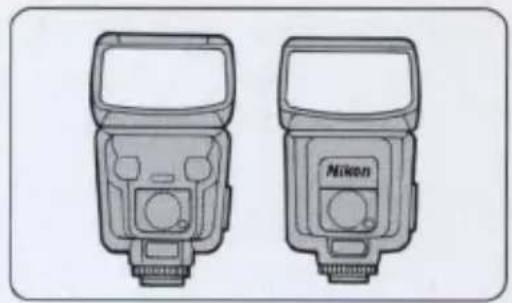
natural_image
Two Nikon flashlights shown in side-view diagrams (no text or symbols)Nikon Filters
| Type | Filter designation | Filter factor | Screw-in type (mm) | Drop-in type (Series IX) | Bayonet-mount type | |||||||||||
| Daylight | Tungsten light | 39 | 52 | 62 | 72 | 77 | 82 | 95 | 122 | 160 | ||||||
| For B/W Film | Ultraviolet | L39 | 1 | ○ | ○ | |||||||||||
| Yellow | Light | Y44 | 1.5 (%) | 1 | ○ | ○ | ||||||||||
| Medium | Y48 | 1.7 (%) | 1.2 (%) | ○ | ○ | ○ | ○ | ○ | ○ | ○ | ○ | |||||
| Deep | Y52 | 2 (1) | 1.4 (%) | ○ | ○ | ○ | ||||||||||
| Orange | O56 | 3.5 (1%) | 2 (1) | ○ | ○ | ○ | ○ | ○ | ○ | ○ | ○ | |||||
| Red | R60 | 8 (3) | 5 (2%) | ○ | ○ | ○ | ○ | ○ | ○ | ○ | ○ | |||||
| Green | Light | X0 | 2 (1) | 1.7 (%) | ○ | |||||||||||
| Deep | X1 | 5 (2%) | 3.5 (1%) | ○ | ||||||||||||
| * | Skylight | L1BC | 1 | ○ | ○ | ○ | ○ | ○ | ||||||||
| Ultraviolet | L37C | 1 | ○ | ○ | ○ | ○ | ○ | ○ | ○ | ○ | ○ | |||||
| For Both Color and B/W Film(for special effects) | Circular Polarizing | C-PL | 2~4 (1~2) | ○ | ○ | |||||||||||
| Soft filters | No. 1 | 1 | ○ | ○ | ○ | |||||||||||
| No. 2 | 1 | ○ | ○ | ○ | ||||||||||||
| Neutral Density | ND2X | 2 (1) | ○ | |||||||||||||
| ND4X | 4 (2) | ○ | ○ | ○ | ||||||||||||
| ND8X | 8 (3) | ○ | ○ | |||||||||||||
| ND400X | 400 (8.6) | ○ | ||||||||||||||
| For Color Film | Amber | Light | A2 | 1.2 (%) | ○ | ○ | ○ | ○ | ○ | |||||||
| Deep | A12 | 2 (1) | ○ | ○ | ○ | |||||||||||
| Blue | Light | B2 | 1.2 (%) | ○ | ○ | ○ | ○ | ○ | ||||||||
| Medium | B8 | 1.6 (%) | ○ | ○ | ||||||||||||
| Deep | B12 | 2.2 (1%) | ○ | ○ | ○ | |||||||||||
*For Both Color and B/W Film
- Conventional polarizing filters cannot be used due to the characteristics of this camera's metering system. Use circular polarizing filters.
- To protect the lens surface from dirt or damage, the use of an L37C filter is recommended.
- When using ND-8, ND-4, R60 or O56 filters with exposure factors, Center-Weighted metering is recommended.
- Remove filters when shooting a backlit subject.
- In practice only the R60 filter requires exposure compensation. Overexpose by one f/stop when shooting under the tungsten light using an R60 filter.
Nikon Remote Control Accessories
Convenient for remote or unmanned operation using the following remote cords connected to the camera's remote terminal.
1) Remote Cord MC-12A: Convenient for stable handheld, close-up or remote shooting up to approx. 3m. Power-hold timer capability and release-hold mechanism are provided.
2) Remote Cord MC-4A: Convenient for long distant remote shooting by connecting several remote cords.
3) Radio Control Set MW-2: Enables wireless remote operation of cameras at distances up to approx. 0.7 km (outside the city) and approx. 0.3 km (in the city). Power-hold capability is provided.
4) Intervalometer MT-2: Provides single or continuous frame time-lapse shooting. A pulse delay time setting switch is provided which activates when the shutter release button is pressed halfway.
5) Modulate Remote Control Set ML-2: Enables automatic remote control using modulated light for distances up to approx. 100m. Using more than one ML-2, remote control is possible from more than 100m.
Nikon Lens hood
Used to protect intensive light from directly entering the lens from the side. Dedicated hood for each lens and lens hood for several lenses in common are available.
Nikon Eyepiece Correction Lenses
An easy-to-use viewing and focusing aid for near and far-sighted photographers which attaches to the viewfinder eyepiece. Five types of correction lenses ranging from +2, +1, 0, -2, and -3 diopter are available. (These figures do not refer to the diopter of the lens itself. Be sure to try out these lenses at the camera shop as diopter compensation differs from person to person.)
natural_image
Five identical ring-shaped objects arranged in a 2x2 grid (no text or symbols)Nikon Rubber Eyecup DK-2
Attached to the viewfinder eyepiece, the rubber eyecup increases viewing comfort, eliminates eye fatigue and prevents stray light from entering the viewfinder from the rear.
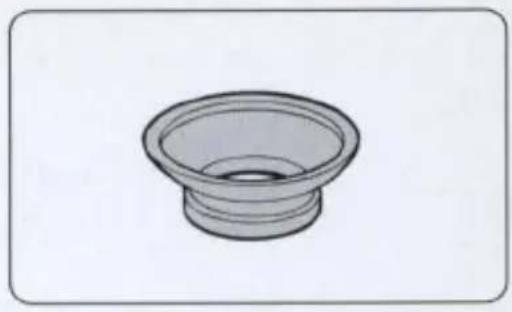
natural_image
Simple line drawing of a speaker bowl (no text or symbols)Nikon Eyepiece Adaptor DK-7
Enables you attach the Eyepiece Magnifier DG-2 to the finder eyepiece.
Nikon Close-up accessories
The following close-up accessories are available:
- Close-up attachment lenses: No. 0, No. 1, No. 2, No. 3T, No. 4T, No. 5T, and No. 6T
• Auto extension rings: PK-11A, PK-12, PK-13, and PN-11
—Shadows may appear around the edges of the frame.
Required accessories
Nikon Rechargeable Battery Pack EN-1
Dedicated rechargeable battery pack for use with this camera.
Quick Charger EH-1\* (EH-2\*\*)/DC Adaptor ES-1
Recharges battery pack EN-1 as quickly as approx. 60 minutes. DC power can also be supplied to the camera through DC adaptor ES-1 from an AC power outlet. The EH-1 (EH-2) is to be used only with the ES-1 and the EN-1.
* The EH-1 is sold exclusively in the US and Canada.
** The EH-2 is sold outside the US and Canada.
External Sync Adaptor EX-10
Plugs into the camera's terminal for flash shooting in sync. with the firing of a flash mounted on another camera.
Image Memory Card EC-15
Dedicated ATA PC card for recording image data with this camera.
EV chart for flash photography
In Programmed Auto mode
(Sensitivity: STD (equivalent to ISO 800), AF50mm f/1.4 lens)
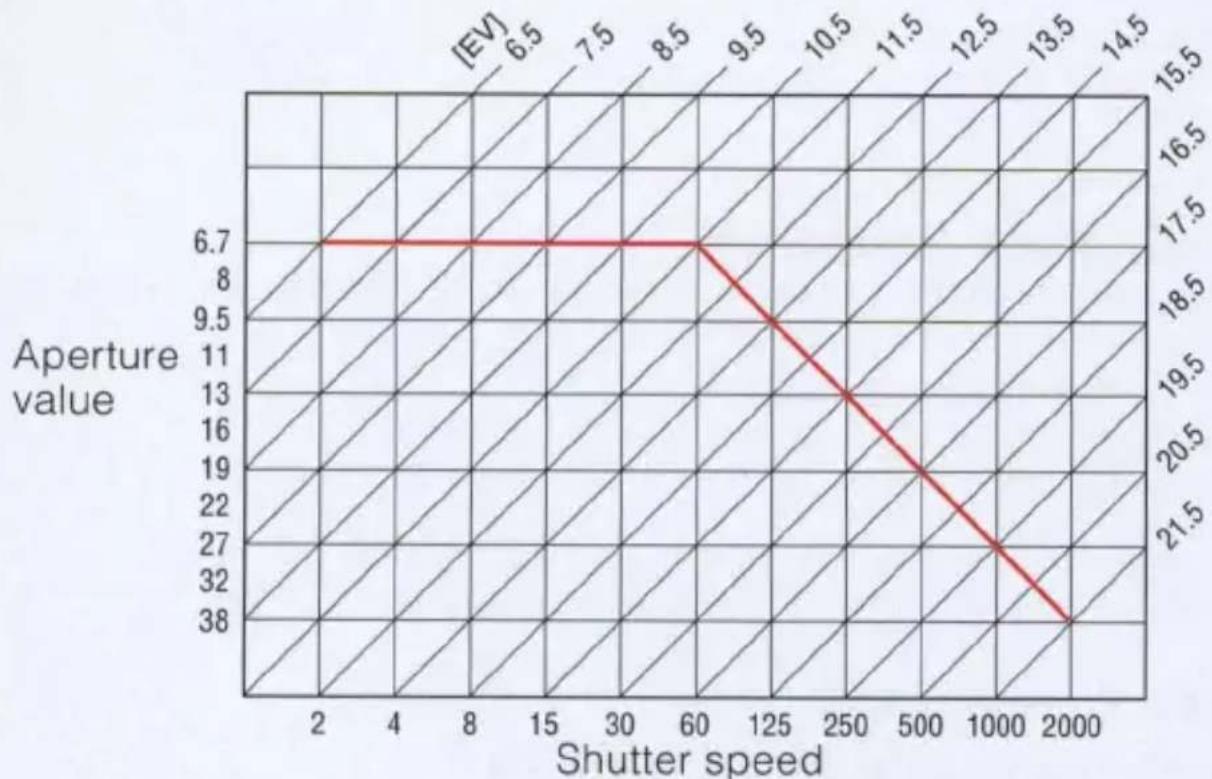
line
| Shutter speed | Aperture value | | ------------- | -------------- | | 2 | 6.7 | | 60 | 6.7 | | 125 | 9.5 | | 250 | 13 | | 500 | 19 | | 1000 | 27 | | 2000 | 38 |Camera care tips
Do not drop or hit the camera against a hard surface as it may cause damage and malfunction to the precision mechanism.
Never disassemble the camera if damaged. This camera houses high-voltage circuitry which is highly dangerous.
Take care not to splash water on the camera. If water is present, parts may corrode, increasing repair costs; in extreme cases, repair may be impossible.
Be sure to prevent foreign matter from entering inside the camera through the lens mount or the camera back as they cause damage.
If you hear a strange sound, if there is smoke inside the camera, or some foreign matter has entered the camera, turn OFF the power switch, remove the battery pack, and immediately take the camera to an authorized Nikon Service Center.
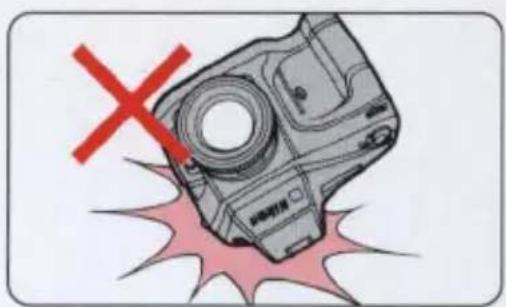
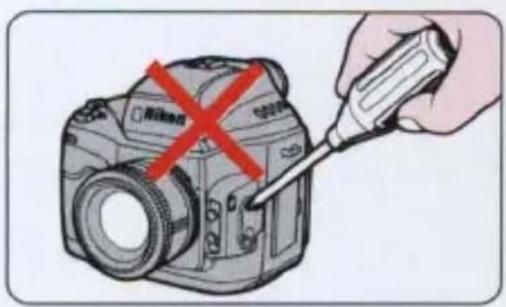
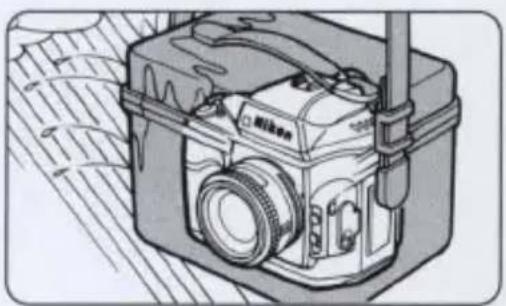
natural_image
Illustration of a Nikon camera with visible lens and external wiring (no text or symbols)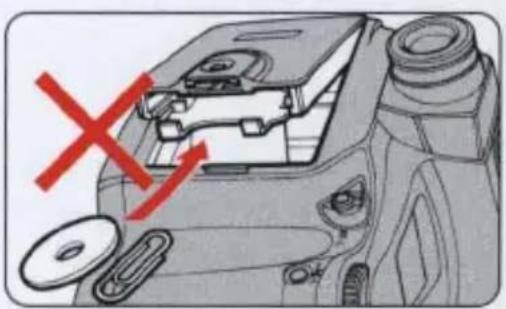
natural_image
Diagram of a camera body with red X mark indicating a disassembly or repair process (no text or symbols present)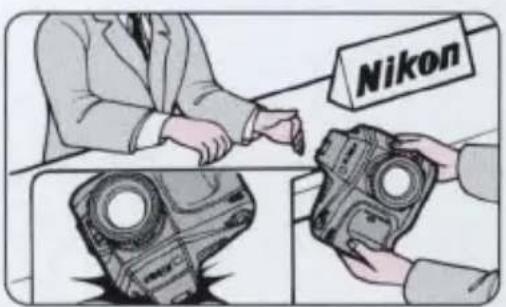
Camera care tips
Use a blower to remove dust from the camera and then wipe the camera clean with a soft, dry cloth. Do not use thinner, benzene, or other active agents.
If the camera is not going to be used for a long time, remove the Rechargeable Battery Pack; store it in a cool, dry place. We recommend taking the camera out of storage from time to time and releasing the shutter a few times at least once a month.
■ Store the camera in a cool, dry place to prevent mold. Do not leave it inside an enclosed space exposed to chemicals such as camphor and naphthalene. Do not leave the camera near electronic appliances subject to electromagnetic waves (e.g. TVs and radios). Avoid leaving the camera in hot places such as a car in the summer time or near a heater.
■ Make sure that your camera is securely mounted on the tripod before shooting when using a tripod.
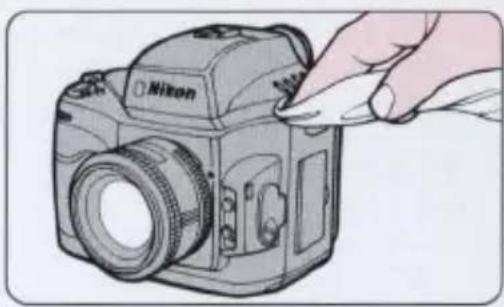
natural_image
Illustration of a Nikon DSLR camera with a hand adjusting its lens (no text or symbols visible)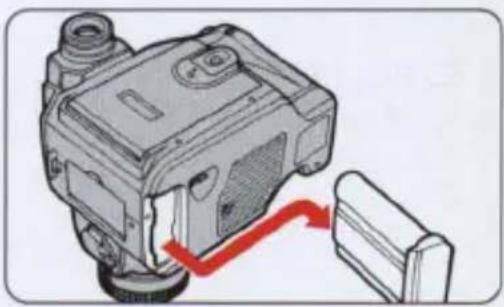
natural_image
Mechanical component diagram showing a housing connected to a battery with a red arrow indicating motion (no text or symbols)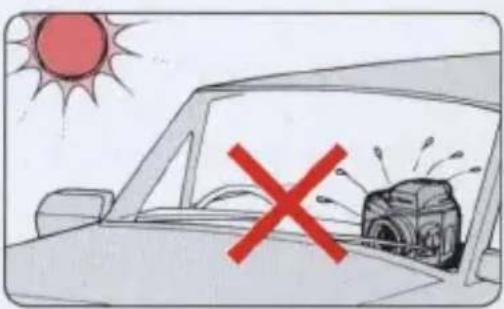
natural_image
Cartoon illustration of a car under a sun with a red X symbol, showing a vehicle and a camera (no text or symbols present)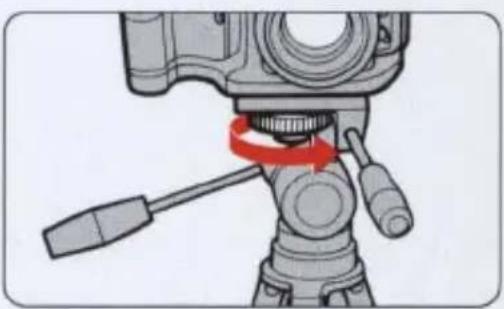
natural_image
Diagram of a camera setup with a red-handled lever and tool, no text or symbols present■ Damage Requiring Service—Refer servicing to qualified service personnel under the following conditions:
If liquid has been spilled, or objects have fallen into the product.
If the product has been exposed to rain or water.
If the product does not operate normally according to the operating instructions. Adjust only those controls that are covered by the operating instructions as improper adjustment of other controls may result in damage and will often require extensive work by a qualified technician to restore the product to normal operation.
If the product has been dropped or damaged in any way.
When the product exhibits a distinct change in performance—this indicates a need for service.
■ Heat—The product should be kept away from heat sources such as radiators, heat registers, stoves, or any other heat generating products.
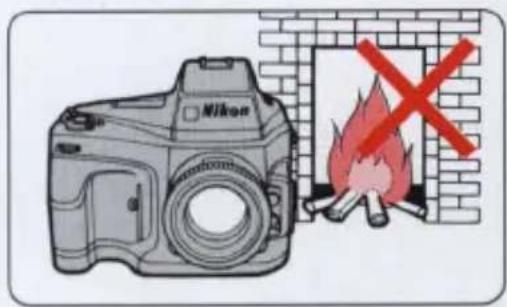
| Type of camera | Interchangeable-lens SLR-type digital still camera |
| Lens mount | Nikon F mount (with AF coupling and AF contacts) |
| Usable lenses | AF Nikkor lenses and AI-type Nikkor lenses (with some exceptions) |
| Frame advance mode | S: Single frame shootingC: Continuous shooting (when using EC-15)E2: Approx. 1 frame/sec. (in BASIC mode)E2s: Approx. 3 frames/sec. up to 7 frames continuouslySD: Data send function not supported by NikonPB: Playback mode |
| Exposure control mode | P: Programmed AutoS: Shutter-Priority AutoA: Aperture-Priority AutoM: Manual |
| Exposure metering system | ·TTL Matrix Metering using a multi-segment sensor(5 segments) with vertical sensors·TTL Center-Weighted Metering concentrating 70% of the meter's sensitivity into the center of the viewfinder.·TTL Spot Metering the area metered is represented by the approx. 5mm-diameter circle in the center of the viewfinder. |
| Metering range | EV1 to EV20 (at equivalent to ISO 100 with f/1.4 lens)EV2 to EV20 (in Spot Metering)EV1 to EV16-1/3 (in Matrix Metering) |
| Exposure compensation | With the exposure compensation button; ±2EV range, in 1/4EV increments (Exposure compensation mark appears in the viewfinder.) |
| Auto Exposure Lock | BV memory system with AE-L button |
| Shutter | Electromagnetically controlled vertical-travel focal-plane shutter (shutter balancer incorporated) |
| Shutter speeds | Controlled speed from 1/8 to 1/2000 sec., Sy |
| Viewfinder | Optical eye-level type, with approx. 98% frame coverage |
| Viewfinder magnification | Approx. 0.7x |
| Focusing screen | Dedicated Type B clear matte field with focus brackets |
| Viewfinder information | By LCD—Metering system, Shutter speed, Aperture, Exposure indicators, Exposure modes, Frame counter By LED—Focus indicators (in-focus, front-focus, rear-focus), Exposure compensation mark, Flash-ready light (lights up when charging is completed, and blinks to alert the subject is out of the flash shooting range when used with SB-26 or SB-25) |
| Reflex mirror | Automatic, instant-return type |
| Autofocus | TTL phase detection system using Nikon advanced AM200 autofocus module |
| Autofocus detection range | Approx. EV-1 to EV18 at ISO equivalent 100 (under Nikon inspection conditions) |
| Autofocus actuation method | Single-Servo AF mode (S) Continuous-Servo AF mode (C) Manual Focus (M) mode |
| Autofocus lock | By lightly pressing the shutter release button in Single-Servo AF mode or by using AF-L button (AE and AF are simultaneously locked by using AF/AE-L (double lock) lever) |
| Image pickup device | 2/3 inch VT (Vacant Transfer) system color CCD with 1,300,000 pixel resolution |
| Sensitivity | ISO equivalent 800 (STD) and 1600 (HIGH) switchable |
| Image recording system | Digital recording on PCMCIA compatible PC card in either compressed or non-compressed format |
| Resolution | 700 (horizontal), 650 (vertical) lines |
| No. of frames (Image Memory Card EC-15) | Approx. 5 (HI mode, non-compressed) Approx. 43 (NORMAL mode, 1/8 compressed), Approx. 21 (FINE mode, 1/4 compression), Approx. 84 (BASIC mode, 1/16 compression) |
| LCD panel information | Exposure mode, Image Memory Card, Battery, Aperture, Shutter speed, Lock indicator, Frames-remaining counter, Exposure compensation, Metering system, Image quality, Frames-shot counter, Sensitivity, White balance mode |
| Flash synchronization | X-contact only; shutter operates at 1/250 sec. or slower; in Shutter-Priority Auto or Manual exposure mode, shutter can be set to 1/250 sec. or slower; (Shutter cannot be set to 1/350 to 1/2000 sec.) With Nikon Speedlight SB-26 or SB-25, Matrix Balanced Fill-Flash and Standard TTL Flash operations are possible. |
| Video output terminal | Pin Jack, 1V p-p, 75Ω, unbalanced, sync negative |
| Accessory shoe | Hot shoe (flash, monitor preflash, TTL flash, ready-light contacts)Safety lock system (a mount pin is automatically inserted into the locking hole in accessory shoe to secure Speedlight on the accessory shoe.) |
| Tripod socket | 1/4 in. (JIS standard) |
| Power source | Nikon dedicated Rechargeable Battery Pack EN-1 or DC Adaptor ES-1Voltage: 7.2VCharging time: Approx. 1 hourPower capacity: 1200mAhQuick Charger EH-1 (EH-2)/DC Adaptor ES-1 |
| Checking battery power | With the power ON, if in LCD panel and display segment in viewfinder blink, battery is weak. If in LCD panel blinks and display segment in viewfinder goes out, battery is exhausted. |
| Operating temperature Operating humidity | 0°C to +40°C (32°F to 104°F)80% or less (no condensation) |
| Dimensions (WxHxD) | 164.1 x 159.2 x 120.2mm (6.5 x 6.3 x 4.7 in.) (E2s)164.1 x 139.8 x 120.2mm (6.5 x 5.5 x 4.7 in.) (E2) |
| Weight | Approx. 1850g (4.1 lbs) (E2s)Approx. 1720g (3.8 lbs) (E2) |
| Required accessories | Rechargeable Battery Pack EN-1Quick Charger EH-1 (EH-2)DC Adaptor ES-1External Sync Adaptor EX-10Video Cable EG-10Image Memory Card EC-15 |
All specifications apply when a fully charged Battery Pack is used, at normal temperature (20°C or 68°F).
Specifications and design are subject to change without notice.
No reproduction in any form of this manual, in whole or in part (except for brief quotation in critical articles or reviews), may be made without written authorization from NIKON CORPORATION.
Nikon
NIKON CORPORATION
FUJI BLDG., 2-3, MARUNOUCHI 3-CHOME,
