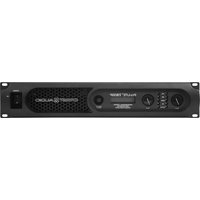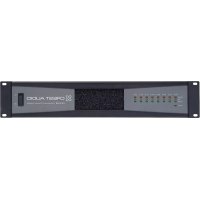
Ci 20×8 - Receiver CREST AUDIO - Free user manual and instructions
Find the device manual for free Ci 20×8 CREST AUDIO in PDF.


Pick your language and provide your email: we'll send you a specifically translated version.
| Product Type | Professional Audio Receiver / Matrix Mixer |
| Model | Ci 20×8 |
| Brand | Crest Audio |
| Input Channels | 20 |
| Output Channels | 8 |
| Frequency Response | 20 Hz - 20 kHz ±0.5 dB |
| Total Harmonic Distortion (THD) | < 0.01% |
| Signal-to-Noise Ratio | > 100 dB |
| Power Supply | 100-240 V AC, 50/60 Hz |
| Power Consumption | 60 W (maximum) |
| Dimensions (W × H × D) | 19" × 3.5" × 12" (rack-mountable, 2U) |
| Weight | 12 lbs (5.4 kg) |
| Cooling | Fan-cooled |
| Mounting | Standard 19-inch rack mount (2U) |
| Audio Inputs | 20 balanced XLR / TRS combo jacks |
| Audio Outputs | 8 balanced XLR outputs |
| Control | Front panel, RS-232, Ethernet |
| Care Instructions | Clean with dry soft cloth; avoid liquids |
| Safety | Do not expose to moisture; use properly grounded outlet |
| Spare Parts | Contact Crest Audio support for replacement modules |
Frequently Asked Questions - Ci 20×8 CREST AUDIO
How do I reset the Crest Audio Ci 20×8 to factory defaults?
Press and hold the reset button on the rear panel for 5 seconds while powering on. Alternatively, use the front menu: System > Factory Reset.
What is the maximum input level for the Ci 20×8?
The maximum input level is +24 dBu. Ensure your source does not exceed this to avoid clipping.
Can I use the Ci 20×8 with a computer via USB?
No, the Ci 20×8 does not have a USB port. Use Ethernet or RS-232 for control and audio networking.
How do I update the firmware on my Crest Audio Ci 20×8?
Download the latest firmware from the Crest Audio website. Connect via Ethernet, then use the Crest Control Software to upload the firmware file.
Why is there no sound from one of the outputs?
Check if the channel is muted or the routing is incorrect. Use the front panel to verify Output Assignment. Also ensure the connected cable is working.
Can I use the Ci 20×8 as a standalone mixer?
Yes, the Ci 20×8 can operate standalone. Use the front panel controls for basic mixing and routing. For advanced configuration, connect a PC via Ethernet.
What type of cables are recommended for the Ci 20×8?
Use balanced XLR or TRS cables for inputs and outputs. Unbalanced cables may introduce noise. For Ethernet control, use a shielded CAT5e or CAT6 cable.
How do I clean the front panel of the Ci 20×8?
Turn off the unit and unplug it. Wipe with a soft, dry microfiber cloth. Do not use any liquids or abrasive cleaners.
Is the Ci 20×8 compatible with 48V phantom power?
Yes, each input channel has individually switchable 48V phantom power. Use the front-panel +48V switch for each channel as needed.
What is the warranty period for the Crest Audio Ci 20×8?
Crest Audio offers a 5-year limited warranty from the date of purchase. Register your product online to activate warranty.
User questions about Ci 20×8 CREST AUDIO
0 question about this device. Answer the ones you know or ask your own.
Ask a new question about this device
No questions yet. Be the first to ask one.
Download the instructions for your Receiver in PDF format for free! Find your manual Ci 20×8 - CREST AUDIO and take your electronic device back in hand. On this page are published all the documents necessary for the use of your device. Ci 20×8 by CREST AUDIO.