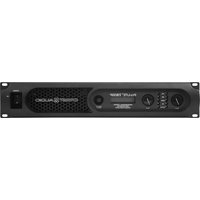
Pro 5200 - Receiver CREST AUDIO - Free user manual and instructions
Find the device manual for free Pro 5200 CREST AUDIO in PDF.


Pick your language and provide your email: we'll send you a specifically translated version.
| Product Type | Professional Power Amplifier |
| Brand | Crest Audio |
| Model | Pro 5200 |
| Channels | 2 |
| Power Output (per channel) | 520W into 4 ohms |
| Total Harmonic Distortion | <0.1% at rated power |
| Frequency Response | 20Hz - 20kHz ±0.5dB |
| Input Connections | Balanced XLR and 1/4" TRS |
| Output Connections | Speakon and binding posts |
| Cooling | Variable speed fans, rear-to-front airflow |
| Protection | Clip limiting, thermal, short circuit, DC offset |
| Front Panel Controls | Gain controls per channel, power switch, clip indicators |
| Rackmount | 19" rackmountable, 2U height |
| Dimensions (HxWxD) | 3.5 x 19 x 16 inches (89 x 483 x 406 mm) |
| Weight | 35 lbs (15.9 kg) |
| Power Supply | AC 100-240V, 50/60Hz, 1200W maximum |
| Operating Temperature | 32°F to 104°F (0°C to 40°C) |
| Maintenance | Clean with dry cloth; ensure unobstructed ventilation |
| Safety | Use grounded outlet; do not expose to rain or moisture |
| Spare Parts | Replacement fuses and input modules available from Crest Audio |
Frequently Asked Questions - Pro 5200 CREST AUDIO
How do I connect my speakers to the Pro 5200?
Use Speakon connectors for high-power applications or binding posts for bare wire. Ensure impedance is at least 4 ohms per channel to avoid overheating.
Can I bridge the amplifier for more power?
Yes, flip the mode switch to 'Bridge' and connect the speaker to the positive terminals of both channels. Output power will be approximately 1600W into 8 ohms.
What type of input cables should I use?
Use balanced XLR or TRS cables for best noise rejection. Unbalanced cables may cause hum over long distances.
Why is the clip light flashing?
The clip indicator shows that the amplifier is near its maximum output. Reduce the input level or gain to prevent distortion and potential damage to speakers.
Is the Pro 5200 suitable for live sound?
Yes, it is designed for professional live sound reinforcement and installation, offering reliable power and comprehensive protection features.
How do I clean the amplifier?
Disconnect power and use a dry, lint-free cloth to wipe the front panel and ventilation grills. Avoid using solvents or compressed air inside.
What is the recommended operating temperature?
The amplifier should be used in temperatures between 32°F and 104°F (0°C to 40°C). Ensure adequate ventilation in the rack.
Can I use this amplifier with a subwoofer?
Yes, but ensure the subwoofer's impedance matches (4 ohms or higher) and consider using a crossover to limit low frequencies to the sub.
What should I do if the amplifier shuts down unexpectedly?
Check for thermal overload (fans running fast after shutdown), short circuits, or incorrect load impedance. Allow cooling before restarting.
Where can I find the user manual?
The user manual is available for free download in PDF format on notice-facile.com or the Crest Audio website.
User questions about Pro 5200 CREST AUDIO
0 question about this device. Answer the ones you know or ask your own.
Ask a new question about this device
No questions yet. Be the first to ask one.
Download the instructions for your Receiver in PDF format for free! Find your manual Pro 5200 - CREST AUDIO and take your electronic device back in hand. On this page are published all the documents necessary for the use of your device. Pro 5200 by CREST AUDIO.