TX-901D - Fan Kunft - Free user manual and instructions
Find the device manual for free TX-901D Kunft in PDF.


| Product Type | Desk Fan |
| Brand | Kunft |
| Model | TX-901D |
| Color | White |
| Power Supply | AC 220-240V, 50Hz |
| Power Consumption | 35W (estimated) |
| Speed Settings | 2 speeds (Low, High) plus Off |
| Oscillation | Yes (knob control) |
| Tilt Adjustment | Yes (via adjusting screw) |
| Material | Plastic body, metal grill |
| Cord Length | Approximately 1.5 meters |
| Net Weight | 2.5 kg (estimated) |
| Dimensions | 35 x 35 x 45 cm (estimated) |
| Safety Features | Overheat protection, stable base, blade guard |
| Cleaning | Wipe with damp cloth; do not immerse in water |
| Assembly Required | Yes (front grill, blade, guard nut) |
| Use Location | Indoor only |
| Certification | CE (assumed) |
| Warranty | 2 years |
Frequently Asked Questions - TX-901D Kunft
User questions about TX-901D Kunft
0 question about this device. Answer the ones you know or ask your own.
Ask a new question about this device
Download the instructions for your Fan in PDF format for free! Find your manual TX-901D - Kunft and take your electronic device back in hand. On this page are published all the documents necessary for the use of your device. TX-901D by Kunft.
USER MANUAL TX-901D Kunft
MANUAL DE INSTRUÇÕES
natural_image
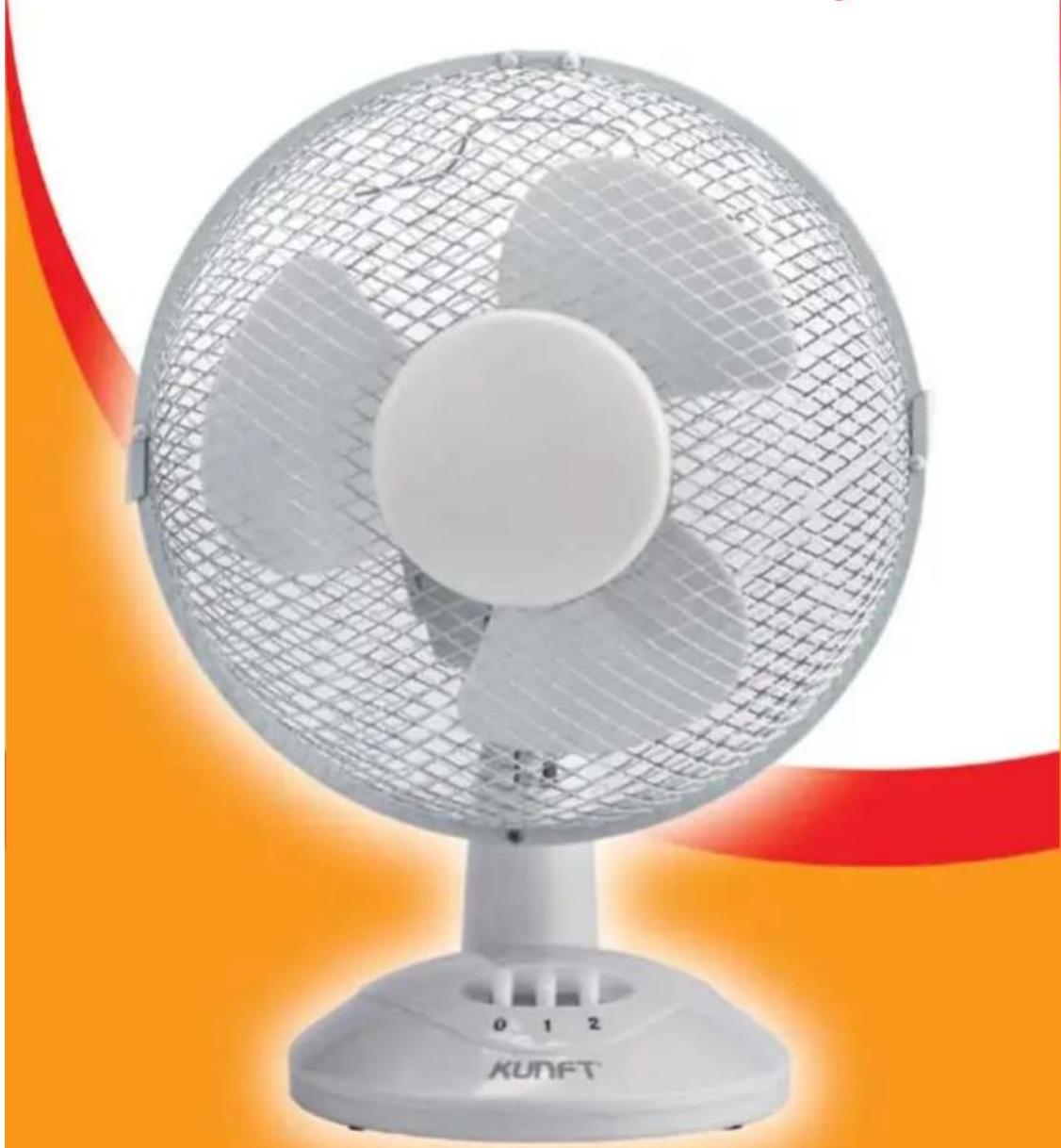
White KUNFT fan with mesh grille and orange ambient lighting (no text or symbols visible)desk fan
TX-901D
Dear client,
We thank you for purchasing this product.
This appliance was submitted to several laboratorial tests, which certify its quality. To simplify the use of this appliance, this instruction manual has been provided. The instructions must ensure a quick and safe use.
Please read carefully the instructions and safety measures described in this manual.
We wish our clients great satisfaction in using their new appliance.
INDEX
- SAFETY INSTRUCTIONS ....4
1.1. Power Energy ....5
1.2. Power Cord and Other Cables .....5
1.3. Humidity and Water ......6
1.4. Cleaning 6
1.5. General Precautions ....7
- UTILIZATION AND FUNCTIONING .... 11
2.1. Product Description ...... 11
2.2. Operating Instructions .... 11
2.3. Angle Adjustment 11
-
AFTERMARKET 11
-
ENVIRONMENT CONSERVATION ...... 12

area
| Position | Value | |---|---| | 1 | 2 | | 2 | 3 |1. SAFETY INSTRUCTIONS
| [KKDW] | ATTENTION |  |
| Risk of Electric ShockDo Not Open | ||
| Attention: to avoid the risk of electric shock, do not remove the cover. The interior does not contain any parts that may be repaired by the user. Ask for assistance to qualified personnel. | ||
Important Warnings
Before using your appliance, read carefully this instruction manual and keep it in a safe place, as you may need it for future consultations.
Before you start your appliance, and to ensure a correct use, do not use it if:
- It has fallen on the ground;
- You notice any evidence of damage;
- Any anomaly occurs during its operation;
To avoid hazards and deterioration of your appliance by an incorrect use, it is advisable to read the instructions carefully and attentively.
Your appliance must not be used to other ends than the ones foreseen in the instructions manual. Your safety is only guaranteed in a household use and not for
commercial use. The incorrect use will not be covered and automatically cancels the right to warranty.
Assistance
Be sure that, in case of malfunction, you take your appliance to a qualified technician for assistance.
This appliance can be used by children from 8 years old and above and persons with reduced physical, sensory or mental capabilities or lack of experience and knowledge if they have been given instruction concerning use of the appliance in a safe way and understand the hazards involved. Children shall not play with the appliance. Cleaning and maintenance shall not be made by children without supervision.
These instructions are also available on www.suporteworten.pt
1.1. Power Energy
Make sure the voltage of the electric network is compatible with the one of the appliance. If it does not match, consult the vendor or Customer Support Service.
1.2. Power Cord and Other Cables
Do not roll up or pull the cord to disconnect the appliance, and do not use to twine the appliance. Keep the cord far from warm surfaces.
Never use the appliance if it has a damaged cable or socket, or if it is not working properly.
In case of damage of the power cord, do not use your appliance. Take it to technical assistance for its replacement.
1.3. Humidity and Water
Do not use your appliance in humid places. Do not let your appliance to catch water under any circumstance, as it may be dangerous. TO AVOID FIRE HAZARD OR ELECTRIC SHOCK DO NOT EXPOSE YOUR APPLIANCE TO HUMIDITY OR WATER. Do not place your appliance under water (for example for washing).
1.4. Cleaning
Before cleaning, be sure to switch off the appliance and remove the plug from the mains power supply.
Use only a damp cloth to clean the enclosure.
Switch off and unplug from the power supply before assembling or disassembling and cleaning.
Keep the air vents at the rear of the main body free from dust or fluff-use a vacuum cleaner to remove these when necessary. Do not probe any opening to remove fluff.
Fan component parts should be cleaned using mild soap and a damp cloth or sponge. Do not allow any water or other liquid to enter liquid to enter the motor housing.
Thoroughly remove soap film with clean water.
1.5. General Precautions
- Please follow the instructions of the user manual, which helps properly installing and operating this product and enjoying its advanced features. Please keep the instructions for future reference.
- Read all instructions before using the product.
- Do not use the product if the supply cord is damaged. If it is the case, it must be replaced by the manufacturer or its service agent.
- Do not allow the cord to hand over sharp edges and keep it well away from hot objects and naked flames. Remove the plug from the socket only by holding the plug.
- Make sure that there is no danger that the cord or extension cord may inadvertently be pulled or cause anyone to trip when in use.
- If an extensive cord is used it must be suited to the power consumption of the
desk fan TX-901D
KUNFT®
appliance, otherwise overheating of the extension cord and /or plug may occur.
- Ensure the voltage used corresponds with the voltage indicated on the rating label.
- Incorrect operation and improper use can damage the appliance and cause injury to the user.
- Never touch the blades with your fingers, pencils or any other kind of objects, whether the appliance is operating or not.
- Never pull the power cord too hard. If it gets damaged after prolonged use, have it repaired by a qualified electrician or technician.
- Do not use the appliance in damp or wet places, like bathrooms.
- Never allow the fan to get wet or that any kind of liquid enters the motor or control panel. However should the appliance accidentally fall into water, unplug the appliance immediately and have it checked by a qualified person before using it again. Non-observance could cause a fatal electric shock!
-
Do not use the appliance with wet hands, on a damp floor or when the appliance itself is wet.
-
Do not touch the plug with wet or damp hands.
- Never block the blades while the appliance is operating.
- Never attempt to open the housing yourself.
- Do not place any kind of object into the inside of the housing.
- Do not hang or mount the fan on a wall or ceiling.
- Place the fan on an even and steady surface so it does not fall.
- Before using your fan, make sure it is completely and correctly mounted.
- To avoid damages in the cable, roll it without any effort.
- After assembling the fan, make sure the power cord is not stuck.
- Remove all the packaging materials (plastic, cardboard, etc.).
- The packaging materials should not be left for children to reach it or have access to it. Keep all packaging materials away from children as there is a risk of suffocation.
-
This appliance is not suitable for commercial use nor for use in the open air.
-
The appliance may be used only for its intended purpose. No responsibility can be taken for any possible damage caused through incorrect use or improper handling.
- Never use the cord to carry the appliance. Use the handle to carry the appliance.
- Never leave the appliance unattended while it is in use.
- Always remove the plug from the socket when the appliance is not in use and each time before it is cleaned.
- Nominal voltage is still present in the appliance as long as the appliance is connected to the mains socket.
- No exchange will be made if the above instructions are not followed. Always test the product first before purchase.
- If the ventilator is no longer required, store it in a cool, dry place.
2. UTILIZATION AND FUNCTIONING
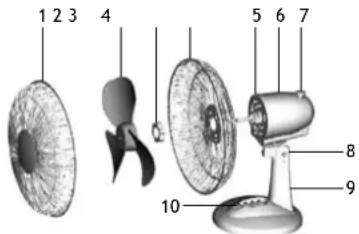
2.1. Product Description
- Front grill.
- Fan blade.
- Guard mounting nut.
- Rear grill.
- Motor shaft.
- Motor housing.
- Oscillation knob.
- Neck piece assembly.
-
Stand.
-
Speed control switch (0, 1 and 2).
2.2. Operating Instructions
The On/Off and speed is controlled by the button switch.
0 - The fan is switched off.
1 - The fan operates at the lowest speed.
2 - The fan operates at the highest speed.
2.3. Angle Adjustment
- Switch off the fan.
- Slightly loosen the adjusting screw by turning it anti-clockwise.
- Adjust the fan to the desired angle and then tighten the adjusting screw by turning it clockwise.
3. AFTERMARKET
KUNFT has designed this appliance in order to guarantee the maximum reliability. However, if a problem occurs, by following the procedures suggested in this section you may be able to determine its cause.
Do not attempt to open the appliance - there is a risk of electrical shock.
If you are not able to solve the problem, please contact your seller or manufacturer.
All users must be familiarized with this section. Knowing what could go wrong can help you avoid the occurrence of problems.
WARNING: any attempt of fixing the appliance without contacting the manufacturer will nullify the warranty.
In case the problem persists, take your appliance to an aftermarket section of any Worten, Modelo or Continente store in order to solve the problem.
desk fan TX-901D
KUNFT®
Worten Equipamentos para o Lar ensures for a period of 2 years, counting from the date of purchase of this appliance, a warranty against any found manufacturing defect. The warranty supposes a correct use and maintenance of the appliance, namely according to the instructions expressed in this manual. In case otherwise identified, the malfunctions will not be under the warranty.
The repairing of electrical appliances must only be made by qualified technicians, as otherwise there may occur future complications on the appliances.
To avoid unnecessary risks, in case there are any malfunctions on the wires or on another type of components, repairing must be made on the specialized locations of technical assistance, as appropriate tools are needed.
4. ENVIRONMENT CONSERVATION
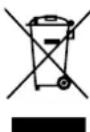
Aiming to protect the environment, we try to reduce to a maximum the volume of the packages which are confined to three easy separation materials: cardboard, paper and plastic.
The appliance is made of recyclable material, once disassembled by a specialized company. Follow the local legislation concerning recycling of all materials.
Imported, produced and distributed by:
- MANUAL DE INSTRUÇÕES
- Dear client,
- INDEX
- SAFETY INSTRUCTIONS
- Important Warnings
- Assistance
- Power Energy
- Power Cord and Other Cables
- Humidity and Water
- Cleaning
- General Precautions
- desk fan TX-901D
- KUNFT®
- UTILIZATION AND FUNCTIONING
- Product Description
- Operating Instructions
- Angle Adjustment
- AFTERMARKET
- ENVIRONMENT CONSERVATION
Brand : Kunft
Model : TX-901D
Category : Fan