
Move 2520 - Mp3 player PURE - Free user manual and instructions
Find the device manual for free Move 2520 PURE in PDF.


| Product Type | Portable DAB+/DAB and FM Radio with Headphone Output |
| Dimensions | 102 x 56 x 15 mm |
| Power Supply | DC 5V, 0.8A; mains adapter input AC 100-240V, 50/60Hz |
| Battery | ChargePAK M1, 1000mAh rechargeable |
| Radio Frequencies | DAB/DAB+ (Band III), FM 87.5-108 MHz |
| Headphone Output | 3.5mm stereo, noise-isolating earbuds (16 Ohm) |
| Display | Backlit LCD with text and icons |
| Controls | Navigation dial with Select button; dedicated Menu, Fav, Source, Stations buttons |
| Favorites | Up to 10 DAB and 10 FM stations |
| Sleep Timer | Up to 90 minutes, adjustable |
| Audio Settings | Bass and treble adjustment (-6 to 6) |
| Language Support | English, French, German, Italian |
| Software Update | Via Micro USB (contact support for instructions) |
| Warranty | 2 years |
| Compliance | CE marked, RoHS compliant |
| Box Contents | Move 2520, ChargePAK M1, power adapter, noise-isolating headphones with earbuds |
Frequently Asked Questions - Move 2520 PURE
User questions about Move 2520 PURE
0 question about this device. Answer the ones you know or ask your own.
Ask a new question about this device
Download the instructions for your Mp3 player in PDF format for free! Find your manual Move 2520 - PURE and take your electronic device back in hand. On this page are published all the documents necessary for the use of your device. Move 2520 by PURE.
USER MANUAL Move 2520 PURE
natural_image
Simple geometric shape: a rectangle with a horizontal line above it, no text or symbols present.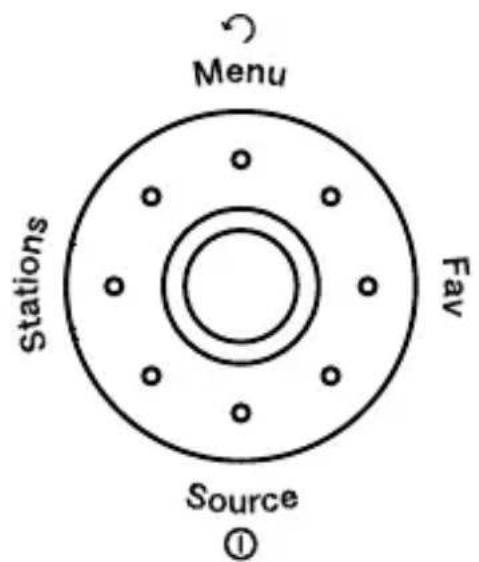
PURE
Move 2520
Thank you for choosing Move 2520. This manual will get you up and running in no time and explains how to make the most of Move 2520's great features. If you need additional help with topics not covered in this manual, please visit the Pure support pages at www.pure.com.
⚠ Safety information
-
Familiarise yourself with all of the safety information and instructions before using the radio. When passing this radio on to others, please include all documents.
-
The apparatus shall not be exposed to dripping or splashing and that no objects filled with liquids, such as vases, shall be placed on the apparatus. If liquid or water is spilled on to the radio, switch it off at the mains immediately, disconnect the mains plug and contact your dealer. Never touch the plug or the radio itself with wet hands. Never pull the power cable when disconnecting the power adaptor from the power supply.
-
The batteries (battery pack or batteries installed) shall not be exposed to excessive heat such as sunshine, fire or the like
-
Using the radio in rooms or climates with high humidity and temperatures may cause condensation to form inside the radio, which can damage the radio. Use apparatus in moderate climates only.
-
Avoid extreme degrees of temperature, either hot or cold. Place the device well away from heat sources such as radiators or gas/electric fires. No naked flame sources, such as lighted candles, should be placed on the apparatus
-
The mains power adapter is used as the disconnect device, the disconnect device shall remain readily operable. Fit the mains adaptor to an easily accessible socket located near the radio and ONLY use the mains power adapter supplied.
-
Use only power supplies listed in the user instructions. (Model KSLFB0500080W1UV-1 or SW0500800-AM).
-
Ensure that the available supply voltage corresponds with the required operational voltage of the radio before use.
-
Disconnect your radio from the power supply if you will not use your radio for a long period of time (e.g. if you are going on holiday).
-
Always unplug your radio from the mains socket before cleaning. When cleaning the radio, do not use any type of abrasive pad or abrasive cleaning solutions as these may damage the radio's surface.
-
To reduce the risk of electric shock, do not remove any screws as there are no user-serviceable parts inside. Refer servicing to qualified personnel.
ChargePAK M1 safety instructions
-
Read the instructions for ChargePAK use in this document.
-
Only use your ChargePAK with original Pure products. Use only the original Pure ChargePAK M1.
-
Store ChargePAK in a cool, dry place at normal room temperature. Remove from devices that will be stored unused for extended periods.
-
Do not puncture, modify, drop, throw, or cause other unnecessary shocks to your ChargePAK. May present a risk of fire, explosion, or chemical burn if mistreated.
-
Do not dispose of ChargePAK in a fire or incinerator, or leave in hot places such as a motor car under direct sunlight. Do not store near oven, stove, or other heat source.
-
Do not connect ChargePAK directly to an electrical source, such as a building outlet or automobile power-point. Do not place into a microwave oven, or any other high-pressure container.
-
Do not immerse ChargePAK in water or otherwise expose it to liquids.
-
Do not short circuit ChargePAK
-
Do not use or charge a ChargePAK that appears to be leaking, discoloured, rusty, deformed; emitting an odour; or is otherwise abnormal.
-
Do not touch a leaking ChargePAK directly; wear protective material to remove and dispose of it properly immediately.
-
Do not store where children may have access.
-
Dispose of ChargePAK as per normal rechargeable batteries according to the local laws and regulations of your region. Some batteries may be recycled, and may be accepted for disposal at your local recycling centre.
-
Attention should be drawn to the environmental aspects of battery disposal.

Damage to hearing can occur with consistent exposure to high volume when using headphones. Always check the volume level before inserting headphones into your ears. Use of headphones while operating a vehicle is not recommended and is illegal in some areas. Stop listening to your Move if you find it distracting while operating any type of vehicle or performing any other activity that requires your full attention.
Symbols on the product and in the user manual

Potentially serious risk to your personal safety. To avoid possible injury or death, obey all safety notices with this symbol.


Caution. Read the user manual before use.

Where to switch on or off the product, or put it in standby.



5V DC power supply input, 0.8 amps.
Contents
4 What's in the box?
5 Quick guide to Move 2520
6 Getting started
6 Insert the ChargePAK
7 Connect headphones
7 Switch on
7 Select language
7 Autotune
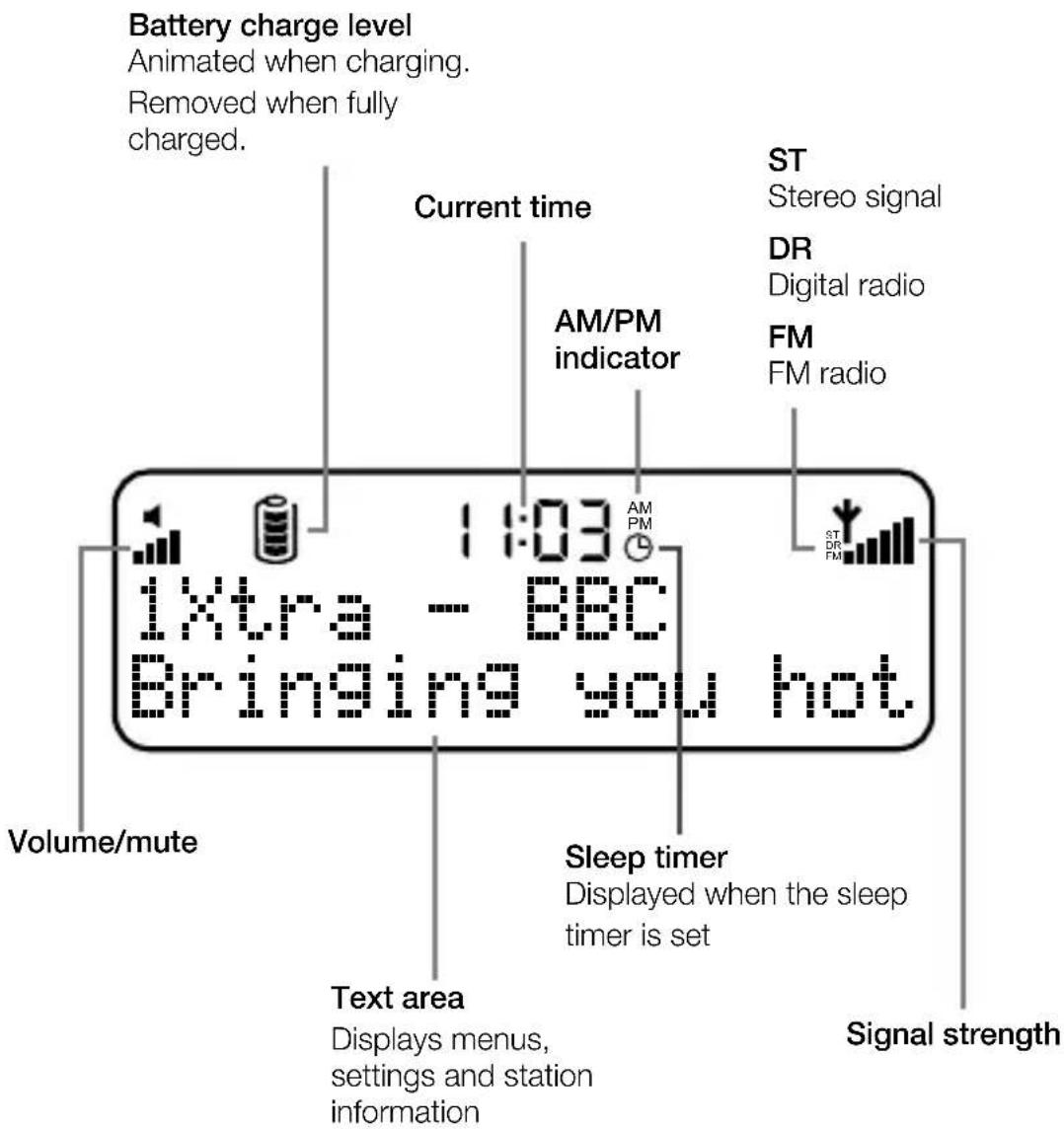
8 Reading the display
9 Using the navigation dial
10 Listening to digital radio
10 Listening to FM radio
11 Favourites
12 Settings
12 Time (12/24h)
12 Language
12 Factory reset
12 Version
12 Update
13 FM stereo
13 Autotune
13 Sleep timer
14 Audio settings
14 Display settings
15 Help and specifications
15 Hints and tips
15 Technical specifications
17 Pure Warranty Statement for Australia
What's in the box?
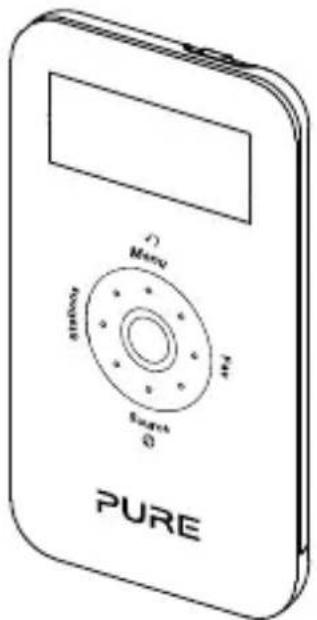
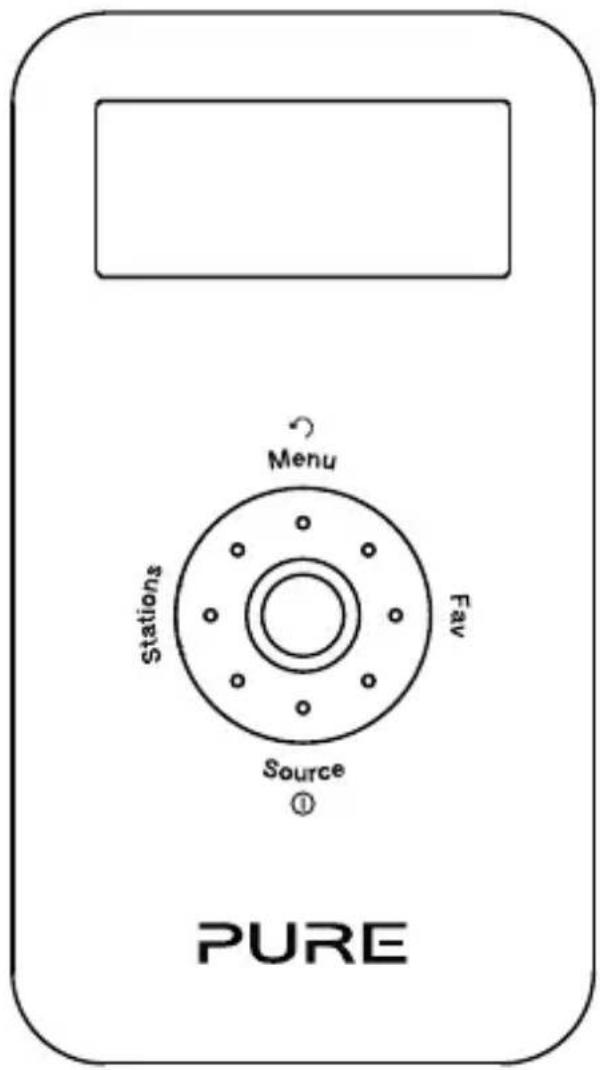
natural_image
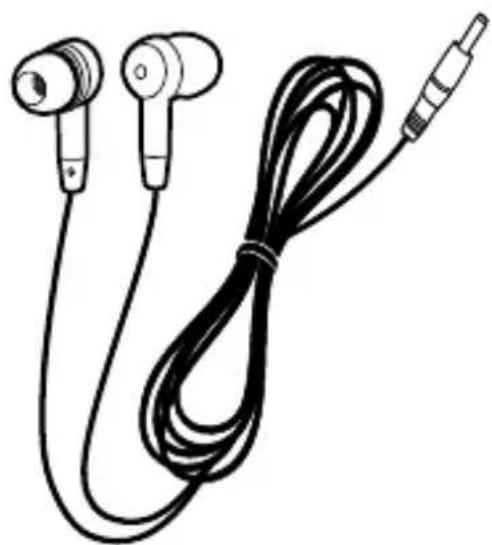
Line drawing of a pair of earphones with a black cord and connector (no text or symbols)Move 2520 Noise-isolating headphones
(Plus a choice of small, medium or large earbuds)
natural_image
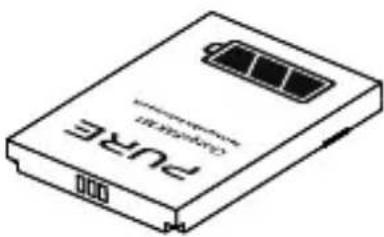
Line drawing of a Puré USB drive with a battery cover (no text or symbols on the device body)ChargePAK M1
natural_image
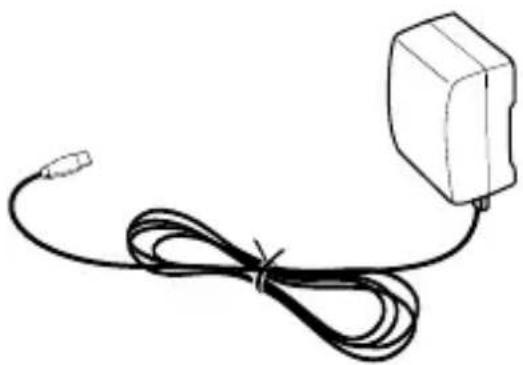
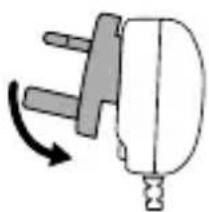
Simple line drawing of a cable with a terminal connector (no text or symbols)Power adapter
(Attach the appropriate pins for your region)
natural_image
Simple line drawing of a plug with a handle and arrow indicating rotation (no text or symbols)Quick guide to Move 2520
Top
natural_image
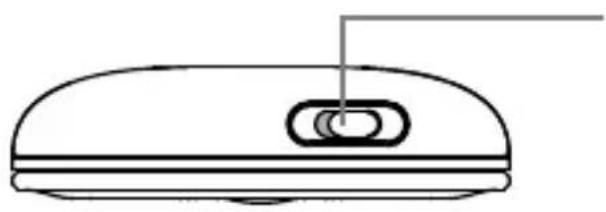
Simple line drawing of a device casing with a handle and internal components (no text or symbols)Lock switch
Slide to lock the navigation dial and the Select button to prevent accidental use.
Bottom
natural_image
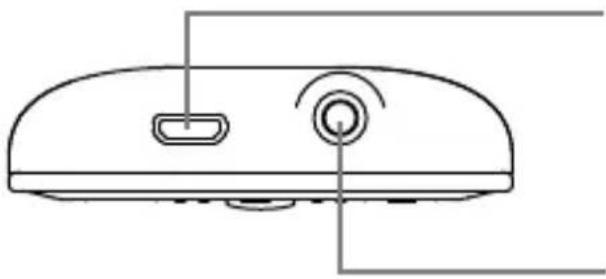
Line drawing of a device rear panel with two ports and a circular button (no text or symbols)Micro USB socket
For connecting the mains adapter or a USB cable (for software updates).
3.5mm socket
For headphones.
Getting started
Insert the ChargePAK
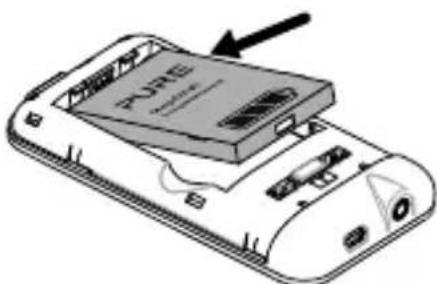
- Press plastic catch on rear and slide the rear cover and lift off as shown.
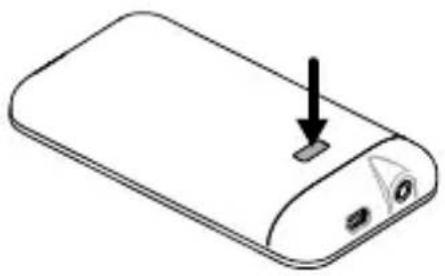
natural_image
Line drawing of a smartphone with a button and arrow pointing to the top portion (no text or symbols)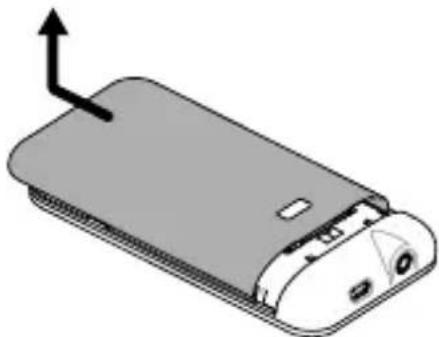
natural_image
3D diagram of a smartphone rear panel with an arrow indicating left motion (no text or symbols)- Insert ChargePAK M1. It can only be inserted one way, with the ChargePAK logo facing up.
natural_image
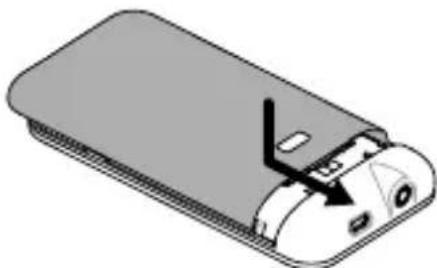
Illustration of a smartphone with an attached device labeled 'PONE' and an arrow pointing to it (no text or symbols on the device itself)- Once ChargePAK M1 is securely inserted, place the rear cover back on. Press down slightly near the catch while sliding the cover back on.
natural_image
3D diagram of a device casing with internal components and a switch, no text or symbols presentNote: Before using Move for the first time, we recommend that you charge it for at least 3 hours.
Remove ChargePAK M1 if you are storing Move unused for a long period.
Under normal circumstances your ChargePAK M1 will give you years of trouble-free use, but as with all rechargeable batteries its performance will gradually reduce with age. To replace it, visit your local Pure dealer or buy direct from www.pure.com.
natural_image
Diagram showing a device with three circular components and directional arrows indicating motion (no text or symbols)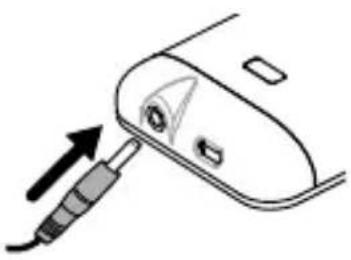
natural_image
Diagram of a hairdryer with a screwdriver inserted, showing the needle and handle (no text or symbols)Connect headphones
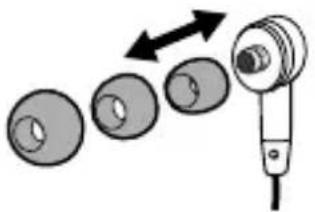
For optimum sound quality and noise isolation, attach the size of earbuds that best fit your ears.
Unravel the earphone cable and plug the headphones into the socket on the bottom of Move.
Warning: Damage to hearing can occur with consistent exposure to high volume when using headphones. Always check the volume level before using Move.
Note: Because the headphone cable doubles as an aerial, using headphones with shorter or asymmetrical cables or using headphones with volume controls may affect reception.
Switch on
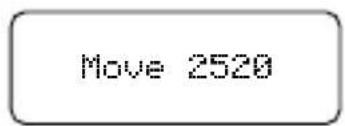
Press Source to switch Move on.
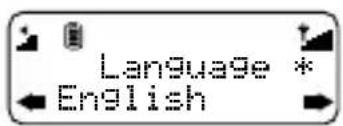
Select language
Turn the navigation dial and press Select to choose from English, French, German or Italian.
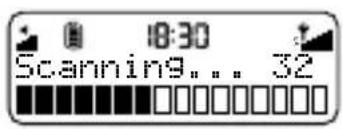
Autotune
Move will perform an autotune for digital stations and tune to a station when complete. The number of stations found is displayed during an autotune.
Note: An autotune can take up to two minutes.
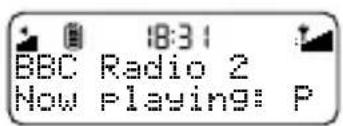
Reading the display
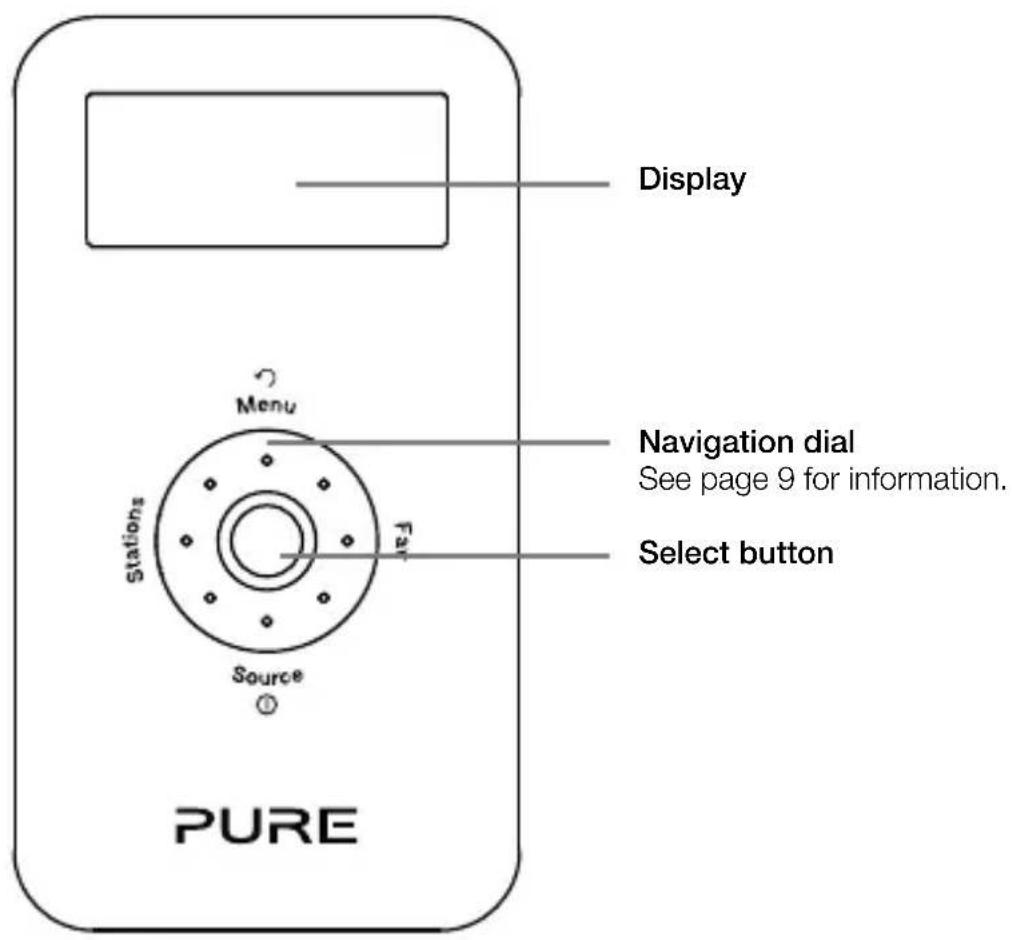
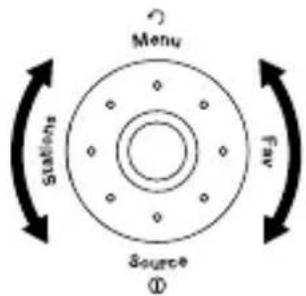
Using the navigation dial
Turn
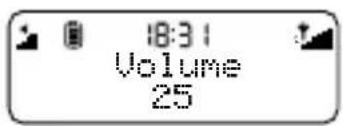
During normal listening
Turn the dial to adjust the volume level.
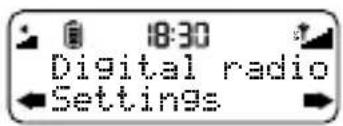
When in a menu
Turn the dial to scroll through options.
Press
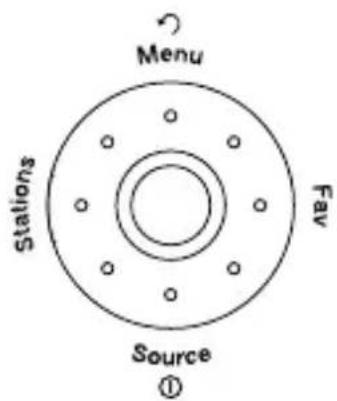
Select (centre button)
Confirm selections.
Menu
Access options and settings. Press again to go back one step.
Fav
Press to display the favourites list. Hold to save a favourite. You can save up to 10 digital and 10 FM stations as favourites.
① Source (also On/Off)
Switch between digital and FM radio. Press to switch on and hold to switch off.
Stations
Displays the station list in digital radio or tuning screen in FM.
Listening to digital radio
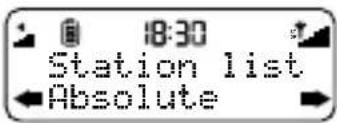
Tuning
Press Stations to show the station list. Turn the navigation dial to scroll through stations and press Select to tune. Press Menu or Stations to exit.
Listening to FM radio
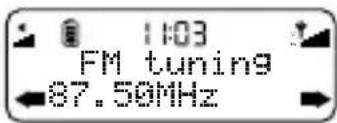
Tuning
Press Stations to show the FM tuning screen then use one of the following methods to find the station you want:
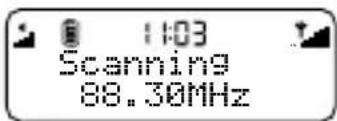
Seek tune
Press left (Stations) or right (Fav) on the navigation dial to seek to the previous or next station with a strong signal. Press Select to exit.
Manual tune
Turn the navigation dial to manually tune to a frequency. Press Select to exit.
Favourites
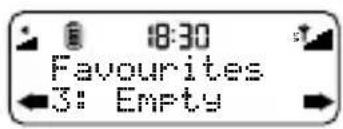
Saving a favourite
You can save up to 10 digital and 10 FM stations as favourites for easy access.
- PressFav to show the favourites list.
- Turn the navigation dial to scroll through favourites.
- Press and hold Fav or Select to save the current station as a favourite. You can save over existing favourites.
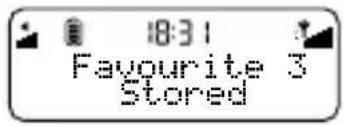
Selecting a favourite
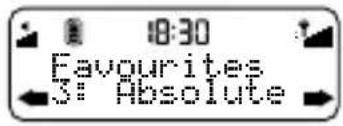
- PressFav to show the favourites list.
- Turn the navigation dial to scroll through favourites.
- Press Select to tune.
Settings
Press Menu, select Settings and choose a setting to adjust:
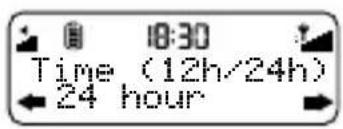
Time (12h/24h)
Switch between 12 or 24 hour clock.
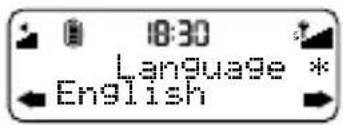
Language
Select a menu language from English, French, German or Italian.
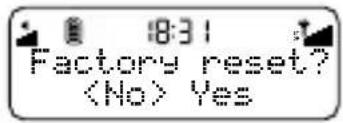
Factory reset
Select Yes to delete all personal settings and favourites. Restarts with default settings.
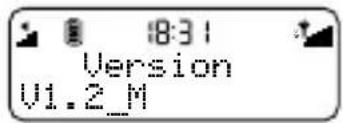
Version
Displays the current software version.
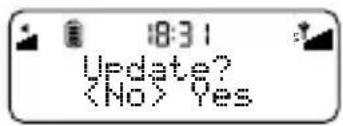
Update
Contact Pure technical support (http://support.pure.com) for more information on how to update Move 2520 to the latest software version.
FM stereo
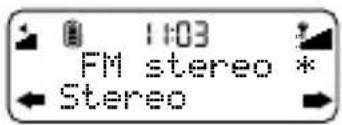
(FM radio only)
Press Menu, then select FM stereo and choose between Stereo or Mono FM reception. Mono may improve weaker reception.
Autotune
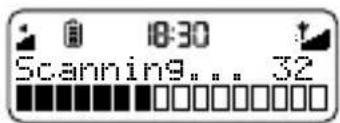
(Digital radio only)
Press Menu, then select Autotune to search for new stations and remove those no longer broadcasting.
Sleep timer
The sleep timer can be set to switch Move off after a period of time.
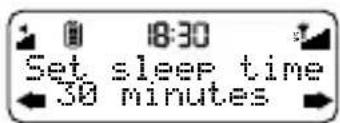
- Press Menu, then select Sleep timer.
- Turn the navigation dial and press Select to set the timer for up to 90 minutes or choose Sleep off to cancel.
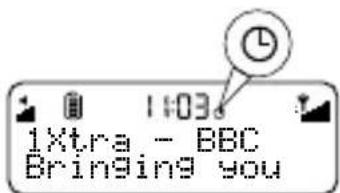
The sleep timer icon will appear when a sleep timer is set.
Audio settings
To adjust the bass and treble settings:
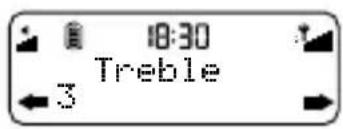
- PressMenu, then select Audio.
- Select Bass or Treble.
- Turn the navigation dial and press Select to set the level from -6 (low) to 6 (high).
Display settings
Press Menu, select Display and select one of the following options:
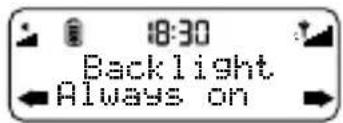
Backlight
Adjust how long the display backlight stays on. Choose from Always on, Timed off (after 7 seconds) or Off.
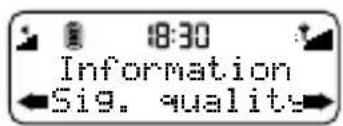
Information
(Digital radio only)
Choose the information shown on the display.
Scrolling text
Provided by the broadcaster.
Signal strength
The clear block indicates reliable reception level.
Signal quality
From 0 (low) to 100 (high).
Help and specifications
Hints and tips
The current value for most settings is indicated on the display by an asterisk ( ).
Technical specifications
Radio Radio Digital and FM radio
Frequencies DAB/DAB+, FM radio 87.5-108 MHz
Headphones Noise-isolating, 16 Ohm, 10 mm drivers.
Input Micro USB for power supply and software upgrade.
Output 3.5mm stereo output for headphones.
Mains power Adapter: Input AC 100 - 240 V\~,50/60 Hz;
Output DC 5V, 0.8 A;
Main Unit: DC 5V
==, 0.8 A
Software version V1.2_M_1RC9
Battery ChargePAK M1 1000mAh.
Dimensions 102 mm x 56 mm x 15 mm
Approvals CE marked.

Compliant with R&TTE (RED 2014/53/EU after 13th June 2017) and RoHS Directives (1999/95/EC and 2011/65/EU). ETSI EN300 401 compliant. See pure.com for the full Declaration of Conformity.
Warranty information
Pure International Ltd. warrants to the end user that this product will be free from defects in materials and workmanship in the course of normal use for a period of two years from the date of purchase. This guarantee covers breakdowns due to manufacturing or design faults; it does not apply in cases such as accidental damage, however caused, wear and tear, negligence, adjustment, modification or repair not authorised by us. Should you have a problem with your unit please contact your supplier or contact Pure Support at http://support.pure.com.
Disclaimer
Pure International Limited makes no representation or warranties with respect to the content of this document and specifically disclaims any implied warranties of merchantability or fitness for any particular purpose. Further, Pure International Limited reserves the right to revise this publication and to make changes in it from time to time without obligation of Pure International Limited to notify any person or organization of such revisions or changes.
Trademarks
Move 2520, ChargePAK, Pure, the Pure logo are trademarks or registered trademarks of Pure International Limited.
Copyright
Copyright © 2017 Pure International Limited. All rights reserved. No part of this publication may be copied or distributed, transmitted, transcribed, stored in a retrieval system, or translated into any human or computer language, in any form or by any means, electronic, mechanical, magnetic, manual or otherwise, or disclosed to third parties without the express written permission of Pure International Limited.
Disposal of Waste Electrical & Electronic Equipment
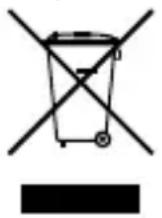
This symbol on the product or on its packaging indicates that this product should not be treated as household waste. Instead it should be handed over to a suitable collection point for the recycling of electrical and electronic equipment. By ensuring this product is disposed of correctly, you will help prevent potential negative consequences for the environment and human health, which could otherwise be caused by inappropriate waste handling of this product. The recycling of materials will help to conserve natural resources. For more detailed information about recycling of this product, please contact your local council office, your household waste disposal service or the shop where you purchased the product.
PURE
www.pure.com
support.pure.com
Pure International Limited
Concept House
Home Park Road
Kings Langley
Herts, WD4 8UD
United Kingdom
http://support.pure.com

- Move 2520
- ⚠ Safety information
- ChargePAK M1 safety instructions
- Symbols on the product and in the user manual
- Contents
- What's in the box?
- Quick guide to Move 2520
- Lock switch
- Micro USB socket
- 3.5mm socket
- Getting started
- Insert the ChargePAK
- Connect headphones
- Switch on
- Select language
- Autotune
- Reading the display
- Using the navigation dial
- Turn
- During normal listening
- When in a menu
- Press
- Select (centre button)
- Menu
- Fav
- ① Source (also On/Off)
- Stations
- Listening to digital radio
- Tuning
- Listening to FM radio
- Seek tune
- Manual tune
- Favourites
- Saving a favourite
- Selecting a favourite
- Settings
- Time (12h/24h)
- Language
- Factory reset
- Version
- Update
- FM stereo
- Sleep timer
- Audio settings
- Display settings
- Backlight
- Information
- Scrolling text
- Signal strength
- Signal quality
- Help and specifications
- Hints and tips
- Technical specifications
- Warranty information
- Disclaimer
- Trademarks
- Copyright
- Disposal of Waste Electrical & Electronic Equipment
- PURE
- Pure International Limited
Brand : PURE
Model : Move 2520
Category : Mp3 player