
Pro Wireless Receiver - Uncategorized DJI - Free user manual and instructions
Find the device manual for free Pro Wireless Receiver DJI in PDF.


| Product Type | Professional Wireless Audio Receiver |
| Brand | DJI |
| Model | Pro Wireless Receiver |
| Dimensions | 120 x 70 x 30 mm (approx.) |
| Weight | 180 g (approx.) |
| Power Supply | USB-C 5V/2A |
| Frequency Range | 2.4 GHz ISM band |
| Audio Output | 3.5 mm TRS stereo jack |
| Latency | < 20 ms |
| Operating Range | Up to 250 m (line of sight) |
| Compatibility | DJI wireless transmitters, cameras with audio input |
| Channel Count | Dual-channel (two transmitters simultaneously) |
| Display | OLED screen with status info |
| Mounting | Shoe mount or 1/4" thread |
| Operating Temperature | 0°C to 45°C |
| Battery | Built-in Li-ion, 3.7V 1500mAh |
| Charging Port | USB-C |
| Firmware Update | Via DJI Assistant app |
| Security | 256-bit AES encryption |
Frequently Asked Questions - Pro Wireless Receiver DJI
User questions about Pro Wireless Receiver DJI
0 question about this device. Answer the ones you know or ask your own.
Ask a new question about this device
Download the instructions for your Uncategorized in PDF format for free! Find your manual Pro Wireless Receiver - DJI and take your electronic device back in hand. On this page are published all the documents necessary for the use of your device. Pro Wireless Receiver by DJI.
USER MANUAL Pro Wireless Receiver DJI
DJI PRO Wireless Receiver
DJI 专业无线接收机
User Guide
使用说明
V1.0
2018.06
natural_image
Line drawing of a wireless device with a tall antenna and internal ports (no text or symbols)Disclaimer and Warning
Congratulations on purchasing your new DJI OSMO™ product. The information in this document affects your safety and your legal rights and responsibilities. Read this entire document carefully to ensure proper configuration before use. Failure to read and follow instructions and warnings in this document may result in serious injury to yourself or others, damage to your DJI OSMO product, or damage to other objects in the vicinity. This document and all other collateral documents are subject to change at the sole discretion of DJI OSMO.
By using this product, you hereby signify that you have read this disclaimer and warning carefully and that you understand and agree to abide by the terms and conditions herein. You agree that you are solely responsible for your own conduct while using this product, and for any consequences thereof. You agree to use this product only for purposes that are proper and in accordance with all applicable laws, rules, and regulations, and all terms, precautions, practices, policies and guidelines DJI OSMO has made and may make available.
DJI OSMO accepts no liability for damage, injury or any legal responsibility incurred directly or indirectly from the use of this product. The user shall observe safe and lawful practices including, but not limited to, those set forth in this document.
Notwithstanding above, your statutory rights under applicable national legislation are not affected by this disclaimer.
OSMO is a trademark of SZ DJI OSMO TECHNOLOGY CO., LTD. (abbreviated as "DJI OSMO") and its affiliated companies. Names of products, brands, etc., appearing in this document are trademarks or registered trademarks of their respective owner companies. This product and document are copyrighted by DJI OSMO with all rights reserved. No part of this product or document shall be reproduced in any form without prior written consent of or authorization from DJI OSMO.
In the Box
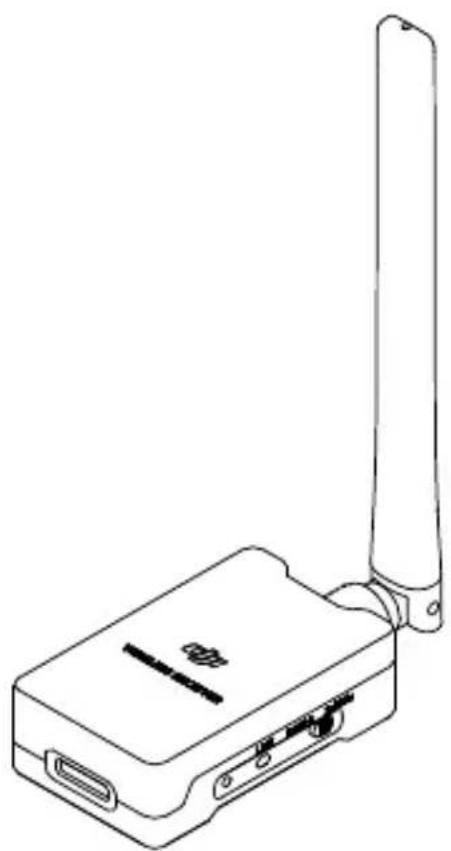
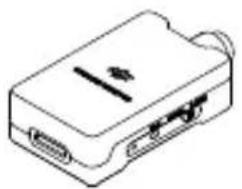
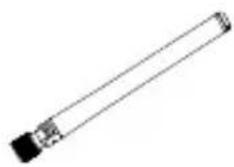
DJI Pro Wireless Receiver ×1 Antenna ×2
natural_image
Line drawing of a rectangular electronic device with ports and a central slot (no text or symbols)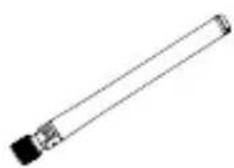
natural_image
Simple line drawing of a cylindrical object with a black base and small protrusions (no text or symbols)Ronin 2 UART to D-Bus Cable ×1 S-Bus Cable ×1


Introduction
The DJI Pro Wireless Receiver is designed to be used with DJI Force Pro, Master Wheels, and other controllers, providing a maximum operating range of 3 km in ideal conditions (unobstructed and free of interference). It can operate at either 2.4 GHz or 5.8 GHz and is compatible with the RONIN™ 2, Ronin-S, and third-party gimbals through an S-Bus connection.
1. Antenna
Relays control signals. Do not obstruct the antenna during operation.
2. Operating Frequency Switch
Switches the operating frequency between 2.4 GHz and 5.8 GHz. Please note that certain regions do not support devices operating in the 5.8GHz frequency band, make sure the switch is toggled to the 2.4 GHz position, otherwise the wireless received cannot be linked to the controller.
3. Link Button
Press and hold this button for two seconds to link to the controller.
4. Status LED
Indicates the system status.
- Power and Communication Port Connects to a gimbal using a CAN Bus cable, S-Bus cable.
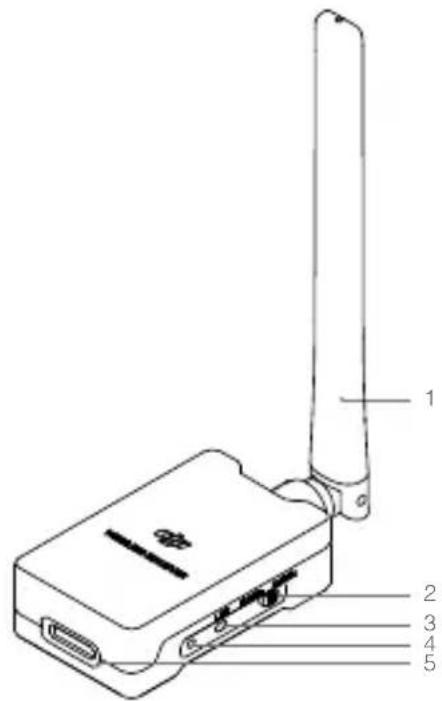
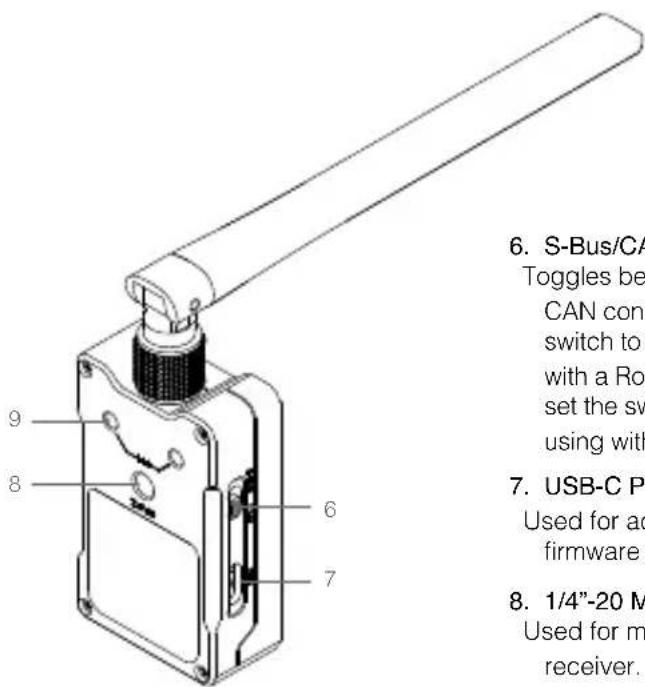
6. S-Bus/CAN Switch
Toggles between S-Bus and CAN connections. Set the switch to CAN when using with a Ronin 2 or Ronin-S, and set the switch to S-Bus when using with an S-Bus gimbal.
7. USB-C Port
Used for activation and firmware updates.
- 1/4"-20 Mounting Hole Used for mounting the receiver.
9. M4 Mounting Hole
Used for mounting the receiver.
Installation
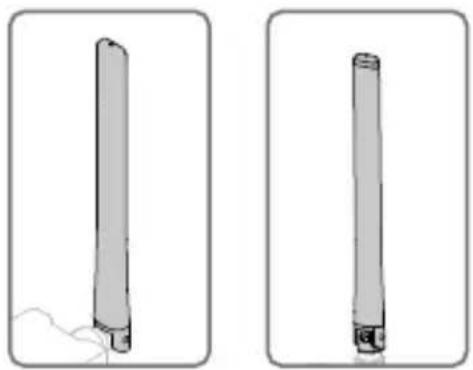
Mount the wireless receiver in a place free of signal interference using the mounting holes or other tools. Keep the antennas vertical during use and make sure both devices are free of interference.
natural_image
Two identical cylindrical objects with a small protrusion, shown in two different angles (no text or symbols)Cable Connections
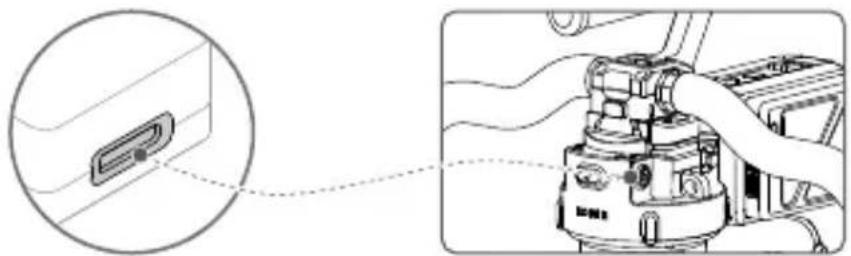
- Connecting to a Ronin 2: Connect the Power and Communication Port to the Ronin 2 14.4 V Accessory Power Port (located above the pan motor) using the CAN Bus cable.
natural_image
Diagram showing a device connected to a mechanical component, with an inset magnified view of the connector detail (no text or symbols present)- Connecting to a Ronin-S: Connect the Power and Communication Port to the Ronin-S CAN port using a CAN cable. (CAN cable sold separately)
- Connecting to an S-Bus supported third-party gimbal: Connect the Power and Communication Port to the gimbal's S-Bus port using the S-Bus cable.
Activation and Linking
Activation is required when using the Wireless Receiver for the first time. To activate, connect the USB-C port to the DJI Pro Assistant for the Ronin.
Press and hold the link button for two seconds to link to a controller. You must also initiate the linking procedure on the controller.
The Status LED indicates the system status. Refer to the table below for details.
Status LED Descriptions
| Blinking Pattern Description | |
| Blinking red quickly The device is not activated. | |
| Solid red | The device is activated but not linked to a controller. |
| Blinking red slowly The device is linking. | |
| Solid green Operating at 2.4 GHz. | |
| Blinking green slowly Operating at 5.8 GHz. | |
Specifications
| Weight Approx. 60 g | |
| Dimensions 210 × 38 × 19 mm | |
| Operating Temperature -4° to 122°F (-20° to 50°C) | |
| Operating Frequency 2.4 GHz; 5.8 GHz | |
| Transmitter Power (EIRP) | 2.4GHz: < 30dbm (FCC), < 20dbm (CE),< 25dbm (MIC), < 20dbm (SRRC)5.8GHz: < 30dbm (FCC), < 14dbm (CE),< 19dbm (SRRC) |
| Input Voltage 5–15 V | |
免责声明和警告
natural_image
Line drawing of a rectangular electronic device with ports and cables (no text or symbols)D-Bus 转接线 ×1
天线 ×2
natural_image
Simple line drawing of a cylindrical object with a black base and small protrusions (no text or symbols)S-Bus 转接线 ×1


简介
natural_image
Two identical cylindrical objects with protrusions, shown from different angles (no text or symbols)连线
natural_image
Diagram showing a car interior with a close-up of a component and a close-up of the engine cylinder (no text or symbols present)This device complies with Part 15 of the FCC Rules. Operation is subject to the following two conditions: (1) This device may not cause harmful interference, and (2) This device must accept any interference received, including interference that may cause undesired operation.
Any changes or modifications not expressly approved by the party responsible for compliance could void the user's authority to operate the equipment.
This equipment has been tested and found to comply with the limits for a Class B digital device, pursuant to part 15 of the FCC Rules. These limits are designed to provide reasonable protection against harmful interference in a residential installation. This equipment generates, uses and can radiate radio frequency energy and, if not installed and used in accordance with the instructions, may cause harmful interference to radio communications. However, there is no guarantee that interference will not occur in a particular installation. If this equipment does cause harmful interference to radio or television reception, which can be determined by turning the equipment off and on, the user is encouraged to try to correct the interference by one or more of the following measures:
— Reorient or relocate the receiving antenna.
— Increase the separation between the equipment and receiver.
— Connect the equipment into an outlet on a circuit different from that to which the receiver is connected.
— Consult the dealer or an experienced radio/TV technician for help.
RF Exposure Information
This equipment complies with FCC radiation exposure limits set forth for an uncontrolled environment. In order to avoid the possibility of exceeding the FCC radio frequency exposure limits, this transmitter must not be co-located or operating in conjunction with any other antenna or transmitter.
IC RSS Warning
This device complies with Industry Canada licence-exempt RSS standard (s). Operation is subject to the following two conditions: (1) this device may not cause interference, and (2) this device must accept any interference, including interference that may cause undesired operation of the device.
IC Radiation Exposure Statement:
This equipment complies with IC RF radiation exposure limits set forth for an uncontrolled environment. This transmitter must not be co-located or operating in conjunction with any other antenna or transmitter.
Any Changes or modifications not expressly approved by the party responsible for compliance could void the user's authority to operate the equipment.
KCC Warning Message
EU Compliance Statement: SZ DJI Osmo Technology Co., Ltd. hereby declares that this device is in compliance with the essential requirements and other relevant provisions of the Directive 2014/53/EU.
A copy of the EU Declaration of Conformity is available online at www.dji.com/euro-compliance
EU contact address: DJI GmbH, Industriestrasse 12, 97618, Niederlauer, Germany
CAUTION: RISK OF EXPLOSION IF BATTERY IS REPLACED BY AN INCORRECT TYPE. DISPOSE OF USED BATTERIES ACCORDING TO THE INSTRUCTIONS
Environmentally friendly disposal
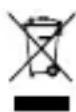
Old electrical appliances must not be disposed of together with the residual waste, but have to be disposed of separately. The disposal at the communal collecting point via private persons is for free. The owner of old appliances is responsible to bring the appliances to these collecting points or to similar
collection points. With this little personal effort, you contribute to recycle valuable raw materials and the treatment of toxic substances.
Thailand Warning message
If you have any questions about this document, please contact DJI by sending a message to
DocSupport@dji.com
- DJI PRO Wireless Receiver
- DJI 专业无线接收机
- Disclaimer and Warning
- In the Box
- Introduction
- Antenna
- Operating Frequency Switch
- Link Button
- Status LED
- S-Bus/CAN Switch
- USB-C Port
- M4 Mounting Hole
- Installation
- Cable Connections
- Activation and Linking
- 免责声明和警告
- 简介
- 连线
- RF Exposure Information
- IC RSS Warning
- KCC Warning Message
Brand : DJI
Model : Pro Wireless Receiver
Category : Uncategorized