
GMK600P - Kettle GEMINI - Free user manual and instructions
Find the device manual for free GMK600P GEMINI in PDF.


| Product Type | Electric Kettle |
| Brand | Gemini |
| Model | GMK600P |
| Power | 600W |
| Voltage / Frequency | 220-240V ~ 50/60Hz |
| Maximum Capacity | 600ml |
| Minimum Water Level | 200ml |
| Dimensions (with base) | 150(W) x 211(H) x 106(D) mm |
| Functions | Boil Water, Brew Tea, Flower Tea, Ginseng Tea, Healthy Soup, Keep Warm |
| Keep Warm Temperature Range | 30°C - 90°C (default 60°C) |
| Keep Warm Duration | Up to 24 hours |
| Adjustable Timer | 5-60 minutes depending on function |
| Safety Features | Dry boil protection, auto shut-off, NTC sensor, overheat protection |
| Error Codes | E2 (overheat), E3 (NTC open circuit) |
| Memory Function | Short-term (1 min) removal and power-off memory |
| Cleaning and Maintenance | Do not immerse body or base; wipe base clean; descale regularly |
| Warranty / Service | Contact after-sales service; do not disassemble yourself |
| Included Accessories | Power base, tea strainer, tea strainer holder, top cover |
Frequently Asked Questions - GMK600P GEMINI
User questions about GMK600P GEMINI
0 question about this device. Answer the ones you know or ask your own.
Ask a new question about this device
Download the instructions for your Kettle in PDF format for free! Find your manual GMK600P - GEMINI and take your electronic device back in hand. On this page are published all the documents necessary for the use of your device. GMK600P by GEMINI.
USER MANUAL GMK600P GEMINI
- The kettle complies with electric appliances' technical certification rules and the related safety laws and regulations.
- Before use, inspect and make sure the local voltage( AC 220-240V\~,50/60Hz) match with the rated voltage on the nameplate.
- For personal safety, please use a correctly grounded socket.
- When in use, put the kettle on a stable and secure platform and keep it out of reach of children.
- Inspect the plug and the power cable compréhensively and carefully and, if damaged, have them repaired or replaced by professionals.
- Do not use the kettle on (or close to) carpet, plastics or any other material not resistant to heat. Do not put any object likely to be affected by steam on the kettle.
- Beware of burn by the plentiful steam coming out of the spout.
- Keep the base surface clean. After use for some time, remove the dirt or water on the base surface.
- For safety, do not immerse the kettle body into water or allow any liquid to flow into its interior or base.
- If the power cable is damaged, have it replaced by a professional of the repair department of the manufacturer.
- Do not use the kettle when there is no water in it, otherwise its life will be shortened.
- When the kettle is boiling water, make sure it is watched and keep children away from it, particularly, make sure no child plays with the power cable.
- To avoid electric shocks due to damage of the kettle, do not immerse the kettle or its power cable, plug or base into water or any other liquid.
- If the kettle body, the base or any other part is damaged, stop using the kettle immediately and contact our after-sales service department.
-
When add water into the kettle, make sure the water in it is not higher than the maximum water level sign, i.e. the 600ml mark, otherwise boiling water will overflow.
-
When in use, do not touch the kettle with hands, otherwise you might be scalded.
- The kettle body and the base should be products produced by us only.
- When in use, make sure the power socket has good contact and do not use any extension cable.
- To avoid dangers such as short circuit or electric shocks, do not pull the power cable forcedly but hold the plug when the power cable is unplugged.
- To avoid dangers such as short circuit or electric shocks, do not plug or unplug the power cable with wet hands.
- To avoid dangers such as electric leakage or fires, do not dismantle, repair or modified the kettle by yourself but have the work done by professionals.
- Do not remove the top cover when the water in the kettle is boiling.
- Use the kettle on the base delivered with the kettle only.
- Use the kettle at home only. Do not use it outdoors.
- Do not use the kettle for other non-household purposes.
- The kettle can be used by children of 8 or above. When people with disability, impaired sensory intelligence or inadequate experience or knowledge use the product, they should be watched or guided in terms of safe use of the kettle and know the related dangers.
- Adults should tell children not to play with the kettle.
- Inspect the power cable at regular intervals. If it is damaged, it must be replaced by our after-sales service department or qualified electrician.
ProductDescription
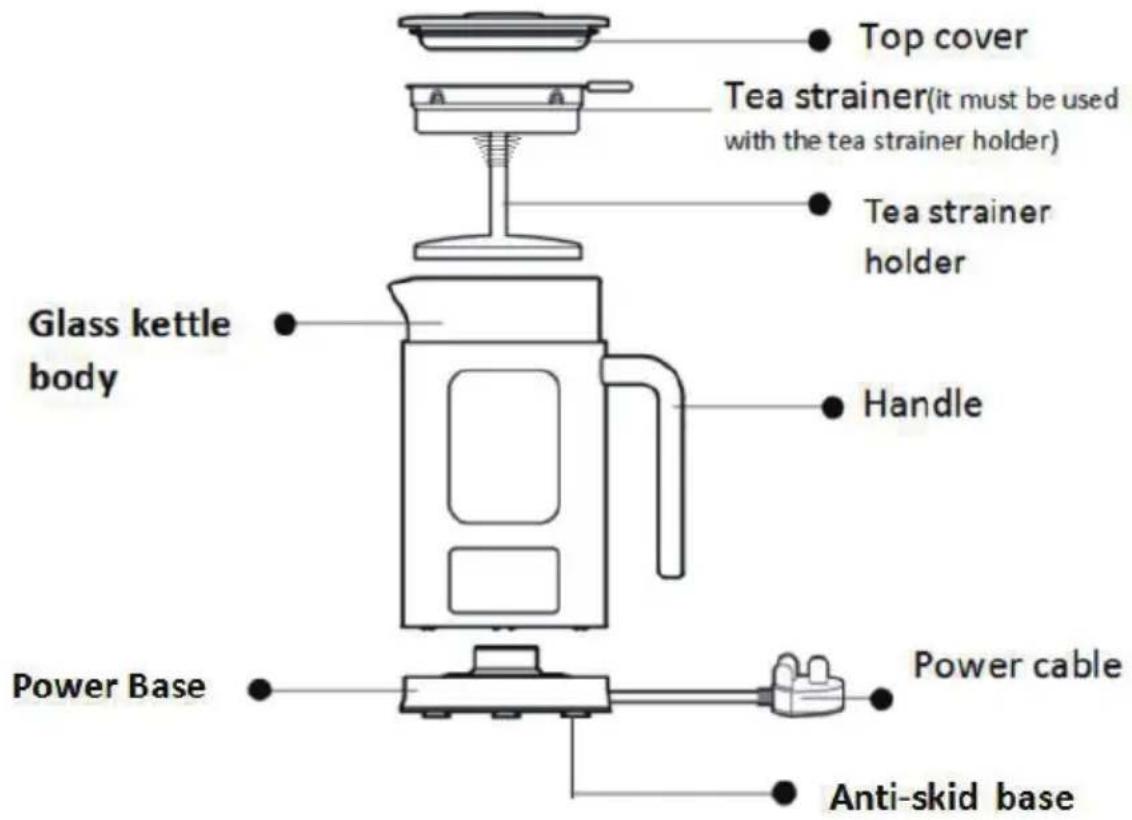
Remarks: The picture is for reference only.
| Programparametersforeachfunctions | |||||
| FunctionDefaultOperationTime | Heatingtemperature | DefaultAuto-keepwarmtemperature | AdjustableoperationTime | Temperaturerangefor“KeepWarm”function | |
| FlowerTea20min. | 100°C | 60°C | 15-60min. | 30-90°C | |
| GinsengTea10min. | 100°C | 60°C | 5-30min. | 30-90°C | |
| HealthySoup30min. | 100°C | 60°C | 15-60min. | 30-90°C | |
| BrewTea7min. | 100°C | 60°C | 5-60min. | 30-90°C | |
| BoilWater/ | 100°C | 60°C | / | 30-90°C | |
| KeepWarm24hours | 60°C | 60°C | / | 30-90°C | |
Note: The default operation time of each function program is to start calculation after the water is boiled.
Notes:
- When making a foamy tea, please lift the top cover.
-
Different teas may have different weights, so it is difficult to set a single standard for the water level in tea making. In principle, total volume of the tea and the water should not be higher than the maximum mark, i.e. 600 ml.
Particularly, there is white foam when making ginseng tea, so do not add water to 600ml mark but to 400ml only. -
The kettle is designed with dry boil protection. This function will not apply if the water less than 200 ml. When kettle is without water, the kettle will stop operation and start the dry boil protect function.
-
If the soup base or tea is pasty or sugar contained, there might be an overcooking sign at bottom of the kettle after heating. Therefore, do not leave the kettle when making tea or cooking soup. If overcooking is found, stop the kettle and clean the overcooked soup base or tea immediately after the kettle has cooled down.
-
If any seasoning (such as sugar or salt) needs to be added into any soup, add it into the container bowl with the soup poured into it after the program is finished. Do not add it into the kettle directly for heating to extend the life of this product.
-
Due to the difference water quality, the scale at the bottom of the kettle is a normal phenomenon.
-
There is 24 hours auto-Keep Warm function at default keep warm temperature 60^ C after each program completed. The display temperature fluctuates with the change of water temperature and environment at ( ± 3^ C).
-
After brew tea, there will be tea stains at the bottom of the kettle. It should be cleaned in time. Otherwise, it will be hard to clean after the stains accumulate for a long time and shorten the product service life.
Instructionsforuse
I. BoilWater
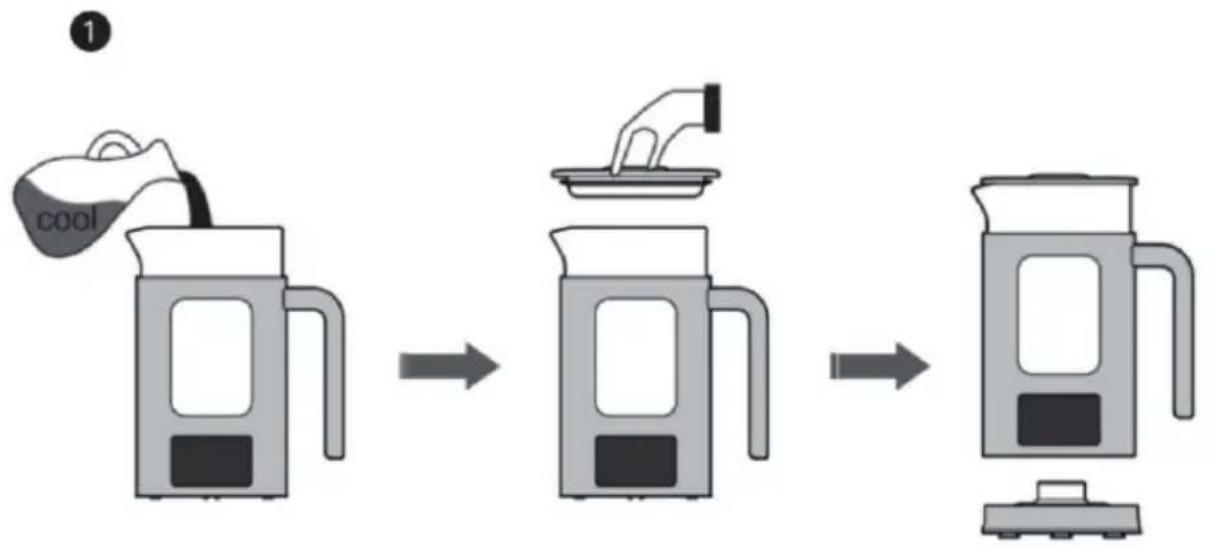
flowchart
graph LR
    A["cool"] --> B["plate with lid"]
    B --> C["steamer"]
Add water into the kettle and make sure the water in it is between the lowest mark(200ml) and the highest mark(600ml) (for purpose of no overflow via the spout during water boiling). Fit the top cover and connect the kettle body and the base. (During water boiling, the tea strainer and the tea strainer holder are not expected to be in the kettle.)
2
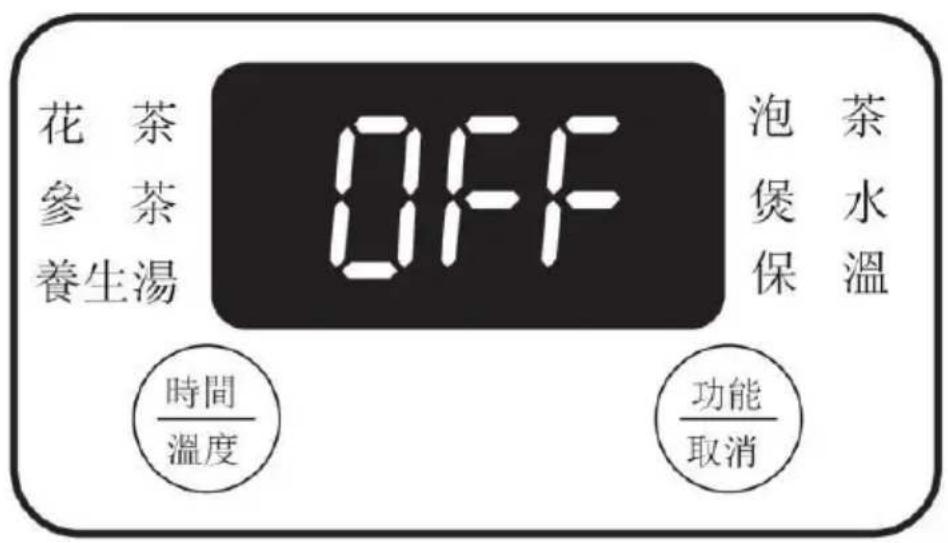
After the plug is inserted into the power socket, "OFF" will appear on the display screen and there will be a "BEEP", which suggests that the product is standby.
3
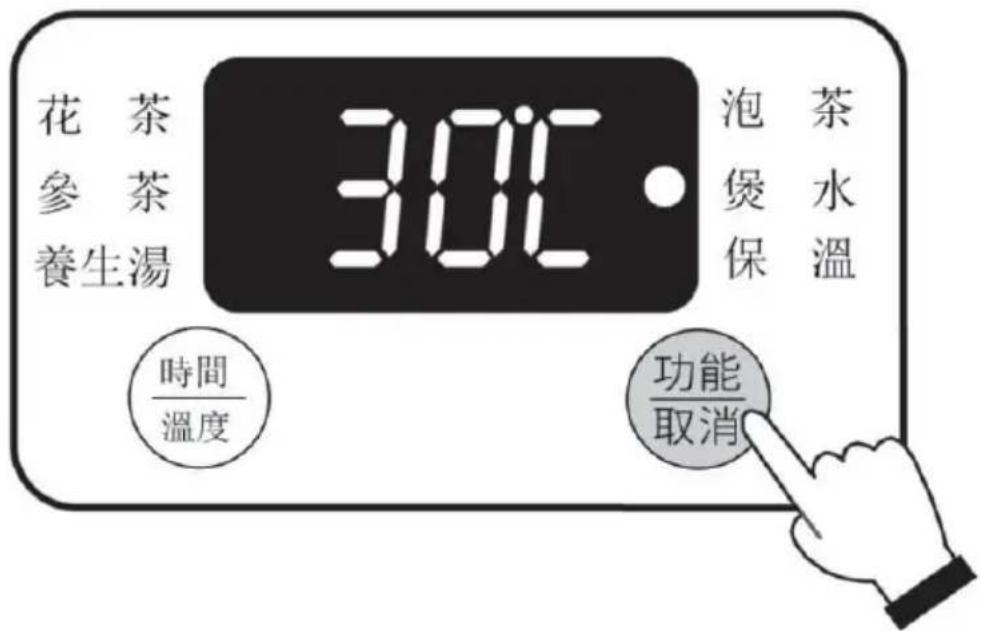
Press "Function/Cancel" gently with a hand and choose the "Boil water" program. The program indicator will then flicker. Five seconds later, the kettle will begin to work automatically and the "Boil water" program indicator will remain lit. After the water has boiled, the kettle will sound a "Beep" then keep the water in warm.
4
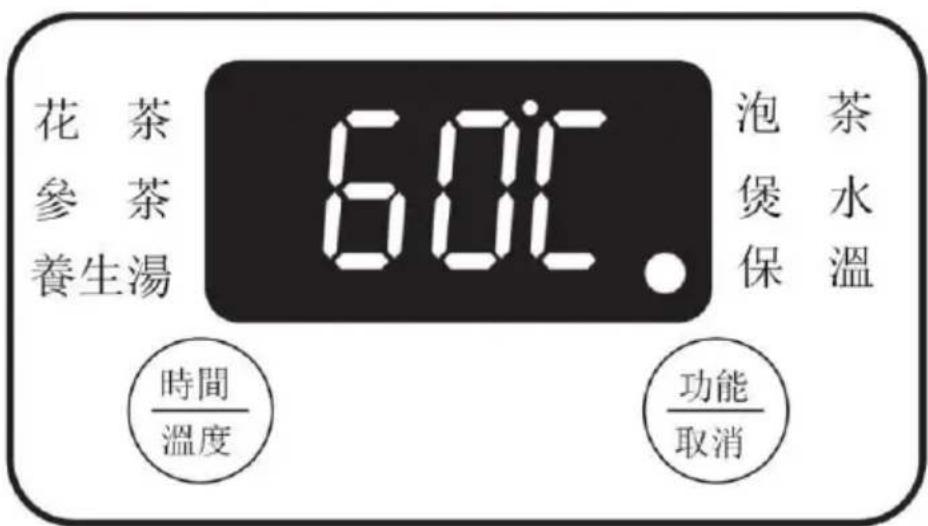
The “Keep Warm” program indicator will remain lit. The default duration of keeping the water warm is 24 hours following end of the previous program and the default warm water temperature is 60 °C .Or you can press
"Timer/Temperature" gently to adjust the temperature between 30^ and 90^ : Short press the button to increase by 1^ each press, or long press it to increase by 5^ each press. The adjustment can be cyclic.
II.BrewTea
natural_image
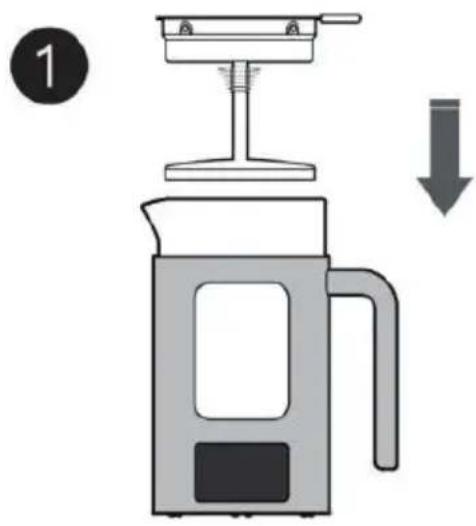
Illustration of a coffee maker with a downward arrow indicating compression or reduction (no text or symbols)Put both the tea strainer and the tea strainer holder into the kettle body.
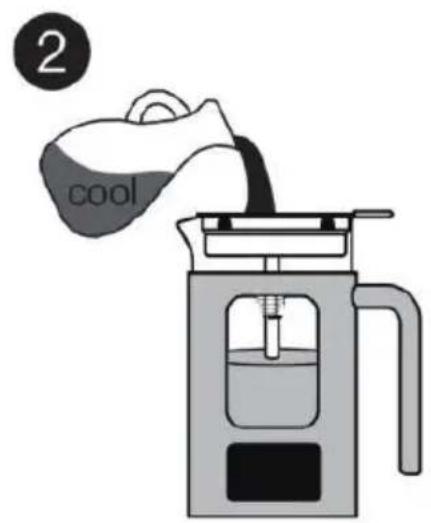
Add water into the kettle and make sure the clear water in it is between the lowest mark(200ml) and the highest mark(600ml). Use the tea leave about 5-10g and distribute on the tea strainer evenly. (The data above are for reference only.)
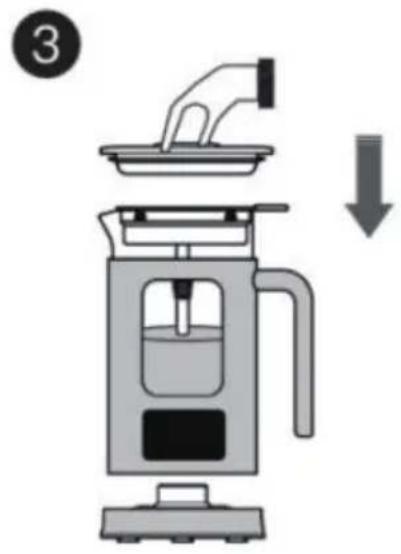
Fit the top cover firmly and put the kettle body onto the power base.
natural_image
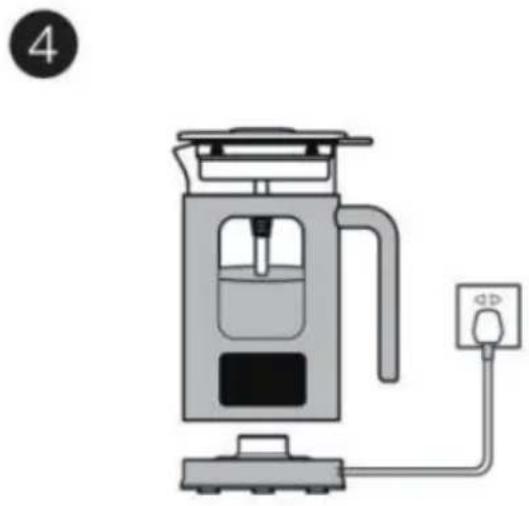
Illustration of a portable coffee maker with a plug and control panel (no text or symbols)Insert the plug into the power socket and choose "Brew Tea" to start the kettle.
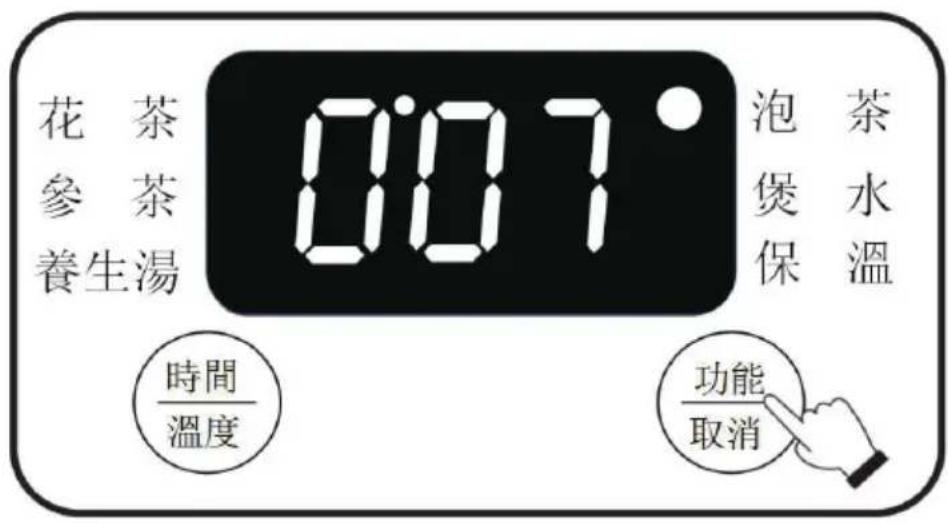
Press “Function/Cancel” gently and choose the “Brew Tea” program. The program indicator will flicker. The default time is 7 minutes and the default operation temperature is 100 °C and cannot be adjusted. Press “Timer/Temperature” gently to adjust the operation time of heating (5-60 minutes): short press the button to increase by 5 minutes each press, or long press it to increase by 10 minutes each press. The adjustment can be cyclic.
Five seconds later, the kettle will begin to work automatically and the “Brew Tea” program indicator will remain lit. Upon end of the program, the kettle will sound a “Beep” and keep the tea in warm for 24 hours automatically at default auto keep warm temperature 60 °C and it can be adjusted between 30 °C -90 °C according your needs.
Ⅲ、FlowerTea
1
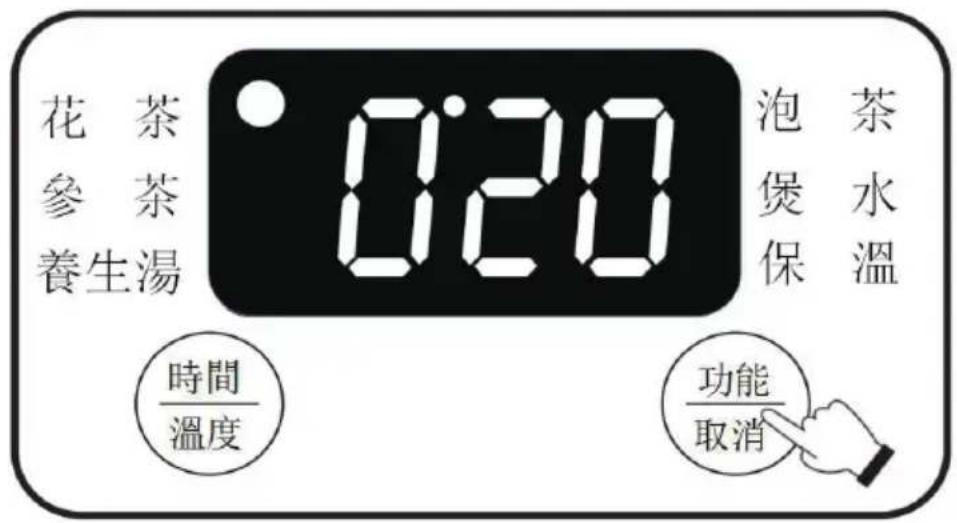
After the power is turned on, the display shows the OFF and enters standby mode. Press “Function/Cancel” gently and choose the “Flower Tea” program. The program indicator will flicker. Five seconds later, the kettle will begin to work automatically and the default operation time of the program will appear on the display screen. Press “Timer/Temperature” gently to adjust the duration (15-60 minutes): short press the button to increase by 5 minutes each press, or long press it to increase by 10 minutes each press. The adjustment can be cyclic. Upon end of the program, the kettle will sound a “Beep” and keep the tea in warm of 24 hours at default auto keep warm temperature 60 °C and it can be adjusted between 30°C -90°C according your needs.
Reminder: The minimum water level is 200ml and the maximum water level is 600ml. (The data above are for reference only.)
IV. GinsengTea
1
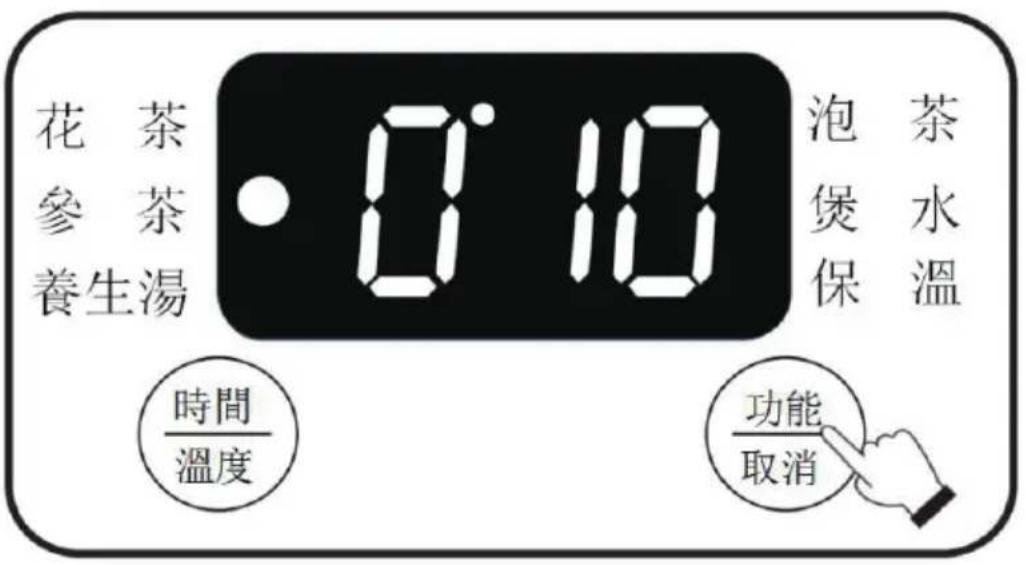
After the power is turned on, the display shows the OFF and enters standby mode. Press “Function/Cancel” gently and choose the “Ginseng Tea” program. The program indicator will flicker. Five seconds later, the kettle will begin to work automatically and the default operation time of the program will appear on the display screen. Press “Timer/Temperature” gently to adjust the duration (5-30 minutes): short press the button to increase by 5 minutes each press, or long press it to increase by 10 minutes each press. The adjustment can be cyclic. Upon end of the program, the kettle will sound a “Beep” and keep the tea in warm of 24 hours at default auto keep warm temperature 60 °C and it can be adjusted between 30°C -90°C according your needs.
Reminder: 1. The minimum water level is 200ml and the maximum water level is 400ml. (The data above are for reference only.)
- The ginseng slides could use about 5g to 10g, and there will be white foam floating, the water volume can not be increased to a maximum capacity of 600ml, only water can be added to 400ml, otherwise the water will overflow when boiling.
V.HealthySoup

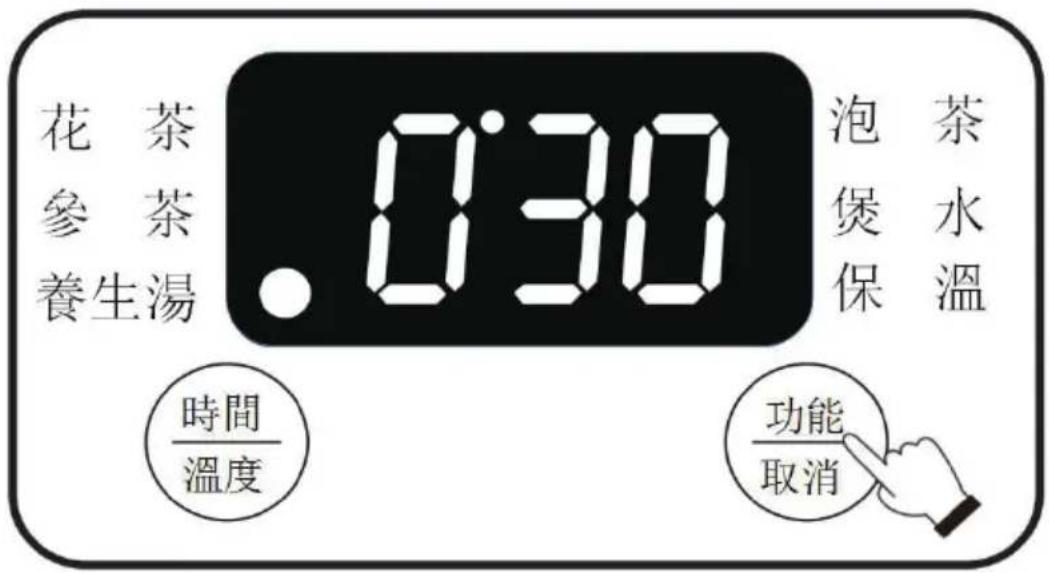
After the power is turned on, the display shows the OFF and enters standby mode. Press “Function/Cancel” gently and choose the “Healthy Soup” program. The program indicator will flicker. Five seconds later, the kettle will begin to work automatically and the default operation time of the program will appear on the display screen. Press “Timer/Temperature” gently to adjust the duration (15-60 minutes): short press the button to increase by 5 minutes each press, or long press it to increase by 10 minutes each press. The adjustment can be cyclic. Upon end of the program, the kettle will sound a “Beep” and keep the soup in warm of 24 hours at default auto keep warm temperature 60 °C and it can be adjusted between 30°C -90°C according your needs.
Reminder: The minimum water level is 200ml (just over the soup base) and the maximum water level is 500ml. If it exceeds 500ml, boiling water will spurt out and cause burns. (The data above are for reference only.)

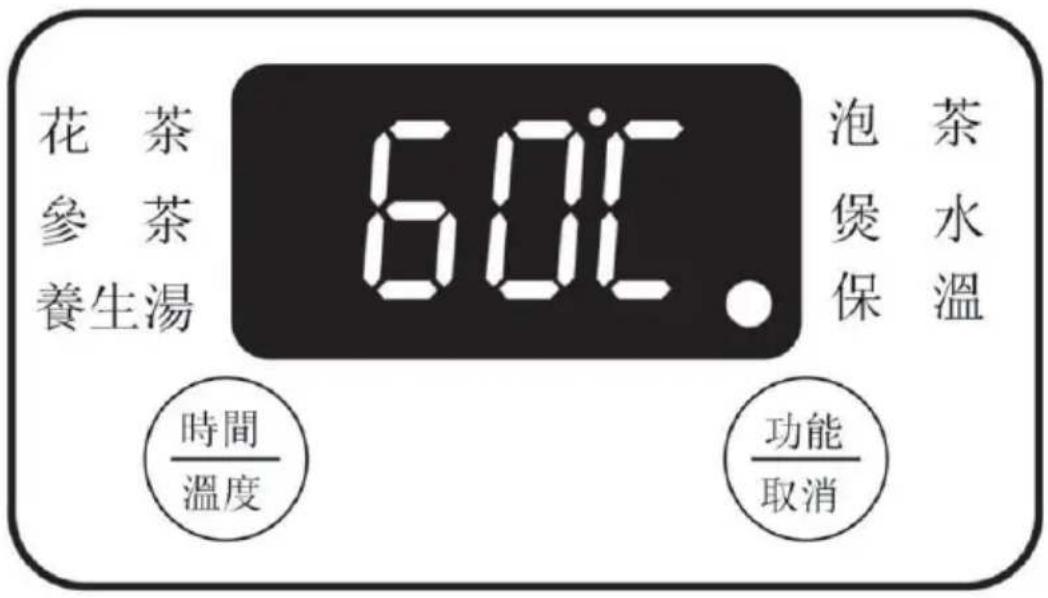
The “Keep Warm” program indicator will remain lit. The default duration of keeping the soup warm is 24 hours and the default warm water temperature is 60 °C. It shows that the temperature fluctuates with the change of water temperature and environment at ( ± 3°C ). You can press “Timer/Temperature” gently to adjust the temperature between 30 °C and 90 °C. Short press the button to increase by 1 °C each press, or long press it to increase by 5 °C each press. The adjustment can be cyclic. After keeping warm for 24 hours, it will count down until it finishes issuing a “beep” tone and then enters the off standby state.
IV. Additional Functions
- Function of memory after short-time removal of kettle: If the kettle is removed from its power base for about 1 minute and then put back to its base during use, it will continue to execute the unfinished program.
- Function of power off memory: If the kettle is unplugged for about 1 minute and then plugged again during use, it will continue to execute the unfinished program.
- If the kettle is operating without water, or if it is overheated because the ingredients in it is overcooked, it will detect it and power off automatically and display nothing on its display screen. After the temperature in the kettle has declined or cold water has been added into it, “OFF” will appear on the display screen. Remember that there will be sticky bottoms or a have a burnt scent when the bottom of the kettle is heated, it needs to be cleaned that continue to use.
- When the NTC sensor has detected overheating, “E2” will appear on the display screen and it needs to wait for the temperature to drop before it can be used normally. When NTC has an open circuit, “E3” will appear on the display screen. Please contact our after-sales service department for inspection and maintenance. (“E2” and “E3” both suggest a fault).
VII.CleaningandMaintenance
- Please keep the power base surface clean. After use for some time, remove the dirt or water on the base surface.
- For safety, do not immerse the kettle body into water or allow any liquid to flow into its interior or base.
- Do not start any operation, heating and boiling when there is no water in it, otherwise the product life will be shortened.
- To avoid electric shocks due to damage of the kettle, do not immerse the kettle or its power cable, plug or power base into water or any other liquid.
- Use the kettle on the power base delivered with the kettle only.
ProductSpecifications
Model No.: GMK600P
Power: 600W
Voltage frequency: 220-240V\~50/60Hz
Maximum capacity: 600ml
Product dimension: 150(W)x211(H)x106(D) mm (with power base)
*The final product specification may be varied according to a different lot of material and actual input voltage power of the usage area.
安全注意事項
flowchart
graph LR
    A["COOL"] --> B["Steamer with lid"]
    B --> C["Fryer with lid"]
    C --> D["Steamer with lid"]
natural_image
Illustration of a portable water heater with a power outlet connected to a plug (no text or symbols)Proudly Serviced by:

a Gilman Group Company
太平家庭電器


Brand : GEMINI
Model : GMK600P
Category : Kettle